

Maybe you should try this:
http://www.intel.com/support/graphics/sb/U...isplay_Mode.htm
CLOSED
CLOSED
|
|
 Nov 10 2011, 05:50 PM Nov 10 2011, 05:50 PM
Return to original view | Post
#41
|
 
All Stars
14,901 posts Joined: Apr 2005 From: Kuala Lumpur & Selangor  
|
|
|
|
|
|
|
Nov 11 2011, 08:43 AM
Return to original view | Post
#42
|
|
All Stars
14,901 posts Joined: Apr 2005 From: Kuala Lumpur & Selangor
|
QUOTE(kapultek @ Nov 11 2011, 01:52 AM) just ordered my ST2320L for rm429 before 12am.....dont know when can get Normally around 3-5 business days. |
|
|
Nov 11 2011, 10:11 AM
Return to original view | Post
#43
|
|
All Stars
14,901 posts Joined: Apr 2005 From: Kuala Lumpur & Selangor
|
QUOTE(Polytechnic @ Nov 11 2011, 10:08 AM) Looking for Gaming Monitor U2312 or ST2320L NOT TOO HUGE!!! Current LCD MONITOR 22" 1680x1050  |
|
|
Nov 11 2011, 04:32 PM
Return to original view | Post
#44
|
|
All Stars
14,901 posts Joined: Apr 2005 From: Kuala Lumpur & Selangor
|
QUOTE(barry80 @ Nov 11 2011, 02:28 PM) too bad dell sent me a "defect" u2412m with ips glow issue. The third purchased of my LCD & first ips panel i ever owned got such "glow" effect is very very bad. previous viewsonic & lg never have such issue on me, my bad... Wow, how do you test that?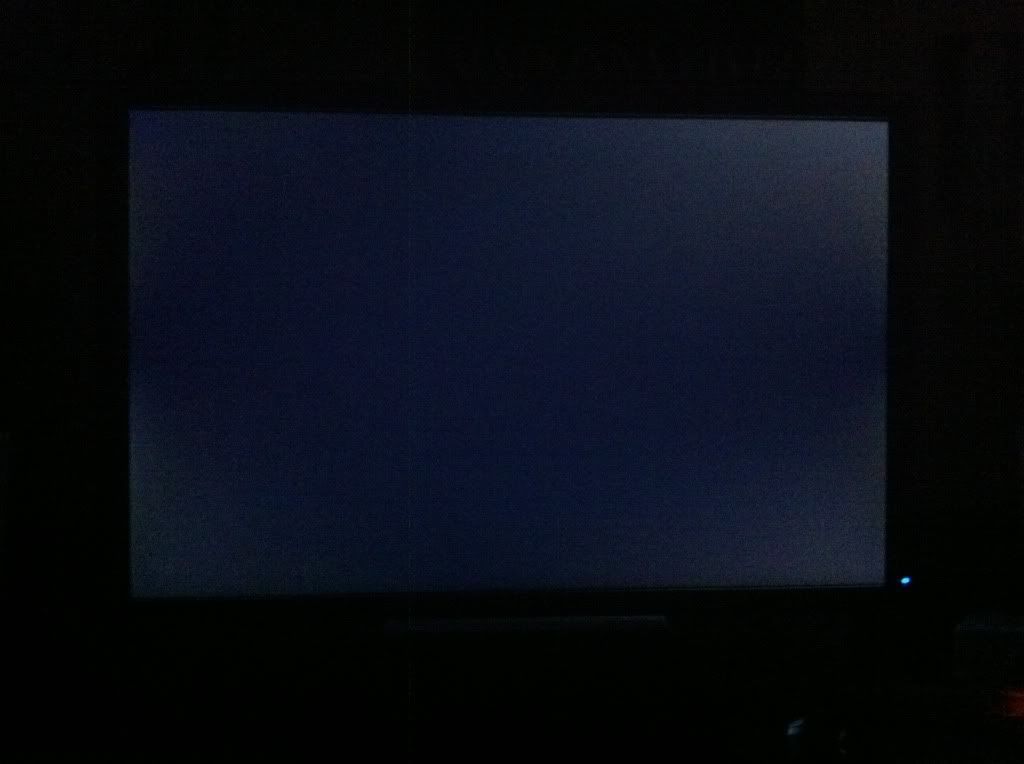 I just received mine today and the IPS is stunningly bright  |
|
|
Nov 11 2011, 08:25 PM
Return to original view | Post
#45
|
|
All Stars
14,901 posts Joined: Apr 2005 From: Kuala Lumpur & Selangor
|
My contrast is 75. What's the ideal setting?
|
|
|
Nov 12 2011, 10:27 AM
Return to original view | Post
#46
|
|
All Stars
14,901 posts Joined: Apr 2005 From: Kuala Lumpur & Selangor
|
QUOTE(barry80 @ Nov 12 2011, 02:15 AM) i follow exactly what have PC Monitor calibrated in "custom" mode. at 60% brightness, it turn out to be the most ideal setting to me. Thanks for the link. I did not reduce the green setting to 93 because it just looks weird.  QUOTE(pds_disi @ Nov 12 2011, 04:40 AM) hi huys, i like to ask is 6ms on Dell U2410 fast enough for gaming ? I play COD no problem also. i m tired of colour shift on my current tn panel monitor so i think to get an ips panel, but i don't want to compromise gaming experience. i like to know before made decision. |
|
|
|
|
|
Nov 12 2011, 05:47 PM
Return to original view | Post
#47
|
|
All Stars
14,901 posts Joined: Apr 2005 From: Kuala Lumpur & Selangor
|
Why my new screen like got oil stain when present in white color?
|
|
|
Nov 12 2011, 11:12 PM
Return to original view | Post
#48
|
|
All Stars
14,901 posts Joined: Apr 2005 From: Kuala Lumpur & Selangor
|
QUOTE(MBL @ Nov 12 2011, 08:54 PM) I don't want to waste my money to purchase new PC I think that is a hardware limitation. Your solution is maybe go Garage sale and search for AGP GPU that support up to 1920 x 1080.  not enough budget. Other solutions?update driver maybe? not enough budget. Other solutions?update driver maybe?Added on November 12, 2011, 9:00 pm No. From USB Mouse directly to monitor, |
|
|
Nov 13 2011, 09:17 AM
Return to original view | Post
#49
|
|
All Stars
14,901 posts Joined: Apr 2005 From: Kuala Lumpur & Selangor
|
QUOTE(Maxieos @ Nov 13 2011, 12:45 AM) Just wanted to ask , Those TV definitely better lo. I watch it at my monitor and compare to my HD ready Panasonic, still Panasonic for TV. U2410 vs LCD TV like panasonic 32/42 inch Watching tv , which one produce nice color accurate ? But if you say for computer works then definitely monitor lah. |
|
|
Nov 13 2011, 07:25 PM
Return to original view | Post
#50
|
|
All Stars
14,901 posts Joined: Apr 2005 From: Kuala Lumpur & Selangor
|
QUOTE(MBL @ Nov 13 2011, 05:40 PM) Yeah right. Dell will replace with 19" monitor I think if for office work, 19" is sufficient.Normally 23" for multimedia and entertainment. |
|
|
Nov 13 2011, 11:14 PM
Return to original view | Post
#51
|
|
All Stars
14,901 posts Joined: Apr 2005 From: Kuala Lumpur & Selangor
|
First time I have an IPS and TN side by side. The difference is really huge. Thanks for the great recommendation to get IPS.
I like the IPS auto-bright setting which adjust brightness according to the screen. It's really good. Now..I plan to sell my TN and get an IPS suddenly |
|
|
Nov 14 2011, 12:40 AM
Return to original view | Post
#52
|
|
All Stars
14,901 posts Joined: Apr 2005 From: Kuala Lumpur & Selangor
|
QUOTE(MBL @ Nov 13 2011, 11:34 PM) I think so. But I dunno how to explain to my boss for this issue Computer too old, if want support these LCD need to upgrade. GC now very cheap, around RM 100 each.  Added on November 14, 2011, 12:41 am QUOTE(MBL @ Nov 13 2011, 11:34 PM) The price around RM400 something almost 500. I forgot exact amount of one unit. Have to check the proforma invoice 2morow. By the way why is it so expensive?Normal dell 19" only RM 200++ http://accessories.ap.dell.com/sna/sna.asp...ab=2&redirect=1 This post has been edited by Icehart: Nov 14 2011, 12:41 AM |
|
|
Nov 16 2011, 09:09 AM
Return to original view | Post
#53
|
|
All Stars
14,901 posts Joined: Apr 2005 From: Kuala Lumpur & Selangor
|
QUOTE(XiuKeong @ Nov 15 2011, 08:46 PM) Planning to get a IPS lcd to replace my 2 years Acer lcd. Any suggestion? Budget?Main priority is photo editing and PS3. |
|
|
|
|
|
Apr 3 2012, 04:37 PM
Return to original view | Post
#54
|
|
All Stars
14,901 posts Joined: Apr 2005 From: Kuala Lumpur & Selangor
|
QUOTE(CyntrixTech @ Apr 1 2012, 05:06 PM) The U2312HM after color calibration delivers very natural and accurate color. Out of the box, it is still within spec but it's very bright and is a little over 6500k. How do you calibrate the monitor?  |
|
|
Apr 3 2012, 04:41 PM
Return to original view | Post
#55
|
|
All Stars
14,901 posts Joined: Apr 2005 From: Kuala Lumpur & Selangor
|
QUOTE(CyntrixTech @ Apr 3 2012, 04:40 PM) We have colorimeter and proper software to do the calibration. and how much would it cost? |
|
|
Apr 3 2012, 04:45 PM
Return to original view | Post
#56
|
|
All Stars
14,901 posts Joined: Apr 2005 From: Kuala Lumpur & Selangor
|
QUOTE(CyntrixTech @ Apr 3 2012, 04:43 PM) Cost for calibration or the colorimeter? Cost of calibration |
|
|
Apr 3 2012, 05:36 PM
Return to original view | Post
#57
|
|
All Stars
14,901 posts Joined: Apr 2005 From: Kuala Lumpur & Selangor
|
QUOTE(CyntrixTech @ Apr 3 2012, 04:48 PM) We currently do not provide calibration service for monitors purchased elseswhere. We only do them FOC for our customers. Maybe in the future we will offer this service to the open market. The meter is not terribly expensive but also not exactly cheap. It costs more than the monitor Ouch  |
|
Topic ClosedOptions
|
| Change to: |  0.1636sec 0.1636sec
 0.60 0.60
 7 queries 7 queries
 GZIP Disabled GZIP Disabled
Time is now: 18th December 2025 - 12:03 AM |
 Quote
Quote