Welcome Guest ( Log In | Register )

94 Pages « < 84 85 86 87 88 > » Bottom

Outline · [ Standard ] · Linear+

 ASUS Malaysia Component and Hardware

views
     
hazairi
post Apr 24 2019, 11:02 AM

Look at all my stars!!
*******
Senior Member
2,694 posts

Joined: Feb 2007
From: KL


QUOTE(ASUSmy @ Apr 24 2019, 10:16 AM)
Hi hazairi,

Sorry ASUS PRIME Z370-P doesn't provide any sticker. Usually is ROG motherboard will have it.

Thank you
*
Oh ok. thanks alot!
farz_marz
post Apr 28 2019, 08:07 PM

Getting Started
**
Junior Member
80 posts

Joined: Jun 2009
Hi,

Is it ok if i mount noctua nh-d15 or be quiet dark rock 4 on of Asus maximus xi gene mATX board? How the durability and can it damage the board ? And will it block the pcie slot for graphic card?

This post has been edited by farz_marz: Apr 28 2019, 08:08 PM
TSASUSmy
post Apr 29 2019, 10:32 AM

Look at all my stars!!
*******
Senior Member
2,319 posts

Joined: Mar 2010
QUOTE(farz_marz @ Apr 28 2019, 08:07 PM)
Hi,

Is it ok if i mount noctua nh-d15 or be quiet dark rock 4 on of Asus maximus xi gene mATX board? How the durability  and can it damage the board ? And will it block the pcie slot for graphic card?
*
Hi farz_marz,

I would suggest you to go for Dark Rock 4, because it is lighter than the NH-D15.

For the durability, if you don't plan to move the chasis around and bumping the chasis too often then I believe you won't have problem.

So far there is no issue in blocking the PCIe slot for the graphic card as it has the same distance with the ATX motherboard.

Thank you
farz_marz
post Apr 29 2019, 10:50 AM

Getting Started
**
Junior Member
80 posts

Joined: Jun 2009
QUOTE(ASUSmy @ Apr 29 2019, 10:32 AM)
Hi farz_marz,

I would suggest you to go for Dark Rock 4, because it is lighter than the NH-D15.

For the durability, if you don't plan to move the chasis around and bumping the chasis too often then I believe you won't have problem.

So far there is no issue in blocking the PCIe slot for the graphic card as it has the same distance with the ATX motherboard.

Thank you
*
The motherboard is 3 year warranty with +1 year if i register it online?
Where is the RMA service centre?
TSASUSmy
post Apr 29 2019, 11:15 AM

Look at all my stars!!
*******
Senior Member
2,319 posts

Joined: Mar 2010
QUOTE(farz_marz @ Apr 29 2019, 10:50 AM)
The motherboard is 3 year warranty with +1 year if i register it online?
Where is the RMA service centre?
*
Hi farz_marz,

Can you provide me the serial number for checking and for warranty claim you can send back to the place you bought it for the process.

Thank you
farz_marz
post Apr 29 2019, 11:36 AM

Getting Started
**
Junior Member
80 posts

Joined: Jun 2009
QUOTE(ASUSmy @ Apr 29 2019, 11:15 AM)
Hi farz_marz,

Can you provide me the serial number for checking and for warranty claim you can send back to the place you bought it for the process.

Thank you
*
Havent received it yet. I just ordered the motherboard from linglong/dotatech. Just want to know some of the details.
SUSkidrawk
post Oct 3 2019, 12:34 PM

Casual
***
Junior Member
406 posts

Joined: Apr 2008


Hi.

I've recently purchased ROG Strix B450-F Gaming. I wanted to install my M.2 on M.2_1 socket, but there's no M.2 standoff installed on the MB, and there's no standoff for it in the box (only standoff for MB. Tried putting it in in the M.2_1 screw hole, but couldn't fit. There is, however, 3 pieces M.2 standoff tightly installed on M.2_2 socket though. I tried to unscrew it but to no avail.

In the manual said: M.2_2 socket shares bandwidth with PCIE x16. When M.2_2 slot runs in PCIE mode, the PCIE x16_1 slot will run at x8 mode.

So yeah, now my GPU (ROG Strix RTX 2060 Super) is running at x8 mode because I put my M.2 on M.2_2.

Here's the pic of M.2_1 screw hole: https://i.imgur.com/zKebxX7.jpg

Am I missing something?


Thanks!
TSASUSmy
post Oct 3 2019, 02:10 PM

Look at all my stars!!
*******
Senior Member
2,319 posts

Joined: Mar 2010
QUOTE(kidrawk @ Oct 3 2019, 12:34 PM)
Hi.

I've recently purchased ROG Strix B450-F Gaming. I wanted to install my M.2 on M.2_1 socket, but there's no M.2 standoff installed on the MB, and there's no standoff for it in the box (only standoff for MB. Tried putting it in in the M.2_1 screw hole, but couldn't fit. There is, however, 3 pieces M.2 standoff tightly installed on M.2_2 socket though. I tried to unscrew it but to no avail.

In the manual said: M.2_2 socket shares bandwidth with PCIE x16. When M.2_2 slot runs in PCIE mode, the PCIE x16_1 slot will run at x8 mode.

So yeah, now my GPU (ROG Strix RTX 2060 Super) is running at x8 mode because I put my M.2 on M.2_2.

Here's the pic of M.2_1 screw hole: https://i.imgur.com/zKebxX7.jpg

Am I missing something?
Thanks!
*
Hi kidrawk,

Can you provide me the serial number of the motherboard and where do you bought this motherboard?

Thank you
hashtag2016
post Oct 3 2019, 02:16 PM

On my way
****
Junior Member
509 posts

Joined: Feb 2016
QUOTE(kidrawk @ Oct 3 2019, 12:34 PM)
Hi.

I've recently purchased ROG Strix B450-F Gaming. I wanted to install my M.2 on M.2_1 socket, but there's no M.2 standoff installed on the MB, and there's no standoff for it in the box (only standoff for MB. Tried putting it in in the M.2_1 screw hole, but couldn't fit. There is, however, 3 pieces M.2 standoff tightly installed on M.2_2 socket though. I tried to unscrew it but to no avail.

In the manual said: M.2_2 socket shares bandwidth with PCIE x16. When M.2_2 slot runs in PCIE mode, the PCIE x16_1 slot will run at x8 mode.

So yeah, now my GPU (ROG Strix RTX 2060 Super) is running at x8 mode because I put my M.2 on M.2_2.

Here's the pic of M.2_1 screw hole: https://i.imgur.com/zKebxX7.jpg

Am I missing something?
Thanks!
*
very curious how you put the ssd on the M.2_2 ? if u really don't have any standoff..
coz, u suppose to have 2 pair of standoff and screw in the box of motherboard..
If u had put one standoff on second slot, then simply remove it and put it on first slot.
hmm.gif


simply googling, showing that your motherboard should come with 2 pair of standoff and screw in the box of motherboard.
https://www.vortez.net/articles_pages/rog_s...g_review,3.html
https://www.techporn.ph/review-asus-rog-str...m4-motherboard/

pls be noticed, the height of slot 1 and slot 2 seems different , from the website above..
SUSkidrawk
post Oct 3 2019, 02:31 PM

Casual
***
Junior Member
406 posts

Joined: Apr 2008


QUOTE(ASUSmy @ Oct 3 2019, 02:10 PM)
Hi kidrawk,

Can you provide me the serial number of the motherboard and where do you bought this motherboard?

Thank you
*
I've PMed you. Thanks.


QUOTE(hashtag2016 @ Oct 3 2019, 02:16 PM)
very curious how you  put the ssd on the  M.2_2 ? if u really don't have any standoff.. 
coz, u suppose to have 2 pair of standoff and screw in the box of motherboard..
If u had put one standoff on  second slot, then  simply remove it and put it on first slot.
hmm.gif
simply googling, showing that your motherboard should come with 2 pair of standoff and screw in the box of motherboard.
https://www.vortez.net/articles_pages/rog_s...g_review,3.html
https://www.techporn.ph/review-asus-rog-str...m4-motherboard/

pls be noticed, the height of slot 1 and slot 2 seems different , from the website above..
*
The M.2_2 socket already has 3 standoff installed, but couldn't unscrew it. You can see it here from the link you gave : https://www.vortez.net/articles_pages/rog_s...g_review,5.html (pic #2, bottom screw).

And if you see this link : https://www.vortez.net/articles_pages/rog_s...g_review,4.html (pic #3 upclose), you can see that there's no M.2 standoff above the first PCIE slot, only the three in between 2nd and 3rd PCIE.
hashtag2016
post Oct 3 2019, 02:34 PM

On my way
****
Junior Member
509 posts

Joined: Feb 2016
QUOTE(kidrawk @ Oct 3 2019, 02:31 PM)
I've PMed you. Thanks.
The M.2_2 socket already has 3 standoff installed, but couldn't unscrew it. You can see it here from the link you gave : https://www.vortez.net/articles_pages/rog_s...g_review,5.html (pic #2, bottom screw).

And if you see this link : https://www.vortez.net/articles_pages/rog_s...g_review,4.html (pic #3 upclose), you can see that there's no M.2 standoff above the first PCIE slot, only the three in between 2nd and 3rd PCIE.
*
no, it is not.. those r screw holes for your standoff.. (ya, the second socket a bit higher than the first socket) ...
the first and second socket are different type, if u see carefully...
you should have 2 little plastics that contain screw and standoff. (as u see in the links above.)

This post has been edited by hashtag2016: Oct 3 2019, 02:55 PM
SUSkidrawk
post Oct 3 2019, 02:53 PM

Casual
***
Junior Member
406 posts

Joined: Apr 2008


QUOTE(hashtag2016 @ Oct 3 2019, 02:34 PM)
no, it is not.. those r screw holes for your standoff.. (ya, the second slot a bit higher than the first slot) ...
the first and second slot are different type, if u see carefully...
*
I just shut down the PC, tried to screw from M.2_2 and took a closer pics.

The screw CAN'T fit.

Also, I think the holes might not even have thread.

See this: https://i.imgur.com/9oZJllO.jpg & https://i.imgur.com/gFD8jLj.jpg
hashtag2016
post Oct 3 2019, 03:00 PM

On my way
****
Junior Member
509 posts

Joined: Feb 2016
QUOTE(kidrawk @ Oct 3 2019, 02:53 PM)
I just shut down the PC, tried to screw from M.2_2 and took a closer pics.

The screw CAN'T fit.

Also, I think the holes might not even have thread.

See this: https://i.imgur.com/9oZJllO.jpg & https://i.imgur.com/gFD8jLj.jpg
*
the only question is ,if the box is seal or not, while u get the motherboard?
if not, maybe sb else lost it while they were taking out the mobo...
you should have 2 little plastics that contain screw and standoff.

This post has been edited by hashtag2016: Oct 3 2019, 03:02 PM
SUSkidrawk
post Oct 3 2019, 03:07 PM

Casual
***
Junior Member
406 posts

Joined: Apr 2008


QUOTE(hashtag2016 @ Oct 3 2019, 03:00 PM)
the only question is ,if the box is seal or not, while u get the motherboard?
if not, maybe sb else lost it while they were taking out the mobo...
you should have 2 little plastics that contain screw and standoff.
*
No, the box wasn't sealed. Did a little googling and motherboard boxes comes unsealed without any round stickers etc. Checked my box also there's no residue of stickers or anything. Maybe to let seller update bios beforehand?

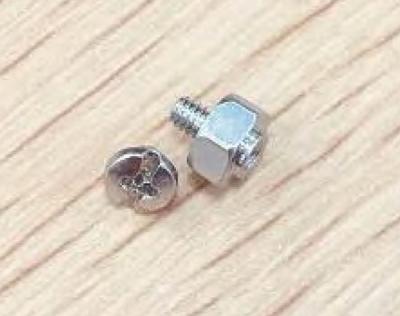
Yeah got those plastic bags with bunch of screws but there's only 1 tiny screw for M.2 which I already put in M.2_2. There's also 1 standoff (which cannot fit in the M.2_1 holes) same size as the motherboard standoff and screw.

sweat.gif
TSASUSmy
post Oct 3 2019, 06:43 PM

Look at all my stars!!
*******
Senior Member
2,319 posts

Joined: Mar 2010
QUOTE(kidrawk @ Oct 3 2019, 02:53 PM)
I just shut down the PC, tried to screw from M.2_2 and took a closer pics.

The screw CAN'T fit.

Also, I think the holes might not even have thread.

See this: https://i.imgur.com/9oZJllO.jpg & https://i.imgur.com/gFD8jLj.jpg
*
Hi kidrawk,

Can you take some picture of the stand off provided in the motherboard box?

I believe there is 2 stand off, both are different high, the lower stand off should be for the M.2_1, while the higher one are for M.2_2.

Thank you

This post has been edited by ASUSmy: Oct 3 2019, 07:02 PM
SUSkidrawk
post Oct 3 2019, 10:11 PM

Casual
***
Junior Member
406 posts

Joined: Apr 2008


QUOTE(ASUSmy @ Oct 3 2019, 06:43 PM)
Hi kidrawk,

Can you take some picture of the stand off provided in the motherboard box?

I believe there is 2 stand off, both are different high, the lower stand off should be for the M.2_1, while the higher one are for M.2_2.

Thank you
*
Hi.

UPDATE: I went back to the shop asking about it, and they say they accidentally drop it when updating BIOS for AMD 3000 series. I got both the standoff and the screw now. Went back and tried to screw in the standoff, but still couldn't fit.

I think I know what's the problem.

There is no base to screw in the standoff.

See the socket for M.2_2 here:
» Click to show Spoiler - click again to hide... «

The BLUE circle is the base. The RED circle is the standoff screwed on the base.

Now see the socket for M.2_1 here:
» Click to show Spoiler - click again to hide... «

All three holes for the standoff doesn't have the base.


What should I do now?

TSASUSmy
post Oct 4 2019, 09:48 AM

Look at all my stars!!
*******
Senior Member
2,319 posts

Joined: Mar 2010
QUOTE(kidrawk @ Oct 3 2019, 10:11 PM)
Hi.

UPDATE: I went back to the shop asking about it, and they say they accidentally drop it when updating BIOS for AMD 3000 series. I got both the standoff and the screw now. Went back and tried to screw in the standoff, but still couldn't fit.

I think I know what's the problem.

There is no base to screw in the standoff.

See the socket for M.2_2 here:
» Click to show Spoiler - click again to hide... «

The BLUE circle is the base. The RED circle is the standoff screwed on the base.

Now see the socket for M.2_1 here:
» Click to show Spoiler - click again to hide... «

All three holes for the standoff doesn't have the base.
What should I do now?
*
Hi kidrawk,

The stand off is look like the image below and there is no base on the top of the motherboard, you can turn the motherboard around, the base is at the back.

Thank you


Attached thumbnail(s)
Attached Image Attached Image Attached Image
SUSkidrawk
post Oct 4 2019, 10:41 AM

Casual
***
Junior Member
406 posts

Joined: Apr 2008


QUOTE(ASUSmy @ Oct 4 2019, 09:48 AM)
Hi kidrawk,

The stand off is look like the image below and there is no base on the top of the motherboard, you can turn the motherboard around, the base is at the back.

Thank you
*
The screw hole on my 2nd pic and your 2nd pic looks totally different.

I guess there's no solution to this as I really can't screw in the standoff.
yhsiau
post Oct 25 2019, 10:38 PM

Enthusiast
*****
Senior Member
792 posts

Joined: Apr 2005
From: "siew bao" town


Hi,

I am interested on this monitor : ASUS VG279Q
May I know where can I get this monitor.

Thanks.
TSASUSmy
post Oct 29 2019, 09:42 AM

Look at all my stars!!
*******
Senior Member
2,319 posts

Joined: Mar 2010
QUOTE(yhsiau @ Oct 25 2019, 10:38 PM)
Hi,

I am interested on this monitor : ASUS VG279Q
May I know where can I get this monitor.

Thanks.
*
Hi yhsiau,

The VG279Q are estimated to be available around early November 2019. The SRP price is RM1449.

Thank you


94 Pages « < 84 85 86 87 88 > » Top
 

Change to:
| Lo-Fi Version
0.0206sec    0.51    6 queries    GZIP Disabled
Time is now: 13th December 2025 - 07:30 PM