Welcome Guest ( Log In | Register )

140 Pages « < 2 3 4 5 6 > » Bottom

Outline · [ Standard ] · Linear+

 Asus N53SN review, and discussion

views
     
Kyozen
post Mar 28 2011, 07:00 PM

On my way
****
Senior Member
577 posts

Joined: Jun 2009
QUOTE(farkingdom @ Mar 28 2011, 06:33 PM)
Hey I have a N53SN too, and it comes with crappy preloaded software.
So isit alright to delete all these? Will it void the warranty?? Rather than restoring to factory settings, I'm thinking of uninstalling them only.
Sorry I'm new to stuff like these. How do I "restore factory settings" to rid of the crappy softwares?
*
Dont worry it wont void the warranty lots of user unistall d if nt very laggy and slow just make sure dont delete usefull 1 such as fn shortcut key function for example and run msconfig to disable useless startup and it wiil improve the speed alot. Btw hw to factory reformat?


Added on March 28, 2011, 7:02 pm
QUOTE(Trance4eva @ Mar 28 2011, 06:10 PM)
what the hell, 4gb and Windows Ex Index is 5.9????? Then why mine is 5.6???
Fine!!! I wan reformat!!!!!
btw how to reformat to factory default
*
What color is your d drive font? If it is blue format to ntfs

This post has been edited by Kyozen: Mar 28 2011, 07:02 PM
TSTrance4eva
post Mar 28 2011, 07:55 PM

Regular
******
Senior Member
1,801 posts

Joined: Sep 2010
QUOTE(Kyozen @ Mar 28 2011, 07:00 PM)

What color is your d drive font? If it is blue format to ntfs
*
Yea i think its already ntfs. It was blue until i untick "compress drive to save space". After that i delete lots of bloatwares, disable some some startup program, defrag the HDD(both), clean registry and delete temp files. Then i use BootTimer and i got 70 sec.....but after hibernation> i restart>use BootTimer again>got 110 sec.
Its so weird i manage to get 70 sec suddenly it shoot up to 110 sec. I din installed any program after the BootTimer btw


Added on March 28, 2011, 7:58 pmCan any sifus here teach us how to reformat to factory default. Many of us need help icon_question.gif icon_question.gif icon_question.gif

This post has been edited by Trance4eva: Mar 28 2011, 07:58 PM
TSTrance4eva
post Mar 28 2011, 08:27 PM

Regular
******
Senior Member
1,801 posts

Joined: Sep 2010
Oh yea guys, Asus Fast Boot seems not to be working. Its enable but for app and service it says no configuration, for both app and service, is installed. So i assume its enable but not doing its job. Is this why boot up time is slow???
TSTrance4eva
post Mar 28 2011, 08:39 PM

Regular
******
Senior Member
1,801 posts

Joined: Sep 2010
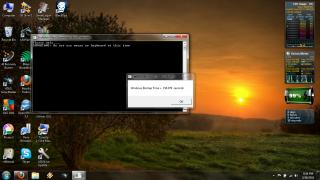
My latest boot timer after so much cleaning up, disk defrag etc.
First it was 160 then >70 sec > 80 sec> 110 sec> now this...........

Attached Image


between 160 sec and 70 sec there was alot of cleaning up done + defrag and no program was installed after 70 sec.
What is wrong???? doh.gif doh.gif
eugenechiuu
post Mar 28 2011, 09:18 PM

Gadget/Food Enthusiast
*******
Senior Member
2,909 posts

Joined: Jul 2009
From: London, United Kingdom or Kota Kinabalu, Sabah


QUOTE(Trance4eva @ Mar 28 2011, 08:39 PM)
My latest boot timer after so much cleaning up, disk defrag etc.
First it was 160 then >70 sec > 80 sec> 110 sec> now this...........

Attached Image
between 160 sec and 70 sec there was alot of cleaning up done + defrag and no program was installed after 70 sec.
What is wrong???? doh.gif  doh.gif
*
don't mix up too many different defragmental programs, it slows ur boot time down...
TSTrance4eva
post Mar 28 2011, 09:24 PM

Regular
******
Senior Member
1,801 posts

Joined: Sep 2010
Found a new prob....after uninstalling program like Cyberlink, Asus and non related to Microsoft and windows.........i cannot run Black Ops. It says whether i do i want to run in recommended settings cause i din quit properly the last time. I tried both Yes and No and game din even start after that. doh.gif


Added on March 28, 2011, 9:26 pm
QUOTE(eugenechiuu @ Mar 28 2011, 09:18 PM)
don't mix up too many different defragmental programs, it slows ur boot time down...
*
yea i also heard that cause diff programs got diff ways of defrag and microsoft thinks they are better than other program. Anyway i just use TuneUP utilities a few times and AVG once.....i might have screw it up but somehow after i did both boot up time was 70 secs

This post has been edited by Trance4eva: Mar 28 2011, 09:26 PM
cowithgun
post Mar 28 2011, 09:32 PM

A cow that can play notebook & phone
*******
Senior Member
2,248 posts

Joined: Sep 2010
QUOTE(Able.O.S @ Mar 28 2011, 05:17 PM)
Hi All, can share how to connect this NB as HTPC to AV amp? Possible to play blu-ray HD audio from ard 60GB "Planet Earth" file  (either bit-stream or pass-thru via HDMI?) many thks. 

Juz to share, I got additional RAM from Lowyat Plaza for RM125 for 4GB pc togather with the N53SN. Now running 12GB (i know it is overkill but the RAM's price is reasonable now.... so can't help but juz add it).
*
i thought i7-2630QM can only use up to 8Gb of RAM?

http://ark.intel.com/Product.aspx?id=52219

But RAM is sure cheap, can stock it.
TSTrance4eva
post Mar 28 2011, 09:39 PM

Regular
******
Senior Member
1,801 posts

Joined: Sep 2010
QUOTE(cowithgun @ Mar 28 2011, 09:32 PM)
i thought i7-2630QM can only use up to 8Gb of RAM?

http://ark.intel.com/Product.aspx?id=52219

But RAM is sure cheap, can stock it.
*
Thats weird. Maybe its an error???? On the n53sn can add up to 16GB ram
cowithgun
post Mar 28 2011, 09:45 PM

A cow that can play notebook & phone
*******
Senior Member
2,248 posts

Joined: Sep 2010
to speed up your boot time, you have to try Windows Performance Toolkit. Should make your boot time to be under 30 seconds!

1. Download and install WPT: http://msdn.microsoft.com/en-us/performance/cc752957
2. Follow instructions from sarf2k4 (at the bottom): http://forum.lowyat.net/topic/1606856/+1940#entry40319554


springfall
post Mar 28 2011, 09:48 PM

Spring and fall helping Summer and winter
*******
Senior Member
4,072 posts

Joined: Mar 2011
From: μετά
QUOTE(Trance4eva @ Mar 28 2011, 11:39 PM)
Thats weird. Maybe its an error???? On the n53sn can add up to 16GB ram
*
Max Memory Bandwidth
21.3 GB/s thats max ram u can addd...

Max Memory Size
(dependent on memory type)
8 GB is the type of ram size u can add...
TSTrance4eva
post Mar 28 2011, 10:01 PM

Regular
******
Senior Member
1,801 posts

Joined: Sep 2010
QUOTE(cowithgun @ Mar 28 2011, 09:45 PM)
to speed up your boot time, you have to try Windows Performance Toolkit. Should make your boot time to be under 30 seconds!

1. Download and install WPT: http://msdn.microsoft.com/en-us/performance/cc752957
2. Follow instructions from sarf2k4 (at the bottom): http://forum.lowyat.net/topic/1606856/+1940#entry40319554
*
ok thx i will try it.

Oh yea, the solution above requires me to use windows defrag. I abit worry cause I already use AVG(once) and TuneUP utilities (few times) to defrag d. Im worried it will cause more problem. Anyone know which defragment program i should use???


Added on March 28, 2011, 10:01 pmBlack Ops still cannot work...weird

This post has been edited by Trance4eva: Mar 28 2011, 10:16 PM
Yang921
post Mar 28 2011, 10:24 PM

Getting Started
**
Junior Member
129 posts

Joined: Apr 2010
which softwares are useless and safe to be uninstalled ?
cowithgun
post Mar 28 2011, 10:38 PM

A cow that can play notebook & phone
*******
Senior Member
2,248 posts

Joined: Sep 2010
QUOTE(Trance4eva @ Mar 28 2011, 10:01 PM)
ok thx i will try it.

Oh yea, the solution above requires me to use windows defrag. I abit worry cause I already use AVG(once) and TuneUP utilities (few times) to defrag d. Im worried it will cause more problem. Anyone know which defragment program i should use???


Added on March 28, 2011, 10:01 pmBlack Ops still cannot work...weird
*
AFAIK, it doesnt matter which one you use, but the last one will be the one to take effect. but once you uses the WPT, you should stop using other defrag program, coz they will mess it up.

however, please dont take my word for it laugh.gif if u r not sure, let's not try it icon_rolleyes.gif
TSTrance4eva
post Mar 28 2011, 10:38 PM

Regular
******
Senior Member
1,801 posts

Joined: Sep 2010
QUOTE(Yang921 @ Mar 28 2011, 10:24 PM)
which softwares are useless and safe to be uninstalled ?
*
post here the software installed
Yang921
post Mar 28 2011, 10:41 PM

Getting Started
**
Junior Member
129 posts

Joined: Apr 2010
Actually, i planned to get this laptop but haven't order it.
This worries me when i've seen many reviews about the crappy softwares installed as i am not really expert with these things.

lee_what2004
post Mar 28 2011, 10:43 PM

*stare* ji--------
Group Icon
Elite
14,813 posts

Joined: Nov 2006


General guide on Asus's apps...
http://forum.notebookreview.com/asus/38068...ware-guide.html
TSTrance4eva
post Mar 28 2011, 10:44 PM

Regular
******
Senior Member
1,801 posts

Joined: Sep 2010
QUOTE(Yang921 @ Mar 28 2011, 10:41 PM)
Actually, i planned to get this laptop but haven't order it.
This worries me when i've seen many reviews about the crappy softwares installed as i am not really expert with these things.
*
Ahh dun worry bout the software. Just reformat to factory default and choose the software that you want to use than problem solved smile.gif
Kyozen
post Mar 28 2011, 10:51 PM

On my way
****
Senior Member
577 posts

Joined: Jun 2009
QUOTE(Trance4eva @ Mar 28 2011, 08:39 PM)
My latest boot timer after so much cleaning up, disk defrag etc.
First it was 160 then >70 sec > 80 sec> 110 sec> now this...........

Attached Image
between 160 sec and 70 sec there was alot of cleaning up done + defrag and no program was installed after 70 sec.
What is wrong???? doh.gif  doh.gif
*
hmm...yours abit cacat ler...mine took only 60sec exactly to boot everytime after 1st boot and came default with 5.9 wei......
try reinstalling your directx software for black ops?
im also having problem with heroes of newerth always crash with gt550m must use intel hd only can launch....i remember 1st night i play hon no problem with gt550m but after the update next morning till now cannnot use gt550m to launch hon d cry.gif cry.gif cry.gif


Added on March 28, 2011, 10:55 pm
QUOTE(Trance4eva @ Mar 28 2011, 10:44 PM)
Ahh dun worry bout the software. Just reformat to factory default and choose the software that you want to use than problem solved smile.gif
*
weiiii, teach me how to do factory default~~~~~ nobody reply this question yet sad.gif sad.gif

This post has been edited by Kyozen: Mar 28 2011, 10:55 PM
TSTrance4eva
post Mar 28 2011, 10:56 PM

Regular
******
Senior Member
1,801 posts

Joined: Sep 2010
QUOTE(Kyozen @ Mar 28 2011, 10:51 PM)
hmm...yours abit cacat ler...mine took only 60sec exactly to boot everytime after 1st boot and came default with 5.9 wei......
try reinstalling your directx software for black ops?
im also having problem with heroes of newerth always crash with gt550m must use intel hd only can launch....i remember 1st night i play hon no problem with gt550m but after the update next morning till now cannnot use gt550m to launch hon d  cry.gif  cry.gif  cry.gif
*
Dam stupid driver. When i launch Resident Evil 5 1st time.....blank screen.
Btw do you know how to reformat to factory default???? I getting fedup with this slow boot up time. Also some time during windows wan load something take dam long like 15 sec for FireFox 4.0 to load even though my CPU and RAM monitor not showing much activities
lee_what2004
post Mar 28 2011, 10:57 PM

*stare* ji--------
Group Icon
Elite
14,813 posts

Joined: Nov 2006


Use the disc burned to restore to factory default?

p/s bloatware will still be there...

QUOTE(Trance4eva @ Mar 28 2011, 10:56 PM)
Dam stupid driver. When i launch Resident Evil 5 1st time.....blank screen.
Btw do you know how to reformat to factory default???? I getting fedup with this slow boot up time. Also some time during windows wan load something take dam long like 15 sec for FireFox 4.0 to load even though my CPU and RAM monitor not showing much activities
*
loading is HDD task...

This post has been edited by lee_what2004: Mar 28 2011, 10:58 PM

140 Pages « < 2 3 4 5 6 > » Top
 

Change to:
| Lo-Fi Version
0.0274sec    0.78    6 queries    GZIP Disabled
Time is now: 5th December 2025 - 06:33 AM