Welcome Guest ( Log In | Register )

3 Pages  1 2 3 >Bottom

Outline · [ Standard ] · Linear+

 Western Digital TV™ HD Media Player, Full HD 1080p Player

views
     
TSchimera
post Nov 7 2010, 07:06 AM, updated 16y ago

Getting Started
**
Junior Member
183 posts

Joined: Jul 2006
From: Damansara Damai/Diamond Bay
user posted image


Western Digital TV


QUOTE
Key Features

Optimized for My Passport and My Book storage, works with many other
USB storage devices - Play content from most popular USB drives,and digital cameras, camcorders, and portable media players that can be recognized as mass storage devices.
Full HD video playback and navigation - up to 1080p - Experience the spectacular picture quality of HD video and crystal clear sound clarity of digital audio. Use the included remote control to navigate through your entertainment choices using our crisp, animated HD menus.
Collect without limits - There's no limit to the size of your media collection; just add more USB drives for more space.
Advanced navigation

    * Thumbnail and list views – Browse your content by filename or by thumbnails of photos, album covers and movie cover art.
    * Media Library – This unique feature lets you view all your media by media type in one menu regardless of its location in folders or drives. You can view your content by categories such as genre, album, artist and date.
    * Search – Search by genre, title, artist, filename and partial filename.

Photo viewing

    * Create custom slide shows with a variety of transitions and background music
    * Zoom and pan
    * Search by filename, partial filename, most recently viewed and date

Movie viewing

    * Fast forward, rewind, pause, zoom, and pan
    * View subtitles
    * Search by filename, partial filename, most recently viewed and date

Music playback

    * Fast forward, rewind, pause, shuffle, repeat
    * Search by filename, partial filename, most recently viewed and date

Access two USB drives simultaneously - Two USB ports on the player let you connect two USB storage devices and access them simultaneously. Our Media Library feature aggregates the content on both drives into one list sorted by media type.
HDMI and composite video connections - The High-Definition Multimedia Interface (HDMI) port lets you connect to the highest quality HDTV or home theater. Additional composite (RCA) outputs ensure compatibility with virtually all television sets.
Includes free media conversion software - ArcSoft MediaConverter™ 2.5 -- a fast, easy-to-use application that converts photo, video, and music files into formats optimized for use on the WD TV HD Media Player.
Ultra-compact design - Fits easily into your entertainment center.
Ideal For

Hassle-free playback of HD movies, home videos, digital music, and photos on your TV.

System Requirements

    * My Passport portable hard drive or other USB storage device with supported video or audio content stored on it.
    * Standard or high definition television with HDMI or composite video connections


Package Contents

    * HD Media Player
    * Compact remote with batteries
    * Media converter software (Windows only)
    * Composite AV cable
    * AC adapter
    * Quick Install Guide


WD TV Firmware Update: http://www.wdc.com/en/products/wdtv/


Known supported Wifi adaptor for WDTV Live:

Here are the USB Adapters that we've tested: Ralink based

Manufacturer Model # Device Name
Belkin F5D8055 N1 Wireless USB adapter
Belkin F5D8051 N1 Wireless USB adapter
Buffalo WLI-UC-G300HP Wireless N compact USB 2.0 Adapter
Buffalo WLI-UC-G300N Wireless N compact USB 2.0 Adapter
Buffalo WLI-UC-GN Mini
D-Link DWA-140 Rangebooster N USB Adapter
EnGenius EUB-9701 Wireless N adapter
Linksys WUSB100 Rangeplus wireless network usb adapter
Linksys WUSB600N Wireless-N USB network adapter with dual-band
Trendnet TEW-644UB Wireless N USB adapter
Trendnet TEW-645UB Wireless N USB adapter
Trendnet TEW-664UB 300Mbps Dual Band WirelessN USB Adapter
Sitecom WL-329 Wireless Dualband USB Adapter

This post has been edited by fariz: Nov 18 2010, 07:34 AM
heelmeque
post Nov 7 2010, 10:57 PM

New Member
*
Junior Member
24 posts

Joined: Jul 2008


im kinda interested in this thing...
saw promotion at I.T Rock U at Stadium Malawati yesterday, sell very cheap around RM200...
but need more information about this WDTV...
honamd77
post Nov 11 2010, 12:59 PM

Enjoy Your Life Before You Die
******
Senior Member
1,008 posts

Joined: Oct 2007
From: Capital Square Kuantan


hi all sifu & master biggrin.gif

just bought wd tv live yesterday with..wacaaaAAAA !!!
lol..Mr Bruelee (nice bro..)

hmmm..also looking2 wd thread but not find @ im lost ?! tongue.gif

got 3-4 question to asking..noob a.k.a newbie here

cheerrssSSS
kalkamel
post Nov 11 2010, 03:35 PM

Getting Started
**
Junior Member
133 posts

Joined: May 2006
Did anyone find a locally available wifi USB adaptor that actually works with the WDTV Live?
honamd77
post Nov 11 2010, 04:04 PM

Enjoy Your Life Before You Die
******
Senior Member
1,008 posts

Joined: Oct 2007
From: Capital Square Kuantan


QUOTE(kalkamel @ Nov 11 2010, 03:35 PM)
Did anyone find a locally available wifi USB adaptor that actually works with the WDTV Live?
*
i think can refer here..earlier wd thread biggrin.gif

WD 1

WD 2

This post has been edited by honamd77: Nov 11 2010, 04:05 PM
alucard89
post Nov 12 2010, 12:27 AM

Look at all my stars!!
*******
Senior Member
4,454 posts

Joined: Apr 2006
QUOTE(kalkamel @ Nov 11 2010, 03:35 PM)
Did anyone find a locally available wifi USB adaptor that actually works with the WDTV Live?
*
There's TP Link USB WIFI for around RM50
Bought another cheap USB Wireless-N adapter(forgot what brand it was) for RM35..
and suprisingly it works with WDTV Live.
But I'm still having problem setting up the DNS server? Happens to both USB dongle...

Anyway, you guys should really check out the latest version of this plugin
MediaNavigation V3

Allows to seek time, resume movie even after the player is shut off, adjust volume
heck even check your torrent status when you're watching movies I think
and the remote keys can be configured to do whatever you want.

This post has been edited by alucard89: Nov 12 2010, 12:28 AM
DarkNite
post Nov 17 2010, 09:44 AM

ФĻĐ ИΞШB!Ξ
********
All Stars
11,058 posts

Joined: Jun 2008
Anybody using the latest firmware - Release 1.03.49 (11/16/10)?
Any pros or cons?
SUSMatrix
post Nov 17 2010, 04:54 PM

King of Char Siew!
********
Senior Member
15,022 posts

Joined: Jan 2003
From: Damansara Jaya/Bandar Utama


QUOTE(kalkamel @ Nov 11 2010, 03:35 PM)
Did anyone find a locally available wifi USB adaptor that actually works with the WDTV Live?
*
I bought a cheap Aztech Wireless-N a few weeks ago...retail price is RM29...promotion RM19 only...LOL. It works!!! thumbup.gif

btw, just updated the new firmware today ....i think version 1.3...v. I was quiet pissed off at my WDTV Live recently coz quiet a number of HD mkvs won't work the last few months....after updating the firmware, all those non-working HD mkv files now runs fine!!!

Wooo hooo! I love my WDTV Live! WD is really giving good support!
anfieldude
post Nov 17 2010, 06:40 PM

Look at all my stars!!
*******
Senior Member
3,858 posts

Joined: Jan 2008
QUOTE(alucard89 @ Nov 12 2010, 12:27 AM)
There's TP Link USB WIFI for around RM50
Bought another cheap USB Wireless-N adapter(forgot what brand it was) for RM35..
and suprisingly it works with WDTV Live.
But I'm still having problem setting up the DNS server? Happens to both USB dongle...

Anyway, you guys should really check out the latest version of this plugin
MediaNavigation V3

Allows to seek time, resume movie even after the player is shut off, adjust volume
heck even check your torrent status when you're watching movies I think
and the remote keys can be configured to do whatever you want.
*
BTW : Seen some of ur work in the other forums, ur moviesheets rock man! I'm changing all of the sheets now...


ADJ
post Nov 17 2010, 07:08 PM

..::fairlight::..
*******
Senior Member
2,921 posts

Joined: Jan 2003
From: Ipoh/PJ/KL


the latest firmware has removed 1080p/23.976 Hz option, leaving behind the 24 Hz option. not too sure if i miss it as I use 1080p/50Hz, 24Hz makes the UI navigation feel choppy on my LCD...
DarkNite
post Nov 17 2010, 07:11 PM

ФĻĐ ИΞШB!Ξ
********
All Stars
11,058 posts

Joined: Jun 2008
QUOTE(ADJ @ Nov 17 2010, 07:08 PM)
the latest firmware has removed 1080p/23.976 Hz option, leaving behind the 24 Hz option. not too sure if i miss it as I use 1080p/50Hz, 24Hz makes the UI navigation feel choppy on my LCD...
*
latest is 1.03 or 1.3 hmm.gif
ADJ
post Nov 17 2010, 07:14 PM

..::fairlight::..
*******
Senior Member
2,921 posts

Joined: Jan 2003
From: Ipoh/PJ/KL


1.03.49_V for WDTV Live

• Resolved HDMI negotiation issue found in previous firmware release.
• Resolved HDMI auto resolution selection issue.
• Resolved HDMI Video Output - 24Hz and 50Hz modes not working.
• Resolved HDMI screen flicker issue.
• Resolved playback issues related to mkvmerge.
• Improved thumbnail caching.
• Resolved MP4 problems with seeking and audio stopping.
• Resolved MP4 poor frame-rate and audio out of sync.
• Resolved File Share group name – No longer requires all group names to be the same. (Reset to factory defaults required)
• Resolved various user interface translation issues.
• Added Mediafly application.
• Added DVD Navigation support.
• Added .MOV chapter support.
• Added wireless adaptor support for ASUS USB-N13.
• Added security when mounting a network share on password protected local drives.
• Resolved aspect ratio issues.
• Resolved subtitle encoding for Big 5.
• Resolved resume remembering previous audio selection.
• Resolved IDX +_SUB positioning issue causing video freeze.
• Resolved PGS subtitle becoming frozen while using the delay function.
• Resolved Network share intermittent detection issue.
• Resolved undetectable 4TB My Book.
• Resolved large capacity video file (.ts) unable to play issue.
• Resolved DVR-MS video stops when fast forward at 6x.
• Resolved Buffalo G300N not enumerating.
zwanvedder
post Nov 17 2010, 11:01 PM

Rock For Choice
******
Senior Member
1,589 posts

Joined: Sep 2008


will try this firmware later on my 2nd unit...
tim_1335
post Nov 18 2010, 12:29 AM

Getting Started
**
Junior Member
226 posts

Joined: Jul 2008


QUOTE(ADJ @ Nov 17 2010, 07:08 PM)
the latest firmware has removed 1080p/23.976 Hz option, leaving behind the 24 Hz option. not too sure if i miss it as I use 1080p/50Hz, 24Hz makes the UI navigation feel choppy on my LCD...
*
u mean the old 23.976hz has been removed? doesn't that make movie playback have a subtle jerk every once in awhile?

i thought they implemented the 23.976 option awhile ago to fix this problem.

yea, i noticed the choppy navigation when navigating the UI, but during playback, 23.976/24 is superb.
DarkNite
post Nov 18 2010, 08:44 AM

ФĻĐ ИΞШB!Ξ
********
All Stars
11,058 posts

Joined: Jun 2008
Ya navigation quite choppy sad.gif
azbro
post Nov 18 2010, 08:59 AM

Look at all my stars!!
*******
Senior Member
4,403 posts

Joined: Jan 2007
From: Johor Bahru


thanks fariz for changing the title
ADJ
post Nov 18 2010, 10:09 AM

..::fairlight::..
*******
Senior Member
2,921 posts

Joined: Jan 2003
From: Ipoh/PJ/KL


I had to go with 50Hz partly cos I watch TVB shows etc that run at PAL 25fps, it would not sync well at 24Hz, too bad.

Does anyone know how we can make the subtitle positions for SRT subs stick? It always loads too high for me, and I have to push it down everytime I watch, can't find any option to make it "fixed"
acbc
post Nov 18 2010, 10:12 AM

Look at all my stars!!
*******
Senior Member
9,050 posts

Joined: Jan 2003
Using latest firmware now. But, connection to shared folders very unstable. Now I put WDTV and server on a separate switch.
SUSMatrix
post Nov 18 2010, 10:15 AM

King of Char Siew!
********
Senior Member
15,022 posts

Joined: Jan 2003
From: Damansara Jaya/Bandar Utama


QUOTE(acbc @ Nov 18 2010, 10:12 AM)
Using latest firmware now. But, connection to shared folders very unstable. Now I put WDTV and server on a separate switch.
*
But it seems fine to me? I streamed from my PC server using TVersity. Maybe u should use something like TVersity. Previously (even b4 firmware update), when watching huge file using shared folder, it'll lag and choke, but using Media streaming (no transcoding) is fine even for 30GB untouched Blu-ray HD rip.

Just watched Inception last night using latest firmware streamed from my media server....don't what's the hoo-haa about this movie...ZZzzzz...fall asleep halfway...

This post has been edited by Matrix: Nov 18 2010, 10:16 AM
DarkNite
post Nov 18 2010, 11:52 AM

ФĻĐ ИΞШB!Ξ
********
All Stars
11,058 posts

Joined: Jun 2008
QUOTE(Matrix @ Nov 18 2010, 10:15 AM)
Just watched Inception last night using latest firmware streamed from my media server....don't what's the hoo-haa about this movie...ZZzzzz...fall asleep halfway...
*

laugh.gif Good thing I watch Salt 1st while waiting for Inception.

QUOTE(Matrix @ Nov 18 2010, 10:15 AM)
But it seems fine to me? I streamed from my PC server using TVersity. Maybe u should use something like TVersity. Previously (even b4 firmware update), when watching huge file using shared folder, it'll lag and choke, but using Media streaming (no transcoding) is fine even for 30GB  untouched Blu-ray HD rip.
*
I have TVersity but encountering problem it unable to read long names file. It is unable to know .Dvix even though it is in the file name is not actually Dvix file as the last name is .mkv. sad.gif
SUSMatrix
post Nov 18 2010, 12:14 PM

King of Char Siew!
********
Senior Member
15,022 posts

Joined: Jan 2003
From: Damansara Jaya/Bandar Utama


QUOTE(DarkNite @ Nov 18 2010, 11:52 AM)
laugh.gif Good thing I watch Salt 1st while waiting for Inception.
I have TVersity but encountering problem it unable to read long names file. It is unable to know .Dvix even though it is in the file name is not actually Dvix file as the last name is .mkv. sad.gif
*
Haiya...rename the file lar!!!

Surely ..."Inception.x264.1080.p.released-by-nerdy-Geek.Hello.Mom.your-gf-is-a-w****.boring.movie.divx.mkv..." ..;x

I always chop my file name to shortest possible. tongue.gif


DarkNite
post Nov 18 2010, 05:10 PM

ФĻĐ ИΞШB!Ξ
********
All Stars
11,058 posts

Joined: Jun 2008
QUOTE(Matrix @ Nov 18 2010, 12:14 PM)
Haiya...rename the file lar!!!

Surely ..."Inception.x264.1080.p.released-by-nerdy-Geek.Hello.Mom.your-gf-is-a-w****.boring.movie.divx.mkv..." ..;x

I always chop my file name to shortest possible.  tongue.gif
*

laugh.gif
Hi ya if only there were not so many files!
alucard89
post Nov 22 2010, 10:46 AM

Look at all my stars!!
*******
Senior Member
4,454 posts

Joined: Apr 2006
QUOTE(Matrix @ Nov 17 2010, 04:54 PM)
I bought a cheap Aztech Wireless-N a few weeks ago...retail price is RM29...promotion RM19 only...LOL. It works!!! thumbup.gif

btw, just updated the new firmware today ....i think version 1.3...v. I was quiet pissed off at my WDTV Live recently coz quiet a number of HD mkvs won't work the last few months....after updating the firmware, all those non-working HD mkv files now runs fine!!!

Wooo hooo! I love my WDTV Live!  WD is really giving good support!
*
How did you get it to work?
I'm still having problem setting the dns server
Same problem I encountered even back when I was still using official firmware
How's the video streaming for 1080p/720p movies?..


Added on November 22, 2010, 10:51 am
QUOTE(anfieldude @ Nov 17 2010, 06:40 PM)
BTW : Seen some of ur work in the other forums, ur moviesheets rock man! I'm changing all of the sheets now...
*
I just mod the templates to suit my taste wink.gif
One thing that surprised me when I first browse thru the moviesheet templates design
is there was no cover case templates when other movie jukebox like YAMJ/Yadis already has them since last year.

This post has been edited by alucard89: Nov 22 2010, 10:51 AM
mywii
post Nov 22 2010, 10:55 AM

Getting Started
**
Junior Member
239 posts

Joined: Dec 2007
Can someone point me to a post with solution to no sound on certain Mkv files but picture is very clear. Thks.

Got sound n picture in pc though.


This post has been edited by mywii: Nov 22 2010, 10:56 AM
SUSMatrix
post Nov 22 2010, 11:09 AM

King of Char Siew!
********
Senior Member
15,022 posts

Joined: Jan 2003
From: Damansara Jaya/Bandar Utama


QUOTE(alucard89 @ Nov 22 2010, 10:46 AM)
How did you get it to work?
I'm still having problem setting the dns server
Same problem I encountered even back when I was still using official firmware
How's the video streaming for 1080p/720p movies?..


Added on November 22, 2010, 10:51 am

I just mod the templates to suit my taste  wink.gif
One thing that surprised me when I first browse thru the moviesheet templates design
is there was no cover case templates when other movie jukebox like YAMJ/Yadis already has them since last year.
*
Erm...what problem exactly? You use dynamic or static IP? Maybe you give more details, i can help.

Streaming 1080p/720p movies is no problem. Heck, even a 30GB++ uncompressed BD rip runs fine. This is done using the wired connection. Wireless is only good for small TV drama files like 1GB++. Maybe if you have dual-band WIFI-N 300 at 5Ghz channel, it might work for 720p/1080p/uncompressed BD.


Added on November 22, 2010, 11:10 am
QUOTE(mywii @ Nov 22 2010, 10:55 AM)
Can someone point me to a post with solution to no sound on certain Mkv files but picture is very clear. Thks.

Got sound n picture in pc though.
*
Try the latest firmware updates. It works for me. If you still have problem with the file, probably the file is encoded in a funny way not currently supported.

This post has been edited by Matrix: Nov 22 2010, 11:17 AM
mywii
post Nov 22 2010, 11:15 AM

Getting Started
**
Junior Member
239 posts

Joined: Dec 2007
Thks.

Er how do you update firmware? Not a very technical person I apologize.

This post has been edited by mywii: Nov 22 2010, 11:17 AM
SUSMatrix
post Nov 22 2010, 11:19 AM

King of Char Siew!
********
Senior Member
15,022 posts

Joined: Jan 2003
From: Damansara Jaya/Bandar Utama


QUOTE(mywii @ Nov 22 2010, 11:15 AM)
Thks. 

Er how do you update firmware? Not a very technical person I apologize.
*
1) Connect WDTV Live using the LAN port to your switch/router/modem.

2) Go to SYSTEM->SETTINGS->Check Updates. Somethng like that. Can't remember exactly. Once there is a new update found, it'll update automatically.

But ensure your INTERNET connection is working first.
alucard89
post Nov 22 2010, 11:56 AM

Look at all my stars!!
*******
Senior Member
4,454 posts

Joined: Apr 2006
QUOTE(Matrix @ Nov 22 2010, 11:09 AM)
Erm...what problem exactly? You use dynamic or static IP? Maybe you give more details, i can help.

Streaming 1080p/720p movies is no problem. Heck, even a 30GB++ uncompressed BD rip runs fine. This is done using the wired connection. Wireless is only good for small TV drama files like 1GB++. Maybe if you have dual-band WIFI-N 300 at 5Ghz channel, it might work for 720p/1080p/uncompressed BD.
Really? I still got stutters streaming with LAN but it doesn't happen too often
I'll be back home next week to test the player, I think I use dynamic ip address
WDTV can still get the IP address but it's not connected properly
Got errors when testing the connection, it goes something like this
IP - Check
DNS - X
Not really sure how to configure the static ip since I don't know the dns server for it
Also I still can't get youtube to work, tried official firmware then b-rad's firmware and it's still the same problem sweat.gif

SUSMatrix
post Nov 22 2010, 12:06 PM

King of Char Siew!
********
Senior Member
15,022 posts

Joined: Jan 2003
From: Damansara Jaya/Bandar Utama


QUOTE(alucard89 @ Nov 22 2010, 11:56 AM)
Really? I still got stutters streaming with LAN but it doesn't happen too often
I'll be back home next week to test the player, I think I use dynamic ip address
WDTV can still get the IP address but it's not connected properly
Got errors when testing the connection, it goes something like this
IP -  Check
DNS - X
Not really sure how to configure the static ip since I don't know the dns server for it
Also I still can't get youtube to work, tried official firmware then b-rad's firmware and it's still the same problem  sweat.gif
*
I stream all my movies using LAN from my PC server. Can tell me a bit more:

1) What is the file size you are streaming?
2) Are you using Network share or uPNP? Network share does gives a stutter occasionally. Use the uPNP for smooth streaming.
3) If you use uPNP, what software are you using? I am using this free software called TVersity. Works great.
4) The hardware of your network. Are you on 100MB LAN or has it somehow been downgraded to 10MBps? What is the specs of your server? My server isn't very high end. a 2GB RAM, E5400, with 3 hard disks. 2 of the hard disks are RAID-1, which gives better read performance. Also the Server is connected to a Gigabit switch, which in turns connects to the modem/router (100MBps). The WDTV Live is connected to the modem/router, since the WDTV can only support 100MBps. Maybe the gigabit switch will give the server a bit more throughput headroom, eventhough the WDTV Live is 100MBps....not too sure though.

I would suggest you start with putting in TVersity as the streamer if you haven't already. With TVersity, you can also transcode RMVB files to WDTV Live, which doesn't support it natively...this is how i watch my TVB dramas on WDTV Live. smile.gif

This post has been edited by Matrix: Nov 22 2010, 12:07 PM
alucard89
post Nov 22 2010, 12:24 PM

Look at all my stars!!
*******
Senior Member
4,454 posts

Joined: Apr 2006
QUOTE(Matrix @ Nov 22 2010, 12:06 PM)
I stream all my movies using LAN from my PC server. Can tell me a bit more:

1) What is the file size you are streaming?
2) Are you using Network share or uPNP? Network share does gives a stutter occasionally. Use the uPNP for smooth streaming.
3) If you use uPNP, what software are you using?  I am using this free software called TVersity. Works great.
4) The hardware of your network. Are you on 100MB LAN or has it somehow been downgraded to 10MBps? What is the specs of your server? My server isn't very high end. a 2GB RAM, E5400, with 3 hard disks. 2 of the hard disks are RAID-1, which gives better read performance. Also the Server is connected to a Gigabit switch, which in turns connects to the modem/router (100MBps). The WDTV Live is connected to the modem/router, since the WDTV can only support 100MBps. Maybe the gigabit switch will give the server a bit more throughput headroom, eventhough the WDTV Live is 100MBps....not too sure though.

I would suggest you start with putting in TVersity as the streamer if you haven't already. With TVersity, you can also transcode RMVB files to WDTV Live, which doesn't support it natively...this is how i watch my TVB dramas on WDTV Live. smile.gif
*
I see, never really tried uPNP before this
Using 100MB Lan connection..
I only use network share because it works fine with my other player hdx900 (no stutters streaming 1080p files on lan)
Usually streaming files aroudn 4gb ~ 18gb (depends on the movie size)
Probably it's not the same with WDTV Live hmm.gif
SUSMatrix
post Nov 22 2010, 12:35 PM

King of Char Siew!
********
Senior Member
15,022 posts

Joined: Jan 2003
From: Damansara Jaya/Bandar Utama


QUOTE(alucard89 @ Nov 22 2010, 12:24 PM)
I see, never really tried uPNP before this
Using 100MB Lan connection..
I only use network share because it works fine with my other player hdx900 (no stutters streaming 1080p files on lan)
Usually streaming files aroudn 4gb ~ 18gb (depends on the movie size)
Probably it's not the same with WDTV Live  hmm.gif
*
In that case, i suggest you try the TVersity...it's FOC. smile.gif The file size is no problem since i've tested with 30GB++ uncompressed BD files.

Test it out and let me know if u still have problems.
mywii
post Nov 22 2010, 02:24 PM

Getting Started
**
Junior Member
239 posts

Joined: Dec 2007
QUOTE(Matrix @ Nov 22 2010, 11:19 AM)
1) Connect WDTV Live using the LAN port to your switch/router/modem.

2) Go to SYSTEM->SETTINGS->Check Updates.  Somethng like that. Can't remember exactly. Once there is a new update found, it'll update automatically.

But ensure your INTERNET connection is working first.
*
Thanks man.... Problem lol my modem has one LAN that goes into my PC. Meaning I need to get a router lah...
Your avatar makes me hungry leh...
SUSMatrix
post Nov 22 2010, 03:28 PM

King of Char Siew!
********
Senior Member
15,022 posts

Joined: Jan 2003
From: Damansara Jaya/Bandar Utama


QUOTE(mywii @ Nov 22 2010, 02:24 PM)
Thanks man.... Problem lol my modem has one LAN that goes into my PC. Meaning I need to get a router lah...
Your avatar makes me hungry leh...
*
Oh, in that case, you don't need router. Just a switch. Just buy a D-LINK gigabit swicth. Only RM95 or so. A Gigabit switch is better coz later ur PC also can use...a gigabit connection is one of the cheapest and best upgrade for me....last time i transfer files between PC on 100Mbps...only around 7 to 8MB/s on average...now can goes to over 90MB/s max (even hitting 100MB/s) and average over 50 MB/s, minimum being 20 MB/s++.
alucard89
post Nov 22 2010, 03:42 PM

Look at all my stars!!
*******
Senior Member
4,454 posts

Joined: Apr 2006
QUOTE(Matrix @ Nov 22 2010, 03:28 PM)
Oh, in that case, you don't need router. Just a switch. Just buy a D-LINK gigabit swicth. Only RM95 or so. A Gigabit switch is better coz later ur PC also can use...a gigabit connection is one of the cheapest and best upgrade for me....last time i transfer files between PC on 100Mbps...only around 7 to 8MB/s on average...now can goes to over 90MB/s  max (even hitting 100MB/s) and average over 50 MB/s, minimum being 20 MB/s++.
*
Transfer speed using gigabit connection is indeed blazing fast biggrin.gif
Btw, what firmware version are you using?
The official one or b-rad's firmware?
SUSMatrix
post Nov 22 2010, 04:40 PM

King of Char Siew!
********
Senior Member
15,022 posts

Joined: Jan 2003
From: Damansara Jaya/Bandar Utama


QUOTE(alucard89 @ Nov 22 2010, 03:42 PM)
Transfer speed using gigabit connection is indeed blazing fast  biggrin.gif
Btw, what firmware version are you using?
The official one or b-rad's firmware?
*
Err...what's b-rad?? I only use official firmware. Dun like hack this hack that. tongue.gif


Added on November 22, 2010, 5:15 pm
QUOTE(alucard89 @ Nov 22 2010, 11:56 AM)
Got errors when testing the connection, it goes something like this
IP -  Check
DNS - X
Not really sure how to configure the static ip since I don't know the dns server for it
Also I still can't get youtube to work, tried official firmware then b-rad's firmware and it's still the same problem  sweat.gif
*
If i remember correctly, the DNS is referring to the DNS of your Internet provider. For Streamyx, it's
202.188.0.133
202.188.1.5

Other's i dunno...check with your Service Provider, or maybe from the software config. I am sure the DNS is somewhere there in the modem setup.

Also make sure ur gateway is correct, (for those using modem router to streamyx like me)...192.168.1.1 (usually by default).


This post has been edited by Matrix: Nov 22 2010, 05:16 PM
alucard89
post Nov 22 2010, 07:12 PM

Look at all my stars!!
*******
Senior Member
4,454 posts

Joined: Apr 2006
QUOTE(Matrix @ Nov 22 2010, 04:40 PM)
Err...what's b-rad?? I only use official firmware. Dun like hack this hack that.  tongue.gif


Added on November 22, 2010, 5:15 pm
If i remember correctly, the DNS is referring to the DNS of your Internet provider. For Streamyx, it's
202.188.0.133
202.188.1.5

Other's i dunno...check with your Service Provider, or maybe from the software config. I am sure the DNS is somewhere there in the modem setup.

Also make sure ur gateway is correct, (for those using modem router to streamyx like me)...192.168.1.1 (usually by default).
*
Thanks for the dns server number, I'll try that
It still puzzles me why I still couldn't get youtube to work

It's actually called WDLXTV, made by b-rad
Allows to do lots of cool stuff
Another new feature I like is that you can change the default background for wdtv
use plugins, my 2 favourite plugins so far are subdownlder(allows to download subtitles when watching movies)
and MediaNavigation( adjust volume, seeks time etc)
Most importantly displaying moviesheets

user posted image

And yeah this movie was awesome tongue.gif
You can get more info at
http://forum.wdlxtv.com


zwanvedder
post Nov 22 2010, 07:17 PM

Rock For Choice
******
Senior Member
1,589 posts

Joined: Sep 2008


QUOTE(alucard89 @ Nov 22 2010, 07:12 PM)
Thanks for the dns server number, I'll try that
It still puzzles me why I still couldn't get youtube to work

It's actually called WDLXTV, made by b-rad
Allows to do lots of cool stuff
Another new feature I like is that you can change the default background for wdtv
use plugins, my 2 favourite plugins so far are subdownlder(allows to download subtitles when watching movies)
and MediaNavigation( adjust volume, seeks time etc)
Most importantly displaying moviesheets

And yeah this movie was awesome  tongue.gif
You can get more info at
http://forum.wdlxtv.com
*
bro how to enable that subdownlder, seems interesting... notworthy.gif
SUSMatrix
post Nov 22 2010, 07:43 PM

King of Char Siew!
********
Senior Member
15,022 posts

Joined: Jan 2003
From: Damansara Jaya/Bandar Utama


QUOTE(alucard89 @ Nov 22 2010, 07:12 PM)
Thanks for the dns server number, I'll try that
It still puzzles me why I still couldn't get youtube to work

It's actually called WDLXTV, made by b-rad
Allows to do lots of cool stuff
Another new feature I like is that you can change the default background for wdtv
use plugins, my 2 favourite plugins so far are subdownlder(allows to download subtitles when watching movies)
and MediaNavigation( adjust volume, seeks time etc)
Most importantly displaying moviesheets

user posted image

And yeah this movie was awesome  tongue.gif
You can get more info at
http://forum.wdlxtv.com
*
Nice sharing. smile.gif

Btw, can i revert back to official firmware if i don't want it? The latest official firmware fix a lot of issues of all those non working files. Maybe need to wait for a new version base on latest official firmware?
mywii
post Nov 22 2010, 08:23 PM

Getting Started
**
Junior Member
239 posts

Joined: Dec 2007
QUOTE(Matrix @ Nov 22 2010, 03:28 PM)
Oh, in that case, you don't need router. Just a switch. Just buy a D-LINK gigabit swicth. Only RM95 or so. A Gigabit switch is better coz later ur PC also can use...a gigabit connection is one of the cheapest and best upgrade for me....last time i transfer files between PC on 100Mbps...only around 7 to 8MB/s on average...now can goes to over 90MB/s  max (even hitting 100MB/s) and average over 50 MB/s, minimum being 20 MB/s++.
*
Wow so foreign to me. Must do some research.
SUSMatrix
post Nov 22 2010, 09:21 PM

King of Char Siew!
********
Senior Member
15,022 posts

Joined: Jan 2003
From: Damansara Jaya/Bandar Utama


QUOTE(mywii @ Nov 22 2010, 08:23 PM)
Wow so foreign to me. Must do some research.
*
No need. You already have a modem/router for ur streamyx right? Just buy the switch. Connect the LAN port on your modem/router to the gigabit switch. Connect all your PCs, WDTV, XBOX, PS3 etc to the switch. Nothing to configure. Think of it like a power extension cord for the LAN port.


Added on November 22, 2010, 9:53 pm
QUOTE(alucard89 @ Nov 22 2010, 07:12 PM)
Thanks for the dns server number, I'll try that
It still puzzles me why I still couldn't get youtube to work

*
I double checked my settings...seems like my Gateway and DNS also the same....192.168.1.1...dun ask me why...it works. I am using static IP btw.

This post has been edited by Matrix: Nov 22 2010, 09:53 PM
anfieldude
post Nov 22 2010, 11:16 PM

Look at all my stars!!
*******
Senior Member
3,858 posts

Joined: Jan 2008
QUOTE(Matrix @ Nov 22 2010, 07:43 PM)
Nice sharing. smile.gif

Btw, can i revert back to official firmware if i don't want it? The latest official firmware fix a lot of issues of all those non working files. Maybe need to wait for a new version base on latest official firmware?
*
The one thing that is missing in the new firmware as compared to wdlxtv firmware is the auto resolution/framerate in the firmware. This is the single most important feature that is not implemented in the official firmware.
ADJ
post Nov 23 2010, 12:23 AM

..::fairlight::..
*******
Senior Member
2,921 posts

Joined: Jan 2003
From: Ipoh/PJ/KL


QUOTE(anfieldude @ Nov 22 2010, 11:16 PM)
The one thing that is missing in the new firmware as compared to wdlxtv firmware is the auto resolution/framerate in the firmware. This is the single most important feature that is not implemented in the official firmware.
*
hmm, maybe i should use that instead...
alucard89
post Nov 23 2010, 12:37 AM

Look at all my stars!!
*******
Senior Member
4,454 posts

Joined: Apr 2006
QUOTE(anfieldude @ Nov 22 2010, 11:16 PM)
The one thing that is missing in the new firmware as compared to wdlxtv firmware is the auto resolution/framerate in the firmware. This is the single most important feature that is not implemented in the official firmware.
*
WD still hasn't added that to the official firmware?
Then again I never really bothered using that after switching to wdlxtv tongue.gif


Added on November 23, 2010, 12:44 am
QUOTE(Matrix @ Nov 22 2010, 07:43 PM)
Nice sharing. smile.gif

Btw, can i revert back to official firmware if i don't want it? The latest official firmware fix a lot of issues of all those non working files. Maybe need to wait for a new version base on latest official firmware?
*
You still can revert back to official firmware
Just need to edit wdtv.ver file and modify the version number to be higher..
Like this

VERSION='1.02.10' ---> VERSION='1.02.35'
LOCATION='wdtv.bin'


Added on November 23, 2010, 12:55 am
QUOTE(zwanvedder @ Nov 22 2010, 07:17 PM)
bro how to enable that subdownlder, seems interesting... notworthy.gif
*
Quite easy, to use plugins you'll need to have a USB drive attached to the WDTV.
Create '.wdlxtv-plugin' folder in the root of the usb drive and place the plugins there
To create 'wdlxtv-plugin', use cmd
Type the usb drive name like 'D:' and press enter
Type 'mkdir .wdtvext-plugin' and there you have it.
Reboot wdtv once you've plugged the usb drive so the plugins can be detected.
And remember to enable subdownloader plugin in the plugins menu.

This post has been edited by alucard89: Nov 23 2010, 12:56 AM
mywii
post Nov 23 2010, 09:44 AM

Getting Started
**
Junior Member
239 posts

Joined: Dec 2007
QUOTE(Matrix @ Nov 22 2010, 09:21 PM)
No need. You already have a modem/router for ur streamyx right? Just buy the switch. Connect the LAN port on your modem/router to the gigabit switch. Connect all your PCs, WDTV, XBOX, PS3 etc to the switch. Nothing to configure. Think of it like a power extension cord for the
Oh that easy. Understd. Thanks a lot.

reef_d
post Nov 23 2010, 05:08 PM

Getting Started
**
Junior Member
264 posts

Joined: Jan 2003
From: Putrajaya


QUOTE(Matrix @ Nov 17 2010, 04:54 PM)
I bought a cheap Aztech Wireless-N a few weeks ago...retail price is RM29...promotion RM19 only...LOL. It works!!! thumbup.gif
can you share which aztech model usb dongle you are using? firmware version number? hardware number?
i plan to get 1.. i got the dlink dwa-125 but its not working on my wdtv live..
in the latest release dwa-125 ver A1 works.. mine is A2.. bummer..


Added on November 23, 2010, 5:14 pmone more thing..
when i plugged my dwa-125 wireless n usb dongle to my wdtv live running on b-rad firmware.. the dongle becomes very hot but the indicator light on the usb dongle doesnt light up.. let say if its a ip configuration issue, will it light up after a correct configuration? or does your usb dongle lightup during startup i.e. being detected by the wdtv player?

This post has been edited by reef_d: Nov 23 2010, 05:14 PM
SUSMatrix
post Nov 24 2010, 07:43 AM

King of Char Siew!
********
Senior Member
15,022 posts

Joined: Jan 2003
From: Damansara Jaya/Bandar Utama


QUOTE(reef_d @ Nov 23 2010, 05:08 PM)
can you share which aztech model usb dongle you are using? firmware version number? hardware number?
i plan to get 1.. i got the dlink dwa-125 but its not working on my wdtv live..
in the latest release dwa-125 ver A1 works.. mine is A2.. bummer..


Added on November 23, 2010, 5:14 pmone more thing..
when i plugged my dwa-125 wireless n usb dongle to my wdtv live running on b-rad firmware.. the dongle becomes very hot but the indicator light on the usb dongle doesnt light up.. let say if its a ip configuration issue, will it light up after a correct configuration? or does your usb dongle lightup during startup i.e. being detected by the wdtv player?
*
Sure. Aztech Wireless N USB 2.0 Adaptor. Model: Aztech WL52USB. I use only official firmware, no hacked firmware. Maybe u use hacked firmware , that's why cannot work?

btw, just updated official firmware 1.04 last night...so many service added including facebook! It's the biggest facebook i ever saw...LOL. It also supports USB keyboard now...plan to get one later today.

Also added the ACCUWEATHER (neat!) and some other media services. smile.gif

This post has been edited by Matrix: Nov 24 2010, 07:44 AM
anfieldude
post Nov 24 2010, 08:26 AM

Look at all my stars!!
*******
Senior Member
3,858 posts

Joined: Jan 2008
QUOTE(Matrix @ Nov 24 2010, 07:43 AM)
Sure. Aztech Wireless N USB 2.0 Adaptor. Model: Aztech WL52USB. I use only official firmware, no hacked firmware. Maybe u use hacked firmware , that's why cannot work?

btw, just updated official firmware 1.04 last night...so many service added including facebook! It's the biggest facebook i ever saw...LOL. It also supports USB keyboard now...plan to get one later today.

Also added the ACCUWEATHER (neat!) and some other media services. smile.gif
*
Interesting.....They lay dormant since April then release 2 firmwares in a matter of weeks. If they would add auto framerate and ability to display something like coverart, I think they r done.
AjkR06
post Nov 24 2010, 09:29 AM

that's me
******
Senior Member
1,558 posts

Joined: Oct 2006
From: ugly kingdom


Ermm....
I saw one thread at LYN that sell WDTV for just RM210....

Interested to buy that WDTV... But what's the different between WDTV and WDTV Live? As I know, WDTV Live only have one extra feature which is we can stream media content via network and can watch Youtube, Flickr, Pandora etc via internet connection.. or any other different from WDTV? hmm.gif
SUSMatrix
post Nov 24 2010, 09:35 AM

King of Char Siew!
********
Senior Member
15,022 posts

Joined: Jan 2003
From: Damansara Jaya/Bandar Utama


QUOTE(AjkR06 @ Nov 24 2010, 09:29 AM)
Ermm....
I saw one thread at LYN that sell WDTV for just RM210....

Interested to buy that WDTV... But what's the different between WDTV and WDTV Live? As I know, WDTV Live only have one extra feature which is we can stream media content via network and can watch Youtube, Flickr, Pandora etc via internet connection.. or any other different from WDTV? hmm.gif
*
Don't buy WDTV lar...no network no fun....tongue.gif...but if u only use to watch movies from external local hard disk than ok lar. I stream all my movies from my server.


Added on November 24, 2010, 9:36 am
QUOTE(anfieldude @ Nov 24 2010, 08:26 AM)
Interesting.....They lay dormant since April then release 2 firmwares in a matter of weeks. If they would add auto framerate and ability to display something like coverart, I think they r done.
*
Yeah, i am suprised too...just updated last week and then got new firmware....it pays to buy branded media player like WDTV....so glad i sold my crap Clamul media player last time...LOL.

This post has been edited by Matrix: Nov 24 2010, 09:36 AM
art6969
post Nov 24 2010, 09:37 AM

Regular
******
Senior Member
1,520 posts

Joined: Jul 2009
From: Are Lock Stuck, France
this media player still exist ka?
SUSMatrix
post Nov 24 2010, 09:57 AM

King of Char Siew!
********
Senior Member
15,022 posts

Joined: Jan 2003
From: Damansara Jaya/Bandar Utama


QUOTE(anfieldude @ Nov 24 2010, 08:26 AM)
Interesting.....They lay dormant since April then release 2 firmwares in a matter of weeks. If they would add auto framerate and ability to display something like coverart, I think they r done.
*
What is this auto framerate exactly? I thought there is this option in the display menu very long time oready?
anfieldude
post Nov 24 2010, 10:18 AM

Look at all my stars!!
*******
Senior Member
3,858 posts

Joined: Jan 2008
QUOTE(Matrix @ Nov 24 2010, 09:57 AM)
What is this auto framerate exactly? I thought there is this option in the display menu very long time oready?
*
I'll give u an example. Say u select 1080p/23.976 as us resolution in ur video setup menu. Then u play a 50Hz file of a documentary. Now there is a mismatch of frame rates so u left with juddering with movement. With autores/auto framerate when u play a 50Hz file ur output resolution will autonatically be changed to 1080p/50 without u changing it thus avoiding mismatch. The auto setting in the video setup currently selects the highest resolution supported by ur display (via edid) and it is normally always 1080p/60 and is fixed.
ADJ
post Nov 24 2010, 10:18 AM

..::fairlight::..
*******
Senior Member
2,921 posts

Joined: Jan 2003
From: Ipoh/PJ/KL


QUOTE(Matrix @ Nov 24 2010, 09:57 AM)
What is this auto framerate exactly? I thought there is this option in the display menu very long time oready?
*
i think ur referring to auto resolution for the HDMI settings. Selecting Auto would allow the WDTV to select the highest possible screen settings, which would be 1080p/60 on most modern Full HD TVs.
DarkNite
post Nov 24 2010, 02:21 PM

ФĻĐ ИΞШB!Ξ
********
All Stars
11,058 posts

Joined: Jun 2008
Waaaa...another firmware up date so soon.

Release 1.04.10 (11/22/10)
* Supports Facebook application.
* Supports Deezer application.
* Supports Flingo application.
* Supports AccuWeather application.
* Supports USB keyboards. << dunno if via wireless can or not?

This post has been edited by DarkNite: Nov 24 2010, 02:22 PM
reef_d
post Nov 24 2010, 05:49 PM

Getting Started
**
Junior Member
264 posts

Joined: Jan 2003
From: Putrajaya


i tried upgrading my brad firmware since the latest release supports the 2nd latest wd firmware but i cant get my unit to detect the update files in the thumbdrive.. tried renaming the ver. number as stated by replacing '.' with '_' and vice versa.. still no luck..

then i figured what the heck.. lets just try installing the latest update from wd instead.. copied over the file and plugged it in and my current wdtv live running on brad detected the update immediately.. proceeded to install it and now i'm running the latest firmware..

best thing is, now my usb dongle from dlink that doesnt work previously now works! yeah the facebook page on my lcd looks HUGE! laugh.gif

will test out some latest videos and see if there is any stutter or anything..
alucard89
post Nov 24 2010, 07:46 PM

Look at all my stars!!
*******
Senior Member
4,454 posts

Joined: Apr 2006
QUOTE(reef_d @ Nov 24 2010, 05:49 PM)
i tried upgrading my brad firmware since the latest release supports the 2nd latest wd firmware but i cant get my unit to detect the update files in the thumbdrive.. tried renaming the ver. number as stated by replacing '.' with '_' and vice versa.. still no luck..

then i figured what the heck.. lets just try installing the latest update from wd instead.. copied over the file and plugged it in and my current wdtv live running on brad detected the update immediately.. proceeded to install it and now i'm running the latest firmware..

best thing is, now my usb dongle from dlink that doesnt work previously now works! yeah the facebook page on my lcd looks HUGE!  laugh.gif

will test out some latest videos and see if there is any stutter or anything..
*
Have you tried using wireless keyboard with the latest official firmware?
Does it work?
reef_d
post Nov 24 2010, 08:50 PM

Getting Started
**
Junior Member
264 posts

Joined: Jan 2003
From: Putrajaya


sorry dont have any wireless usb keyboard to test with..
i did however tested my 4 port usb which was working on b-rad but now NOT.. bummer.. cry.gif
alucard89
post Nov 24 2010, 09:17 PM

Look at all my stars!!
*******
Senior Member
4,454 posts

Joined: Apr 2006
QUOTE(reef_d @ Nov 24 2010, 08:50 PM)
sorry dont have any wireless usb keyboard to test with..
i did however tested my 4 port usb which was working on b-rad but now NOT.. bummer..  cry.gif
*
I really don't get it why WD disabled support for USB Hub with the latest firmware.
All the more reason I'm sticking with wdlxtv.
SiriuslyCold
post Dec 6 2010, 03:36 PM

Regular
******
Senior Member
1,976 posts

Joined: Jun 2005
From: 55100


Any interest for the WD TV Live Hub?

user posted image

Looks interesting
  • Built in 1TB HDD
  • Facebook, YouTube, Flickr, Pandora, Live365, Mediafly, AccuWeather
  • Stream to any TV or computer on your network.
  • Programmable remote.
  • Hdmi 1.4
I suppose "Stream to any TV" means there's a corresponding WDTV Live player at the other end.

Viewnet lists it for rm699


This post has been edited by SiriuslyCold: Dec 6 2010, 03:39 PM
SUSMatrix
post Dec 6 2010, 05:13 PM

King of Char Siew!
********
Senior Member
15,022 posts

Joined: Jan 2003
From: Damansara Jaya/Bandar Utama


WDTV Live is RM299 at ALL-IT....I think the new WDTV Live hub not worth the money...nothing special other than the internal hard disk. RMVB isn't even on the list.
DarkNite
post Dec 6 2010, 05:31 PM

ФĻĐ ИΞШB!Ξ
********
All Stars
11,058 posts

Joined: Jun 2008
WD TV Live Hub? Many of the net service is available or not for us here?
SiriuslyCold
post Dec 6 2010, 07:07 PM

Regular
******
Senior Member
1,976 posts

Joined: Jun 2005
From: 55100


well no netflix and blockbuster. youtube etc are "available"

I'm rather intrigued by the "Stream to other devices" feature - does this move towards the Kaleidescape type of device? at such a price?

This post has been edited by SiriuslyCold: Dec 6 2010, 07:48 PM
vikashshah
post Dec 7 2010, 02:18 AM

Getting Started
**
Junior Member
121 posts

Joined: Apr 2009


Anyone at all tried using wireless keyboard?

Any compatible brands that anyone can recommend?

Apparently, WD claims most wireless keybs should work
OKLY
post Dec 7 2010, 03:09 AM

The Penguin Vader
Group Icon
Staff
12,090 posts

Joined: Dec 2004
From: Malaysia


QUOTE(Matrix @ Dec 6 2010, 05:13 PM)
WDTV Live is RM299 at ALL-IT....I think the new  WDTV Live hub not worth the money...nothing special other than the internal hard disk. RMVB isn't even on the list.
*
Is this a promo price for a limited time only?
SUSMatrix
post Dec 7 2010, 11:59 AM

King of Char Siew!
********
Senior Member
15,022 posts

Joined: Jan 2003
From: Damansara Jaya/Bandar Utama


QUOTE(yongkailoon @ Dec 7 2010, 03:09 AM)
Is this a promo price for a limited time only?
*
No idea...but sure worth the money! It's at All IT, Ikano Powah.
OKLY
post Dec 7 2010, 02:11 PM

The Penguin Vader
Group Icon
Staff
12,090 posts

Joined: Dec 2004
From: Malaysia


QUOTE(Matrix @ Dec 7 2010, 11:59 AM)
No idea...but sure worth the money! It's at All IT, Ikano Powah.
*
I went to All IT in Digital Mall earlier but they were selling about RM330 if I'm not mistaken.


Added on December 7, 2010, 5:31 pmBy the way, is the v1.04 firmware buggy or what? After updating, it seems that the player is slightly slower in terms of responsiveness.

This post has been edited by yongkailoon: Dec 7 2010, 05:31 PM
DarkNite
post Dec 9 2010, 11:38 AM

ФĻĐ ИΞШB!Ξ
********
All Stars
11,058 posts

Joined: Jun 2008
QUOTE(yongkailoon @ Dec 7 2010, 02:11 PM)
I went to All IT in Digital Mall earlier but they were selling about RM330 if I'm not mistaken.


Added on December 7, 2010, 5:31 pmBy the way, is the v1.04 firmware buggy or what? After updating, it seems that the player is slightly slower in terms of responsiveness.
*
I always feel WDTV live responsiveness slow and buggy so v1.04 firmware is no difference to me.
SUSMatrix
post Dec 9 2010, 05:41 PM

King of Char Siew!
********
Senior Member
15,022 posts

Joined: Jan 2003
From: Damansara Jaya/Bandar Utama


In process of getting another media player....tried checking out those China brands like Eaget as well as branded like Seagate and ACryan.

Seems like Sigma chipset like WDTV Live is still the best for watching HD Mkv...i dunno...very hard to make choice....the WDTV Live works fantastic so far...but buying another same unit makes it very boring...tongue.gif...


DarkNite
post Dec 9 2010, 07:32 PM

ФĻĐ ИΞШB!Ξ
********
All Stars
11,058 posts

Joined: Jun 2008
QUOTE(Matrix @ Dec 9 2010, 05:41 PM)
In process of getting another media player....tried checking out those China brands like Eaget as well as branded like Seagate and ACryan.

Seems like Sigma chipset like WDTV Live is still the best for watching HD Mkv...i dunno...very hard to make choice....the WDTV Live works fantastic so far...but buying another same unit makes it very boring...tongue.gif...
*
This guy's STUFF not better than WDTV Live?
SUSMatrix
post Dec 9 2010, 08:36 PM

King of Char Siew!
********
Senior Member
15,022 posts

Joined: Jan 2003
From: Damansara Jaya/Bandar Utama


QUOTE(DarkNite @ Dec 9 2010, 07:32 PM)
This guy's STUFF not better than WDTV Live?
*
Frankly, not much confidence in China stuff...price difference not much either. Especially when it comes to streaming over LAN...WDTV Live works great even with a 30GB++ uncompressed rip...i doubt those China brand can stream smoothly...(and the design of one those model with all the blue lights in front....bleuuuu...looks like cheap DVD players...).

WD also use a Sigma chipset which seems to have best quality and less problem when it comes to reading most MKVs file. You can check out the ACRYAN thread...seems like it has some significant weak points(native to Realtek chipset) that is not an issue with WD. IMO, if WD also plays RMVB, that would be perfect.

But there is a Digital Lifestyle Fair this weekend...maybe got cheap sales there. tongue.gif

This post has been edited by Matrix: Dec 9 2010, 08:37 PM
DarkNite
post Dec 9 2010, 08:45 PM

ФĻĐ ИΞШB!Ξ
********
All Stars
11,058 posts

Joined: Jun 2008
QUOTE(Matrix @ Dec 9 2010, 08:36 PM)
Frankly, not much confidence in China stuff...price difference not much either.
*
laugh.gif that guy should give you one unit to try for 30day with zero obligation.
SUSMatrix
post Dec 9 2010, 09:28 PM

King of Char Siew!
********
Senior Member
15,022 posts

Joined: Jan 2003
From: Damansara Jaya/Bandar Utama


QUOTE(DarkNite @ Dec 9 2010, 08:45 PM)
laugh.gif that guy should give you one unit to try for 30day with zero obligation.
*
If got, i dun mind try... tongue.gif
creep
post Dec 9 2010, 10:51 PM

On my way
****
Junior Member
531 posts

Joined: Jan 2003
From: Cheras


user posted image

wdtv live for RM299 only this weekend
OKLY
post Dec 9 2010, 11:18 PM

The Penguin Vader
Group Icon
Staff
12,090 posts

Joined: Dec 2004
From: Malaysia


If I want the sound output to be in digital (e.g. Dolby Digital or DTS) coming from my home theater system, what should my setup be (as in what cables and where to connect it etc.)? Not too good with things like this. sweat.gif
SUSMatrix
post Dec 9 2010, 11:37 PM

King of Char Siew!
********
Senior Member
15,022 posts

Joined: Jan 2003
From: Damansara Jaya/Bandar Utama


QUOTE(yongkailoon @ Dec 9 2010, 11:18 PM)
If I want the sound output to be in digital (e.g. Dolby Digital or DTS) coming from my home theater system, what should my setup be (as in what cables and where to connect it etc.)? Not too good with things like this. sweat.gif
*
Easy. All u need is the optical out from WDTV Live to ur AVR. If ur AVR has HDMI, that can do also, but u must connect the HDMI from ur AVR back to ur TV.


Added on December 9, 2010, 11:38 pm
QUOTE(creep @ Dec 9 2010, 10:51 PM)
user posted image

wdtv live for RM299 only this weekend
*
This promotion is from where? I already saw RM299 at ALLIT Ikano Powah the other day....maybe i go pick up one tmrw. tongue.gif

This post has been edited by Matrix: Dec 9 2010, 11:38 PM
creep
post Dec 10 2010, 12:43 AM

On my way
****
Junior Member
531 posts

Joined: Jan 2003
From: Cheras


QUOTE(Matrix @ Dec 9 2010, 11:37 PM)
Easy. All u need is the optical out from WDTV Live to ur AVR. If ur AVR has HDMI, that can do also, but u must connect the HDMI from ur AVR back to ur TV.


Added on December 9, 2010, 11:38 pm
This promotion is from where? I already saw RM299 at ALLIT Ikano Powah the other day....maybe i go pick up one tmrw. tongue.gif
*
PIKOM Digital Lifestyle Expo 2010 at KLCC ...10-12 Dec
DarkNite
post Dec 10 2010, 11:28 AM

ФĻĐ ИΞШB!Ξ
********
All Stars
11,058 posts

Joined: Jun 2008
QUOTE(creep @ Dec 9 2010, 10:51 PM)
wdtv live for RM299 only this weekend
*
This price used to be WD employee's price laugh.gif
SUSMatrix
post Dec 10 2010, 11:50 AM

King of Char Siew!
********
Senior Member
15,022 posts

Joined: Jan 2003
From: Damansara Jaya/Bandar Utama


QUOTE(DarkNite @ Dec 10 2010, 11:28 AM)
This price used to be WD employee's price laugh.gif
*
I am still deciding between ACRYAN mini, some god-knows-what China brand and a 2nd unit WDTV Live....

I think i am leaning closer to another WDTV Live....tried and tested.....and now VERY CHEAP. doh.gif
vikashshah
post Dec 10 2010, 11:51 AM

Getting Started
**
Junior Member
121 posts

Joined: Apr 2009


Even employee price currently is RM 330...this is cheaper then employee price...I dunno how they do it...!!!
SUSMatrix
post Dec 10 2010, 11:57 AM

King of Char Siew!
********
Senior Member
15,022 posts

Joined: Jan 2003
From: Damansara Jaya/Bandar Utama


QUOTE(vikashshah @ Dec 10 2010, 11:51 AM)
Even employee price currently is RM 330...this is cheaper then employee price...I dunno how they do it...!!!
*
Recond/refurbish WDTV Live??? sweat.gif
vikashshah
post Dec 10 2010, 12:25 PM

Getting Started
**
Junior Member
121 posts

Joined: Apr 2009


New set WD TV Live - comes from WD Thailand...my friend in WD...just checked the price for me...

Its crazy mate...RM 299 ... deal is better then buying from within WD.
SUSMatrix
post Dec 10 2010, 12:30 PM

King of Char Siew!
********
Senior Member
15,022 posts

Joined: Jan 2003
From: Damansara Jaya/Bandar Utama


QUOTE(vikashshah @ Dec 10 2010, 12:25 PM)
New set WD TV Live - comes from WD Thailand...my friend in WD...just checked the price for me...

Its crazy mate...RM 299 ... deal is better then buying from within WD.
*
Nice info. Made in Toyota factory?? LOL. Just wondering. do they make WDTV here in local WD factories? Or that is just the hard disks only?
eMKs
post Dec 10 2010, 12:38 PM

On my way
****
Senior Member
647 posts

Joined: Jan 2010
From: Klang
QUOTE(creep @ Dec 10 2010, 12:43 AM)
PIKOM Digital Lifestyle Expo 2010 at KLCC ...10-12 Dec
*

is it available at All IT Digital Mall?
vikashshah
post Dec 10 2010, 12:41 PM

Getting Started
**
Junior Member
121 posts

Joined: Apr 2009


Bro, only HDD...no Media Players...and nothing else... smile.gif Its a boring WD in Malaysia smile.gif
DarkNite
post Dec 10 2010, 02:52 PM

ФĻĐ ИΞШB!Ξ
********
All Stars
11,058 posts

Joined: Jun 2008
QUOTE(vikashshah @ Dec 10 2010, 11:51 AM)
Even employee price currently is RM 330...this is cheaper then employee price...I dunno how they do it...!!!
*
rclxub.gif confused la, WD up their employee price to RM330 from RM299?
vikashshah
post Dec 10 2010, 02:55 PM

Getting Started
**
Junior Member
121 posts

Joined: Apr 2009


I asked my friend...he sent me the price list...and this was the price. They are not even selling the WDTV Live Hub for their employees yet...
Sometimes, because of the fluctuations in the USD, they are prone to increase / decrease the price. I am not sure where RM 299 was ever offered, but i know that the price now is RM 330.00 ... Plus takes months to come... smile.gif
DarkNite
post Dec 10 2010, 03:09 PM

ФĻĐ ИΞШB!Ξ
********
All Stars
11,058 posts

Joined: Jun 2008
QUOTE(vikashshah @ Dec 10 2010, 02:55 PM)
...I am not sure where RM 299 was ever offered, but i know that the price now is RM 330.00 ... Plus takes months to come... smile.gif
*
Was offered last year and delivery about 3 weeks.
alucard89
post Dec 10 2010, 03:38 PM

Look at all my stars!!
*******
Senior Member
4,454 posts

Joined: Apr 2006
QUOTE(Matrix @ Dec 10 2010, 12:30 PM)
Nice info. Made in Toyota factory?? LOL. Just wondering. do they make WDTV here in local WD factories? Or that is just the hard disks only?
*
Bro, need to ask something
How do you properly set up tversity to share your files?
I just simply added the folder I wanted to share, wdtv does detect the files
but I'm getting error 'File Format Not Supported'?

So I tried using NFS to mount the shares
Works great and no more stuttering with 1080p files
I'm surprised Avatar 1080p(15gb) that I streamed wirelessly from my laptop plays fine
with NFS blink.gif
Anyway, I still can't get wireless connection to work with WDTV Live and Youtube.
Tried entering streamyx dns server that you listed before this but still the same problem hmm.gif
SUSMatrix
post Dec 10 2010, 04:13 PM

King of Char Siew!
********
Senior Member
15,022 posts

Joined: Jan 2003
From: Damansara Jaya/Bandar Utama


QUOTE(alucard89 @ Dec 10 2010, 03:38 PM)
Bro, need to ask something
How do you properly set up tversity to share your files?
I just simply added the folder I wanted to share, wdtv does detect the files
but I'm getting error 'File Format Not Supported'?

So I tried using NFS to mount the shares
Works great and no more stuttering with 1080p files
I'm surprised Avatar 1080p(15gb) that I streamed wirelessly from my laptop plays fine
with NFS  blink.gif
Anyway, I still can't get wireless connection to work with WDTV Live and Youtube.
Tried entering streamyx dns server that you listed before this but still the same problem  hmm.gif
*
Erm...not much to setup. Just add the folders only. If you get the 'File Format Not supported', maybe some of the files not supported by WDTV Live and cannot transcode at the PC server. For example, you can setup one folder, dump all the RMVB files there and in TVERsity, set to 'Always Transcode'. This will automatically transcode the RMVB files at ur PC and ur WDTV Live will be able to view it.

But some files, dunno what format will still have problems.

So ur status now: 1080p files can play over wireless on WDTV Live? Youtube cannot?

steellusion
post Dec 10 2010, 06:34 PM

: I'm a Digital Warrior :
******
Senior Member
1,581 posts

Joined: Jul 2007
From: .:kEpaLa bAtaS | jApAn:.


just bought me used wdtv 1st gen, so far im lovin it...

last pc expo at png got WD booth selling this stuff, wdtv live at rm299 only...
DarkNite
post Dec 10 2010, 07:21 PM

ФĻĐ ИΞШB!Ξ
********
All Stars
11,058 posts

Joined: Jun 2008
QUOTE(alucard89 @ Dec 10 2010, 03:38 PM)
but I'm getting error 'File Format Not Supported'?
*
I solve the problem but renaming the files to short version and without periods.
It is worse than girl, too many periods it can't cope or can't read wat kind of file!
Matrix.s04e10.hdtv.xvid-fqm.avi is read as .hdtv file! doh.gif
OKLY
post Dec 10 2010, 07:21 PM

The Penguin Vader
Group Icon
Staff
12,090 posts

Joined: Dec 2004
From: Malaysia


QUOTE(Matrix @ Dec 10 2010, 04:13 PM)
Erm...not much to setup. Just add the folders only. If you get the 'File Format Not supported', maybe some of the files not supported by WDTV Live and cannot transcode at the PC server. For example, you can setup one folder, dump all the RMVB files there and in TVERsity, set to 'Always Transcode'. This will automatically transcode the RMVB files at ur PC and ur WDTV Live will be able to view it.

But some files, dunno what format will still have problems.

So ur status now: 1080p files can play over wireless on WDTV Live? Youtube cannot?
*
So is the TVersity free version good enough or should go pro?
DarkNite
post Dec 10 2010, 07:38 PM

ФĻĐ ИΞШB!Ξ
********
All Stars
11,058 posts

Joined: Jun 2008
QUOTE(yongkailoon @ Dec 10 2010, 07:21 PM)
So is the TVersity free version good enough or should go pro?
*
TVersity free version is too troublesome for me. See post #91
khsj
post Dec 10 2010, 07:42 PM

Smiley
******
Senior Member
1,085 posts

Joined: Jan 2003
From: Pearl of the Orient


One question i got a 1st Gen WD TV as well what is the best way to connect the TOS link cable to so that i can watch some shows where the sound format say digital output only
SUSMatrix
post Dec 10 2010, 09:10 PM

King of Char Siew!
********
Senior Member
15,022 posts

Joined: Jan 2003
From: Damansara Jaya/Bandar Utama


QUOTE(DarkNite @ Dec 10 2010, 07:38 PM)
TVersity free version is too troublesome for me. See post #91
*
You got any better FREE solution then?? I don't see what's the big deal renaming files. I hate long meaningless file names anyway. It's only a 5 seconds job. doh.gif


This post has been edited by Matrix: Dec 10 2010, 09:11 PM
OKLY
post Dec 11 2010, 04:29 AM

The Penguin Vader
Group Icon
Staff
12,090 posts

Joined: Dec 2004
From: Malaysia


Not getting much luck with TVersity for my WD TV Live. Tried playing a RMVB file through the TVersity which is supposed to transcode it, the transcoding process seems to stay at 0% and after a while, the TVersity media server crashes or does not respond anymore. sweat.gif
alucard89
post Dec 11 2010, 10:20 AM

Look at all my stars!!
*******
Senior Member
4,454 posts

Joined: Apr 2006
QUOTE(Matrix @ Dec 10 2010, 04:13 PM)
Erm...not much to setup. Just add the folders only. If you get the 'File Format Not supported', maybe some of the files not supported by WDTV Live and cannot transcode at the PC server. For example, you can setup one folder, dump all the RMVB files there and in TVERsity, set to 'Always Transcode'. This will automatically transcode the RMVB files at ur PC and ur WDTV Live will be able to view it.

But some files, dunno what format will still have problems.

So ur status now: 1080p files can play over wireless on WDTV Live? Youtube cannot?
*
Yeah, just testing with my laptop, it only has 54mbps wireless adapter so I just use TP Link-WN821 300mbps usb wifi
I'm surprised it works, nfs share really does wonders

Don't have any rmvb files, I only have mkv and avi files
Still same problem with DNS server when testing the connection
The dns number listed is 192.168.1.1
Youtube is still a problem, even after I reverted back to original firmware sweat.gif
SUSMatrix
post Dec 11 2010, 10:27 AM

King of Char Siew!
********
Senior Member
15,022 posts

Joined: Jan 2003
From: Damansara Jaya/Bandar Utama


QUOTE(alucard89 @ Dec 11 2010, 10:20 AM)
Yeah, just testing with my laptop, it only has 54mbps wireless adapter so I just use TP Link-WN821 300mbps usb wifi
I'm surprised it works, nfs share really does wonders

Don't have any rmvb files, I only have mkv and avi files
Still same problem with DNS server when testing the connection
The dns number listed is 192.168.1.1
Youtube is still a problem, even after I reverted back to original firmware  sweat.gif
*
So if u use the TP-LINK WN821 with ur WDTVLIve, it works? Can stream 1080p without lag? What wifi router/ap ur using? I am looking to do wireless streaming soon.

I'll post u a screenshot of my WDTV Live config later today. gotta go now.
vikashshah
post Dec 11 2010, 11:06 AM

Getting Started
**
Junior Member
121 posts

Joined: Apr 2009


TP-LINK WN821 Rev 2.2 works with WDTV Live...but in Malaysia so far i see Rev 2.0 ... so i didn't buy that...WDTV forums also emphasize on the Revisions...but there have been reports of Aztech N150 RM 25 adapter also works with the WDTV...thats cool of WD to design a firmware that seems to support many different kinds of adapters.

Yeah mate, i too would love to know which router / ap u r using...

DNS, can put in streamyx DNS or Open DNS, it should work right?
Sometimes internal DNS doesn't work, i put external one, and things work. Dunno la...i am sure u would have tried.


alucard89
post Dec 11 2010, 11:12 AM

Look at all my stars!!
*******
Senior Member
4,454 posts

Joined: Apr 2006
QUOTE(Matrix @ Dec 11 2010, 10:27 AM)
So if u use the TP-LINK WN821 with ur WDTVLIve, it works? Can stream 1080p without lag? What wifi router/ap ur using? I am looking to do wireless streaming soon.

I'll post u a screenshot of my WDTV Live config later today. gotta go now.
*
Using TP Link Gigabit Router TL-WR1043ND
So far so good, tested again with Saving Private Ryan 1080p(19.77 gb)
I only watch 10 minutes of the battle at Omaha beach scene and no lag yet


Added on December 11, 2010, 11:14 am
QUOTE(vikashshah @ Dec 11 2010, 11:06 AM)
TP-LINK WN821 Rev 2.2 works with WDTV Live...but in Malaysia so far i see Rev 2.0 ... so i didn't buy that...WDTV forums also emphasize on the Revisions...but there have been reports of Aztech N150 RM 25 adapter also works with the WDTV...thats cool of WD to design a firmware that seems to support many different kinds of adapters.

Yeah mate, i too would love to know which router / ap u r using...

DNS, can put in streamyx DNS or Open DNS, it should work right?
Sometimes internal DNS doesn't work, i put external one, and things work. Dunno la...i am sure u would have tried.
*
What's the external DNS number that you're using?


This post has been edited by alucard89: Dec 11 2010, 11:14 AM
DarkNite
post Dec 11 2010, 12:23 PM

ФĻĐ ИΞШB!Ξ
********
All Stars
11,058 posts

Joined: Jun 2008
QUOTE(Matrix @ Dec 10 2010, 09:10 PM)
You got any better FREE solution then?? I don't see what's the big deal renaming files. I hate long meaningless file names anyway. It's only a 5 seconds job. doh.gif
*
laugh.gif icon_rolleyes.gif
It is too late for me to migrate to it la. Ya la 5sec per file but 6Tb of files? sweat.gif
I use back the original FREE version that WDTV Live come with.
vikashshah
post Dec 11 2010, 12:37 PM

Getting Started
**
Junior Member
121 posts

Joined: Apr 2009


202.188.0.133, 202.188.1.5, 202.188.1.132

I hope it works for you...


Added on December 11, 2010, 12:39 pmIf TP-Link works...wow !!! I am surprised...Must try and see...


Added on December 11, 2010, 12:40 pmAlso can try

208.67.222.222
208.67.220.220

This post has been edited by vikashshah: Dec 11 2010, 12:40 PM
SUSMatrix
post Dec 11 2010, 11:03 PM

King of Char Siew!
********
Senior Member
15,022 posts

Joined: Jan 2003
From: Damansara Jaya/Bandar Utama


Got my 2nd WDTV Live today at that Digital Expo....smile.gif

But forgot to buy optical cable @$&*^$%!!!

Maybe have to go to digital mall tmrw to pick up one...haiz...sian....


alucard89
post Dec 11 2010, 11:22 PM

Look at all my stars!!
*******
Senior Member
4,454 posts

Joined: Apr 2006
QUOTE(Matrix @ Dec 11 2010, 11:03 PM)
Got my 2nd WDTV Live today at that Digital Expo....smile.gif

But forgot to buy optical cable @$&*^$%!!!

Maybe have to go to digital mall tmrw to pick up one...haiz...sian....
*
Anything else interesting on that expo?
I finally got wireless/youtube working
Just needed to reset the unit
But now I'm having to xmount the shares with nfs/samba sweat.gif
still working on it
SUSMatrix
post Dec 12 2010, 12:13 AM

King of Char Siew!
********
Senior Member
15,022 posts

Joined: Jan 2003
From: Damansara Jaya/Bandar Utama


QUOTE(alucard89 @ Dec 11 2010, 11:22 PM)
Anything else interesting on that expo?
I finally got wireless/youtube working
Just needed to reset the unit
But now I'm having to xmount the shares with nfs/samba  sweat.gif
still working on it
*
Nothing much. Except maybe some of the booth babes. tongue.gif

There's also a TPLINK booth there selling ur router/ap/wifi. Now i am tempted to get one... hmm.gif

What is the distance between ur WDTV and TP router/ap/wifi? Is it same floor or different floor?
alucard89
post Dec 12 2010, 12:26 AM

Look at all my stars!!
*******
Senior Member
4,454 posts

Joined: Apr 2006
QUOTE(Matrix @ Dec 12 2010, 12:13 AM)
Nothing much. Except maybe some of the booth babes. tongue.gif

There's also a TPLINK booth there selling ur router/ap/wifi. Now i am tempted to get one... hmm.gif

What is the distance between ur WDTV and TP router/ap/wifi? Is it same floor or different floor?
*
Hohoho, booth babes
Same floor, not really that far
Looks like xmounted shares only appear when I'm using LAN but not on wireless
Maybe I'll try having nfs shares listed under network shares hmm.gif
SUSMatrix
post Dec 12 2010, 12:41 AM

King of Char Siew!
********
Senior Member
15,022 posts

Joined: Jan 2003
From: Damansara Jaya/Bandar Utama


QUOTE(alucard89 @ Dec 12 2010, 12:26 AM)
Hohoho, booth babes
Same floor, not really that far
Looks like xmounted shares only appear when I'm using LAN but not on wireless
Maybe I'll try having nfs shares listed under network shares  hmm.gif
*
Sigh...mine is different floor...i think the signal will drop further....looks like the best solution is to pull some flat CAT6 cables....sigh...

Oh yeah, there's an offer Seagate...first 60 customers i think ...500GB ext hard disk RM99. Today quiet a lot of people.

DECT booth got nice babes with low cuts... thumbup.gif drool.gif
alucard89
post Dec 12 2010, 12:53 AM

Look at all my stars!!
*******
Senior Member
4,454 posts

Joined: Apr 2006
QUOTE(Matrix @ Dec 12 2010, 12:41 AM)
Sigh...mine is different floor...i think the signal will drop further....looks like the best solution is to pull some flat CAT6 cables....sigh...

Oh yeah, there's an offer Seagate...first 60 customers i think ...500GB ext hard disk RM99. Today quiet a lot of people.

DECT booth got nice babes with low cuts... thumbup.gif  drool.gif
*
So which floor is it?
Then again you never know if you don't try it
500gb ext hd? I take it that's for the 3.5" one?
You should've taken some pictures and share2 arr tongue.gif
SUSMatrix
post Dec 12 2010, 12:56 AM

King of Char Siew!
********
Senior Member
15,022 posts

Joined: Jan 2003
From: Damansara Jaya/Bandar Utama


QUOTE(alucard89 @ Dec 12 2010, 12:53 AM)
So which floor is it?
Then again you never know if you don't try it
500gb ext hd? I take it that's for the 3.5" one?
You should've taken some pictures and share2 arr  tongue.gif
*
I mean my router/ap will sit on 1st floor while the WDTV Live will be downstair in the living room...

Never try, never know...but need to invest nearly RM300 ler (ap/router + WIFI-N300 dongle). If don't work money burn in smoke...i'm not that rich.... sweat.gif

Or maybe u can pinjam me...?? KFC on me. tongue.gif
alucard89
post Dec 12 2010, 01:12 AM

Look at all my stars!!
*******
Senior Member
4,454 posts

Joined: Apr 2006
QUOTE(Matrix @ Dec 12 2010, 12:56 AM)
I mean my router/ap will sit on 1st floor while the WDTV Live will be downstair in the living room...

Never try, never know...but need to invest nearly RM300 ler (ap/router + WIFI-N300 dongle). If don't work money burn in smoke...i'm not that rich.... sweat.gif

Or maybe u can pinjam me...?? KFC on me.  tongue.gif
*
Maybe not exactly RM300, probably around RM245, WIFi dongle RM55 + Gigabit router 189
I actually bought this coz my old router got fried months ago

SUSMatrix
post Dec 12 2010, 01:24 AM

King of Char Siew!
********
Senior Member
15,022 posts

Joined: Jan 2003
From: Damansara Jaya/Bandar Utama


QUOTE(alucard89 @ Dec 12 2010, 01:12 AM)
Maybe not exactly RM300, probably around RM245, WIFi dongle RM55 + Gigabit router 189
I actually bought this coz my old router got fried months ago
*
Yeah..the fair there actually put the price a bit higher...RM199 + RM59.

btw, can u tell me what is the exact revision of ur wifi dongle??

I read **RevA2** ( pid-vid : 07d1-3a09 ) cannot work and only Rev A ( pid-vid : 07d1-3c10 ) can work.
TPLINK USB Wifi dongle to work with WDTV Live

Maybe if cannot work...quickly sell in garage sales....sweat.gif...


This post has been edited by Matrix: Dec 12 2010, 01:27 AM
alucard89
post Dec 12 2010, 01:39 AM

Look at all my stars!!
*******
Senior Member
4,454 posts

Joined: Apr 2006
QUOTE(Matrix @ Dec 12 2010, 01:24 AM)
Yeah..the fair there actually put the price a bit higher...RM199 + RM59.

btw, can u tell me what is the exact revision of ur wifi dongle??

I read **RevA2** ( pid-vid : 07d1-3a09 ) cannot work and only Rev A  ( pid-vid : 07d1-3c10 ) can work.
TPLINK USB Wifi dongle to work with WDTV Live

Maybe if cannot work...quickly sell in garage sales....sweat.gif...
*
How to check for the revision anyway?
I do know I definitely bought the RM59 one..
SUSMatrix
post Dec 12 2010, 01:43 AM

King of Char Siew!
********
Senior Member
15,022 posts

Joined: Jan 2003
From: Damansara Jaya/Bandar Utama


QUOTE(alucard89 @ Dec 12 2010, 01:39 AM)
How to check for the revision anyway?
I do know I definitely bought the RM59 one..
*
Is there some marking on the device? Model no etc etc?
alucard89
post Dec 12 2010, 02:00 AM

Look at all my stars!!
*******
Senior Member
4,454 posts

Joined: Apr 2006
QUOTE(Matrix @ Dec 12 2010, 01:43 AM)
Is there some marking on the device? Model no etc etc?
*
I only see the serial number, fcc id?
Lost the box a while back
vikashshah
post Dec 12 2010, 12:22 PM

Getting Started
**
Junior Member
121 posts

Joined: Apr 2009


Good article from Engadget:

http://www.engadget.com/2010/12/11/switche...tv-box-are-you/

WDTV Live! given good credits...
Surprised that Dune and A. C. Ryan not in the list...
SUSMatrix
post Dec 13 2010, 09:59 AM

King of Char Siew!
********
Senior Member
15,022 posts

Joined: Jan 2003
From: Damansara Jaya/Bandar Utama


QUOTE(alucard89 @ Dec 12 2010, 02:00 AM)
I only see the serial number, fcc id?
Lost the box a while back
*
I took the plunge...sweat.gif....bought a TPLINK TL-WR1043ND and a TL-WN812N...kanasai...the TL-WN812N is ver 3.1...screwed liao...WDTV cannot detect....It is written on a small sticker on the box which i didn't see....so if you guys wanna buy any of this adaptors...ALWAYS CHECK THE STICKER ON THE BOX FOR REVISION NO!!! It is not shown anywhere else, even on the adaptor itself!

Now, i took back my old Aztech WIFI N150 adaptor from my friend whom i borrow to earlier. I was hoping for max speed for 300N, but looks like now have to stick to 150N....i'll test tonight and see how is the result..if it works but slow, maybe i'll hunt for another compatible WIFI-N300 adaptor...

Official compatibility list here:

Official WDTV Live compatible USB WIFI Adaptor list

Looks like ASUS is the common unit that can be found in the shops here.

Btw, i've tested with my laptop the TP-LINK USB WIFI adaptor...the file copy speed i get is about 9MB/s...which loosely translate to 72Mbps...which is pretty good considering when i copy files over a 10/100 wired network, only get 7.xxMB/s.

Cross finger my Aztech can give decent speed for streaming at least 10GB files....sweat.gif...

Will update again.
alucard89
post Dec 13 2010, 10:45 AM

Look at all my stars!!
*******
Senior Member
4,454 posts

Joined: Apr 2006
I guess I was lucky, I actually bought TL-WN812N online
I think it's gonna work fine with 10gb files, but it might stutter with 15-20gb files(average bitrates >12mbps) for 150N
SUSMatrix
post Dec 13 2010, 10:55 AM

King of Char Siew!
********
Senior Member
15,022 posts

Joined: Jan 2003
From: Damansara Jaya/Bandar Utama


You lucky SOB....tongue.gif

Anyway, i'll use that adaptor for my wife's laptop...and then fix the wireless to Wireless-N only. I read that using mixed mode (b/g/n) will be slower, dunno how true or not.

Most of my files under 10GB, so if it works, i'll just leave it as that....those huge files just copy to external HDD to watch.

Crossfingers for tonight testing. Wish me luck.

alucard89
post Dec 13 2010, 11:05 AM

Look at all my stars!!
*******
Senior Member
4,454 posts

Joined: Apr 2006
Heheh, I'm lucky indeed
Guess I'll have to think twice before buying another TL-WN812N
Then again it still depends on the distance,
720p definitely works fine
1080p(8gb still ok)
If it does stutter, try using NFS share instead.
SUSMatrix
post Dec 13 2010, 11:21 AM

King of Char Siew!
********
Senior Member
15,022 posts

Joined: Jan 2003
From: Damansara Jaya/Bandar Utama


QUOTE(alucard89 @ Dec 13 2010, 11:05 AM)
Heheh, I'm lucky indeed
Guess I'll have to think twice before buying another TL-WN812N
Then again it still depends on the distance,
720p definitely works fine
1080p(8gb still ok)
If it does stutter, try using NFS share instead.
*
I don't understand this NFS share...is it an option in the B-RAD firmware only? I am planning to update one of WDTV to the B-Rad firmware, any simple steps to follow to flash the firmware?? Pls advice!!
notworthy.gif
reef_d
post Dec 13 2010, 01:47 PM

Getting Started
**
Junior Member
264 posts

Joined: Jan 2003
From: Putrajaya


just got back from all it digital mall..
cash n carry price..
wdtv live rm299
wd 2tb ext usb3.0 rm399

pay with credit card add 2%

This post has been edited by reef_d: Dec 13 2010, 01:47 PM
vikashshah
post Dec 13 2010, 02:10 PM

Getting Started
**
Junior Member
121 posts

Joined: Apr 2009


QUOTE(Matrix @ Dec 13 2010, 09:59 AM)
I took the plunge...sweat.gif....bought a TPLINK TL-WR1043ND and a TL-WN812N...kanasai...the TL-WN812N is ver 3.1...screwed liao...WDTV cannot detect....It is written on a small sticker on the box which i didn't see....so if you guys wanna buy any of this adaptors...ALWAYS CHECK THE STICKER ON THE BOX FOR REVISION NO!!!  It is not shown anywhere else, even on the adaptor itself!

Now, i took back my old Aztech WIFI N150 adaptor from my friend whom i borrow to earlier. I was hoping for max speed for 300N, but looks like now have to stick to 150N....i'll test tonight and see how is the result..if it works but slow, maybe i'll hunt for another compatible WIFI-N300 adaptor...

Official compatibility list here:

Official WDTV Live compatible USB WIFI Adaptor list

Looks like ASUS is the common unit that can be found in the shops here.

Btw, i've tested with my laptop the TP-LINK USB WIFI adaptor...the file copy speed i get is about 9MB/s...which loosely translate to 72Mbps...which is pretty good considering when i copy files over a 10/100 wired network, only get 7.xxMB/s.

Cross finger my Aztech can give decent speed for streaming at least 10GB files....sweat.gif...

Will update again.
*
Matrix bro, how is the TL-WR1043ND ??? Good ???
I am also planning to purchase both the devices u purchased...including TL-WN812N

TL-WN812N for desktop

Dlink DWA-140 Rev 1.3 for WDTV

and TL-WR1043ND as the middleman smile.gif

Any comments?
Tks.
SUSMatrix
post Dec 13 2010, 02:23 PM

King of Char Siew!
********
Senior Member
15,022 posts

Joined: Jan 2003
From: Damansara Jaya/Bandar Utama


QUOTE(vikashshah @ Dec 13 2010, 02:10 PM)
Matrix bro, how is the  TL-WR1043ND ??? Good ???
I am also planning to purchase both the devices u purchased...including TL-WN812N

TL-WN812N for desktop

Dlink DWA-140 Rev 1.3 for WDTV

and TL-WR1043ND as the middleman smile.gif

Any comments?
Tks.
*
I haven't test yet...will only test the performance with my Aztech 150N tonight...but i bet it'll be sucky...300N barely enuff, much less 150N...

I'll post the results later tonight.

As for the USB WIFI adaptor, i found a good review for the ASUS N13

http://www.tweaktown.com/reviews/3441/asus...ter/index6.html

So far, i haven't found any good reviews for the DLINK DWA-140...only some bad comments. So i am leaning more towards the ASUS.

Maybe if you find some other reviews, pls share.

vikashshah
post Dec 13 2010, 03:51 PM

Getting Started
**
Junior Member
121 posts

Joined: Apr 2009


QUOTE(Matrix @ Dec 13 2010, 02:23 PM)
I haven't test yet...will only test the performance with my Aztech 150N tonight...but i bet it'll be sucky...300N barely enuff, much less 150N...

I'll post the results later tonight.

As for the USB WIFI adaptor, i found a good review for the ASUS N13

http://www.tweaktown.com/reviews/3441/asus...ter/index6.html

So far, i haven't found any good reviews for the DLINK DWA-140...only some bad comments. So i am leaning more towards the ASUS.

Maybe if you find some other reviews, pls share.
*
ASUS...awesome...unfortunately, can get WDTV compatible Asus N13 in Penang sad.gif
Will try searching some more...already searched 1/2 of Penang !
Garage Sales also don't have ... maybe i missed some, but can't find.

Sure sure...will await ur test results...i can't wait for the finale on the whole setup...

Thanks bro. u have been kind...
alucard89
post Dec 13 2010, 04:59 PM

Look at all my stars!!
*******
Senior Member
4,454 posts

Joined: Apr 2006
QUOTE(Matrix @ Dec 13 2010, 11:21 AM)
I don't understand this NFS share...is it an option in the B-RAD firmware only? I am planning to update one of WDTV to the B-Rad firmware, any simple steps to follow to flash the firmware?? Pls advice!!
notworthy.gif
*
Just download this,extract and place in the root of your usb

http://wdlxtv.com/download/1.02.21_WDLXTV....IVE-0.4.3.1.zip

WDTV should detect a new firmware and just update it.

For the NFS share, I think you can actually use it with the official firmware as well
But I'm not really sure how you can get WDTV to detect those shares.

SUSMatrix
post Dec 13 2010, 05:04 PM

King of Char Siew!
********
Senior Member
15,022 posts

Joined: Jan 2003
From: Damansara Jaya/Bandar Utama


QUOTE(vikashshah @ Dec 13 2010, 03:51 PM)
ASUS...awesome...unfortunately, can get WDTV compatible Asus N13 in Penang sad.gif
Will try searching some more...already searched 1/2 of Penang !
Garage Sales also don't have ... maybe i missed some, but can't find.

Sure sure...will await ur test results...i can't wait for the finale on the whole setup...

Thanks bro. u have been kind...
*
You have searched for it?? I just went to a few shop just now....and found 2 shops carrying it. The problem is, THERE IS NO WAY TO TELL WHAT VERSION IT IS. The WDTV chart list as ver 1.10. But those boxes don't have any indication of what version...(unlike the TPLINK, which shows the version). One of the shop even open the box for me...cannot find any version number anywhere....*sigh*...dun dare to buy already....sweat.gif...

Maybe i go to Digital Mall next few days and search.


Added on December 13, 2010, 5:08 pm
QUOTE(alucard89 @ Dec 13 2010, 04:59 PM)
Just download this,extract and place in the root of your usb

http://wdlxtv.com/download/1.02.21_WDLXTV....IVE-0.4.3.1.zip

WDTV should detect a new firmware and just update it.

For the NFS share, I think you can actually use it with the official firmware as well
But I'm not really sure how you can get WDTV to detect those shares.
*
Thanks bro. I'll try to update the firmware once i fix the wireless streaming...one at a time...later too stressful....haha.
For me, i just on the TVERSITY to stream in the PC server. Then the WDTV Live will show PC-NAME:TVERSITY in the menu...no need configure anything...so i just select the folder and files only...

Yesterday also very stressful for me...configuring the TPLINK router/wifi to my Aztech modem/router/wifi....configuring a router/wifi to a modem is straightfoward, but 2 routers is different story...spent 3 to 4 hours on that....if any of you guys have problem fixing router to router, pls ask me...smile.gif

This post has been edited by Matrix: Dec 13 2010, 05:10 PM
alucard89
post Dec 13 2010, 05:35 PM

Look at all my stars!!
*******
Senior Member
4,454 posts

Joined: Apr 2006
QUOTE(Matrix @ Dec 13 2010, 05:04 PM)
You have searched for it?? I just went to a few shop just now....and found 2 shops carrying it. The problem is, THERE IS NO WAY TO TELL WHAT VERSION IT IS. The WDTV chart list as ver 1.10.  But those boxes don't have any indication of what version...(unlike the TPLINK, which shows the version). One of the shop even open the box for me...cannot find any version number anywhere....*sigh*...dun dare to buy already....sweat.gif...

Maybe i go to Digital Mall next few days and search.


Added on December 13, 2010, 5:08 pm
Thanks bro. I'll try to update the firmware once i fix the wireless streaming...one at a time...later too stressful....haha.
For me, i just on the TVERSITY to stream in the PC server. Then the WDTV Live will show PC-NAME:TVERSITY in the menu...no need configure anything...so i just select the folder and files only...

Yesterday also very stressful for me...configuring the TPLINK router/wifi to my Aztech modem/router/wifi....configuring a router/wifi to a modem is straightfoward, but 2 routers is different story...spent 3 to 4 hours on that....if any of you guys have problem fixing router to router, pls ask me...smile.gif
*
2 routers? I thought you were only using one
Hermm, I wonder how difficult it is to configure that
There's plugins option available once you've installed wdlxtv
So you can just download directly using your wdtv, be sure to have usb device plugged coz that's where all plugins are stored.
I recommend [SVN] Tools Menu,MediaNavigationV3, SubDownloader, CDManager
Some are not available, so you can just get the plugins here

http://forum.wdlxtv.com/viewforum.php?f=48

With [SVN] Tools Menu, you can change the background for your wdtv, change sheet mode and other options.
SUSMatrix
post Dec 13 2010, 05:48 PM

King of Char Siew!
********
Senior Member
15,022 posts

Joined: Jan 2003
From: Damansara Jaya/Bandar Utama


QUOTE(alucard89 @ Dec 13 2010, 05:35 PM)
2 routers? I thought you were only using one
Hermm, I wonder how difficult it is to configure that
There's plugins option available once you've installed wdlxtv
So you can just download directly using your wdtv, be sure to have usb device plugged coz that's where all plugins are stored.
I recommend [SVN] Tools Menu,MediaNavigationV3, SubDownloader, CDManager
Some are not available, so you can just get the plugins here

http://forum.wdlxtv.com/viewforum.php?f=48

With [SVN] Tools Menu, you can change the background for your wdtv, change sheet mode and other options.
*
You mean i need to have a hard disk/thumb drive plugged in with free space?

Yep i got 2 routers..the old one is Aztech modem/wifi/router. The TP Link has no modem, only router/wifi. So i need to plug TP-LINK to the Aztech....the main mistake i made was connecting the TPLINK WAN port to the Aztech modem/router. That is only meant for pure ADSL modem only. I should connect from normal LAN port to LAN port, disable the TPLINK DHCP and treat it as a WIFI AP and Gigabit Switch. All DHCP is from the Aztech. Somemore i screw up the Aztech modem, and then forgot my Streamyx password and have to call those incompetent fools at TMNUT to reset my password....haiz....it was NOT a good day... cry.gif
vikashshah
post Dec 13 2010, 05:52 PM

Getting Started
**
Junior Member
121 posts

Joined: Apr 2009


QUOTE(Matrix @ Dec 13 2010, 05:04 PM)
You have searched for it?? I just went to a few shop just now....and found 2 shops carrying it. The problem is, THERE IS NO WAY TO TELL WHAT VERSION IT IS. The WDTV chart list as ver 1.10.  But those boxes don't have any indication of what version...(unlike the TPLINK, which shows the version). One of the shop even open the box for me...cannot find any version number anywhere....*sigh*...dun dare to buy already....sweat.gif...

Maybe i go to Digital Mall next few days and search.


Added on December 13, 2010, 5:08 pm
Thanks bro. I'll try to update the firmware once i fix the wireless streaming...one at a time...later too stressful....haha.
For me, i just on the TVERSITY to stream in the PC server. Then the WDTV Live will show PC-NAME:TVERSITY in the menu...no need configure anything...so i just select the folder and files only...

Yesterday also very stressful for me...configuring the TPLINK router/wifi to my Aztech modem/router/wifi....configuring a router/wifi to a modem is straightfoward, but 2 routers is different story...spent 3 to 4 hours on that....if any of you guys have problem fixing router to router, pls ask me...smile.gif
*
Yes bro, went to so many...4 or 5 shops...everyone carry D-Link, Linksys, and TP-Link...no one carries Asus adapters. OMG !!! Yes yes, TP-Link has version numbers...Asus doesn't? So not cool. I too dare not buy. Thats the only reason i got the DWA-140...because it is the only available adapter from the list that WD provides. There is a TP-Link, a compatible one, but the version is 2.0, and WD has tested version 2.2...so can't buy that one too. But i need one more adapter...and was searching high and low for Asus....cannot find !Well...lets see...hopefully u find the same one with the same version number.

The shopkeepers were amazed and puzzled at the list i brought along...ha ha !

Lets hope for the best !
SUSMatrix
post Dec 13 2010, 06:00 PM

King of Char Siew!
********
Senior Member
15,022 posts

Joined: Jan 2003
From: Damansara Jaya/Bandar Utama


QUOTE(vikashshah @ Dec 13 2010, 05:52 PM)
Yes bro, went to so many...4 or 5 shops...everyone carry D-Link, Linksys, and TP-Link...no one carries Asus adapters. OMG !!! Yes yes, TP-Link has version numbers...Asus doesn't? So not cool. I too dare not buy. Thats the only reason i got the DWA-140...because it is the only available adapter from the list that WD provides. There is a TP-Link, a compatible one, but the version is 2.0, and WD has tested version 2.2...so can't buy that one too. But i need one more adapter...and was searching high and low for Asus....cannot find !Well...lets see...hopefully u find the same one with the same version number.

The shopkeepers were amazed and puzzled at the list i brought along...ha ha !

Lets hope for the best !
*
What i suspect is ..if there's no indication...usually means ver 1.0....no revision number...
Btw, ur DLINK DWA-140...is the version number specified anywhere? All the TPLINK i saw now is version 3.1....

Yeah, the shop assistants were puzzled too...."What version number?? This is usually latest version!!!"...haha.

alucard89
post Dec 13 2010, 06:43 PM

Look at all my stars!!
*******
Senior Member
4,454 posts

Joined: Apr 2006
QUOTE(Matrix @ Dec 13 2010, 05:48 PM)
You mean i need to have a hard disk/thumb drive plugged in with free space?

Yep i got 2 routers..the old one is Aztech modem/wifi/router. The TP Link has no modem, only router/wifi. So i need to plug TP-LINK to the Aztech....the main mistake i made was connecting the TPLINK WAN port to the Aztech modem/router. That is only meant for pure ADSL modem only. I should connect from normal LAN port to LAN port, disable the TPLINK DHCP and treat it as a WIFI AP and Gigabit Switch. All DHCP is from the Aztech. Somemore i screw up the Aztech modem, and then forgot my Streamyx password and have to call those incompetent fools at TMNUT to reset my password....haiz....it was NOT a good day... cry.gif
*
Yeah, you'll need that
Good thing you can use a usb hub with wdlxtv
LOL, that's exactly the same problem I had when I first setup my wireless router.
SUSMatrix
post Dec 13 2010, 07:27 PM

King of Char Siew!
********
Senior Member
15,022 posts

Joined: Jan 2003
From: Damansara Jaya/Bandar Utama


Good News!!!

Just watched Alice in Wonderland....1080p 8.3GB file....watched for em...20 minutes++ NOOO LAGGGGGG!!! Woooo hooo!!! Tears almost stream down my eyes after all those hard work (and $$$$ spent)! I've even fast fowarded 10 minutes during play...still no lag!!!

I am using the cheap RM19 Aztech modem i bought earlier.....will do more testing later.

Keep watching this news. Brought to you LIVE by Matrix....hehe..

This post has been edited by Matrix: Dec 13 2010, 07:28 PM
vikashshah
post Dec 13 2010, 08:15 PM

Getting Started
**
Junior Member
121 posts

Joined: Apr 2009


QUOTE(Matrix @ Dec 13 2010, 06:00 PM)
What i suspect is ..if there's no indication...usually means ver 1.0....no revision number...
Btw, ur DLINK DWA-140...is the version number specified anywhere? All the TPLINK i saw now is version 3.1....

Yeah, the shop assistants were puzzled too...."What version number?? This is usually latest version!!!"...haha.
*
Yes bro, version no was published on the box, and thats the only reason i bought it.
Wow, KL all 3.1, Penang many shops still 2.0 (clearing old stock?) smile.gif
I also think the very same, that the Asus maybe a v1.0, but its a close to RM 100 risk...


Added on December 13, 2010, 8:18 pm
QUOTE(Matrix @ Dec 13 2010, 07:27 PM)
Good News!!!

Just watched Alice in Wonderland....1080p 8.3GB file....watched for em...20 minutes++ NOOO LAGGGGGG!!! Woooo hooo!!! Tears almost stream down my eyes after all those hard work (and $$$$ spent)! I've even fast fowarded 10 minutes during play...still no lag!!!

I am using the cheap RM19 Aztech modem i bought earlier.....will do more testing later.

Keep watching this news. Brought to you LIVE by Matrix....hehe..
*
WWWWWWWWWWWWaaaaaah !!! U give me hope...using TPLink Wifi? would love to hear the hardware...RM19 N150 adapter did the job ? smile.gif
I have some hope now, all will be well smile.gif

Bro, congrats and Kudos smile.gif U Rock !!!

This post has been edited by vikashshah: Dec 13 2010, 08:18 PM
alucard89
post Dec 13 2010, 08:44 PM

Look at all my stars!!
*******
Senior Member
4,454 posts

Joined: Apr 2006
QUOTE(Matrix @ Dec 13 2010, 07:27 PM)
Good News!!!

Just watched Alice in Wonderland....1080p 8.3GB file....watched for em...20 minutes++ NOOO LAGGGGGG!!! Woooo hooo!!! Tears almost stream down my eyes after all those hard work (and $$$$ spent)! I've even fast fowarded 10 minutes during play...still no lag!!!

I am using the cheap RM19 Aztech modem i bought earlier.....will do more testing later.

Keep watching this news. Brought to you LIVE by Matrix....hehe..
*
Well I did say it would work well with 8gb files biggrin.gif
Time to amp it up with bigger file size and bitrates
SUSMatrix
post Dec 13 2010, 09:40 PM

King of Char Siew!
********
Senior Member
15,022 posts

Joined: Jan 2003
From: Damansara Jaya/Bandar Utama


QUOTE(alucard89 @ Dec 13 2010, 08:44 PM)
Well I did say it would work well with 8gb files  biggrin.gif
Time to amp it up with bigger file size and bitrates
*
Yeah, but your TPLINK is N300...my Aztech only N150! Btw, i want to ask, the firmware and version of ur TPLINK modem router.

Mine is like this: (Under the firmware upgrade menu)

Firmware Version: 3.12.2 Build 100820 Rel.41891n
Hardware Version: WR1043N v1 00000000

I've flashed with the lasted firmware from TPLINK website....but why the hardware is WR1043N and not WR1043ND? Is yours the same?


Added on December 13, 2010, 9:48 pm
QUOTE(vikashshah @ Dec 13 2010, 08:15 PM)
Yes bro, version no was published on the box, and thats the only reason i bought it.
Wow, KL all 3.1, Penang many shops still 2.0 (clearing old stock?) smile.gif
I also think the very same, that the Asus maybe a v1.0, but its a close to RM 100 risk...


Added on December 13, 2010, 8:18 pm

WWWWWWWWWWWWaaaaaah !!! U give me hope...using TPLink Wifi? would love to hear the hardware...RM19 N150 adapter did the job ? smile.gif
I have some hope now, all will be well smile.gif

Bro, congrats and Kudos smile.gif U Rock !!!
*
More Updates:

Avatar Extended Edition 1080p...16GB++......watched for 1 hour plus, very smooth! It only lags a few second in one part, dunno why, maybe my server running something. Not sure.

Some HD Documentary 720p...2GB+......no problem

Youtube=no problem.

The Ultimate test:
30GB++ uncompressed Pirates of the Carribean = Finally the N150 is beaten...it'll lag and buffer every now and then. I guess this is one file that really needs N300. Hey Alucard, have u tried such files before in your setup?

Verdict:
For my purpose of watching mostly 8GB movies and sometimes <15GB movies, it pass!! Finally, the dream of a wireless networked home streaming HD movie is a reality! Look ma, no cables!!! smile.gif

I think i'll take my time to hunt for a N300 WIFI adaptor. Vikas, this WIFI adaptor is only RM29 currently (normal price). Ok, gotta go enjoy more streaming now.


This post has been edited by Matrix: Dec 13 2010, 09:48 PM
alucard89
post Dec 13 2010, 09:49 PM

Look at all my stars!!
*******
Senior Member
4,454 posts

Joined: Apr 2006
QUOTE(Matrix @ Dec 13 2010, 09:40 PM)
Yeah, but your TPLINK is N300...my Aztech only N150! Btw, i want to ask, the firmware and version of ur TPLINK modem router.

Mine is like this: (Under the firmware upgrade menu)

Firmware Version: 3.12.2 Build 100820 Rel.41891n
Hardware Version: WR1043N v1 00000000

I've flashed with the lasted firmware from TPLINK website....but why the hardware is WR1043N and not WR1043ND? Is yours the same?
*
Same like yours, never really bothered with TP Link's firmware version tongue.gif
I tested it with N150 too, not Aztech, it's Oz Technology.. ever heard of it?

Haven't try bdiso/bdmv files yet, I do have some bluray movies
But I'm just too lazy to rip with AnyDVD..

This post has been edited by alucard89: Dec 13 2010, 09:52 PM
SUSMatrix
post Dec 13 2010, 10:11 PM

King of Char Siew!
********
Senior Member
15,022 posts

Joined: Jan 2003
From: Damansara Jaya/Bandar Utama


Alucard: The b-rad firmware u posted earlier needs id and password. Also, is this the latest b-rad firmware?

I saw the latest 1.03.39_B here. Which one is better?

http://forum.wdlxtv.com/viewtopic.php?f=10&t=2058
alucard89
post Dec 13 2010, 10:28 PM

Look at all my stars!!
*******
Senior Member
4,454 posts

Joined: Apr 2006
QUOTE(Matrix @ Dec 13 2010, 10:11 PM)
Alucard: The b-rad firmware u posted earlier needs id and password. Also, is this the latest b-rad firmware?

I saw the latest 1.03.39_B here. Which one is better?

http://forum.wdlxtv.com/viewtopic.php?f=10&t=2058
*
That's actually for WDTV Live Plus
So just go with the previous firmware
Here's another link

http://ul.to/llqpie/1.02.21_WDLXTV.COM_WDL...IVE-0.4.3.1.zip

OKLY
post Dec 14 2010, 12:00 AM

The Penguin Vader
Group Icon
Staff
12,090 posts

Joined: Dec 2004
From: Malaysia


Anyone knows where I can easily find the digital cable? Planning to connect the WD TV Live straight to my home theater system via the digital cable.
vikashshah
post Dec 14 2010, 12:45 AM

Getting Started
**
Junior Member
121 posts

Joined: Apr 2009


QUOTE
More Updates:

Avatar Extended Edition 1080p...16GB++......watched for 1 hour plus, very smooth! It only lags a few second in one part, dunno why, maybe my server running something. Not sure.

Some HD Documentary 720p...2GB+......no problem

Youtube=no problem.

The Ultimate test:
30GB++ uncompressed Pirates of the Carribean = Finally the N150 is beaten...it'll lag and buffer every now and then. I guess this is one file that really needs N300. Hey Alucard, have u tried such files before in your setup?

Verdict:
For my purpose of watching mostly 8GB movies and sometimes <15GB movies, it pass!! Finally, the dream of a wireless networked home streaming HD movie is a reality! Look ma, no cables!!! smile.gif

I think i'll take my time to hunt for a N300 WIFI adaptor. Vikas, this WIFI adaptor is only RM29 currently (normal price). Ok, gotta go enjoy more streaming now.
*
Amazing really. Enjoy urself bro...deserve it after all the trouble. smile.gif))
Noted bro. Will share my joy when it happens with you all...

Rock On smile.gif
SiriuslyCold
post Dec 14 2010, 04:27 AM

Regular
******
Senior Member
1,976 posts

Joined: Jun 2005
From: 55100


QUOTE(yongkailoon @ Dec 14 2010, 12:00 AM)
Anyone knows where I can easily find the digital cable? Planning to connect the WD TV Live straight to my home theater system via the digital cable.
*
viewnet should have a regular TOSlink cable which will work just fine. If you are adventurous, you can get a glass TOSlink from ebay biggrin.gif
SUSMatrix
post Dec 14 2010, 07:31 AM

King of Char Siew!
********
Senior Member
15,022 posts

Joined: Jan 2003
From: Damansara Jaya/Bandar Utama


QUOTE(vikashshah @ Dec 14 2010, 12:45 AM)
Amazing really. Enjoy urself bro...deserve it after all the trouble. smile.gif))
Noted bro. Will share my joy when it happens with you all...

Rock On smile.gif
*
Look foward to hear your good news. smile.gif And pls share the result of your DLINK DWA-140. If it is good, i'll consider getting it. ASUS is too risky with no version indication.


Added on December 14, 2010, 7:35 am
QUOTE(yongkailoon @ Dec 14 2010, 12:00 AM)
Anyone knows where I can easily find the digital cable? Planning to connect the WD TV Live straight to my home theater system via the digital cable.
*
I just bought one from ALLIT Digital Mall...RM 29.90 (3M cable). There was promotion the other day for Coolray brand from ACRYAN booth at the Digital Expo...RM35...too bad i didn't buy...some shop sell it at RM60...
Best Denki sells branded Philips 1.6M for RM 169.90 (crazy!)

I went to LEGEND (The legendary con shop selling LCD) to ask...guess what...wanna charge me RM90 for a 2M no brand china cable....a nearby electronic shop sells the same brand 1.5M for RM20!! haha!

This post has been edited by Matrix: Dec 14 2010, 07:55 AM
alucard89
post Dec 14 2010, 08:01 AM

Look at all my stars!!
*******
Senior Member
4,454 posts

Joined: Apr 2006
QUOTE(Matrix @ Dec 14 2010, 07:31 AM)

I went to LEGEND (The legendary con shop selling LCD) to ask...guess what...wanna charge me RM90 for a 2M no brand china cable....a nearby electronic shop sells the same brand 1.5M for RM20!! haha!
*
Greedy bastards..
Btw, I got tversity working
Just needed to configure the right video resolution
Too bad can't detect external subs and display moviesheets.
How do you get it to show the movie thumbnails anyway?

SUSMatrix
post Dec 14 2010, 08:59 AM

King of Char Siew!
********
Senior Member
15,022 posts

Joined: Jan 2003
From: Damansara Jaya/Bandar Utama


QUOTE(alucard89 @ Dec 14 2010, 08:01 AM)
Greedy bastards..
Btw, I got tversity working
Just needed to configure the right video resolution
Too bad can't detect external subs and display moviesheets.
How do you get it to show the movie thumbnails anyway?
*
Nope. Movie thumbnails don't work. It only shows if you select sharing by Network share. Media sharing shows no thumbnail...this is one of the downside. Your b-rad firmware also cannot show? I was hoping the b-rad firmware can show this....sigh...
OKLY
post Dec 14 2010, 11:27 AM

The Penguin Vader
Group Icon
Staff
12,090 posts

Joined: Dec 2004
From: Malaysia


QUOTE(Matrix @ Dec 14 2010, 07:31 AM)
Look foward to hear your good news. smile.gif And pls share the result of your DLINK DWA-140. If it is good, i'll consider getting it. ASUS is too risky with no version indication.

Added on December 14, 2010, 7:35 am
I just bought one from ALLIT Digital Mall...RM 29.90 (3M cable). There was promotion the other day for Coolray brand from ACRYAN booth at the Digital Expo...RM35...too bad i didn't buy...some shop sell it at RM60...
Best Denki sells branded Philips 1.6M for RM 169.90 (crazy!)

I went to LEGEND (The legendary con shop selling LCD) to ask...guess what...wanna charge me RM90 for a 2M no brand china cable....a nearby electronic shop sells the same brand 1.5M for RM20!! haha!
*
That's affordable, the RM29.90 cable is without brand right? It's still sufficient enough right?
SUSMatrix
post Dec 14 2010, 11:33 AM

King of Char Siew!
********
Senior Member
15,022 posts

Joined: Jan 2003
From: Damansara Jaya/Bandar Utama


QUOTE(yongkailoon @ Dec 14 2010, 11:27 AM)
That's affordable, the RM29.90 cable is without brand right? It's still sufficient enough right?
*
Got brand. Dunno China or Taiwan brand. But the quality looks ok. The cable is wrapped in reasonable thick outside layer, good for protection against fiber bending/breakage, it is certainly better than the RM20 1.5M or the Legend's RM90 2M cable i saw earlier. The connection head to the optical socket is a bit tight though, you'll need to push in a bit harder.

Digital cable is pretty standard, either it works or it don't. No need expensive cables.

This post has been edited by Matrix: Dec 14 2010, 11:35 AM
alucard89
post Dec 14 2010, 12:59 PM

Look at all my stars!!
*******
Senior Member
4,454 posts

Joined: Apr 2006
QUOTE(Matrix @ Dec 14 2010, 08:59 AM)
Nope. Movie thumbnails don't work. It only shows if you select sharing by Network share. Media sharing shows no thumbnail...this is one of the downside. Your b-rad firmware also cannot show? I was hoping the b-rad firmware can show this....sigh...
*
Don't have to worry about that
You can use xmount to mount your NFS/Samba share
So those shares will be displayed under local drives, and you can get the thumbnails displayed
and moviesheets.
eMKs
post Dec 14 2010, 03:33 PM

On my way
****
Senior Member
647 posts

Joined: Jan 2010
From: Klang
Matrix,
So, did you successfully setup WiFi-N from downstairs to upstairs?
SUSMatrix
post Dec 14 2010, 06:36 PM

King of Char Siew!
********
Senior Member
15,022 posts

Joined: Jan 2003
From: Damansara Jaya/Bandar Utama


QUOTE(eMKs @ Dec 14 2010, 03:33 PM)
Matrix,
So, did you successfully setup WiFi-N from downstairs to upstairs?
*
Yes bro. WIFI running on N300, but the USB Adaptor is N150 only. Works for up to 16GB++ files...30GB files failed. Best bet is to go full N300, which might solve the problem for huge files like 30GB or more. Previously i ran tests on Wireless-G a few months back....even 4GB file also failed!

This post has been edited by Matrix: Dec 14 2010, 06:36 PM
SUSMatrix
post Dec 14 2010, 10:04 PM

King of Char Siew!
********
Senior Member
15,022 posts

Joined: Jan 2003
From: Damansara Jaya/Bandar Utama


Ok, another update:

I've returned the TPLINK TL-WN821N and exchanged it for an ASUS USB N-13 by topping up the difference (Price for this ASUS is RM 89, while TPLINK was RM55). Guess what..... it's plug and go!!!! The 30GB file now stream smoothly for over 20 minutes!!!
rclxms.gif

There was no version no on the box, i checked their DLINK DWA-140 but it's version 1.4(instead of 1.3) so confirmed cannot use...so i try my luck with the ASUS... guess i am lucky tonight!

Here is a photo of the sticker on the ASUS box, hope this information will help WDTV Live user out their looking for a good working WIFI-N300 unit!

Attached Image

The signal of the ASUS WIFI adaptor i got is FULL BAR. Previously, the Aztech adaptor shows only 2 bars. The AP setting is the same...transmission power set to 'Low' (i am kiasi and scared of high power transmission...later die faster. )

Now my wireless network is in Nirvana. Perfect. Calm. Peace. Amen. wub.gif

This post has been edited by Matrix: Dec 14 2010, 10:04 PM
manchurr
post Dec 15 2010, 09:05 AM

On my way
****
Senior Member
500 posts

Joined: Jul 2006
From: Sungai Buloh


Hye guys,

Looking for a good media player. Because i want facebook, thats y thinking of wdtv live and also want to stream my moves to lcd using the wdtv live. Im using unifi connection.

What shd i buy?

1. Wdtv live player
2. Hdd
3. What kind Wifi dongle?

Whatelse? Plz help. Thx
SUSMatrix
post Dec 15 2010, 09:27 AM

King of Char Siew!
********
Senior Member
15,022 posts

Joined: Jan 2003
From: Damansara Jaya/Bandar Utama


QUOTE(manchurr @ Dec 15 2010, 09:05 AM)
Hye guys,

Looking for a good media player. Because i want facebook, thats y thinking of wdtv live and also want to stream my moves to lcd using the wdtv live. Im using unifi connection.

What shd i buy?

1. Wdtv live player
2. Hdd
3. What kind Wifi dongle?

Whatelse? Plz help. Thx
*
Aiyo...read all my posts earlier lar...your answer is there oready. tongue.gif
This is my config, it's working, so you can use this as a reference:
1) TPLINK TL-WR1043ND router/gigabit/AP
2) Media Server: 4GB RAM, Pentium E5300, Windows 7 32-bits, 1 x 640GB HDD, 2 X 2TB RAID 1 HDD. (All WD Green, but it doesn't matter). Connected via wired gigabit LAN (1.0Gbps)
3) Stream Software: TVERSITY (free punya).
4) Refer above:
The common dongle u can find locally:
ASUS USB N-13 (no version no on box) - N300
DLink DWA-140 (ver 1.3) -N300
Aztech WL552USB (i think this cheap and can be found everywhere, but cannot play 30GB files) - N150
5) WDTV Live - latest official firmware V1.04 or something.

PS: I would advice you to connect the media server via wired gigabit LAN port for maximum throughput. Otherwise, i think you'll have problem streaming. Imagine..HD files need to go to through air and reach AP...and then transmit back to dongle...sure die...

This post has been edited by Matrix: Dec 15 2010, 09:30 AM
DarkNite
post Dec 15 2010, 09:40 AM

ФĻĐ ИΞШB!Ξ
********
All Stars
11,058 posts

Joined: Jun 2008
QUOTE(Matrix @ Dec 15 2010, 09:27 AM)
.... Imagine..HD files need to go to through air and reach AP...and then transmit back to dongle...sure die...
*

hmm.gif
Can explain more on this >> and reach AP...and then transmit back to dongle?
manchurr
post Dec 15 2010, 09:45 AM

On my way
****
Senior Member
500 posts

Joined: Jul 2006
From: Sungai Buloh


Omy! So many. Pening oo..

I am using laptop only. Cannot just simplify r huhu

I just want to play files in my laptop using wdtv live.
SUSMatrix
post Dec 15 2010, 09:49 AM

King of Char Siew!
********
Senior Member
15,022 posts

Joined: Jan 2003
From: Damansara Jaya/Bandar Utama


QUOTE(DarkNite @ Dec 15 2010, 09:40 AM)
hmm.gif
Can explain more on this >> and reach AP...and then transmit back to dongle?
*
It's my theory, haven't test out...but it's like this. The server should have always able to maximise the the throughput (which means go for wired gigabit port...my test shows maximum 100MB/s throughput achievable, average over 50 MB/s). My WIFI-N test shows you can only go maximum 10 MB/s even on WIFI-N300. Furthermore, it'll contend with the client device for the wireless bandwidth transmission and at the same time introduce more collission, which will reduce the already not too fast speed. And if you wants to stream to multiple device, i think it is even more critical.

Well, it's my theory anyway...u can test it out and let me know...hehe.


Added on December 15, 2010, 9:52 am
QUOTE(manchurr @ Dec 15 2010, 09:45 AM)
Omy! So many. Pening oo..

I am using laptop only. Cannot just simplify r huhu

I just want to play files in my laptop using wdtv live.
*
In that case, u don't need streaming. Just buy external HDD plug to WDTV Live. End of story.

This post has been edited by Matrix: Dec 15 2010, 09:52 AM
vikashshah
post Dec 15 2010, 10:18 AM

Getting Started
**
Junior Member
121 posts

Joined: Apr 2009


QUOTE(Matrix @ Dec 14 2010, 10:04 PM)
Ok, another update:

I've returned the TPLINK TL-WN821N and exchanged it for an ASUS USB N-13 by topping up the difference (Price for this ASUS is RM 89, while TPLINK was RM55). Guess what..... it's plug and go!!!! The 30GB file now stream smoothly for over 20 minutes!!!
rclxms.gif

There was no version no on the box, i checked their DLINK DWA-140 but it's version 1.4(instead of 1.3) so confirmed cannot use...so i try my luck with the ASUS... guess i am lucky tonight!

Here is a photo of the sticker on the ASUS box, hope this information will help WDTV Live user out their looking for a good working WIFI-N300 unit!

Attached Image

The signal of the ASUS WIFI adaptor i got is FULL BAR. Previously, the Aztech adaptor shows only 2 bars. The AP setting is the same...transmission power set to 'Low' (i am kiasi and scared of high power transmission...later die faster. )

Now my wireless network is in Nirvana. Perfect. Calm. Peace. Amen. wub.gif
*
Awesome info bro. So sad i can't get this Asus unit in PG. Hmmm...
Congrats...now u can wipe the sweat off smile.gif
Rock On...

Will share DWA-140 v1.3 performance once everything is setup...
SUSMatrix
post Dec 15 2010, 10:21 AM

King of Char Siew!
********
Senior Member
15,022 posts

Joined: Jan 2003
From: Damansara Jaya/Bandar Utama


QUOTE(vikashshah @ Dec 15 2010, 10:18 AM)
Awesome info bro. So sad i can't get this Asus unit in PG. Hmmm...
Congrats...now u can wipe the sweat off smile.gif
Rock On...

Will share DWA-140 v1.3 performance once everything is setup...
*
Good luck bro. Waiting to hear ur good news. thumbup.gif
vikashshah
post Dec 15 2010, 10:30 AM

Getting Started
**
Junior Member
121 posts

Joined: Apr 2009


QUOTE(Matrix @ Dec 15 2010, 09:49 AM)
It's my theory, haven't test out...but it's like this. The server should have always able to maximise the the throughput (which means go for wired gigabit port...my test shows maximum 100MB/s throughput achievable, average over 50 MB/s). My WIFI-N test shows you can only go maximum 10 MB/s even on WIFI-N300. Furthermore, it'll contend with the client device for the wireless bandwidth transmission and at the same time introduce more collission, which will reduce the already not too fast speed. And if you wants to stream to multiple device, i think it is even more critical.

Well, it's my theory anyway...u can test it out and let me know...hehe.
Bro, most probably i have no choice but to do the above..and i am shit scared...
Meaning to say, my server will be wireless N300 ( Asus or TPLink )
Router will be 15m away from server - should be the same router u are using (TP-Link)
Then WD TV will be 15m away from router ( DWA-140 )

Total distance from server to WDTV is 30m

I am going to be relying on Wireless N to help me. No choice because else i have to get a Gigabit Network Card + Make a telephone extension in the server room which will cost easily RM 200 in total.
I won't be streaming uncompressed files...but 1080p maybe. I am crossing my fingers.

Bro, how do you measure your network speed?


SUSMatrix
post Dec 15 2010, 10:39 AM

King of Char Siew!
********
Senior Member
15,022 posts

Joined: Jan 2003
From: Damansara Jaya/Bandar Utama


QUOTE(vikashshah @ Dec 15 2010, 10:30 AM)
Bro, most probably i have no choice but to do the above..and i am shit scared...
Meaning to say, my server will be wireless N300 ( Asus or TPLink )
Router will be 15m away from server - should be the same router u are using (TP-Link)
Then WD TV will be 15m away from router ( DWA-140 )

Total distance from server to WDTV is 30m

I am going to be relying on Wireless N to help me. No choice because else i have to get a Gigabit Network Card + Make a telephone extension in the server room which will cost easily RM 200 in total.
I won't be streaming uncompressed files...but 1080p maybe. I am crossing my fingers.

Bro, how do you measure your network speed?
*
Hmm...a bit complicated...wait...YOU HAVE A DEDICATED SERVER ROOM IN YOUR HOUSE??? You can't move your server next to ur router? A gigabit NIC is quiet cheap...RM50 or so. I got TPLINK PCI-E card...works very well. PCI Gigabit NIC should be cheaper. But wiring a telephony line could be expensive.

Otherwise, another solution is to wired flat CAT-6 cable from router to server...according to cosmicmeadow, he use double-sided tape to stick the flat cables to the wall.

I just do a simple file copy to measure the speed roughly. The windows pop-up will show the transmission speed.(Windows 7)

This post has been edited by Matrix: Dec 15 2010, 10:40 AM
vikashshah
post Dec 15 2010, 10:48 AM

Getting Started
**
Junior Member
121 posts

Joined: Apr 2009


Yes bro, thats the problem, router is strategically placed in the middle of the house for everyone to have decent access. Not dedicated server room, its like my room but the PC acts as a server smile.gif he he...if DEDICATED SERVER ROOM, No need to say already la ;P ha ha

I can't move the PC next to the router because no space.
RM 50...thats not bad, but wiring a telephony is the problem...
Wiring CAT-6 from router to server is like 15m and almost impossible to stick on the wall smile.gif)) Have to take it thru the ceiling.

I am wondering now, whether i should just DIY. Make telephone extension on my own...hmmm....or even the ceiling job smile.gif
Well...i am temporarily dazed...because if the N300 fails...poochi la for me !!! I hope it can at least stream DVDRips then .... ha ha !

Bro can share how u test ur network speed...tks bro...


SUSMatrix
post Dec 15 2010, 10:57 AM

King of Char Siew!
********
Senior Member
15,022 posts

Joined: Jan 2003
From: Damansara Jaya/Bandar Utama


QUOTE(vikashshah @ Dec 15 2010, 10:48 AM)
Yes bro, thats the problem, router is strategically placed in the middle of the house for everyone to have decent access. Not dedicated server room, its like my room but the PC acts as a server smile.gif he he...if DEDICATED SERVER ROOM, No need to say already la ;P ha ha

I can't move the PC next to the router because no space.
RM 50...thats not bad, but wiring a telephony is the problem...
Wiring CAT-6 from router to server is like 15m and almost impossible to stick on the wall smile.gif)) Have to take it thru the ceiling.

I am wondering now, whether i should just DIY. Make telephone extension on my own...hmmm....or even the ceiling job smile.gif
Well...i am temporarily dazed...because if the N300 fails...poochi la for me !!! I hope it can at least stream DVDRips then .... ha ha !

Bro can share how u test ur network speed...tks bro...
*
Well, i think you can try first. If it lags bad, then only you stick the CAT-6 cable. I think if you buy some good double sided tape, there should be no problem sticking to ceiling. You don't have to stick all the way (that would be really expensive!! DS tape not cheap...just stick on interval like every 9 inches or so.).

The network speed test is simple, from ur laptop/PC, via WIFI-N300, connect to your other pc/server. Copy a huge file (say 4GB+). Paste it to your local laptop/PC. Then the small windows pop up copying the file. You can click to see more advanced info to show the transmission speed while it is copying.

manchurr
post Dec 15 2010, 11:15 AM

On my way
****
Senior Member
500 posts

Joined: Jul 2006
From: Sungai Buloh


thx for the feedback..

better to get WDTV Live Hub or WDTV Live + External Hard Disk..
vikashshah
post Dec 15 2010, 11:27 AM

Getting Started
**
Junior Member
121 posts

Joined: Apr 2009


QUOTE(Matrix @ Dec 15 2010, 10:57 AM)
Well, i think you can try first. If it lags bad, then only you stick the CAT-6 cable. I think if you buy some good double sided tape, there should be no problem sticking to ceiling. You don't have to stick all the way (that would be really expensive!! DS tape not cheap...just stick on interval like every 9 inches or so.).

The network speed test is simple, from ur laptop/PC, via WIFI-N300, connect to your other pc/server. Copy a huge file (say 4GB+). Paste it to your local laptop/PC. Then the small windows pop up copying the file. You can click to see more advanced info to show the transmission speed while it is copying.
*
Yes bro, u r right...i think i just try first...else the Cat6 + DS-Tape... final solution smile.gif
Ohh...thats how, i thought there is another tool or so...awesome...will test now...at least i get an idea smile.gif
Keep u updated...
alucard89
post Dec 15 2010, 06:28 PM

Look at all my stars!!
*******
Senior Member
4,454 posts

Joined: Apr 2006
QUOTE(Matrix @ Dec 14 2010, 10:04 PM)
Ok, another update:

I've returned the TPLINK TL-WN821N and exchanged it for an ASUS USB N-13 by topping up the difference (Price for this ASUS is RM 89, while TPLINK was RM55). Guess what..... it's plug and go!!!! The 30GB file now stream smoothly for over 20 minutes!!!
rclxms.gif
Now I really gotta get that USB wifi too since you already confirmed it's compatible with WDTV Live
Glad it's working fine with huge files biggrin.gif
SUSMatrix
post Dec 15 2010, 06:49 PM

King of Char Siew!
********
Senior Member
15,022 posts

Joined: Jan 2003
From: Damansara Jaya/Bandar Utama


QUOTE(alucard89 @ Dec 15 2010, 06:28 PM)
Now I really gotta get that USB wifi too since you already confirmed it's compatible with WDTV Live
Glad it's working fine with huge files  biggrin.gif
*
Go buy and update us. smile.gif
TechnoDude94
post Dec 15 2010, 07:10 PM

Happiness Advocate
*******
Senior Member
6,738 posts

Joined: Dec 2006
From: Kuala Lumpur, Malaysia | Eau Claire, Wisconsin


Hi guys, I'm also a WD TV Live user!
May I know where I can purchase cheap TOSLINK/Optical cables in KL to transmit my audio signals digitally from my media player to my home theater?
Thanks in advance, your reply is most appreciated!


Added on December 15, 2010, 7:14 pmNvmn, I got my answer by reading a previous post.
Thanks again!

This post has been edited by TechnoDude94: Dec 15 2010, 07:14 PM
OKLY
post Dec 18 2010, 01:58 AM

The Penguin Vader
Group Icon
Staff
12,090 posts

Joined: Dec 2004
From: Malaysia


Anyone here experience issues when streaming media files (guess it should be large HD files) and if the PC is downloading something at the same time, the file being downloaded on the PC will most likely not finish downloading and the download stops completely? hmm.gif
SUSMatrix
post Dec 18 2010, 06:59 AM

King of Char Siew!
********
Senior Member
15,022 posts

Joined: Jan 2003
From: Damansara Jaya/Bandar Utama


QUOTE(yongkailoon @ Dec 18 2010, 01:58 AM)
Anyone here experience issues when streaming media files (guess it should be large HD files) and if the PC is downloading something at the same time, the file being downloaded on the PC will most likely not finish downloading and the download stops completely? hmm.gif
*
Your PC is on WIFI or wired? There shouldn't be any problem. Streaming is only local WIFI, unless maybe u try to access internet content as well. ...which ISP ur using?

This post has been edited by Matrix: Dec 18 2010, 07:00 AM
vikashshah
post Dec 18 2010, 11:13 AM

Getting Started
**
Junior Member
121 posts

Joined: Apr 2009


QUOTE(yongkailoon @ Dec 18 2010, 01:58 AM)
Anyone here experience issues when streaming media files (guess it should be large HD files) and if the PC is downloading something at the same time, the file being downloaded on the PC will most likely not finish downloading and the download stops completely? hmm.gif
*
Matrix bro introduced me to TVersity...maybe a dedicated share server will have individual ports etc....and more efficient. May not have conflicts with other stuff.
Try it...who knows...plus its the best software out there for what it does...

Matrix, i just setup mine...cool....thanks lots bro.

This post has been edited by vikashshah: Dec 18 2010, 11:15 AM
OKLY
post Dec 18 2010, 11:58 AM

The Penguin Vader
Group Icon
Staff
12,090 posts

Joined: Dec 2004
From: Malaysia


QUOTE(Matrix @ Dec 18 2010, 06:59 AM)
Your PC is on WIFI or wired? There shouldn't be any problem. Streaming is only local WIFI, unless maybe u try to access internet content as well. ...which ISP ur using?
*
PC is also on wireless. Well, my only guess is that the wireless LAN streaming is maxing out its capabilities thus causing the Internet download on the PC to cut off. hmm.gif
alucard89
post Dec 18 2010, 02:56 PM

Look at all my stars!!
*******
Senior Member
4,454 posts

Joined: Apr 2006
QUOTE(yongkailoon @ Dec 18 2010, 01:58 AM)
Anyone here experience issues when streaming media files (guess it should be large HD files) and if the PC is downloading something at the same time, the file being downloaded on the PC will most likely not finish downloading and the download stops completely? hmm.gif
*
That never happens to me, and I always download stuff when watching movies
SUSMatrix
post Dec 19 2010, 08:18 PM

King of Char Siew!
********
Senior Member
15,022 posts

Joined: Jan 2003
From: Damansara Jaya/Bandar Utama


QUOTE(alucard89 @ Dec 18 2010, 02:56 PM)
That never happens to me, and I always download stuff when watching movies
*
Yeah, actually i download 24/7 while streaming... tongue.gif
manchurr
post Dec 19 2010, 09:12 PM

On my way
****
Senior Member
500 posts

Joined: Jul 2006
From: Sungai Buloh


Me too, but my unifi already being capped. Already donlot 60gb in 3 weeks sad.gif
SUSMatrix
post Dec 19 2010, 09:21 PM

King of Char Siew!
********
Senior Member
15,022 posts

Joined: Jan 2003
From: Damansara Jaya/Bandar Utama


QUOTE(manchurr @ Dec 19 2010, 09:12 PM)
Me too, but my unifi already being capped. Already donlot 60gb in 3 weeks sad.gif
*
Unifi got capped meh? I thought currently no cap? 60GB in 3 weeks so little? I can easily download >10GB per day....Streamyx 4MB...
manchurr
post Dec 19 2010, 09:24 PM

On my way
****
Senior Member
500 posts

Joined: Jul 2006
From: Sungai Buloh


Its either capped or line slow/service. Never slow in this 3 weeks, always full 500kb/s.
reef_d
post Dec 19 2010, 09:58 PM

Getting Started
**
Junior Member
264 posts

Joined: Jan 2003
From: Putrajaya


QUOTE(Matrix @ Dec 19 2010, 09:21 PM)
Unifi got capped meh? I thought currently no cap? 60GB in 3 weeks so little? I can easily download >10GB per day....Streamyx 4MB...
+1 thumbup.gif
alucard89
post Dec 19 2010, 11:33 PM

Look at all my stars!!
*******
Senior Member
4,454 posts

Joined: Apr 2006
QUOTE(Matrix @ Dec 19 2010, 09:21 PM)
Unifi got capped meh? I thought currently no cap? 60GB in 3 weeks so little? I can easily download >10GB per day....Streamyx 4MB...
*
That's what makes streamyx still superior than others
If slow just use proxy, but looks like the speed is quite stable now
I wonder if my area can get 4mbps hmm.gif

OKLY
post Dec 20 2010, 12:43 AM

The Penguin Vader
Group Icon
Staff
12,090 posts

Joined: Dec 2004
From: Malaysia


QUOTE(alucard89 @ Dec 18 2010, 02:56 PM)
That never happens to me, and I always download stuff when watching movies
*
QUOTE(Matrix @ Dec 19 2010, 08:18 PM)
Yeah, actually i download 24/7 while streaming... tongue.gif
*
Both the computer and WD TV is using wireless? Also, which Windows is the computer running?
manchurr
post Dec 20 2010, 12:52 AM

On my way
****
Senior Member
500 posts

Joined: Jul 2006
From: Sungai Buloh


QUOTE(alucard89 @ Dec 19 2010, 11:33 PM)
That's what makes streamyx still superior than others
If slow just use proxy, but looks like the speed is quite stable now
I wonder if my area can get 4mbps  hmm.gif
*
mind telling how to use proxy tongue.gif
alucard89
post Dec 20 2010, 12:59 AM

Look at all my stars!!
*******
Senior Member
4,454 posts

Joined: Apr 2006
QUOTE(yongkailoon @ Dec 20 2010, 12:43 AM)
Both the computer and WD TV is using wireless? Also, which Windows is the computer running?
*
Computer's using LAN, I don't see how streaming huge files can interrupt your downloads
You're using IDM?


Added on December 20, 2010, 1:03 am
QUOTE(manchurr @ Dec 20 2010, 12:52 AM)
mind telling how to use proxy tongue.gif
*
I just used local proxy, as suggested by some people to bypass tmnut's throttle on http download

http://www.xroxy.com/proxy-country-MY.htm


This post has been edited by alucard89: Dec 20 2010, 01:03 AM
OKLY
post Dec 20 2010, 01:07 AM

The Penguin Vader
Group Icon
Staff
12,090 posts

Joined: Dec 2004
From: Malaysia


QUOTE(alucard89 @ Dec 20 2010, 12:59 AM)
Computer's using LAN, I don't see how streaming huge files can interrupt your downloads
You're using IDM?
*
Nope, just normal Firefox download. For mine, both is on wireless.

Example of problem:
Firefox is downloading say a supposedly 500MB file, when I stream files via my WD TV Live, Firefox will probably say download is complete when the file is less than 500MB (e.g. 150MB) which also means the file did not finished downloading.

If the download doesn't stop, then the video being streamed to the WD TV Live might lag, everything becomes jerky.
alucard89
post Dec 20 2010, 01:14 AM

Look at all my stars!!
*******
Senior Member
4,454 posts

Joined: Apr 2006
QUOTE(yongkailoon @ Dec 20 2010, 01:07 AM)
Nope, just normal Firefox download. For mine, both is on wireless.

Example of problem:
Firefox is downloading say a supposedly 500MB file, when I stream files via my WD TV Live, Firefox will probably say download is complete when the file is less than 500MB (e.g. 150MB) which also means the file did not finished downloading.

If the download doesn't stop, then the video being streamed to the WD TV Live might lag, everything becomes jerky.
*
I'd recommend you to use download manager like IDM for huge files
Direct download with firefox is just not that reliable.
vikashshah
post Dec 20 2010, 02:14 AM

Getting Started
**
Junior Member
121 posts

Joined: Apr 2009


QUOTE(yongkailoon @ Dec 20 2010, 01:07 AM)
Nope, just normal Firefox download. For mine, both is on wireless.

Example of problem:
Firefox is downloading say a supposedly 500MB file, when I stream files via my WD TV Live, Firefox will probably say download is complete when the file is less than 500MB (e.g. 150MB) which also means the file did not finished downloading.

If the download doesn't stop, then the video being streamed to the WD TV Live might lag, everything becomes jerky.
*
I use to have the very same problem, downloads will appear to have been finished, but actually never are...always smaller then the ori file.
Never could figure out why. I never use to stream either...and yet it happened...its a Software issue...Even Chrome did it.
Then i switched to Win 7 64bit, and life is better.

Can u stream 1080p totally wirelessly?


OKLY
post Dec 20 2010, 02:18 AM

The Penguin Vader
Group Icon
Staff
12,090 posts

Joined: Dec 2004
From: Malaysia


QUOTE(vikashshah @ Dec 20 2010, 02:14 AM)
I use to have the very same problem, downloads will appear to have been finished, but actually never are...always smaller then the ori file.
Never could figure out why. I never use to stream either...and yet it happened...its a Software issue...Even Chrome did it.
Then i switched to Win 7 64bit, and life is better.

Can u stream 1080p totally wirelessly?
*
Streaming 1080p from what I noticed depends a lot on the file's bitrate. I think comfort level is about 4000-5000kbps bitrate.

I'm planning to switch the wireless to homeplugs instead. laugh.gif
alucard89
post Dec 20 2010, 02:39 AM

Look at all my stars!!
*******
Senior Member
4,454 posts

Joined: Apr 2006
QUOTE(yongkailoon @ Dec 20 2010, 02:18 AM)
Streaming 1080p from what I noticed depends a lot on the file's bitrate. I think comfort level is about 4000-5000kbps bitrate.

I'm planning to switch the wireless to homeplugs instead. laugh.gif
*
Also depends on the type of the file sharing(SAMBA, NFS)
I noticed SAMBA(windows share) is not sufficient enough for WDTV Live, even some 720p files still stutter
Switched to NFS and that solves the problem with stuttering for 1080p files.
You can always use Tversity to share your files, but then you can't get thumbnails display.
SUSMatrix
post Dec 20 2010, 10:01 AM

King of Char Siew!
********
Senior Member
15,022 posts

Joined: Jan 2003
From: Damansara Jaya/Bandar Utama


QUOTE(alucard89 @ Dec 20 2010, 02:39 AM)
Also depends on the type of the file sharing(SAMBA, NFS)
I noticed SAMBA(windows share) is not sufficient enough for WDTV Live, even some 720p files still stutter
Switched to NFS and that solves the problem with stuttering for 1080p files.
You can always use Tversity to share your files, but then you can't get thumbnails display.
*
That is true...windows folder is no good for streaming...even using laptop, also can see stutter. Yeah...the biggest grip no thumbnail display...haiz...i wonder any other media player can do that?
vikashshah
post Dec 20 2010, 10:40 AM

Getting Started
**
Junior Member
121 posts

Joined: Apr 2009


QUOTE(yongkailoon @ Dec 20 2010, 02:18 AM)
Streaming 1080p from what I noticed depends a lot on the file's bitrate. I think comfort level is about 4000-5000kbps bitrate.

I'm planning to switch the wireless to homeplugs instead. laugh.gif
*
I am getting an average of 23kB/s and if we convert the 500kpbs you have mentioned it turns out to be 62.5kB/s
I need to double my wireless streaming. This is not good.
Maybe need to readjust wireless router placing and increase signal strength on the server side.
Plus use TVersity etc...as matrix bro has pointed out. Samba / NFS too...

Nevertheless, bro, homeplugs are not what they seem on paper. They were highly inefficient. Now, maybe slightly improved...but if u are going to purchase, try getting Netgear, instead of Aztech.
But $$$ sad.gif
I hope u have friends having homeplugs, can try out...sometimes, some homes, doesn't work well...

This post has been edited by vikashshah: Dec 20 2010, 10:42 AM
SUSMatrix
post Dec 20 2010, 10:50 AM

King of Char Siew!
********
Senior Member
15,022 posts

Joined: Jan 2003
From: Damansara Jaya/Bandar Utama


QUOTE(vikashshah @ Dec 20 2010, 10:40 AM)
I am getting an average of 23kB/s and if we convert the 500kpbs you have mentioned it turns out to be 62.5kB/s
I need to double my wireless streaming. This is not good.
Maybe need to readjust wireless router placing and increase signal strength on the server side.
Plus use TVersity etc...as matrix bro has pointed out. Samba / NFS too...

Nevertheless, bro, homeplugs are not what they seem on paper. They were highly inefficient. Now, maybe slightly improved...but if u are going to purchase, try getting Netgear, instead of Aztech.
But $$$ sad.gif
I hope u have friends having homeplugs, can try out...sometimes, some homes, doesn't work well...
*
Yeah, homeplugs sounds good on paper, but a lot depends on the wiring on the house..especially old house, homeplug not a good idea...

Vikas: you only get 23KB/S on Wifi-G or N?? This is bad.... shocking.gif
vikashshah
post Dec 20 2010, 02:22 PM

Getting Started
**
Junior Member
121 posts

Joined: Apr 2009


Yes bro, something wrong. Just now, streaming mp3 song also buffering...i cannot take it la. That is ridiculous. i think its the signal issue. I need to find a more strategic place to house the router + modem. The server signal now is only 2 bars...maybe if it is 4 to 5 bar, more throughput ...

WDTV arriving on Wed/ Thurs
Must test with TVersity...TVersity is extremely slow in sharing with laptop...even with a N300 USB TPLink adapter....
I am kinda freaking out !!! Don't wanna feel like i wasted $ !! U know what i mean...sakit la !

But i guess, Gigabit wiring is the way to go la...100% must agree with you !!! That also must take out additional $...

Aaahh...i think i should have patience and wait for wdtv and try and see my self...then decide what to do. I thought it will be a litter more easier...but no smile.gif he he...

Lets bust the Wireless N myth smile.gif haa haa !!!
The LYN Mythbusters smile.gif


eMKs
post Dec 20 2010, 02:52 PM

On my way
****
Senior Member
647 posts

Joined: Jan 2010
From: Klang
You may try to use 1 AP in the middle set it to repeater mode to boost your WiFi signal. I bought TP-Link AP WA-801ND to repeat my neighbor WiFi to my WDTV, so now I can use online features.
I almost buy 3G router to share my internet connection, but after more reading I opted with AP instead.
vikashshah
post Dec 20 2010, 03:05 PM

Getting Started
**
Junior Member
121 posts

Joined: Apr 2009


QUOTE(eMKs @ Dec 20 2010, 02:52 PM)
You may try to use 1 AP in the middle set it to repeater mode to boost your WiFi signal. I bought TP-Link AP WA-801ND to repeat my neighbor WiFi to my WDTV, so now I can use online features.
I almost buy 3G router to share my internet connection, but after more reading I opted with AP instead.
*
I would love to, but spent too much already this month. Worse come to worse, may opt for this method. But i think better wired.
Hmmm...tks bro...
OKLY
post Dec 20 2010, 03:08 PM

The Penguin Vader
Group Icon
Staff
12,090 posts

Joined: Dec 2004
From: Malaysia


Just bought the ethernet over powerline plugs from TP-Link with a rated speed of 200mbps. Now those HD files that could never stream smoothly on my wireless-N previously can stream. biggrin.gif
SUSMatrix
post Dec 20 2010, 03:29 PM

King of Char Siew!
********
Senior Member
15,022 posts

Joined: Jan 2003
From: Damansara Jaya/Bandar Utama


QUOTE(eMKs @ Dec 20 2010, 02:52 PM)
You may try to use 1 AP in the middle set it to repeater mode to boost your WiFi signal. I bought TP-Link AP WA-801ND to repeat my neighbor WiFi to my WDTV, so now I can use online features.
I almost buy 3G router to share my internet connection, but after more reading I opted with AP instead.
*
Wow....bandwidth stealing?? Dun do that lar bro. shakehead.gif
vikashshah
post Dec 20 2010, 04:09 PM

Getting Started
**
Junior Member
121 posts

Joined: Apr 2009


QUOTE(yongkailoon @ Dec 20 2010, 03:08 PM)
Just bought the ethernet over powerline plugs from TP-Link with a rated speed of 200mbps. Now those HD files that could never stream smoothly on my wireless-N previously can stream. biggrin.gif
*
Wow !!! I am surprised...Awesome sharing bro.
N300 also cannot beat ur 200Mbps Plugs?
Amazing !

Many congratulations to you bro. U must be all rclxm9.gif


eMKs
post Dec 20 2010, 04:52 PM

On my way
****
Senior Member
647 posts

Joined: Jan 2010
From: Klang
QUOTE(Matrix @ Dec 20 2010, 03:29 PM)
Wow....bandwidth stealing?? Dun do that lar bro.  shakehead.gif
*

Not stealing lar bro, sharing... doh.gif
He can save on monthly bill, I can maximize the usage since streamyx is not capped thumbup.gif
OKLY
post Dec 20 2010, 04:54 PM

The Penguin Vader
Group Icon
Staff
12,090 posts

Joined: Dec 2004
From: Malaysia


QUOTE(vikashshah @ Dec 20 2010, 04:09 PM)
Wow !!! I am surprised...Awesome sharing bro.
N300 also cannot beat ur 200Mbps Plugs?
Amazing !

Many congratulations to you bro. U must be all  rclxm9.gif
*
Despite wireless-N saying it can reach up to 300mbps, but I think a lot of factors can reduce the speed. Was only getting about 4-5mbps on average with wireless-N so definitely wired LAN will be more than that. biggrin.gif
SUSMatrix
post Dec 20 2010, 05:19 PM

King of Char Siew!
********
Senior Member
15,022 posts

Joined: Jan 2003
From: Damansara Jaya/Bandar Utama


QUOTE(yongkailoon @ Dec 20 2010, 04:54 PM)
Despite wireless-N saying it can reach up to 300mbps, but I think a lot of factors can reduce the speed. Was only getting about 4-5mbps on average with wireless-N so definitely wired LAN will be more than that. biggrin.gif
*
4MB/s or 4Mbps?? Can share details like what is the router, usb wifi dongle (N150 or N300?) and the distance from the router/ap?

I can get 33Mbps from a WFI-N150 and a lot more from a WIFI N300. And are you streaming using NFS or Samba? And is your server connected to a wired gigabit router or alos on Wifi?

This post has been edited by Matrix: Dec 20 2010, 05:19 PM
OKLY
post Dec 20 2010, 05:21 PM

The Penguin Vader
Group Icon
Staff
12,090 posts

Joined: Dec 2004
From: Malaysia


Guys, who here has successfully connected the WD TV Live to a home theater system via the optical cable? I just bought an optical cable today and when I connected it to my home theater system, there's no sound coming out.

Troubleshooting checklist:
1) Tried setting WD TV Live's sound output to Digital and Digital (without HDMI), no difference.
2) Checked the cables, there a red light at the tip of the cable.

So most likely the problem is at my home theater system? hmm.gif
reef_d
post Dec 20 2010, 05:25 PM

Getting Started
**
Junior Member
264 posts

Joined: Jan 2003
From: Putrajaya


QUOTE(yongkailoon @ Dec 20 2010, 05:21 PM)
Guys, who here has successfully connected the WD TV Live to a home theater system via the optical cable? I just bought an optical cable today and when I connected it to my home theater system, there's no sound coming out.

Troubleshooting checklist:
1) Tried setting WD TV Live's sound output to Digital and Digital (without HDMI), no difference.
2) Checked the cables, there a red light at the tip of the cable.

So most likely the problem is at my home theater system? hmm.gif
*
does your home theater have digital in mode or aux mode?
and does it support dts decoding thru optical in?

some high end panasonic HT sets i know cant decode dts over optical in..
its only enabled when the source is coming from dvd..

as for me.. i'm using a cheap samsung HT set model htz220 which has digital in mode.. it can decode dts input coming out from wdtv live.. thumbup.gif
SUSMatrix
post Dec 20 2010, 05:39 PM

King of Char Siew!
********
Senior Member
15,022 posts

Joined: Jan 2003
From: Damansara Jaya/Bandar Utama


QUOTE(yongkailoon @ Dec 20 2010, 05:21 PM)
Guys, who here has successfully connected the WD TV Live to a home theater system via the optical cable? I just bought an optical cable today and when I connected it to my home theater system, there's no sound coming out.

Troubleshooting checklist:
1) Tried setting WD TV Live's sound output to Digital and Digital (without HDMI), no difference.
2) Checked the cables, there a red light at the tip of the cable.

So most likely the problem is at my home theater system? hmm.gif
*
Me. smile.gif

I connects it to my Yammy RX-V520 and Samsung HTIB for 2nd unit.

1) Ensure you set the the output in your WDTV Live sound setting to "Digital".
2) Ensure you set your AVR to correct channel (ex: DIGITAL IN/AUX IN/DVD etc)
OKLY
post Dec 20 2010, 05:42 PM

The Penguin Vader
Group Icon
Staff
12,090 posts

Joined: Dec 2004
From: Malaysia


QUOTE(reef_d @ Dec 20 2010, 05:25 PM)
does your home theater have digital in mode or aux mode?
and does it support dts decoding thru optical in?

some high end panasonic HT sets i know cant decode dts over optical in..
its only enabled when the source is coming from dvd..

as for me.. i'm using a cheap samsung HT set model htz220 which has digital in mode.. it can decode dts input coming out from wdtv live..  thumbup.gif
*
Hmm.. Whether it supports DTS decoding I have to check. But was playing those normal files that doesn't have any 5.1 audio etc and still there weren't any sound coming out. Does the optical port only work when the audio is DTS?

QUOTE(Matrix @ Dec 20 2010, 05:39 PM)
Me. smile.gif

I connects it to my Yammy RX-V520 and  Samsung HTIB for 2nd unit.

1) Ensure you set the the output in your WDTV Live sound setting to "Digital".
2) Ensure you set your AVR to correct channel (ex: DIGITAL IN/AUX IN/DVD etc)
*
Yup, all checked.
SUSMatrix
post Dec 20 2010, 06:42 PM

King of Char Siew!
********
Senior Member
15,022 posts

Joined: Jan 2003
From: Damansara Jaya/Bandar Utama


QUOTE(yongkailoon @ Dec 20 2010, 05:42 PM)
Hmm.. Whether it supports DTS decoding I have to check. But was playing those normal files that doesn't have any 5.1 audio etc and still there weren't any sound coming out. Does the optical port only work when the audio is DTS?
Yup, all checked.
*
I suggest u try a movie with DTS/DD5.1 Most entry level/older AVR can't decode other standards, but it should still passthrough as normal dolby pro logic (ex: AAC track).
OKLY
post Dec 20 2010, 07:52 PM

The Penguin Vader
Group Icon
Staff
12,090 posts

Joined: Dec 2004
From: Malaysia


QUOTE(Matrix @ Dec 20 2010, 06:42 PM)
I suggest u try a movie with DTS/DD5.1  Most entry level/older AVR can't decode other standards, but it should still passthrough as normal dolby pro logic (ex: AAC track).
*
Tried already from the very beginning, doesn't work. That's why only try files without 5.1.
wuanzi
post Dec 20 2010, 08:16 PM

Getting Started
**
Junior Member
235 posts

Joined: May 2009
QUOTE(yongkailoon @ Dec 20 2010, 05:42 PM)
Hmm.. Whether it supports DTS decoding I have to check. But was playing those normal files that doesn't have any 5.1 audio etc and still there weren't any sound coming out. Does the optical port only work when the audio is DTS?
Yup, all checked.
*
WDTVlive is capable of decoding DTS even if it is connected to TV with RCA. It should not have any problem when connecting with AVamp. Since you said before all files having the same problem when using optical out, i suspect that it's the optical cable or the optical out port that contributes the problem (of course must confirm that you plug in the cable properly and the amp has no problem...)
So try borrowing another optical cable from your friend whose cable has been functioning well, if really no sound, it should then be the port.

This post has been edited by wuanzi: Dec 20 2010, 08:16 PM
anfieldude
post Dec 20 2010, 08:29 PM

Look at all my stars!!
*******
Senior Member
3,858 posts

Joined: Jan 2008
QUOTE(yongkailoon @ Dec 20 2010, 05:42 PM)
Hmm.. Whether it supports DTS decoding I have to check. But was playing those normal files that doesn't have any 5.1 audio etc and still there weren't any sound coming out. Does the optical port only work when the audio is DTS?
Yup, all checked.
*
This might sound silly, but worth a shot. Have u removed the protective plastic that usually comes with the optical cable ends? I have been to several peoples houses who told me the optical cable did not work but they forgot to remove the plastic cover.

Does the optical cable fit snugly?

As said by the others, try this, set to stereo and see if there is sound from the speakers on ur HTIB. I presume ur HDMI cable goes straight to ur display. Shut the volume on ur display when u try this.
reef_d
post Dec 20 2010, 08:42 PM

Getting Started
**
Junior Member
264 posts

Joined: Jan 2003
From: Putrajaya


QUOTE(wuanzi @ Dec 20 2010, 08:16 PM)
WDTVlive is capable of decoding DTS even if it is connected to TV with RCA.  It should not have any problem when connecting with AVamp. Since you said before all files having the same problem when using optical out, i suspect that it's the optical cable or the optical out port that contributes the problem (of course must confirm that you plug in the cable properly and the amp has no problem...)
So try borrowing another optical cable from your friend whose cable has been functioning well, if really no sound, it should then be the port.
*
yes its capable of decoding dts but only when it is set to stereo mode under audio setting..
if you set to digital and connect with RCA, there wont be any sound coming out thru rca, i've tried this before..
wuanzi
post Dec 20 2010, 08:45 PM

Getting Started
**
Junior Member
235 posts

Joined: May 2009
QUOTE(reef_d @ Dec 20 2010, 08:42 PM)
yes its capable of decoding dts but only when it is set to stereo mode under audio setting..
if you set to digital and connect with RCA, there wont be any sound coming out thru rca, i've tried this before..
*
that;s already a mismatch of connection-lah, rca is analogue and optical is digital... tongue.gif
reef_d
post Dec 20 2010, 08:56 PM

Getting Started
**
Junior Member
264 posts

Joined: Jan 2003
From: Putrajaya


maybe i'm not clear in my previous post..
here's some scenarios:
- stereo mode + optical cable = no sound
- digital mode + rca = no sound
- stereo mode + rca or hdmi or component = got sound eventho if its dts track only, wdtv live will decode it for u n output it as stereo..
- digital mode + optical = no sound -> 2 causes..
1. avr/htib set doesnt decode dts/5.1 track over optical in
2. optical cable failure

maybe yongkailoon can state which avr/htib set he is using with his wdtv live.. a quick check on the product manual found online will tell whether it can work with wdtv live or not..

This post has been edited by reef_d: Dec 20 2010, 09:00 PM
wuanzi
post Dec 20 2010, 09:11 PM

Getting Started
**
Junior Member
235 posts

Joined: May 2009
QUOTE(reef_d @ Dec 20 2010, 08:56 PM)
maybe i'm not clear in my previous post..
here's some scenarios:
- stereo mode + optical cable = no sound
- digital mode + rca = no sound
- stereo mode + rca or hdmi or component = got sound eventho if its dts track only, wdtv live will decode it for u n output it as stereo..
- digital mode + optical =  no sound -> 2 causes..
1. avr/htib set doesnt decode dts/5.1 track over optical in
2. optical cable failure

maybe yongkailoon can state which avr/htib set he is using with his wdtv live.. a quick check on the product manual found online will tell whether it can work with wdtv live or not..
*
no lah, i got your message clearly. smile.gif
your scenario 1 and 2 are correct. That's the mismatch i was talking about.
your third one i am not not too sure , but i think when connecting HDMI only (even without RCA), there will still be sound but my wdtvlive is not with me so can't confirm (i remember there is a hdmi audio on thing but can't confirm now).
final scenario - i think there are other causes too - optical port's defect, or the audio in the file is probably flac (not sure if wdtvlive supports flac) - can't depend on the file name, must use mediainfo to extract the correct info from the file. nod.gif

This post has been edited by wuanzi: Dec 20 2010, 09:12 PM
OKLY
post Dec 20 2010, 09:51 PM

The Penguin Vader
Group Icon
Staff
12,090 posts

Joined: Dec 2004
From: Malaysia


QUOTE(reef_d @ Dec 20 2010, 08:56 PM)
maybe i'm not clear in my previous post..
here's some scenarios:
- stereo mode + optical cable = no sound
- digital mode + rca = no sound
- stereo mode + rca or hdmi or component = got sound eventho if its dts track only, wdtv live will decode it for u n output it as stereo..
- digital mode + optical =  no sound -> 2 causes..
1. avr/htib set doesnt decode dts/5.1 track over optical in
2. optical cable failure

maybe yongkailoon can state which avr/htib set he is using with his wdtv live.. a quick check on the product manual found online will tell whether it can work with wdtv live or not..
*
My home theater system is quite an old one, it's a Pioneer XV-DV33.

So in other words, if the setup is digital + optical cable and the file does not contain any DTS/5.1 audio then there won't be any sound coming out also right?
wuanzi
post Dec 20 2010, 09:53 PM

Getting Started
**
Junior Member
235 posts

Joined: May 2009
QUOTE(yongkailoon @ Dec 20 2010, 09:51 PM)
My home theater system is quite an old one, it's a Pioneer XV-DV33.

So in other words, if the setup is digital + optical cable and the file does not contain any DTS/5.1 audio then there won't be any sound coming out also right?
*
i think if the file contains ac3 and DD, you should be able to get the sound produced too

This post has been edited by wuanzi: Dec 20 2010, 09:55 PM
SUSMatrix
post Dec 21 2010, 09:11 AM

King of Char Siew!
********
Senior Member
15,022 posts

Joined: Jan 2003
From: Damansara Jaya/Bandar Utama


QUOTE(yongkailoon @ Dec 20 2010, 09:51 PM)
My home theater system is quite an old one, it's a Pioneer XV-DV33.

So in other words, if the setup is digital + optical cable and the file does not contain any DTS/5.1 audio then there won't be any sound coming out also right?
*
You still should be able to get sound...maybe as Dolby pro logic. Usually, if i have a non DTS/DD track like AAC, the sound will be much softer on my Samsung HTIB...have to turn up the volume.
manchurr
post Dec 21 2010, 09:31 AM

On my way
****
Senior Member
500 posts

Joined: Jul 2006
From: Sungai Buloh


Guys, how about if i play a 720p then HT spekers only come out on front L and R. Is it because the movie not 5.1.. thats y no surroud sound?
SUSMatrix
post Dec 21 2010, 10:42 AM

King of Char Siew!
********
Senior Member
15,022 posts

Joined: Jan 2003
From: Damansara Jaya/Bandar Utama


QUOTE(manchurr @ Dec 21 2010, 09:31 AM)
Guys, how about if i play a 720p then HT spekers only come out on front L and R. Is it because the movie not 5.1.. thats y no surroud sound?
*
You should check your AVR whether DD/DTS/Dolby Pro Logic lights up. That will tell you what soundtrack it is.
OKLY
post Dec 21 2010, 10:54 AM

The Penguin Vader
Group Icon
Staff
12,090 posts

Joined: Dec 2004
From: Malaysia


QUOTE(Matrix @ Dec 21 2010, 09:11 AM)
You still should be able to get sound...maybe as Dolby pro logic. Usually, if i have a non DTS/DD track like AAC, the sound will be much softer on my Samsung HTIB...have to turn up the volume.
*
So does your Samsung system need to do any configuration? I've read some other forums and some mentioning that have to configure the optical in on the home theater system first before it works. I can't seem to find how to do it on mine, I can't find my user manual and there are no user manuals online as well. sad.gif
manchurr
post Dec 21 2010, 11:41 AM

On my way
****
Senior Member
500 posts

Joined: Jul 2006
From: Sungai Buloh


QUOTE(Matrix @ Dec 21 2010, 10:42 AM)
You should check your AVR whether DD/DTS/Dolby Pro Logic lights up. That will tell you what soundtrack it is.
*
my AVR didn't come out with anything biggrin.gif its just say AUX.. anyway, is there aany sample clip / video for me to test the surround sound. in WDTV menu, i choose stereo and digital, both not giving surround, only front L and R speakers + woofer. center and two back speakers not.
azbro
post Dec 21 2010, 01:05 PM

Look at all my stars!!
*******
Senior Member
4,403 posts

Joined: Jan 2007
From: Johor Bahru


QUOTE(manchurr @ Dec 21 2010, 11:41 AM)
my AVR didn't come out with anything biggrin.gif its just say AUX.. anyway, is there aany sample clip / video for me to test the surround sound. in WDTV menu, i choose stereo and digital, both not giving surround, only front L and R speakers + woofer. center and two back speakers not.
*
Try here...free samples music of surround 5.1 in AC3 or WMA

http://www.lynnemusic.com/surround.html
SUSMatrix
post Dec 21 2010, 03:08 PM

King of Char Siew!
********
Senior Member
15,022 posts

Joined: Jan 2003
From: Damansara Jaya/Bandar Utama


QUOTE(yongkailoon @ Dec 21 2010, 10:54 AM)
So does your Samsung system need to do any configuration? I've read some other forums and some mentioning that have to configure the optical in on the home theater system first before it works. I can't seem to find how to do it on mine, I can't find my user manual and there are no user manuals online as well. sad.gif
*
Nothing to configure. Same like my Yamaha AVR. All i have to do is to select the proper input source (ex: 'Digital In' on my Samsung, DVD/DTV on my Yamaha). One thing though, if like my Yamaha, you can set it to 'Auto' to auto detect DTS/DD soundtrack. If you force select 'DTS' and your soundtrack is DD, then nothing come out. My Samsung don't have such function though, just auto-detect. Maybe u check if ur Pioneer is set to 'Auto' to detect the soundtrack automatically.
beebee
post Dec 22 2010, 11:05 AM

Look at all my stars!!
*******
Senior Member
3,091 posts

Joined: Jan 2003
hi guys, wanna ask this, been looking for the answer but cant find it

whats the difference between WD Elements Play and WDTV Live Hub?

thanks
OKLY
post Dec 22 2010, 01:02 PM

The Penguin Vader
Group Icon
Staff
12,090 posts

Joined: Dec 2004
From: Malaysia


QUOTE(beebee @ Dec 22 2010, 11:05 AM)
hi guys, wanna ask this, been looking for the answer but cant find it

whats the difference between WD Elements Play and WDTV Live Hub?

thanks
*
From the specs sheet, one thing I noticed was the Elements Play supports Real Media while the TV Live Hub doesn't. hmm.gif
Skylinestar
post Dec 22 2010, 03:18 PM

Mega Duck
********
All Stars
10,477 posts

Joined: Jan 2003
From: Sarawak
QUOTE(manchurr @ Dec 21 2010, 11:41 AM)
my AVR didn't come out with anything biggrin.gif its just say AUX.. anyway, is there aany sample clip / video for me to test the surround sound. in WDTV menu, i choose stereo and digital, both not giving surround, only front L and R speakers + woofer. center and two back speakers not.
*
http://www.demo-world.eu/trailers/

QUOTE(yongkailoon @ Dec 22 2010, 01:02 PM)
From the specs sheet, one thing I noticed was the Elements Play supports Real Media while the TV Live Hub doesn't. hmm.gif
*
elements play doesn't support dts
G|O
post Dec 22 2010, 03:27 PM

Casual
***
Junior Member
372 posts

Joined: Mar 2008


hi guys, may i know if there is anyone in lyn selling this baby?
OKLY
post Dec 22 2010, 03:31 PM

The Penguin Vader
Group Icon
Staff
12,090 posts

Joined: Dec 2004
From: Malaysia


QUOTE(G|O @ Dec 22 2010, 03:27 PM)
hi guys, may i know if there is anyone in lyn selling this baby?
*
Which baby? There are a few models from WD.
beebee
post Dec 22 2010, 03:33 PM

Look at all my stars!!
*******
Senior Member
3,091 posts

Joined: Jan 2003
oh, so wdtv live or hub is still the better choice then, do you thiink WD Elements will be getting a patch for DTS decoding then?
G|O
post Dec 22 2010, 03:44 PM

Casual
***
Junior Member
372 posts

Joined: Mar 2008


QUOTE(yongkailoon @ Dec 22 2010, 04:31 PM)
Which baby? There are a few models from WD.
*
erm? alot model one? i tot only 1 for this media player? sorry im confuse abit rclxub.gif
OKLY
post Dec 22 2010, 03:52 PM

The Penguin Vader
Group Icon
Staff
12,090 posts

Joined: Dec 2004
From: Malaysia


QUOTE(G|O @ Dec 22 2010, 03:44 PM)
erm? alot model one? i tot only 1 for this media player? sorry im confuse abit  rclxub.gif
*
The common models out there at the moment will be the WD TV, WD TV Live and the WD TV Live Hub.
Skylinestar
post Dec 22 2010, 03:55 PM

Mega Duck
********
All Stars
10,477 posts

Joined: Jan 2003
From: Sarawak
QUOTE(beebee @ Dec 22 2010, 03:33 PM)
oh, so wdtv live or hub is still the better choice then, do you thiink WD Elements will be getting a patch for DTS decoding then?
*
i don't think WD will give any dts patch for it. maybe it's hardware limitation.
G|O
post Dec 22 2010, 03:58 PM

Casual
***
Junior Member
372 posts

Joined: Mar 2008


QUOTE(yongkailoon @ Dec 22 2010, 04:52 PM)
The common models out there at the moment will be the WD TV, WD TV Live and the WD TV Live Hub.
*
thx for the info there, i will google for more... icon_rolleyes.gif
Pilote
post Dec 22 2010, 04:26 PM

New Member
*
Junior Member
17 posts

Joined: Nov 2010


Anyone know how to jump movie time on WDTV Life ?
G|O
post Dec 22 2010, 04:26 PM

Casual
***
Junior Member
372 posts

Joined: Mar 2008


i think the one i ask for is TV LIVE..hehe..any nice bargain around?
SUSMatrix
post Dec 22 2010, 04:29 PM

King of Char Siew!
********
Senior Member
15,022 posts

Joined: Jan 2003
From: Damansara Jaya/Bandar Utama


QUOTE(Pilote @ Dec 22 2010, 04:26 PM)
Anyone know how to jump movie time on WDTV Life ?
*
Press >> or << (shows ff/rw X2/X4..etc). While in this mode, press the Skip Next (foward or backward). It'll jump time by 10 minutes either foward or backward.
OKLY
post Dec 22 2010, 04:31 PM

The Penguin Vader
Group Icon
Staff
12,090 posts

Joined: Dec 2004
From: Malaysia


QUOTE(G|O @ Dec 22 2010, 04:26 PM)
i think the one i ask for is TV LIVE..hehe..any nice bargain around?
*
If All IT's promo is still on then it's only RM299.
G|O
post Dec 22 2010, 04:40 PM

Casual
***
Junior Member
372 posts

Joined: Mar 2008


QUOTE(yongkailoon @ Dec 22 2010, 05:31 PM)
If All IT's promo is still on then it's only RM299.
*
thx kailoon, gonna drop by and have a look then... cheerrs thumbup.gif
manchurr
post Dec 22 2010, 05:32 PM

On my way
****
Senior Member
500 posts

Joined: Jul 2006
From: Sungai Buloh


QUOTE(Skylinestar @ Dec 22 2010, 03:18 PM)
Thx. But Still cannot la. Instead of normal audio cable, maybe toslink/optical cable will help to get surround sound?
alucard89
post Dec 22 2010, 05:34 PM

Look at all my stars!!
*******
Senior Member
4,454 posts

Joined: Apr 2006
QUOTE(Pilote @ Dec 22 2010, 04:26 PM)
Anyone know how to jump movie time on WDTV Life ?
*
You still can do that, but you'll need to install the custom firmware 'WDLXTV'
and get MediaNavigationV3 plugin..
Pilote
post Dec 22 2010, 09:12 PM

New Member
*
Junior Member
17 posts

Joined: Nov 2010


QUOTE(alucard89 @ Dec 22 2010, 06:34 PM)
You still can do that, but you'll need to install the custom firmware 'WDLXTV'
and get MediaNavigationV3 plugin..
*
Hi,

Where to get the file and how ? biggrin.gif
alucard89
post Dec 22 2010, 09:31 PM

Look at all my stars!!
*******
Senior Member
4,454 posts

Joined: Apr 2006
QUOTE(Pilote @ Dec 22 2010, 09:12 PM)
Hi,

Where to get the file and how ?  biggrin.gif
*
Get it here, just place the file in the root of your usb and plug in to your wdtv live
and start upgrading

http://forum.wdlxtv.com/viewtopic.php?f=61&t=2053

And the plugin

http://forum.wdlxtv.com/viewtopic.php?f=48&t=1975


willkso
post Dec 23 2010, 01:39 AM

Enthusiast
*****
Senior Member
993 posts

Joined: Apr 2007
From: Gas Town, Sarawak


QUOTE(manchurr @ Dec 22 2010, 06:32 PM)
Thx. But Still cannot la. Instead of normal audio cable, maybe toslink/optical cable will help to get surround sound?
*
That's the point. DTS or DD can't transmit thru a normal RCA cable. RCA cable from WD TV was just analogue output which was in stereo only. You need an optical or coaxial for the digital output to have 5.1 surround sound and it need you AVR to support the decoding.
eMKs
post Dec 23 2010, 11:04 AM

On my way
****
Senior Member
647 posts

Joined: Jan 2010
From: Klang
QUOTE(alucard89 @ Dec 22 2010, 09:31 PM)
Get it here, just place the file in the root of your usb and plug in to your wdtv live
and start upgrading
http://forum.wdlxtv.com/viewtopic.php?f=61&t=2053
And the plugin
http://forum.wdlxtv.com/viewtopic.php?f=48&t=1975
*

Does this firmware fix latest mkv compression header?
alucard89
post Dec 23 2010, 03:49 PM

Look at all my stars!!
*******
Senior Member
4,454 posts

Joined: Apr 2006
QUOTE(eMKs @ Dec 23 2010, 11:04 AM)
Does this firmware fix latest mkv compression header?
*
Not yet, it's based on older firmware

manchurr
post Dec 27 2010, 10:13 PM

On my way
****
Senior Member
500 posts

Joined: Jul 2006
From: Sungai Buloh


a proud new owner of WDTV Live.. just got it setup and running and connect to my NAS (MyBook), took me 30minutes to setup and got it working.. biggrin.gif
alucard89
post Dec 27 2010, 11:32 PM

Look at all my stars!!
*******
Senior Member
4,454 posts

Joined: Apr 2006
QUOTE(manchurr @ Dec 27 2010, 10:13 PM)
a proud new owner of WDTV Live.. just got it setup and running and connect to my NAS (MyBook), took me 30minutes to setup and got it working.. biggrin.gif
*
Thought you already had one long ago tongue.gif
I guess that makes WDTV Live a great Christmas present biggrin.gif
Anyway, here's a video that shows medianavigation and subdownloader plugins with wdlxtv custom firmware for anyone wondering how it's displayed


writesimply
post Dec 28 2010, 12:16 AM

Enthusiast
*****
Junior Member
934 posts

Joined: Dec 2009
A friend's WD player - I've no idea which model - is no longer working properly. The menu pops up but when a file is chosen, nothing happens.. Any idea if 1) it can be fixed, 2) how much it cost to fix it, 3) where can it be fixed, 4) how long it will take to fix it.

Thanks in advance.


fuad
vikashshah
post Dec 28 2010, 01:58 AM

Getting Started
**
Junior Member
121 posts

Joined: Apr 2009


QUOTE(writesimply @ Dec 28 2010, 12:16 AM)
A friend's WD player - I've no idea which model - is no longer working properly. The menu pops up but when a file is chosen, nothing happens.. Any idea if 1) it can be fixed, 2) how much it cost to fix it, 3) where can it be fixed, 4) how long it will take to fix it.

Thanks in advance.
fuad
*
Maybe try flashing it with a B-RAD...or WD's own firmware version 1.04xx !

DarkNite
post Dec 28 2010, 08:34 AM

ФĻĐ ИΞШB!Ξ
********
All Stars
11,058 posts

Joined: Jun 2008
QUOTE(writesimply @ Dec 28 2010, 12:16 AM)
The menu pops up but when a file is chosen, nothing happens..
*
Maybe the file he is trying to play is not compatible?
Have he try known playable files?
alucard89
post Dec 28 2010, 11:22 AM

Look at all my stars!!
*******
Senior Member
4,454 posts

Joined: Apr 2006
QUOTE(writesimply @ Dec 28 2010, 12:16 AM)
A friend's WD player - I've no idea which model - is no longer working properly. The menu pops up but when a file is chosen, nothing happens.. Any idea if 1) it can be fixed, 2) how much it cost to fix it, 3) where can it be fixed, 4) how long it will take to fix it.

Thanks in advance.
fuad
*
Nothing happens as in the circle keeps spinning?
Did WDTV froze after playing that movie?
It might have something to do with the format, but usually it would display error like 'File Not Supported'
If this still happens with other video files, try updating new firmware or reset the player.

edbe
post Dec 28 2010, 11:51 AM

Getting Started
**
Junior Member
78 posts

Joined: Sep 2008


QUOTE(writesimply @ Dec 28 2010, 12:16 AM)
A friend's WD player - I've no idea which model - is no longer working properly. The menu pops up but when a file is chosen, nothing happens.. Any idea if 1) it can be fixed, 2) how much it cost to fix it, 3) where can it be fixed, 4) how long it will take to fix it.

Thanks in advance.
fuad
*
Try asking your friend to delete the cache file created by WDTV in your storage media, then try it again. I got mine working by doing so.
writesimply
post Dec 28 2010, 01:24 PM

Enthusiast
*****
Junior Member
934 posts

Joined: Dec 2009
Good suggestions. Thanks everyone! I'll forward him these tips.

But if all of that don't, my questions still remain.


fuad
manchurr
post Dec 28 2010, 05:14 PM

On my way
****
Senior Member
500 posts

Joined: Jul 2006
From: Sungai Buloh


hey guys.. when i try using CRT tv.. and the router is just side by side.. 1080p files run smoothly.. but now i try it on my lcd tv downstairs.. after few second loading.. the movie stuttering and audio out.. i'm streaming from mybook..

i tot is the wireless, i pull the cables and plug and manage to get the router as closest as possible by letting the router hanging down the stairs so its close to the wdtv with Asus N13 adapter.. but still no good sad.gif
SUSMatrix
post Dec 28 2010, 05:26 PM

King of Char Siew!
********
Senior Member
15,022 posts

Joined: Jan 2003
From: Damansara Jaya/Bandar Utama


QUOTE(manchurr @ Dec 28 2010, 05:14 PM)
hey guys.. when i try using CRT tv.. and the router is just side by side.. 1080p files run smoothly.. but now i try it on my lcd tv downstairs.. after few second loading.. the movie stuttering and audio out.. i'm streaming from mybook..

i tot is the wireless, i pull the cables and plug and manage to get the router as closest as possible by letting the router hanging down the stairs so its close to the wdtv with Asus N13 adapter.. but still no good sad.gif
*
What is ur router/ap model? Are you setting it to Wifi-N 300Mbps? And set it to Wifi-N only mode to test?
alucard89
post Dec 28 2010, 05:31 PM

Look at all my stars!!
*******
Senior Member
4,454 posts

Joined: Apr 2006
QUOTE(manchurr @ Dec 28 2010, 05:14 PM)
hey guys.. when i try using CRT tv.. and the router is just side by side.. 1080p files run smoothly.. but now i try it on my lcd tv downstairs.. after few second loading.. the movie stuttering and audio out.. i'm streaming from mybook..

i tot is the wireless, i pull the cables and plug and manage to get the router as closest as possible by letting the router hanging down the stairs so its close to the wdtv with Asus N13 adapter.. but still no good sad.gif
*
For the CRT tv, was it using LAN cable?
How exactly are you sharing your files? Using windows share or tversity?
manchurr
post Dec 28 2010, 05:33 PM

On my way
****
Senior Member
500 posts

Joined: Jul 2006
From: Sungai Buloh


Its unifi dir-615. Need to set wifi n ar? I tot already set to N.
alucard89
post Dec 28 2010, 05:38 PM

Look at all my stars!!
*******
Senior Member
4,454 posts

Joined: Apr 2006
QUOTE(manchurr @ Dec 28 2010, 05:33 PM)
Its unifi dir-615. Need to set wifi n ar? I tot already set to N.
*
It should automatically set to wifi n,
then again I'm using TP link router
Try checking the router settings.
manchurr
post Dec 28 2010, 05:45 PM

On my way
****
Senior Member
500 posts

Joined: Jul 2006
From: Sungai Buloh


QUOTE(alucard89 @ Dec 28 2010, 05:31 PM)
For the CRT tv, was it using LAN cable?
How exactly are you sharing your files? Using windows share or tversity?
*
Nope. I use the adapter coz wanna test wireless. My mybook i connect then just show up at sharing in my macosx.

I read on the net about nfs and samba. Whats that?
alucard89
post Dec 28 2010, 06:00 PM

Look at all my stars!!
*******
Senior Member
4,454 posts

Joined: Apr 2006
QUOTE(manchurr @ Dec 28 2010, 05:45 PM)
Nope. I use the adapter coz wanna test wireless. My mybook i connect then just show up at sharing in my macosx.

I read on the net about nfs and samba. Whats that?
*
If on CRT tv it was ok, then could be a distance issue?
NFS has faster transfer rate than Samba, a better option if you want to stream 1080p files
For me, it solves the stuttering problem with 720p and 1080p movies..
With osx, it should be using samba i think
Here's a guide to set up nfs share with OSX.

http://wiki.wdlxtv.com/Sharing_from_OSX

But I'm not sure how to get WDTV with official firmware to detect nfs share hmm.gif

SUSMatrix
post Dec 28 2010, 07:32 PM

King of Char Siew!
********
Senior Member
15,022 posts

Joined: Jan 2003
From: Damansara Jaya/Bandar Utama


QUOTE(manchurr @ Dec 28 2010, 05:33 PM)
Its unifi dir-615. Need to set wifi n ar? I tot already set to N.
*
You'll get better performance by setting to Wifi-n only, instead of mixed mode. But is ur wifi N150 or N300? If N150, you'll get slower speed. I suggest u use a PC with TVersity to test out the speed before using the MAC to confirm some streaming issues.

This post has been edited by Matrix: Dec 28 2010, 07:35 PM
DarkNite
post Jan 1 2011, 02:43 PM

ФĻĐ ИΞШB!Ξ
********
All Stars
11,058 posts

Joined: Jun 2008
A new year and a minor update to WDTV Live firmware

http://www.wdc.com/wdproducts/updates/?family=wdfwdtv_live

Version 1.04.17_V:
Resolved Issues:
• Resolved USB keyboard response time.
• Resolved crashing when hot plugging USB keyboard.
• Resolved artifact lines or screen flicker while in Preview mode.
• Resolved slow exiting from Flingo® app.
• Resolved inability to add Deezer® playlist.
• Resolved Facebook® not providing upload option.
• Resolved several minor user interface issues within Facebook, Deezer, Mediafly® and YouTube®.

General Info:
We have temporarily blocked USB mounting of Advanced Format (4k sector) HDDs greater than 2TBs.

This post has been edited by DarkNite: Jan 1 2011, 02:47 PM
vikashshah
post Jan 1 2011, 04:37 PM

Getting Started
**
Junior Member
121 posts

Joined: Apr 2009


QUOTE(DarkNite @ Jan 1 2011, 02:43 PM)
A new year and a minor update to WDTV Live firmware

http://www.wdc.com/wdproducts/updates/?family=wdfwdtv_live

Version 1.04.17_V:
Resolved Issues:
• Resolved USB keyboard response time.
• Resolved crashing when hot plugging USB keyboard.
• Resolved artifact lines or screen flicker while in Preview mode.
• Resolved slow exiting from Flingo® app.
• Resolved inability to add Deezer® playlist.
• Resolved Facebook® not providing upload option.
• Resolved several minor user interface issues within Facebook, Deezer, Mediafly® and YouTube®.

General Info:
We have temporarily blocked USB mounting of Advanced Format (4k sector) HDDs greater than 2TBs.
*
Awesome...smile.gif)) Saw it yesterday...yet to upgrade...new year, new f/w smile.gif USB keyboard lag is an important issue to solve.
terranova
post Jan 1 2011, 11:39 PM

Regular
******
Senior Member
1,161 posts

Joined: Jan 2003
hi guys. new year, new toy. just got myself the WD TV Live, so i'm joining the family here.

Just plugged it in and going thru the firmware updates before embarking on further discovery. currently the firmware is being updated in stages as follows:
original version : 1.02.21
first update : 1.03.49_V
second update : 1.04.10_V
third update : 1.04.17_V

so i just went thru 3 updates in the past 15 mins. will continue to explore and come back to u guys if i have any problems, k?
vikashshah
post Jan 2 2011, 02:43 AM

Getting Started
**
Junior Member
121 posts

Joined: Apr 2009


Just upgraded...keyboard works well...even wireless one...Luckily they did this...lag was annoying and disappointing...

Hope in the next update, there will be an Opera Browser :-) even without flash support also ok la wink.gif
DarkNite
post Jan 2 2011, 08:09 AM

ФĻĐ ИΞШB!Ξ
********
All Stars
11,058 posts

Joined: Jun 2008
QUOTE(vikashshah @ Jan 2 2011, 02:43 AM)
Just upgraded...keyboard works well...even wireless one...Luckily they did this...lag was annoying and disappointing...

Hope in the next update, there will be an Opera Browser :-) even without flash support also ok la wink.gif
*
err...how about google chrome, ok or not? hmm.gif
vikashshah
post Jan 2 2011, 10:27 AM

Getting Started
**
Junior Member
121 posts

Joined: Apr 2009


Chrome even better smile.gif)) he he... I just hope they keep upgrading...and make it a bomb smile.gif Web browser, Twitter, etc...Well...lets see smile.gif
terranova
post Jan 2 2011, 01:10 PM

Regular
******
Senior Member
1,161 posts

Joined: Jan 2003
Morning guys. The WDTV Live is hooked up to my AVR via HDMI. Wired to my router and home network and accessing my QNAP NAS without any problems. Playback has been fine on random testing.

However, 2 quick questions:

(1) there is no album artwork support for FLAC?

(2) in the Audio/Video setting, I selected "Digital" for audio output. generally, no problems. however, on certain *.MP4 videos encoded with 2-channel AAC, the video plays fine but there is no audio. when i revert back to "Stereo" on the audio settings, only then i get both video AND audio. is this normal?

appreciate your advise. thanks in advance.

I think I will play around with the official firmware a bit more before graduating to the b-rad wdtvl firmware.

This post has been edited by terranova: Jan 2 2011, 03:52 PM
kapultek
post Jan 2 2011, 04:55 PM

Regular
******
Senior Member
1,376 posts

Joined: Oct 2008


Did anyone used the new wdtv with that 1tb,how was it
DarkNite
post Jan 2 2011, 05:00 PM

ФĻĐ ИΞШB!Ξ
********
All Stars
11,058 posts

Joined: Jun 2008
QUOTE(kapultek @ Jan 2 2011, 04:55 PM)
Did anyone used the  with that 1tb,how was it
*
sorry but which version or model 'new wdtv' are you referring to?
WereWolf84
post Jan 2 2011, 05:33 PM

Enthusiast
*****
Senior Member
984 posts

Joined: May 2009
perhaps he is refer to wdtv live hub
kapultek
post Jan 2 2011, 08:45 PM

Regular
******
Senior Member
1,376 posts

Joined: Oct 2008


Yeah..hub
DarkNite
post Jan 2 2011, 08:47 PM

ФĻĐ ИΞШB!Ξ
********
All Stars
11,058 posts

Joined: Jun 2008
sorry I can only tell you 2TB with WDTV Live is a ok!
WereWolf84
post Jan 2 2011, 09:20 PM

Enthusiast
*****
Senior Member
984 posts

Joined: May 2009
ok only? any problems bothering you?
kapultek
post Jan 2 2011, 09:29 PM

Regular
******
Senior Member
1,376 posts

Joined: Oct 2008


How about the format compatibility
DarkNite
post Jan 3 2011, 07:24 AM

ФĻĐ ИΞШB!Ξ
********
All Stars
11,058 posts

Joined: Jun 2008
QUOTE(kapultek @ Jan 2 2011, 09:29 PM)
How about the format compatibility
*
For WDTV Live -
http://www.wdtvlive.com/products/wdtv_live#/specs

File Formats Supported

*Video
AVI (Xvid, AVC, MPEG1/2/4), MPG/MPEG, VOB, MKV (h.264, x.264, AVC, MPEG1/2/4, VC-1), TS/TP/M2T (MPEG1/2/4, AVC, VC-1), MP4/MOV (MPEG4, h.264), M2TS, WMV9

*Photo
JPEG, GIF, TIF/TIFF, BMP, PNG

*Audio
MP3, WAV/PCM/LPCM, WMA, AAC, FLAC, MKA, AIF/AIFF, OGG, Dolby Digital, DTS

*Playlist
PLS, M3U, WPL

*Subtitle
SRT, ASS, SSA, SUB, SMI

*Note
MPEG2 MP@HL up to 1920x1080p24, 1920x1080i30 or 1280x720p60 resolution.
MPEG4.2 ASP@L5 up to 1280x720p30 resolution and no support for global motion compensation.
WMV9/VC-1 MP@HL up to 1280x720p60 or 1920x1080p24 resolution. VC-1 AP@L3 up to 1920x1080i30, 1920x1080p24 or 1280x720p60 resolution.
H.264 BP@L3 up to 720x480p30 or 720x576p25 resolution.
H.264 MP@L4.1 and HP@4.1 up to 1920x1080p24, 1920x1080i30, or 1280x720p60 resolution.
An audio receiver is required for multi-channel surround sound digital output.
Compressed RGB JPEG formats only and progressive JPEG up to 2048x2048.
Single layer TIFF files only.
Uncompressed BMP only.
For details, please refer to the user manual.

This post has been edited by DarkNite: Jan 3 2011, 07:25 AM
kapultek
post Jan 3 2011, 07:31 AM

Regular
******
Senior Member
1,376 posts

Joined: Oct 2008


Any difficulties playing new mkv files
DarkNite
post Jan 3 2011, 07:53 AM

ФĻĐ ИΞШB!Ξ
********
All Stars
11,058 posts

Joined: Jun 2008
QUOTE(kapultek @ Jan 3 2011, 07:31 AM)
Any difficulties playing new mkv files
*

hmm.gif
What means 'new' mkv files?
kapultek
post Jan 3 2011, 08:00 AM

Regular
******
Senior Member
1,376 posts

Joined: Oct 2008


Because my acryan got prob for new mkv files,I don't know how to define
vikashshah
post Jan 3 2011, 10:15 AM

Getting Started
**
Junior Member
121 posts

Joined: Apr 2009


Guys, any of u figured out how to use the keyboard to 'Fast Forward', 'Rewind' etc. ? Many a times, i need to rely on the small remote for certain things...if anyone has a keyb shortcut layout, will be great.


alucard89
post Jan 3 2011, 10:18 AM

Look at all my stars!!
*******
Senior Member
4,454 posts

Joined: Apr 2006
QUOTE(kapultek @ Jan 3 2011, 08:00 AM)
Because my acryan got prob for new mkv files,I don't know how to define
*
Like no audio when playing movies or the movies can't be played at all?
That might be because of mkv with header compression
Yeah that's already fixed with latest firmware update.
DarkNite
post Jan 3 2011, 12:52 PM

ФĻĐ ИΞШB!Ξ
********
All Stars
11,058 posts

Joined: Jun 2008
QUOTE(kapultek @ Jan 3 2011, 08:00 AM)
Because my acryan got prob for new mkv files,I don't know how to define
*
Hi ya, and I though you are referring to WDTV Live. laugh.gif
ancnw
post Jan 3 2011, 03:43 PM

Getting Started
**
Junior Member
78 posts

Joined: Jul 2006
QUOTE(DarkNite @ Jan 3 2011, 12:52 PM)
Hi ya, and I though you are referring to WDTV Live. laugh.gif
*
Hi, I recently got a live hub. haven't done extensive comparison to the live, but it does play mkv's. but i'm not sure its the player's problems or that the mkv needs a remux to solve the problem. most of the mkv's i have played on my live play on the live hub too.

but setting up shares with win 7 is a bit of a problem for me. I have not encountered any problems setting up shares with xp.
DarkNite
post Jan 3 2011, 05:45 PM

ФĻĐ ИΞШB!Ξ
********
All Stars
11,058 posts

Joined: Jun 2008
So far I only encounter one mkv file that was problematic. Not that mkvmerge GUI can't solve.

Quite right, sharing on win7 need to go thru more hoops & jump!
SUSMatrix
post Jan 4 2011, 02:20 PM

King of Char Siew!
********
Senior Member
15,022 posts

Joined: Jan 2003
From: Damansara Jaya/Bandar Utama


QUOTE(terranova @ Jan 2 2011, 01:10 PM)
Morning guys. The WDTV Live is hooked up to my AVR via HDMI. Wired to my router and home network and accessing my QNAP NAS without any problems. Playback has been fine on random testing.

However, 2 quick questions:

(1) there is no album artwork support for FLAC?

(2) in the Audio/Video setting, I selected "Digital" for audio output. generally, no problems. however, on certain *.MP4 videos encoded with 2-channel AAC, the video plays fine but there is no audio. when i revert back to "Stereo" on the audio settings, only then i get both video AND audio. is this normal?

appreciate your advise. thanks in advance.

I think I will play around with the official firmware a bit more before graduating to the b-rad wdtvl firmware.
*
(2) Yes. Coz most likely ur AVR cannot decode AAC. But i think on my WDTV it still can play...but the sound is very soft....i don't have many AAC movies anyway...either DTS or DD51.


Added on January 4, 2011, 2:22 pm
QUOTE(kapultek @ Jan 3 2011, 08:00 AM)
Because my acryan got prob for new mkv files,I don't know how to define
*
WDTV Live was having problems with some files before the update late last year, after the update v 1.39xxx, all the problems fixed liao....Acryan not fixed yet?? tongue.gif

This post has been edited by Matrix: Jan 4 2011, 02:22 PM
terranova
post Jan 4 2011, 06:24 PM

Regular
******
Senior Member
1,161 posts

Joined: Jan 2003
QUOTE(Matrix @ Jan 4 2011, 02:20 PM)
(2) Yes. Coz most likely ur AVR cannot decode AAC. But i think on my WDTV it still can play...but the sound is very soft....i don't have many AAC movies anyway...either DTS or DD51.
*
thanks for the love bro. was beginning to feel ignored. tongue.gif

maybe you're right, but afaik my Denon 4310 plays nice with AAC. anyway, not a big issue, just a hassle to change to "stereo" that's all.
SUSMatrix
post Jan 4 2011, 06:38 PM

King of Char Siew!
********
Senior Member
15,022 posts

Joined: Jan 2003
From: Damansara Jaya/Bandar Utama


QUOTE(terranova @ Jan 4 2011, 06:24 PM)
thanks for the love bro. was beginning to feel ignored. tongue.gif 

maybe you're right, but afaik my Denon 4310 plays nice with AAC. anyway, not a big issue, just a hassle to change to "stereo" that's all.
*
Err...dun say like that lar......i was somewhere else this last few days.....mainly in the phone forums, wanna switch service provider...tulan Maxis liao...


Added on January 4, 2011, 6:42 pm
QUOTE(vikashshah @ Jan 2 2011, 10:27 AM)
Chrome even better smile.gif)) he he... I just hope they keep upgrading...and make it a bomb smile.gif Web browser, Twitter, etc...Well...lets see smile.gif
*
I dun think that is possible lor....browsing web would requires a hell lot more processing power i think. Simple plug in to some specific service is possible...but not full blown browser with all bells and whistles.

This post has been edited by Matrix: Jan 4 2011, 06:42 PM
vikashshah
post Jan 4 2011, 08:42 PM

Getting Started
**
Junior Member
121 posts

Joined: Apr 2009


QUOTE(Matrix @ Jan 4 2011, 06:38 PM)
Err...dun say like that lar......i was somewhere else this last few days.....mainly in the phone forums, wanna switch service provider...tulan Maxis liao...


Added on January 4, 2011, 6:42 pm
I dun think that is possible lor....browsing web would requires a hell lot more processing power i think. Simple plug in to some specific service is possible...but not full blown browser with all bells and whistles.
*
Matrix: yes yes ... processing power....as u say ... be happy when everything is working well...anything else is all bonus smile.gif))

Terranova: Bro, don't la like that...wanted to reply to you...but no expertise smile.gif


This post has been edited by vikashshah: Jan 5 2011, 05:21 PM
WereWolf84
post Jan 5 2011, 08:39 PM

Enthusiast
*****
Senior Member
984 posts

Joined: May 2009
WDTV Live users, how's the performance of this media player in playback BDISO & BDMV with simple BD menu? can it playback flawlessly? any issues?
vikashshah
post Jan 5 2011, 10:07 PM

Getting Started
**
Junior Member
121 posts

Joined: Apr 2009


USB Keyboard shortcuts for WDTV Live! base on firmware version 1.04.17_V. This are my own findings, would encourage others to add on to the list so that it can benefit us all.

While watching movie:
'+' = fast forward - keep pressing to increase the speed up to x16
'-' = rewind - keep pressing to increase the speed up to x16
To resume play while fast forwarding or rewinding press ' Spacebar '
'PgUp' = move the subtitles upwards on screen while watching
'PgDn' = move the subtitles downwards on screen while watching
'->' = increase subtitle speed to ensure proper sync
'<-' = decrease subtitle speed to ensure proper sync
'Spacebar' = Play/Pause button

Works Everywhere:
'Home' = takes you back to the main menu (this works everywhere)
'Esc' = takes you back one step (this works everywhere)

I've yet to figure out buttons for:
Power
Option
Next
Prev
Eject
Search

crazyconsumer
post Jan 9 2011, 11:48 AM

Big Spender
****
Senior Member
673 posts

Joined: Apr 2006
Looking for alternative options to wdtv eg similar price range, better specs/function. Is there such?
karhoe
post Jan 9 2011, 11:49 AM

Look at all my stars!!
*******
Senior Member
6,238 posts

Joined: Sep 2005
From: Kuala Lumpur


QUOTE(crazyconsumer @ Jan 9 2011, 11:48 AM)
Looking for alternative options to wdtv eg similar price range, better specs/function. Is there such?
*
Got those China one, I think someone here posted on another thread about this Eacan player
DarkNite
post Jan 9 2011, 01:55 PM

ФĻĐ ИΞШB!Ξ
********
All Stars
11,058 posts

Joined: Jun 2008
QUOTE(vikashshah @ Jan 5 2011, 10:07 PM)
USB Keyboard shortcuts for WDTV Live! base on firmware version 1.04.17_V. This are my own findings, would encourage others to add on to the list so that it can benefit us all.

» Click to show Spoiler - click again to hide... «

*

Bro, remind me again the model and make of your wireless or wired keyboard.

vikashshah
post Jan 9 2011, 03:55 PM

Getting Started
**
Junior Member
121 posts

Joined: Apr 2009


QUOTE(DarkNite @ Jan 9 2011, 01:55 PM)
Bro, remind me again the model and make of your wireless or wired keyboard.
*
Bro I am using Wireless Keyboard and Mouse combo - Logitech MK250.
Its a little big in size, spare one, so just using. Searching for something more compact...any idea? something that works with WDTV well too...

Mouse is not in use, but the keyb works well.
After the new f/w update, even better.
:-)

digitax
post Jan 9 2011, 03:58 PM

On my way
****
Senior Member
512 posts

Joined: Nov 2004
What's the best price now to get the WDTV Live? Was quoted RM365 in Harvey Norman Ikano.
manchurr
post Jan 9 2011, 04:11 PM

On my way
****
Senior Member
500 posts

Joined: Jul 2006
From: Sungai Buloh


I bought 295 only at lowyat.net, viewnet beside allIt hypermarket.
DarkNite
post Jan 9 2011, 05:07 PM

ФĻĐ ИΞШB!Ξ
********
All Stars
11,058 posts

Joined: Jun 2008
QUOTE(vikashshah @ Jan 9 2011, 03:55 PM)
Bro I am using Wireless Keyboard and Mouse combo - Logitech MK250.
Its a little big in size, spare one, so just using. Searching for something more compact...any idea? something that works with WDTV well too...

Mouse is not in use, but the keyb works well.
After the new f/w update, even better.
:-)
*
Thanks. Me worse, mine is MK710! sweat.gif
vikashshah
post Jan 9 2011, 07:50 PM

Getting Started
**
Junior Member
121 posts

Joined: Apr 2009


QUOTE(DarkNite @ Jan 9 2011, 05:07 PM)
Thanks. Me worse, mine is MK710! sweat.gif
*
MK710...wow...well at least this works for both of us...
Hope to find some cheap and good portable wireless keyb smile.gif
not really in favour of this type

Well...lets see smile.gif he he...

Any known keyb shortcut, plz share smile.gif
FusionTechSupply
post Jan 9 2011, 08:39 PM

Getting Started
**
Junior Member
250 posts

Joined: Apr 2010
You can try to go for this if it suits your liking.

smile.gif

user posted image
zwanvedder
post Jan 9 2011, 09:44 PM

Rock For Choice
******
Senior Member
1,589 posts

Joined: Sep 2008


@fusion - how much is it...?
vikashshah
post Jan 9 2011, 10:07 PM

Getting Started
**
Junior Member
121 posts

Joined: Apr 2009


Yeah bro, i am eager on the price too. Looks damn awesome smile.gif
Rubenz
post Jan 9 2011, 10:14 PM

New Member
*
Junior Member
10 posts

Joined: Oct 2010
Is there a shop with a range of this products can let me know pls image looking for 1 for my 1tb passport
Usb 3.0
FusionTechSupply
post Jan 10 2011, 12:39 AM

Getting Started
**
Junior Member
250 posts

Joined: Apr 2010
QUOTE(zwanvedder @ Jan 9 2011, 09:44 PM)
@fusion - how much is it...?
*
RM229 for 2.4GHz version which works with WDTV.


vikashshah
post Jan 10 2011, 01:19 AM

Getting Started
**
Junior Member
121 posts

Joined: Apr 2009


QUOTE(FusionTechSupply @ Jan 10 2011, 12:39 AM)
RM229 for 2.4GHz version which works with WDTV.
*
Thanks bro...but a little over the budget for me. But it looks like a good product...no doubt about it. Plus stylish also ! smile.gif
All the best for the sales bro. Tks.
DarkNite
post Jan 10 2011, 09:06 AM

ФĻĐ ИΞШB!Ξ
********
All Stars
11,058 posts

Joined: Jun 2008
QUOTE(FusionTechSupply @ Jan 10 2011, 12:39 AM)
RM229 for 2.4GHz version which works with WDTV.
*
Bro, will this one interfere with my current 2.4GHz devices?

Ya, the price is a bit over what I have in mind. cry.gif
Anymore discount or special price for us forummers? laugh.gif
FusionTechSupply
post Jan 10 2011, 11:15 AM

Getting Started
**
Junior Member
250 posts

Joined: Apr 2010
QUOTE(DarkNite @ Jan 10 2011, 09:06 AM)
Bro, will this one interfere with my current 2.4GHz devices?

Ya, the price is a bit over what I have in mind. cry.gif
Anymore discount or special price for us forummers? laugh.gif
*
It will not interfere with your current 2.4GHz devices.

You may be able to get some discount from our appointed resellers... icon_rolleyes.gif
zeese
post Jan 17 2011, 09:08 AM

Warning Level
******
Senior Member
1,818 posts

Joined: Jan 2005
From: Kuala Lumpur
New member reporting. smile.gif
It's a good time to join, because the price has drop a lot.. It got mine for rm310.. not the cheapest, but definitely awayyy cheaper than when it was first available..

I connects usb hard disk, usb wifi and usb keyboard, and usb hub on it.. and since my wireless router is only G speed, but I still can stream divx (700MB) movies without issue.. and too bad, with this G speed, copying 700MB movies using wifi takes half an hour..

I had a though to install custom firmware, but i'm not clear whether it works with usb keyboard or not.. So, I stick with official firmware because it supports usb keyboard very well..

This post has been edited by zeese: Jan 17 2011, 09:09 AM
DarkNite
post Jan 17 2011, 09:30 AM

ФĻĐ ИΞШB!Ξ
********
All Stars
11,058 posts

Joined: Jun 2008
QUOTE(zeese @ Jan 17 2011, 09:08 AM)
New member reporting. smile.gif
» Click to show Spoiler - click again to hide... «

*
Welcome, may ALL your HDD live long and prosper laugh.gif

BTW which shop did you got it from?
zeese
post Jan 17 2011, 09:41 AM

Warning Level
******
Senior Member
1,818 posts

Joined: Jan 2005
From: Kuala Lumpur
QUOTE(DarkNite @ Jan 17 2011, 09:30 AM)
Welcome, may ALL your HDD live long and prosper laugh.gif

BTW which shop did you got it from?
*
I went to lowyat, 2nd floor.. I went to soo many shops (pc zone, sri komp, cycom, viewnet, etc)..
All of them don't have stock anymore.. even their leaflet
don't list wdtv live anymore except wdtv live hub.. Basically, all 2nd floor shop didn't carry wdtv
live anymore. Lastly, for my last visit before going home, I went up to 3rd floor..
and unexpectedly, Jayacom still got stock.. I was so relieved..

xsi
post Jan 17 2011, 09:49 AM

Getting Started
**
Junior Member
186 posts

Joined: Jan 2005
anybody successfully perform network share (over wifi) using wdtv live and windows 7? really pain in the back to configure. Got 3 HDDs, 1 works, 2 doesnt. All having exactly the same config.

wdlxtv custom firmware supports the same wifi adaptor just like the original wd firmware? any comment appreciated.

Thanks.
vikashshah
post Jan 17 2011, 10:52 AM

Getting Started
**
Junior Member
121 posts

Joined: Apr 2009


QUOTE(xsi @ Jan 17 2011, 09:49 AM)
anybody successfully perform network share (over wifi) using wdtv live and windows 7? really pain in the back to configure. Got 3 HDDs, 1 works, 2 doesnt. All having exactly the same config.

wdlxtv custom firmware supports the same wifi adaptor just like the original wd firmware? any comment appreciated.

Thanks.
*
Rather then sharing HDDs, i think better share folders.
In folder sharing make sure you add user ' Everyone ' to each folder you share and give full access.
If this doesn't work.

Download and configure TVersity on your PC.
It will solve all your streaming issue. A good media server.

Hv fun....


Added on January 17, 2011, 10:57 am
QUOTE(zeese @ Jan 17 2011, 09:08 AM)
New member reporting. smile.gif
It's a good time to join, because the price has drop a lot.. It got mine for rm310.. not the cheapest, but definitely awayyy cheaper than when it was first available..

I connects usb hard disk, usb wifi and usb keyboard, and usb hub on it.. and since my wireless router is only G speed, but I still  can stream divx (700MB) movies without issue.. and too bad, with this G speed, copying 700MB movies using wifi takes half an hour..

I had a though to install custom firmware, but i'm not clear whether it works with usb keyboard or not.. So, I stick with official firmware because it supports usb keyboard very well..
*
Welcome aboard bro. smile.gif

How do you connect all the 3 usb devices on it? only 2 ports rite? Or are u using powered hubs?
Something to think about. Can powered hubs be used ? Anyone ???


This post has been edited by vikashshah: Jan 17 2011, 10:57 AM
zeese
post Jan 17 2011, 11:18 AM

Warning Level
******
Senior Member
1,818 posts

Joined: Jan 2005
From: Kuala Lumpur
QUOTE(vikashshah @ Jan 17 2011, 10:52 AM)
Welcome aboard bro. smile.gif

How do you connect all the 3 usb devices on it? only 2 ports rite? Or are u using powered hubs?
Something to think about. Can powered hubs be used ? Anyone ???
*
Tq.

I'm using unpowered usb hub. However, the latest firmware doesn't allow 2 disks/thumbdrive to be shared
using a usb hub. Disk/thumbddrive + usb wifi also not allowed. The player will hang.

So, what I did, the back usb port is connected to usb hub. The hub is connected to keyboard and external usb drive.
The side usb port is connected to usb wifi.

My unpowered usb hub is only rm5.. By the way, from my reading, powered usb hub can be used.

I'm also using official firmware. The b-rad firmware should not have any issues with usb hub (frm what I read).

This post has been edited by zeese: Jan 17 2011, 11:20 AM
vikashshah
post Jan 17 2011, 12:08 PM

Getting Started
**
Junior Member
121 posts

Joined: Apr 2009


QUOTE(zeese @ Jan 17 2011, 11:18 AM)
Tq.

I'm using unpowered usb hub. However, the latest firmware doesn't allow 2 disks/thumbdrive to be shared
using a usb hub. Disk/thumbddrive + usb wifi also not allowed. The player will hang.

So, what I did,  the back usb port is connected to usb hub. The hub is connected to keyboard and external usb drive.
The side usb port is connected to usb wifi.

My unpowered usb hub is only rm5.. By the way, from my reading, powered usb hub can be used.

I'm also using official firmware. The b-rad firmware should not have any issues with usb hub (frm what I read).
*
Bro, this is awesome...but i think once u use powered hub, it should allow multiple drives...just a theory.
Thanks for sharing this. I haven't tried using hubs or powered hubs. Well, if i need to add a disk, now I know at least that it works.
I just stream for now.

Tks bro. Good share.

This post has been edited by vikashshah: Jan 17 2011, 12:09 PM
alucard89
post Jan 17 2011, 02:39 PM

Look at all my stars!!
*******
Senior Member
4,454 posts

Joined: Apr 2006
QUOTE(xsi @ Jan 17 2011, 09:49 AM)
anybody successfully perform network share (over wifi) using wdtv live and windows 7? really pain in the back to configure. Got 3 HDDs, 1 works, 2 doesnt. All having exactly the same config.

wdlxtv custom firmware supports the same wifi adaptor just like the original wd firmware? any comment appreciated.

Thanks.
*
It supports same wifi adaptor like original one, b-rad just added more features to wdlxtv
Easiest way to share your files is using tversity, but you don't get thumbnails display
Normal windows share(samba), you'll still get the occasional stutter playing movies

Anyone here tried streaming m2ts file around 40gb wirelessly?
Tried playing transformers 2 (41gb), stutters after 30 seconds into the movie..
~20gb m2ts file still ok, main pc still using 100mbps lan adapter..
xsi
post Jan 17 2011, 03:59 PM

Getting Started
**
Junior Member
186 posts

Joined: Jan 2005
QUOTE(alucard89 @ Jan 17 2011, 02:39 PM)
It supports same wifi adaptor like original one, b-rad just added more features to wdlxtv
Easiest way to share your files is using tversity, but you don't get thumbnails display
Normal windows share(samba), you'll still get the occasional stutter playing movies

Anyone here tried streaming m2ts file around 40gb wirelessly?
Tried playing transformers 2 (41gb), stutters after 30 seconds into the movie..
~20gb m2ts file still ok, main pc still using 100mbps lan adapter..
*
what i read is if use tversity media streaming instead of sharing, you will not see thumbnail. I prefer to use network share.
Intention is just to play at most 1080P files with DD 5.1, which file size usually dont go up to 30-40gb.

with b-rad, if i use network share, can i get moviesheet? And how is the file management? mkv can be in individual folders since i use ember media manager to extract the posters, subtitles, fanart etc...have not done detail reading on b-rad yet..

tried to play 30gb mkv on wireless, with the wdtv sitting next to unifi stock dlink router with buffalo wli-uc-gn; cannot. badly sangkut2...
http://www.buffalotech.com/products/wirele...apter-wli-uc-gn

thanks for the input guys...
alucard89
post Jan 17 2011, 06:40 PM

Look at all my stars!!
*******
Senior Member
4,454 posts

Joined: Apr 2006
QUOTE(xsi @ Jan 17 2011, 03:59 PM)
what i read is if use tversity media streaming instead of sharing, you will not see thumbnail. I prefer to use network share.
Intention is just to play at most 1080P files with DD 5.1, which file size usually dont go up to 30-40gb.

with b-rad, if i use network share, can i get moviesheet? And how is the file management? mkv can be in individual folders since i use ember media manager to extract the posters, subtitles, fanart etc...have not done detail reading on b-rad yet..

tried to play 30gb mkv on wireless, with the wdtv sitting next to unifi stock dlink router with buffalo wli-uc-gn; cannot. badly sangkut2...
http://www.buffalotech.com/products/wirele...apter-wli-uc-gn

thanks for the input guys...
*
Yes you can, the thing about browsing your movies from network share is that it also shows other files like thumbnails/pictures even when you're only selecting video files, so xmount feature is added that allows you to mount network shares as local drives, this way it will only show video files.

Yup, they can be in individual folders, regarding the moviesheet, there are 2 versions:

Linksheet - WDTV scans for sheet files after boot, this may take a while depending on how many movies you have and moviesheets generated. Moviesheet displayed is instantaneous and there's almost no lag when navigating different movie folders. The scan is repeated on each boot.

Msheet plugin(default) - No scanning time, there's only a short delay about 0.5 second to display the moviesheets.

If you're skeptical to flash the official firmware, you can try using flash version of wdlxtv
Just extract the files to usb drive and plug to wdtv, it will boot from the usb instead.

http://forum.wdlxtv.com/viewforum.php?f=61

Latest wdlxtv is based on official firmware v1.03.49, so there's the fix for mkv files with compressed headers and dvd menus. Only missing wdtvext(allows to use plugin).
xsi
post Jan 17 2011, 11:36 PM

Getting Started
**
Junior Member
186 posts

Joined: Jan 2005
QUOTE(alucard89 @ Jan 17 2011, 06:40 PM)
Yes you can, the thing about browsing your movies from network share is that it also shows other files like thumbnails/pictures even when you're only selecting video files, so xmount feature is added that allows you to mount network shares as local drives, this way it will only show video files.

Yup, they can be in individual folders, regarding the moviesheet, there are 2 versions:

Linksheet - WDTV scans for sheet files after boot, this may take a while depending on how many movies you have and moviesheets generated. Moviesheet displayed is instantaneous and there's almost no lag when navigating different movie folders. The scan is repeated on each boot.

Msheet plugin(default) - No scanning time, there's only a short delay about 0.5 second to display the moviesheets.

If you're skeptical to flash the official firmware, you can try using flash version of wdlxtv
Just extract the files to usb drive and plug to wdtv, it will boot from the usb instead.

http://forum.wdlxtv.com/viewforum.php?f=61

Latest wdlxtv is based on official firmware v1.03.49, so there's the fix for mkv files with compressed headers and dvd menus. Only missing wdtvext(allows to use plugin).
*
thanks for the guide....
tried to use the non-flash 1.03.49_V-EXT3-Boot-Live-0.4.5.3 [non-flash] thing...
but even after going through the README...still have no idea how to do it.... rclxub.gif
interested...but need to keep looking for guides first... permanent flash will be the last option...

alucard89
post Jan 18 2011, 12:08 AM

Look at all my stars!!
*******
Senior Member
4,454 posts

Joined: Apr 2006
QUOTE(xsi @ Jan 17 2011, 11:36 PM)
thanks for the guide....
tried to use the non-flash 1.03.49_V-EXT3-Boot-Live-0.4.5.3 [non-flash] thing...
but even after going through the README...still have no idea how to do it.... rclxub.gif
interested...but need to keep looking for guides first... permanent flash will be the last option...
*
It's pretty easy, let me simplify it for you
To enable sheet view, the moviesheet name needs to end with '_sheet.jpg'
Example:

Predator <--- Movie Folder
----Predator_sheet.jpg <-- Moviesheet for movie folder
----Predator.mkv
----Predator.mkv_sheet.jpg <--- Moviesheet for media file(displayed once the folder's selected

I recommend using thumbgen to generate moviesheets.

I'm still using older version of wdlxtv 0.4.3.1 coz I prefer using msheet plugin
wdtvext for 1.03.49 and later is still in progress

xsi
post Jan 18 2011, 08:13 AM

Getting Started
**
Junior Member
186 posts

Joined: Jan 2005
QUOTE(alucard89 @ Jan 18 2011, 12:08 AM)
It's pretty easy, let me simplify it for you
To enable sheet view, the moviesheet name needs to end with '_sheet.jpg'
Example:

Predator <--- Movie Folder
----Predator_sheet.jpg  <-- Moviesheet for movie folder
----Predator.mkv
----Predator.mkv_sheet.jpg  <--- Moviesheet for media file(displayed once the folder's selected

I recommend using thumbgen to generate moviesheets.

I'm still using older version of wdlxtv 0.4.3.1 coz I prefer using msheet plugin
wdtvext for 1.03.49 and later is still in progress
*
yet to reach this stage bro...
problem now is to run non-flash wdlxtv fw...using 1.03.49_V-EXT3-Boot-Live-0.4.5.3 [non-flash] thing...
just can understand the b-rad language in the README.. sweat.gif
zeese
post Jan 18 2011, 10:16 AM

Warning Level
******
Senior Member
1,818 posts

Joined: Jan 2005
From: Kuala Lumpur
does b-rad's firmware support usb keyboard?

alucard89
post Jan 18 2011, 10:46 AM

Look at all my stars!!
*******
Senior Member
4,454 posts

Joined: Apr 2006
QUOTE(xsi @ Jan 18 2011, 08:13 AM)
yet to reach this stage bro...
problem now is to run non-flash wdlxtv fw...using 1.03.49_V-EXT3-Boot-Live-0.4.5.3 [non-flash] thing...
just can understand the b-rad language in the README.. sweat.gif
*
It's not really that hard.
Just extract the firmware files on the root of the usb drive,plug it to wdtv live and restart the player, that's pretty much it
WDTV will boot from the firmware files in the usb drive.


Added on January 18, 2011, 10:47 am
QUOTE(zeese @ Jan 18 2011, 10:16 AM)
does b-rad's firmware support usb keyboard?
*
Not yet, it might take a while before b-rad mods official firmware v1.04

This post has been edited by alucard89: Jan 18 2011, 10:47 AM
coconutzz
post Jan 18 2011, 11:04 AM

Regular
******
Senior Member
1,109 posts

Joined: Mar 2007
Can I ask if it works with other External HDD , ie. Seagate...buffalo...etc?
azbro
post Jan 18 2011, 11:17 AM

Look at all my stars!!
*******
Senior Member
4,403 posts

Joined: Jan 2007
From: Johor Bahru


I've tried fixing Buffalo 2.5inch external HDD, sensonic external case and even Hitachi and Samsung 2.5inch HDD...so far no probs
xsi
post Jan 18 2011, 11:26 AM

Getting Started
**
Junior Member
186 posts

Joined: Jan 2005
QUOTE(alucard89 @ Jan 18 2011, 10:46 AM)
It's not really that hard.
Just extract the firmware files on the root of the usb drive,plug it to wdtv live and restart the player, that's pretty much it
WDTV will boot from the firmware files in the usb drive.
tried that..didnt work....

This post has been edited by xsi: Jan 18 2011, 11:26 AM
zeese
post Jan 18 2011, 03:21 PM

Warning Level
******
Senior Member
1,818 posts

Joined: Jan 2005
From: Kuala Lumpur
QUOTE(alucard89 @ Jan 18 2011, 10:46 AM)
It's not really that hard.
Just extract the firmware files on the root of the usb drive,plug it to wdtv live and restart the player, that's pretty much it
WDTV will boot from the firmware files in the usb drive.


Added on January 18, 2011, 10:47 am

Not yet, it might take a while before b-rad mods official firmware v1.04
*
Thanks alucard89 for your answer. I use youtube a lot. keyboard is a must. I guess, I'll wait
for next release..
alucard89
post Jan 18 2011, 05:55 PM

Look at all my stars!!
*******
Senior Member
4,454 posts

Joined: Apr 2006
QUOTE(xsi @ Jan 18 2011, 11:26 AM)
tried that..didnt work....
*
Strange, maybe you should try installing the custom firmware
You can still revert back to official firmware
Just need to edit version number in wdtvlive.ver so the player will detect as new firmware update

CODE
VERSION='1.02.21.WDLXTV_LIVE-0.4.2.0'
LOCATION='wdtvlive.bin'


To this

CODE
VERSION='1.12.21.WDLXTV_LIVE-0.4.2.0'
LOCATION='wdtvlive.bin'


Added on January 18, 2011, 5:59 pm
QUOTE(zeese @ Jan 18 2011, 03:21 PM)
Thanks alucard89 for your answer. I use youtube a lot. keyboard is a must. I guess, I'll wait
for next release..
*
Don't really use youtube much with wdtv live, I still prefer just streaming from the pc and download them
Last time can't even use youtube and had problem with wireless connection even on official firmware
Tried flashing back and forth from custom to official one and it turns out I just need to reset the player to get them working lol..

This post has been edited by alucard89: Jan 18 2011, 05:59 PM
SUSMatrix
post Jan 22 2011, 10:37 PM

King of Char Siew!
********
Senior Member
15,022 posts

Joined: Jan 2003
From: Damansara Jaya/Bandar Utama


QUOTE(alucard89 @ Jan 17 2011, 02:39 PM)
It supports same wifi adaptor like original one, b-rad just added more features to wdlxtv
Easiest way to share your files is using tversity, but you don't get thumbnails display
Normal windows share(samba), you'll still get the occasional stutter playing movies

Anyone here tried streaming m2ts file around 40gb wirelessly?
Tried playing transformers 2 (41gb), stutters after 30 seconds into the movie..
~20gb m2ts file still ok, main pc still using 100mbps lan adapter..
*
Tried 30GB+ Pirates of the Carribean, streams fine over LAN (backbone Gigabit, PC server running on gigabit port)....WIFI-N300 also ok...will stutter rarely, but generally it's very smooth
Waachaaa
post Jan 23 2011, 08:51 PM

Casual
***
Junior Member
495 posts

Joined: Jan 2003
Hi All, Im the 1st gen WDTV user here.
Recently having problem when playing files with mkv

Problem
======
Last week was able to play this abc.mkv and the rest of the movies.
But suddenly today all of them was unable to played.
When i press play on the movie, nothing shows up for 3-4 mins.
No error message. But still able to go back to menu screen.

Action Taken
=========
1. Tried reflash firmware to 1.03
2. Tried restarting the player
3. Tried reset to factory setting (firmware 1.01)
4. Tried hard reset (the hole beside the usb port)
5. Tried others usb device/hard disk/wmv format

None of the above works. The files that i am able to played last week cannot be played. And so does the rest of videos. Any Idea????


zeese
post Jan 24 2011, 09:11 AM

Warning Level
******
Senior Member
1,818 posts

Joined: Jan 2005
From: Kuala Lumpur
QUOTE(Waachaaa @ Jan 23 2011, 08:51 PM)
Hi All, Im the 1st gen WDTV user here.
Recently having problem when playing files with mkv

Problem
======
Last week was able to play this abc.mkv and the rest of the movies.
But suddenly today all of them was unable to played.
When i press play on the movie, nothing shows up for 3-4 mins.
No error message. But still able to go back to menu screen.

Action Taken
=========
1. Tried reflash firmware to 1.03
2. Tried restarting the player
3. Tried reset to factory setting (firmware 1.01)
4. Tried hard reset (the hole beside the usb port)
5. Tried others usb device/hard disk/wmv format

None of the above works. The files that i am able to played last week cannot be played. And so does the rest of videos. Any Idea????
*
Try reflash it with custom firmware and see what will happen.
Waachaaa
post Jan 24 2011, 11:32 AM

Casual
***
Junior Member
495 posts

Joined: Jan 2003
Where can i get custom firmware??

zeese
post Jan 24 2011, 03:27 PM

Warning Level
******
Senior Member
1,818 posts

Joined: Jan 2005
From: Kuala Lumpur
QUOTE(Waachaaa @ Jan 24 2011, 11:32 AM)
Where can i get custom firmware??
*
search for B-rad wdtv.. it should be everywhere.. every wdtv forum also will
have a dedicated section that discuss about b-rad firmware..

Here's one of the link..
http://b-rad.cc/757/wdlxtv-enhanced-wdtv-firmware-0432/


Waachaaa
post Jan 24 2011, 09:16 PM

Casual
***
Junior Member
495 posts

Joined: Jan 2003
still the same.
Any other workaround?

Fyi, my wdtv bought at 2009. Still under warranty?
If not, where can i sent to fix?
zeese
post Jan 25 2011, 10:32 AM

Warning Level
******
Senior Member
1,818 posts

Joined: Jan 2005
From: Kuala Lumpur
QUOTE(Waachaaa @ Jan 24 2011, 09:16 PM)
still the same.
Any other workaround?

Fyi, my wdtv bought at 2009. Still under warranty?
If not, where can i sent to fix?
*
Maybe it's a hardware problem.. bcoz, all the movies are decoded by realtek chip, not a software..
I guess it's time for you to upgrade.. and if you decide to throw it away, try to open up the
player first and see if you can find a clue.. maybe there's a small lizard or ant fried inside your player..

You could also try to contact WD.. maybe they can help..

This post has been edited by zeese: Jan 25 2011, 10:33 AM
ancnw
post Jan 25 2011, 11:31 AM

Getting Started
**
Junior Member
78 posts

Joined: Jul 2006
QUOTE(zeese @ Jan 25 2011, 10:32 AM)
Maybe  it's a hardware problem.. bcoz, all the movies are decoded by realtek chip, not a software..
I guess it's time for you to upgrade.. and if you decide to throw it away, try to open up the
player first and see if you can find a clue.. maybe there's a small lizard or ant fried inside your player..

You could also try to contact WD.. maybe they can help..
*
yeah i agree, contact WD. they are in sg. and recently they gave me a free remote cos i left mine overseas (once only tho!).

incidentally wdtv's use sigma chips i think.
DarkNite
post Jan 25 2011, 12:32 PM

ФĻĐ ИΞШB!Ξ
********
All Stars
11,058 posts

Joined: Jun 2008
QUOTE(ancnw @ Jan 25 2011, 11:31 AM)
yeah i agree, contact WD. they are in sg. and recently they gave me a free remote cos i left mine overseas (once only tho!). 

incidentally wdtv's use sigma chips i think.
*
Waaahhhh....free remote, you very lucky! drool.gif drool.gif drool.gif
kapultek
post Jan 25 2011, 01:13 PM

Regular
******
Senior Member
1,376 posts

Joined: Oct 2008


How come can get free
seankks
post Jan 25 2011, 08:47 PM

Getting Started
**
Junior Member
57 posts

Joined: Nov 2008


Hi all, im here to confirm something b4 i buy the wd tv live. How do i connect the wd tv live to a speaker via red and white cable? And does this (wd tv live -- hdmi -- hd tv -- red and white cable -- speaker) setup make the speaker work for the movie i played? Thanks
eMKs
post Jan 26 2011, 09:30 AM

On my way
****
Senior Member
647 posts

Joined: Jan 2010
From: Klang
QUOTE(seankks @ Jan 25 2011, 08:47 PM)
Hi all, im here to confirm something b4 i buy the wd tv live. How do i connect the wd tv live to a speaker via red and white cable? And does this (wd tv live -- hdmi -- hd tv -- red and white cable -- speaker) setup make the speaker work for the movie i played? Thanks
*

Do you mean PC speaker? You can connect direct from wdtv to your speaker via supplied cable (RCA male connector). If your TV have audio out, connection that you describe is also possible, but you must power on your TV.
ben84
post Jan 26 2011, 10:26 AM

Getting Started
**
Junior Member
65 posts

Joined: Mar 2009
guys,

i just bought WD TV LIVE HUB...need help on setup...i need to know how to output the audio to my amplifier. because currently i am using HDMI cable output to my tv, so i only can hear audio projected from the tv..but i need the sound of movie through my amp+speaker...
zeese
post Jan 26 2011, 12:21 PM

Warning Level
******
Senior Member
1,818 posts

Joined: Jan 2005
From: Kuala Lumpur
QUOTE(seankks @ Jan 25 2011, 08:47 PM)
Hi all, im here to confirm something b4 i buy the wd tv live. How do i connect the wd tv live to a speaker via red and white cable? And does this (wd tv live -- hdmi -- hd tv -- red and white cable -- speaker) setup make the speaker work for the movie i played? Thanks
*
Answer is YES.
You can connect hdmi cable to tv, and connect the av cable (use the red and white only) to speaker.


QUOTE(ben84 @ Jan 26 2011, 10:26 AM)
guys,

i just bought WD TV LIVE HUB...need help on setup...i need to know how to output the audio to my amplifier. because currently i am using HDMI cable output to my tv, so i only can hear audio projected from the tv..but i need  the sound of movie through my amp+speaker...
*
hdmi cable connected to tv. Optical/AV cable connected to amp.

laowai
post Jan 26 2011, 01:23 PM

Casual
***
Junior Member
490 posts

Joined: Apr 2006

I thought wdtv live comes with the stereo cables for downmix audio output setting.... can plug straight to hifi
xsi
post Jan 26 2011, 01:43 PM

Getting Started
**
Junior Member
186 posts

Joined: Jan 2005
attention to wdlxtv user...
how do i save my moviesheet into a central repository folder? using thumbgen? i.e. generating the moviesheet directly into a thumbdrive?

or...can i use moviesheet without putting the moviesheets into a centralized storage. In wdlxtv webend interface, i have to put the directory of this central moviesheet repository
zeese
post Jan 26 2011, 03:17 PM

Warning Level
******
Senior Member
1,818 posts

Joined: Jan 2005
From: Kuala Lumpur
QUOTE(laowai @ Jan 26 2011, 01:23 PM)
I thought wdtv live comes with the stereo cables for downmix audio output setting.... can plug straight to hifi
*
yeah.. just like any vcd/dvd player.. there's a av cable (red,white,yellow) cable that you plug direct to amp or tv
to get stereo sound.

In my setup, if I'm watching divx (stereo movie), I use the av cable for the sound and I use the hdmi cable for
the picture..
ancnw
post Jan 26 2011, 04:19 PM

Getting Started
**
Junior Member
78 posts

Joined: Jul 2006
QUOTE(kapultek @ Jan 25 2011, 01:13 PM)
How come can get free
*
well its once only. actually i wanted to buy, but the person i spoke to said they would provide free one time only after I provided my serial number details.

Its such a relief, because once you lose your remote, you do realise that any media streamer is only as good as its remote.
zeese
post Jan 26 2011, 04:30 PM

Warning Level
******
Senior Member
1,818 posts

Joined: Jan 2005
From: Kuala Lumpur
I broke my remote once. I gave them a call, and a week later, I got my new, free remote. It was shipped from singapore via fedex.
What I great service.

This post has been edited by zeese: Jan 26 2011, 04:31 PM
ben84
post Jan 27 2011, 12:50 PM

Getting Started
**
Junior Member
65 posts

Joined: Mar 2009
guys..thank you for your help..now i am able to project the sound into my amp+speaker...just some info sharing what i have done..

done networking with internet and its working perfectly.even FB with huge screen(looks funny though)...hehe..plus i can remotely control wd from my comp and htc hd2...


anyway, is there any application that we can download and install into WD live tv hub..example:google search etc ......
MmxZero
post Jan 29 2011, 11:49 PM

Getting Started
**
Junior Member
189 posts

Joined: Mar 2007
I need help.

Just bought a wd tv live last week. Everything was working fine until now. There is output of video BUT no sound at all. Anyone have a solution to it?

I'm using hdmi as output for video and audio to my samsung tv. Upgraded to the latest firmware.

I tried off and on as well as reset my comp for sharing the files.
zeese
post Jan 30 2011, 12:10 AM

Warning Level
******
Senior Member
1,818 posts

Joined: Jan 2005
From: Kuala Lumpur
MmxZero

Go to
setting -> Audio/Video -> Audio Output -> Select stereo
if you select digital, the audio will come out through optical
output only.


crazyconsumer
post Jan 30 2011, 12:34 PM

Big Spender
****
Senior Member
673 posts

Joined: Apr 2006
Sound should be output via hdmi too. So pic and sound should be ok
wuanzi
post Jan 30 2011, 12:47 PM

Getting Started
**
Junior Member
235 posts

Joined: May 2009
strange thing is that - when i connect only hdmi to tv, i only can get sound if i choose digital (all others no sound), but if the audio format is HD audio, i can't get any sound output, i guess i must connect it using the red and white cable (for this set i only have a non hdmi amp which has no optical input)
MmxZero
post Jan 30 2011, 02:52 PM

Getting Started
**
Junior Member
189 posts

Joined: Mar 2007
QUOTE(zeese @ Jan 30 2011, 12:10 AM)
MmxZero

Go to
setting -> Audio/Video -> Audio Output -> Select stereo
if you select digital, the audio will come out through optical
output only.
*
Thanks. I found out was my tv settings problem. Some how renaming the source could disable the audio system. Dumb of me.

So far so good. I'm enjoying it. Didn't realise it never play .flv format.
Waachaaa
post Jan 31 2011, 12:43 AM

Casual
***
Junior Member
495 posts

Joined: Jan 2003
QUOTE(zeese @ Jan 25 2011, 10:32 AM)
Maybe  it's a hardware problem.. bcoz, all the movies are decoded by realtek chip, not a software..
I guess it's time for you to upgrade.. and if you decide to throw it away, try to open up the
player first and see if you can find a clue.. maybe there's a small lizard or ant fried inside your player..

You could also try to contact WD.. maybe they can help..
*
Are you sure WD is using realtek chipset?
http://techreport.com/articles.x/16565

which is suppose to be better than realtek (eg:ac ryan)
Correct me if im wrong.
zeese
post Jan 31 2011, 09:28 AM

Warning Level
******
Senior Member
1,818 posts

Joined: Jan 2005
From: Kuala Lumpur
QUOTE(wuanzi @ Jan 30 2011, 12:47 PM)
strange thing is that - when i connect only hdmi to tv, i only can get sound if i choose digital (all others no sound), but if the audio format is HD audio, i can't get any sound output, i guess i must connect it using the red and white cable (for this set i only have a non hdmi amp which has no optical input)
*
HDMI cable also carries audio, digital audio. You'll hear the sound if the lcd can decode the audio format. In your case, you didn't hear HD audio because you tv doesn't support hd audio decoding. As for my lcd, I cannot hear audio at all eventhough I've tried all the audio settings. I guess my LCD is too old already. I bought it when the lcd price was still expensive.


QUOTE(MmxZero @ Jan 30 2011, 02:52 PM)
Thanks. I found out was my tv settings problem. Some how renaming the source could disable the audio system. Dumb of me.

So far so good. I'm enjoying it. Didn't realise it never play .flv format.
*
I didn't realize it doesn't support flv. I'm gonna check mine. Weird coz youtube is in flv format already..


QUOTE(Waachaaa @ Jan 31 2011, 12:43 AM)
Are you sure WD is using realtek chipset?
http://techreport.com/articles.x/16565

which is suppose to be better than realtek (eg:ac ryan)
Correct me if im wrong.
*
Oh.. really sorry.. it's sigma isn't it? Thanks for correcting me. One of the difference is,
one can play RMVB while another one cannot.


One question from me, does it support 3TB hard disk using the official firmware?

This post has been edited by zeese: Jan 31 2011, 09:30 AM
laowai
post Jan 31 2011, 10:29 AM

Casual
***
Junior Member
490 posts

Joined: Apr 2006

To clear the confusion, only DTS sound has problems because it requires decoding which some LCD/plasma or hifi don't have .... this requires downmix to stereo and output via red/white cables (not hdmi).


eMKs
post Jan 31 2011, 12:22 PM

On my way
****
Senior Member
647 posts

Joined: Jan 2010
From: Klang
QUOTE(MmxZero @ Jan 30 2011, 02:52 PM)
So far so good. I'm enjoying it. Didn't realise it never play .flv format.
*

Yes, flv & rmvb not supported.
The Wonder
post Jan 31 2011, 08:14 PM

Bang Bang Club
******
Senior Member
1,059 posts

Joined: Mar 2007
From: KL


Just got my WD Elements Play (1TB), and it does play .flv files too smile.gif
ancnw
post Feb 1 2011, 10:07 AM

Getting Started
**
Junior Member
78 posts

Joined: Jul 2006
QUOTE(The Wonder @ Jan 31 2011, 08:14 PM)
Just got my WD Elements Play (1TB), and it does play .flv files too smile.gif
*
ah good to know there is an elements user here. Do you have any problems with certain mkv's
reef_d
post Feb 1 2011, 10:12 AM

Getting Started
**
Junior Member
264 posts

Joined: Jan 2003
From: Putrajaya


Any1 have WDTV 1st gen for sale? Need 1 for my kids bedroom..

TQ.
The Wonder
post Feb 2 2011, 03:07 AM

Bang Bang Club
******
Senior Member
1,059 posts

Joined: Mar 2007
From: KL


QUOTE(ancnw @ Feb 1 2011, 10:07 AM)
ah good to know there is an elements user here. Do you have any problems with certain mkv's
*
Sorry la I returned the set the next day due to issue with DTS tongue.gif . This model cannot run DTS audio coded movie.
Ended up with a different media player.
wuanzi
post Feb 2 2011, 10:12 AM

Getting Started
**
Junior Member
235 posts

Joined: May 2009
Thanks zeese and all for the help, no issue with audio now i have changed it to red and while cable, wish you all happy CNY gong xi fa cai!!!
alucard89
post Feb 2 2011, 01:32 PM

Look at all my stars!!
*******
Senior Member
4,454 posts

Joined: Apr 2006
QUOTE(The Wonder @ Feb 2 2011, 03:07 AM)
Sorry la I returned the set the next day due to issue with DTS  tongue.gif . This model cannot run DTS audio coded movie.
Ended up with a different media player.
*
Already return ar? How much did you get for elements?

The Wonder
post Feb 2 2011, 01:35 PM

Bang Bang Club
******
Senior Member
1,059 posts

Joined: Mar 2007
From: KL


QUOTE(alucard89 @ Feb 2 2011, 01:32 PM)
Already return ar? How much did you get for elements?
*
You got PM smile.gif
alucard89
post Feb 2 2011, 01:52 PM

Look at all my stars!!
*******
Senior Member
4,454 posts

Joined: Apr 2006
QUOTE(The Wonder @ Feb 2 2011, 01:35 PM)
You got PM smile.gif
*
Got it, so which other player did you end up with?
Is it WDTV Live Hub? Looks nice..
The Wonder
post Feb 2 2011, 01:58 PM

Bang Bang Club
******
Senior Member
1,059 posts

Joined: Mar 2007
From: KL


QUOTE(alucard89 @ Feb 2 2011, 01:52 PM)
Got it, so which other player did you end up with?
Is it WDTV Live Hub? Looks nice..
*
AC Ryan Playon!DVR HD
Link : http://www.playondvr.com/en/#info
YongChow
post Feb 2 2011, 02:52 PM

Getting Started
**
Junior Member
73 posts

Joined: Jan 2010


QUOTE(reef_d @ Feb 1 2011, 10:12 AM)
Any1 have WDTV 1st gen for sale? Need 1 for my kids bedroom..

TQ.
*
http://forum.lowyat.net/topic/1740699
rikiraikonnen
post Feb 3 2011, 12:35 PM

New Member
*
Junior Member
35 posts

Joined: Feb 2010
I just got the WD TV Live Hub.. it's great.. the networking ability really helps.. I can transfer movie from my PC to the WD TV on Wi-Fi.. no need to do manual transfer via usb.
DikkieD
post Feb 3 2011, 01:07 PM

Getting Started
**
Junior Member
296 posts

Joined: Apr 2006
From: BB


QUOTE(rikiraikonnen @ Feb 3 2011, 12:35 PM)
I just got the WD TV Live Hub.. it's great.. the networking ability really helps.. I can transfer movie from my PC to the WD TV on Wi-Fi.. no need to do manual transfer via usb.
*
Could you or someone else tell me how the onscreen menus work with the Live Hub?

I now have the old Gen1 WD HD TV Player. As the player is getting old and grumpy I am considering an upgrade. I don't really prefer WD, but it looks like they still have a good product line.

I am considering the Live Hub.

The old WD TV HD had no real menus. What I always miss when watching movies is the following:

- Information about the movie. It would be nice to be able to directly read IMDB information when browsing the list of movies on the HDD.
- Information on what I already saw and the status (like %) of the episode of movie I already saw. Especially with series I never am able to see 'where I was'....

Can anyone verify whether these options are available with the new WD Live Hub? Especially my gf is always complaining that she doesn't know how to choose a movie to watch as it's difficult to check information about the movie.

Thanks
The Wonder
post Feb 3 2011, 01:56 PM

Bang Bang Club
******
Senior Member
1,059 posts

Joined: Mar 2007
From: KL


QUOTE(DikkieD @ Feb 3 2011, 01:07 PM)
Could you or someone else tell me how the onscreen menus work with the Live Hub?

I now have the old Gen1 WD HD TV Player. As the player is getting old and grumpy I am considering an upgrade. I don't really prefer WD, but it looks like they still have a good product line.

I am considering the Live Hub.

The old WD TV HD had no real menus. What I always miss when watching movies is the following:

- Information about the movie. It would be nice to be able to directly read IMDB information when browsing the list of movies on the HDD.
- Information on what I already saw and the status (like %) of the episode of movie I already saw. Especially with series I never am able to see 'where I was'....

Can anyone verify whether these options are available with the new WD Live Hub? Especially my gf is always complaining that she doesn't know how to choose a movie to watch as it's difficult to check information about the movie.

Thanks
*
You mean something like this?
alucard89
post Feb 3 2011, 02:31 PM

Look at all my stars!!
*******
Senior Member
4,454 posts

Joined: Apr 2006
QUOTE(The Wonder @ Feb 3 2011, 01:56 PM)
You mean something like this?
*
PCH C200 also has NMJ available now, now you can just generate movie/series infos/poster on the fly with the remote

It's still a little expensive though, at RM1399 probably they could include bluray drive as well like Dune players..
nextstream
post Feb 7 2011, 12:46 PM

Getting Started
**
Junior Member
89 posts

Joined: Jun 2008


anyone want to let go wdtv live??
pm me ok smile.gif
beebee
post Feb 7 2011, 03:01 PM

Look at all my stars!!
*******
Senior Member
3,091 posts

Joined: Jan 2003
Hi,

Anyone interested in WDTV 1st Gen? Still in good condition with plastic and box selling it for cheap.

thanks
laowai
post Feb 8 2011, 11:17 AM

Casual
***
Junior Member
490 posts

Joined: Apr 2006

Hand itchy ... thinking of connecting wdtv-live via wifi to my pc

Any step to step guides for setup at pc and wdtvlive?
zeese
post Feb 8 2011, 11:31 AM

Warning Level
******
Senior Member
1,818 posts

Joined: Jan 2005
From: Kuala Lumpur
QUOTE(laowai @ Feb 8 2011, 11:17 AM)
Hand itchy ... thinking of connecting wdtv-live via wifi to my pc

Any step to step guides for setup at pc and wdtvlive?
*
using windows xp is very easy.. just make sure
-pc connected to wifi
-wdtv connected to wifi
-change wdtv workgroup name, same as pc. DONE!

In pc, you can view the wdtv content under network neighbourhood.
In wdtv, you can view the shared pc folder under .. network something (can't remember the name)

For detail tutorial, i forgot the link (I bookmark the link in my home pc). You can also google for it.

SHOfrE3zE
post Feb 8 2011, 11:44 AM

Drop It Like It's Hot
******
Senior Member
1,895 posts

Joined: Jan 2003
From: Shah Alam


hi guys, i'm currently using WDTV Live and i'm connecting it to my pc via HomePlug. My problem is, I can't stream full HD (1080p) movies from my PC without it being lagging. no problem on non HD videos though. have they fix this problem?
laowai
post Feb 8 2011, 12:12 PM

Casual
***
Junior Member
490 posts

Joined: Apr 2006
Sounds easy. Thought need to configure ip / dns and install apps etc.. Will try out later. rclxms.gif


QUOTE(zeese @ Feb 8 2011, 11:31 AM)
using windows xp is very easy..  just make sure
-pc connected to wifi
-wdtv connected to wifi
-change wdtv workgroup name, same as pc.  DONE!

In pc, you can view the wdtv content under network neighbourhood.
In wdtv, you can view the shared pc folder under .. network something (can't remember the name)

For detail tutorial, i forgot the link (I bookmark the link in my home pc). You can also google for it.
*
What's homeplug? Software or hardware?


QUOTE(SHOfrE3zE @ Feb 8 2011, 11:44 AM)
hi guys, i'm currently using WDTV Live and i'm connecting it to my pc via HomePlug. My problem is, I can't stream full HD (1080p) movies from my PC without it being lagging. no problem on non HD videos though. have they fix this problem?
*
ezlife
post Feb 8 2011, 01:19 PM

Getting Started
**
Junior Member
121 posts

Joined: Nov 2010
QUOTE(laowai @ Feb 8 2011, 12:12 PM)
Sounds easy. Thought need to configure ip / dns and install apps etc.. Will try out later.  rclxms.gif
What's homeplug? Software or hardware?
*
Homeplug is a hardware for networking. It plugs into your 240VAC power socket, and there is one ethernet port. You need another home plug to complete the network.

In short, one homeplug for your WDTV, one more homeplug for connecting to your router.


Added on February 8, 2011, 1:21 pm
QUOTE(SHOfrE3zE @ Feb 8 2011, 11:44 AM)
hi guys, i'm currently using WDTV Live and i'm connecting it to my pc via HomePlug. My problem is, I can't stream full HD (1080p) movies from my PC without it being lagging. no problem on non HD videos though. have they fix this problem?
*
How fast is your homeplug? It may be the speed coz the bottleneck - lag..

This post has been edited by ezlife: Feb 8 2011, 01:21 PM
alucard89
post Feb 8 2011, 01:41 PM

Look at all my stars!!
*******
Senior Member
4,454 posts

Joined: Apr 2006
QUOTE(SHOfrE3zE @ Feb 8 2011, 11:44 AM)
hi guys, i'm currently using WDTV Live and i'm connecting it to my pc via HomePlug. My problem is, I can't stream full HD (1080p) movies from my PC without it being lagging. no problem on non HD videos though. have they fix this problem?
*
Another thing is that it also depends on how you share your files
With samba(normal windows share), you might get some stutter with 1080p files
Try using tversity to share your movies..
When you mention full HD(1080p), is it bdiso/bdmv or those +8gb rips?
laowai
post Feb 8 2011, 01:47 PM

Casual
***
Junior Member
490 posts

Joined: Apr 2006

If use wifi, no need tversity right?

Just share via windows explorer is enough?


QUOTE(alucard89 @ Feb 8 2011, 01:41 PM)
Another thing is that it  also depends on how you share your files
With samba(normal windows share), you might get some stutter with 1080p files
Try using tversity to share your movies..
When you mention full HD(1080p), is it bdiso/bdmv or those +8gb rips?
*
zeese
post Feb 8 2011, 03:26 PM

Warning Level
******
Senior Member
1,818 posts

Joined: Jan 2005
From: Kuala Lumpur
QUOTE(zeese @ Feb 8 2011, 11:31 AM)
using windows xp is very easy..  just make sure
-pc connected to wifi
-wdtv connected to wifi
-change wdtv workgroup name, same as pc.  DONE!

In pc, you can view the wdtv content under network neighbourhood.
In wdtv, you can view the shared pc folder under .. network something (can't remember the name)

For detail tutorial, i forgot the link (I bookmark the link in my home pc). You can also google for it.
*
QUOTE(laowai @ Feb 8 2011, 12:12 PM)
Sounds easy. Thought need to configure ip / dns and install apps etc.. Will try out later.  rclxms.gif
*
Actually, it is indeed that easy to me, because in my router, I use default/setup wizard (by default, router assigns ip automatically
to all connected device).

-I turn on my pc, the windows automatically connected to wifi (after entering wifi password).
-I turn on my wdtv,it automatically connected to wifi (I need to select AP first in the setting, and enter wifi password).
-Then, I renamed the workgroup inside wdtv to match the one in my pc.

That's all.. I'm done. I don't install any apps whatsoever. When both pc & wdtv connected to wifi, I can view each others folder.


QUOTE(ezlife @ Feb 8 2011, 01:19 PM)
Homeplug is a hardware for networking. It plugs into your 240VAC power socket, and there is one ethernet port. You need another home plug to complete the network.

In short, one homeplug for your WDTV, one more homeplug for connecting to your router.


Added on February 8, 2011, 1:21 pm
How fast is your homeplug? It may be the speed coz the bottleneck - lag..
*
How fast is your homeplug, and how fast is your router. Unless it's a router with gigabit connection, all router wired connection
speeds is 10/100Mbps, which is much less than 802.11n (rated speed is 150Mbps or 300Mbps).
Your homeplug will be connected to router using a wired connection. Therefore, its speed will not be faster that 100Mbps
(unless, as I said, the router comes with gigabit connector).

At 100Mbps or 150Mbps, streaming 1080p movies will be a problem..

This post has been edited by zeese: Feb 8 2011, 04:08 PM
alucard89
post Feb 8 2011, 06:36 PM

Look at all my stars!!
*******
Senior Member
4,454 posts

Joined: Apr 2006
QUOTE(laowai @ Feb 8 2011, 01:47 PM)
If use wifi, no need tversity right?

Just share via windows explorer is enough?
*
Sharing via windows explorer is using samba
Let's just say it's not enough for samba to stream 1080p files with wdtv live
Try using tversity instead, it should fix the stuttering problem.
ancnw
post Feb 8 2011, 07:06 PM

Getting Started
**
Junior Member
78 posts

Joined: Jul 2006
QUOTE(alucard89 @ Feb 8 2011, 06:36 PM)
Sharing via windows explorer is using samba
Let's just say it's not enough for samba to stream 1080p files with wdtv live
Try using tversity instead, it should fix the stuttering problem.
*
Hi,

I tried using tversity, but for some reason, my wdtv doesn't playback certain files. Mostly the HD files. Is it a codec problem? Secondly does this method of streaming stress out your cpu? I'm just worried this may overheat my PC.

I stream via windows media player 1080p and its mostly ok, but conection is slower compared to samba shares.

Heard about NFS shares from some of the earlier posts, but have yet to flash my streamer.


waeguk
post Feb 8 2011, 08:57 PM

On my way
****
Senior Member
633 posts

Joined: Apr 2006

Question about wifi on wdtv live. Never use before.

Do i buy a wifi usb modem and plug into 1 of the wdtv usb slots?

Does the wdtv auto install the modem? Modem becomes a drive? How do I know the modem is working, does it show on the menu somewhere?
alucard89
post Feb 8 2011, 09:08 PM

Look at all my stars!!
*******
Senior Member
4,454 posts

Joined: Apr 2006
QUOTE(ancnw @ Feb 8 2011, 07:06 PM)
Hi,

I tried using tversity, but for some reason, my wdtv doesn't playback certain files.  Mostly the HD files.  Is it a codec problem?  Secondly does this method of streaming stress out your cpu? I'm just worried this may overheat my PC.

I stream via windows media player 1080p and its mostly ok, but conection is slower compared to samba shares. 

Heard about NFS shares from some of the earlier posts, but have yet to flash my streamer.
*
Go to Settings --> Transcoder --> Set the maximum video resolution to 1920x1080 pixels

Yeah, you probably need to use wdlxtv for nfs share.


Added on February 8, 2011, 9:14 pm
QUOTE(waeguk @ Feb 8 2011, 08:57 PM)
Question about wifi on wdtv live. Never use before.

Do i buy a wifi usb modem and plug into 1 of the wdtv usb slots?

Does the wdtv auto install the modem? Modem becomes a drive? How do I know the modem is working, does it show on the menu somewhere?
*
Yeah, just like that but only for selected ones
Check the list for more info

http://wdtvforum.com/main/index.php?topic=2885.0

This post has been edited by alucard89: Feb 8 2011, 10:27 PM
SHOfrE3zE
post Feb 10 2011, 12:56 PM

Drop It Like It's Hot
******
Senior Member
1,895 posts

Joined: Jan 2003
From: Shah Alam


QUOTE(ezlife @ Feb 8 2011, 01:19 PM)

Added on February 8, 2011, 1:21 pm
How fast is your homeplug? It may be the speed coz the bottleneck - lag..
*
I'm thinking of the say way too. I'm using Aztech 85mbps homeplug


Added on February 10, 2011, 12:59 pm
QUOTE(alucard89 @ Feb 8 2011, 01:41 PM)
Another thing is that it  also depends on how you share your files
With samba(normal windows share), you might get some stutter with 1080p files
Try using tversity to share your movies..
When you mention full HD(1080p), is it bdiso/bdmv or those +8gb rips?
*
hurmm. i just made a sharing folder on my Windows XP. so i guess it's samba? maybe i should try tversity. thx for the info bro!
btw, it's the +8gb rips.


Added on February 10, 2011, 1:02 pm
QUOTE(zeese @ Feb 8 2011, 03:26 PM)

How fast is your homeplug, and how fast is your router. Unless it's a router with gigabit connection, all router wired connection
speeds is 10/100Mbps, which is much less than 802.11n (rated speed is 150Mbps or 300Mbps). 
Your homeplug will be connected to router using a wired connection. Therefore, its speed will not be faster that 100Mbps
(unless, as I said, the router comes with gigabit connector).

At 100Mbps or 150Mbps, streaming 1080p movies will be a problem..
*
my homeplug is an 85mbps speed plug & i'm connected using UNiFi default router.

This post has been edited by SHOfrE3zE: Feb 10 2011, 01:02 PM
alucard89
post Feb 10 2011, 01:12 PM

Look at all my stars!!
*******
Senior Member
4,454 posts

Joined: Apr 2006
QUOTE(SHOfrE3zE @ Feb 10 2011, 12:56 PM)
I'm thinking of the say way too. I'm using Aztech 85mbps homeplug


Added on February 10, 2011, 12:59 pm
hurmm. i just made a sharing folder on my Windows XP. so i guess it's samba? maybe i should try tversity. thx for the info bro!
btw, it's the +8gb rips.


Added on February 10, 2011, 1:02 pm

my homeplug is an 85mbps speed plug & i'm connected using UNiFi default router.
*
85mbps is probably not enough to stream 1080p movies
Try getting homeplug with faster speed like 200mbps at least
I never really use homeplug, so I'm not really sure about it..
zeese
post Feb 23 2011, 09:02 AM

Warning Level
******
Senior Member
1,818 posts

Joined: Jan 2005
From: Kuala Lumpur
Anyone having problem with mkv with dts sound for wdtv live?
Everytime I play the movie, the movie will be fine initially, after sometime, it starts to stutter (the movie moves slowly) and sound will be gone?
This is using external hard disk (NOT networking). I tried to change audio setting to every settings available (stereo, digital, digital without hdmi audio). All the same.. played fine initially, then it stutters..

Any help? Tq
ancnw
post Feb 23 2011, 09:54 AM

Getting Started
**
Junior Member
78 posts

Joined: Jul 2006
QUOTE(zeese @ Feb 23 2011, 09:02 AM)
Anyone having problem with mkv with dts sound for wdtv live?
Everytime I play the movie, the movie will be fine initially, after sometime, it starts to stutter (the movie moves slowly) and sound will be gone?
This is using external hard disk (NOT networking). I tried to change audio setting to every settings available (stereo, digital, digital without hdmi audio). All the same.. played fine initially, then it stutters..

Any help? Tq
*
Have you updated your firmware? What version are you on now?
laowai
post Feb 23 2011, 10:00 AM

Casual
***
Junior Member
490 posts

Joined: Apr 2006

I've tried hundreds of mkvs ... no such problem of stuttering or hang in middle of movie.

It's either compression issue or no problem, that's all.


zeese
post Feb 23 2011, 11:54 AM

Warning Level
******
Senior Member
1,818 posts

Joined: Jan 2005
From: Kuala Lumpur
QUOTE(ancnw @ Feb 23 2011, 09:54 AM)
Have you updated your firmware?  What version are you on now?
*
I'm using the latest official firmware.. anyway, I've google a bit and found some post
that recommend to check the hdmi output setting.. My setting is automatically set to 720p, 50Hz
by the WDTV .. If I'm not mistaken, my lcd tv spec is 720p, 60Hz. I'm gonna try to change
the setting when I'm back home and see if it will fix my issue..
reef_d
post Feb 23 2011, 12:02 PM

Getting Started
**
Junior Member
264 posts

Joined: Jan 2003
From: Putrajaya


QUOTE(zeese @ Feb 23 2011, 11:54 AM)
I'm using the latest official firmware.. anyway, I've google a bit and found some post
that recommend to check the hdmi output setting.. My setting is automatically set to 720p, 50Hz
by the WDTV .. If I'm not mistaken, my lcd tv spec is 720p, 60Hz. I'm gonna try to change
the setting when I'm back home and see if it will fix my issue..
*
yeah i think that could solve your prob..
once i manually set the settings to 50hz too instead of 60hz.. but on my lcd, the stuttering happened really2 fast.. immediately after playing movie i know its the wrong setting.. in your case, you state that it happened 'sometime' later so not sure if it was the same case with me..
anfieldude
post Feb 23 2011, 12:15 PM

Look at all my stars!!
*******
Senior Member
3,858 posts

Joined: Jan 2008
QUOTE(zeese @ Feb 23 2011, 11:54 AM)
I'm using the latest official firmware.. anyway, I've google a bit and found some post
that recommend to check the hdmi output setting.. My setting is automatically set to 720p, 50Hz
by the WDTV .. If I'm not mistaken, my lcd tv spec is 720p, 60Hz. I'm gonna try to change
the setting when I'm back home and see if it will fix my issue..
*
Its framerate mismatch between the source file and output. This why autoframerate is so important.
zeese
post Feb 24 2011, 08:55 AM

Warning Level
******
Senior Member
1,818 posts

Joined: Jan 2005
From: Kuala Lumpur
Thank you guys for all your suggestion.. I just found out the cause.
I forgot to mention that I connect the hard disk through usb hub. In fact, the official firmware doesn't really support usb hub but in my case, it works because the hub is connected to only hard dsk and usb keyboard. Not much load there.

When I connect the hard disk directly to usb port of wdtv, I can play the dts movie without problem.. smile.gif


laowai
post Feb 24 2011, 09:48 AM

Casual
***
Junior Member
490 posts

Joined: Apr 2006

WDTV old generations got no firmware for long time now. Think WD has abandoned the old gens
zeese
post Feb 24 2011, 10:09 AM

Warning Level
******
Senior Member
1,818 posts

Joined: Jan 2005
From: Kuala Lumpur
Yeah.. I think they no longer interested to continue supporting wdtv1..
Just like any other product.. once they've a lot of new products lining up, they'll stop supporting old one.. and I guess, they won't be new buyers for the wdtv1 because wdtv live is just like rm20/rm30 more than wdtv1 nowadays..
writesimply
post Feb 24 2011, 01:44 PM

Enthusiast
*****
Junior Member
934 posts

Joined: Dec 2009
WD HD player is a legacy product now. No new firmwares being developed.

That said, I'm looking to install WDLxTV firmware into my friend's WD HD player. The reason is newer .MKV files hangs the player; only a reset would make the player operational.

The problem is not the .MKV files but the player itself. It's not recognizing the newer compression header in .MKV files. Once it reads ONE file with this header, it hangs. ALL music and video files read after the point of hanging will not play.

Supposedly WDLxTV firmware fixed this problem but I can't see any posts about it working with WD HD players. Most reports are for the WD HD Live players.


fuad
laowai
post Feb 24 2011, 02:54 PM

Casual
***
Junior Member
490 posts

Joined: Apr 2006
Tell us if it works.


Didn't know new gen firmware can work for old gen.


QUOTE(writesimply @ Feb 24 2011, 01:44 PM)
WD HD player is a legacy product now. No new firmwares being developed.

That said, I'm looking to install WDLxTV firmware into my friend's WD HD player. The reason is newer .MKV files hangs the player; only a reset would make the player operational.

The problem is not the .MKV files but the player itself. It's not recognizing the newer compression header in .MKV files. Once it reads ONE file with this header, it hangs. ALL music and video files read after the point of hanging will not play.

Supposedly WDLxTV firmware fixed this problem but I can't see any posts about it working with WD HD players. Most reports are for the WD HD Live players.
fuad
*
alucard89
post Feb 24 2011, 05:44 PM

Look at all my stars!!
*******
Senior Member
4,454 posts

Joined: Apr 2006
QUOTE(writesimply @ Feb 24 2011, 01:44 PM)
WD HD player is a legacy product now. No new firmwares being developed.

That said, I'm looking to install WDLxTV firmware into my friend's WD HD player. The reason is newer .MKV files hangs the player; only a reset would make the player operational.

The problem is not the .MKV files but the player itself. It's not recognizing the newer compression header in .MKV files. Once it reads ONE file with this header, it hangs. ALL music and video files read after the point of hanging will not play.

Supposedly WDLxTV firmware fixed this problem but I can't see any posts about it working with WD HD players. Most reports are for the WD HD Live players.
fuad
*
I don't they include header compression fix for the wdtv hd original firmware.
Th reason it works for WDTV Live is because wdlxtv v1.03.46 is based on the 0.4.5.3 original firmware that already includes support for header compression.

writesimply
post Feb 25 2011, 02:19 AM

Enthusiast
*****
Junior Member
934 posts

Joined: Dec 2009
QUOTE(laowai @ Feb 24 2011, 02:54 PM)
Tell us if it works.
Didn't know new gen firmware can work for old gen.
*

I read the release log for it. Says nothing about .MKV header compression amendments. The dev team says that they cannot develop the codec; it must come from WD.


fuad
dR.viLLanZ
post Feb 27 2011, 07:25 PM

New Member
*
Junior Member
5 posts

Joined: Feb 2011
Hi..
Im planning to get WDTV Live soon..Today I went to Lowyat to check the price and demo set..
I want to plug this set to my LCD TV using HDMI cable..But for audio I wanna use my AV receiver..
Its a normal AV receiver,which have red and white cable..

So I wanna know whether for picture can I use HDMI output and for audio use AV Output..?

Another thing is,can it play normal 30GB -40GB files flawlessly..?

Coz the seller recommend me another brand,kworld i think...
putih
post Feb 27 2011, 08:46 PM

Getting Started
**
Junior Member
293 posts

Joined: Jun 2009
QUOTE(dR.viLLanZ @ Feb 27 2011, 07:25 PM)
Hi..
Im planning to get WDTV Live soon..Today I went to Lowyat to check the price and demo set..
I want to plug this set to my LCD TV using HDMI cable..But for audio I wanna use my AV receiver..
Its a normal AV receiver,which have red and white cable..

So I wanna know whether for picture can I use HDMI output and for audio use AV Output..?

Another thing is,can it play normal 30GB -40GB files flawlessly..?

Coz the seller recommend me another brand,kworld i think...
*
Preferred connection for your case:
Video -> HDMI to TV
Audio -> Optical to AVR (All AVR has optical input unless it's pre DD/DTS era, 1997 I think)

Never tried with 30-40GB files. But if you play ISO files mainly, better get Dune smile.gif

Good Luck.
shahruls
post Feb 27 2011, 09:18 PM

Getting Started
**
Junior Member
243 posts

Joined: Jan 2009


wdtv live can play bmdv 30-40GB files but without menu. i tested 2 title... if u want full menu better get dune d1

This post has been edited by shahruls: Feb 27 2011, 09:19 PM
dR.viLLanZ
post Feb 27 2011, 11:13 PM

New Member
*
Junior Member
5 posts

Joined: Feb 2011
QUOTE(putih @ Feb 27 2011, 08:46 PM)
Preferred connection for your case:
Video -> HDMI to TV
Audio -> Optical to AVR (All AVR has optical input unless it's  pre DD/DTS era, 1997 I think)

Never tried with 30-40GB files.  But if you play ISO files mainly, better get Dune smile.gif

Good Luck.
*
Ya mine is pre era.. sweat.gif
So which connection i should use for audio..? notworthy.gif
Pok Leh
post Feb 28 2011, 02:53 AM

Getting Started
**
Junior Member
263 posts

Joined: Sep 2010
QUOTE(dR.viLLanZ @ Feb 27 2011, 07:25 PM)
Hi..
Im planning to get WDTV Live soon..Today I went to Lowyat to check the price and demo set..
I want to plug this set to my LCD TV using HDMI cable..But for audio I wanna use my AV receiver..
Its a normal AV receiver,which have red and white cable..

So I wanna know whether for picture can I use HDMI output and for audio use AV Output..?

Another thing is,can it play normal 30GB -40GB files flawlessly..?

Coz the seller recommend me another brand,kworld i think...
*
did you actually found one? (the WDTV Live)? in Lowyat, Imbi or Digital Mall...emmmmm
dR.viLLanZ
post Feb 28 2011, 09:53 AM

New Member
*
Junior Member
5 posts

Joined: Feb 2011
QUOTE(Pok Leh @ Feb 28 2011, 02:53 AM)
did you actually found one? (the WDTV Live)? in Lowyat, Imbi or Digital Mall...emmmmm
*
I think Viewnet still selling this model..
Only left few if Im not wrong...
Viewnet Hub..
zeese
post Feb 28 2011, 10:00 AM

Warning Level
******
Senior Member
1,818 posts

Joined: Jan 2005
From: Kuala Lumpur
QUOTE(dR.viLLanZ @ Feb 27 2011, 07:25 PM)
Hi..
Im planning to get WDTV Live soon..Today I went to Lowyat to check the price and demo set..
I want to plug this set to my LCD TV using HDMI cable..But for audio I wanna use my AV receiver..
Its a normal AV receiver,which have red and white cable..

So I wanna know whether for picture can I use HDMI output and for audio use AV Output..?

Another thing is,can it play normal 30GB -40GB files flawlessly..?

Coz the seller recommend me another brand,kworld i think...
*
QUOTE(dR.viLLanZ @ Feb 27 2011, 11:13 PM)
Ya mine is pre era.. sweat.gif
So which connection i should use for audio..? notworthy.gif
*
For you setup, you can use the av cable (red/white/yellow) cable to connect the
audio to your AV receiver.. and in the wdtv setting, set the audio to stereo.

Another option is, just use your hdmi cable only because hdmi cable also carries
a sound/audio. In the wdtv setting, u choose "hdmi connection with audio".
However, for my lcd, if the movie is in AC3 movie, I cannot hear any sounds using
this mode. I believe, it's because ac3 signal is transmitted via the hdmi cable to my
lcd and my lcd have no capability to decode ac3 to stereo sound. If I'm watching
stereo divx movies, there's no problem at all.
dR.viLLanZ
post Feb 28 2011, 11:47 AM

New Member
*
Junior Member
5 posts

Joined: Feb 2011
QUOTE(zeese @ Feb 28 2011, 10:00 AM)
For you setup, you can use the av cable (red/white/yellow) cable to connect the
audio to your AV receiver.. and in the wdtv setting, set the audio to stereo.

Another option is, just use your hdmi cable only because hdmi cable also carries
a sound/audio. In the wdtv setting, u choose "hdmi connection with audio".
However, for my lcd, if the movie is in AC3 movie, I cannot hear any sounds using
this mode. I believe, it's because ac3 signal is transmitted via the hdmi cable to my
lcd and my lcd have no capability to decode ac3 to stereo sound. If I'm watching
stereo divx movies, there's no problem at all.
*
Okey thanks bro..

Since you said your lcd cannot decode ac3 to stereo, will my AV Receiver face the same problem..?
Because some of the movie which I have is ac3 audio format..

Between my LCD is Sony and AV Receiver is Technics.. sweat.gif
Pok Leh
post Feb 28 2011, 11:48 AM

Getting Started
**
Junior Member
263 posts

Joined: Sep 2010
QUOTE(dR.viLLanZ @ Feb 28 2011, 09:53 AM)
I think Viewnet still selling this model..
Only left few if Im not wrong...
Viewnet Hub..
*
I recently went there (all of Lowyat, Imbi and Digital Mall)..only available is the WDTV live HUB..emmmm


dR.viLLanZ
post Feb 28 2011, 11:52 AM

New Member
*
Junior Member
5 posts

Joined: Feb 2011
QUOTE(Pok Leh @ Feb 28 2011, 11:48 AM)
I recently went there (all of Lowyat, Imbi and Digital Mall)..only available is the WDTV live HUB..emmmm
*
I went there yesterday bro..
Still left few units only..WDTV Live..
Go to Viewnet Hub,opposite All IT Hypermarket..
Even Sri Computers have few units..
zeese
post Feb 28 2011, 03:10 PM

Warning Level
******
Senior Member
1,818 posts

Joined: Jan 2005
From: Kuala Lumpur
QUOTE(dR.viLLanZ @ Feb 28 2011, 11:47 AM)
Okey thanks bro..

Since you said your lcd cannot decode ac3 to stereo, will my AV Receiver face the same problem..?
Because some of the movie which I have is ac3 audio format..

Between my LCD is Sony and AV Receiver is Technics.. sweat.gif
*
No.. you receiver should be fine, because your receiver is using the av cable (red/white cable). That means,
you av is already receiving a stereo signal. So, all your av doing is amplify the stereo.. So, you have
nothing to worry..


Added on February 28, 2011, 3:14 pm
QUOTE(Pok Leh @ Feb 28 2011, 11:48 AM)
I recently went there (all of Lowyat, Imbi and Digital Mall)..only available is the WDTV live HUB..emmmm
*
most of shop in 2nd floor already out of stock or no longer sell the wdtv live.. I went there recently to buy
my wdtv live, and i'd say, not a single shop has a stock. I went up another floor, and thank god.. the shop
that I went at that time told me, they got many wdtv stocks..

So, I'd suggest you go to third floor. I guess, there's too many customer concentrate on 2nd floor causing
you hard to get the stuff you wanted..

This post has been edited by zeese: Feb 28 2011, 03:14 PM
Pok Leh
post Feb 28 2011, 10:21 PM

Getting Started
**
Junior Member
263 posts

Joined: Sep 2010
QUOTE(zeese @ Feb 28 2011, 03:10 PM)
No.. you receiver should be fine, because your receiver is using the av cable (red/white cable). That means,
you av is already receiving a stereo signal. So, all your av doing is amplify the stereo.. So, you have
nothing to worry..


Added on February 28, 2011, 3:14 pm

most of shop in 2nd floor already out of stock or no longer sell the wdtv live.. I went there recently to buy
my wdtv live, and i'd say, not a single shop has a stock. I went up another floor, and thank god.. the shop
that I went at that time told me, they got many wdtv stocks..

So, I'd suggest you go to third floor. I guess, there's too many customer concentrate on 2nd floor causing
you hard to get the stuff you wanted..
*
too late..I already got my self the WDTV Live Hub at Jayacom Imbi for RM616..tough luck for me.
laowai
post Mar 1 2011, 11:26 AM

Casual
***
Junior Member
490 posts

Joined: Apr 2006


RM616 !! gulp

tongue.gif
Pok Leh
post Mar 1 2011, 11:42 AM

Getting Started
**
Junior Member
263 posts

Joined: Sep 2010
QUOTE(laowai @ Mar 1 2011, 11:26 AM)
RM616 !! gulp

tongue.gif
*
it's a media player with build in 1Tb HDD..

a few ringgit extra as compare with WDTV Live + external 1 Tb 2.5" HDD.
zwanvedder
post Mar 1 2011, 11:45 AM

Rock For Choice
******
Senior Member
1,589 posts

Joined: Sep 2008


the HDisk on Hub is replacable?
Pok Leh
post Mar 1 2011, 12:08 PM

Getting Started
**
Junior Member
263 posts

Joined: Sep 2010
Yep..I believe so..
SUSMatrix
post Mar 2 2011, 04:13 PM

King of Char Siew!
********
Senior Member
15,022 posts

Joined: Jan 2003
From: Damansara Jaya/Bandar Utama


QUOTE(dR.viLLanZ @ Feb 27 2011, 07:25 PM)
Hi..
Im planning to get WDTV Live soon..Today I went to Lowyat to check the price and demo set..
I want to plug this set to my LCD TV using HDMI cable..But for audio I wanna use my AV receiver..
Its a normal AV receiver,which have red and white cable..

So I wanna know whether for picture can I use HDMI output and for audio use AV Output..?

Another thing is,can it play normal 30GB -40GB files flawlessly..?

Coz the seller recommend me another brand,kworld i think...
*
No problem. Tested that on 1GB Network backbone and also WIFI-N300.

ic-klass
post Mar 5 2011, 02:13 AM

Enthusiast
*****
Senior Member
959 posts

Joined: Apr 2007
Saw wdtv live for 299 and 2tb element for 299 at pc expo@mv today..
DarkNite
post Mar 5 2011, 09:02 PM

ФĻĐ ИΞШB!Ξ
********
All Stars
11,058 posts

Joined: Jun 2008
QUOTE(ic-klass @ Mar 5 2011, 02:13 AM)
Saw wdtv live for 299 and 2tb element for 299 at pc expo@mv today..
*
Which shop is selling wdtv live for 299?
ic-klass
post Mar 6 2011, 09:38 AM

Enthusiast
*****
Senior Member
959 posts

Joined: Apr 2007
Wd
crazyconsumer
post Mar 6 2011, 12:26 PM

Big Spender
****
Senior Member
673 posts

Joined: Apr 2006
Want to get usb wifi for my wdtv live. From the list of compatible options, which one is cheapest ? Anyone got compare?
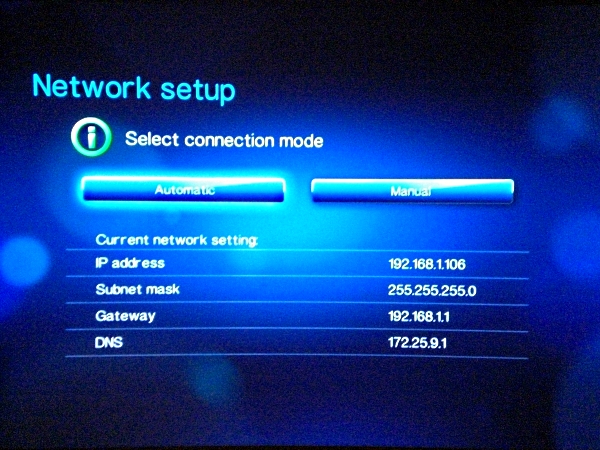
Searched the following prices so far for compatible ones. Is 150mbps enough?

Belkin F5D8051 N1 Wireless USB Adapter - RM 245
Belkin F5D8055 N+ Wireless USB Adapter - RM 286
Belkin F5D8053 N 300Mbps Wireless USB Adapter - RM 126
Belkin F6D4050 N 150Mbps Wireless USB Adapter - RM 89

This post has been edited by crazyconsumer: Mar 6 2011, 12:39 PM
ic-klass
post Mar 6 2011, 12:52 PM

Enthusiast
*****
Senior Member
959 posts

Joined: Apr 2007
any one tried using tp-link 1043nd router to stream 1080p/720p mkv to wdtv live?
any problem - or what model/brand u recommended?
alucard89
post Mar 6 2011, 03:21 PM

Look at all my stars!!
*******
Senior Member
4,454 posts

Joined: Apr 2006
QUOTE(ic-klass @ Mar 6 2011, 12:52 PM)
any one tried using tp-link 1043nd router to stream 1080p/720p mkv to wdtv live?
any problem - or what model/brand u recommended?
*
Works fine with me, only time movie stutters when I was using samba share


Added on March 6, 2011, 3:24 pm
QUOTE(crazyconsumer @ Mar 6 2011, 12:26 PM)
Want to get usb wifi for my wdtv live. From the list of compatible options, which one is cheapest ? Anyone got compare?

Searched the following prices so far for compatible ones. Is 150mbps enough?

Belkin F5D8051 N1 Wireless USB Adapter - RM 245
Belkin F5D8055 N+ Wireless USB Adapter - RM 286
Belkin F5D8053 N 300Mbps Wireless USB Adapter - RM 126
Belkin F6D4050 N 150Mbps Wireless USB Adapter - RM 89
*
Might as well just get 300mbps speed if you also wanna stream bdiso/bdmv files
Try get ASUS USB N-13, Matrix got this one less than RM90 and it works great streaming huge files..

This post has been edited by alucard89: Mar 6 2011, 03:24 PM
ic-klass
post Mar 6 2011, 06:34 PM

Enthusiast
*****
Senior Member
959 posts

Joined: Apr 2007
QUOTE(alucard89 @ Mar 6 2011, 03:21 PM)
Works fine with me, only time movie stutters when I was using samba share


Added on March 6, 2011, 3:24 pm

Might as well just get 300mbps speed if you also wanna stream bdiso/bdmv files
Try get ASUS USB N-13, Matrix got this one less than RM90 and it works great streaming huge files..
*
Thanks. .
crazyconsumer
post Mar 6 2011, 06:44 PM

Big Spender
****
Senior Member
673 posts

Joined: Apr 2006
Got link to matrix? Thanks


QUOTE(alucard89 @ Mar 6 2011, 03:21 PM)
Works fine with me, only time movie stutters when I was using samba share


Added on March 6, 2011, 3:24 pm

Might as well just get 300mbps speed if you also wanna stream bdiso/bdmv files
Try get ASUS USB N-13, Matrix got this one less than RM90 and it works great streaming huge files..
*
Pok Leh
post Mar 7 2011, 08:05 AM

Getting Started
**
Junior Member
263 posts

Joined: Sep 2010
QUOTE(crazyconsumer @ Mar 6 2011, 12:26 PM)
Want to get usb wifi for my wdtv live. From the list of compatible options, which one is cheapest ? Anyone got compare?

Searched the following prices so far for compatible ones. Is 150mbps enough?

Belkin F5D8051 N1 Wireless USB Adapter - RM 245
Belkin F5D8055 N+ Wireless USB Adapter - RM 286
Belkin F5D8053 N 300Mbps Wireless USB Adapter - RM 126
Belkin F6D4050 N 150Mbps Wireless USB Adapter - RM 89
*
I got myself the TP Link TL-WN851N 300Mbps from Digital Mall (All IT) for RM49.
zeese
post Mar 7 2011, 09:22 AM

Warning Level
******
Senior Member
1,818 posts

Joined: Jan 2005
From: Kuala Lumpur
Anyone tried with aztech WL558USBN. Does it works with WDTV?
currently I'm 150N version (WL552USB) and I want to upgrade it to 300N version.

Aztech WL558USBN is the cheapest for 300N speed, around rm55 or so, but
I don't know will it works with wdtv or not. Here's the pic.

user posted image

I know some of you may suggest me to go with other brand like Asus N-13, etc,
but my priority is being the cheapest first over quality/performance/warranty/etc.
DarkNite
post Mar 7 2011, 10:28 AM

ФĻĐ ИΞШB!Ξ
********
All Stars
11,058 posts

Joined: Jun 2008
QUOTE(crazyconsumer @ Mar 6 2011, 06:44 PM)
Got link to matrix? Thanks
*
See post #410 of this thread and PM him.
terranova
post Mar 7 2011, 12:45 PM

Regular
******
Senior Member
1,161 posts

Joined: Jan 2003
hi guys. need some help. ripped some original dvds into iso and the iso file (including menu support) plays back fine on the wdtv live thru USB drive.

however, the same iso file doesn't play over my home network (I have a QNAP NAS hooked up to the home network). the wdtv live doesn't even see the iso file on the NAS when I try to view them thru wdtv -> media server.

btw, all other files work fine (flac, mkv, etc.) thru wdtv -> media server. have not tried wdtv -> network folder. not sure what's the difference, actually. still new to this.

any ideas or advice would be appreciated. thanks.

This post has been edited by terranova: Mar 7 2011, 12:50 PM
alucard89
post Mar 7 2011, 01:12 PM

Look at all my stars!!
*******
Senior Member
4,454 posts

Joined: Apr 2006
QUOTE(terranova @ Mar 7 2011, 12:45 PM)
hi guys. need some help. ripped some original dvds into iso and the iso file (including menu support) plays back fine on the wdtv live thru USB drive.

however, the same iso file doesn't play over my home network (I have a QNAP NAS hooked up to the home network). the wdtv live doesn't even see the iso file on the NAS when I try to view them thru wdtv -> media server.

btw, all other files work fine (flac, mkv, etc.) thru wdtv -> media server. have not tried wdtv -> network folder. not sure what's the difference, actually. still new to this.

any ideas or advice would be appreciated. thanks.
*
Probably media server can't detect iso file, like tversity
Try accessing your media file with network folder
laowai
post Mar 7 2011, 01:31 PM

Casual
***
Junior Member
490 posts

Joined: Apr 2006

Aztech is not listed on wdtv list.

Maybe have to take wdtv to shop to test. Where to get rm55?


QUOTE(zeese @ Mar 7 2011, 09:22 AM)
Anyone tried with aztech WL558USBN. Does it works with WDTV?
currently I'm 150N version (WL552USB) and I want to upgrade it to 300N version.

Aztech WL558USBN is the cheapest for 300N speed, around rm55 or so, but
I don't know will it works with wdtv or not. Here's the pic.

user posted image

I know some of you may suggest me to go with other brand like Asus N-13, etc,
but my priority is being the cheapest first over quality/performance/warranty/etc.
*
terranova
post Mar 7 2011, 03:40 PM

Regular
******
Senior Member
1,161 posts

Joined: Jan 2003
QUOTE(alucard89 @ Mar 7 2011, 01:12 PM)
Probably media server can't detect iso file, like tversity
Try accessing your media file with network folder
*
thanks alucard89. will try that tonite and update here.
zeese
post Mar 7 2011, 04:18 PM

Warning Level
******
Senior Member
1,818 posts

Joined: Jan 2005
From: Kuala Lumpur
QUOTE(laowai @ Mar 7 2011, 01:31 PM)
Aztech is not listed on wdtv list.

Maybe have to take wdtv to shop to test. Where to get rm55?
*
Yes.. it's not listed.. similar like the one I'm using, aztech usb150N. It's not listed
but it still working. To me, the reason it is not listed is because it's not sold in US.
wdtv only list wifi usb that US users buy & use..

Where to get the rm55.. it's in lowyat.. everywhere in lowyat, it's around that price..
you can the price list on the lyn front page.


QUOTE
Maybe have to take wdtv to shop to test. Where to get rm55?

Thanks for the idea. Good idea..


This post has been edited by zeese: Mar 7 2011, 04:25 PM
ic-klass
post Mar 7 2011, 05:48 PM

Enthusiast
*****
Senior Member
959 posts

Joined: Apr 2007
Tp link usb dogle also around 50-60rm..
laowai
post Mar 8 2011, 11:40 PM

Casual
***
Junior Member
490 posts

Joined: Apr 2006
I bought the asus usb-n13 and tried it on wdtv live (latest 1.04.22 firmware).

Doesn't work.

I followed the steps in http://wdc.custhelp.com/app/answers/detail/a_id/3806

After plug in, i see the the options for wired and wireless :-
user posted image

I chose wireless, detected my SSID, tried automatic settings but got error "Unable to obtain ip address. The media player has limited or no network connectivity".

So I manually configured the ip / subnet / gateway / dns (sample screen below) :-

user posted image

My SSID name somehow keeps disappearing and appearing (blinking) and signal strength goes up/down ..... does anyone have this issue? Or is the SSID always showing on screen (fixed)?

user posted image

I tried CHECK CONNECTION ..... always fail the DNS step.

user posted image

Not sure which problem ... wdtv or my usb wifi or my pc router (this needs to be compatible as well?) .

On WDTV list, it's mentioned version is 1.10 but when I plug the N13 to my notebook, it's mentioned driver version was 1.4.6.0

I checked drivers on ASUS site but only have v1.4.6.0 and v.3.1.0.0.

Can anyone that has a working N13 check their driver version from a notebook / pc? Is it same as mine 1.4.6.0 ? Or is version 1.10 not related to firmware, where can I check version?


This post has been edited by laowai: Mar 10 2011, 03:21 PM
laowai
post Mar 10 2011, 04:31 PM

Casual
***
Junior Member
490 posts

Joined: Apr 2006

Anyone claimed warranty on WDTV before?

I called the service tel. no., they say there's no service center in malaysia. Only in singapore.

Have to go thru distributor or send back using their pickup service (US$7.50), it seems
reef_d
post Mar 10 2011, 04:59 PM

Getting Started
**
Junior Member
264 posts

Joined: Jan 2003
From: Putrajaya


use the pickup service fast n easy.. never sent wdtv before but i already sent my ext hdd thrice with them using this service.. really hassle free..
alucard89
post Mar 10 2011, 05:42 PM

Look at all my stars!!
*******
Senior Member
4,454 posts

Joined: Apr 2006
QUOTE(laowai @ Mar 8 2011, 11:40 PM)
user posted image

I tried CHECK CONNECTION ..... always fail the DNS step.

user posted image

Not sure which problem ... wdtv or my usb wifi or my pc router (this needs to be compatible as well?) .

On WDTV list, it's mentioned version is 1.10 but when I plug the N13 to my notebook, it's mentioned driver version was 1.4.6.0

I checked drivers on ASUS site but only have v1.4.6.0 and v.3.1.0.0.

Can anyone that has a working N13 check their driver version from a notebook / pc? Is it same as mine 1.4.6.0 ? Or is version 1.10 not related to firmware, where can I check version?
*
DNS server problem?
In my case, I had to reset the player just to finally get wireless streaming working.
Only difference is that I can still get the ip address,subnet mask etc automatically back when I'm still getting dns server error
zeese
post Mar 10 2011, 05:54 PM

Warning Level
******
Senior Member
1,818 posts

Joined: Jan 2005
From: Kuala Lumpur
QUOTE(laowai @ Mar 8 2011, 11:40 PM)
I bought the asus usb-n13 and tried it on wdtv live (latest 1.04.22 firmware).

Doesn't work.

I followed the steps in http://wdc.custhelp.com/app/answers/detail/a_id/3806
» Click to show Spoiler - click again to hide... «

Can anyone that has a working N13 check their driver version from a notebook / pc? Is it same as mine 1.4.6.0 ? Or is version 1.10 not related to firmware, where can I check version?
*
It shows you usb wifi is compatible with the wdtv. If it's not working, the wdtv won't detect any ssid at all..
In your case, it must be the routers setting..

is you router using a default setting, or did you set the ip assignment manually?

This post has been edited by zeese: Mar 10 2011, 05:56 PM
laowai
post Mar 10 2011, 07:31 PM

Casual
***
Junior Member
490 posts

Joined: Apr 2006
Not really understand how you mean. Your dns problem went away after reset? Or still have ?

QUOTE(alucard89 @ Mar 10 2011, 05:42 PM)
DNS server problem?
In my case, I had to reset the player just to finally get wireless streaming working.
Only difference is that I can still get the ip address,subnet mask etc automatically back when I'm still getting dns server error
*
My wifi router at pc is set to enable dhcp server with a starting address and pool size. Previously i left dns server as blank but after this error, i set one dns address ... Still not work. No static dhcp setting for mac address. sad.gif

QUOTE(zeese @ Mar 10 2011, 05:54 PM)
It shows you usb wifi is compatible with the wdtv. If it's not working, the wdtv won't detect any ssid at all..
In your case, it must be the routers setting..

is you router using a default setting, or did you set the ip assignment manually?
*
terranova
post Mar 10 2011, 07:36 PM

Regular
******
Senior Member
1,161 posts

Joined: Jan 2003
QUOTE(terranova @ Mar 7 2011, 12:45 PM)
hi guys. need some help. ripped some original dvds into iso and the iso file (including menu support) plays back fine on the wdtv live thru USB drive.

however, the same iso file doesn't play over my home network (I have a QNAP NAS hooked up to the home network). the wdtv live doesn't even see the iso file on the NAS when I try to view them thru wdtv -> media server.

btw, all other files work fine (flac, mkv, etc.) thru wdtv -> media server. have not tried wdtv -> network folder. not sure what's the difference, actually. still new to this.

any ideas or advice would be appreciated. thanks.
*
QUOTE(alucard89 @ Mar 7 2011, 01:12 PM)
Probably media server can't detect iso file, like tversity
Try accessing your media file with network folder
*
just to update here on my earlier issue.

@ alucard89 - you were correct. the iso file works perfectly with menu support when accessed thru the "network shares", but not when it is accessed thru "media server". somehow, the DLNA upnp media server on the NAS doesn't display the iso. QNAP uses Twonky Media Server btw.

anyway, i'm just glad to be able to play the iso file with menu. thanks bro.

terranova
post Mar 10 2011, 07:46 PM

Regular
******
Senior Member
1,161 posts

Joined: Jan 2003
Just got prompted for a firmware update.
Current version : 1.04.17_V
New version : 1.04.22_V

Fix List:

• Supports Tune-In radio application.
• Supports 7.1 channel audio passthrough.
• Supports Auto-framerate (Audio Video settings/video output/HDMI/auto/auto/Match video framerate)
• Corrected various general menu and options wording issues.
• Corrected various Netflix user interface functionality problems.
• Corrected various Facebook user interface wording and functionality problems.
• Corrected various Live365 user interface wording and functionality problems.
• Corrected various Pandora user interface wording and functionality problems.
• Corrected various Mediafly user interface wording and functionality problems.
• Resolved problem with some HD files from Mediafly becoming out of sync.
• Corrected various Blockbuster user interface wording and functionality problems.
• Resolved various Blockbuster download issues
• Resolved digital audio passthrough problem playing on both HDMI and optical at the same time.
• Resolved problem with Auto-play feature not automatically playing content.
• Resolved problem with Belkin F7D2101 v1WiFi adapter not connecting to network.
• Resolved “Clear login info” from Network Share not clearing the login info.
• Resolved problem where filenames that begin with the same name as a folder will not show up.
• Resolved problem where HDMI resolution could not be forced if not supported by the EDID.
• Resolved meta-data problem where “/” character in the title makes the system reboot.
• Resolved problem of no video playback after using Netflix.
• Resolved problem with ISO playback not working – except through preview mode.
• Resolved video playback problem where the info bar does not hide on pause/resume or chapter skip.
• Resolved problem where empty folder are hidden when copying or moving.
• Resolved USB keyboard problem where the arrow keys don’t work in wireless network settings page.
• Resolved problem where a folder icon was displayed over the top of the thumbnail.
• Resolved problem where DVI output was not working for a particular DVI monitor.
• Resolved problem of DTS and AC-3 not working with passthrough.
• Resolved problem where videos can not start until after 10-90 seconds after start-up.
• Resolved problem where user could not copy a file/folder to the root directory of the drive.
• Resolved problem where an incorrect error message was displayed if invalid username/password entered.
• Resolved problem where system reset fails to erase user info.
• Resolved video playback where audio takes 5 seconds to catch up after fast-forward or re-wind
• Resolved problem where the system would reboot when special characters are entered into device name.
• Resolved a file management problem where deleting a file on a network share caused the device to reboot.
• Resolved problem where high sample rate audio was being downsampled to 48KHz.
• Removed Blu-ray DVD message “Unable to play this video menu.

alucard89
post Mar 10 2011, 10:26 PM

Look at all my stars!!
*******
Senior Member
4,454 posts

Joined: Apr 2006
QUOTE(laowai @ Mar 10 2011, 07:31 PM)
Not really understand how you mean. Your dns problem went away after reset? Or still have ?
My wifi router at pc is set to enable dhcp server with a starting address and pool size. Previously i left dns server as blank but after this error, i set one dns address ... Still not work. No static dhcp setting for mac address. sad.gif
I actually reflash the firmware several times with official and custom one but none seems to work.
After reset I can finally use wireless and youtube is working too.


Added on March 10, 2011, 10:28 pm
QUOTE(terranova @ Mar 10 2011, 07:36 PM)
just to update here on my earlier issue.

@ alucard89 - you were correct. the iso file works perfectly with menu support when accessed thru the "network shares", but not when it is accessed thru "media server". somehow, the DLNA upnp media server on the NAS doesn't display the iso. QNAP uses Twonky Media Server btw.

anyway, i'm just glad to be able to play the iso file with menu. thanks bro.
*
Good to hear that, hopefully it won't stutter much streaming those files thru network share

This post has been edited by alucard89: Mar 10 2011, 10:29 PM
zeese
post Mar 11 2011, 08:53 AM

Warning Level
******
Senior Member
1,818 posts

Joined: Jan 2005
From: Kuala Lumpur
last time, I'm having the same network problem with wdtv. When diagnose, it failed at "DNS Server" stage. After I reset my router to default, the wdtv networks immediately works fine.


eMKs
post Mar 11 2011, 10:23 AM

On my way
****
Senior Member
647 posts

Joined: Jan 2010
From: Klang
QUOTE(terranova @ Mar 10 2011, 07:46 PM)
Just got prompted for a firmware update.
Current version : 1.04.17_V
New version : 1.04.22_V

Fix List:

• Supports Auto-framerate (Audio Video settings/video output/HDMI/auto/auto/Match video framerate)

*

Great, will test it. Miss this feature quite some time.
terranova
post Mar 11 2011, 05:58 PM

Regular
******
Senior Member
1,161 posts

Joined: Jan 2003
QUOTE(alucard89 @ Mar 10 2011, 10:26 PM)
Good to hear that, hopefully it won't stutter much streaming those files thru network share
*
No stuttering at all. Wired gigabit network.
DarkNite
post Mar 14 2011, 10:03 AM

ФĻĐ ИΞШB!Ξ
********
All Stars
11,058 posts

Joined: Jun 2008
Anyone knows where got sell WDTV Live at a lower price?
ic-klass
post Mar 14 2011, 08:08 PM

Enthusiast
*****
Senior Member
959 posts

Joined: Apr 2007
QUOTE(DarkNite @ Mar 14 2011, 10:03 AM)
Anyone knows where got sell WDTV Live at a lower price?
*
how low?
DarkNite
post Mar 14 2011, 09:51 PM

ФĻĐ ИΞШB!Ξ
********
All Stars
11,058 posts

Joined: Jun 2008
QUOTE(ic-klass @ Mar 14 2011, 08:08 PM)
how low?
*
RM290?
karhoe
post Mar 14 2011, 10:46 PM

Look at all my stars!!
*******
Senior Member
6,238 posts

Joined: Sep 2005
From: Kuala Lumpur


QUOTE(terranova @ Mar 11 2011, 05:58 PM)
No stuttering at all. Wired gigabit network.
*
What are you using?

using Live Hub here, the Gigabit is useless, also on Gigabit network but I got like 7MB/s only
sotong168
post Mar 15 2011, 12:03 AM

in retiring mode
*******
Senior Member
5,291 posts

Joined: Dec 2004
From: I Luv Msia
QUOTE(DarkNite @ Mar 14 2011, 09:51 PM)
RM290?
*
RM308 @ here, reasonable eh?


Added on March 15, 2011, 12:24 am
QUOTE(karhoe @ Mar 14 2011, 10:46 PM)
What are you using?

using Live Hub here, the Gigabit is useless, also on Gigabit network but I got like 7MB/s only
*
same goes to 2nd gen realtek comes with gigabit lan, what's the pt of having gigabit then rclxub.gif

This post has been edited by sotong168: Mar 15 2011, 12:24 AM
kapultek
post Mar 15 2011, 01:01 AM

Regular
******
Senior Member
1,376 posts

Joined: Oct 2008


308 nice price already
sotong168
post Mar 15 2011, 01:07 AM

in retiring mode
*******
Senior Member
5,291 posts

Joined: Dec 2004
From: I Luv Msia
QUOTE(kapultek @ Mar 15 2011, 01:01 AM)
308 nice price already
*
yes, value buy, should get lower if inquire, i think wd wants to give way for new sigma chipset
dannygeni
post Mar 15 2011, 07:54 AM

Regular
******
Senior Member
1,804 posts

Joined: Jun 2009


plan to get wd tv live hub? can watch all media files? any problem with this? sifus pls comment
zeese
post Mar 15 2011, 09:56 AM

Warning Level
******
Senior Member
1,818 posts

Joined: Jan 2005
From: Kuala Lumpur
QUOTE(karhoe @ Mar 14 2011, 10:46 PM)
What are you using?

using Live Hub here, the Gigabit is useless, also on Gigabit network but I got like 7MB/s only
*
Hmm.. I guess, it is just meant for streaming only.. not for high speed file transfer..
Ivan Sac
post Mar 15 2011, 11:48 AM

Casual
***
Junior Member
368 posts

Joined: Jan 2007
QUOTE(DarkNite @ Mar 14 2011, 10:03 AM)
Anyone knows where got sell WDTV Live at a lower price?
*
I bought mine from All IT 3 weeks ago..
RM299.
terranova
post Mar 15 2011, 01:33 PM

Regular
******
Senior Member
1,161 posts

Joined: Jan 2003
QUOTE(karhoe @ Mar 14 2011, 10:46 PM)
What are you using?
using Live Hub here, the Gigabit is useless, also on Gigabit network but I got like 7MB/s only
*
QUOTE(sotong168 @ Mar 15 2011, 12:03 AM)
same goes to 2nd gen realtek comes with gigabit lan, what's the pt of having gigabit then rclxub.gif
*
using wdtv live current model (2nd gen?). i have not had any stuttering problems since day one.

i'm not technically savvy enough to comment on the above. my home network includes several NAS, but the media server is a QNAP TS-409 and a Netgear WNDR3700 router. also, i guess how busy your HDD are when you access the NAS is a contributing factor?

amir78
post Mar 15 2011, 02:37 PM

New Member
*
Junior Member
35 posts

Joined: Dec 2006


QUOTE(kapultek @ Mar 15 2011, 01:01 AM)
308 nice price already
*
bought for RM299 at lowyat last saturday smile.gif

btw, can we choose the youtube video resolution?

zwanvedder
post Mar 15 2011, 03:52 PM

Rock For Choice
******
Senior Member
1,589 posts

Joined: Sep 2008


Lucky all of u i bought mine around RM450.++ on d 1st day wdtv live launched in malaysia...haish
amir78
post Mar 15 2011, 04:41 PM

New Member
*
Junior Member
35 posts

Joined: Dec 2006


QUOTE(zwanvedder @ Mar 15 2011, 03:52 PM)
Lucky all of u i bought mine around RM450.++ on d 1st day wdtv live launched in malaysia...haish
*
hehe. lucky me smile.gif

anybody here know how to choose HD for the youtube? hmmm.
DarkNite
post Mar 15 2011, 05:04 PM

ФĻĐ ИΞШB!Ξ
********
All Stars
11,058 posts

Joined: Jun 2008
QUOTE(sotong168 @ Mar 15 2011, 01:07 AM)
yes, value buy, should get lower if inquire, i think wd wants to give way for new sigma chipset
*
But that guy can only COD if purchase above RM600.00 in a single receipt sweat.gif sweat.gif

QUOTE(amir78 @ Mar 15 2011, 02:37 PM)
bought for RM299 at lowyat last saturday smile.gif
*
Is it at ALL IT like Ivan Sac said or which other shop? hmm.gif

QUOTE(sotong168 @ Mar 15 2011, 01:07 AM)
yes, value buy, should get lower if inquire, i think wd wants to give way for new sigma chipset
*
Actually I bought mine a year ago at RM299 & now I'm buying for few friends as we like to pool our download resource and exchange videos. laugh.gif

QUOTE(dannygeni @ Mar 15 2011, 07:54 AM)
plan to get wd tv live hub? can watch all media files? any problem with this? sifus pls comment
*

Play back most files EXCEPT rmvb.
And if you are a collecting freak then 10TB also not enough laugh.gif

This post has been edited by DarkNite: Mar 15 2011, 05:05 PM
Ivan Sac
post Mar 15 2011, 06:33 PM

Casual
***
Junior Member
368 posts

Joined: Jan 2007
Actually when I was surveying this item (WDTV Live), only few shops still have stocks..
Price is same..I went to Sri Comp,Viewnet,All IT and Jayacom..
Only Jayacom doesn't have stock..

So far Im really satisfied with this player.. thumbup.gif
Now planning to get new HD... icon_rolleyes.gif
sotong168
post Mar 15 2011, 10:21 PM

in retiring mode
*******
Senior Member
5,291 posts

Joined: Dec 2004
From: I Luv Msia
QUOTE(zwanvedder @ Mar 15 2011, 03:52 PM)
Lucky all of u i bought mine around RM450.++ on d 1st day wdtv live launched in malaysia...haish
*
cannot compare like this lah, u oledi enjoying it since day one mah tongue.gif , in fact it is a good buy as the unit still remains strong in playback hd media thumbup.gif

QUOTE(DarkNite @ Mar 15 2011, 05:04 PM)
But that guy can only COD if purchase above RM600.00 in a single receipt sweat.gif  sweat.gif
u meant bruceleestore? just use courier, save the hassle frm traffic jam, i dealt with him, the price and postage is very much reasonable
DarkNite
post Mar 19 2011, 05:28 PM

ФĻĐ ИΞШB!Ξ
********
All Stars
11,058 posts

Joined: Jun 2008
QUOTE(sotong168 @ Mar 15 2011, 10:21 PM)
cannot compare like this lah, u oledi enjoying it since day one mah tongue.gif , in fact it is a good buy as the unit still remains strong in playback hd media thumbup.gif
u meant bruceleestore? just use courier, save the hassle frm traffic jam, i dealt with him, the price and postage is very much reasonable
*
Thanks but was in KL - PC Expo and bought 4 at RM290.

Now very few shops carrying it cos newer chip (better?) is coming in May2011. This model may be EOL.

This post has been edited by DarkNite: Mar 19 2011, 05:29 PM
zeese
post Mar 21 2011, 11:34 AM

Warning Level
******
Senior Member
1,818 posts

Joined: Jan 2005
From: Kuala Lumpur
QUOTE(amir78 @ Mar 15 2011, 02:37 PM)
bought for RM299 at lowyat last saturday smile.gif

btw, can we choose the youtube video resolution?
*
QUOTE(amir78 @ Mar 15 2011, 04:41 PM)
hehe. lucky me smile.gif

anybody here know how to choose HD for the youtube? hmmm.
*
Youtube HD is not legally allowed in any set top or media players. However,
you can do that by using a hacked version of firmware, B-radds firmware.


QUOTE(DarkNite @ Mar 19 2011, 05:28 PM)
Thanks but was in KL - PC Expo and bought 4 at RM290.

Now very few shops carrying it cos newer chip (better?) is coming in May2011. This model may be EOL.
*
is wdtv will be using a new chipset or is it another totally new product?
karhoe
post Mar 21 2011, 05:26 PM

Look at all my stars!!
*******
Senior Member
6,238 posts

Joined: Sep 2005
From: Kuala Lumpur


QUOTE(terranova @ Mar 15 2011, 01:33 PM)
using wdtv live current model (2nd gen?). i have not had any stuttering problems since day one.

i'm not technically savvy enough to comment on the above. my home network includes several NAS, but the media server is a QNAP TS-409 and a Netgear WNDR3700 router. also, i guess how busy your HDD are when you access the NAS is a contributing factor?
*
Well it''s fast enough for streaming but pathetically slow to transfer files, what's the point of giving 1TB internal drive if filling them up will take forever.

QUOTE(amir78 @ Mar 15 2011, 02:37 PM)
bought for RM299 at lowyat last saturday smile.gif

btw, can we choose the youtube video resolution?
*
Cannot

QUOTE(zeese @ Mar 21 2011, 11:34 AM)
Youtube HD is not legally allowed in any set top or media players. However,
you can do that by using a hacked version of firmware, B-radds firmware.
is wdtv will be using a new chipset or is it  another totally new product?
*
Yes I concur, the reason is because media players do not have web browser and do not display ads, hence it's too pricey to allow us to stream HD from the player as there's no ads to subsidize the bandwidth.

As for the hacked version of firmware, it's only applicable to WD TV Live, heard B-radd is not messing with Live Hub
Skylinestar
post Mar 22 2011, 08:37 PM

Mega Duck
********
All Stars
10,477 posts

Joined: Jan 2003
From: Sarawak
QUOTE(DarkNite @ Mar 19 2011, 05:28 PM)
Thanks but was in KL - PC Expo and bought 4 at RM290.

Now very few shops carrying it cos newer chip (better?) is coming in May2011. This model may be EOL.
*
How do you know that WD is going to release a new player this year?
HW-Racer
post Mar 22 2011, 10:52 PM

Enthusiast
*****
Senior Member
729 posts

Joined: May 2008


thinking of getting a WD live... any idea how much in Harvey Norman ?
amir78
post Mar 23 2011, 12:57 PM

New Member
*
Junior Member
35 posts

Joined: Dec 2006


QUOTE(HW-Racer @ Mar 22 2011, 10:52 PM)
thinking of getting a WD live... any idea how much in Harvey Norman ?
*
if im not mistaken, harvey norman is selling them for around 350. better buy at lowyat, i bought it for 299.


Added on March 23, 2011, 12:59 pm
QUOTE(zeese @ Mar 21 2011, 11:34 AM)
Youtube HD is not legally allowed in any set top or media players. However,
you can do that by using a hacked version of firmware, B-radds firmware.
is wdtv will be using a new chipset or is it  another totally new product?
*
ive already tried B-radds firmware, but when i try to watch youtube this message came out "video is currently unavailable"

Sighh ... sad.gif

This post has been edited by amir78: Mar 23 2011, 12:59 PM
zeese
post Mar 23 2011, 04:34 PM

Warning Level
******
Senior Member
1,818 posts

Joined: Jan 2005
From: Kuala Lumpur
QUOTE(amir78 @ Mar 23 2011, 12:57 PM)
if im not mistaken, harvey norman is selling them for around 350. better buy at lowyat, i bought it for 299.


Added on March 23, 2011, 12:59 pm

ive already tried B-radds firmware, but when i try to watch youtube this message came out "video is currently unavailable"

Sighh ...  sad.gif
*
Is it because of firmware? it could be that the video has been taken off also.
Try search something else.. just type "sample 1080p" or anything..
tim_1335
post Mar 23 2011, 09:59 PM

Getting Started
**
Junior Member
226 posts

Joined: Jul 2008


anyone tried the new firmware?

heard it finally has the auto framerate feature officially built in.
DarkNite
post Mar 24 2011, 09:55 AM

ФĻĐ ИΞШB!Ξ
********
All Stars
11,058 posts

Joined: Jun 2008
QUOTE(tim_1335 @ Mar 23 2011, 09:59 PM)
anyone tried the new firmware?

heard it finally has the auto framerate feature officially built in.
*
which version of 'new firmware' are you referring to?
zeese
post Mar 24 2011, 10:00 AM

Warning Level
******
Senior Member
1,818 posts

Joined: Jan 2005
From: Kuala Lumpur
QUOTE(tim_1335 @ Mar 23 2011, 09:59 PM)
anyone tried the new firmware?

heard it finally has the auto framerate feature officially built in.
*
Did u mean 1.04.22. I'm using it, and i don't see any different in the framerate menu..
I'm already using auto, even before this release..

Err..anyway, among the features in the new, beta firmware is

> Supports Auto-framerate (Audio Video settings/video output/HDMI/auto/auto/Match video framerate).

A complete list is
» Click to show Spoiler - click again to hide... «


This post has been edited by zeese: Mar 24 2011, 10:03 AM
ADJ
post Mar 24 2011, 10:33 AM

..::fairlight::..
*******
Senior Member
2,921 posts

Joined: Jan 2003
From: Ipoh/PJ/KL


i'm using the latest firmware.
normally you select the resolution + refresh rate (1080p 60Hz, 1080p 50Hz, etc),

now just select auto, then auto framerate, then you're done. works fine for me
sotong168
post Mar 24 2011, 01:19 PM

in retiring mode
*******
Senior Member
5,291 posts

Joined: Dec 2004
From: I Luv Msia
QUOTE(ADJ @ Mar 24 2011, 10:33 AM)
i'm using the latest firmware.
normally you select the resolution + refresh rate (1080p 60Hz, 1080p 50Hz, etc),

now just select auto, then auto framerate, then you're done. works fine for me
*
with auto framerate feature enabled, how do we know it is running at 24, 50 or 60?
ADJ
post Mar 24 2011, 01:39 PM

..::fairlight::..
*******
Senior Member
2,921 posts

Joined: Jan 2003
From: Ipoh/PJ/KL


QUOTE(sotong168 @ Mar 24 2011, 01:19 PM)
with auto framerate feature enabled, how do we know it is running at 24, 50 or 60?
*
depends whether your TV is able to show you that information or not.
On my Samsung, it will run at 1080p 60Hz in the UI. It will then switch when you start playing your movies, tv shows, videos etc. If there is a refresh rate change, my Samsung would go blank momentarily to switch refresh rate modes, and the OSD would indicate the current mode.
zeese
post Mar 24 2011, 03:32 PM

Warning Level
******
Senior Member
1,818 posts

Joined: Jan 2005
From: Kuala Lumpur
QUOTE(ADJ @ Mar 24 2011, 10:33 AM)
i'm using the latest firmware.
normally you select the resolution + refresh rate (1080p 60Hz, 1080p 50Hz, etc),

now just select auto, then auto framerate, then you're done. works fine for me
*
Oh.. good info.. I didn't notice about such feature because that is a 1 time setting,
and after that, I never really tinker it..
ADJ
post Mar 24 2011, 03:49 PM

..::fairlight::..
*******
Senior Member
2,921 posts

Joined: Jan 2003
From: Ipoh/PJ/KL


no prob guys, sharing is caring!
alucard89
post Mar 24 2011, 08:07 PM

Look at all my stars!!
*******
Senior Member
4,454 posts

Joined: Apr 2006
QUOTE(amir78 @ Mar 23 2011, 12:57 PM)
if im not mistaken, harvey norman is selling them for around 350. better buy at lowyat, i bought it for 299.


Added on March 23, 2011, 12:59 pm

ive already tried B-radds firmware, but when i try to watch youtube this message came out "video is currently unavailable"

Sighh ...  sad.gif
*
Is the video unavailable or can you still watch youtube videos on official firmware?
Try reset the player, it should generate the youtube keys
If you need to watch youtube in HD by default, try setting the configuration on wdtv's webend interface.
Just type the wdtvlive's ip address on browser, wdlxtv should be the default username/password
SUSSrious
post Mar 24 2011, 09:28 PM

Getting Started
**
Junior Member
265 posts

Joined: Mar 2010


hey guys...
WD media player can play TrueHD audio MKV or not?
i havin this big problem...i cant play
help me
ka_one2000
post Mar 29 2011, 07:37 AM

Getting Started
**
Junior Member
218 posts

Joined: Nov 2007
hi, can this player read multiple HDD like probox 4 bay hdd?
SUSMatrix
post Mar 29 2011, 10:38 AM

King of Char Siew!
********
Senior Member
15,022 posts

Joined: Jan 2003
From: Damansara Jaya/Bandar Utama


QUOTE(ADJ @ Mar 24 2011, 10:33 AM)
i'm using the latest firmware.
normally you select the resolution + refresh rate (1080p 60Hz, 1080p 50Hz, etc),

now just select auto, then auto framerate, then you're done. works fine for me
*
Yep, works fine here. Automatically set my TV to 1080/24p when detected the MKV rip at 24fps.
giggs_509
post Mar 29 2011, 12:51 PM

Regular
******
Senior Member
1,475 posts

Joined: Nov 2005


guys, need info on this WD TV as i'm looking for a media player. this wd tv can play M/RMVB, H.264, VC-1, WMV, MPEG1/2/4, Divx, Xvid ?
DarkNite
post Mar 29 2011, 01:37 PM

ФĻĐ ИΞШB!Ξ
********
All Stars
11,058 posts

Joined: Jun 2008
QUOTE(giggs_509 @ Mar 29 2011, 12:51 PM)
guys, need info on this WD TV as i'm looking for a media player. this wd tv can play M/RMVB, H.264, VC-1, WMV, MPEG1/2/4, Divx, Xvid ?
*
Dunno what you talk.
WDTV Live can play most files except rmvb.
WDTV model that support RMVB is the legacy model WDTV Mini@RM119. If looking for RMVB then look for HDPro Media Player.

Check here for more info and format by WDTV Live >> http://www.wdc.com/en/products/products.aspx?id=330

This post has been edited by DarkNite: Mar 29 2011, 01:38 PM
giggs_509
post Mar 29 2011, 03:17 PM

Regular
******
Senior Member
1,475 posts

Joined: Nov 2005


QUOTE(DarkNite @ Mar 29 2011, 01:37 PM)
Dunno what you talk.
WDTV Live can play most files except rmvb.
WDTV model that support RMVB is the legacy model WDTV Mini@RM119. If looking for RMVB then look for HDPro Media Player.

Check here for more info and format by WDTV Live >> http://www.wdc.com/en/products/products.aspx?id=330
*
connect to tv using normal cable or HDMI?
DarkNite
post Mar 29 2011, 03:35 PM

ФĻĐ ИΞШB!Ξ
********
All Stars
11,058 posts

Joined: Jun 2008
QUOTE(giggs_509 @ Mar 29 2011, 03:17 PM)
connect to tv using normal cable or HDMI?
*
dunno what is normal cable but WDTV Live can connect to TV via HDMI cable or the 3 plug RCA like the one show below
user posted image
giggs_509
post Mar 29 2011, 04:41 PM

Regular
******
Senior Member
1,475 posts

Joined: Nov 2005


guys, which is better..

1. WD tv live hub 1tb or WD tv live + 1tb passport essential?

2. I noticed from wd website stated that WD tv live hub HDMI 1.4 while WD tv live HDMI 1.3. what is the difference? if my cable 1.3 means cannot support WD tv live hub?
zeese
post Mar 29 2011, 06:18 PM

Warning Level
******
Senior Member
1,818 posts

Joined: Jan 2005
From: Kuala Lumpur
QUOTE(giggs_509 @ Mar 29 2011, 04:41 PM)
guys, which is better..

1. WD tv live hub 1tb or WD tv live + 1tb passport essential?

2. I noticed from wd website stated that WD tv live hub HDMI 1.4 while WD tv live HDMI 1.3. what is the difference? if my cable 1.3 means cannot support WD tv live hub?
*
wdtv live hub has a bit improvement over wdtv live..
it got gigabit connection at the back (for faster files copy/transfer)..
it has built in hard drive..
it has buit in media stream to stream movies..

The rest are same..


2) Currently, it doesnt make any different. It's more like for future products.
1. HDMI 1.4 support higher resolution compared to 1.3 (much much higher than HD resolution, which is
pretty much no use for us for the time being)
2. HDMI 1.4 totally supports 3D while 1.3 only supports 3D in 1080i
3. HDMI 1.4 can transfer audio in 2 ways. eg from dvd player to tv and at the same time, from tv to dvd player..
4. HDMI 1.4 has an Ethernet channel while 1.3 does not
ka_one2000
post Mar 29 2011, 06:37 PM

Getting Started
**
Junior Member
218 posts

Joined: Nov 2007
QUOTE(ka_one2000 @ Mar 29 2011, 07:37 AM)
hi, can this player read multiple HDD like probox 4 bay hdd?
*
DarkNite
post Mar 29 2011, 07:34 PM

ФĻĐ ИΞШB!Ξ
********
All Stars
11,058 posts

Joined: Jun 2008
QUOTE(ka_one2000 @ Mar 29 2011, 07:37 AM)
hi, can this player read multiple HDD like probox 4 bay hdd?
*
WDTV Live can read off multiple HDD when configured properly. I have severals HDD, so far no problem but I dunno anything about probox 4 bay hdd.

QUOTE(giggs_509 @ Mar 29 2011, 04:41 PM)
guys, which is better..

1. WD tv live hub 1tb or WD tv live + 1tb passport essential?

2. I noticed from wd website stated that WD tv live hub HDMI 1.4 while WD tv live HDMI 1.3. what is the difference? if my cable 1.3 means cannot support WD tv live hub?
*

depends on your wallet!

For me value for money is WDTV Live cos I already have a server & dun need the addition 1TB or facebook or HDMI 1.4.

WDTV Live is about RM299 vs WDTV Live HUB@RM699, so you see your needs and requirement.


ka_one2000
post Mar 29 2011, 10:52 PM

Getting Started
**
Junior Member
218 posts

Joined: Nov 2007
[quote=DarkNite,Mar 29 2011, 07:34 PM]
WDTV Live can read off multiple HDD when configured properly. I have severals HDD, so far no problem but I dunno anything about probox 4 bay hdd.

When you say configured properly, it is on WDTV Live or the enclosure itself? thanks
zeese
post Mar 29 2011, 11:20 PM

Warning Level
******
Senior Member
1,818 posts

Joined: Jan 2005
From: Kuala Lumpur
I think both wdtv live and wdtv hub live have the same capability (can read multiple hard disk)...


ka_one2000
post Mar 30 2011, 10:54 AM

Getting Started
**
Junior Member
218 posts

Joined: Nov 2007
QUOTE(zeese @ Mar 29 2011, 11:20 PM)
I think both wdtv live and wdtv hub live have the same capability (can read multiple hard disk)...
*
But my WDTV Live can only read only 1 HDD (using probox). Any idea how to resolve it? thanks
giggs_509
post Apr 3 2011, 06:16 PM

Regular
******
Senior Member
1,475 posts

Joined: Nov 2005


Guys, where u get your usb wireless adapter? My tp link 821n unfortunately not supported as it is v3.1.. Now looking for compatible model. Any suggestions?
znco
post Apr 3 2011, 06:25 PM

New Member
*
Junior Member
26 posts

Joined: Aug 2009
me also dah terkena cry.gif now searching for compatible adapter. read some other forum Aztech Wireless WL552USB 150Mbps Wireless-N USB Adapter can support it...price around rm35.
reef_d
post Apr 3 2011, 07:14 PM

Getting Started
**
Junior Member
264 posts

Joined: Jan 2003
From: Putrajaya


i can use my d-link dwa-125 usb dongle bought from carrefour for RM25.. wink.gif
zeese
post Apr 4 2011, 09:24 AM

Warning Level
******
Senior Member
1,818 posts

Joined: Jan 2005
From: Kuala Lumpur
QUOTE(znco @ Apr 3 2011, 06:25 PM)
me also dah terkena cry.gif now searching for compatible adapter. read some other forum Aztech Wireless WL552USB 150Mbps Wireless-N USB Adapter can support it...price around rm35.
*
i'm currently using this one (WL552USB 150Mbps).. it works flawlessly. I'm thinking to get upgrade to the same model with 300Mbps version, but I don't know it'll work or not..


Added on April 8, 2011, 7:38 pmNew official firmware has been released! time to upgrade again..

This post has been edited by zeese: Apr 8 2011, 07:38 PM
subaiku
post Apr 10 2011, 12:27 PM

Casual
***
Junior Member
445 posts

Joined: Oct 2008
hey guys... anybody knows if lowyat has stock of wdtv live?... middle of last month i went and it was all out of stock... really thinking of getting this... cheers!...
DarkNite
post Apr 10 2011, 03:55 PM

ФĻĐ ИΞШB!Ξ
********
All Stars
11,058 posts

Joined: Jun 2008
QUOTE(subaiku @ Apr 10 2011, 12:27 PM)
hey guys... anybody knows if lowyat has stock of wdtv live?... middle of last month i went and it was all out of stock... really thinking of getting this... cheers!...
*

Think WD is phasing this model out. According to some dealers feedback to WD is here, Malaysian wan RMVB play back doh.gif
Anyway I just bought additional 3 more for my friends at RM290 as we not RMVB kaki at the recent PC Expo. We more into mkv containers. We are hooking the WDTV Live via LAN to a server.
maxsteel
post Apr 10 2011, 07:35 PM

Casual
***
Junior Member
371 posts

Joined: Jan 2003
From: Malaysia
Almost all the shops at Digital Mall seksyen 14 PJ too are out of stock. I manage to grab last unit from ALL IT last Saturday. sweat.gif

zeese
post Apr 11 2011, 09:01 AM

Warning Level
******
Senior Member
1,818 posts

Joined: Jan 2005
From: Kuala Lumpur
Since the beginning of this year, wdtv live is getting harder and harder to get. I wonder why.
ic-klass
post Apr 13 2011, 09:58 PM

Enthusiast
*****
Senior Member
959 posts

Joined: Apr 2007
Anyone know which is a better option for the colour space in WDTV - Auto/RGB High/RGB Low/YCrBr?
zwanvedder
post Apr 13 2011, 10:58 PM

Rock For Choice
******
Senior Member
1,589 posts

Joined: Sep 2008


QUOTE(zeese @ Apr 11 2011, 09:01 AM)
Since the beginning of this year, wdtv live is getting harder and harder to get. I wonder why.
*
Coz they intensively promo wdtv hub...got a lot of stock at all it store digital mall and for sure this friday pc fair...
anchovies93
post Apr 13 2011, 11:41 PM

newbie
*****
Senior Member
902 posts

Joined: Apr 2009
From: Feel like i'm in Mars


wdtv still alive? even last year already hard to find stock.

still good value for money.
subaiku
post Apr 15 2011, 01:38 PM

Casual
***
Junior Member
445 posts

Joined: Oct 2008
QUOTE(DarkNite @ Apr 10 2011, 03:55 PM)
Think WD is phasing this model out. According to some dealers feedback to WD is here, Malaysian wan RMVB play back doh.gif
Anyway I just bought additional 3 more for my friends at RM290 as we not RMVB kaki at the recent PC Expo. We more into mkv containers. We are hooking the WDTV Live via LAN to a server.
*
thanks for the reply darknite... yeah, me not rmvb kaki also.. ;p...


QUOTE(maxsteel @ Apr 10 2011, 07:35 PM)
Almost all the shops at Digital Mall seksyen 14 PJ too are out of stock. I manage to grab last unit from ALL IT last Saturday. sweat.gif
*
maxsteel, how much was the unit from the digital mall?.. and which shop did u get it from?...
anfieldude
post Apr 15 2011, 02:01 PM

Look at all my stars!!
*******
Senior Member
3,858 posts

Joined: Jan 2008
QUOTE(ic-klass @ Apr 13 2011, 09:58 PM)
Anyone know which is a better option for the colour space in WDTV -  Auto/RGB High/RGB Low/YCrBr?
*
YCbCr is normally the safest...It avoids conversions in the display (caveat : normally)
ic-klass
post Apr 15 2011, 07:44 PM

Enthusiast
*****
Senior Member
959 posts

Joined: Apr 2007
QUOTE(anfieldude @ Apr 15 2011, 02:01 PM)
YCbCr is normally the safest...It avoids conversions in the display (caveat : normally)
*
Thanks dudes..
But what is the best calour space, let says on plasma?


3 Pages  1 2 3 >Top
 

Change to:
| Lo-Fi Version
0.2009sec    0.57    6 queries    GZIP Disabled
Time is now: 17th December 2025 - 10:32 AM