Welcome Guest ( Log In | Register )

Bump Topic Topic Closed RSS Feed
127 Pages « < 36 37 38 39 40 > » Bottom

Outline · [ Standard ] · Linear+

 Nokia X6 V3 ~ happy phone with happy price, New Firmware v30.0.003 Released

views
     
ne0cz
post Nov 5 2010, 05:37 PM

Zoom Zoom
*******
Senior Member
5,372 posts

Joined: May 2008
From: Nokia HQ


APPLYING FOR SIGNATURE

Visit http://cer.s603rd.cn/index.php to apply for a signature. (It is faster than OPDA for me)
Just see the pictures to understand

Attached Image
Fill in the blanks with the information needed
Left blank is your IMEI number (dial *#06# on your phone); right black is the CAPTCHA (type in the numbers you see in the image)

Attached Image
This means you have successfully applied for a signature...you can come back and check on the status of your signature in a few hours with exactly the same method as when applying. If the signature is not ready, you will see this again.

Attached Image
Your signature is ready to be downloaded
Click on the circled word (证书) to download a .zip file containing a .cer file and a .key file which you can use in freesigner application to sign directly on the phone or some other signing software.

This post has been edited by ne0cz: Nov 5 2010, 05:39 PM
TSping0613
post Nov 5 2010, 05:43 PM

Look at all my stars
*******
Senior Member
2,974 posts

Joined: Nov 2008
From: Penang


QUOTE(ne0cz @ Nov 5 2010, 05:37 PM)
APPLYING FOR SIGNATURE

Visit http://cer.s603rd.cn/index.php to apply for a signature. (It is faster than OPDA for me)
Just see the pictures to understand

Attached Image
Fill in the blanks with the information needed
Left blank is your IMEI number (dial *#06# on your phone); right black is the CAPTCHA (type in the numbers you see in the image)

Attached Image
This means you have successfully applied for a signature...you can come back and check on the status of your signature in a few hours with exactly the same method as when applying. If the signature is not ready, you will see this again.

Attached Image
Your signature is ready to be downloaded
Click on the circled word (证书) to download a .zip file containing a .cer file and a .key file which you can use in freesigner application to sign directly on the phone or some other signing software.
*
are u sure want me me to pin at 1st page? too much alternative really will make newbie headache. laugh.gif
ne0cz
post Nov 5 2010, 05:45 PM

Zoom Zoom
*******
Senior Member
5,372 posts

Joined: May 2008
From: Nokia HQ


QUOTE(ping0613 @ Nov 5 2010, 05:43 PM)
are u sure want me me to pin at 1st page? too much alternative really will make newbie headache. laugh.gif
*
edit it a bit...I find it slightly confusing...even myself...haha...but I don't know how to correct it
TSping0613
post Nov 5 2010, 05:48 PM

Look at all my stars
*******
Senior Member
2,974 posts

Joined: Nov 2008
From: Penang


QUOTE(ne0cz @ Nov 5 2010, 05:45 PM)
edit it a bit...I find it slightly confusing...even myself...haha...but I don't know how to correct it
*
first, u make it step by step. For example:
step 1 - bla bla bla...
step 2 - Bla b....
.
.
.
step * - Done

just refer what i done at 1st page
ne0cz
post Nov 5 2010, 06:35 PM

Zoom Zoom
*******
Senior Member
5,372 posts

Joined: May 2008
From: Nokia HQ


SIGNING WITH SISCONTENTS

TO USE THIS SOFTWARE YOU NEED TO HAVE A SIGNATURE TO SIGN YOUR SYMBIAN APPLICATIONS

SISContents
Download it at the above link

Step-by-step pictures are available in the spoilers (saves space and page loading time)

STEP 1:Extract the files inside siscontents165.zip to anywhere you like...for this example I will extract it to the desktop for easy access...
BE SURE TO EXTRACT "shell" and "extsis.exe" to the same place

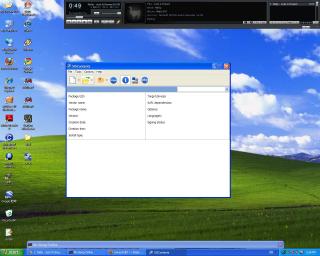
STEP 2: Double click "extsis.exe"
Attached Image
This is what you will see

STEP 3: Open the file you want to sign (Press Ctrl+O or just click the folder icon)
» Click to show Spoiler - click again to hide... «


STEP 4: Click on the round blue "sign" button. A popup will appear
» Click to show Spoiler - click again to hide... «


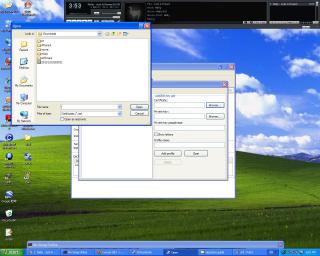
STEP 5: Select "Key Pairs" tab; browse for the .cer and .key file you downloaded
» Click to show Spoiler - click again to hide... «


STEP 6: After inserting the .cer and .key file, input your profile name. In this example I named it "SAMPLE", then click "Add Profile". Remember not to ever move the .cer and .key file after you created a profile.
» Click to show Spoiler - click again to hide... «


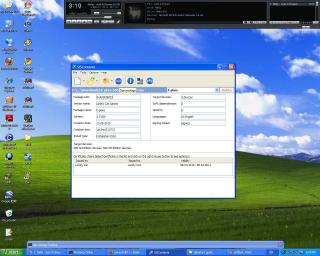
STEP 7: Select "Package" tab. If there are any existing certificates, delete them by clicking "Delete Signature". A prompt will appear requesting your
confirmation to delete the signature. Click "Yes". In this example I used, there is an existing signature. If your application does not have a
existing certificate, you can continue with the next step.
» Click to show Spoiler - click again to hide... «


STEP 8: You can now sign. Click the drop down menu "Signing profiles" and choose the profile you created. For this example it is "SAMPLE". Click
"Add Signature"
» Click to show Spoiler - click again to hide... «


STEP 9: After you click "Add Signature" there might be a delay as the software signs your software. This is what you will see after signing is
successful.
» Click to show Spoiler - click again to hide... «


STEP 10: Close the popup. Then close the software. Upon closing, a prompt will appear. Just click "Save" if you do not intend to keep the unsigned
version...if you want to keep the unsigned version, just rename the signed application.

The application is ready to be installed into your Symbian S60 phone. wink.gif

This is for the first time usage. The next time you use it, you can skip STEP 1, STEP 5, STEP 6


This post has been edited by ne0cz: Nov 5 2010, 06:54 PM

TSping0613
post Nov 5 2010, 06:41 PM

Look at all my stars
*******
Senior Member
2,974 posts

Joined: Nov 2008
From: Penang


QUOTE(ne0cz @ Nov 5 2010, 06:35 PM)
» Click to show Spoiler - click again to hide... «
wtf...so long? shocking.gif shocking.gif
ne0cz
post Nov 5 2010, 06:45 PM

Zoom Zoom
*******
Senior Member
5,372 posts

Joined: May 2008
From: Nokia HQ


QUOTE(ping0613 @ Nov 5 2010, 06:41 PM)
wtf...so long? shocking.gif  shocking.gif
*
In detail and step by step maa... SIS Contents is a very powerful application..can make Default Icons theme from any theme, unpack, repack. I just use it to sign applications. Hahaha...noob me.
That signing method very simple...once you do it once, you won't need to search for signature and key file ever again (if you don't move them)


Added on November 5, 2010, 7:32 pmhttp://apps.facebook.com/darivincent/
to post statuses in facebook with "via Nokia X6 8GB"

This post has been edited by ne0cz: Nov 5 2010, 07:32 PM
gorilla83
post Nov 5 2010, 09:24 PM

New Member
*
Validating
7 posts

Joined: Feb 2010
May I know that latest price of 8GB original?

I'm going lowyat tomorrow to buy.
Any recommended shop?

TSping0613
post Nov 5 2010, 09:33 PM

Look at all my stars
*******
Senior Member
2,974 posts

Joined: Nov 2008
From: Penang


QUOTE(gorilla83 @ Nov 5 2010, 09:24 PM)
May I know that latest price of 8GB original?

I'm going lowyat tomorrow to buy.
Any recommended shop?
*
i got asked some forumer from garages sales. the cheapest i get is 840.
Codyx
post Nov 5 2010, 10:40 PM

Hardcore as Always
*****
Senior Member
928 posts

Joined: Mar 2009
From: Rawang, Selayang, Kepong...


QUOTE(ping0613 @ Nov 5 2010, 06:41 PM)
wtf...so long? shocking.gif  shocking.gif
*
last time i remember i got post one signing apps which is ten times more easy and foolproof than this hmm.gif
aspire2oo6
post Nov 5 2010, 10:43 PM

Banned
*********
All Stars
35,468 posts

Joined: Oct 2006

I think there is another easier way to sign just using signsis.exe
TSping0613
post Nov 5 2010, 10:48 PM

Look at all my stars
*******
Senior Member
2,974 posts

Joined: Nov 2008
From: Penang


yup...the signsis is much much easier than this.
but this siscontent oso got its own advantages, can sign sis file, unsign sisfile, save profile, bla bla bla...
is one type of advance version for signsis.
but for newbie, i think this is too complicated

This post has been edited by ping0613: Nov 5 2010, 10:49 PM
aspire2oo6
post Nov 5 2010, 11:08 PM

Banned
*********
All Stars
35,468 posts

Joined: Oct 2006

Haha own advantages like u specify is for advanced users.

For newbie its really too much already.

Sorry correction its signsis.sisx installer with cert
TSping0613
post Nov 5 2010, 11:13 PM

Look at all my stars
*******
Senior Member
2,974 posts

Joined: Nov 2008
From: Penang


yup. really too much for newbie.
so maybe i wil state there, "not suitable for newbie". tongue.gif
aspire2oo6
post Nov 5 2010, 11:15 PM

Banned
*********
All Stars
35,468 posts

Joined: Oct 2006

I read so many steps also i scare already i prefer no need sign haha.
But actually the fact signing cert is very simple.

Should put option

Newbie = bla bla

advanced = bla bla
TSping0613
post Nov 5 2010, 11:18 PM

Look at all my stars
*******
Senior Member
2,974 posts

Joined: Nov 2008
From: Penang


haha...same here. when i 1st saw this advance version, i oso terkejut.
yup, really need to specify which version for newbie and advanced
aspire2oo6
post Nov 5 2010, 11:19 PM

Banned
*********
All Stars
35,468 posts

Joined: Oct 2006

If just put like tat haha i read read confuse di hahaha. I sign ifiles for nokia n8 also take about 5 steps done already
ne0cz
post Nov 5 2010, 11:20 PM

Zoom Zoom
*******
Senior Member
5,372 posts

Joined: May 2008
From: Nokia HQ


QUOTE(ping0613 @ Nov 5 2010, 11:18 PM)
haha...same here. when i 1st saw this advance version, i oso terkejut.
yup, really need to specify which version for newbie and advanced
*
my english not very good..correct them to make it easier
TSping0613
post Nov 5 2010, 11:22 PM

Look at all my stars
*******
Senior Member
2,974 posts

Joined: Nov 2008
From: Penang


i still processing. will done it by tml. now leisure time. smile.gif
by the way, nice share. really a good application for advanced version.
ne0cz
post Nov 5 2010, 11:24 PM

Zoom Zoom
*******
Senior Member
5,372 posts

Joined: May 2008
From: Nokia HQ


QUOTE(ping0613 @ Nov 5 2010, 11:22 PM)
i still processing. will done it by tml. now leisure time. smile.gif
by the way, nice share. really a good application for advanced version.
*
I use it everytime...I don't find it advanced...because really very easy after you do the creating signature profiles...

127 Pages « < 36 37 38 39 40 > » Top
Topic ClosedOptions
 

Change to:
| Lo-Fi Version
0.0309sec    0.42    6 queries    GZIP Disabled
Time is now: 8th December 2025 - 12:44 PM