Welcome Guest ( Log In | Register )

95 Pages « < 84 85 86 87 88 > » Bottom

Outline · [ Standard ] · Linear+

 [Help!] Ubuntu Problems, everything related to ubuntu goes here

views
     
jazranwajdi
post Jul 2 2009, 01:58 AM

Getting Started
**
Junior Member
85 posts

Joined: Feb 2008
From: \random


QUOTE(jompc @ Jun 29 2009, 10:02 AM)
PCLinuxOS is death. Forum not friendly. internal fighting. Core dev move to Unity Gov errr i meant Unity Linux.
*
*offtopic
while pclos is struggling right now,i still think they are better than kubuntu.
and less headache for newbies. nod.gif
ninty
post Jul 2 2009, 02:47 AM

Getting Started
**
Junior Member
122 posts

Joined: Nov 2007


QUOTE(Elanges @ Jul 1 2009, 10:40 PM)
guys guys... need help over here. i just bought alfa awus036h wifi adapter and the signal range is superb on backtrack.  but when comes to ubuntu 9.04 its totally out where i can only detect few ap's

so my question is how to update the driver to latest ver ?  i got some reading rom aircrack web
ifconfig wlan0 down 
rmmod r8187 rtl8187 2>/dev/null
wget http://dl.aircrack-ng.org/drivers/rtl8187_linux_26.1010.zip
unzip rtl8187_linux_26.1010.zip
cd rtl8187_linux_26.1010.0622.2006/
wget http://patches.aircrack-ng.org/rtl8187_2.6.24v3.patch
tar xzf drv.tar.gz
tar xzf stack.tar.gz
patch -Np1 -i rtl8187_2.6.24v3.patch
make
make install
but kinda confuse on it.

thanks again
*
that driver looks old, i wouldn't install that tbh
jaunty should've came with 2.6.28, and rtl8187 is already part of the kernel since .25 or .23
there's not really an updated version of it
i've had the same problem before but can't remember the issue

sorry can't help much, but i mostly use compat-wireless for my wifi needs these days
maybe someone else will have a clue
dinnor
post Jul 2 2009, 07:42 AM

Getting Started
**
Junior Member
198 posts

Joined: Jul 2009
QUOTE
sudo apt-get install kubuntu-desktop
Reading package lists... Done
Building dependency tree     
Reading state information... Done
Some packages could not be installed. This may mean that you have
requested an impossible situation or if you are using the unstable
distribution that some required packages have not yet been created
or been moved out of Incoming.
The following information may help to resolve the situation:

The following packages have unmet dependencies:
  kubuntu-desktop: Depends: kdebase-workspace-bin but it is not going to be installed
                  Recommends: kdeplasma-addons but it is not going to be installed
E: Broken packages
if error like this , how to solve ?? rclxub.gif
Tachi
post Jul 2 2009, 11:41 AM

Getting Started
**
Junior Member
56 posts

Joined: Jun 2009
That would be unusual if you are on Jaunty, but very common if you are on Karmic.
If on Jaunty, the repo's are probably being updated itself, give it a day or two and try again. Check if you have the right 'location' for your updates. Set to malaysia, singapore or nearby or is it 'main' where downloads are slower? If on Karmic, good luck, too messy to write here. you can try "sudo dpkg -reconfigure" first.
dinnor
post Jul 2 2009, 12:06 PM

Getting Started
**
Junior Member
198 posts

Joined: Jul 2009
i'm using jaunty
mystical zero
post Jul 2 2009, 12:20 PM

Enthusiast
*****
Senior Member
876 posts

Joined: Nov 2005
From: /root/Melbourne


QUOTE(dinnor @ Jul 2 2009, 12:06 PM)
i'm using jaunty
*
Probably the repository which your system is configured to download from has missing packages.
Try changing the repository to something else. Give MMU's ubuntu repository a try.

This post has been edited by mystical zero: Jul 2 2009, 12:20 PM
dinnor
post Jul 2 2009, 12:25 PM

Getting Started
**
Junior Member
198 posts

Joined: Jul 2009
QUOTE(mystical zero @ Jul 2 2009, 12:20 PM)
Probably the repository which your system is configured to download from has missing packages.
Try changing the repository to something else. Give MMU's ubuntu repository a try.
*
can u give me the list of that repo's?
mystical zero
post Jul 2 2009, 12:30 PM

Enthusiast
*****
Senior Member
876 posts

Joined: Nov 2005
From: /root/Melbourne


Just go to "System"->"Software Sources" and select "ubuntu.mmu.edu.my".
Tachi
post Jul 2 2009, 04:56 PM

Getting Started
**
Junior Member
56 posts

Joined: Jun 2009
For less error prone, use synaptic, go to sources list and change to malaysia or singapore. Also as I said earlier, try again, the repo's may be updating to the newer plasma at the time you are installing.
Nightstalker1993
post Jul 5 2009, 07:08 PM

M� �R�|�
*******
Senior Member
8,930 posts

Joined: Nov 2005
From: Subang Jaya


hey guys, my pc on Ubuntu is kinda slow, especially with Compiz turned on.

the most annoying problem is the fact that I use the caps lock to type words with aprostrophie letters. like say after a full stop and such. so when i hit the caps lock the first time to write an aprostrophie letter, then hit it the 2nd time to type the rest of the word, it will kinda 'lag' when disabling it, making me type 'TEst', instead of 'Test'.

This is kinda annoying and very obvious especially when i'm typing fast. Narrowed it down to lag when i hit the caps lock key multiple times and noticed the caps lock LED lights lag occasionally.

another thing is that Firefox runs quite laggily and eats up on average 20-50% of my cpu with just a few tabs open when i'm using it. when left alone(idle), it uses abt 5% cpu usage. scrolling with smooth scrolling enabled lags occasionally.

pc running on P4 and using a very old and shitty NVidea MX440 64mb on AGP8x

This post has been edited by Nightstalker1993: Jul 5 2009, 07:11 PM
cloudstrife07
post Jul 5 2009, 07:48 PM

I'm back, beaches!
*******
Senior Member
4,688 posts

Joined: Jan 2003
From: http://127.0.0.1


QUOTE(Nightstalker1993 @ Jul 5 2009, 07:08 PM)
hey guys, my pc on Ubuntu is kinda slow, especially with Compiz turned on.

the most annoying problem is the fact that I use the caps lock to type words with aprostrophie letters. like say after a full stop and such. so when i hit the caps lock the first time to write an aprostrophie letter, then hit it the 2nd time to type the rest of the word, it will kinda 'lag' when disabling it, making me type 'TEst', instead of 'Test'.

This is kinda annoying and very obvious especially when i'm typing fast. Narrowed it down to lag when i hit the caps lock key multiple times and noticed the caps lock LED lights lag occasionally.

another thing is that Firefox runs quite laggily and eats up on average 20-50% of my cpu with just a few tabs open when i'm using it. when left alone(idle), it uses abt 5% cpu usage. scrolling with smooth scrolling enabled lags occasionally.

pc running on P4 and using a very old and shitty NVidea MX440 64mb on AGP8x
*
i suggest that u turn compiz off. to me, compiz is like vista's aero, just for the 'wow' factor. off that and speed will improve dramatically.

btw, how much is your RAM? 256MB? 512MB? dunno why but it seems to me ubuntu is eating memory more these days, esp when using GNOME environment. KDE is much faster on old PC, while XFCE (Xubuntu) is the best for old PCs.

but then again, linux, it's not all about GUI whistling.gif hehe laugh.gif

This post has been edited by cloudstrife07: Jul 5 2009, 07:50 PM

Nightstalker1993
post Jul 5 2009, 08:05 PM

M� �R�|�
*******
Senior Member
8,930 posts

Joined: Nov 2005
From: Subang Jaya


RAM is 1.5gb. should be more than enough.

max i saw RAM usage was 60%

gonna try with compiz off.

do you think it'll be better if I changed my GC?


This post has been edited by Nightstalker1993: Jul 5 2009, 10:09 PM
Nightstalker1993
post Jul 5 2009, 10:10 PM

M� �R�|�
*******
Senior Member
8,930 posts

Joined: Nov 2005
From: Subang Jaya


after swapping from an nVidia card to an ATi card, booted up ubuntu and it says it have problems with the graphics and wants to boot up in low-graphic mode and asks me what to do. i select reconfigure graphic settings(or something like that) and reboot. it rebooted succesfully.

After that, I tried turning on Compiz and it refuses to. So i tried to update my graphics using the synaptics and downloaded the ATi stuff and removing the nvidia softwares. after it finished downloading, it crashed while in the midst of installing(pc unresponsive with caps and scroll lock light blinking).

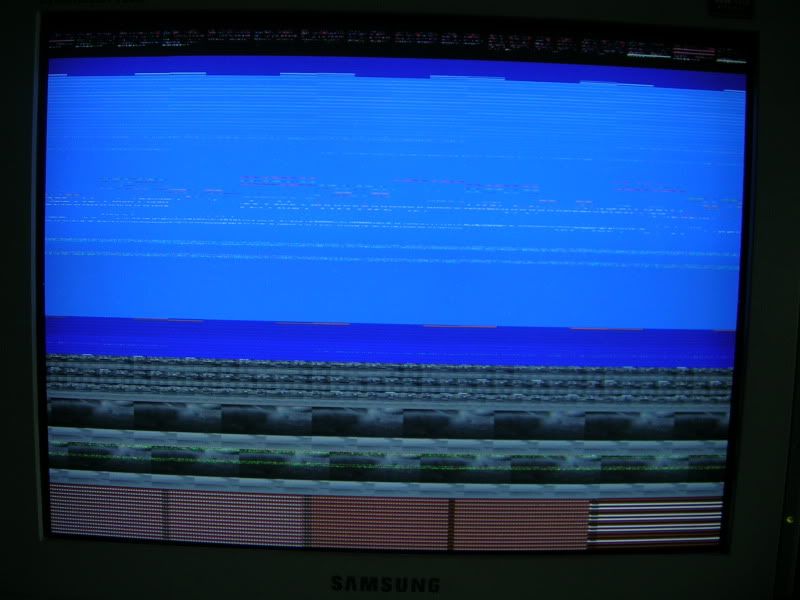
I shut down the pc manually and after it booted up, It showed me a screwed up display and does nothing, not even the boot-up sound. only key it'll respond to is the power button where after clicking, it will show the shutdown screen and shutdown like normal.

Tried to boot into Live CD and pc crashes with the 2 blinking lights a short while after booting.

video of booting:

mystical zero
post Jul 5 2009, 11:23 PM

Enthusiast
*****
Senior Member
876 posts

Joined: Nov 2005
From: /root/Melbourne


@Nightstalker1993,

Can you attach /var/log/syslog and /var/log/dmesg here?
Nightstalker1993
post Jul 6 2009, 12:00 AM

M� �R�|�
*******
Senior Member
8,930 posts

Joined: Nov 2005
From: Subang Jaya


yea, sure.

added .txt extension coz lyn says i can't upload a file with no file extension doh.gif

This post has been edited by Nightstalker1993: Jul 6 2009, 12:02 AM


Attached File(s)
Attached File  syslog.txt ( 1.28mb ) Number of downloads: 6
Attached File  dmesg.txt ( 41.68k ) Number of downloads: 4
mystical zero
post Jul 6 2009, 11:35 AM

Enthusiast
*****
Senior Member
876 posts

Joined: Nov 2005
From: /root/Melbourne


Can't seem to find anything unless I missed something.

Anyway, you can try the following. Boot into recovery mode and execute dpkg-reconfigure xserver-xorg. Configure everything to vesa so that you can boot into GDM again. From there, reinstall your ati driver.

If it still doesn't work, attach your /var/log/Xorg.0.log and /etc/X11/xorg.conf here.
Nightstalker1993
post Jul 6 2009, 02:04 PM

M� �R�|�
*******
Senior Member
8,930 posts

Joined: Nov 2005
From: Subang Jaya


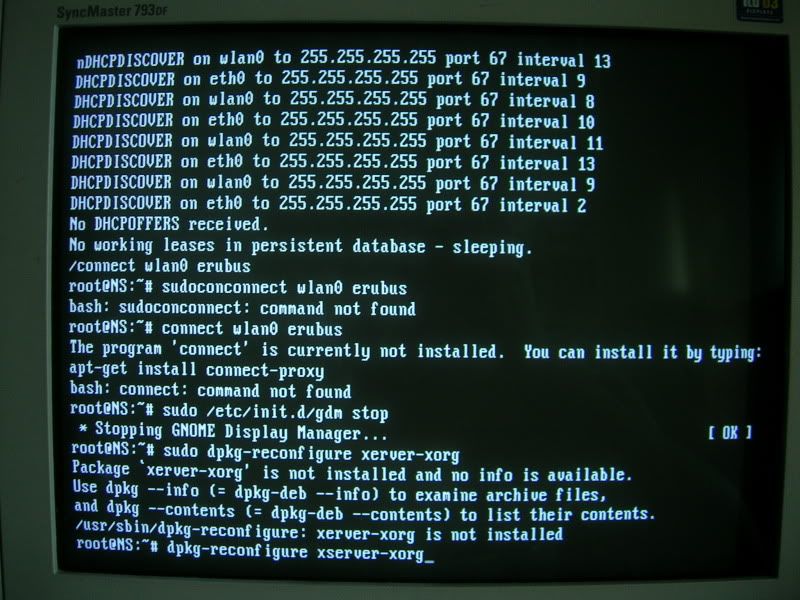
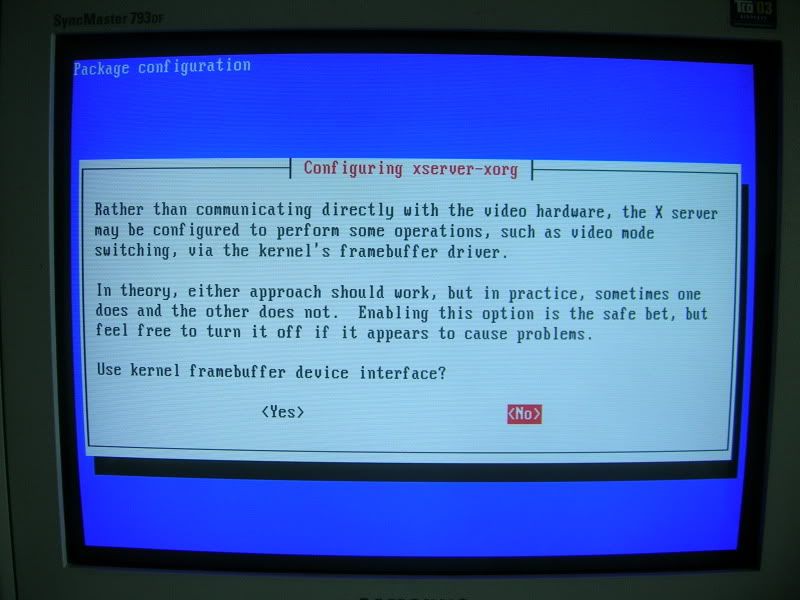
sudo dpkg-reconfigure xserver-xorg gives this.

» Click to show Spoiler - click again to hide... «


same command, without the sudo prefix.
» Click to show Spoiler - click again to hide... «


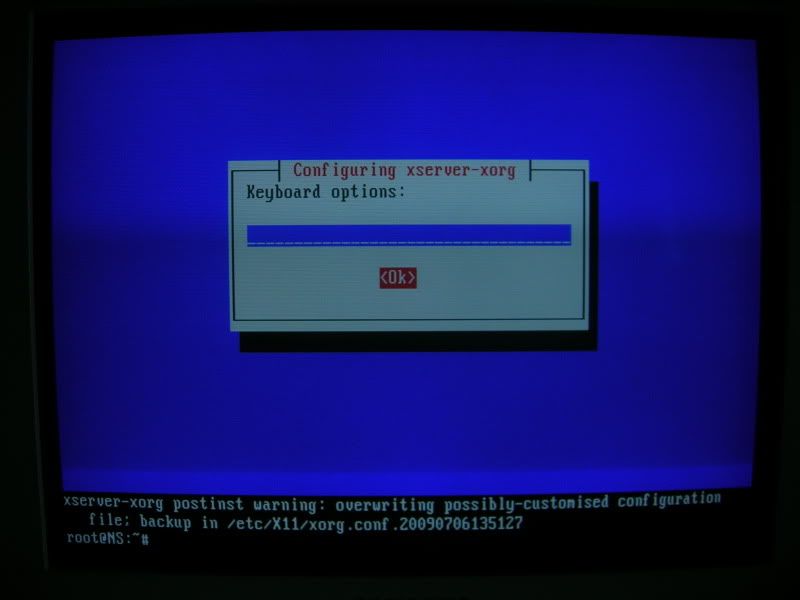
after choosing all the defaults for the keyboard and stuff.
» Click to show Spoiler - click again to hide... «


sudo /etc/init.d/gdm start
» Click to show Spoiler - click again to hide... «


pc running on dual boot with XP if anybody's wondering.


Added on July 6, 2009, 3:02 pmsettle, gonna reinstall ubuntu, since i can't seem to solve this problem.

pc have no problems booting into livecd.

This post has been edited by Nightstalker1993: Jul 6 2009, 03:02 PM


Attached File(s)
Attached File  Xorg.0.log.txt ( 33.73k ) Number of downloads: 2
Attached File  xorg.conf.txt ( 1.01k ) Number of downloads: 3
liewxxx
post Jul 10 2009, 10:53 AM

Getting Started
**
Junior Member
133 posts

Joined: Jan 2007
i've ran ubuntu 9.04 my HP 4410s with GMA x4500HD gpu. everything works well except that i am having problem with the display. it will not restore to it's native 1338 x 768 resolution. when i did and restarted, there is no display.

help, anyone?
zenix
post Jul 12 2009, 04:34 PM

Pirate Captain
*******
Senior Member
6,249 posts

Joined: Jul 2006
i just found out something weird about linux mint.

spec:
amd x2
2gb ram
1 sata drive
2 pata drive

live version only becomes a command prompt sad.gif
fat16
post Jul 18 2009, 11:59 AM

Look at all my stars!!
*******
Senior Member
4,582 posts

Joined: Jan 2003
From: West johor


gloria, elissa or what ?
no problem with 32 & 64 bit mint.
startx from command prompt

95 Pages « < 84 85 86 87 88 > » Top
 

Change to:
| Lo-Fi Version
0.0644sec    0.40    6 queries    GZIP Disabled
Time is now: 14th December 2025 - 11:47 PM