Outline ·
[ Standard ] ·
Linear+
Photography Fujifilm FinePix X100 & X100S, Newly Released X100S Available Now!
|
'62jaguar
|
 Jul 5 2012, 01:49 PM Jul 5 2012, 01:49 PM
|

|
QUOTE(dugung76 @ Jul 5 2012, 11:39 AM) can anyone teach me how to take B&W photos using X100? thanks in advance. menu > film simulation > • Monochrome • Monochrome + Yellow filter • Monochrome + Red filter • Monochrome + Green filter http://www.dpreview.com/reviews/fujifilmx100/8 |
|
|
|
|
|
velma
|
Jul 5 2012, 04:14 PM
|
|
|
QUOTE(Masculine @ Jul 4 2012, 08:22 PM) I like it just naked... I only put a UV filter...  me too. i got the hood, leather case and half case but not wearing them. it loose charisma of the camera |
|
|
|
|
|
ZzZzz...
|
Jul 5 2012, 04:25 PM
|
|
|
QUOTE(velma @ Jul 5 2012, 04:14 PM) me too. i got the hood, leather case and half case but not wearing them. it loose charisma of the camera i think im the only 1 who using it full case...>< finding a bag to fit in X100...so that can go half case |
|
|
|
|
|
Decky
|
Jul 5 2012, 06:43 PM
|
|
|
Gonna get one as soon as I sell off my current gear for 3.2k. Low compared to RRP, fishy?
Btw, can you manually choose your ISO settings?
This post has been edited by Decky: Jul 5 2012, 07:14 PM
|
|
|
|
|
|
ZzZzz...
|
Jul 5 2012, 07:41 PM
|
|
|
QUOTE(Decky @ Jul 5 2012, 06:43 PM) Gonna get one as soon as I sell off my current gear for 3.2k. Low compared to RRP, fishy? Btw, can you manually choose your ISO settings? yes...can choose ISO setting |
|
|
|
|
|
Decky
|
Jul 5 2012, 08:14 PM
|
|
|
Thanks so much, can't wait to pick it up
|
|
|
|
|
|
hidden830726
|
Jul 5 2012, 08:35 PM
|
|
|
QUOTE(Decky @ Jul 5 2012, 06:43 PM) Gonna get one as soon as I sell off my current gear for 3.2k. Low compared to RRP, fishy? Btw, can you manually choose your ISO settings? i assume 3.2 is new right? good price bro.
Added on July 5, 2012, 8:36 pmThis is a good camera which artistic implication will not get outdated even with technology advancement. This post has been edited by hidden830726: Jul 5 2012, 08:36 PM |
|
|
|
|
|
dugung76
|
Jul 5 2012, 10:18 PM
|
|
|
QUOTE('62jaguar @ Jul 5 2012, 01:49 PM) menu > film simulation > • Monochrome • Monochrome + Yellow filter • Monochrome + Red filter • Monochrome + Green filter http://www.dpreview.com/reviews/fujifilmx100/8Thank you so much  |
|
|
|
|
|
hidden830726
|
Jul 5 2012, 11:21 PM
|
|
|
The monochrome function may be good, but i greatly advise to shoot in color then convert b&w in pp if needed. More versatile this way.
|
|
|
|
|
|
seech
|
Jul 6 2012, 10:28 AM
|
|
|
X100: 1/26s, f2.0, ISO1600  X100: 1/27s, f2.0, ISO1600 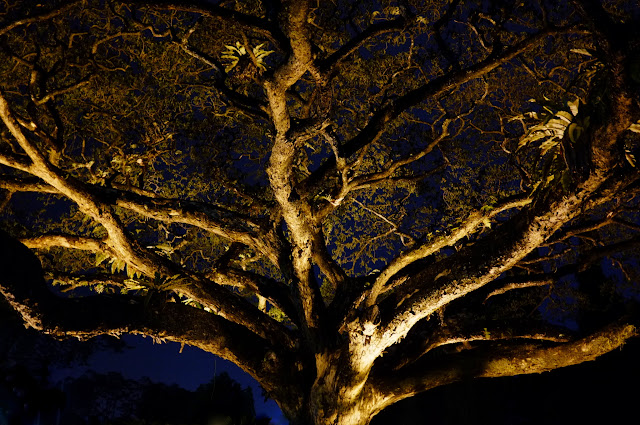 |
|
|
|
|
|
hidden830726
|
Jul 6 2012, 11:08 PM
|
|
|
Like the "lanscape" tree better
|
|
|
|
|
|
nkh0104
|
Jul 8 2012, 11:48 AM
|
New Member

|
What is the latest version for the camera? Any update?
|
|
|
|
|
|
'62jaguar
|
Jul 8 2012, 08:18 PM
|
|
|
QUOTE(nkh0104 @ Jul 8 2012, 11:48 AM) What is the latest version for the camera? Any update? v1.30 if not mistaken |
|
|
|
|
|
seech
|
Jul 9 2012, 12:04 PM
|
|
|
Reflections...  |
|
|
|
|
|
Decky
|
Jul 9 2012, 07:37 PM
|
|
|
Just got the x100 today.
I put in a sandisk extreme memory card and formatted it and tried to paste the .DAT file from the update download site to the card but I can't. Paste option not highlighted. Computer noob here lol, any help?
|
|
|
|
|
|
samsungfreak
|
Jul 9 2012, 08:00 PM
|
|
|
QUOTE(Decky @ Jul 9 2012, 07:37 PM) Just got the x100 today. I put in a sandisk extreme memory card and formatted it and tried to paste the .DAT file from the update download site to the card but I can't. Paste option not highlighted. Computer noob here lol, any help? Are you reading the card from an SD card reader or are you connecting it directly to your camera using USB cable? Try to put the card in a card reader instead (built in with many laptops also). And then you need to right click the .DAT file and select COPY, then go to the card drive, right click and select PASTE. |
|
|
|
|
|
Decky
|
Jul 9 2012, 08:08 PM
|
|
|
Updated it already. Thanks!
Now having some issue with parallax while using the OVF to do some close ups. Any way to overcome this other than by using the EVF (which I usually would stay away from)
This post has been edited by Decky: Jul 9 2012, 09:37 PM
|
|
|
|
|
|
samsungfreak
|
Jul 10 2012, 01:51 AM
|
|
|
QUOTE(Decky @ Jul 9 2012, 08:08 PM) Updated it already. Thanks! Now having some issue with parallax while using the OVF to do some close ups. Any way to overcome this other than by using the EVF (which I usually would stay away from) There is a setting in the menu (last item) that will show another focus box on the OVF so you now have an "in between" to rely on. Try that. The EVF is dizzy but most people stick to that. |
|
|
|
|
|
Decky
|
Jul 10 2012, 03:40 PM
|
|
|
QUOTE(samsungfreak @ Jul 10 2012, 01:51 AM) There is a setting in the menu (last item) that will show another focus box on the OVF so you now have an "in between" to rely on. Try that. The EVF is dizzy but most people stick to that. Thanks Brought it to college today. Really like it (despite not used to it yet) Took a pic at an accidental ISO 2500, but it turned out brilliant :  Green beast Green beast by DecQuinas, on Flickr And of course, the colors were great!  Dynamic range test Dynamic range test by DecQuinas, on Flickr Just need to get a better filter (using a chiplak one right now, wonder if it affects the flare that Fuji lens has) and a strap lol. Feeling really insecure holding it around. |
|
|
|
|



 Quote
Quote



 0.0363sec
 1.47
1.47
 6 queries
 GZIP Disabled