Is normal on smartphone you haven't seen iphone yet which u hv to charge 3 times a day
oh..then we should be happy??haha.. pity to iphone user~haha anyway, i got new probs again, where to get clock setting?the time is wrong when i get the phone..>.<! n about GPS.. how to connect?i though it is satelite?but y i tried in car n office, when i click GPS, it's just keep loading, but nth out.. i need to connect wifi??
oh..then we should be happy??haha.. pity to iphone user~haha anyway, i got new probs again, where to get clock setting?the time is wrong when i get the phone..>.<! n about GPS.. how to connect?i though it is satelite?but y i tried in car n office, when i click GPS, it's just keep loading, but nth out.. i need to connect wifi??
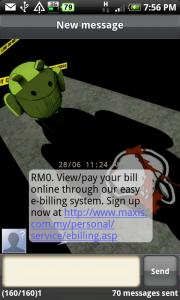
Just go settings then click date and time then u can change your time there. I have a question about the time too. I usually set my time 10mins faster than the correct time. The problem is when i send an sms at say 10.30 then i get a reply at 10.25. Is there any possibility to change the timing of the msg received coz its annoying me a little. haha
Just go settings then click date and time then u can change your time there. I have a question about the time too. I usually set my time 10mins faster than the correct time. The problem is when i send an sms at say 10.30 then i get a reply at 10.25. Is there any possibility to change the timing of the msg received coz its annoying me a little. haha
haha..i found my prob, y i cant click previously..cos i ticked the "automatic" hahaha~~ after untick it, i can change it..^^ now is the GPS prob..havent solve yet~~>.<!
You can't hold the iPhone 4 with your hand covering certain parts otherwise you will face signal dropping. Instead of acknowledging that it's a problem, Steve Jobs just tells iPhone users they're holding it wrong.
The picture is a photoshopped screen capture of the movie Death Note. The character L is holding an iPhone gingerly, poking fun at the problem.
hard to blif that iphone4 is so "lowyar" (not lowyat ahh)...
Just go settings then click date and time then u can change your time there. I have a question about the time too. I usually set my time 10mins faster than the correct time. The problem is when i send an sms at say 10.30 then i get a reply at 10.25. Is there any possibility to change the timing of the msg received coz its annoying me a little. haha
i think the message received time is not base on our hp time. it is base on the telco server time. my old phone also like this.
I cant believe that nowaday Digi become my default website. Everyday also i visit Digi site (few times) to see whether they have come out Desire package or not......
nope, not that I know of. But why do you need it to show since the status icon are only related to data connection? however, you can force to have only have 3g or 2g connection by going to Settings > Wireless & networks > Mobile network settings > Network Mode. Be aware that if you set to have WCDMA (3g) and you're in area where the 3g network is poor you'll also get poor cellular network. Best to stick to GSM/WCDMA auto so it'll adjust by itself. But note that whenever you're on a call and the phone switches different network type, it might cause your call to drop.
thanks r47z for the explanation Actually before change my phone to htc, all my existing hp network search will show 2 Celcom, 1 for normal GSM and another 1 is 3G. I understand also when in poor signal of 3G, the phone will automatically change to GSM line, but all the phone either sonyericsson or Nokia will show a status network icon at the signal strength, exp: 3G appear status icon means 3G connection available.
So how do i know that my currently network is either in 3G or GSM line? i mean available for my connection, there is no point to connect the data connection to confirm my connection status either 3G available or not, right? sorry for my bad english.


 Jun 29 2010, 04:58 PM


 Quote
Quote









 0.1046sec
 0.44
0.44
 6 queries
 GZIP Disabled