Welcome Guest ( Log In | Register )

4 Pages < 1 2 3 4 >Bottom

Outline · [ Standard ] · Linear+

 The Official HDPro Media Player Owner's Thread, All about the HDPro Media Player

views
     
ckboon
post May 12 2011, 08:21 AM

Casual
***
Junior Member
458 posts

Joined: Nov 2004

QUOTE(dexter81 @ May 11 2011, 11:28 PM)
i'm also hv the same with u yesterday night, after copy few movie from pen drive to hdpro den the file can not finish play...last 10min it stop already, n can not use goto....the time i copy file the player stop respone, n i restart the player....after restart the file already inside the player, i think is the file was not complete copy from pen drive  hmm.gif
*
i am copying the file directly from PC to hdpro+ using LAN, hence i cannot see the player is responding or not, but definitely the files is 100% transfer over to hdpro. The player will only stop responding, meaning my PC cannot copy the file over to hdpro+ when i copy files to different folders in hdpro+. So what I did now is to copy all the files to 1 particular folder in 1 shoot.
ckboon
post May 12 2011, 08:24 AM

Casual
***
Junior Member
458 posts

Joined: Nov 2004

QUOTE(yangxi @ May 12 2011, 12:15 AM)
March 2011 firmware??

I tested before on (Dec 2010 ver.)  ,copy file should not peoblem.
*
it's seem that march 2011 firmware is having this copy problem. I dont faced this problem on 29 dec 2010 firmware.. i can copy more than 10 files in 1 shoot to a folders in hdpro+ and never get this type of problem, this problem comes only when it's upgraded to march 2011 ver. Gonna downgrade it and reconfirm.

yangxi plz verify.

thanks..
ckboon
post May 20 2011, 07:01 PM

Casual
***
Junior Member
458 posts

Joined: Nov 2004

i am using LAN to do all the data transfer

ckboon
post May 21 2011, 10:51 PM

Casual
***
Junior Member
458 posts

Joined: Nov 2004

QUOTE(yangxi @ May 21 2011, 01:27 AM)
New DIY firmware  (unofficial)

2011-05-16
*for expert user only ~ 

http://www.megaupload.com/?d=MICHYWCL
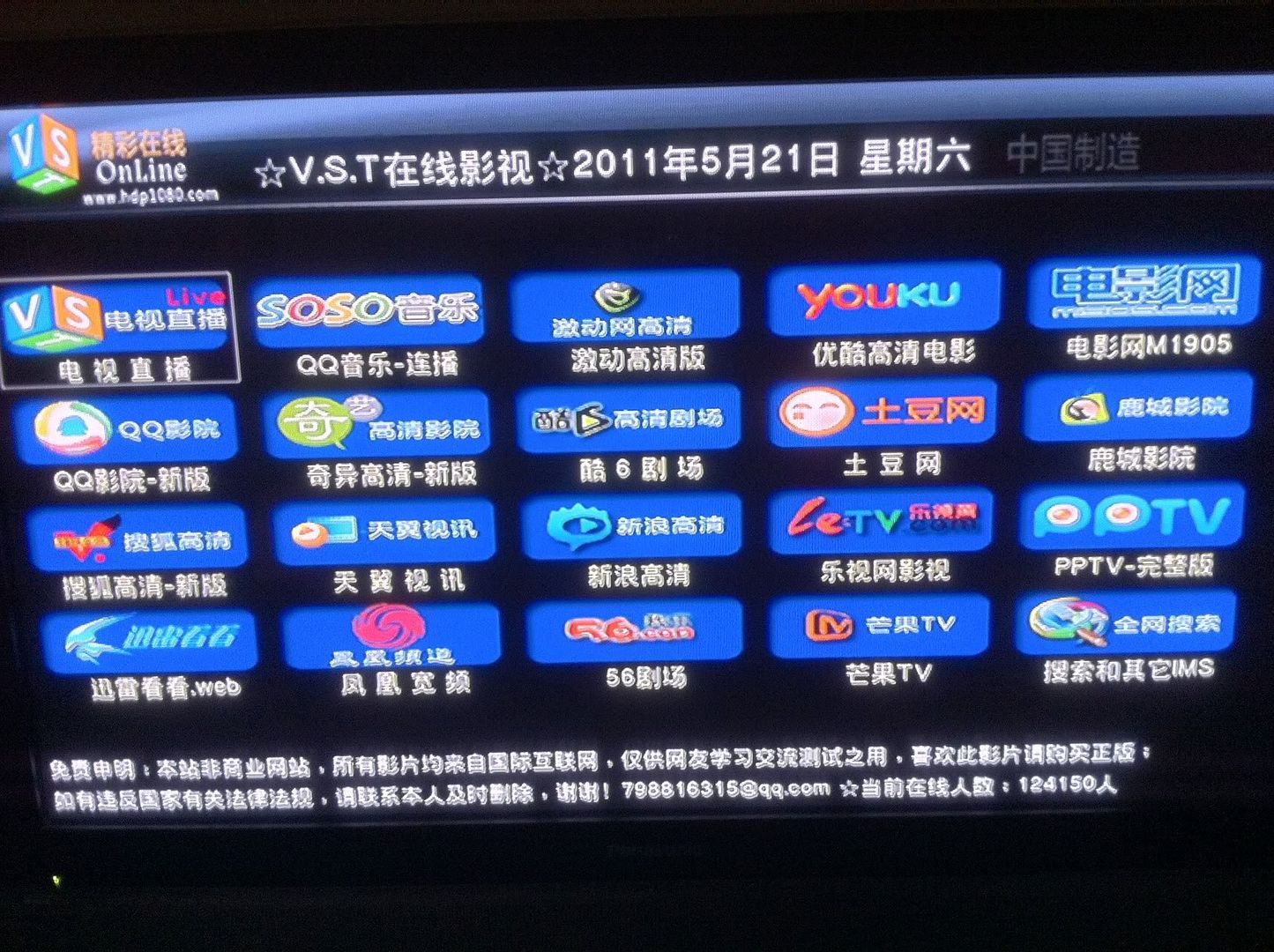
user posted image
PPS confirm cannot run , please help me test other channel
*
DIY on?
ckboon
post May 23 2011, 12:52 AM

Casual
***
Junior Member
458 posts

Joined: Nov 2004

QUOTE(yangxi @ May 21 2011, 11:14 PM)
almost channel already builtin.

modify someone from:
http://www.hdpfans.com/
*
??
i dont understand le..

waht almost channel??

ckboon
post May 30 2011, 01:08 PM

Casual
***
Junior Member
458 posts

Joined: Nov 2004

yangxi,
i would like to know is there any step to safely and properly shut down the hdpro? As there's a time i try to shut down the unit and it show, "Shutting Down, Please wait!" and the unit just hang there and i just power the switch. and a few days ago, i found out that those readable files gone missing again!!! it became an invalid file format! I am getting sick of this round and round problem, I've flash back using 29 Dec 2010 restore default and the unit is running fine for a few months b4 this problem coming back again!!

please get a proper fix for this.

This post has been edited by ckboon: May 30 2011, 01:10 PM
ckboon
post May 31 2011, 10:50 AM

Casual
***
Junior Member
458 posts

Joined: Nov 2004

QUOTE(xtended @ May 31 2011, 10:44 AM)
its been a hot thread since ckboon is here, i have a lot of problem too but i just e-mail yangxi for explanation biggrin.gif

anyway, I also got problem with .rmvb files.
My firmware : Dec 2010
So, any new firmware that can fix this problem? or just have to revert to old June 2010 firmware ?
*
meaning readable RMVB file become corrupted like what happen to me?
ckboon
post May 31 2011, 11:40 AM

Casual
***
Junior Member
458 posts

Joined: Nov 2004

QUOTE(xtended @ May 31 2011, 11:14 AM)
Yes, "readable RMVB file become corrupted" it is the same problem, after stuck playing it on hdpro, it become corrupted when I check it on my laptop. So, I have no choice, have to delete my rmvb corrupted file sad.gif

Another issues that I still waiting for the proper fix is ;
1. Cannot play sound while viewing Pictures [slideshow mode]
So boring watch slideshow with no sound, with all my family >.<
I dont know it is fixed already or not.
2. Slideshow effect bug.
*
after stuck? mine is not stuck.. i copied the fully readable file and play the whole file till end. then 2 weeks later i tried to replay the file and found that it's corrupted, some with the original file size and some become 0kb. It's like WTF ... i've just make a quick check on rmvb file, dunno this happen to my mkv files or not as there's some 10G ++ file there that i haven't watch and i don't have any backup on my PC, since my PC is out space so i transferred all big big 1080p mkv file to the player, and now this happen, hopefully not to those big file (finger crossed)!
ckboon
post May 31 2011, 12:59 PM

Casual
***
Junior Member
458 posts

Joined: Nov 2004

QUOTE(yangxi @ May 31 2011, 12:45 PM)


last time did u disconnect hdd when u update firmware?

and your hdd format which firmware version?
*
nope, i didn't disconnect the HDD during firmware update.

HDD formatted using the stock firmware, 29 dec 2010 ver.
ckboon
post May 31 2011, 01:40 PM

Casual
***
Junior Member
458 posts

Joined: Nov 2004

QUOTE(yangxi @ May 31 2011, 01:04 PM)
today will send out new set let u test..

*need disconnect hdd first before update, safe.
*
hmm... in what case it's safe? as the corrupted thing occur after i upgraded/downgraded the firmware, make a copy, watch it, after 2 weeks only the file get corrupted.

** the file is copied after the firmware upgrade/downgrade, not before le...

and i would like to know is there a way to properly shut down the unit or i can just power off the switch while watching a movies halfway??

from what i understand it's running on linux backbone, and linux itself got a shutdown command. that's why i manage to see the message " shutting down, please wait!" on the screen once in a while..
ckboon
post May 31 2011, 02:48 PM

Casual
***
Junior Member
458 posts

Joined: Nov 2004

QUOTE(yangxi @ May 31 2011, 01:51 PM)
suggest back to main menu (stay few second)...  turn off from front panel switch.

u copy file from network ?
*
yes through network.

there's another problem when i return main menu when pressing the "menu" from the remote control as when i am in the previous mode, i press "menu" the sound of the preview movies will still continue to play.


Added on May 31, 2011, 2:56 pmi will transferred all downloaded TVB from my PC to HDpro each and everyday and then watch it from HDpro. 100% working after it had been transfer and watched on the spot. Weird thing is that suddenly some of the files will get corrupted by itself. no firmware upgrade/downgrade after the files had been copied over.

This post has been edited by ckboon: May 31 2011, 05:13 PM
ckboon
post Jun 1 2011, 09:52 AM

Casual
***
Junior Member
458 posts

Joined: Nov 2004

QUOTE(yangxi @ May 31 2011, 01:36 PM)
filecopy currupt issue still investigate .  suggest u reformat again in march version. try ~
*
u meant format my HDD?? last time did tried on the march ver (without format) and this is time the corrupted file thing come in where almost all the files i copied cannot be play fully... meaning last 5mins it will stop. after i revert back to dec 2010 ver, the problem seem to be fix till recently.

i don't think i can format my HDD at the moment, it's almost full of 500G movies and i don't any extra HDD to copy all the movies le....
ckboon
post Jun 1 2011, 09:58 AM

Casual
***
Junior Member
458 posts

Joined: Nov 2004

QUOTE(birain @ Jun 1 2011, 02:31 AM)
i have a suggestion for those who have corrupted file while transferring into your media player. goto this website and download rapidcrc. run rapidcrc against your good files and put the crc into your filenames. rerun rapidcrc when you finish transferring the files over to the media player to make sure corrupted files are minimized. hope you guys can pinpoint the problem. smile.gif
*
bro,
please understand the problem, rapidcrc or MD5 is good to compare files, but not for movies... imaging comparing a 15G files, it take forever and it will make my PC hang! and the problem i am facing is that file copy is in good condition originally as i can watch it from start to end, then after a few weeks/months it become corrupt, hence it doesn't make sense as well to run rapidcrc each and everytime!

** file copy from PC to HDPro original file size 600M, suddenly it 2weeks it become 0M. I dont think rapidcrc will help.

smile.gif
ckboon
post Jun 2 2011, 06:40 PM

Casual
***
Junior Member
458 posts

Joined: Nov 2004

QUOTE(burdiespooler @ Jun 2 2011, 05:07 PM)
All my rmvb/mkv were stored in external hdd and i never use network transfer to internal hdd as
(i) slow transfer rate  vmad.gif
(ii) slow my download as all link to modem router, network transfer really kill speed shakehead.gif
(iii) would not encounter corrupted file problem thumbup.gif
(iv) never use BT to download, consider slow as compare to DL
(v) internal hdd increase heat
(vi) portable and can share with others

The Best option still
(i) copy to your external hdd via PC usb port, faster if you have usb 3.0 or esata (am using it)
(ii) streaming from network, ever thinking to setup NAS but costly sweat.gif
(iii) burn your rmvb to DVD and play via external dvdrom, your file will never get corrupted rclxms.gif

My only problem now is rmvb from hliang with ads that 'reboot' my hd pro mini.
*
there's a reason behind every story.
why i bought hdpro+ instead of hdpro mini or others? coz i saw that it can store 3.5" HDD instead of 2.5" inside. 3.5" is much better than 2.5" and price is cheaper compare to the later.

in a normal networking environment, transferring a file through LAN is the fastest compared to USB2 or USB3. throughput for LAN is 80MBPS, USB3 is 60MBPS and USB2 is 30MBPS, sure we can't compared with a stripped raid e-sata which can easily shoot up to 160MBPS. well, i didn't know that hdpro+ LAN suck till yangxi called me up and tell me.

definately i won't know my files will get corrupted till i purchased and use hdpro+, well can i say that it's too late? NO ONE WILL EVEN WANT TO GET A THING THAT WILL CORRUPT THEIR OWN DATA!

i am using BT to download all my movies which can easily reach download and upload of 5M each, hence i don't see any slowness of downloading using BT for me, yes i know streamyx do capping on BT and P2P and direct DL is the best solution, but they haven't apply it on UNIFI. smile.gif

i don't open hdpro+ 24/7, and the duration on use is less than my TV and my PC, and every hardware sure will dissipate heat! and yes i do burn almost all of my movies to DVD if allowed, but now i got a 10G+ mkv which can't be fitted into a DVD!

and my conclusion, i will use an external HD instead of internal HD if i know that all this problem will arise at the first, and i am not GOD and i can't predict what will happen! if so, i won't get HDpro+ but will get hdpro mini since it's more compact compare to HDpro+

no hard feeling, just express my view of point.

ckboon
post Jun 2 2011, 09:31 PM

Casual
***
Junior Member
458 posts

Joined: Nov 2004

QUOTE(yangxi @ Jun 2 2011, 09:03 PM)
All Realtek player LAN write speed quite slow. average 1-2mb/s.

corrupt file, give me time check first...    you told me only RMVB file got problem?

Hope u can get another hdd test.
Sorry for any inconvenience.
*
i think i needa change my statement already. Just now I scan my HDD using my laptop and then make a quick browse, and turn out not only RMVB is 0kb, now other files also effected, mkv, avi and etc....

it takes me almost 4hrs to copy all my movies to my laptop... will format the HDD later, tired now as i am troubleshooting my wife's PC and formatting at the same times.

i got 2 more HDD which is WD Caviar SE, 250G and 300G

are those HDD fit to use on HDpro+?

ckboon
post Jun 2 2011, 10:13 PM

Casual
***
Junior Member
458 posts

Joined: Nov 2004

QUOTE(yangxi @ Jun 2 2011, 10:00 PM)
yap.. try test this.  use DEC version to reformat this.
*
bro,

just to confirm, Dec ver cannot copy DVD to HDD? only march ver can?

do i have to reflash the HDpro with Dec firmware?
ckboon
post Jun 2 2011, 10:32 PM

Casual
***
Junior Member
458 posts

Joined: Nov 2004

QUOTE(yangxi @ Jun 2 2011, 10:22 PM)
i think cannot,  few people use this feature.

your 1st unit, can reflash back DEC version.  or use can use 2nd unit test.
*
so i think is the march ver because i remember i did copy DVD to HDD last time, but forgot which version, either Dec or Mar.

My unit is already on DEC ver when the file corrupt happen. What i meant is that do i needa reflash it? i scare the stock DEC got problem since it already corrupted so many files of mine sad.gif

ckboon
post Jun 4 2011, 07:31 PM

Casual
***
Junior Member
458 posts

Joined: Nov 2004

yangxi,

i would like to know how to safely eject USB? I bought a USB HDD Docking devices, copy movies over and plug to hdpro+ to read and play... then i wanna copy movies again it will give error message asking me to fix the HDD. seem like hdpro+ never eject it properly.
ckboon
post Jun 16 2011, 06:18 PM

Casual
***
Junior Member
458 posts

Joined: Nov 2004

QUOTE(burdiespooler @ Jun 16 2011, 11:57 AM)
Having bigger problem than HDPro+ playback issue, Streamyx blocking most famous direct D/L. vmad.gif
CK Boon, Is your Unifi+BT affected? (if not, seems like need to go back to BT life)
Changing dns resulted in substantial drop in D/L speed. How? icon_question.gif
Got player, no movie, how?
Sorry Yangxi, not meant for you.
*
hmm... i still can access to all the download site and i am using OpenDNS, i never use tm DNS at all (THEY SUCK!)

during streamyx time i used direct download coz those TM fella cap BT, but after i switch to UNIFI, there's no capping on BT, hence i can get 5M for UL and DL. There're many solution to bypass those blocked site, only noob implement such a noob solution which is really useless!! smile.gif
ckboon
post Jun 18 2011, 11:25 AM

Casual
***
Junior Member
458 posts

Joined: Nov 2004

QUOTE(ivzh @ Jun 18 2011, 09:30 AM)
Anyway to improve streaming over lan?
My setup
Com---homeplug--router--hdpro.
Would link with gigabit switch improve playback?
*
no different la..

hdpro only runs on 100MB, u dump in 100Gig Switch also it will only runs at 100Mpbs.

4 Pages < 1 2 3 4 >Top
 

Change to:
| Lo-Fi Version
0.0215sec    0.29    7 queries    GZIP Disabled
Time is now: 3rd December 2025 - 12:10 PM