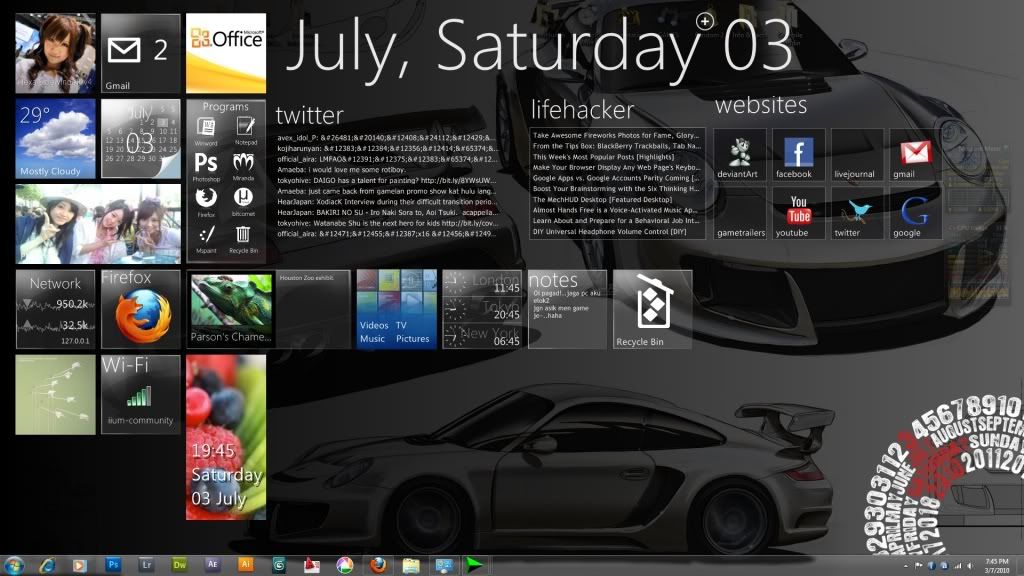
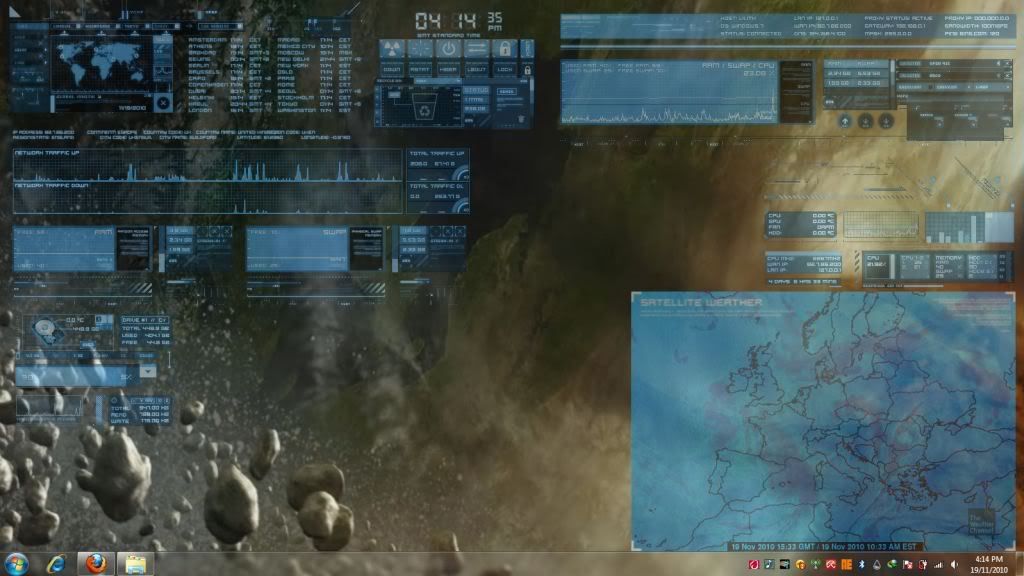
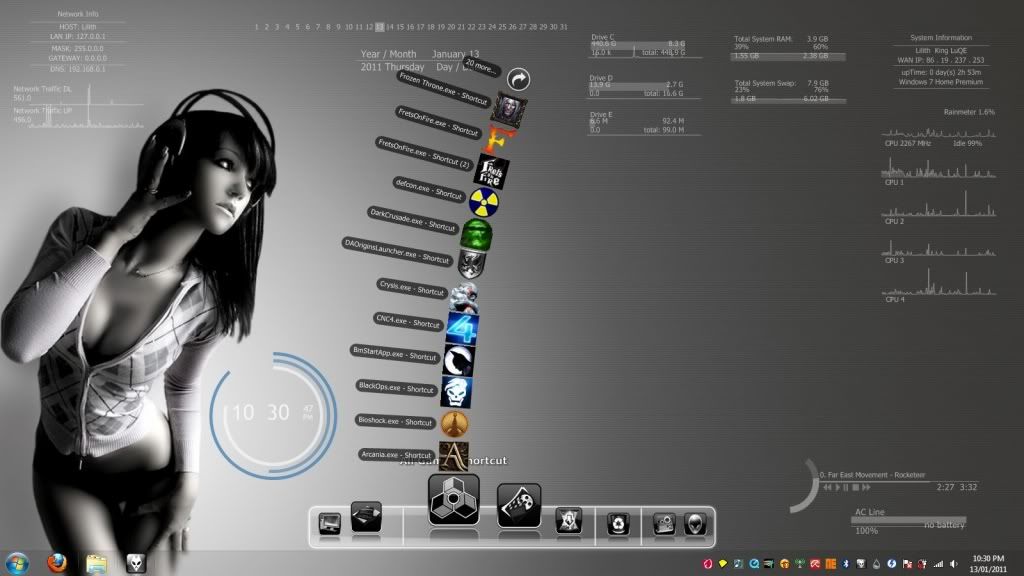
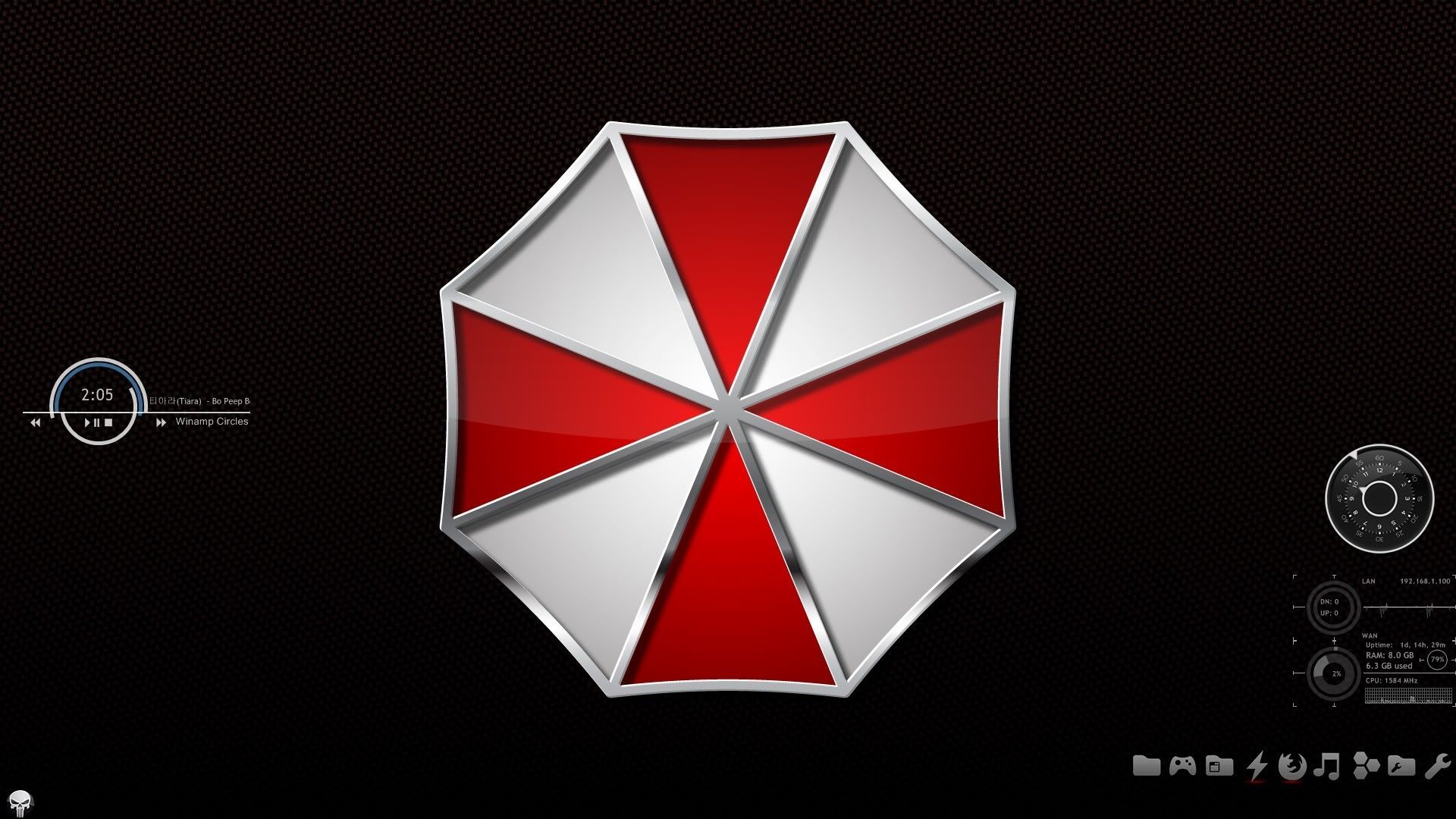
its quite good looking and light
Can anyone here guide me or give me the link to use or modified Rainmeter for look attractive?

This post has been edited by Nuclear_Crap: Mar 30 2010, 02:56 PM
Rainmeter Help Thread, Post ur Rainmeter configs/tips here :)
|
|
 Dec 26 2009, 01:48 PM, updated 15y ago Dec 26 2009, 01:48 PM, updated 15y ago
Show posts by this member only | Post
#1
|
 
Senior Member
1,055 posts Joined: Aug 2009 From: 192.168.0.1  
|
This is my first time using Rainmeter
its quite good looking and light Can anyone here guide me or give me the link to use or modified Rainmeter for look attractive? This post has been edited by Nuclear_Crap: Mar 30 2010, 02:56 PM |
|
|
|
|
|
Dec 26 2009, 01:54 PM
Show posts by this member only | Post
#2
|

Senior Member
1,526 posts Joined: Jan 2003 From: Seremban
|
What is rainmeter? =Rain gauge?
|
|
|
Dec 26 2009, 02:04 PM
Show posts by this member only | Post
#3
|
|
Senior Member
1,055 posts Joined: Aug 2009 From: 192.168.0.1
|
QUOTE(inoitu @ Dec 26 2009, 01:54 PM) What is rainmeter? =Rain gauge? this is rainmeter : http://rainmeter.net/RainCMS/ something like gadgets for window but its more better than windows gadget i think This post has been edited by Nuclear_Crap: Dec 26 2009, 02:04 PM |
|
|
Dec 26 2009, 02:18 PM
Show posts by this member only | Post
#4
|

Junior Member
349 posts Joined: Apr 2009 From: USJ/Subang Jaya
|
|
|
|
Dec 26 2009, 11:34 PM
Show posts by this member only | Post
#5
|

Senior Member
1,281 posts Joined: Dec 2007
|
» Click to show Spoiler - click again to hide... « That came to my mind too when I read the thread topic! |
|
|
Jan 1 2010, 06:38 PM
Show posts by this member only | Post
#6
|
|
Junior Member
56 posts Joined: May 2009 From: Kuching, Sarawak
|
thanks for the apps bro.... i didn't what is a rainmeter at first.... but after i read your thread, i feel that it's very useful to me...
|
|
|
|
|
|
Jan 1 2010, 08:25 PM
Show posts by this member only | Post
#7
|

Junior Member
8 posts Joined: Sep 2009 
|
|
|
|
Jan 1 2010, 09:21 PM
Show posts by this member only | Post
#8
|
|
Senior Member
1,055 posts Joined: Aug 2009 From: 192.168.0.1
|
|
|
|
Jan 3 2010, 10:54 PM
Show posts by this member only | Post
#9
|
|
Junior Member
56 posts Joined: May 2009 From: Kuching, Sarawak
|
|
|
|
Jan 29 2010, 11:43 PM
|

Junior Member
31 posts Joined: Dec 2009
|
hei,i 1st time using the rainmeter too...can anyone advice me can i delete or hide the bar on my right hand side & the bottom tool bar?
Attached File(s)  Doc1.doc ( 1.63mb )
Number of downloads: 167
Doc1.doc ( 1.63mb )
Number of downloads: 167 |
|
|
Jan 31 2010, 01:15 AM
|
|
Junior Member
9 posts Joined: Jan 2010
|
QUOTE(maytheng @ Jan 29 2010, 11:43 PM) hei,i 1st time using the rainmeter too...can anyone advice me can i delete or hide the bar on my right hand side & the bottom tool bar? just right click whatever it is you want to hide then go to skin menu>close skinbtw whats the attachment for? |
|
|
Feb 3 2010, 10:02 AM
|
|
Newbie
1 posts Joined: Jan 2010
|
dude...if you wanna fine more information from experts and pros just go to the official rain meter forum ...there u can get as many information you can get+ they can teach you 1 by 1..good luck ^^
|
|
|
Feb 3 2010, 01:36 PM
|

Senior Member
1,205 posts Joined: Aug 2007 From: In the heart of Kuala Lumpur
|
i have been using Rainmeter for 2 years now.... go to www.deviantarts.com (with 's' or without 's'). many rainmeter's skins....
 have fun!!! |
|
|
|
|
|
Feb 3 2010, 06:05 PM
|

Junior Member
330 posts Joined: May 2009 From: The Hornbill's Oil Town
|
nice application i must say
|
|
|
Feb 7 2010, 08:21 PM
|

Senior Member
802 posts Joined: Mar 2009 From: Amsterdam
|
having problem to config the rainmeter
|
|
|
Feb 8 2010, 05:43 AM
|

Junior Member
158 posts Joined: Jan 2008
|
QUOTE(freedom2912 @ Feb 7 2010, 08:21 PM) having problem to config the rainmeter QUOTE(eniko @ Jan 1 2010, 08:25 PM) Rainmeter rocks use the tutorial. i found it very useful  and yup, very light. and yup, very light.You may start with this package --> Enigma Then you can customize it to your liking or to fit your desktop --> tutorial thanks to eniko |
|
|
Feb 10 2010, 03:50 PM
|
|
Senior Member
563 posts Joined: Oct 2009
|
rainmeter is really cool..
|
|
|
Feb 12 2010, 11:20 AM
|
|
Senior Member
1,055 posts Joined: Aug 2009 From: 192.168.0.1
|
QUOTE(cy-yang @ Feb 10 2010, 03:50 PM) rainmeter is really cool.. agree..better than other from my opinion and it is not heavy software |
|
|
Feb 16 2010, 10:08 PM
|

Junior Member
64 posts Joined: Dec 2007 From: Hanoi, Vietnam / Penang
|
anyone knows how to set the auto start up for Rainmeter when starting up window?
|
|
|
Feb 17 2010, 11:15 AM
|

Senior Member
1,241 posts Joined: Jan 2003 From: KL 
|
QUOTE(lee1767 @ Feb 16 2010, 10:08 PM) anyone knows how to set the auto start up for Rainmeter when starting up window? Create a rainmeter shortcut under startup folder. |
|
|
Feb 19 2010, 07:29 PM
|
|
Junior Member
158 posts Joined: Jan 2008
|
QUOTE(lee1767 @ Feb 16 2010, 10:08 PM) anyone knows how to set the auto start up for Rainmeter when starting up window? go to run, taip msconfig, and go to startup tab.make sure rainmeter checked. hope will help  |
|
|
Feb 20 2010, 08:27 PM
|

Senior Member
898 posts Joined: Apr 2009 From: Space
|
Start from scratch. Then go to deviantart.com for Rainmeter skins. Load the configs and save your profile so everytime your pc start Rainmeter will load your saved profile.
|
|
|
Feb 21 2010, 01:06 AM
|
|
Senior Member
1,055 posts Joined: Aug 2009 From: 192.168.0.1
|
QUOTE(lee1767 @ Feb 16 2010, 10:08 PM) anyone knows how to set the auto start up for Rainmeter when starting up window? why u need to set up to auto?i install & run this software and its run automatically when i turned on my pc  |
|
|
 Feb 21 2010, 01:27 PM Feb 21 2010, 01:27 PM
|

Senior Member
687 posts Joined: Jan 2003 From: S Van Buren St, IA
|
QUOTE(Nuclear_Crap @ Feb 21 2010, 01:06 AM) why u need to set up to auto? how come? i install & run this software and its run automatically when i turned on my pc for me, i still need to do this QUOTE(entahla @ Feb 19 2010, 07:29 PM) go to run, taip msconfig, and go to startup tab. make sure rainmeter checked. hope will help |
|
|
Mar 19 2010, 01:45 AM
|

Senior Member
1,045 posts Joined: Jan 2010 From: land beyond heaven and hell!!
|
can everybody post your rainmeter that you use here. give the link plox
|
|
|
Mar 19 2010, 01:48 AM
|
|
Junior Member
58 posts Joined: Feb 2010
|
izzit rainmeter very 'waste' ram?? for 2gb ram..
|
|
|
Mar 19 2010, 03:45 AM
|
|
Junior Member
158 posts Joined: Jan 2008
|
QUOTE(jasmine1026 @ Mar 19 2010, 01:48 AM) izzit rainmeter very 'waste' ram?? for 2gb ram.. doesnt waste too much i guess |
|
|
Mar 19 2010, 10:11 AM
|
|
Senior Member
1,045 posts Joined: Jan 2010 From: land beyond heaven and hell!!
|
QUOTE(jasmine1026 @ Mar 19 2010, 01:48 AM) izzit rainmeter very 'waste' ram?? for 2gb ram.. i check mine only use 8 mb of ram |
|
|
Mar 19 2010, 01:23 PM
|

Junior Member
7 posts Joined: Jul 2007
|
can rain meter use in win7
|
|
|
Mar 19 2010, 01:41 PM
|
|
Senior Member
1,045 posts Joined: Jan 2010 From: land beyond heaven and hell!!
|
QUOTE(hyan @ Mar 19 2010, 01:23 PM) can rain meter use in win7 definitely can |
|
|
Mar 21 2010, 12:43 AM
|
|
Senior Member
1,055 posts Joined: Aug 2009 From: 192.168.0.1
|
QUOTE(hyan @ Mar 19 2010, 01:23 PM) can rain meter use in win7 off course can..even i start using this software from windows seven  |
|
|
Mar 27 2010, 10:12 PM
|
|
Senior Member
1,562 posts Joined: Dec 2009 From: Planet Earth
|
I just installed Rainmeter today and all i can say is its one of the application you must have on your computer.
 If you need any help let me know ya bro.. Thanks This post has been edited by bizness: Mar 27 2010, 10:22 PM |
|
|
Mar 29 2010, 08:11 PM
|

Junior Member
282 posts Joined: Sep 2009 From: Under the Sea 
|
I wonder if we use this program , will it make our cpu become lag/slow ?
|
|
|
Mar 29 2010, 08:24 PM
|

Junior Member
91 posts Joined: Feb 2009
|
yes if ur cpu and ram very low and use vista with aero
|
|
|
Mar 29 2010, 08:26 PM
|
|
Junior Member
282 posts Joined: Sep 2009 From: Under the Sea
|
QUOTE(strydermurder @ Mar 29 2010, 08:24 PM) yes if ur cpu and ram very low and use vista with aero Im using window 7 , 4gb ram . Will it affect? |
|
|
Mar 30 2010, 02:05 AM
|

Senior Member
2,367 posts Joined: Oct 2008 From: Penang / Selangor
|
QUOTE(LoveSexMagic @ Mar 29 2010, 08:26 PM) Im using window 7 , 4gb ram . Will it affect? i think no problem with 4gb |
|
|
Mar 30 2010, 11:46 AM
|
|
Senior Member
1,055 posts Joined: Aug 2009 From: 192.168.0.1
|
rainmeter use small amount ram
even 1gb can run/startup smoothly btw,to all lyn forumer,u can share or upload ur desktop with rainmeter skin/customization |
|
|
Mar 30 2010, 01:02 PM
|

Junior Member
218 posts Joined: Nov 2009
|
this 1 on december last year~~
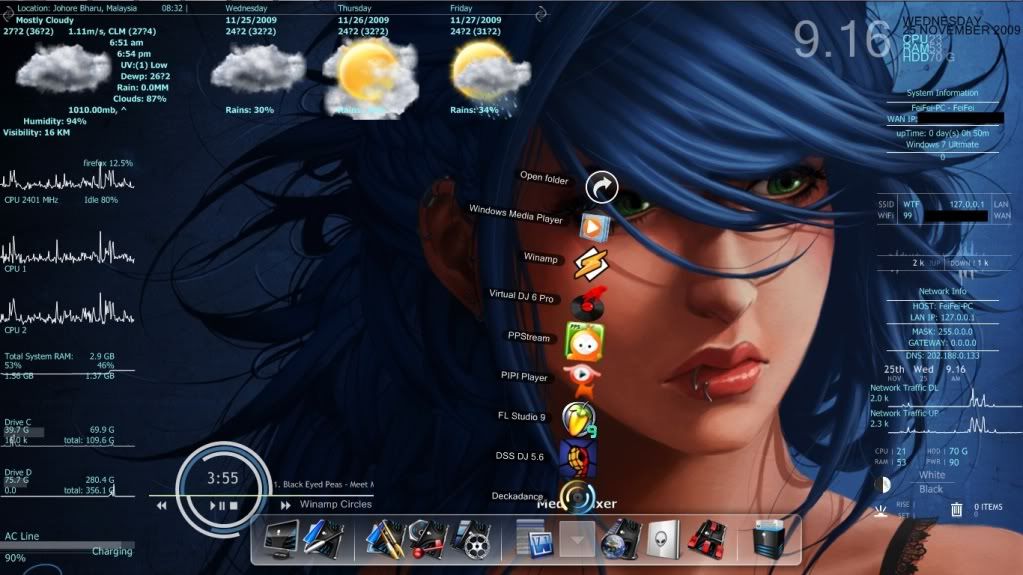 this 1 finished few days ago  new skins from deviantart  sorry not so nice~ This post has been edited by skychilled: Mar 30 2010, 01:56 PM |
|
|
Apr 3 2010, 12:37 AM
|
|
Senior Member
2,950 posts Joined: Aug 2008
|
» Click to show Spoiler - click again to hide... « Wow! I like the 3rd one! Mind sharing? By the way, this is mine. Windows 7 OS  |
|
|
Apr 3 2010, 02:36 PM
|
|
Junior Member
218 posts Joined: Nov 2009
|
QUOTE(Forgotten06 @ Apr 3 2010, 12:37 AM) » Click to show Spoiler - click again to hide... « Wow! I like the 3rd one! Mind sharing? Added on April 3, 2010, 5:52 pmremoved the background of the skin cuz this skin was set for 1920x1200 and my native resolutions only 1366x768 get the skins here Blue Vision oh ya..mine is window vista ultimate 32  This post has been edited by skychilled: Apr 3 2010, 06:24 PM |
|
|
Apr 6 2010, 04:20 PM
|

Junior Member
395 posts Joined: Jan 2010
|
QUOTE(skychilled @ Apr 3 2010, 02:36 PM) the theme pack is called Tech-Vision .. but i cant remember where i download it .. >.<" Hey bro, mind sharing a tut on how you customize your desktop? Added on April 3, 2010, 5:52 pmremoved the background of the skin cuz this skin was set for 1920x1200 and my native resolutions only 1366x768 get the skins here Blue Vision oh ya..mine is window vista ultimate 32  darn, it's looks super awesome! darn, it's looks super awesome! |
|
|
Apr 7 2010, 02:50 AM
|
|
Junior Member
218 posts Joined: Nov 2009
|
QUOTE(eugene_tan6 @ Apr 6 2010, 04:20 PM) Hey bro, mind sharing a tut on how you customize your desktop? im not such a good writer my self so i guess ill be doin 1 soon =) darn, it's looks super awesome!but first you need to understand the basic of rainmeter in order to progress more in desktop enhancement world |
|
|
Apr 7 2010, 11:50 AM
|

Senior Member
939 posts Joined: Jun 2009 From: ~~ GGTherapy ~~ 
|
emm not much useful for me, but its a good app la for certain ppl
|
|
|
Apr 7 2010, 01:40 PM
|
|
Junior Member
218 posts Joined: Nov 2009
|
QUOTE(kyzson69 @ Apr 7 2010, 11:50 AM) emm not much useful for me, but its a good app la for certain ppl im quite agree with you.. actually this application not very usefull..some of the skin@theme really "suck" too much of the processor but at the end of the day after u applied those beautiful/cool skin ..dont u think its kinda awesome ? and when maybe ur friend or family saw ur desktop...they surelly will ask "eh...how u do that ? ur desktop so nice oh ... can teach me ?" thats the thrill that u get when u learn something =) Added on April 8, 2010, 9:14 amNew update on my FutureWar Theme Added Weather skin(Re-Coded ) Added Moon Skin(Re-Coded ) Weather and moon skin can be found in here: Vision+weather By The Sarge Added Full System Monitor as messy as always  This post has been edited by skychilled: Apr 8 2010, 09:14 AM |
|
|
Apr 8 2010, 02:17 PM
|

Senior Member
1,063 posts Joined: Feb 2009 From: KL
|
QUOTE(entahla @ Feb 19 2010, 07:29 PM) go to run, taip msconfig, and go to startup tab. hey if i cant found the rainmeter in the msconfig how can i let it auto startup when my comp start ? make sure rainmeter checked. hope will help |
|
|
Apr 8 2010, 03:09 PM
|

Senior Member
753 posts Joined: Jan 2008
|
looks so awesome....
will do this when get new lappie is it hard or easy to use? |
|
|
Apr 8 2010, 03:20 PM
|

Junior Member
187 posts Joined: Jan 2008
|
QUOTE(theWeird_Weird @ Apr 8 2010, 02:17 PM) hey if i cant found the rainmeter in the msconfig how can i let it auto startup when my comp start ? do you have the application rainmeter in your pc or not |
|
|
Apr 8 2010, 03:50 PM
|
|
Senior Member
1,055 posts Joined: Aug 2009 From: 192.168.0.1
|
QUOTE(noobfc @ Apr 8 2010, 03:09 PM) looks so awesome.... easy to usewill do this when get new lappie is it hard or easy to use? just read manual/guide from rainmeter site |
|
|
Apr 8 2010, 04:34 PM
|

Junior Member
34 posts Joined: Jan 2007 From: Shah Alam
|
how to set ur location for weather? i inserted 40150 for shah alam but it comes out as lebanon junction
 This post has been edited by chinnoise_bj: Apr 8 2010, 04:36 PM |
|
|
Apr 8 2010, 04:47 PM
|
|
Senior Member
1,063 posts Joined: Feb 2009 From: KL
|
QUOTE(Kimie @ Apr 8 2010, 03:20 PM) do you have the application rainmeter in your pc or not oh done. i hav pull the program into the startup folder. This post has been edited by theWeird_Weird: Apr 8 2010, 05:15 PM |
|
|
Apr 8 2010, 04:55 PM
|
 
VIP
16,825 posts Joined: Jan 2003 From: Siberia
|
QUOTE(chinnoise_bj @ Apr 8 2010, 04:34 PM) how to set ur location for weather? i inserted 40150 for shah alam but it comes out as lebanon junction either use MYXX0006 or MYXX0008it will show either klang or KL. no shah alam |
|
|
Apr 8 2010, 05:08 PM
|
|
Junior Member
34 posts Joined: Jan 2007 From: Shah Alam
|
QUOTE(fariz @ Apr 8 2010, 04:55 PM) either use MYXX0006 or MYXX0008 Thanks alot bro it will show either klang or KL. no shah alam |
|
|
Apr 8 2010, 05:13 PM
|
|
Senior Member
1,055 posts Joined: Aug 2009 From: 192.168.0.1
|
QUOTE(theWeird_Weird @ Apr 8 2010, 04:47 PM) yea sure i do. im using it . just that i hav to manually start it after my comp startup uik...something weird  try reinstall d application do registry cleaning before install |
|
|
Apr 8 2010, 05:15 PM
|
|
Senior Member
1,063 posts Joined: Feb 2009 From: KL
|
QUOTE(Nuclear_Crap @ Apr 8 2010, 05:13 PM) uik...something weird problem solved ~ try reinstall d application do registry cleaning before install thx for answering |
|
|
Apr 8 2010, 06:49 PM
|
|
Junior Member
218 posts Joined: Nov 2009
|
QUOTE(noobfc @ Apr 8 2010, 03:09 PM) looks so awesome.... took mewill do this when get new lappie is it hard or easy to use? 2 minutes to download 2 minutes to unpack and install 2 minutes to apply my first skin 2 weeks to re-coded some of the skin 2 month to understand ( not fully tho >.<") This post has been edited by skychilled: Apr 8 2010, 06:52 PM |
|
|
Apr 8 2010, 07:06 PM
|
|
Senior Member
753 posts Joined: Jan 2008
|
lol, easy to use but hard to master XD
thanks nuclear and sky for the replies make me more interested at this baby |
|
|
Apr 8 2010, 08:22 PM
|
|
Junior Member
218 posts Joined: Nov 2009
|
QUOTE(chinnoise_bj @ Apr 8 2010, 04:34 PM) how to set ur location for weather? i inserted 40150 for shah alam but it comes out as lebanon junction depends on the skins that u use .. some of them use accuweather.com(has stopped weather feed to rainmeter skin) and some use weather.com.so i assume u that u were using a skin that using weather.com as the feed go to weather.com and type in ur location for me i type johor bahru as there is no pasir gudang on the list after the page finish to load . look at the end of the address bar (where u type www.blablabla.com)ur code will be there. here is the example 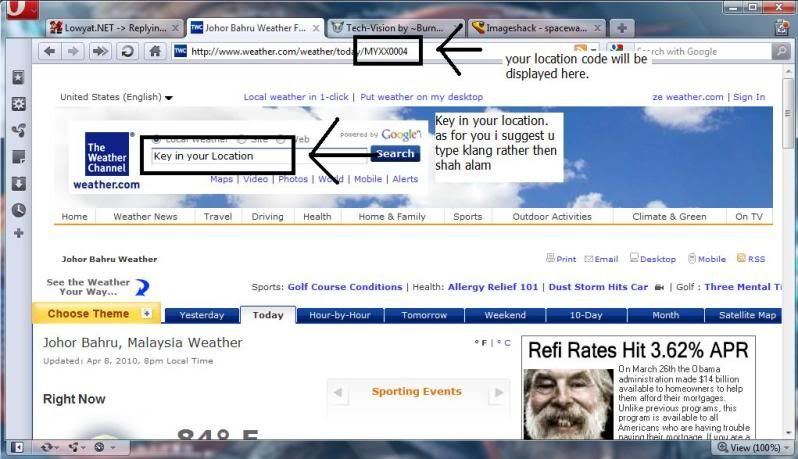 |
|
|
Apr 8 2010, 09:47 PM
|

Senior Member
2,696 posts Joined: Nov 2007 From: forum.lowyat.net
|
its hard to use for me
 will it affect me gaming? will it affect me gaming? |
|
|
Apr 8 2010, 09:50 PM
|
|
Junior Member
218 posts Joined: Nov 2009
|
QUOTE(Boomeraangkid @ Apr 8 2010, 09:47 PM) its hard to use for me nope~ will it affect me gaming?rainmeter proven to be the best system monitoring@enhancement that use less cpu (much better then vista sidebar) =) |
|
|
Apr 9 2010, 11:41 AM
|
|
Senior Member
1,055 posts Joined: Aug 2009 From: 192.168.0.1
|
I think we just got Rainmeter sifu's
it is skychilled ur screen look awesome + ur guide + advise would be helpfull to beginner user like me |
|
|
Apr 9 2010, 01:44 PM
|
|
Junior Member
218 posts Joined: Nov 2009
|
QUOTE(Nuclear_Crap @ Apr 9 2010, 11:41 AM) I think we just got Rainmeter sifu's no dont call me sifu please it is skychilled ur screen look awesome + ur guide + advise would be helpfull to beginner user like me im just another guy who happen to know few things about rainmeter and i dont mind helpin u guyz out if i know what the problem is =) make this topic alive so we can ask moderator to stick it XD |
|
|
Apr 13 2010, 05:53 PM
|

Junior Member
352 posts Joined: May 2007
|
Pls help me. I got one problem here. I don know if anyone here having same error or not.
My problem is, after installed RM, then i start it. But it comes out with errors something like this "Unable to create font: Trebuchet MS" and so on.... But i checked my font folder, there is Trebuchet font, as well as in bold and italic. How do i fix this? ..zZ really want to use RM so much ~ Btw, I do redownload, reinstall few times, nothing works. Solved. Used google to answer it This post has been edited by EquinoX: Apr 13 2010, 07:06 PM |
|
|
Apr 13 2010, 11:29 PM
|
|
Junior Member
218 posts Joined: Nov 2009
|
QUOTE(EquinoX @ Apr 13 2010, 05:53 PM) Pls help me. I got one problem here. I don know if anyone here having same error or not. i got this problem when i reinstall left 4 dead 2 game.My problem is, after installed RM, then i start it. But it comes out with errors something like this "Unable to create font: Trebuchet MS" and so on.... But i checked my font folder, there is Trebuchet font, as well as in bold and italic. How do i fix this? ..zZ really want to use RM so much ~ Btw, I do redownload, reinstall few times, nothing works. Solved. Used google to answer it try this website here to get the font back CODE http://www.fontyukle.com/en/1,Trebuchet and replace the existing font inside ur windows directory give it a try mate |
|
|
Apr 14 2010, 04:37 PM
|

Newbie
2 posts Joined: Apr 2009
|
QUOTE(skychilled @ Apr 3 2010, 02:36 PM) the theme pack is called Tech-Vision .. but i cant remember where i download it .. >.<" nice wallie, can share it?Added on April 3, 2010, 5:52 pmremoved the background of the skin cuz this skin was set for 1920x1200 and my native resolutions only 1366x768 get the skins here Blue Vision oh ya..mine is window vista ultimate 32 |
|
|
Apr 14 2010, 06:31 PM
|
|
Junior Member
352 posts Joined: May 2007
|
Thx skychilled~ btw, i solved my problem. It isnt about the font inside my pc problem. Its the variables in rainmeter doesnt match the exact name of the font name.
I also share my laptop wallpapers which i using now. Btw, i dint make this myself, i used Pileus files and customized it for my own comfort. » Click to show Spoiler - click again to hide... « Look abit newbie ~.~ Reso too big i put spoiler ~ |
|
|
Apr 17 2010, 12:28 AM
|

Senior Member
1,534 posts Joined: Jan 2003 From: 10110011001110 Status: Missing
|
|
|
|
Apr 18 2010, 11:00 AM
|

Senior Member
669 posts Joined: Jan 2006 From: Anfield
|
QUOTE(skychilled @ Apr 8 2010, 08:22 PM) depends on the skins that u use .. some of them use accuweather.com(has stopped weather feed to rainmeter skin) and some use weather.com. u at pasir gudang bro?so i assume u that u were using a skin that using weather.com as the feed go to weather.com and type in ur location for me i type johor bahru as there is no pasir gudang on the list after the page finish to load . look at the end of the address bar (where u type www.blablabla.com)ur code will be there. here is the example » Click to show Spoiler - click again to hide... « same wit me.. btw, i'm using serangoon, SG as my weather code more accurate than JB. |
|
|
Apr 18 2010, 11:02 AM
|
|
Senior Member
669 posts Joined: Jan 2006 From: Anfield
|
QUOTE(skychilled @ Mar 30 2010, 01:02 PM) this 1 finished few days ago may i know how u make the tab at below right side??» Click to show Spoiler - click again to hide... « thx |
|
|
Apr 18 2010, 11:45 AM
|

Junior Member
40 posts Joined: Sep 2009
|
thank u for the info
|
|
|
Apr 18 2010, 07:26 PM
|
|
Junior Member
218 posts Joined: Nov 2009
|
QUOTE(kimimaro_kun @ Apr 18 2010, 11:00 AM) u at pasir gudang bro? i know serangoon or woodlands would be more accurate same wit me.. btw, i'm using serangoon, SG as my weather code more accurate than JB. but i proud to be johorean =P QUOTE(kimimaro_kun @ Apr 18 2010, 11:02 AM) may i know how u make the tab at below right side?? that is objectdock plusthx u can customize everything like the dock size , icons, background etc. better then rocketdock =p here is the homepage Objectdock Homepage |
|
|
Apr 18 2010, 08:00 PM
|
|
Senior Member
669 posts Joined: Jan 2006 From: Anfield
|
QUOTE(skychilled @ Apr 18 2010, 07:26 PM) i know serangoon or woodlands would be more accurate i only use freewarebut i proud to be johorean =P that is objectdock plus u can customize everything like the dock size , icons, background etc. better then rocketdock =p here is the homepage Objectdock Homepage dont plan to go 4 plus version thought rainmeter got  |
|
|
Apr 19 2010, 12:28 AM
|
|
Junior Member
218 posts Joined: Nov 2009
|
QUOTE(kimimaro_kun @ Apr 18 2010, 08:00 PM) i only use freeware go to kipmart masai la bro dont plan to go 4 plus version thought rainmeter got tons of "lanun" software XD but its still up to you to use original or pirated 1 support software developer so they can produce new 1 |
|
|
Apr 19 2010, 07:07 AM
|
|
Senior Member
669 posts Joined: Jan 2006 From: Anfield
|
» Click to show Spoiler - click again to hide... « hush.... keep the place low profiles..  btw, how to change the fond color? need to edit every #fontcolor# or got an easy way?? |
|
|
Apr 19 2010, 09:56 PM
|
|
Senior Member
669 posts Joined: Jan 2006 From: Anfield
|
its me again..
just download 1 skin with launcher bar.. why when i click on my comp icon, nothing happen?  |
|
|
Apr 20 2010, 07:08 PM
|
|
Junior Member
218 posts Joined: Nov 2009
|
right click at the skin and go to edit skin
edit the variables trough there or it might be in the skin folder=) |
|
|
Apr 20 2010, 07:55 PM
|
|
Senior Member
669 posts Joined: Jan 2006 From: Anfield
|
CompName=COMP
CompLocation=G:\Users\%USERNAME%\Desktop\Computer CompIcon=Comp.png CompIconActive=Compactive.png i've change to C:\ and the %USERNAME% but still cannot.. using the launcherbar from here |
|
|
Apr 21 2010, 07:27 AM
|
|
Junior Member
218 posts Joined: Nov 2009
|
QUOTE(kimimaro_kun @ Apr 19 2010, 07:07 AM) » Click to show Spoiler - click again to hide... « btw, how to change the fond color? need to edit every #fontcolor# or got an easy way?? yes u need to key in each of that command QUOTE(kimimaro_kun @ Apr 20 2010, 07:55 PM) CompName=COMP im using win vista and there is no command path to go to computer (even in "search@RUN" only need to type computer)CompLocation=G:\Users\%USERNAME%\Desktop\Computer CompIcon=Comp.png CompIconActive=Compactive.png i've change to C:\ and the %USERNAME% but still cannot.. using the launcherbar from here the author might be using xp or win7 send him/her a pm regarding of this This post has been edited by skychilled: Apr 21 2010, 07:29 AM |
|
|
Apr 21 2010, 09:58 AM
|

Junior Member
495 posts Joined: Oct 2006 From: GombakVille
|
i cant use alphabar skin using rainmeter beta version
 |
|
|
Apr 21 2010, 10:40 AM
|
|
Senior Member
1,055 posts Joined: Aug 2009 From: 192.168.0.1
|
QUOTE(jackolantern @ Apr 21 2010, 09:58 AM) i cant use alphabar skin using rainmeter beta version beta......  maybe under testing maybe under testingor wait skychilled answer |
|
|
Apr 21 2010, 11:14 AM
|
|
Junior Member
218 posts Joined: Nov 2009
|
downloaded +updated my v1.1 rainmeter to v1.2
but i cant see the skin that you all refer >.<! |
|
|
Apr 21 2010, 01:19 PM
|
|
Senior Member
669 posts Joined: Jan 2006 From: Anfield
|
QUOTE(skychilled @ Apr 21 2010, 07:27 AM) the font is actually white in color.. i just change the color border effect to blue so it look like a blue but its not =) fuh...yes u need to key in each of that command thats a lot work to do.. QUOTE(skychilled @ Apr 21 2010, 07:27 AM) im using win vista and there is no command path to go to computer (even in "search@RUN" only need to type computer) ok, thx brothe author might be using xp or win7 send him/her a pm regarding of this |
|
|
Apr 21 2010, 01:43 PM
|
 
Staff
5,054 posts Joined: Aug 2008
|
Actually the rainmeter website does provide those codes explanation... can refer there to learn how to mofidy the rainmeter source codes... =D
|
|
|
Apr 21 2010, 01:58 PM
|
|
Junior Member
218 posts Joined: Nov 2009
|
QUOTE(kimimaro_kun @ Apr 21 2010, 01:19 PM) fuh... here it is brothats a lot work to do.. ok, thx bro as for my future war theme i edited this few code (for the blue like font) 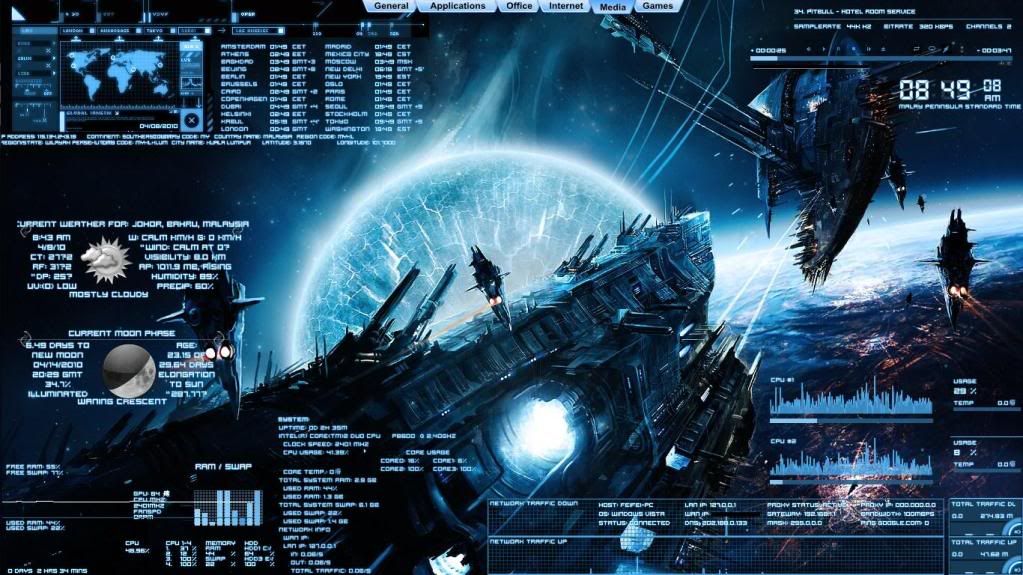 CODE ;-----Color adjustment---------------------- fontColor.Text=255, 255, 255, 255 <-- (white color, u can google for rgb color to find the code for other color) BlueBorder=Border BlueColor=0, 148, 255, 128 include the code above in the color adjustment variables make sure u set the font colour to white which is "fontColor.Text=255, 255, 255, 255" to get the white with blue like effect. after that place it in your code variables like this example: CODE [StartUptext1.txt] Meter=STRING X=153 Y=5 StringEffect=#BlueBorder# <-- (noticed here that i placed "stringeffect" for the blueborder?) FontEffectColor=#BlueColor# <--(for the effect) FontColor=#fontColor.Text# <--(white of course) oh ya..u might need to adjust the font height or size because its hardly seen in the normal size font QUOTE(tarvalslain87 @ Apr 21 2010, 01:43 PM) Actually the rainmeter website does provide those codes explanation... can refer there to learn how to mofidy the rainmeter source codes... =D they do but most of us are visual leaner =)This post has been edited by skychilled: Apr 21 2010, 02:00 PM |
|
|
Apr 21 2010, 02:07 PM
|
|
Staff
5,054 posts Joined: Aug 2008
|
Guess so.... Maybe can get someone to write a guide... A more understandable guide for using those codes.... Then can be stickied and refered by many rainmeter users... Should be good... Too bad I dont have much time to write it... Maybe skychilled can do so.. =D
|
|
|
Apr 21 2010, 02:29 PM
|
|
Senior Member
1,055 posts Joined: Aug 2009 From: 192.168.0.1
|
QUOTE(tarvalslain87 @ Apr 21 2010, 02:07 PM) Guess so.... Maybe can get someone to write a guide... A more understandable guide for using those codes.... Then can be stickied and refered by many rainmeter users... Should be good... Too bad I dont have much time to write it... Maybe skychilled can do so.. =D good idea some user here still newbie in Rainmeter include me |
|
|
Apr 21 2010, 02:47 PM
|
|
Junior Member
218 posts Joined: Nov 2009
|
did you guyz mean a full guide for the theme or just the function of the code?
if the full function of the code im not the man >.< |
|
|
Apr 22 2010, 12:19 AM
|
|
Staff
5,054 posts Joined: Aug 2008
|
Some more specific and detailed guide for rainmeter themes... =D Specifically for rainmeter only haha
|
|
|
Apr 22 2010, 11:38 PM
|

Senior Member
5,197 posts Joined: Jan 2003 From: Muor....
|
i think it got prob with win 7 ultimate 64 bit..
can run n use, but some of the functions stalled.. |
|
|
Apr 23 2010, 04:36 AM
|
|
Junior Member
300 posts Joined: Jul 2007 From: Area 51
|
i cant seems to get anything to work now...can someone guide me
|
|
|
Apr 23 2010, 04:44 AM
|

Senior Member
2,889 posts Joined: Jul 2006 From: Intranet & Internet
|
QUOTE(Burningsunz @ Apr 23 2010, 04:36 AM) i cant seems to get anything to work now...can someone guide me it's so easy to use rainmeter. you must try it one by one until you find the way to customize it... just use a basic enigma features first... then you can download another skin after you know what to do next |
|
|
Apr 23 2010, 04:48 AM
|
|
Junior Member
300 posts Joined: Jul 2007 From: Area 51
|
i download enigma but how to load the wallpaper..and how come everytime i click show desktop everything is gone
|
|
|
Apr 23 2010, 05:13 AM
|
|
Senior Member
2,889 posts Joined: Jul 2006 From: Intranet & Internet
|
go find manage skin, then from there you can select which part you want to have on the desktop, but you need to load everything first before it can show up. then you can customize to make it draggable or not... you can edit the skin if you want to change the appearance of the skin too. To save the themes you just select, go find manage themes... save to whatever name you want and click save.
|
|
|
Apr 23 2010, 05:58 AM
|
|
Junior Member
300 posts Joined: Jul 2007 From: Area 51
|
but the problem is the wallpaper is still my original...how come is that
|
|
|
Apr 23 2010, 06:49 AM
|
|
Junior Member
218 posts Joined: Nov 2009
|
QUOTE(Ultima @ Apr 22 2010, 11:38 PM) i think it got prob with win 7 ultimate 64 bit.. its normal.. even on my friend core i-7 this rainmeter sometime will stuck for around 1 sec? before the skin will pop up/ drag-able/closed.can run n use, but some of the functions stalled.. dont know the reason tho.. maybe its just too much skin for rainmeter it self i guess.. as for example.. the skin theme that i post earlier took me 15-30 sec to load up and im on centrino core 2 duo p8600 . i guess its all depends on the processor speed .. maybe.. QUOTE(Burningsunz @ Apr 23 2010, 04:48 AM) i download enigma but how to load the wallpaper..and how come everytime i click show desktop everything is gone as u said earlier ,when u press "show desktop" all the skin will also be minimize! this is only happen on windows 7 for the moment . tips. whenever u want to save ur current theme, make sure u check the "save wallpaper with theme" box so the next time u load the rainmeter trough autostart or by clickin it.. the wallpaper will be there Added on April 23, 2010, 6:57 am QUOTE(kInOzAwA @ Apr 23 2010, 04:44 AM) it's so easy to use rainmeter. you must try it one by one until you find the way to customize it... just use a basic enigma features first... then you can download another skin after you know what to do next yo bro~nice blue theme on avatar mind to write a full a-z guide for the theme to our friends here ? This post has been edited by skychilled: Apr 23 2010, 06:57 AM |
|
|
Apr 23 2010, 10:53 AM
|

Junior Member
265 posts Joined: Apr 2010
|
is it possible if i download rainmeter into windows xp?
|
|
|
Apr 23 2010, 11:15 AM
|
|
VIP
16,825 posts Joined: Jan 2003 From: Siberia
|
QUOTE(PaperClips @ Apr 23 2010, 10:53 AM) is it possible if i download rainmeter into windows xp? rainmeter works in Windows XP, Vista and 7 |
|
|
Apr 23 2010, 12:55 PM
|
|
Junior Member
300 posts Joined: Jul 2007 From: Area 51
|
as u said earlier ,when u press "show desktop" all the skin will also be minimize! this is only happen on windows 7 for the moment . tips. whenever u want to save ur current theme, make sure u check the "save wallpaper with theme" box so the next time u load the rainmeter trough autostart or by clickin it.. the wallpaper will be there Added on April 23, 2010, 6:57 am im using window vista..i save wallpaper with theme but still i can only see my original wallpaper.. |
|
|
Apr 23 2010, 01:12 PM
|
Junior Member
32 posts Joined: Apr 2008
|
My clean rainmeter. simple enuf 4 me..
Attached thumbnail(s) 
|
|
|
Apr 23 2010, 01:38 PM
|
|
Staff
5,054 posts Joined: Aug 2008
|
Maybe you should visit the rainmeters official website and read on their instructions of how to use the rainmeter... Its quite straightforward and easy to understand =D... Ive learned how to use rainmeter there..
|
|
|
Apr 23 2010, 01:41 PM
|
|
Junior Member
218 posts Joined: Nov 2009
|
QUOTE(Burningsunz @ Apr 23 2010, 12:55 PM) im using window vista..i save wallpaper with theme but still i can only see my original wallpaper.. i got the same resut as u after pressing show desktophaha~! i just try it myself also XD LOL for me ! QUOTE(nellowrox @ Apr 23 2010, 01:12 PM) My clean rainmeter. simple enuf 4 me.. nice and clean=)good job mate~ well my crowded future war were just some "show off" of how rainmeter can be manipulated and i dont even use it >.<" plain wallpaper and simple windows thats all i use Added on April 23, 2010, 2:51 pmSetting up a working weather skin This is step by step procedure and might get those pro boring=p many people asked about some guide/tutorials about how to applying/mod skin using the rainmeter so i just might be the first here . accuweather.com have stop giving feed to rainmeter because they said it was not giving they pocket profit. so i will be going on skin that were getting feed from weather.com i assume all have already download and installed perfectly the rainmeter so today i will be using the skin called "Vision+weather by The sarge" u can get the description here:Vision+Weather by The Sarge 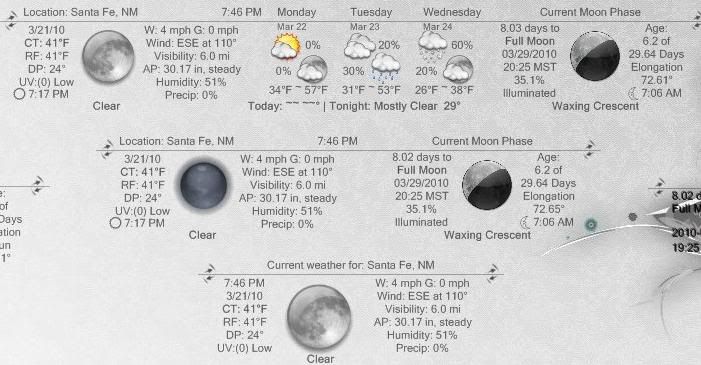 Click to download skin after downloading, unpack using winrar or winzip and place it on My document -->rainmeter--> skin should be like this: 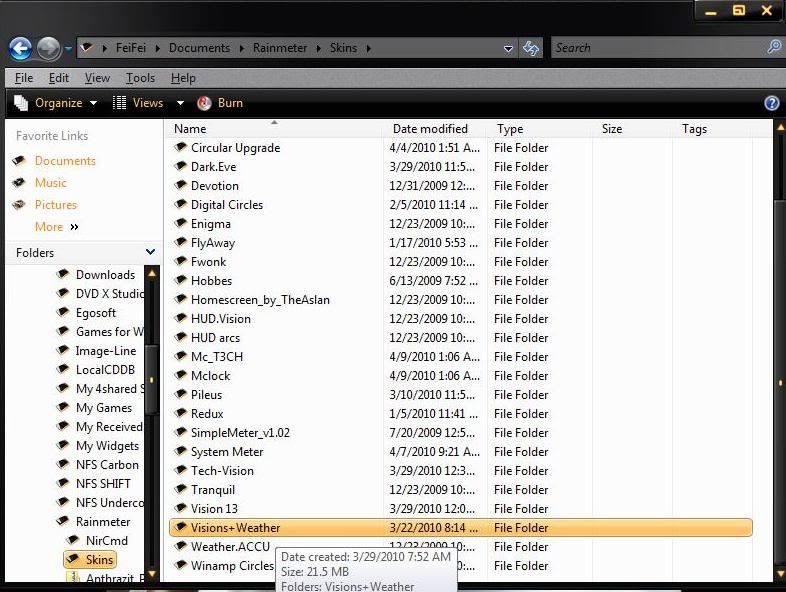 l] l]and then go inside the vision+weather skin folder and go to "font" folder. select all and right click then press install. now rightclick the rainmeter icon in the taskbar and click "refresh all" ok now right click it again and go to configs --> vision+weather--> TWC current weather only -->TWC Current OnlyWhite.ini . ( i will be using this for today) should be like this: 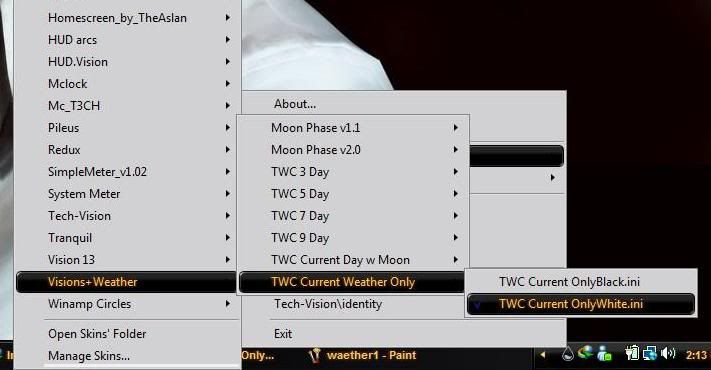 now notice after the weather feed being received that it is not pointed to your area. ( dont bother mine cuz i already edited it) there is some homework that u guyz need to do here it is: right click on the skin and go to Skin Menu --> edit skin should be like this 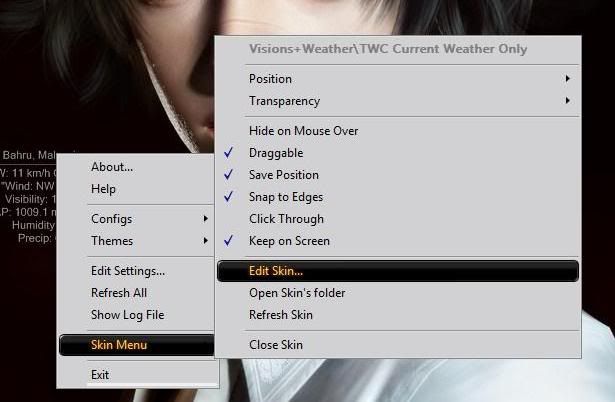 a notepad will pop out with bla bla un-understandable information ( dont bother ) scroll down until u get to "location variables" now u need to go to www.weather.com to search for your location bear in mind that the feed wont alwayse go to your exact location QUOTE(skychilled @ Apr 8 2010, 08:22 PM) depends on the skins that u use .. some of them use accuweather.com(has stopped weather feed to rainmeter skin) and some use weather.com. now go to the notepad that i mention earlier and edit thisso i assume u that u were using a skin that using weather.com as the feed go to weather.com and type in ur location for me i type johor bahru as there is no pasir gudang on the list after the page finish to load . look at the end of the address bar (where u type www.blablabla.com)ur code will be there. here is the example CODE ;define Fahrenheit/US system = f ;or ;Celsius/Metric system = m ;After the equals ( = ) Sign: SCALE=m <--- change this to F for Fahrenheit or M for celcius ;Place your location code below, and after the "=" sign dest=MYXX0004 <--- ur weather code should be placed here now save the variable that we edit earlier (notepad) and after that press the Refresh all again walla !! ur skin is working perfectly additionally u can change the weather/moon image/icon with the image that come with the package. there is total of 8 set of image/icon u can check the image set by going to the skin folder which is again My document--> rainmeter--> skin-> vision+weather--> weather image 1-8 to change the image/icon to ur desirable set, right click again at the skin and go to skin menu-->edit skin under the location variable , should be like this 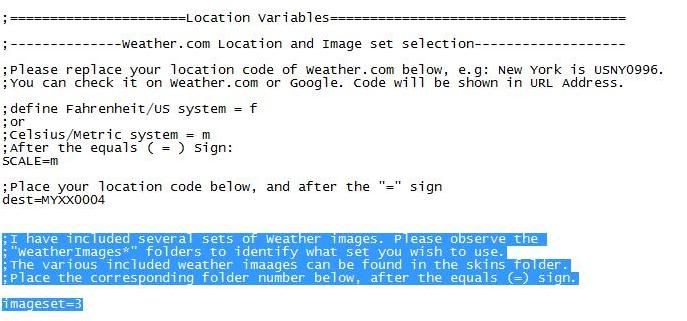 CODE ;I have included several sets of Weather images. Please observe the ;"WeatherImages*" folders to identify what set you wish to use. ;The various included weather imaages can be found in the skins folder. ;Place the corresponding folder number below, after the equals (=) sign. imageset=3 <-- change this into ur desirable set of icon again, save and close the skin. after that u need to press the refresh all button again Thats it ~ easy as pie ( but i prefer karipap or popia) =p Added on April 23, 2010, 7:38 pmChanging Font & Skin color editing as the guide continue , i now will show u guyz on how to change the color of the skin. sound quite easy eh ? so ill be using the same skin as above which is vision+weather, the reason while im still using this is because u guyz still have a picture on how to editing the rainmeter variables and on how to edit it in basic. thats all what we need for now. first, u guyz should check the RGB color chart which is located here: RGB Color Chart as usual,right click at the skin and choose the edit skin menu to open up the skin variable in notepad after that, scroll down until u saw "display variables" scroll down a little bit to "color adjustment" should be like this: CODE ;-----Color adjustment---------------------- fontColor.Text=255, 255, 255, 160 <-- this is where u place your color code, bar.color=255, 255, 255, 50 <--- this 2 bar color doesn't really hv use in this skin bar.color=255, 255, 255, 50 graph.line1=255, 255, 255, 75 <-- the upper underline on the skin graph.line2=255, 255, 255, 37 border.color=255, 255, 255, 75 <--- the border color of the skin Note that there is 4 set of number code like :255,255,255,160" the last "160" is the opacity of the color. u can adjust this from 0 to 255. so for now im going change to blue.. dont know which blue it is but the code is this "fontColor.Text=0, 148, 255, 128" u can change the other variable on this color section to experiment ur self of how its work. now save the set up and close it. after that hit the refresh all button again. WARNING! dont change other variable by ur self cuz it will make the skin to not function. Look at that~ the font change color~~!!  Border Color Effect ok now im going to show u on how to set a border color effect. i found out about this after some experiment on my own on Blue Vision Theme. im going to choose a red border for this "mission" which is "255,0,0". here is the additional code that u need to put in the color variable CODE RedBorder=Border Red Color=255, 0, 0, 128 <-- remember that the last "128" is the opacity of the color and another 2 that u need to put in is the "StringEffect" and "FontColorEffect" code which i will show later here is the color variable for my skin. please note that u need a different font color to make the effect more life! so im going to choose white. CODE ;-----Color adjustment---------------------- fontColor.Text=255, 255, 255, 255 <-- i maxed out the opacity bar.color=34, 95, 142, 225 bar.color=139, 207, 255, 235 graph.line1=89, 190, 255, 225 graph.line2=77, 183, 255, 235 border.color=0, 0, 0, 75 RedBorder=Border <-- here goes the code that i show just now RedColor=255, 0, 0, 128 <-- so goes for this [Please note that u can change the color to which ever u could desire] now scroll down to "Skin Meters" section or u can press Ctrl+F on your keyboard to open the search and type in skin meters and key in this code CODE [StartUptext1.txt] Meter=STRING X=153 Y=5 StringEffect=#RedBorder# <-- as i mention earlier this string effect will be linked to "RedBorder" FontEffectColor=#RedColor# <-- this 1 is to create the font effect and will be linked to "RedColor" FontColor=#fontColor.Text# FontSize=#FontHeight# StringAlign=CENTER FontFace=#FontName# AntiAlias=1 Text="Current Weather Loading, One moment please" click save and close the variable editor. dont forget the refresh all button  Walla~~ u got a font with border effect notice that you not have only BOLD red color but u got some sort of GLOW on it =) if u think the red color is too mild ,u can change the opacity in the red color code Now u might need to adjust the font height. to make it more easier to read which i will show later. Changing Font ok in this section im going to show u guyz on how to change the font which is used everywhere on rainmeter so for now im going to use this font "Hooge 05_53" . u are free to choose which kinda font that u want , but u need to make sure that the font is already installed in your computer before you proceed. how to download a font ? google it babe =) so here is my font variable: CODE ;--------Font Adjustment-------------------- FontName=hooge 05_53 <-- place your font name here, make sure u have the font installed in ur windows font directory FontHeight=8 <-- u can adjust this 3 font height to suit u FontHeight2=9 FontHeight3=7 FontGrafity="Webdings" FontGrafityHeight=20 FontGrafityHeight2=28 FontGrafityHeight3=24 AntiAlias=1 after u satisfied , save it and close. dont forget to refresh all =)  there you go ~~ u got ur font changed XD Good luck guyz , and dont forget feel free to ask =) ill will write more guide soon when i get back =) This post has been edited by skychilled: May 11 2010, 12:46 PM |
|
|
Apr 23 2010, 09:36 PM
|
|
Senior Member
5,197 posts Joined: Jan 2003 From: Muor....
|
my simple rainmeter... for me...

still keep the taskbar for tray icons sigh.. |
|
|
Apr 23 2010, 10:13 PM
|
|
Junior Member
218 posts Joined: Nov 2009
|
QUOTE(Ultima @ Apr 23 2010, 09:36 PM) my simple rainmeter... for me... u can hide the taskbar by right clicking on it and choose "auto hide taskbar"
still keep the taskbar for tray icons sigh.. the taskbar will only shown when ur mouse point over it |
|
|
Apr 23 2010, 10:36 PM
|

Junior Member
326 posts Joined: Nov 2009
|
What can i do to those themes/skins downloaded from deviantart so that i can start using them as my rainmeter skin?
=( |
|
|
Apr 24 2010, 12:45 AM
|
|
Staff
5,054 posts Joined: Aug 2008
|
Just copy them/extract them into rainmeter> skins folder and launch your rainmeter and select the themes/skins that you already add
|
|
|
Apr 24 2010, 09:26 PM
|
|
Junior Member
326 posts Joined: Nov 2009
|
any idea why i can't open the theme manager/skin manager in vista?
|
|
|
Apr 24 2010, 10:31 PM
|
|
Junior Member
91 posts Joined: Feb 2009
|
QUOTE(skychilled @ Apr 21 2010, 01:58 PM) here it is bro can u share the full white config of this skins?...as for my future war theme i edited this few code (for the blue like font) CODE ;-----Color adjustment---------------------- fontColor.Text=255, 255, 255, 255 <-- (white color, u can google for rgb color to find the code for other color) BlueBorder=Border BlueColor=0, 148, 255, 128 include the code above in the color adjustment variables make sure u set the font colour to white which is "fontColor.Text=255, 255, 255, 255" to get the white with blue like effect. after that place it in your code variables like this example: CODE [StartUptext1.txt] Meter=STRING X=153 Y=5 StringEffect=#BlueBorder# <-- (noticed here that i placed "stringeffect" for the blueborder?) FontEffectColor=#BlueColor# <--(for the effect) FontColor=#fontColor.Text# <--(white of course) oh ya..u might need to adjust the font height or size because its hardly seen in the normal size font they do but most of us are visual leaner =) |
|
|
Apr 25 2010, 08:21 AM
|
|
Junior Member
218 posts Joined: Nov 2009
|
QUOTE(strydermurder @ Apr 24 2010, 10:31 PM) can u share the full white config of this skins?... each skin have a different set of main config. and the blue vision theme already comes with the glowing blue fontif you copy&paste configs from other skins it will make the skin malfunction . |
|
|
Apr 25 2010, 11:18 AM
|
|
Senior Member
5,197 posts Joined: Jan 2003 From: Muor....
|
i nid winamp skins for my rainmeter, the one tht can open the files directly without nid to open winamp separately..
is thr any? |
|
|
Apr 26 2010, 08:27 AM
|

Senior Member
1,419 posts Joined: Apr 2010
|
just got to know rainmeter for a few weeks and im lovin it, installed it on my win 7 and work perfectly.
btw the resource used by rainmeter also depends on update value on [Rainmeter] section in .ini configuration file, means, the smaller number leads to shorter time to update the value, and will use lots of resource. here is my desktop screenshot, i luv black n white, lol~! » Click to show Spoiler - click again to hide... « |
|
|
Apr 26 2010, 11:00 AM
|
|
Junior Member
218 posts Joined: Nov 2009
|
QUOTE(Ultima @ Apr 25 2010, 11:18 AM) i nid winamp skins for my rainmeter, the one tht can open the files directly without nid to open winamp separately.. cant find any for the time being.. all need to be open separately ..is thr any? |
|
|
Apr 26 2010, 12:25 PM
|
|
Senior Member
1,419 posts Joined: Apr 2010
|
QUOTE(Ultima @ Apr 25 2010, 11:18 AM) i nid winamp skins for my rainmeter, the one tht can open the files directly without nid to open winamp separately.. im using skin MKG (MatyKaGroja). It provide basic control such as play, pause, stop, nex button on that skin.is thr any? Found it on deviantart. cant find back the source though edit: found the skin here This post has been edited by fJok3R: Apr 26 2010, 12:44 PM |
|
|
Apr 26 2010, 01:17 PM
|

Junior Member
198 posts Joined: Jan 2009 From: Republic City, Coruscant
|
anyone know any nice black chrome skin?
|
|
|
Apr 26 2010, 10:56 PM
|
|
Junior Member
218 posts Joined: Nov 2009
|
QUOTE(fJok3R @ Apr 26 2010, 08:27 AM) btw the resource used by rainmeter also depends on update value on [Rainmeter] section in .ini configuration file, means, the smaller number leads to shorter time to update the value, and will use lots of resource. yeap ~u got that 1 rite mate change the update time of cpu resource for 800 to 1000 millisecond would be great.. take less resource This post has been edited by skychilled: Apr 26 2010, 10:57 PM |
|
|
Apr 26 2010, 11:25 PM
|
|
Senior Member
5,197 posts Joined: Jan 2003 From: Muor....
|
QUOTE(skychilled @ Apr 26 2010, 10:56 PM) yeap ~ i opened the file, n which one do i nid to chg the value?u got that 1 rite mate change the update time of cpu resource for 800 to 1000 millisecond would be great.. take less resource |
|
|
Apr 26 2010, 11:27 PM
|
|
Junior Member
218 posts Joined: Nov 2009
|
QUOTE(chipmunkey1992 @ Apr 26 2010, 01:17 PM) anyone know any nice black chrome skin? QUOTE(Ultima @ Apr 26 2010, 11:25 PM) i opened the file, n which one do i nid to chg the value? at the top of the variable should be like this CODE [Rainmeter] Author=g3xter AppVersion=1.0 Update=900 <-- change this . higher equal less resource |
|
|
Apr 26 2010, 11:30 PM
|
|
Senior Member
5,197 posts Joined: Jan 2003 From: Muor....
|
QUOTE(skychilled @ Apr 26 2010, 11:27 PM) at the top of the variable should be like this recommended, wht value?CODE [Rainmeter] Author=g3xter AppVersion=1.0 Update=900 <-- change this . higher equal less resource i set to 10000, so slow lol.. but use less less resources... This post has been edited by Ultima: Apr 26 2010, 11:35 PM |
|
|
Apr 26 2010, 11:34 PM
|
|
Junior Member
218 posts Joined: Nov 2009
|
QUOTE(Ultima @ Apr 26 2010, 11:30 PM) recommended, wht value? 800-1000 mil secsave and refresh to see the results.. if still got abit lag, prefer to change it to higher value under 1500, or it will make the skin look too lag.. |
|
|
Apr 26 2010, 11:36 PM
|
|
Senior Member
5,197 posts Joined: Jan 2003 From: Muor....
|
QUOTE(skychilled @ Apr 26 2010, 11:34 PM) 800-1000 mil sec ok, so 1500 is still ok eh...save and refresh to see the results.. if still got abit lag, prefer to change it to higher value under 1500, or it will make the skin look too lag.. |
|
|
Apr 26 2010, 11:39 PM
|
|
Junior Member
218 posts Joined: Nov 2009
|
QUOTE(Ultima @ Apr 26 2010, 11:36 PM) ok, so 1500 is still ok eh... yeapgive it a try and post ur screen here mate =) |
|
|
Apr 26 2010, 11:59 PM
|
|
Senior Member
5,197 posts Joined: Jan 2003 From: Muor....
|
erm one more thing, is thr any rainmeter skins which shows our system tray?
|
|
|
Apr 27 2010, 09:37 AM
|
|
Senior Member
1,419 posts Joined: Apr 2010
|
QUOTE(Ultima @ Apr 26 2010, 11:30 PM) recommended, wht value? yeap, the update value in in milisec so 1000 means 1 sec, imho, it really depends on what skin do you which to change, of course if it is a clock, dont change the attribute from 1000 to any other value, coz sure thing you want the clock to update the value every 1 seconds right.i set to 10000, so slow lol.. but use less less resources... other skin such as weather, free disk space meter doest need a frequent update of value so its fine to set it to value more than 1000 |
|
|
Apr 28 2010, 02:54 PM
|

Senior Member
837 posts Joined: Jun 2009 From: Malaysia
|
» Click to show Spoiler - click again to hide... «
|
|
|
Apr 29 2010, 02:41 PM
|
|
Junior Member
32 posts Joined: Apr 2008
|
QUOTE(l K l P l @ Apr 28 2010, 02:54 PM) » Click to show Spoiler - click again to hide... « this is nice.. This post has been edited by nellowrox: Apr 29 2010, 02:42 PM |
|
|
May 3 2010, 07:22 PM
|

Junior Member
459 posts Joined: Apr 2010 From: Malaysia
|
the celcius symbol .... o why become "? Attached thumbnail(s) 
|
|
|
May 3 2010, 09:52 PM
|

Senior Member
2,095 posts Joined: Oct 2005 From: 2�18' | 102�23'
|
which skin do u used ??
|
|
|
May 3 2010, 11:19 PM
|
|
Junior Member
459 posts Joined: Apr 2010 From: Malaysia
|
QUOTE(2uk3y @ May 3 2010, 09:52 PM) which skin do u used ?? HUD vision+ WM7 + Enigma |
|
|
May 3 2010, 11:27 PM
|

Junior Member
15 posts Joined: Oct 2008
|
just change it in the .ini file and that should be alrite, i used to change that in my WM7 theme last time...
hopes this help... or try to attach your weather's .ini file... c if anyone can help you out here... Kiay... |
|
|
May 4 2010, 12:30 AM
|
|
Junior Member
459 posts Joined: Apr 2010 From: Malaysia
|
QUOTE(kiay @ May 3 2010, 11:27 PM) just change it in the .ini file and that should be alrite, i used to change that in my WM7 theme last time... ;=================================================hopes this help... or try to attach your weather's .ini file... c if anyone can help you out here... Kiay... ; Rainmeter configuration file ; Updated April 18, 2009 ; ; I owe thanks for: ; Weather by moxamax / garbanzox ; ;================================================= ;[BEGIN CONFIG FILE]============================== [Rainmeter] Author=Jeffrey Morley [Variables] ;================================================= ;Please replace your location code of Weather.com below, e.g: Taipei is TWXX0021. ;You can check it on Weather.com or Google. ;And you may also delete "&unit=m" if you prefer the Fahrenheit Scale. ;================================================= URL=http://xml.weather.com/weather/local/MYXX0008?cc=*&unit=m&dayf=6 Font=Tahoma FontColor=255, 255, 255, 180 ;================================================= ;[GATHER WEATHER INFO FROM RSS]=================== [MeasureWeatherRSS] Measure=Plugin Plugin=Plugins\WebParser.dll UpdateRate=1500 Url=#URL# RegExp="(?siU)<weather ver="(.*)">(.*)<tmp>(.*)</tmp>(.*)<t>(.*)</t>(.*)<icon>(.*)</icon>(.*)<day d="1" t="(.*)" dt="(.*)">(.*)<hi>(.*)</hi>(.*)<low>(.*)</low>(.*)<icon>(.*)</icon>(.*)<t>(.*)</t>(.*)<day d="2" t="(.*)" dt="(.*)">(.*)<hi>(.*)</hi>(.*)<low>(.*)</low>(.*)<icon>(.*)</icon>(.*)<t>(.*)</t>(.*)<day d="3" t="(.*)" dt="(.*)">(.*)<hi>(.*)</hi>(.*)<low>(.*)</low>(.*)<icon>(.*)</icon>(.*)<t>(.*)</t>(.*)" StringIndex=1 IfAboveValue=1 IfAboveAction=!execute [!RainmeterHideMeter MeterIconNA][!RainmeterShowMeter MeterIcon] ;[TODAY]========================================= [MeasureWeatherTemp] Measure=Plugin Plugin=Plugins\WebParser.dll Url=[MeasureWeatherRSS] StringIndex=3 [MeasureWeatherDesc] Measure=Plugin Plugin=Plugins\WebParser.dll Url=[MeasureWeatherRSS] StringIndex=5 [MeasureWeatherIcon] Measure=Plugin Plugin=Plugins\WebParser.dll Url=[MeasureWeatherRSS] StringIndex=7 ;[TODAY + 1]===================================== ;tomorrow's weather description, id=18 ;tomorrow's day, id=9 ;tomorrow's date, id=10, you can redefine the StringIndex value below with the id# [MeasureWeatherDesc1] Measure=Plugin Plugin=Plugins\WebParser.dll Url=[MeasureWeatherRSS] StringIndex=18 [MeasureWeatherDay1] Measure=Plugin Plugin=Plugins\WebParser.dll Url=[MeasureWeatherRSS] StringIndex=9 ;tomorrow's Hi-temp, id=12 ;tomorrow's Lo-temp, id=14, you can redefine the StringIndex value below with the id# [MeasureWeatherTemp1] Measure=Plugin Plugin=Plugins\WebParser.dll Url=[MeasureWeatherRSS] StringIndex=12 ;tomorrow's weather icon, id=16 [MeasureWeatherIcon1] Measure=Plugin Plugin=Plugins\WebParser.dll Url=[MeasureWeatherRSS] StringIndex=16 ;[TODAY + 2]===================================== ;D+2, weather description, id=29 ;D+2, day of week, id=20 ;D+2, date, id=21 [MeasureWeatherDesc2] Measure=Plugin Plugin=Plugins\WebParser.dll Url=[MeasureWeatherRSS] StringIndex=29 [MeasureWeatherDay2] Measure=Plugin Plugin=Plugins\WebParser.dll Url=[MeasureWeatherRSS] StringIndex=20 ;D+2, Hi-temp, id=23 ;D+2, Lo-temp, id=25 [MeasureWeatherTemp2] Measure=Plugin Plugin=Plugins\WebParser.dll Url=[MeasureWeatherRSS] StringIndex=23 ;D+2, weather icon, id=27 [MeasureWeatherIcon2] Measure=Plugin Plugin=Plugins\WebParser.dll Url=[MeasureWeatherRSS] StringIndex=27 ;[TODAY + 3]===================================== ;D+3, weather description, id=40 ;D+3, day of week, id=31 ;D+3, date, id=32 [MeasureWeatherDesc3] Measure=Plugin Plugin=Plugins\WebParser.dll Url=[MeasureWeatherRSS] StringIndex=40 [MeasureWeatherDay3] Measure=Plugin Plugin=Plugins\WebParser.dll Url=[MeasureWeatherRSS] StringIndex=31 ;D+3, Hi-temp, id=34 ;D+3, Lo-temp, id=36 [MeasureWeatherTemp3] Measure=Plugin Plugin=Plugins\WebParser.dll Url=[MeasureWeatherRSS] StringIndex=34 ;D+3, weather icon, id=38 [MeasureWeatherIcon3] Measure=Plugin Plugin=Plugins\WebParser.dll Url=[MeasureWeatherRSS] StringIndex=38 ;[DISPLAY TODAY]================================= [MeterTemp] MeasureName=MeasureWeatherTemp Meter=STRING X=35 Y=5 FontColor=#FontColor# StringStyle=NORMAL FontSize=13 StringAlign=LEFT FontFace=#Font# Antialias=1 Postfix="? [MeterDay] Meter=STRING X=73 Y=2 FontColor=#FontColor# FontSize=8 StringAlign=LEFT StringStyle=NORMAL FontFace=#Font# Antialias=1 Prefix="Today" [MeterDesc] MeasureName=MeasureWeatherDesc Meter=STRING X=73 Y=14 FontColor=#FontColor# FontSize=8 StringAlign=LEFT StringStyle=NORMAL FontFace=#Font# Antialias=1 [MeterIconNA] ImageName=na.png Meter=IMAGE X=1 Y=1 [MeterIcon] MeasureName=MeasureWeatherIcon Meter=IMAGE X=1 Y=0 Hidden=1 ;[DISPLAY TODAY + 1]============================= [MeterTemp1] MeasureName=MeasureWeatherTemp1 Meter=STRING X=35 Y=45 FontColor=#FontColor# StringStyle=NORMAL FontSize=13 StringAlign=LEFT FontFace=#Font# Antialias=1 Postfix="? [MeterDay1] MeasureName=MeasureWeatherDay1 Meter=STRING X=73 Y=42 FontColor=#FontColor# FontSize=8 StringAlign=LEFT StringStyle=NORMAL FontFace=#Font# Antialias=1 [MeterDesc1] MeasureName=MeasureWeatherDesc1 Meter=STRING X=73 Y=54 FontColor=#FontColor# FontSize=8 StringAlign=LEFT StringStyle=NORMAL FontFace=#Font# Antialias=1 [MeterIcon1] MeasureName=MeasureWeatherIcon1 Meter=IMAGE X=1 Y=40 ;[DISPLAY TODAY + 2]============================= [MeterTemp2] MeasureName=MeasureWeatherTemp2 Meter=STRING X=35 Y=85 FontColor=#FontColor# StringStyle=NORMAL FontSize=13 StringAlign=LEFT FontFace=#Font# Antialias=1 Postfix="? [MeterDay2] MeasureName=MeasureWeatherDay2 Meter=STRING X=73 Y=82 FontColor=#FontColor# FontSize=8 StringAlign=LEFT StringStyle=NORMAL FontFace=#Font# Antialias=1 [MeterDesc2] MeasureName=MeasureWeatherDesc2 Meter=STRING X=73 Y=94 FontColor=#FontColor# FontSize=8 StringAlign=LEFT StringStyle=NORMAL FontFace=#Font# Antialias=1 [MeterIcon2] MeasureName=MeasureWeatherIcon2 Meter=IMAGE X=1 Y=80 ;[DISPLAY TODAY + 3]============================= [MeterTemp3] MeasureName=MeasureWeatherTemp3 Meter=STRING X=35 Y=125 FontColor=#FontColor# StringStyle=NORMAL FontSize=13 StringAlign=LEFT FontFace=#Font# Antialias=1 Postfix="? [MeterDay3] MeasureName=MeasureWeatherDay3 Meter=STRING X=73 Y=122 FontColor=#FontColor# FontSize=8 StringAlign=LEFT StringStyle=NORMAL FontFace=#Font# Antialias=1 [MeterDesc3] MeasureName=MeasureWeatherDesc3 Meter=STRING X=73 Y=134 FontColor=#FontColor# FontSize=8 StringAlign=LEFT StringStyle=NORMAL FontFace=#Font# Antialias=1 [MeterIcon3] MeasureName=MeasureWeatherIcon3 Meter=IMAGE X=1 Y=120 the .ini file |
|
|
May 4 2010, 01:28 AM
|

Senior Member
3,910 posts Joined: Jun 2005 From: Andy @ London.com Status: N/A
|
Can share your theme file ?
|
|
|
May 4 2010, 05:00 AM
|
|
Junior Member
15 posts Joined: Oct 2008
|
QUOTE(Breakers @ May 4 2010, 12:30 AM) ;================================================= change all the Postfix="? under DISPLAY TODAY, DISPLAY TODAY +1, DISPLAY TODAY +2 & DISPLAY TODAY +3 to Postfix="C; Rainmeter configuration file ; Updated April 18, 2009 ; ; I owe thanks for: ; Weather by moxamax / garbanzox ; ;================================================= ;[BEGIN CONFIG FILE]============================== [Rainmeter] Author=Jeffrey Morley [Variables] ;================================================= ;Please replace your location code of Weather.com below, e.g: Taipei is TWXX0021. ;You can check it on Weather.com or Google. ;And you may also delete "&unit=m" if you prefer the Fahrenheit Scale. ;================================================= URL=http://xml.weather.com/weather/local/MYXX0008?cc=*&unit=m&dayf=6 Font=Tahoma FontColor=255, 255, 255, 180 ;================================================= ;[GATHER WEATHER INFO FROM RSS]=================== [MeasureWeatherRSS] Measure=Plugin Plugin=Plugins\WebParser.dll UpdateRate=1500 Url=#URL# RegExp="(?siU)<weather ver="(.*)">(.*)<tmp>(.*)</tmp>(.*)<t>(.*)</t>(.*)<icon>(.*)</icon>(.*)<day d="1" t="(.*)" dt="(.*)">(.*)<hi>(.*)</hi>(.*)<low>(.*)</low>(.*)<icon>(.*)</icon>(.*)<t>(.*)</t>(.*)<day d="2" t="(.*)" dt="(.*)">(.*)<hi>(.*)</hi>(.*)<low>(.*)</low>(.*)<icon>(.*)</icon>(.*)<t>(.*)</t>(.*)<day d="3" t="(.*)" dt="(.*)">(.*)<hi>(.*)</hi>(.*)<low>(.*)</low>(.*)<icon>(.*)</icon>(.*)<t>(.*)</t>(.*)" StringIndex=1 IfAboveValue=1 IfAboveAction=!execute [!RainmeterHideMeter MeterIconNA][!RainmeterShowMeter MeterIcon] ;[TODAY]========================================= [MeasureWeatherTemp] Measure=Plugin Plugin=Plugins\WebParser.dll Url=[MeasureWeatherRSS] StringIndex=3 [MeasureWeatherDesc] Measure=Plugin Plugin=Plugins\WebParser.dll Url=[MeasureWeatherRSS] StringIndex=5 [MeasureWeatherIcon] Measure=Plugin Plugin=Plugins\WebParser.dll Url=[MeasureWeatherRSS] StringIndex=7 ;[TODAY + 1]===================================== ;tomorrow's weather description, id=18 ;tomorrow's day, id=9 ;tomorrow's date, id=10, you can redefine the StringIndex value below with the id# [MeasureWeatherDesc1] Measure=Plugin Plugin=Plugins\WebParser.dll Url=[MeasureWeatherRSS] StringIndex=18 [MeasureWeatherDay1] Measure=Plugin Plugin=Plugins\WebParser.dll Url=[MeasureWeatherRSS] StringIndex=9 ;tomorrow's Hi-temp, id=12 ;tomorrow's Lo-temp, id=14, you can redefine the StringIndex value below with the id# [MeasureWeatherTemp1] Measure=Plugin Plugin=Plugins\WebParser.dll Url=[MeasureWeatherRSS] StringIndex=12 ;tomorrow's weather icon, id=16 [MeasureWeatherIcon1] Measure=Plugin Plugin=Plugins\WebParser.dll Url=[MeasureWeatherRSS] StringIndex=16 ;[TODAY + 2]===================================== ;D+2, weather description, id=29 ;D+2, day of week, id=20 ;D+2, date, id=21 [MeasureWeatherDesc2] Measure=Plugin Plugin=Plugins\WebParser.dll Url=[MeasureWeatherRSS] StringIndex=29 [MeasureWeatherDay2] Measure=Plugin Plugin=Plugins\WebParser.dll Url=[MeasureWeatherRSS] StringIndex=20 ;D+2, Hi-temp, id=23 ;D+2, Lo-temp, id=25 [MeasureWeatherTemp2] Measure=Plugin Plugin=Plugins\WebParser.dll Url=[MeasureWeatherRSS] StringIndex=23 ;D+2, weather icon, id=27 [MeasureWeatherIcon2] Measure=Plugin Plugin=Plugins\WebParser.dll Url=[MeasureWeatherRSS] StringIndex=27 ;[TODAY + 3]===================================== ;D+3, weather description, id=40 ;D+3, day of week, id=31 ;D+3, date, id=32 [MeasureWeatherDesc3] Measure=Plugin Plugin=Plugins\WebParser.dll Url=[MeasureWeatherRSS] StringIndex=40 [MeasureWeatherDay3] Measure=Plugin Plugin=Plugins\WebParser.dll Url=[MeasureWeatherRSS] StringIndex=31 ;D+3, Hi-temp, id=34 ;D+3, Lo-temp, id=36 [MeasureWeatherTemp3] Measure=Plugin Plugin=Plugins\WebParser.dll Url=[MeasureWeatherRSS] StringIndex=34 ;D+3, weather icon, id=38 [MeasureWeatherIcon3] Measure=Plugin Plugin=Plugins\WebParser.dll Url=[MeasureWeatherRSS] StringIndex=38 ;[DISPLAY TODAY]================================= [MeterTemp] MeasureName=MeasureWeatherTemp Meter=STRING X=35 Y=5 FontColor=#FontColor# StringStyle=NORMAL FontSize=13 StringAlign=LEFT FontFace=#Font# Antialias=1 Postfix="? [MeterDay] Meter=STRING X=73 Y=2 FontColor=#FontColor# FontSize=8 StringAlign=LEFT StringStyle=NORMAL FontFace=#Font# Antialias=1 Prefix="Today" [MeterDesc] MeasureName=MeasureWeatherDesc Meter=STRING X=73 Y=14 FontColor=#FontColor# FontSize=8 StringAlign=LEFT StringStyle=NORMAL FontFace=#Font# Antialias=1 [MeterIconNA] ImageName=na.png Meter=IMAGE X=1 Y=1 [MeterIcon] MeasureName=MeasureWeatherIcon Meter=IMAGE X=1 Y=0 Hidden=1 ;[DISPLAY TODAY + 1]============================= [MeterTemp1] MeasureName=MeasureWeatherTemp1 Meter=STRING X=35 Y=45 FontColor=#FontColor# StringStyle=NORMAL FontSize=13 StringAlign=LEFT FontFace=#Font# Antialias=1 Postfix="? [MeterDay1] MeasureName=MeasureWeatherDay1 Meter=STRING X=73 Y=42 FontColor=#FontColor# FontSize=8 StringAlign=LEFT StringStyle=NORMAL FontFace=#Font# Antialias=1 [MeterDesc1] MeasureName=MeasureWeatherDesc1 Meter=STRING X=73 Y=54 FontColor=#FontColor# FontSize=8 StringAlign=LEFT StringStyle=NORMAL FontFace=#Font# Antialias=1 [MeterIcon1] MeasureName=MeasureWeatherIcon1 Meter=IMAGE X=1 Y=40 ;[DISPLAY TODAY + 2]============================= [MeterTemp2] MeasureName=MeasureWeatherTemp2 Meter=STRING X=35 Y=85 FontColor=#FontColor# StringStyle=NORMAL FontSize=13 StringAlign=LEFT FontFace=#Font# Antialias=1 Postfix="? [MeterDay2] MeasureName=MeasureWeatherDay2 Meter=STRING X=73 Y=82 FontColor=#FontColor# FontSize=8 StringAlign=LEFT StringStyle=NORMAL FontFace=#Font# Antialias=1 [MeterDesc2] MeasureName=MeasureWeatherDesc2 Meter=STRING X=73 Y=94 FontColor=#FontColor# FontSize=8 StringAlign=LEFT StringStyle=NORMAL FontFace=#Font# Antialias=1 [MeterIcon2] MeasureName=MeasureWeatherIcon2 Meter=IMAGE X=1 Y=80 ;[DISPLAY TODAY + 3]============================= [MeterTemp3] MeasureName=MeasureWeatherTemp3 Meter=STRING X=35 Y=125 FontColor=#FontColor# StringStyle=NORMAL FontSize=13 StringAlign=LEFT FontFace=#Font# Antialias=1 Postfix="? [MeterDay3] MeasureName=MeasureWeatherDay3 Meter=STRING X=73 Y=122 FontColor=#FontColor# FontSize=8 StringAlign=LEFT StringStyle=NORMAL FontFace=#Font# Antialias=1 [MeterDesc3] MeasureName=MeasureWeatherDesc3 Meter=STRING X=73 Y=134 FontColor=#FontColor# FontSize=8 StringAlign=LEFT StringStyle=NORMAL FontFace=#Font# Antialias=1 [MeterIcon3] MeasureName=MeasureWeatherIcon3 Meter=IMAGE X=1 Y=120 the .ini file hopes this help |
|
|
May 4 2010, 10:52 AM
|
|
Senior Member
1,055 posts Joined: Aug 2009 From: 192.168.0.1
|
QUOTE(l K l P l @ Apr 28 2010, 02:54 PM) » Click to show Spoiler - click again to hide... « Simple and sexy |
|
|
May 4 2010, 11:55 AM
|
Senior Member
1,051 posts Joined: Apr 2007 From: 192.168.1.1
|
» Click to show Spoiler - click again to hide... « |
|
|
May 4 2010, 12:09 PM
|
|
Junior Member
218 posts Joined: Nov 2009
|
Looks like everyone get a hold on rainmeter pretty much eh ?
good job everyone =) add more skins of ur wallpaper here more !! |
|
|
May 4 2010, 08:26 PM
|
|
Junior Member
143 posts Joined: Jul 2009 From: Currently at KL. From Malacca
|
i wan to learn how to use rainmeter. can someone teach me or where can i refer to learn to use?
|
|
|
May 4 2010, 09:11 PM
|
|
Senior Member
2,095 posts Joined: Oct 2005 From: 2�18' | 102�23'
|
read here.... http://rainmeter.net/Manual.htm
|
|
|
May 4 2010, 10:07 PM
|
|
Junior Member
143 posts Joined: Jul 2009 From: Currently at KL. From Malacca
|
after install d, why i cant my wallpaper will not change to the enigma 1??
i really need to learn. haha. |
|
|
May 5 2010, 01:16 AM
|
|
Junior Member
459 posts Joined: Apr 2010 From: Malaysia
|
QUOTE(kiay @ May 4 2010, 05:00 AM) change all the Postfix="? under DISPLAY TODAY, DISPLAY TODAY +1, DISPLAY TODAY +2 & DISPLAY TODAY +3 to Postfix="C i change to °hopes this help its works thx~ |
|
|
May 6 2010, 06:53 PM
|

Senior Member
540 posts Joined: Mar 2008
|
QUOTE(kimwee85 @ May 4 2010, 10:07 PM) after install d, why i cant my wallpaper will not change to the enigma 1?? ??? i really need to learn. haha. not so sure, I used rainmeter long time ago for a short while. Wallpaper change urself 1? rainmeter just show the calender, to do task, CPU power and wat not.  |
|
|
May 7 2010, 04:51 PM
|

Junior Member
86 posts Joined: Aug 2008
|
does rainmeter measure how much it rained yesterday?
|
|
|
May 7 2010, 08:48 PM
|

Senior Member
1,017 posts Joined: Feb 2010 From: Terengganu
|
QUOTE(zzzzzzzzzzzy @ May 7 2010, 04:51 PM) does rainmeter measure how much it rained yesterday? ahaks!! |
|
|
May 9 2010, 04:23 PM
|
|
Junior Member
326 posts Joined: Nov 2009
|
Friends used to ask me and i explained in FB to him, found the msg and paste it here for u:
these are so far the things i know: dont think this rainmeter as a 'theme' or 'skin' tat terus cover ur whole desktop design. it is actually made up of lots of 'widget'. the widget like vista's sidebar. like everything u saw in other ppl's desktop, the clock is 1 widget (in rainmeter it is called as skin), then the RAM, weather, to-do-list and even the background shadow (the rectangular transparent bar) is also a single 'skin' itself. after u understand this concept, u can now start to dl different skins. then use them. the orignal theme (theme is a package of few skins combining together) given is Enigma. i'm sure u saw tat name right. Now, right click the 'rainmeter' at bottom right, mouseover to config. u can see enigma right? mouse over enigma. then those which shown r the skins under enigma theme. click it, and the skin will come out in ur desktop. drag them to ur own position. everything is designed by urself. then u will find tat only enigma theme itself won't provide enough nice skins for u. go deviantart.com, download more themes. here comes the important part: *PUT ALL SKINS YOU DL-ED INTO THE 'RAINMETER' FOLDER UNDER 'MY DOCUMENT' (NOT C:\Program Files\Rainmeter)* u will see there is a copy of rainmeter in My Document and there is another in C: Drive. Put those u've downloaded into the My Document one, together with Enigma. restart ur rainmeter, right click the rainmeter icon, mouseover 'config' again, u will see the name of those new skins u downloaded. press them and put them on desktop, drag them, position them well. of cos, pick the right wallpaper 1st. but the difficult part is bout the coding of every skins. u nid to change the coding to change its color, links, etc etc. now u try to design a good looking desktop 1st. if those buttons cant function nvm. after u done this part we will continue bout the coding next time. p/s: rmber to save your theme after editing by right clicking rainmeter icon (btm right) > themes > manage themes. |
|
|
May 10 2010, 10:02 AM
|
|
Senior Member
1,055 posts Joined: Aug 2009 From: 192.168.0.1
|
QUOTE(zzzzzzzzzzzy @ May 7 2010, 04:51 PM) does rainmeter measure how much it rained yesterday? |
|
|
May 10 2010, 12:30 PM
|

Junior Member
182 posts Joined: Apr 2007
|
I've made this quite a long while ago...
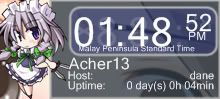 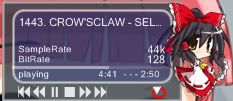 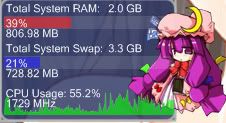 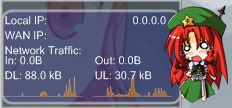 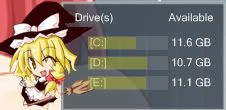 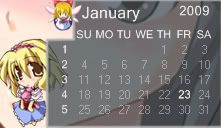 In case someone wants it, Touhou.7zip I just happen to remember this >.< |
|
|
May 10 2010, 08:56 PM
|

Junior Member
6 posts Joined: Aug 2008
|
QUOTE(skychilled @ Mar 30 2010, 01:02 PM) this 1 on december last year~~ bro..dont u mind telling me where to find lightning wallpaper ?? its really cool this 1 finished few days ago new skins from deviantart sorry not so nice~  |
|
|
May 10 2010, 11:48 PM
|
|
Junior Member
218 posts Joined: Nov 2009
|
QUOTE(eznis @ May 10 2010, 08:56 PM) bro..dont u mind telling me where to find lightning wallpaper ?? its really cool do you mean the weather skin at the top of the first page ?that skin didnt work anymore because accuweather doesn't give feed to rainmeter anymore |
|
|
May 11 2010, 12:05 AM
|
|
Junior Member
6 posts Joined: Aug 2008
|
QUOTE(skychilled @ May 10 2010, 11:48 PM) do you mean the weather skin at the top of the first page ? I mean the final fantasy girl wallpaper..the 2nd picture,a girl with sword (lightning) not the rainmeter skin..that skin didnt work anymore because accuweather doesn't give feed to rainmeter anymore 1 more thing i wanna to ask are there no more weather skin working anymore ? ? sorry for bad english thou.. This post has been edited by eznis: May 11 2010, 02:38 PM |
|
|
May 11 2010, 12:09 PM
|
|
Junior Member
218 posts Joined: Nov 2009
|
QUOTE(eznis @ May 11 2010, 12:05 AM) I mean the final fantasy girl wallpaper..the 2nd picture,a girl with sword (lightning) not the rainmeter skin.. you can get the wallpaper here 1 more thing i wanna to ask is are there no more weather skin working anymore ? ? sorry for bad english thou.. ( ill re-upload the single image later cuz my collage got connection problem) or you can get the full wallpaper HQ 720P pack below: HQ 720p wallpaper ok for the weather skin that work and a set up guide . follow the instruction below: Rainmeter detailed weather skin set up good luck mate =) |
|
|
May 11 2010, 03:35 PM
|
|
Junior Member
6 posts Joined: Aug 2008
|
QUOTE(skychilled @ May 11 2010, 12:09 PM) you can get the wallpaper here Thanks bro..you are the best..All working perfectly ( ill re-upload the single image later cuz my collage got connection problem) or you can get the full wallpaper HQ 720P pack below: HQ 720p wallpaper ok for the weather skin that work and a set up guide . follow the instruction below: Rainmeter detailed weather skin set up good luck mate =) |
|
|
May 12 2010, 11:00 AM
|
|
Junior Member
337 posts Joined: Feb 2009
|
I have just started on Rainmeter and am interested in the particular skin in the screenshot below.
Anyone know what it's called and where I can get it? Any help is appreciated. http://www.sevenforums.com/attachments/cus...-saver-asfs.png This post has been edited by fariz: May 12 2010, 11:01 AM |
|
|
May 17 2010, 10:39 AM
|

Junior Member
45 posts Joined: Aug 2009 From: Kuala Lumpur
|
i have one problem using rainmeter..
when i click show desktop everything will b minimize.. can i do anything to it that when i click show desktop it wont treat it as an application n stay in the background? i click the show desktop button very offen.. |
|
|
May 17 2010, 10:37 PM
|

Junior Member
24 posts Joined: Nov 2009
|
can share the theme link and ur code for those theme??
>> to eznis |
|
|
May 18 2010, 03:19 AM
|

Junior Member
97 posts Joined: Mar 2010
|
Hello every one...this is my desktop....enjoy....theme is various...one i know is the HUD vision and the weather from lexus and oh...the cpu and all those thingy is from chalk suite...change it the font only.. hope you like it^^
Attached thumbnail(s) 
|
|
|
May 18 2010, 10:43 AM
|
|
Senior Member
753 posts Joined: Jan 2008
|
nice one, im still trying to find one which is suitable for me though
|
|
|
May 18 2010, 06:39 PM
|
|
Newbie
1 posts Joined: Mar 2010
|
hey all ,
i dl-ed rainmeter on my comp and i done the enigma themes , but after i done it when i off my comp and i turn on it back my desktop is still the same any idea or any more str8 forward tutorials for me thanks and god bless you |
|
|
May 18 2010, 07:12 PM
|
|
Senior Member
1,419 posts Joined: Apr 2010
|
QUOTE(andykhoo @ May 18 2010, 06:39 PM) hey all , your desktop still the same? means? i dl-ed rainmeter on my comp and i done the enigma themes , but after i done it when i off my comp and i turn on it back my desktop is still the same any idea or any more str8 forward tutorials for me thanks and god bless you if u mean that rainmeter doesnt start up with your system, juz add a rainmeter shortcut to the startup folder |
|
|
May 18 2010, 08:15 PM
|
|
Senior Member
504 posts Joined: Feb 2010
|
--
This post has been edited by iRadiation: Jan 19 2018, 06:58 PM |
|
|
May 19 2010, 12:30 PM
|
|
Staff
5,054 posts Joined: Aug 2008
|
Just drag the Rainmeter executable file and place it in your startup folder... Or go to your program files and search for rainmeter and drag the rainmeter program to the startup folder which is also available in program files
|
|
|
May 19 2010, 05:56 PM
|
|
Junior Member
5 posts Joined: Feb 2010 From: USJ area
|
QUOTE(Nuclear_Crap @ Dec 26 2009, 01:48 PM) This is my first time using Rainmeter Rainmeter eats up quite some resources in my computer, so better not use it as it slows down computersits quite good looking and light Can anyone here guide me or give me the link to use or modified Rainmeter for look attractive? |
|
|
May 20 2010, 02:08 PM
|
|
Junior Member
218 posts Joined: Nov 2009
|
QUOTE(fuhui94 @ May 19 2010, 05:56 PM) Rainmeter eats up quite some resources in my computer, so better not use it as it slows down computers it depends on the update value of the variable it selfif u set the update value higher.. it will use less resource =) |
|
|
May 20 2010, 10:27 PM
|

Junior Member
14 posts Joined: Mar 2010
|
QUOTE(skychilled @ Mar 30 2010, 01:02 PM) this 1 on december last year~~ sifu...mind to share the second theme?this 1 finished few days ago new skins from deviantart sorry not so nice~ jz nid the docks..those icons looks cool |
|
|
May 21 2010, 12:23 AM
|

Senior Member
1,836 posts Joined: Dec 2007
|
here is mine.Nothing special really.
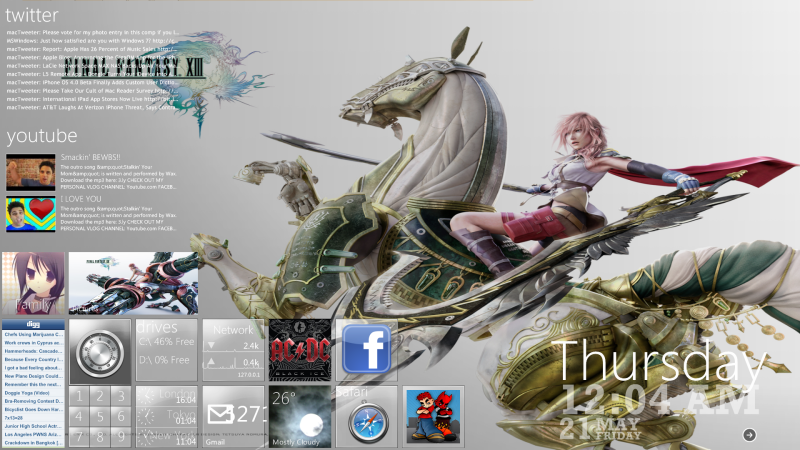 |
|
|
May 21 2010, 10:11 AM
|
|
Junior Member
7 posts Joined: Dec 2009
|
hi just started to learn how to customize my desktop yesterday..1 question here..how u guys let ur weather update on desktop?mine not working always no matter wat skin i use..any solution?need any code or anything?hope some1 will guide me..thanks
|
|
|
May 21 2010, 02:21 PM
|
|
Senior Member
1,836 posts Joined: Dec 2007
|
QUOTE(jieguoleh90 @ May 21 2010, 10:11 AM) hi just started to learn how to customize my desktop yesterday..1 question here..how u guys let ur weather update on desktop?mine not working always no matter wat skin i use..any solution?need any code or anything?hope some1 will guide me..thanks add this weather location code.MYXX0008 |
|
|
May 21 2010, 03:32 PM
|
|
Junior Member
7 posts Joined: Dec 2009
|
;Please visit http://www.rainmeter.net/locate_code ;to get your location code from AccuWeeather ;place code next to the "dest" below ; New York dest=10001 vLABEL.DESTINATION="New York"" where should i put at?tried alot time put beside dest..after refresh still not working..tq:) This post has been edited by jieguoleh90: May 21 2010, 03:47 PM |
|
|
May 22 2010, 12:43 PM
|
|
Senior Member
2,095 posts Joined: Oct 2005 From: 2�18' | 102�23'
|
Omnimo 2 battery power panel add-on with status alert !!!!
 more info --> HERE |
|
|
May 25 2010, 05:01 AM
|
|
Junior Member
97 posts Joined: Mar 2010
|
Wallpaper = Romantic Cottage from interfacelift
Visual Style = GSM Rainmeter = Simple Sentence 2 by White Baron... Hope you enjoy it. Attached thumbnail(s) 
|
|
|
May 25 2010, 04:32 PM
|
|
Junior Member
218 posts Joined: Nov 2009
|
QUOTE(spaceufo @ May 20 2010, 10:27 PM) sifu...mind to share the second theme? no mate please dont call me sifujz nid the docks..those icons looks cool that folder like thingy on the top right and left side is a rainmeter skin called p.i.l.e.u.s theme pack which u can search it from deviantart.com for the btm right side of the screen.. that is objectdock plus.. u can still get the free version from objectdock.com as for the icon inside the objectdock, i randomly download from some site... i cant remember.. ill reupload once my laptop are back from acer =) QUOTE(jieguoleh90 @ May 21 2010, 10:11 AM) hi just started to learn how to customize my desktop yesterday..1 question here..how u guys let ur weather update on desktop?mine not working always no matter wat skin i use..any solution?need any code or anything?hope some1 will guide me..thanks well you can check my weather setting guide which is located down here :or under my signature CODE http://forum.lowyat.net/index.php?showtopic=1272350&view=findpost&p=33332472 This post has been edited by skychilled: May 25 2010, 04:32 PM |
|
|
May 26 2010, 03:43 AM
|
|
Junior Member
326 posts Joined: Nov 2009
|
 |
|
|
May 26 2010, 10:03 AM
|
|
Senior Member
1,055 posts Joined: Aug 2009 From: 192.168.0.1
|
QUOTE(FinFin @ May 26 2010, 03:43 AM) looks cool |
|
|
May 26 2010, 09:06 PM
|

Senior Member
1,311 posts Joined: Nov 2006 From: peejay
|
hello.. here is my little simple rainmater + rocketdock creation !
 comments is highly welcomed ! |
|
|
May 28 2010, 06:49 PM
|

Senior Member
9,338 posts Joined: Mar 2010
|
errr..
I just started using Rainmeter today, but have some problem with it. there are 2 choices, Enigma and Gnombe. Which one? I downloaded Gnombe, how do I load my preferred skin? is it in notepad or copy the whole file in? like photoshop. this doesnt help much >> http://forum.lowyat.net/topic/125220 |
|
|
May 29 2010, 02:40 PM
|
|
Junior Member
254 posts Joined: Oct 2009
|
i can manage to come till this only
all of the software i using is official n free any suggestion or comment ? thx u This post has been edited by yong_lin94: May 29 2010, 02:42 PM |
|
|
May 29 2010, 06:36 PM
|

Junior Member
277 posts Joined: Dec 2008 From: Puchong
|
QUOTE(eznis @ May 10 2010, 09:56 PM) bro..dont u mind telling me where to find lightning wallpaper ?? its really cool skychilled, how to add my own media player, i'm using jet audio...plus other apps....show me the steps.... |
|
|
May 29 2010, 09:27 PM
|
|
Junior Member
218 posts Joined: Nov 2009
|
QUOTE(krk24 @ May 29 2010, 06:36 PM) skychilled, how to add my own media player, i'm using jet audio...plus other apps....show me the steps.... u might wanna check http://rainmeter.net/forum/ |
|
|
Jun 6 2010, 12:09 PM
|
|
Senior Member
1,017 posts Joined: Feb 2010 From: Terengganu
|
Here is mine!

|
|
|
Jun 6 2010, 05:26 PM
|
|
Junior Member
174 posts Joined: Sep 2009
|
Is rainmeter safe to use?
|
|
|
Jun 6 2010, 09:46 PM
|
|
Junior Member
184 posts Joined: Mar 2009
|
asking noob question here any differen if i choose to download 32 bits or 64 bits
|
|
|
Jun 7 2010, 12:31 AM
|
|
Senior Member
1,017 posts Joined: Feb 2010 From: Terengganu
|
QUOTE(apple96 @ Jun 6 2010, 05:26 PM) Is rainmeter safe to use? Absolutely safe!  |
|
|
Jun 7 2010, 01:31 AM
|

Junior Member
34 posts Joined: Apr 2007
|
QUOTE(FinFin @ May 26 2010, 03:43 AM) awesome~!!! |
|
|
Jun 7 2010, 10:09 AM
|
|
Junior Member
174 posts Joined: Sep 2009
|
QUOTE(faridaizuddin @ Jun 7 2010, 12:31 AM) Absolutely safe! Owh Thanks for ur help... |
|
|
Jun 7 2010, 10:22 AM
|
|
Senior Member
753 posts Joined: Jan 2008
|
QUOTE(faridaizuddin @ Jun 6 2010, 12:09 PM) Here is mine! so neat and tidy
|
|
|
Jun 7 2010, 11:56 AM
|
|
Junior Member
174 posts Joined: Sep 2009
|
How to get Rain Meter themes?
This post has been edited by apple96: Jun 7 2010, 02:14 PM |
|
|
Jun 7 2010, 03:06 PM
|
|
Senior Member
1,055 posts Joined: Aug 2009 From: 192.168.0.1
|
QUOTE(apple96 @ Jun 7 2010, 11:56 AM) How to get Rain Meter themes? here : http://browse.deviantart.com/customization...itor/rainmeter/ |
|
|
Jun 7 2010, 04:20 PM
|
|
Junior Member
174 posts Joined: Sep 2009
|
Hey Thanks
|
|
|
Jun 7 2010, 09:31 PM
|

Junior Member
59 posts Joined: Sep 2007
|
juz wanted to clarify sumthin.. by installing rainmeter into your system.. will it make your system become slower? do I have to be using some powerful pc/laptop to install it? as I'm using dell studio xps 16 wit i7, hd4670 and 4gb ram.. can rainmeter working well in my laptop??
|
|
|
Jun 7 2010, 11:35 PM
|

Junior Member
151 posts Joined: May 2009
|
QUOTE(maolnorlexu @ Jun 7 2010, 09:31 PM) juz wanted to clarify sumthin.. by installing rainmeter into your system.. will it make your system become slower? do I have to be using some powerful pc/laptop to install it? as I'm using dell studio xps 16 wit i7, hd4670 and 4gb ram.. can rainmeter working well in my laptop?? nope. i dont think so. in my system rainmeter only use around 15mb of my RAM. never face lag yet so far |
|
|
Jun 7 2010, 11:57 PM
|
|
Junior Member
174 posts Joined: Sep 2009
|
QUOTE(maolnorlexu @ Jun 7 2010, 09:31 PM) juz wanted to clarify sumthin.. by installing rainmeter into your system.. will it make your system become slower? do I have to be using some powerful pc/laptop to install it? as I'm using dell studio xps 16 wit i7, hd4670 and 4gb ram.. can rainmeter working well in my laptop?? Here : Rainmeter is working slowlyThis post has been edited by apple96: Jun 7 2010, 11:58 PM |
|
|
Jun 8 2010, 07:55 AM
|
|
Senior Member
2,696 posts Joined: Nov 2007 From: forum.lowyat.net
|
QUOTE(FinFin @ May 26 2010, 03:43 AM) |
|
|
Jun 8 2010, 07:00 PM
|
|
Junior Member
14 posts Joined: Jun 2010
|
i am really sorry guys, i really need ppl who can teach me step by step of this rain meter by msn, anyone pls? pm me..
|
|
|
Jun 8 2010, 07:17 PM
|
|
Junior Member
218 posts Joined: Nov 2009
|
pm me =)
|
|
|
Jun 9 2010, 12:56 AM
|

Junior Member
367 posts Joined: May 2010
|
QUOTE(FinFin @ May 26 2010, 03:43 AM) |
|
|
Jun 9 2010, 07:19 AM
|
|
Senior Member
2,696 posts Joined: Nov 2007 From: forum.lowyat.net
|
yeah finfin can share the theme?
|
|
|
Jun 9 2010, 10:03 AM
|

Senior Member
543 posts Joined: Jan 2009 From: Kuantan/Melaka
|
Woah nice ^^ FinFin
|
|
|
Jun 10 2010, 12:37 PM
|
|
Senior Member
3,657 posts Joined: Aug 2009
|
Im unable to edit the weather accu skin...Keep on showing N/A instead of my location temperature
|
|
|
Jun 10 2010, 01:41 PM
|
|
Junior Member
218 posts Joined: Nov 2009
|
QUOTE(Xiia0Ban @ Jun 10 2010, 12:37 PM) Im unable to edit the weather accu skin...Keep on showing N/A instead of my location temperature hi matei already explain earlier that accuweather.com has stop giving free feed to anyone including rainmeter why dont u try to grab a skin that getting feed from weather.com ? u can click on my sig for a "direction" good luck |
|
|
Jun 10 2010, 01:50 PM
|
|
Senior Member
3,657 posts Joined: Aug 2009
|
Im downloading it...Will post my noobie wallpaper when im done..btw
U all hide the window taskbar or closed it? Added on June 10, 2010, 1:52 pmIm unable to load the skin...How come?? This post has been edited by Xiia0Ban: Jun 10 2010, 01:52 PM |
|
|
Jun 10 2010, 01:55 PM
|
|
Junior Member
218 posts Joined: Nov 2009
|
QUOTE(Xiia0Ban @ Jun 10 2010, 01:50 PM) Im downloading it...Will post my noobie wallpaper when im done..btw make sure that u place the skin on the rite folderU all hide the window taskbar or closed it? Added on June 10, 2010, 1:52 pmIm unable to load the skin...How come?? and remember to press refresh all button or restart ur rainmeter ( not computer) just follow the instruction there |
|
|
Jun 10 2010, 02:04 PM
|
|
Senior Member
3,657 posts Joined: Aug 2009
|

Give some comment.. This post has been edited by Xiia0Ban: Jun 10 2010, 02:07 PM |
|
|
Jun 10 2010, 02:04 PM
|
|
Senior Member
2,696 posts Joined: Nov 2007 From: forum.lowyat.net
|
fin fin pleasse tell us where u got that themee
|
|
|
Jun 10 2010, 02:14 PM
|
|
Junior Member
218 posts Joined: Nov 2009
|
QUOTE(Xiia0Ban @ Jun 10 2010, 02:04 PM)
Give some comment.. QUOTE(Boomeraangkid @ Jun 10 2010, 02:04 PM) fin fin pleasse tell us where u got that themee let me guess .. p.i.l.e.u.s theme skin , hud vision white dustbin , hud vision@enigma rss feed , rocket dock just a wild guess tho |
|
|
Jun 10 2010, 02:15 PM
|
|
Senior Member
3,657 posts Joined: Aug 2009
|
Currently newbie in rainmeter..will learn future..
Added on June 10, 2010, 2:17 pmJust wonder shud i hide my taskbar?? This post has been edited by Xiia0Ban: Jun 10 2010, 02:17 PM |
|
|
Jun 10 2010, 02:24 PM
|
|
Junior Member
218 posts Joined: Nov 2009
|
QUOTE(Xiia0Ban @ Jun 10 2010, 02:15 PM) Currently newbie in rainmeter..will learn future.. everyone have a different taste on how thier desktop should look like.Added on June 10, 2010, 2:17 pmJust wonder shud i hide my taskbar?? for me i like more complicated stuff as they show me what happen on my system like this :  with some dock:  the dock is set to auto hide to preserve the blue theme depends on ur creativity , hiding ur taskbar will also make ur desktop look more clean |
|
|
Jun 10 2010, 02:25 PM
|
|
Senior Member
3,657 posts Joined: Aug 2009
|
I'll consider to hide it...but since i start to use computer i never hide it before, so just look weird for me when i hide it
Added on June 10, 2010, 2:37 pmJust found out,our Temperature is ?2 instead of C This post has been edited by Xiia0Ban: Jun 10 2010, 02:37 PM |
|
|
Jun 10 2010, 02:41 PM
|
|
Junior Member
218 posts Joined: Nov 2009
|
QUOTE(Xiia0Ban @ Jun 10 2010, 02:25 PM) I'll consider to hide it...but since i start to use computer i never hide it before, so just look weird for me when i hide it never even bother about thatAdded on June 10, 2010, 2:37 pmJust found out,our Temperature is ?2 instead of C just wanna know is rainin or snowin XD anyway if u got any questions shoot it out here mate |
|
|
Jun 10 2010, 02:45 PM
|
|
Senior Member
3,657 posts Joined: Aug 2009
|
Sure i'll..I still got alot of thing have to learn
Added on June 10, 2010, 3:31 pm QUOTE(skychilled @ Apr 26 2010, 10:56 PM) yeap ~ Just wanna ask where to change the response time?u got that 1 rite mate change the update time of cpu resource for 800 to 1000 millisecond would be great.. take less resource This post has been edited by Xiia0Ban: Jun 10 2010, 03:31 PM |
|
|
Jun 10 2010, 03:50 PM
|
|
Junior Member
367 posts Joined: May 2010
|
QUOTE(Xiia0Ban @ Jun 10 2010, 02:45 PM) Sure i'll..I still got alot of thing have to learn go to rainmeter.net search for tutorial there had teach somethings which newbie should learn it 1st Added on June 10, 2010, 3:31 pm Just wanna ask where to change the response time? |
|
|
Jun 10 2010, 04:02 PM
|
|
Senior Member
3,657 posts Joined: Aug 2009
|
Other than that??Can just show me where the place to change the response time??Im that type that dont read tutorial
|
|
|
Jun 10 2010, 04:14 PM
|
|
Junior Member
218 posts Joined: Nov 2009
|
weather update parameter have been set to 10000
so there's no need to change it |
|
|
Jun 10 2010, 04:20 PM
|

Senior Member
563 posts Joined: Apr 2005
|
QUOTE(spartacvs @ Dec 26 2009, 11:34 PM) » Click to show Spoiler - click again to hide... « That came to my mind too when I read the thread topic! |
|
|
Jun 10 2010, 04:43 PM
|
|
Senior Member
543 posts Joined: Jan 2009 From: Kuantan/Melaka
|
Just sharing my simple desktop modification ...... it simple because I like to change my desktop wallpaper every time
. It not finished though 

|
|
|
Jun 10 2010, 05:40 PM
|
|
Junior Member
218 posts Joined: Nov 2009
|
QUOTE(Xiia0Ban @ Jun 10 2010, 04:02 PM) Other than that??Can just show me where the place to change the response time??Im that type that dont read tutorial no one start to walk without crawling materight click at the skin and choose skin menu --> edit skin it always at the top of the text called "update" CODE [Rainmeter] Author=g3xter AppVersion=1.0 Update=1000 update depends on the function of the skin everything is in millisecond 1000=1 second ( if im not mistaken la) for cpu recourse i recommend 500-900 (more then this ur update will be laggy and if there is cpu graph it will be off the roof !!) weather 10000-20000 ( u doesn't need to update regularly isn't it ?) music player 350-550 (otherwise ur second counter will not accurate) network download/upload 350-550 cant think of others for now give it a try mate oh ya..if u use eset nod32 antivirus or eset smart security , make sure rainmeter folder in ur exclusion list for smoother run |
|
|
Jun 10 2010, 09:33 PM
|
|
Senior Member
2,696 posts Joined: Nov 2007 From: forum.lowyat.net
|
1st is there anyway to remove taskbar?
|
|
|
Jun 10 2010, 09:51 PM
|
|
Junior Member
218 posts Joined: Nov 2009
|
QUOTE(Boomeraangkid @ Jun 10 2010, 09:33 PM) 1st is there anyway to remove taskbar? check this out might be working on win7 too but.. taskbar is there for user to make their life much more easier check this out CODE http://www.makeuseof.com/tag/3-ways-to-get-rid-of-the-vista-task-bar/ hope it helps ~ This post has been edited by skychilled: Jun 10 2010, 09:52 PM |
|
|
Jun 10 2010, 10:01 PM
|
|
Senior Member
2,696 posts Joined: Nov 2007 From: forum.lowyat.net
|
thanks, but does objectdock affect my gaming?
|
|
|
Jun 10 2010, 10:19 PM
|
|
Senior Member
3,657 posts Joined: Aug 2009
|
QUOTE(skychilled @ Jun 10 2010, 05:40 PM) no one start to walk without crawling mate Oh thanks alot...Too bad my Kugou player dont have rainmeter skin..right click at the skin and choose skin menu --> edit skin it always at the top of the text called "update" CODE [Rainmeter] Author=g3xter AppVersion=1.0 Update=1000 update depends on the function of the skin everything is in millisecond 1000=1 second ( if im not mistaken la) for cpu recourse i recommend 500-900 (more then this ur update will be laggy and if there is cpu graph it will be off the roof !!) weather 10000-20000 ( u doesn't need to update regularly isn't it ?) music player 350-550 (otherwise ur second counter will not accurate) network download/upload 350-550 cant think of others for now give it a try mate oh ya..if u use eset nod32 antivirus or eset smart security , make sure rainmeter folder in ur exclusion list for smoother run |
|
|
Jun 10 2010, 10:56 PM
|
|
Senior Member
543 posts Joined: Jan 2009 From: Kuantan/Melaka
|
Objectdock a bit lag for me
try Rocketdock more OK |
|
|
Jun 10 2010, 11:07 PM
|
|
Senior Member
3,657 posts Joined: Aug 2009
|
I prfer objectdock plus...more function
|
|
|
Jun 10 2010, 11:41 PM
|

Junior Member
369 posts Joined: Jul 2009
|
mine
Attached thumbnail(s) 
|
|
|
Jun 11 2010, 07:14 AM
|
|
Senior Member
2,696 posts Joined: Nov 2007 From: forum.lowyat.net
|
any other way to remove taskbar besides objectdock?
|
|
|
Jun 11 2010, 09:38 PM
|
|
Junior Member
369 posts Joined: Jul 2009
|
how to make the rainmeter wont disappear when push the 'show desktop' button ?
|
|
|
Jun 11 2010, 10:36 PM
|

Senior Member
2,746 posts Joined: Mar 2006 From: 21st century
|
can anyone help?
i change the font colour for enigma but only when i click the colour cahnge but not when it is on idle |
|
|
Jun 12 2010, 12:04 AM
|
|
Junior Member
218 posts Joined: Nov 2009
|
QUOTE(munak991 @ Jun 11 2010, 10:36 PM) can anyone help? hi therei change the font colour for enigma but only when i click the colour cahnge but not when it is on idle can u please attach the enigma variable here? maybe i can figure it out  |
|
|
Jun 12 2010, 11:07 AM
|
|
Junior Member
59 posts Joined: Sep 2007
|
hey there skychilled.. can you explained to me step by step of rainmeter config coz I have a really bad time understanding the current steps in rainmeter tutorial posted at the first page lol
 |
|
|
Jun 12 2010, 01:57 PM
|
|
Junior Member
218 posts Joined: Nov 2009
|
QUOTE(maolnorlexu @ Jun 12 2010, 11:07 AM) hey there skychilled.. can you explained to me step by step of rainmeter config coz I have a really bad time understanding the current steps in rainmeter tutorial posted at the first page lol hi there please refer to my weather setting guide which is located here : Setting up working weather skin the basic of skin editing and variable changing is shown there or u can add my msn [pm] good luck |
|
|
Jun 12 2010, 03:29 PM
|

Senior Member
1,148 posts Joined: Jan 2009
|
any new rainmeter skin to share? xD
i got my comp decorated pretty nice now! |
|
|
Jun 15 2010, 01:09 PM
|
|
Junior Member
214 posts Joined: Jun 2008 From: Penang
|
QUOTE(skychilled @ Jun 10 2010, 02:24 PM) everyone have a different taste on how thier desktop should look like. Wow bro skychilled, your desktop looks marvelous. Mine to share the theme that you use and the icon?for me i like more complicated stuff as they show me what happen on my system like this : with some dock: the dock is set to auto hide to preserve the blue theme depends on ur creativity , hiding ur taskbar will also make ur desktop look more clean I'm new with rainmeter.. I will be firing a lot of shots here. Hopefully you will guide me along ^^ Thanks, |
|
|
Jun 15 2010, 07:52 PM
|
|
Junior Member
218 posts Joined: Nov 2009
|
QUOTE(tplus1 @ Jun 12 2010, 03:29 PM) any new rainmeter skin to share? xD you might wanna check rainmeter skin development section which is located here :i got my comp decorated pretty nice now! Rainmeter Skin Developement or maybe rainmeter section on deviantart.com located here : Rainmeter skin section on Deviantart.com or the last page that most user would go to Customize.org Rainmeter Section on Customize.org QUOTE(HSLimMic @ Jun 15 2010, 01:09 PM) Wow bro skychilled, your desktop looks marvelous. Mine to share the theme that you use and the icon? do you msn ?I'm new with rainmeter.. I will be firing a lot of shots here. Hopefully you will guide me along ^^ Thanks, |
|
|
Jun 15 2010, 09:49 PM
|
|
Senior Member
1,836 posts Joined: Dec 2007
|
QUOTE(skychilled @ Jun 15 2010, 07:52 PM) you might wanna check rainmeter skin development section which is located here : Rainmeter Skin Developement or maybe rainmeter section on deviantart.com located here : Rainmeter skin section on Deviantart.com or the last page that most user would go to Customize.org Rainmeter Section on Customize.org do you msn ? » Click to show Spoiler - click again to hide... «
|
|
|
Jun 19 2010, 05:35 PM
|
|
Senior Member
3,657 posts Joined: Aug 2009
|

Give me some idea to improve it...i unable to change my calender font colour Added on June 19, 2010, 5:38 pmforgot to remove the 2 icon Added on June 19, 2010, 6:20 pmBTW is there any temperature skin can share that can run without software like everest,speedfan and etc... This post has been edited by Xiia0Ban: Jun 19 2010, 06:20 PM |
|
|
Jun 20 2010, 12:04 AM
|

Junior Member
491 posts Joined: May 2007 From: [P]etaling [J]aya || [M]elbourne
|
Hi. I'm currently using a clock skin and is using a 24 hour format. but when it is 2am, it shows 2:00 am. How can i change it too have a "0" in front of the 2 to make it 02:00am?
|
|
|
Jun 20 2010, 01:07 AM
|

Junior Member
479 posts Joined: Jun 2010
|
Hey umm do it have all prepared donely.
Cause i'm kinda lazy to learn XD but willing to use it ._. excuse my lazyness. |
|
|
Jun 20 2010, 01:16 AM
|
|
Junior Member
143 posts Joined: Jul 2009 From: Currently at KL. From Malacca
|
Hey guys, can anyone pls list down step by step on how to install and how to use it to me?
i follow the tutorial that is list on the rainmeter site but i couldn't change setting for the rainmeter. im not very good in cumputer. so, anyone can list down step which is easier for me to understand and set up the rainmeter??? |
|
|
Jun 20 2010, 12:20 PM
|
|
Senior Member
3,657 posts Joined: Aug 2009
|
QUOTE(HyeoshinX @ Jun 20 2010, 12:04 AM) Hi. I'm currently using a clock skin and is using a 24 hour format. but when it is 2am, it shows 2:00 am. How can i change it too have a "0" in front of the 2 to make it 02:00am? post ur configuration of skin up to here?Added on June 20, 2010, 12:48 pmAny more weather skin working now except "Vision+weather by The sarge"? This post has been edited by Xiia0Ban: Jun 20 2010, 12:48 PM |
|
|
Jun 20 2010, 02:12 PM
|
|
Junior Member
491 posts Joined: May 2007 From: [P]etaling [J]aya || [M]elbourne
|
QUOTE(Xiia0Ban @ Jun 20 2010, 12:20 PM) post ur configuration of skin up to here? Here it is:» Click to show Spoiler - click again to hide... « |
|
|
Jun 21 2010, 09:29 PM
|
|
Senior Member
543 posts Joined: Jan 2009 From: Kuantan/Melaka
|
Hmm you all should test the Rainstaller by Poiru more suitable for beginner to learn the concept of rainmeter >.<. But for advance people its nothing ~.~
|
|
|
Jun 21 2010, 11:51 PM
|
|
Junior Member
459 posts Joined: Apr 2010 From: Malaysia
|
skychilled bro~ how to u sync ur music player and also the lyric with rainmeter? teach me thx !
|
|
|
Jun 22 2010, 09:38 AM
|
|
Junior Member
59 posts Joined: Sep 2007
|
morning guys.. anyone have any source of where can I get HD HUD wallpaper? |
|
|
Jun 26 2010, 10:10 PM
|
|
Senior Member
1,055 posts Joined: Aug 2009 From: 192.168.0.1
|
QUOTE(kimwee85 @ Jun 20 2010, 01:16 AM) Hey guys, can anyone pls list down step by step on how to install and how to use it to me? read from the 1st posti follow the tutorial that is list on the rainmeter site but i couldn't change setting for the rainmeter. im not very good in cumputer. so, anyone can list down step which is easier for me to understand and set up the rainmeter??? then u should know how to setting ur rainmeter |
|
|
Jun 30 2010, 05:19 PM
|

Senior Member
808 posts Joined: May 2010
|
skychilled...May i know how u edit the font color of Pileus?
do mind teach me? thanks |
|
|
Jun 30 2010, 07:41 PM
|
|
Junior Member
218 posts Joined: Nov 2009
|
QUOTE(MsPopcorn @ Jun 30 2010, 05:19 PM) skychilled...May i know how u edit the font color of Pileus? head to "my document--> rainmeteR->skins->pileus->resource->variables"do mind teach me? thanks you shuld find an INC file named "pileusvariable" double click on it and you should know how to figure out from there =) good luck |
|
|
Jul 1 2010, 01:54 AM
|
|
Senior Member
808 posts Joined: May 2010
|
QUOTE(skychilled @ Jun 30 2010, 07:41 PM) head to "my document--> rainmeteR->skins->pileus->resource->variables" its INC format..no idea what software to open.you shuld find an INC file named "pileusvariable" double click on it and you should know how to figure out from there =) good luck Btw..i just need the font color to change into white since my wallie is black. Mind to write the code for me? |
|
|
Jul 1 2010, 09:57 PM
|
|
Junior Member
218 posts Joined: Nov 2009
|
QUOTE(MsPopcorn @ Jul 1 2010, 01:54 AM) its INC format..no idea what software to open. right click and open with notepad =)Btw..i just need the font color to change into white since my wallie is black. Mind to write the code for me? for the color code , google rgb colour chart and choose which one is suitable for you =) i did post earlier (around 2 month ago in this post ! scroll it down XD) about how to change font color good luck mate |
|
|
Jul 2 2010, 03:50 PM
|
|
Senior Member
808 posts Joined: May 2010
|
QUOTE(skychilled @ Jul 1 2010, 09:57 PM) right click and open with notepad =) thx thx...starting i tot nid a software to open INC..who knows after google, just open with notepad.. for the color code , google rgb colour chart and choose which one is suitable for you =) i did post earlier (around 2 month ago in this post ! scroll it down XD) about how to change font color good luck mate  anyway..thx for ur guidance |
|
|
Jul 4 2010, 02:25 PM
|
|
Senior Member
3,657 posts Joined: Aug 2009
|
Just wonder why my rainmeter skin took a long time to load after i installed Pileus skin?
|
|
|
Jul 4 2010, 09:30 PM
|

Senior Member
998 posts Joined: Feb 2009 From: Jesse Pinkman's house
|
I still don't get it lol
How to change the icons? and the dock above, how to remove it o.O 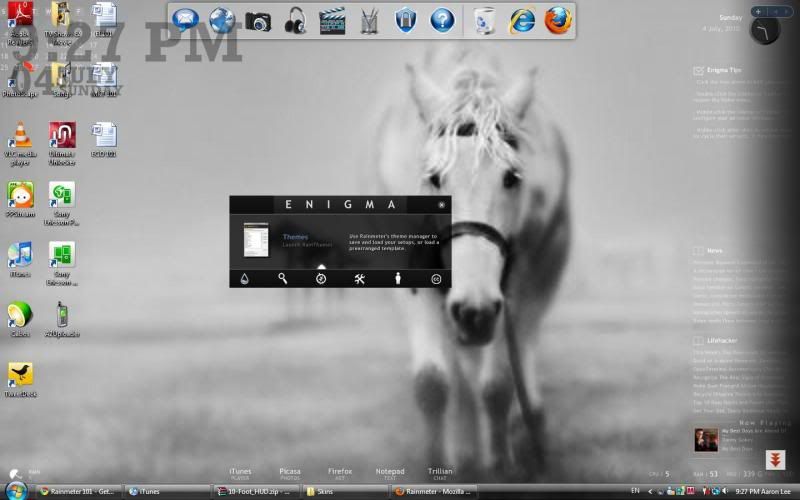 |
|
|
Jul 4 2010, 11:15 PM
|
|
Junior Member
218 posts Joined: Nov 2009
|
QUOTE(Xiia0Ban @ Jul 4 2010, 02:25 PM) Just wonder why my rainmeter skin took a long time to load after i installed Pileus skin? well u need to put rainmeter in ur antivirus exclusion list as rainmeter crawl around ur system and ur antivirus might be thinkin that it is a virus and do a routine check. it really time consuming, sometimes it will go even as long as 3 minutes ! but after i include it on my eset smart security exclusion list, its goes on really well. skin loading took roughly 10 sec =)QUOTE(elm0001 @ Jul 4 2010, 09:30 PM) I still don't get it lol which icon that u wanna change ?How to change the icons? and the dock above, how to remove it o.O oh ya, the dock is rocket dock is it ? just right click on it and press quit,or u can hide it by right clickin on it and press auto-hide function , if u want to remove it permanently ,simply uninstall it hope this helps This post has been edited by skychilled: Jul 4 2010, 11:16 PM |
|
|
Jul 5 2010, 03:47 PM
|
|
Senior Member
998 posts Joined: Feb 2009 From: Jesse Pinkman's house
|
QUOTE(skychilled @ Jul 4 2010, 11:15 PM) which icon that u wanna change ? likeoh ya, the dock is rocket dock is it ? just right click on it and press quit,or u can hide it by right clickin on it and press auto-hide function , if u want to remove it permanently ,simply uninstall it hope this helps nope, not rocketdock. It's window's one lol how to change the icons like the pic above? movies, pictures, music, assignments .. all those. I wanna change my icons (PPS, iTunes etc.) to those and the dock seems cool, how to make it lol and how to remove the taskbar like you guys? I hide the taskbar, but when I minimized any windows, I need to show back the taskbar in order to maximize them. //edited, how to change the rocketdock so that it won't follow me when I'm surfing the net? 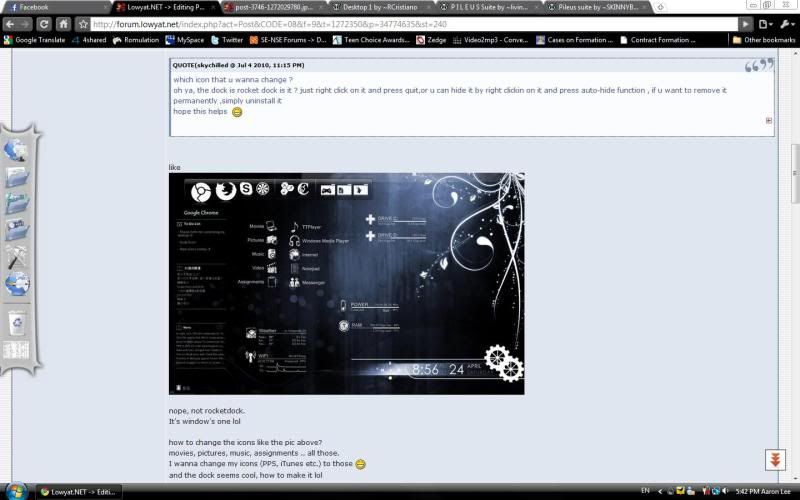 the dock is at the left side when I'm surfing the net. How to set this so that it only appears on desktop? and I've changed until like this. Just need to change the icons and the taskbar. I downloaded the Pileus icons from here and put them in the Skins folder, but I couldn't find them at config. It can't read png. files? 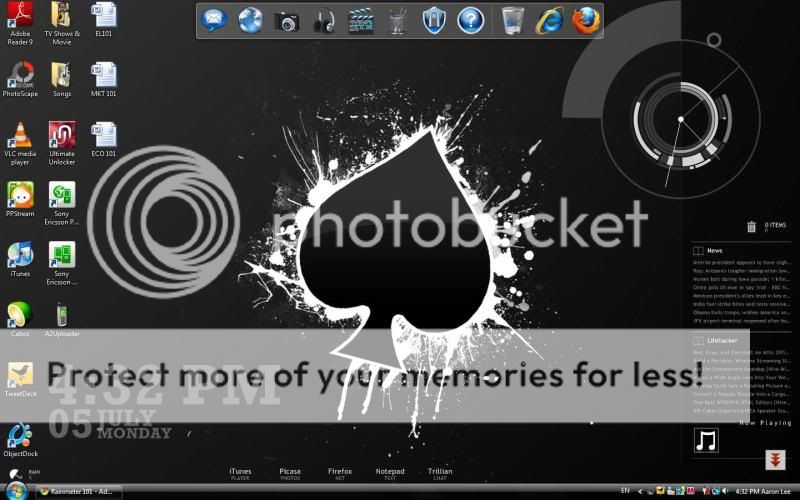 This post has been edited by elm0001: Jul 5 2010, 06:07 PM |
|
|
Jul 5 2010, 06:45 PM
|
|
Junior Member
218 posts Joined: Nov 2009
|
QUOTE(elm0001 @ Jul 5 2010, 03:47 PM) the dock is at the left side when I'm surfing the net. How to set this so that it only appears on desktop? well of course u cant do like what he's done to his desktopand I've changed until like this. Just need to change the icons and the taskbar. I downloaded the Pileus icons from here and put them in the Skins folder, but I couldn't find them at config. he is using the pileus rainmeter theme it self. u need the skins, not the icon because what he have there is the skin application launcher, not a simple windows icons . press --> for pileus theme skins P.I.L.E.U.S Rainmeter Theme Skin. download it, extract it, place it on ur "Documents->rainmeter->skins" after that restart or refresh all ur rainmeter for it to detect the new skins =) from there, u need to place the icons that u download earlier inside "Documents->rainmeter->skins->Pileus->Resource->image (make a new folder called icon 3and place it there) then again, u need to change the variables for the application launcher to work by going to "Documents->rainmeter->skins->Pileus->Resource->variables and double click on the "pileus variables" (if it asked u what software to open with , simply choose notepad)". scroll down until "launcher" secitons . Below is some example on how to get it rite ! CODE App2Name=WinAmp App2Location=C:\Program Files\Winamp\winamp.exe App3Name=FireFox App3Location=C:\Program Files\Shiretoko\firefox.exe App4Name=Notepad App4Location=notepad.exe App5Name=Messenger App5Location=C:\Program Files\Windows Live\Messenger\msnmsgr.exe Folder1Name=FeiFei Folder1Location=C:\Users\FeiFei\Documents after finish editing the rite path, dont close it yet !! ok after u do that , u might wanna change it with the icon that u download earlier , to do so , scroll up the pileus varialbes until u found "Icons" from there, if u ONLY need to change the icons for the application launcher of the theme , u just need to change this here " CODE IconApp1=lion IconApp2=headphones IconApp3=globe2 IconApp4=note IconApp5=couple IconFolder1=star2 IconFolder2=camera IconFolder3=speaker IconFolder4=clapper IconFolder5=gear3 ok , so for the dock, right click on it and go to Dock setting ->position, see the layering options there change it to normal. most of us simply hide the taskbar, but well if u wanna remove it , there is some way in vista that i know either u use windows blind, object dock or some patcher to permanently remove it hope this helps. This post has been edited by skychilled: Jul 5 2010, 06:56 PM |
|
|
Jul 5 2010, 08:01 PM
|
|
Senior Member
998 posts Joined: Feb 2009 From: Jesse Pinkman's house
|
so when I've done all those stuffs.
So now I need to right click the rainmeter config > pelius installer > data > skins > pileus > resources > images? It can't go further more when I point at images. This post has been edited by elm0001: Jul 5 2010, 08:50 PM |
|
|
Jul 5 2010, 09:10 PM
|
|
Junior Member
218 posts Joined: Nov 2009
|
QUOTE(elm0001 @ Jul 5 2010, 08:01 PM) so when I've done all those stuffs. i was waiting for your reply , if i continue in the previous post u will get blur-er! So now I need to right click the rainmeter config > pelius installer > data > skins > pileus > resources > images? It can't go further more when I point at images. ehem ! ok here it is , firstly , head to "Document->rainmeter->Skins->pileus->resource->variables . click pileus variables. scroll down until u find which icon that u wanna change it , now go to "Document->rainmeter->Skins->pileus->resource->Image->icon 3 (the one that u just downloaded) and copy the name of which one that u wanna change . For example , CODE IconApp1=lion <- (change this 1 with the image name , make sure the image name is not the same, otherwise u IconApp2=headphones need to change it ) IconApp3=globe2 (each of the name after the "=" sign is the icons name, change according to ur desire) IconApp4=note IconApp5=couple finally , save and quit the variables, and after that , press refresh all button to see the changes walla ~ |
|
|
Jul 5 2010, 09:16 PM
|
|
Senior Member
998 posts Joined: Feb 2009 From: Jesse Pinkman's house
|
QUOTE(skychilled @ Jul 5 2010, 09:10 PM) i was waiting for your reply , if i continue in the previous post u will get blur-er! Do i need to change the file name also? ehem ! ok here it is , firstly , head to "Document->rainmeter->Skins->pileus->resource->variables . click pileus variables. scroll down until u find which icon that u wanna change it , now go to "Document->rainmeter->Skins->pileus->resource->Image->icon 3 (the one that u just downloaded) and copy the name of which one that u wanna change . For example , CODE IconApp1=lion <- (change this 1 with the image name , make sure the image name is not the same, otherwise u IconApp2=headphones need to change it ) IconApp3=globe2 (each of the name after the "=" sign is the icons name, change according to ur desire) IconApp4=note IconApp5=couple finally , save and quit the variables, and after that , press refresh all button to see the changes walla ~ Like the original one White Paint Platter (3), so I need to change it to 090320-black-paint-splatter-icon-signs-full-set (which I've downloaded)? |
|
|
Jul 5 2010, 09:26 PM
|
|
Junior Member
218 posts Joined: Nov 2009
|
QUOTE(elm0001 @ Jul 5 2010, 09:16 PM) Do i need to change the file name also? well if the name of "EACH" icon is the same with the others, u need to change it , otherwise u just copy paste the name into the variablesLike the original one White Paint Platter (3), so I need to change it to 090320-black-paint-splatter-icon-signs-full-set (which I've downloaded)? do some experimentation and u know what i mean good luck |
|
|
Jul 5 2010, 09:36 PM
|
|
Senior Member
998 posts Joined: Feb 2009 From: Jesse Pinkman's house
|
QUOTE(skychilled @ Jul 5 2010, 09:26 PM) well if the name of "EACH" icon is the same with the others, u need to change it , otherwise u just copy paste the name into the variables i'm gonna faint lol do some experimentation and u know what i mean good luck oh, means if I press the refresh all, the icons will change automatically? This post has been edited by elm0001: Jul 5 2010, 09:39 PM |
|
|
Jul 5 2010, 09:42 PM
|
|
Junior Member
218 posts Joined: Nov 2009
|
only after u change the icon name inside the pileus variable when u press refresh all it will change , if not u wont get it rite mate =p
not the icon folder, but each of the image it self. This post has been edited by skychilled: Jul 5 2010, 09:43 PM |
|
|
Jul 5 2010, 09:50 PM
|
|
Senior Member
998 posts Joined: Feb 2009 From: Jesse Pinkman's house
|
CODE ;_____ I C O N S _____________ ;All the white icons were painstakingly inverted by SKINNYBOX - http://skinnybox.deviantart.com/ ;Black Paint Splatter (1), Black Grunge Stamp (2), White Paint Platter (3), White Grunge Stamp (4) ;You'll also have to change the ClockSize down in the Clock section. Icon Set=2 IconSize=50 ;To change the icons on any skin, just browse through the ;Skins\Pileus\Resources\Images folder and find the icon you want. ;Simply copy the name (without the ".png") of the image you want ;into the corresponding variable here, save this file, and refresh your skin.;) IconSystem=cube IconCPU=brain IconRAM=guage IconHDD1=plus IconHDD2=plus IconHDD3=plus IconHDD4=plus IconPWR=battery IconWIFI=wifi IconToDo=check IconIdeas=nuclear IconApp1=131628-whitewashed-star-patterned-icon-social-media-logos-shout-wire-logo2 IconApp2=131563-whitewashed-star-patterned-icon-social-media-logos-designfloat IconApp3=131569-whitewashed-star-patterned-icon-social-media-logos-diglog IconApp4=131647-whitewashed-star-patterned-icon-social-media-logos-twitter-bird3 IconApp5=131643-whitewashed-star-patterned-icon-social-media-logos-technorati-logo2 IconFolder1=131560-whitewashed-star-patterned-icon-social-media-logos-designbump-logo-square IconFolder2=131553-whitewashed-star-patterned-icon-social-media-logos-blinklist-logo IconFolder3=131557-whitewashed-star-patterned-icon-social-media-logos-blogmarks-logo IconFolder4=131559-whitewashed-star-patterned-icon-social-media-logos-delicious IconFolder5=131565-whitewashed-star-patterned-icon-social-media-logos-digg-square IconCrest=lion IconWeather=weather IconWorldWeather=globe3 IconWinAmp=lightning IconRSS1=RSS4 IconRSS2=RSS1 IconRSS3=RSS2 IconActive=dots IconActive2=square IconOver=target CODE ;_____ L A U N C H E R S ________ ;To turn the Launchers' lines on (0) or off (1), change this variable. ShowLauncherLine=0 ;App#Name or Folder#Name is the title that's displayed next to the link icon. ;App#Location or Folder#Location is the pathname to the folder or program you want to link to. ;You'll probably have to change all of them, except notepad and, if you're using Vista, firefox and windows live messenger if you use them. App1Name=iTunes App1Location=C:\Program Files\iTunes\iTunes.exe App2Name=Mozilla Firefox App2Location=C:\Program Files\Mozilla Firefox\firefox.exe App3Name=PhotoScape App3Location=C:\Program Files\PhotoScape\PhotoScape.exe App4Name=TweetDeck App4Location=C:\Program Files\TweetDeck\TweetDeck.exe App5Name=Messenger App5Location=C:\Program Files\Windows Live\Messenger\msnmsgr.exe Folder1Name=Downloads Folder1Location=C:\Users\Lee\Downloads Folder2Name=Bluetooth Pictures Folder2Location=C:\Users\Lee\Documents\Bluetooth Exchange Folder Folder3Name=Music Folder3Location=C:\Users\Lee\Music Folder4Name=Video Folder4Location=C:\Users\Lee\Videos Folder5Name=College Stuffs Folder5Location=C:\Users\Lee\Documents\College Stuffs CrestSize=512 This is the icons that I downloaded D: This post has been edited by elm0001: Jul 5 2010, 09:50 PM |
|
|
Jul 5 2010, 11:36 PM
|
|
Junior Member
218 posts Joined: Nov 2009
|
thats should work fine .
does it ? |
|
|
Jul 6 2010, 01:17 AM
|
|
Junior Member
17 posts Joined: Jun 2010
|
Hi,I am new to use rainmeter,but I had face some problem when customize it.That is some error say that a customizable resource meter has stopped working and force my rainmeter to close.
|
|
|
Jul 6 2010, 01:33 AM
|
|
Junior Member
218 posts Joined: Nov 2009
|
QUOTE(jenzlee @ Jul 6 2010, 01:17 AM) Hi,I am new to use rainmeter,but I had face some problem when customize it.That is some error say that a customizable resource meter has stopped working and force my rainmeter to close. make sure that u do the rite things, not all the variables inside rainmeter can be change ( depends on ur knowledge on it)how about u try to reinstall it . take some guidance from this thread and make ur way to the top =) good luck mate  |
|
|
Jul 6 2010, 01:46 AM
|
|
Junior Member
17 posts Joined: Jun 2010
|
QUOTE(skychilled @ Jul 6 2010, 01:33 AM) make sure that u do the rite things, not all the variables inside rainmeter can be change ( depends on ur knowledge on it) It will just happened when I used pileus skin and after I add pileus skin in the rainmeter,it does work,even the clock cannot be show out.Please help,thanks!how about u try to reinstall it . take some guidance from this thread and make ur way to the top =) good luck mate |
|
|
Jul 6 2010, 02:11 AM
|

Junior Member
119 posts Joined: May 2008
|
hye~...is there anyone knows how to set japanese font in the twitter feed in Omnimo 2?
here's my desktop screenshot...all the japanese words appear unreadable -__-" » Click to show Spoiler - click again to hide... « |
|
|
Jul 6 2010, 12:24 PM
|
|
Senior Member
998 posts Joined: Feb 2009 From: Jesse Pinkman's house
|
QUOTE(skychilled @ Jul 5 2010, 11:36 PM) thats should work fine . nope, it didn't work does it ? |
|
|
Jul 6 2010, 01:12 PM
|
|
Junior Member
218 posts Joined: Nov 2009
|
QUOTE(elm0001 @ Jul 6 2010, 12:24 PM) nope, it didn't work read my instructions carefully, u might miss some steps thereAdded on July 6, 2010, 1:25 pm QUOTE(Fuji-San88 @ Jul 6 2010, 02:11 AM) hye~...is there anyone knows how to set japanese font in the twitter feed in Omnimo 2? u need to ask the creator of that skin to modified the regexp for ur japs language here's my desktop screenshot...all the japanese words appear unreadable -__-" » Click to show Spoiler - click again to hide... « This post has been edited by skychilled: Jul 6 2010, 01:25 PM |
|
|
Jul 6 2010, 09:22 PM
|
|
Senior Member
998 posts Joined: Feb 2009 From: Jesse Pinkman's house
|
omg that's weird then D:
even when I use the original icons (from the downloaded file), the icons didn't change also lol. This post has been edited by elm0001: Jul 6 2010, 09:31 PM |
|
|
Jul 7 2010, 01:40 AM
|
|
Junior Member
218 posts Joined: Nov 2009
|
QUOTE(elm0001 @ Jul 6 2010, 09:22 PM) omg that's weird then D: try to rename the icon without the "-" dash. rename it with simple one like firsticon1 or something like thateven when I use the original icons (from the downloaded file), the icons didn't change also lol. let me know, cuz i dont have the problem like u got |
|
|
Jul 7 2010, 07:14 PM
|
|
Senior Member
998 posts Joined: Feb 2009 From: Jesse Pinkman's house
|
QUOTE(skychilled @ Jul 7 2010, 01:40 AM) try to rename the icon without the "-" dash. rename it with simple one like firsticon1 or something like that slap me please LOLlet me know, cuz i dont have the problem like u got I got it now! You know what  there's reinstaller inside the file there's reinstaller inside the filebut then I didn't install it anyway, thanks skychilled!! You rocks!! but 1 problem, I downloaded the font I want. I did put them in the fonts folder. and then I edited in the variables file. but then the fonts didn't change eh? This post has been edited by elm0001: Jul 7 2010, 09:39 PM |
|
|
Jul 7 2010, 10:00 PM
|
|
Junior Member
218 posts Joined: Nov 2009
|
QUOTE(elm0001 @ Jul 7 2010, 07:14 PM) slap me please LOL which font folder that u put in ? was it inside the theme on my document ?I got it now! You know what there's reinstaller inside the filebut then I didn't install it anyway, thanks skychilled!! You rocks!! but 1 problem, I downloaded the font I want. I did put them in the fonts folder. and then I edited in the variables file. but then the fonts didn't change eh? u need to put it inside c:-->windows--> fonts move it or install it there then only when u change the variable inside the font will change otherwise it wont make sure u write the exact same name for the font and 1 more thing , congratz on settin up ur desktop . may i have a glance on it ? post ur screen shot here ma te =) |
|
|
Jul 7 2010, 10:05 PM
|
|
Senior Member
998 posts Joined: Feb 2009 From: Jesse Pinkman's house
|
haha sure!
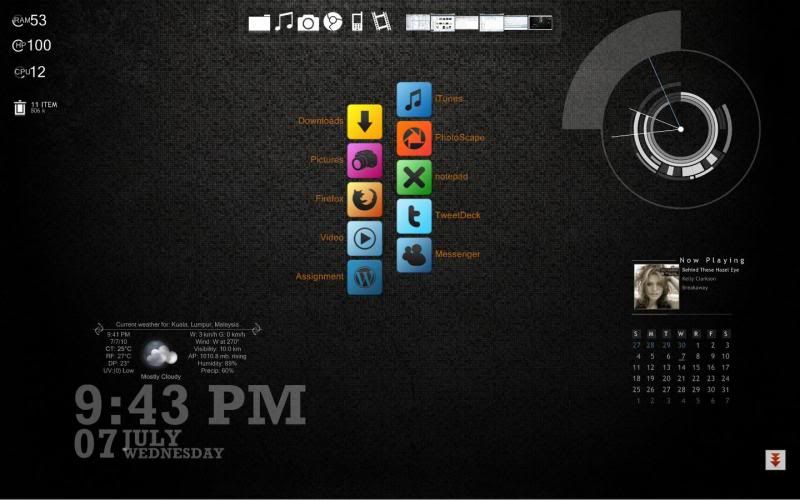 oh, i put it in the control panel > fonts. but i checked in the windows > fonts, the font is there ;O but it didn't change tho. This post has been edited by elm0001: Jul 7 2010, 10:22 PM |
|
|
Jul 7 2010, 10:31 PM
|
|
Junior Member
218 posts Joined: Nov 2009
|
QUOTE(elm0001 @ Jul 7 2010, 10:05 PM) haha sure! change the "titlefont" not the "font name" inside the pileus variable located in oh, i put it in the control panel > fonts. but i checked in the windows > fonts, the font is there ;O but it didn't change tho. document->rainmeter->skins->pileus->resource->variable after that try to refresh all and see the change =) i believe u were looking for these  press the name below to download  Corner Calender good luck mate |
|
|
Jul 8 2010, 03:21 PM
|
|
Senior Member
998 posts Joined: Feb 2009 From: Jesse Pinkman's house
|
QUOTE(skychilled @ Jul 7 2010, 10:31 PM) change the "titlefont" not the "font name" inside the pileus variable located in thanks dude!! document->rainmeter->skins->pileus->resource->variable after that try to refresh all and see the change =) i believe u were looking for these press the name below to download Corner Calender good luck mate  |
|
|
Jul 8 2010, 04:11 PM
|
|
Junior Member
218 posts Joined: Nov 2009
|
QUOTE(elm0001 @ Jul 8 2010, 03:21 PM) thanks dude!! no problem =)well if u have any further questions shoot it here |
|
|
Jul 8 2010, 04:30 PM
|
|
Senior Member
998 posts Joined: Feb 2009 From: Jesse Pinkman's house
|
btw, how to make the icons horizontal while it's vertical?
like the screenshot. the icons are in vertical, but i wanna change to horizontal. This post has been edited by elm0001: Jul 8 2010, 04:31 PM |
|
|
Jul 8 2010, 08:12 PM
|
|
Junior Member
218 posts Joined: Nov 2009
|
QUOTE(elm0001 @ Jul 8 2010, 04:30 PM) btw, how to make the icons horizontal while it's vertical? u need to re-wrote the regexp variable there , which i also hv no idea of what that is =(like the screenshot. the icons are in vertical, but i wanna change to horizontal. cant help mate |
|
|
Jul 11 2010, 12:49 AM
|

Senior Member
4,928 posts Joined: Feb 2008 From: /K/opitiam Pak Hang Status: Permaban
|
can anyone help me why i alway get this error...
'you have no configuration bla2....' but everything is ok wif rainmeter.. |
|
|
Jul 13 2010, 11:48 PM
|

Junior Member
48 posts Joined: Oct 2006
|
wonder why the temperature shows symbol --->?? and "?
[attachmentid=1674997] |
|
|
Jul 15 2010, 09:02 PM
|
|
Junior Member
18 posts Joined: May 2009
|
i am a new user of rainmeter....so,i nid ur help to teach me on how to use rainmeter....
i already install rainmeter but dunno how 2 customize my desktop...i search for the internet,there are many cool example on clock, calender and other apps cannot choose in the list...why ? what is the different between skin and themes and wer can i get the cool skin and themes? who can teach me pls pm me...our leave a msg / link which is helpful at below.... regards... |
|
|
Jul 15 2010, 10:11 PM
|
|
Senior Member
2,696 posts Joined: Nov 2007 From: forum.lowyat.net
|
ah skychilled, how to change the weather for pileus again?
|
|
|
Jul 15 2010, 10:15 PM
|

Senior Member
676 posts Joined: Nov 2005 From: Shah Alam
|
QUOTE(soon881110 @ Jul 15 2010, 09:02 PM) i am a new user of rainmeter....so,i nid ur help to teach me on how to use rainmeter.... http://rainmeter.net/RainCMS/?q=Rainmeter101i already install rainmeter but dunno how 2 customize my desktop...i search for the internet,there are many cool example on clock, calender and other apps cannot choose in the list...why ? what is the different between skin and themes and wer can i get the cool skin and themes? who can teach me pls pm me...our leave a msg / link which is helpful at below.... regards... If it helps... |
|
|
Jul 16 2010, 03:29 PM
|
|
Senior Member
808 posts Joined: May 2010
|
deleted
This post has been edited by MsPopcorn: Jul 17 2010, 01:50 PM |
|
|
Jul 18 2010, 12:55 PM
|

Junior Member
179 posts Joined: Mar 2009
|
Hello skychilled!
Can i ask something about your Blue Vision V0.2? Here my questions 1. Can i change RSS Reader to any local newspaper like berita harian or metro 2. For temperatures gadget, did i must run speedfan always? From my observation, when i close speedfan, the value at temperature gadget become 0 Sorry for my bad english..btw your skin really great! Love it This post has been edited by PirateKing: Jul 18 2010, 01:43 PM |
|
|
Jul 18 2010, 01:19 PM
|

Senior Member
517 posts Joined: Aug 2007 From: Melaka
|
QUOTE(anglepeace @ Jul 14 2010, 01:48 AM) wonder why the temperature shows symbol --->?? and "? Probably because the code written to display ° cannot be recognized by your computer. See if you can find some weird text after the command Postfix=, then replace the weird text with the correct symbol (type ALT+0176).[attachmentid=1674997] |
|
|
Jul 18 2010, 05:13 PM
|
|
Junior Member
45 posts Joined: Aug 2009 From: Kuala Lumpur
|

share my desktop. |
|
|
Jul 18 2010, 06:06 PM
|
|
Junior Member
218 posts Joined: Nov 2009
|
QUOTE(PirateKing @ Jul 18 2010, 12:55 PM) Hello skychilled! hey there Can i ask something about your Blue Vision V0.2? Here my questions 1. Can i change RSS Reader to any local newspaper like berita harian or metro 2. For temperatures gadget, did i must run speedfan always? From my observation, when i close speedfan, the value at temperature gadget become 0 Sorry for my bad english..btw your skin really great! Love it yes u can , but u need to add a few variables in order for the skin to work with ur need firstly u need to know if there is RSS feed for the local news paper then after u found out the link for the RSS feed simply right click on the skin"skin menu->edit skin" then scroll down until u saw this : CODE ; RSS WEBSITE vURL=http://newsrss.bbc.co.uk/ eVIEWER=explorer.exe ;RSS URL URL=http://newsrss.bbc.co.uk/rss/newsonline_world_edition/front_page/rss.xml change the RSS url with the link that u found earlier. ok so for the speedfan , yes it need to be opened each time u want the temperature to be displayed u can simply add/dragged the speedfan.exe into ur startup folder located in "start->allprograms->startup" hope this helps =) |
|
|
Jul 18 2010, 09:36 PM
|
|
Senior Member
2,696 posts Joined: Nov 2007 From: forum.lowyat.net
|
QUOTE(lexboy85 @ Jul 18 2010, 05:13 PM)
share my desktop. |
|
|
Jul 18 2010, 10:02 PM
|

Senior Member
644 posts Joined: Dec 2006
|
Downloading now.~~ trying later
|
|
|
Jul 18 2010, 10:53 PM
|
|
Junior Member
48 posts Joined: Oct 2006
|
QUOTE(caspersky @ Jul 18 2010, 02:19 PM) Probably because the code written to display ° cannot be recognized by your computer. See if you can find some weird text after the command Postfix=, then replace the weird text with the correct symbol (type ALT+0176). thx dude..it's work |
|
|
Jul 18 2010, 11:48 PM
|
|
Senior Member
3,657 posts Joined: Aug 2009
|
QUOTE(caspersky @ Jul 18 2010, 01:19 PM) Probably because the code written to display ° cannot be recognized by your computer. See if you can find some weird text after the command Postfix=, then replace the weird text with the correct symbol (type ALT+0176). btw how u get those code? |
|
|
Jul 19 2010, 12:05 AM
|
|
Junior Member
179 posts Joined: Mar 2009
|
QUOTE(skychilled @ Jul 18 2010, 06:06 PM) hey there ok bro..thnks..it work now yes u can , but u need to add a few variables in order for the skin to work with ur need firstly u need to know if there is RSS feed for the local news paper then after u found out the link for the RSS feed simply right click on the skin"skin menu->edit skin" then scroll down until u saw this : CODE ; RSS WEBSITE vURL=http://newsrss.bbc.co.uk/ eVIEWER=explorer.exe ;RSS URL URL=http://newsrss.bbc.co.uk/rss/newsonline_world_edition/front_page/rss.xml change the RSS url with the link that u found earlier. hope this helps =) btw, i playing around with the skin just now, after looking the whole skin, i want to remove some..is there any other way to remove the skin rather than going/searching manually at rainmeter icon? (hope u understand, sorry my english poor) I love startup sound..Very cool! But if you add log off sound, it will be COOL! |
|
|
Jul 19 2010, 10:31 AM
|
|
Senior Member
517 posts Joined: Aug 2007 From: Melaka
|
QUOTE(Xiia0Ban @ Jul 19 2010, 01:48 AM) btw how u get those code? Right click somewhere on the skin>Skin Menu>Edit Skin... |
|
|
Jul 19 2010, 11:12 PM
|

Junior Member
7 posts Joined: Jul 2010 From: Soul Society
|
i hav a few questions too..i wish to noe bout the rainmeter configuration:
1. how to change the color of the skin? 2. can i change the background color of whatever program i open?(the original color is white) example: when i open my computer the background is white. can i ghange the color of the background? |
|
|
Jul 20 2010, 01:40 PM
|
|
Junior Member
326 posts Joined: Nov 2009
|
QUOTE(FinFin @ May 26 2010, 03:43 AM) Until now only I see some of you requested for the codes. Actually it is only some simple modification from the theme 'Enigma', 'Pileus' and 'Gear'. U can download the skins from here: Pileus: http://livinglightningrod.deviantart.com/a...Suite-148290753 Gear: http://browse.deviantart.com/customization...q=gear#/d2o8uuq Enigma is the default theme available in rainmeter. As for the wallpaper, it is already inside the 'Gear' skin. One problem you might encounter is that the default Pileus skin is in black colour (Black icons and fonts), you need to activate the White Pileus skin by editing the code in Rainmeter\Skins\Pileus\Resources\Variables. And lastly will be the rocketdock and your windows theme. Download rocketdock here: http://rocketdock.com/download I guess changing the theme of windows is something everyone knows. So yea, just choose something black or dark blue to suit your whole customization. Hope it helps! This post has been edited by FinFin: Jul 20 2010, 01:45 PM |
|
|
Jul 20 2010, 02:23 PM
|
|
Senior Member
1,055 posts Joined: Aug 2009 From: 192.168.0.1
|
QUOTE(FinFin @ Jul 20 2010, 01:40 PM) » Click to show Spoiler - click again to hide... « |
|
|
Jul 21 2010, 11:13 AM
|
|
Junior Member
39 posts Joined: Jul 2010
|
Hey, I need help for rainmeter.. All those configuration and all kinds of stuff.. Can anyone help me? If can on msn please? Thx 1st
|
|
|
Jul 21 2010, 03:39 PM
|
|
Senior Member
676 posts Joined: Nov 2005 From: Shah Alam
|
@longming
Post ur questions here lah~ |
|
|
Jul 21 2010, 05:34 PM
|
|
Junior Member
39 posts Joined: Jul 2010
|
its abit hard.. cause it's not instant respond.. cain do u mind adding me at msn?
Added on July 21, 2010, 9:54 pmSeriously.. Can any sifu or anyone to help me ?? I don't understand complicated stuff lidat and my desktop is full of rubbish Added on July 21, 2010, 10:49 pmCan people who are good at rainmeter please add me at msn : longming-@live.com really appriecate help! This post has been edited by LonGMinG: Jul 21 2010, 10:49 PM |
|
|
Jul 23 2010, 12:25 AM
|
|
Junior Member
218 posts Joined: Nov 2009
|
QUOTE(LonGMinG @ Jul 21 2010, 05:34 PM) Added on July 21, 2010, 10:49 pmCan people who are good at rainmeter please add me at msn : longming-@live.com really appriecate help! |
|
|
Jul 23 2010, 12:39 AM
|
|
Senior Member
2,096 posts Joined: May 2008
|
Need more new designs. Is there any websites with free new designs to choose from
|
|
|
Jul 23 2010, 12:44 AM
|
|
Senior Member
676 posts Joined: Nov 2005 From: Shah Alam
|
@leyley
Free and new? Design ur own, hehe  |
|
|
Jul 23 2010, 01:23 AM
|
|
Junior Member
39 posts Joined: Jul 2010
|
@fin fin can i know where did you download your dock? Thx!
|
|
|
Jul 23 2010, 05:07 AM
|

Senior Member
988 posts Joined: Jun 2010 From: Damansara KL
|
QUOTE(FinFin @ Jul 20 2010, 01:40 PM) Sorry guys, I did not come back to this topic since I posted the above rainmeter customization. waa..nice 1..i like it. Until now only I see some of you requested for the codes. Actually it is only some simple modification from the theme 'Enigma', 'Pileus' and 'Gear'. U can download the skins from here: Pileus: http://livinglightningrod.deviantart.com/a...Suite-148290753 Gear: http://browse.deviantart.com/customization...q=gear#/d2o8uuq Enigma is the default theme available in rainmeter. As for the wallpaper, it is already inside the 'Gear' skin. One problem you might encounter is that the default Pileus skin is in black colour (Black icons and fonts), you need to activate the White Pileus skin by editing the code in Rainmeter\Skins\Pileus\Resources\Variables. And lastly will be the rocketdock and your windows theme. Download rocketdock here: http://rocketdock.com/download I guess changing the theme of windows is something everyone knows. So yea, just choose something black or dark blue to suit your whole customization. Hope it helps! |
|
|
Jul 26 2010, 01:27 AM
|

Senior Member
890 posts Joined: Oct 2009 From: Najidama Bay
|
Question: Is the last available version of HUD Vision working okay with the newest version of Rainmeter? Anyone tried? I'm thinking of testing it but scared got issuesm since the dev stopped work on it...
|
|
|
Jul 26 2010, 09:33 PM
|
|
Junior Member
218 posts Joined: Nov 2009
|
QUOTE(ArianneG @ Jul 26 2010, 01:27 AM) Question: Is the last available version of HUD Vision working okay with the newest version of Rainmeter? Anyone tried? I'm thinking of testing it but scared got issuesm since the dev stopped work on it... yeah it still working perfectlyeven the old skins work, but sometimes u get a lag glitch which is really irritating give it a try mate =) |
|
|
Jul 26 2010, 11:17 PM
|
|
Senior Member
890 posts Joined: Oct 2009 From: Najidama Bay
|
Thanks, skychilled! BTW-- spotted this beautiful skin over on the Rainmeter forums: another guy was askng what the skins involved were. I'm curious myself. Got a load of space wallpapers to go with the skin-- if I KNEW what the skin is. Anyone know?
Sharing my first attempts with Rainmeter: very very basic and simple config since I like a clean uncomplicated layout. Skins used are Visions+Weather, a mix of Gnometer and Rainify and System.Temp for the system temperatures. Bird wallpaper is a photo taken by a family member. Desktop icons are hidden courtesy of Dexpot VDM, with 5 desktops. Taskbar is also hidden. Have just downloaded HUD Vision as well as Circle Dock, will put both to good use when I'm done configuring them as well. 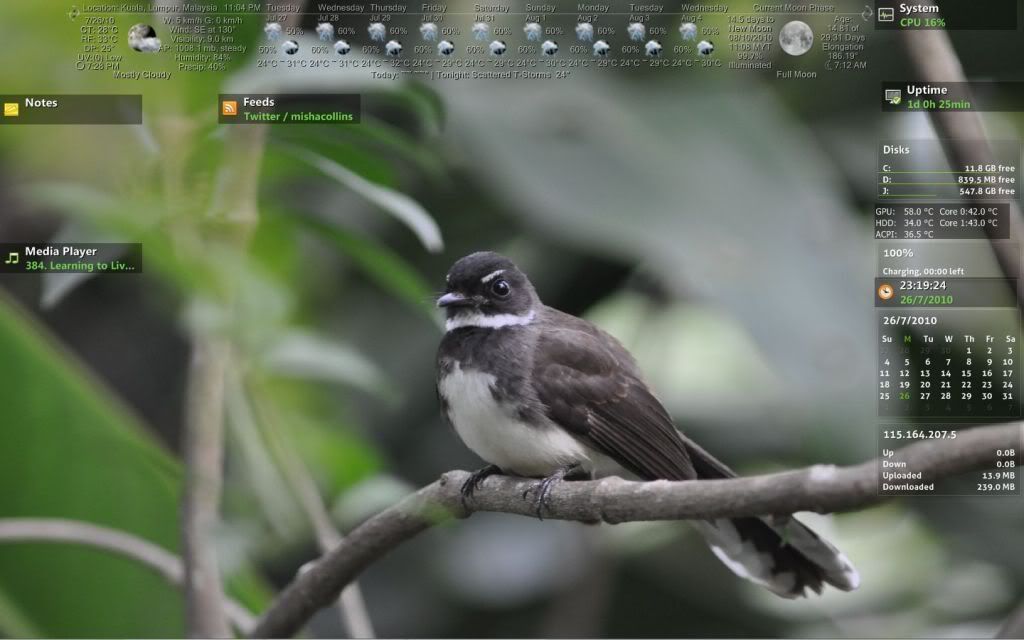 This post has been edited by ArianneG: Jul 27 2010, 12:06 AM |
|
|
Jul 27 2010, 08:58 PM
|
|
Junior Member
218 posts Joined: Nov 2009
|
QUOTE(ArianneG @ Jul 26 2010, 11:17 PM) Sharing my first attempts with Rainmeter: very very basic and simple config since I like a clean uncomplicated layout. Skins used are Visions+Weather, a mix of Gnometer and Rainify and System.Temp for the system temperatures. Bird wallpaper is a photo taken by a family member. Desktop icons are hidden courtesy of Dexpot VDM, with 5 desktops. Taskbar is also hidden. Have just downloaded HUD Vision as well as Circle Dock, will put both to good use when I'm done configuring them as well. nice one mateu might wanna change the opacity of the weather skins to make it more readable =) oh yeah, about the skin that u mention earlier , it consist of a few theme in one well u can check my older post i did use the skin before Older post give it a try mate =) |
|
|
Jul 28 2010, 12:39 AM
|
|
Senior Member
890 posts Joined: Oct 2009 From: Najidama Bay
|
Thanks bro. Question: where do I find the opacity controls for the weather skin? In the .ini itself?
|
|
|
Jul 28 2010, 02:05 AM
|
|
Junior Member
218 posts Joined: Nov 2009
|
QUOTE(ArianneG @ Jul 28 2010, 12:39 AM) Thanks bro. Question: where do I find the opacity controls for the weather skin? In the .ini itself? yeah hommie ~ on the last of the font color should be like this "225,225,225,210" the last code is the opacity ..play around what that stuff dude |
|
|
Jul 30 2010, 08:22 AM
|

Junior Member
114 posts Joined: Feb 2005
|
Hie sifu
I got stuck when I couldn't find good icons for my chrome.. any place I can download to replace the firefox?? I'm looking for something stylish on black and whites.. thanks |
|
|
Aug 2 2010, 03:04 PM
|
|
Junior Member
218 posts Joined: Nov 2009
|
QUOTE(heseoh @ Jul 30 2010, 08:22 AM) Hie sifu hey thereI got stuck when I couldn't find good icons for my chrome.. any place I can download to replace the firefox?? I'm looking for something stylish on black and whites.. thanks u can check on www.deviantart.com or customize.org for icons good luck |
|
|
Aug 4 2010, 01:28 AM
|
|
Junior Member
326 posts Joined: Nov 2009
|
QUOTE(heseoh @ Jul 30 2010, 08:22 AM) Hie sifu or here http://rocketdock.com/addons/all/popular I got stuck when I couldn't find good icons for my chrome.. any place I can download to replace the firefox?? I'm looking for something stylish on black and whites.. thanks |
|
|
Aug 5 2010, 02:38 PM
|

Junior Member
343 posts Joined: Jun 2010
|
hey guys. i could really use some help. im using the omnimo2. just wondering if u guys know how to change the email. default email is g-mail. but i wanna change it to hotmail.
|
|
|
Aug 6 2010, 10:45 AM
|

Senior Member
3,849 posts Joined: Oct 2006 From: Your Location
|
QUOTE(munk3y @ Aug 5 2010, 02:38 PM) hey guys. i could really use some help. im using the omnimo2. just wondering if u guys know how to change the email. default email is g-mail. but i wanna change it to hotmail. You can't for now. But you can configure your gmail to receive emails from hotmail. |
|
|
Aug 6 2010, 07:55 PM
|
|
Junior Member
77 posts Joined: Feb 2010
|
hi. first time using rainmeter. just to get some comments. =]

p.s this thread helped me alot. =D |
|
|
Aug 8 2010, 12:46 PM
|
|
Senior Member
1,055 posts Joined: Aug 2009 From: 192.168.0.1
|
QUOTE(weijunmark @ Aug 6 2010, 07:55 PM) hi. first time using rainmeter. just to get some comments. =] still virgin
p.s this thread helped me alot. =D |
|
|
Aug 12 2010, 11:48 AM
|

Senior Member
524 posts Joined: Jun 2007
|
hi to sifu here..i am new to rainmeter using the default enigma theme now...
several noob question.. 1. Possible to add more app (shortcut above taskbar)? By default, it has 5. 2. How to put calendar, weather and change the music player using wmp (i believe it is using winamp by default) Thanks in advance! |
|
|
Aug 12 2010, 01:58 PM
|

Senior Member
1,930 posts Joined: Aug 2005 From: o( *゚ー゚)┘miao^miao Status: Perm Banana
|
Hi guys, i've been trying out rainmeter lately, and got some questions that i would like to ask:
1. how do i adjust the size of those gadgets? 2. can i insert apps into the horizontal bars and make it like osx? 3. how to change the temperature unit of the weather to Celsius instead of Fahrenheit? Here's my simpleton tryout of the rainmeter. 
This post has been edited by don^don: Aug 12 2010, 02:18 PM |
|
|
Aug 13 2010, 08:00 PM
|
|
Junior Member
218 posts Joined: Nov 2009
|
QUOTE(don^don @ Aug 12 2010, 01:58 PM) Hi guys, i've been trying out rainmeter lately, and got some questions that i would like to ask: hello there ,1. how do i adjust the size of those gadgets? 2. can i insert apps into the horizontal bars and make it like osx? 3. how to change the temperature unit of the weather to Celsius instead of Fahrenheit? Here's my simpleton tryout of the rainmeter.
firstly , the gadget that u were referring on your screen shot was basically the size of the font it self, right click on the skins -> skin menu--> edit skins then scroll down until u saw the font variable , change it there ,save and refresh ur rainmeter, experiment it with different type of font size or the font it self secondly, most of us were using rocketdock or objectdock to place our folder in the horizontal bars that u said earlier . u can choose between those 2 , my recommendation is rocketdock because it use less cpu resources. thirdly, for the temperature units, right click on the skins->skin menu-> edit skins , and change the unit into M for metric to display Celsius. hope this helps =) |
|
|
Aug 14 2010, 11:06 AM
|
|
Senior Member
1,930 posts Joined: Aug 2005 From: o( *゚ー゚)┘miao^miao Status: Perm Banana
|
hi there skychilled,
thanx for the reply. for the font variable, it worked. thanx! for the temperature units, there number didn't changed when i change the unit to M. what's more, there's now a "?" behind the temperature number. i tried changing back to "F" and the "?" still stays. odd... for the docking bars, i'll try that when i get home from work. thanx! |
|
|
Aug 14 2010, 02:18 PM
|
|
Junior Member
218 posts Joined: Nov 2009
|
QUOTE(don^don @ Aug 14 2010, 11:06 AM) hi there skychilled, ah , i see . for the weather variables , ur weather skins is the same as the Vision weather and the VC clouds. means when ever u change the weather code to malaysia , it will turn to A"? instead of C" . but if u change it to other country it will work fine.. thanx for the reply. for the font variable, it worked. thanx! for the temperature units, there number didn't changed when i change the unit to M. what's more, there's now a "?" behind the temperature number. i tried changing back to "F" and the "?" still stays. odd... for the docking bars, i'll try that when i get home from work. thanx! the only way u can solve this is to talk to the skin creator it self regarding of this issue . or stay with the "F" because this will involving the change of "REGEXP" codin which im not preety good at it |
|
|
Aug 15 2010, 04:39 PM
|

Junior Member
531 posts Joined: Oct 2009
|
hey all the sifus' here,
why is that i find it impossible for my weather thingy to work for hud.vision skin? soory if it's been asked before... |
|
|
Aug 15 2010, 08:44 PM
|
|
Junior Member
218 posts Joined: Nov 2009
|
@ronaldlim91 did you follow my step by step guide under my signature ?
|
|
|
Aug 16 2010, 02:34 PM
|

Junior Member
199 posts Joined: Feb 2008
|
has anybody have this kind of problem?? my rainmeter seems to eat resources 10-12% at a time.. is this normal?? i'm using 1.3 beta 64 bit but the problem starts even before using 1.3.
|
|
|
Aug 16 2010, 06:13 PM
|
|
Junior Member
218 posts Joined: Nov 2009
|
QUOTE(zy_xcup @ Aug 16 2010, 02:34 PM) has anybody have this kind of problem?? my rainmeter seems to eat resources 10-12% at a time.. is this normal?? i'm using 1.3 beta 64 bit but the problem starts even before using 1.3. u might wanna place the rainmeter folder in ur antivirus exclusion list because rainmeter will crawl down into the system to measure it and this will make the anti virus misunderstood it for a virus and keep on scanning it thus make u use more resource by scanning and measuring ! i had this problem once, while im still on the version 1 of rainmeter (cant remember exactly) when ever i turn it on , my task manager resource meter jump to 25% everytime and the skin had some laggin issue .. hope this helps =) |
|
|
Aug 16 2010, 08:04 PM
|
|
Junior Member
199 posts Joined: Feb 2008
|
still monitoring the processes..
|
|
|
Aug 20 2010, 03:20 PM
|
|
Senior Member
1,055 posts Joined: Aug 2009 From: 192.168.0.1
|
QUOTE(zy_xcup @ Aug 16 2010, 08:04 PM) still monitoring the processes.. so,how the result? |
|
|
Aug 20 2010, 08:15 PM
|
|
Junior Member
218 posts Joined: Nov 2009
|
QUOTE(zy_xcup @ Aug 16 2010, 08:04 PM) still monitoring the processes.. well of course it will still monitoring the process but indeed it will not keep on scanning like it used to be maybe at least 3-10% system resource will be shaved up from there =) This post has been edited by skychilled: Aug 20 2010, 09:19 PM |
|
|
Aug 21 2010, 06:14 PM
|
|
Junior Member
326 posts Joined: Nov 2009
|
QUOTE(weijunmark @ Aug 6 2010, 07:55 PM) hi. first time using rainmeter. just to get some comments. =] oh i love this wallpaper..
p.s this thread helped me alot. =D  mind to share it? i would like to download it This post has been edited by FinFin: Aug 21 2010, 06:19 PM |
|
|
Aug 23 2010, 02:38 AM
|
|
Senior Member
890 posts Joined: Oct 2009 From: Najidama Bay
|
Need to know this urgently before I start nuking my C:\ drive to move to Win7: will all the skins I downloaded and modified to suit my preferences still work after I move from 32-bit Vista to 64-bit Win7? I mean, they're all text files, should have no trouble right? I mean, have Rainmeter 64-bit, then install skins as usual?
Also, anyone started using the latest Rainmeter beta? I'm wondering whether there are any problems already known since this beta has support for virtual desktops, very good for me since I'm using Dexpot. This post has been edited by ArianneG: Aug 23 2010, 02:41 AM |
|
|
Aug 25 2010, 01:41 AM
|
|
Junior Member
77 posts Joined: Feb 2010
|
QUOTE oh i love this wallpaper.. mind to share it? i would like to download it here. =) 
|
|
|
Aug 25 2010, 06:46 PM
|
|
Junior Member
143 posts Joined: Jul 2009 From: Currently at KL. From Malacca
|
how to remove the taskbar if i use rainmeter??
|
|
|
Aug 28 2010, 02:17 PM
|
|
Senior Member
1,419 posts Joined: Apr 2010
|
QUOTE(kimwee85 @ Aug 25 2010, 06:46 PM) how to remove the taskbar if i use rainmeter?? you can always auto-hide the taskbar |
|
|
Sep 6 2010, 11:23 AM
|

Junior Member
78 posts Joined: Sep 2010 From: penang
|
QUOTE(ArianneG @ Aug 23 2010, 03:38 AM) Need to know this urgently before I start nuking my C:\ drive to move to Win7: will all the skins I downloaded and modified to suit my preferences still work after I move from 32-bit Vista to 64-bit Win7? I mean, they're all text files, should have no trouble right? I mean, have Rainmeter 64-bit, then install skins as usual? well I just installed and got everything done yesterday.Also, anyone started using the latest Rainmeter beta? I'm wondering whether there are any problems already known since this beta has support for virtual desktops, very good for me since I'm using Dexpot. my first time using rainmeter, and now my first time using lowyat lmao. yup im using window 7, the problem im facing is that everytime during startup thr will be a window popping up, stating: Your configuration file doesn't contain any meters! Your skin's ini-file might be out of date. but after clicking ok, everythg runs perfectly. however the rainmeter's skin (almost 40 of them in total, which most of them involves graphic animation etc, they do run), sometime everything halt for about 5 seconds, and then resumed again. 
|
|
|
Sep 9 2010, 08:44 AM
|
|
Senior Member
808 posts Joined: May 2010
|
Hi..need some help on PILEUS skin..
Any idea how to hide those RAM, HDD space, etc..those detail.. Jz want the icon show on desktop only..and when mouse click on the icon, the detail will come out...any idea how to do that? thx |
|
|
Sep 14 2010, 10:55 PM
|
|
Senior Member
1,288 posts Joined: Apr 2009
|
Is it possible to skin Rainmeter to show statistics such as temp, fan speed, etc from Everest? Just like samurize. If there is, kindly please direct me to the link of the tutorial/info/config if available.
This post has been edited by Vigilant: Sep 15 2010, 12:11 AM |
|
|
Sep 19 2010, 12:21 PM
|
|
Senior Member
998 posts Joined: Feb 2009 From: Jesse Pinkman's house
|
lol, any idea on how to enter the weather code in omnimo?
i just couldn't find the place to locate the code ;o also, how to like when you minimize, then the window will appear on one of the boxes? cuz now after i minimized the window, it went to the taskbar and everytime when i wanna maximize again, i need to press the vista icon on keyboard and the taskbar will appear. (the taskbar won't appear when i put my cursor at the bottom. //edited, problem solved This post has been edited by elm0001: Sep 19 2010, 02:41 PM |
|
|
Sep 19 2010, 05:07 PM
|

Senior Member
2,789 posts Joined: Jul 2010 From: Silicon Valley
|
QUOTE(elm0001 @ Sep 19 2010, 12:21 PM) lol, any idea on how to enter the weather code in omnimo? Easiest way is to go to Yahoo Weather i just couldn't find the place to locate the code ;o also, how to like when you minimize, then the window will appear on one of the boxes? cuz now after i minimized the window, it went to the taskbar and everytime when i wanna maximize again, i need to press the vista icon on keyboard and the taskbar will appear. (the taskbar won't appear when i put my cursor at the bottom. //edited, problem solved Search For Your Place eg Kuala Lumpur Search for RSS button Copy the URL and find a group of words similar to >> MYX0006 Then paste at Omnimo n press set . Omnimo has 2 weather displays , select the best for u ^^ |
|
|
Sep 22 2010, 06:08 PM
|

Junior Member
46 posts Joined: Sep 2010
|
hello, hav a question here ~.~ is it possible for me to load more than 1 rainmeter skins??
lets say i m using gaia10 rainmeter and i wanna use another rainmeter clock / calender. possible?? |
|
|
Sep 22 2010, 06:57 PM
|
|
Junior Member
97 posts Joined: Mar 2010
|
@regulus2010 you can all rainmeter theme at the same time...just dont open all at once...your computer will slowing down...open what you want only ^^
|
|
|
Sep 27 2010, 02:01 PM
|

Senior Member
3,466 posts Joined: Jan 2003 From: PJ, Malaysia
|
guys...what is the fastest way to load the skin (i.e load all skin at once from the developer)
now I donwload, i have to manually start and then arrange it!>@!@!@ how to load the skin exactly as showed? |
|
|
Sep 27 2010, 02:24 PM
|

Junior Member
247 posts Joined: Mar 2010
|
am using Win 7 64bit.
I can't seem to make rainmeter operate at all. it says no skins found in folder D:/Rainmeter/Skins. The folder is empty. I tried to change to Skins folder under Program Files/Rainmeter but nothing helps. How to fix this? |
|
|
Sep 27 2010, 02:31 PM
|
|
Senior Member
941 posts Joined: Jul 2010
|
QUOTE(mrportable @ Sep 27 2010, 02:24 PM) am using Win 7 64bit. Your skins are not under the D:/Rainmeter/Skins directory. Try find under Libraries/DocumentsI can't seem to make rainmeter operate at all. it says no skins found in folder D:/Rainmeter/Skins. The folder is empty. I tried to change to Skins folder under Program Files/Rainmeter but nothing helps. How to fix this? |
|
|
Sep 27 2010, 03:23 PM
|
|
Senior Member
3,466 posts Joined: Jan 2003 From: PJ, Malaysia
|
okay...back to my question...
I want to have the SKIN EXACTLY as showed in this page, how do I get it? including the wallpaper? since it doesnt have the THEME file.. I have to LOAD every single skin? http://browse.deviantart.com/customization...set=24#/d2uojgb |
|
|
Sep 27 2010, 04:46 PM
|
|
Senior Member
998 posts Joined: Feb 2009 From: Jesse Pinkman's house
|
QUOTE(iZuDeeN @ Sep 27 2010, 03:23 PM) okay...back to my question... lol, maybe you can ask the person who uploaded that? I want to have the SKIN EXACTLY as showed in this page, how do I get it? including the wallpaper? since it doesnt have the THEME file.. I have to LOAD every single skin? http://browse.deviantart.com/customization...set=24#/d2uojgb |
|
|
Sep 27 2010, 06:16 PM
|
|
Senior Member
2,334 posts Joined: May 2007 From: Kuching
|
I got a problem with my rainmeter skin, I downloaded LEXIS theme cuz i like the weather forecast skin.
Since i want to have Kuching and KL at the same time i make a copy of the "Weather" folder and name it "Weather2", and edit "Config=LEXIS\Weather" to appropriate value according to folder name. OK, both skin fired up without problem, and i set the "update" value of both skin to 30000 (it use millisecond, right?) I deleted the clock on the skin cu i have no idea how to make it work properly (it only display static hour...) Now here's the big problem - the forecast do not automatically update... any idea whats wrong? 
» Click to show Spoiler - click again to hide... « This post has been edited by M1X: Sep 27 2010, 06:19 PM |
|
|
Sep 28 2010, 03:40 PM
|
|
Senior Member
890 posts Joined: Oct 2009 From: Najidama Bay
|
QUOTE(M1X @ Sep 27 2010, 06:16 PM) I got a problem with my rainmeter skin, I downloaded LEXIS theme cuz i like the weather forecast skin. Hmm. Are you sure that's the right link? Weather RSS feeds usually have an XML in there somewhere... Or at least most seem to. Not direct from a HTTP webpage.Since i want to have Kuching and KL at the same time i make a copy of the "Weather" folder and name it "Weather2", and edit "Config=LEXIS\Weather" to appropriate value according to folder name. OK, both skin fired up without problem, and i set the "update" value of both skin to 30000 (it use millisecond, right?) I deleted the clock on the skin cu i have no idea how to make it work properly (it only display static hour...) Now here's the big problem - the forecast do not automatically update... any idea whats wrong?
» Click to show Spoiler - click again to hide... « This post has been edited by ArianneG: Sep 28 2010, 03:47 PM |
|
|
Sep 28 2010, 04:44 PM
|
|
Senior Member
2,334 posts Joined: May 2007 From: Kuching
|
The link is correct, otherwise i wont get the feed... The problem there is the application do not auto update the feed at all, i need to click the "Refresh All" manually -.-
|
|
|
Sep 29 2010, 06:46 PM
|
|
Junior Member
119 posts Joined: Jul 2010
|
reading this thread make me wanna try the rainmeter..
are there any other app like the rainmeter?? |
|
|
Sep 29 2010, 07:29 PM
|
|
Senior Member
941 posts Joined: Jul 2010
|
QUOTE(aizax007 @ Sep 29 2010, 06:46 PM) reading this thread make me wanna try the rainmeter.. Samurize.are there any other app like the rainmeter?? |
|
|
Oct 6 2010, 01:54 PM
|
|
Senior Member
2,096 posts Joined: May 2008
|
Rainmeter HUD Vision Theme
|
|
|
Oct 8 2010, 08:14 PM
|

Junior Member
661 posts Joined: Jan 2010
|
Guys what do you do with all the desktop icons?
Hide it? Cause I don't wish to delete them LOL |
|
|
Oct 8 2010, 10:25 PM
|
|
Senior Member
3,657 posts Joined: Aug 2009
|
QUOTE(dark_axl21 @ Oct 8 2010, 08:14 PM) Guys what do you do with all the desktop icons? Just delete the shortcut??Hide it? Cause I don't wish to delete them LOL |
|
|
Oct 10 2010, 03:32 PM
|

Senior Member
1,008 posts Joined: Aug 2008
|
got problem here ...
 i just install rainmeter from customize.org. then i paste the file.ini into the rainmeter program file.. but then, rainmeter doesnt recognize it as skin.. it wrote [section metadata is not a meter or a measure!] here is the programming note.. » Click to show Spoiler - click again to hide... « anyone can help rectify this problem.. really appreciate it.. since i still a beginner using rainmeter... |
|
|
Oct 11 2010, 12:06 AM
|
|
Senior Member
1,148 posts Joined: Jan 2009
|
@monara..
u should paste it into the skin folder in My Documents/Rainmeter/Skins nt paste it into the program file..  Added on October 11, 2010, 12:07 am QUOTE(dark_axl21 @ Oct 8 2010, 08:14 PM) Guys what do you do with all the desktop icons? just right click on ur desktop and go to >> view >> hide my desktop iconsHide it? Cause I don't wish to delete them LOL This post has been edited by tplus1: Oct 11 2010, 12:07 AM |
|
|
Oct 11 2010, 04:08 AM
|
|
Senior Member
1,008 posts Joined: Aug 2008
|
QUOTE(tplus1 @ Oct 11 2010, 12:06 AM) @monara.. err... but that folder is placed in: C > prog file > rainmeter > skinu should paste it into the skin folder in My Documents/Rainmeter/Skins nt paste it into the program file.. do i wrongly install from the beginning, or what? |
|
|
Oct 11 2010, 06:20 AM
|
|
Senior Member
941 posts Joined: Jul 2010
|
QUOTE(monara @ Oct 11 2010, 04:08 AM) err... but that folder is placed in: C > prog file > rainmeter > skin Just put it in My Documents/Rainmeter/Skinsdo i wrongly install from the beginning, or what? |
|
|
Oct 11 2010, 05:16 PM
|
|
Senior Member
1,148 posts Joined: Jan 2009
|
be sure to refresh all the skins so it can detect the new skin u put in the folder
|
|
|
Oct 12 2010, 11:42 AM
|

Senior Member
1,872 posts Joined: Mar 2010 From: Malaysia
|
Guys I'm using the default Enigma skin that came with the installation,but the thing is,I can't change the Launcher properties,u know the buttons u press to launch ur applications like Firefox,Opera etc.?I went to EnigmaConfigure,and changed the values App1,App1Path,App1Label and so on,but it's still the same
I definitely had pressed 'Set Values' and 'Save All' already,but no changes,even refreshed the skin oso no use This post has been edited by bigbangformula: Oct 12 2010, 11:44 AM |
|
|
Oct 13 2010, 11:05 AM
|

Senior Member
919 posts Joined: Feb 2009 From: Malaysia
|
QUOTE(monara @ Oct 11 2010, 04:08 AM) err... but that folder is placed in: C > prog file > rainmeter > skin You need put in document/rainmeter/skindo i wrongly install from the beginning, or what? not the 1 at c/programfile/rainmeter/skin rainmeter web got write if not wrong |
|
|
Oct 14 2010, 10:02 PM
|
|
Senior Member
1,008 posts Joined: Aug 2008
|
QUOTE(Balaclava @ Oct 11 2010, 06:20 AM) Just put it in My Documents/Rainmeter/Skins QUOTE(tplus1 @ Oct 11 2010, 05:16 PM) be sure to refresh all the skins so it can detect the new skin u put in the folder QUOTE(kokweng1 @ Oct 13 2010, 11:05 AM) You need put in document/rainmeter/skin Thanks to everyone not the 1 at c/programfile/rainmeter/skin rainmeter web got write if not wrong , my problem solved after i downloaded the latest rainmeter version, 1.3 (previously using 2006 vers.. )now using it proudly..heheh QUOTE(dark_axl21 @ Oct 8 2010, 08:14 PM) Guys what do you do with all the desktop icons? how about autohide (and autoappear) it? i use desktop icon... very nice software and u can play with ur desktop icon Hide it? Cause I don't wish to delete them LOL |
|
|
Oct 18 2010, 12:11 AM
|
|
Senior Member
890 posts Joined: Oct 2009 From: Najidama Bay
|
Just hide the desktop icons... I'm using Dexpot virtual desktops so I have Dexpot hide them for me. And since my upgrade I've not installed any desktop icons period.
|
|
|
Oct 19 2010, 05:36 PM
|

Junior Member
90 posts Joined: Feb 2010
|
hi all...how to edit the launcher menu in rainmeter...already try it...but failed...may be i want to change the address of the shortcut and something else..please help me
|
|
|
Oct 19 2010, 05:59 PM
|
|
Senior Member
3,657 posts Joined: Aug 2009
|
QUOTE(haiza @ Oct 19 2010, 05:36 PM) hi all...how to edit the launcher menu in rainmeter...already try it...but failed...may be i want to change the address of the shortcut and something else..please help me try reinstall it |
|
|
Oct 19 2010, 08:18 PM
|
|
Junior Member
90 posts Joined: Feb 2010
|
QUOTE(Xiia0Ban @ Oct 19 2010, 05:59 PM) try reinstall it aiooo...get me blur.. ...btw if anyone know here,please help me |
|
|
Oct 19 2010, 08:41 PM
|
|
Senior Member
1,836 posts Joined: Dec 2007
|
QUOTE(haiza @ Oct 19 2010, 08:18 PM) aiooo...get me blur.. why not try to reinstall the way Xiao recommends.Since you stated changing address(file location). ...btw if anyone know here,please help me |
|
|
Oct 19 2010, 08:48 PM
|
|
Junior Member
90 posts Joined: Feb 2010
|
QUOTE(dinraxxx @ Oct 19 2010, 08:41 PM) why not try to reinstall the way Xiao recommends.Since you stated changing address(file location). no. .something like this, actually i want to edit the launcher in the rainmeter for eg. the iTune launcher convert or change to WMP or something else..that's what i mean here |
|
|
Oct 19 2010, 10:39 PM
|
|
Senior Member
3,657 posts Joined: Aug 2009
|
QUOTE(haiza @ Oct 19 2010, 08:48 PM) no. U can always right click the skin and press "Edit Skin" .something like this, actually i want to edit the launcher in the rainmeter for eg. the iTune launcher convert or change to WMP or something else..that's what i mean here This post has been edited by Xiia0Ban: Oct 19 2010, 10:40 PM |
|
|
Oct 20 2010, 01:39 PM
|
|
Junior Member
90 posts Joined: Feb 2010
|
done it..edit in configuration setting..thnk all
|
|
|
Oct 20 2010, 06:31 PM
|

Junior Member
46 posts Joined: Jul 2010
|
skychilled where can i get this wallpaper it looks nice... |
|
|
Oct 22 2010, 07:34 AM
|
|
Senior Member
919 posts Joined: Feb 2009 From: Malaysia
|
QUOTE(anasrul88 @ Oct 20 2010, 06:31 PM) » Click to show Spoiler - click again to hide... « skychilled where can i get this wallpaper it looks nice... » Click to show Spoiler - click again to hide... « |
|
|
Oct 22 2010, 02:03 PM
|

Staff
2,255 posts Joined: Jul 2008 From: meditating at Mt Emei
|
maybe a n00b question, but...
how to create your own rainmeter skin? |
|
|
Oct 22 2010, 11:07 PM
|
|
Junior Member
247 posts Joined: Mar 2010
|
I am using win 7 x64. I've been trying to install rainmeter but it always gives me error "there are no available skins at D:\Rainmeter\Skins".
solutions that i tried but failed: 1. change Skins path to C:\Program Files\Rainmeter\Skins" 2. copy all folders from Program Files\Rainmeter\Skins to D:\ 3. reinstall all version including 32bit.... Nothing works here. any solution? please help |
|
|
Oct 23 2010, 01:18 PM
|
|
Senior Member
1,419 posts Joined: Apr 2010
|
QUOTE(mrportable @ Oct 22 2010, 11:07 PM) I am using win 7 x64. I've been trying to install rainmeter but it always gives me error "there are no available skins at D:\Rainmeter\Skins". did u install the native 64-bit installer?solutions that i tried but failed: 1. change Skins path to C:\Program Files\Rainmeter\Skins" 2. copy all folders from Program Files\Rainmeter\Skins to D:\ 3. reinstall all version including 32bit.... Nothing works here. any solution? please help |
|
|
Oct 23 2010, 01:22 PM
|
|
Senior Member
919 posts Joined: Feb 2009 From: Malaysia
|
QUOTE(memphiz_zero88 @ Oct 22 2010, 02:03 PM) maybe a n00b question, but... here abit infohow to create your own rainmeter skin? Rainmeter website |
|
|
Oct 23 2010, 05:46 PM
|
|
Senior Member
1,055 posts Joined: Aug 2009 From: 192.168.0.1
|
Im thinking to open ver.2 since got so many ppl intersted with this beautiful software
|
|
|
Oct 23 2010, 07:49 PM
|
|
Senior Member
3,657 posts Joined: Aug 2009
|
QUOTE(Nuclear_Crap @ Oct 23 2010, 05:46 PM) Im thinking to open ver.2 since got so many ppl intersted with this beautiful software but now only 19 pages, so fast open ver 2? |
|
|
Oct 23 2010, 08:08 PM
|
|
Senior Member
919 posts Joined: Feb 2009 From: Malaysia
|
QUOTE(Nuclear_Crap @ Oct 23 2010, 05:46 PM) Im thinking to open ver.2 since got so many ppl intersted with this beautiful software QUOTE(Xiia0Ban @ Oct 23 2010, 07:49 PM) but now only 19 pages, so fast open ver 2? Yea as he say , now only 19pages haha |
|
|
Oct 24 2010, 12:42 PM
|
|
Senior Member
1,055 posts Joined: Aug 2009 From: 192.168.0.1
|
ok...ok...go on...
share ur experience & info bout this software |
|
|
Oct 24 2010, 12:54 PM
|

Junior Member
127 posts Joined: Jan 2009
|
anyone know how to configure weather ACCU location code for KL? The link there doesnt show the location code anymore.
|
|
|
Oct 24 2010, 04:23 PM
|
|
Senior Member
3,657 posts Joined: Aug 2009
|
QUOTE(Soralicious @ Oct 24 2010, 12:54 PM) anyone know how to configure weather ACCU location code for KL? The link there doesnt show the location code anymore. KL is MYXX0008you can click to rss and you'll get the weather code |
|
|
Oct 25 2010, 08:24 PM
|
|
Senior Member
919 posts Joined: Feb 2009 From: Malaysia
|
just change from rainmeter 1.2 to 1.3
wa , much more easy to use ~ edit skin no need right click > skin > edit skin so mafan liao haha |
|
|
Oct 26 2010, 05:27 PM
|

Junior Member
169 posts Joined: Aug 2009 From: Selangor
|
QUOTE(anasrul88 @ Oct 20 2010, 06:31 PM) » Click to show Spoiler - click again to hide... « |
|
|
Oct 26 2010, 06:54 PM
|
|
Senior Member
919 posts Joined: Feb 2009 From: Malaysia
|
Does anyone know wheather location for puchong,selangor,malaysia or klang lama/kelang lama {not klang} , cant find it @_@ "
or maybe dun have |
|
|
Oct 26 2010, 06:57 PM
|
|
Senior Member
998 posts Joined: Feb 2009 From: Jesse Pinkman's house
|
hey, let's see if you put itunes rainmeter skin on your desktop.
then when you wanna exit your itunes, did itunes ask you to like wait few secs before exit? |
|
|
Oct 26 2010, 06:58 PM
|
|
Junior Member
97 posts Joined: Mar 2010
|
QUOTE(kokweng1 @ Oct 26 2010, 06:54 PM) Does anyone know wheather location for puchong,selangor,malaysia or klang lama/kelang lama {not klang} , cant find it @_@ " try typing your location followed by malaysia next to it maybe they can detect it...i dunno..my location is kuching and they detected it as kuching, malaysiaor maybe dun have |
|
|
Oct 26 2010, 08:19 PM
|
|
Senior Member
919 posts Joined: Feb 2009 From: Malaysia
|
QUOTE(v1c0d1n @ Oct 26 2010, 06:58 PM) try typing your location followed by malaysia next to it maybe they can detect it...i dunno..my location is kuching and they detected it as kuching, malaysia tried find , only can find klang/kl [i mean those nearby my area] T_T " |
|
|
Nov 3 2010, 11:01 PM
|
|
Senior Member
890 posts Joined: Oct 2009 From: Najidama Bay
|
I don't think there are that many links for Malaysian weather. >.<
BTW, a tip for those on foobar2k using BOTH foo_winamp_spam and foo_vis_shpeck: I just found that though HUD Vision 2.2 supposedly needs foo_winamp_spam for the foobar interface to work, using foo_vis_shpeck works just as well. I deleted foo_winamp_spam and kept Shpeck, and the meter hasn't gone and done an instant phail on me. So it's looking like it's possible to get rid of foo_winamp_spam and just use Shpeck, which is what Shpeck's coder advises as best practice anyway. This post has been edited by ArianneG: Nov 3 2010, 11:05 PM |
|
|
Nov 7 2010, 11:29 PM
|
|
Junior Member
118 posts Joined: Mar 2010
|
Hi..
Where do i download the rainmeter theme.? Any suggested website.? |
|
|
Nov 7 2010, 11:32 PM
|

Senior Member
512 posts Joined: Nov 2006
|
|
|
|
Nov 7 2010, 11:44 PM
|

Junior Member
109 posts Joined: Nov 2009 From: SAFE TRADER
|
customize.org..
i think there's quite alot of cool rainmeter.. hope u njoy it.. |
|
|
Nov 8 2010, 09:00 PM
|

Senior Member
544 posts Joined: Jun 2009
|
QUOTE(kripkorn @ Nov 7 2010, 11:32 PM) thanks deviant art FTW |
|
|
Nov 14 2010, 12:02 AM
|

Junior Member
417 posts Joined: May 2008
|
hey guys, been fooling around with rainmeter for a while now, really good stuff but something really bugging me with this rainmeter is the temperature monitoring system problem, keep having this CoreTempPlugin.dll not found error when i apply temperature monitoring skin.
been asking uncle google, and found out that for windows 7/vista 64bit users will have a problem with this, unable to detect the dll file some how even if the file is already in the plugin folder!  wonder if anyone have a work around to fix this? |
|
|
Nov 22 2010, 12:38 AM
|

Senior Member
676 posts Joined: Jan 2008
|
How to customize facebook feeds with rainmeter?
I know where go get the rss feed link, but how to make a facebook.ini? |
|
|
Nov 22 2010, 01:35 AM
|

Junior Member
246 posts Joined: May 2006
|
try googling 1st...
Hope this help Facebook for rainmeter You also can use the current RSS skin available... This post has been edited by chong82: Nov 22 2010, 02:42 AM |
|
|
Nov 22 2010, 03:06 AM
|
|
Junior Member
246 posts Joined: May 2006
|
How to make the RSS feed title on the sidebar clickable, which will call up the browser.
Currently only the default RSS feed skin ( the one that will scroll through atom, RSS feed 1 till 3) able to link to browser. The others cant |
|
|
Nov 22 2010, 12:48 PM
|
|
Senior Member
2,096 posts Joined: May 2008
|
|
|
|
Nov 23 2010, 04:03 AM
|
|
Senior Member
890 posts Joined: Oct 2009 From: Najidama Bay
|
Anyone know of a nice looking, good and FUNCTIONAL Rainmeter skin that can serve as a dock? I was using CV Dock skin but have problems with it-- it's not working properly and I can't seem to fix it.
|
|
|
Nov 23 2010, 10:10 AM
|

Junior Member
63 posts Joined: Nov 2007
|
is there any way to sync Aimp2 with rainmeter ?
WinAmp is taking too much ram .. |
|
|
Nov 23 2010, 09:10 PM
|
|
Junior Member
246 posts Joined: May 2006
|
does rainmeter slow down the window start up?
|
|
|
Nov 23 2010, 09:45 PM
|

Junior Member
29 posts Joined: Jan 2009
|
Not working welll... it sometime hang when i change theme and need to force restart.
|
|
|
Nov 28 2010, 06:35 PM
|
|
Senior Member
9,338 posts Joined: Mar 2010
|
Hey guise, newbie here.
I downloaded Rainmeter and the Engima thingy. But the problem now is, why does my taskbar still appears? and how do I add in new skins? |
|
|
Nov 28 2010, 06:45 PM
|

Senior Member
1,439 posts Joined: Aug 2010
|
QUOTE(TechnoG @ Nov 28 2010, 06:35 PM) Hey guise, newbie here. what do u mean ur taskbar still appear?? I downloaded Rainmeter and the Engima thingy. But the problem now is, why does my taskbar still appears? and how do I add in new skins? anyway,to install new skin..u right click at any rainmeter skin => n find open skins folder...u just drag ur new skin at that folder... |
|
|
Nov 28 2010, 06:59 PM
|
|
Senior Member
9,338 posts Joined: Mar 2010
|
QUOTE(wanfaris @ Nov 28 2010, 06:45 PM) what do u mean ur taskbar still appear?? did it already, the skin I wanted is the folder. So now how do I apply the skins? anyway,to install new skin..u right click at any rainmeter skin => n find open skins folder...u just drag ur new skin at that folder... http://customize.org/rainmeter/skins/67189 <-- this is what I want. I downloaded some Enigma Release thingy from the website, and I'm stuck now. This post has been edited by TechnoG: Nov 28 2010, 07:00 PM |
|
|
Nov 28 2010, 07:01 PM
|
|
Senior Member
1,439 posts Joined: Aug 2010
|
QUOTE(TechnoG @ Nov 28 2010, 06:59 PM) did it already, the skin I wanted is the folder. So now how do I apply the skins? just right click n click refresh all.... http://customize.org/rainmeter/skins/67189 <-- this is what I want. the stock skin, some Enigma thingy. then,it must hv ur skin at that menu... if not,maybe get any prob at ur rainmeter skin... |
|
|
Nov 28 2010, 08:14 PM
|
|
Senior Member
9,338 posts Joined: Mar 2010
|
QUOTE(wanfaris @ Nov 28 2010, 07:01 PM) just right click n click refresh all.... wokay, I un-installed Rainmeter and start all over again. then,it must hv ur skin at that menu... if not,maybe get any prob at ur rainmeter skin...This what what I got,  what should I do next? I wanna put another skin. |
|
|
Nov 28 2010, 08:49 PM
|
|
Senior Member
1,439 posts Joined: Aug 2010
|
QUOTE(TechnoG @ Nov 28 2010, 08:14 PM) wokay, I un-installed Rainmeter and start all over again. sorry...i cant help right now coz not using windows... This what what I got, what should I do next? I wanna put another skin. but i find this tutorial..maybe can help u....try this... |
|
|
Nov 28 2010, 09:39 PM
|
|
Senior Member
9,338 posts Joined: Mar 2010
|
QUOTE(wanfaris @ Nov 28 2010, 08:49 PM) sorry...i cant help right now coz not using windows... thanks bro. Finally got what I need! but i find this tutorial..maybe can help u....try this... but how do I remove the taskbar?  |
|
|
Nov 28 2010, 11:09 PM
|
|
Senior Member
1,439 posts Joined: Aug 2010
|
QUOTE(TechnoG @ Nov 28 2010, 09:39 PM) thanks bro. Finally got what I need! welcome bro... but how do I remove the taskbar? btw,why u want to remove taskbar?? but,if you dun need that,u can always hide taskbar... right click at taskbar,select properties....then tick hide the taskbar...(or maybe diff with windows 7)...coz i not using vista be4... EDITED: i think u cannot remove u taskbar...but i'll try googling... This post has been edited by wanfaris: Nov 28 2010, 11:39 PM |
|
|
Nov 28 2010, 11:33 PM
|

Junior Member
219 posts Joined: Apr 2008 From: oil town
|
Hi all sifu.. hav a question here.
i just installed the rainmeter. The problem is, everytime i press the minimize bottom then all the gadgets of rainmeter will minimized too. How to avoid tat? |
|
|
Nov 28 2010, 11:40 PM
|
|
Senior Member
1,439 posts Joined: Aug 2010
|
QUOTE(seraph8660 @ Nov 28 2010, 11:33 PM) Hi all sifu.. hav a question here. where u press ur minimize button??at systray??i just installed the rainmeter. The problem is, everytime i press the minimize bottom then all the gadgets of rainmeter will minimized too. How to avoid tat? |
|
|
Nov 28 2010, 11:50 PM
|
|
Senior Member
9,338 posts Joined: Mar 2010
|
QUOTE(wanfaris @ Nov 28 2010, 11:09 PM) welcome bro... thanks mang! final product, whew! exhausting. btw,why u want to remove taskbar?? but,if you dun need that,u can always hide taskbar... right click at taskbar,select properties....then tick hide the taskbar...(or maybe diff with windows 7)...coz i not using vista be4... EDITED: i think u cannot remove u taskbar...but i'll try googling...  |
|
|
Nov 28 2010, 11:57 PM
|
|
Senior Member
3,657 posts Joined: Aug 2009
|
QUOTE(TechnoG @ Nov 28 2010, 11:50 PM) thanks mang! final product, whew! exhausting. Not bad.For me, just top are quite alot skin and then bottom very empty. IMO, change your window theme will make it nicer. |
|
|
Nov 28 2010, 11:57 PM
|
|
Senior Member
1,439 posts Joined: Aug 2010
|
QUOTE(TechnoG @ Nov 28 2010, 11:50 PM) thanks mang! final product, whew! exhausting. well done bro....nice...now u can post ur mod at november 2010 desktop thread.... owh..btw..u can find ur vista theme at this link... happy modding... This post has been edited by wanfaris: Nov 29 2010, 12:01 AM |
|
|
Nov 29 2010, 12:00 AM
|
|
Senior Member
9,338 posts Joined: Mar 2010
|
QUOTE(Xiia0Ban @ Nov 28 2010, 11:57 PM) Not bad. my first time doing this.For me, just top are quite alot skin and then bottom very empty. IMO, change your window theme will make it nicer. eh, btw, do you know where to get back the original Vista theme? stuck at the Mac theme  |
|
|
Nov 29 2010, 12:04 AM
|
|
Senior Member
1,439 posts Joined: Aug 2010
|
QUOTE(TechnoG @ Nov 29 2010, 12:00 AM) my first time doing this. u mean u want to restore ur default vista theme?? eh, btw, do you know where to get back the original Vista theme? stuck at the Mac theme |
|
|
Nov 29 2010, 12:29 AM
|
|
Senior Member
9,338 posts Joined: Mar 2010
|
QUOTE(wanfaris @ Nov 29 2010, 12:04 AM) u mean u want to restore ur default vista theme?? Yup how do I do it? right click desktop > personalize > themes > no vista. Only classic and Mac OSX |
|
|
Nov 29 2010, 12:40 AM
|
|
Senior Member
1,439 posts Joined: Aug 2010
|
QUOTE(TechnoG @ Nov 29 2010, 12:29 AM) Yup only 2 themes???weird... how do I do it? right click desktop > personalize > themes > no vista. Only classic and Mac OSX try check at c:\ -> windows -> resources...any theme beside those 2 themes?? o maybe u deleted vista theme.... |
|
|
Nov 29 2010, 12:50 AM
|
|
Senior Member
9,338 posts Joined: Mar 2010
|
QUOTE(wanfaris @ Nov 29 2010, 12:40 AM) only 2 themes???weird... thanks! found the Vista theme there try check at c:\ -> windows -> resources...any theme beside those 2 themes?? o maybe u deleted vista theme.... btw, know any nice weather skin? the HUD pack I download seems to have a little bit problem with the weather skin. |
|
|
Nov 29 2010, 01:07 AM
|
|
Senior Member
1,439 posts Joined: Aug 2010
|
QUOTE(TechnoG @ Nov 29 2010, 12:50 AM) thanks! found the Vista theme there ok,try this link... btw, know any nice weather skin? the HUD pack I download seems to have a little bit problem with the weather skin. |
|
|
Nov 29 2010, 08:18 AM
|
|
Junior Member
219 posts Joined: Apr 2008 From: oil town
|
QUOTE(wanfaris @ Nov 28 2010, 11:40 PM) where u press ur minimize button??at systray?? yea at the system tray. using win7. |
|
|
Nov 29 2010, 09:27 AM
|
|
Senior Member
1,439 posts Joined: Aug 2010
|
QUOTE(seraph8660 @ Nov 29 2010, 08:18 AM) yea at the system tray. using win7. may i know why u want minimize ur rainmeter?? |
|
|
Nov 29 2010, 09:38 AM
|
|
Junior Member
219 posts Joined: Apr 2008 From: oil town
|
I dont want to. Lets say i'm viewing my browsers and suddenly i wan to get something from my desktop so i click the "show desktop" buttom on my system tray. After i click it, the gadgets of my rainmeter are hidden as well. Is there a way to make em fix in the position?
|
|
|
Nov 29 2010, 09:47 AM
|
|
Senior Member
1,439 posts Joined: Aug 2010
|
QUOTE(seraph8660 @ Nov 29 2010, 09:38 AM) I dont want to. Lets say i'm viewing my browsers and suddenly i wan to get something from my desktop so i click the "show desktop" buttom on my system tray. After i click it, the gadgets of my rainmeter are hidden as well. Is there a way to make em fix in the position? ok,thats mean u want ur rainmeter skin stick on ur desktop right???ok,i get this method for u.... sorry coz i not using windows right now,so its diff to me give complete screenshot... You can simply right-click on any skin and choose Settings –> Position –> On Desktop...  hope its helping.... This post has been edited by wanfaris: Nov 29 2010, 09:48 AM |
|
|
Nov 29 2010, 10:01 AM
|
|
Junior Member
219 posts Joined: Apr 2008 From: oil town
|
QUOTE(wanfaris @ Nov 29 2010, 09:47 AM) ok,thats mean u want ur rainmeter skin stick on ur desktop right???ok,i get this method for u.... yea its works!! thanks bro!!! sorry coz i not using windows right now,so its diff to me give complete screenshot... You can simply right-click on any skin and choose Settings –> Position –> On Desktop... hope its helping.... still messing with the rainmeter and finding a better skin. |
|
|
Nov 29 2010, 10:06 AM
|
|
Senior Member
1,439 posts Joined: Aug 2010
|
QUOTE(seraph8660 @ Nov 29 2010, 10:01 AM) yea its works!! thanks bro!!! welcome bro.... still messing with the rainmeter and finding a better skin. hv u try find some rare rainmeter skin at devianart?? |
|
|
Nov 29 2010, 11:59 AM
|
|
Junior Member
219 posts Joined: Apr 2008 From: oil town
|
QUOTE(wanfaris @ Nov 29 2010, 10:06 AM) welcome bro.... yeap! But now i'm having "CoreTempPlugin.dll not found!" issue. hv u try find some rare rainmeter skin at devianart?? |
|
|
Nov 29 2010, 12:04 PM
|
|
Senior Member
1,439 posts Joined: Aug 2010
|
QUOTE(seraph8660 @ Nov 29 2010, 11:59 AM) yeap! But now i'm having "CoreTempPlugin.dll not found!" issue. well...u need install speedfan first...this link... after install,restart ur pc then try ur rainmeter skin again... |
|
|
Nov 29 2010, 12:28 PM
|
|
Junior Member
219 posts Joined: Apr 2008 From: oil town
|
QUOTE(wanfaris @ Nov 29 2010, 12:04 PM) well...u need install speedfan first...this link... tried.. still no go.. weird.. after install,restart ur pc then try ur rainmeter skin again... |
|
|
Nov 29 2010, 02:44 PM
|
|
Senior Member
9,338 posts Joined: Mar 2010
|
TRON inspired mod.
 nice or not? |
|
|
Nov 29 2010, 03:00 PM
|
|
Senior Member
3,657 posts Joined: Aug 2009
|
QUOTE(TechnoG @ Nov 29 2010, 02:44 PM) TRON inspired mod. I prefer this 1 from our senior skychilled.» Click to show Spoiler - click again to hide... « nice or not? 
|
|
|
Nov 29 2010, 03:33 PM
|
|
Senior Member
9,338 posts Joined: Mar 2010
|
QUOTE(Xiia0Ban @ Nov 29 2010, 03:00 PM) I prefer this 1 from our senior skychilled. hhmmm.
Damn, I like his skin  nevermind, still new and trying out. do you know what skin is he using? and where he get those cool looking wallie? |
|
|
Nov 29 2010, 04:30 PM
|
|
Senior Member
1,439 posts Joined: Aug 2010
|
QUOTE(TechnoG @ Nov 29 2010, 03:33 PM) hhmmm. u can find best hd wallie at wallbase.net .... Damn, I like his skin nevermind, still new and trying out. do you know what skin is he using? and where he get those cool looking wallie? |
|
|
Nov 29 2010, 04:57 PM
|
|
Senior Member
9,338 posts Joined: Mar 2010
|
QUOTE(wanfaris @ Nov 29 2010, 04:30 PM) u can find best hd wallie at wallbase.net .... thanks! got a new wallie from wallbase.net  why skychilled's CPU and Winamp skin is like "border-less"? I find my a lil bit too bulky. |
|
|
Nov 29 2010, 05:24 PM
|
|
Senior Member
1,439 posts Joined: Aug 2010
|
QUOTE(seraph8660 @ Nov 29 2010, 12:28 PM) tried.. still no go.. weird.. ur speedfan app measure ur cpu temp o not???maybe u can try other rainmeter skin to determine its work o not... Added on November 29, 2010, 5:29 pm QUOTE(TechnoG @ Nov 29 2010, 04:57 PM) thanks! got a new wallie from wallbase.net maybe u need to modi ur skin...try edit skin code on notepad... why skychilled's CPU and Winamp skin is like "border-less"? I find my a lil bit too bulky. This post has been edited by wanfaris: Nov 29 2010, 05:32 PM |
|
|
Nov 29 2010, 06:08 PM
|
|
Junior Member
219 posts Joined: Apr 2008 From: oil town
|
QUOTE(wanfaris @ Nov 29 2010, 05:24 PM) ur speedfan app measure ur cpu temp o not??? got. maybe u can try other rainmeter skin to determine its work o not... i'll try it next time.btw my "in progress" rainmeter. Kinda simple.. any suggestion?  |
|
|
Nov 29 2010, 06:28 PM
|
|
Senior Member
1,439 posts Joined: Aug 2010
|
QUOTE(seraph8660 @ Nov 29 2010, 06:08 PM) got. so far...its already ok... i'll try it next time.btw my "in progress" rainmeter. Kinda simple.. any suggestion? but just try get ur favourite skins at this link n also this i cant give opinion because its depend urs... so i just give u link 4 ur reference... |
|
|
Nov 30 2010, 01:24 AM
|
|
Junior Member
246 posts Joined: May 2006
|
» Click to show Spoiler - click again to hide... « Maybe you can start with changing the fonts/colors... Thats the easiest and quickest way to edit the skin.. |
|
|
Dec 2 2010, 12:31 AM
|

Junior Member
398 posts Joined: Jan 2009 From: klang
|
this is my first try. looks simple...
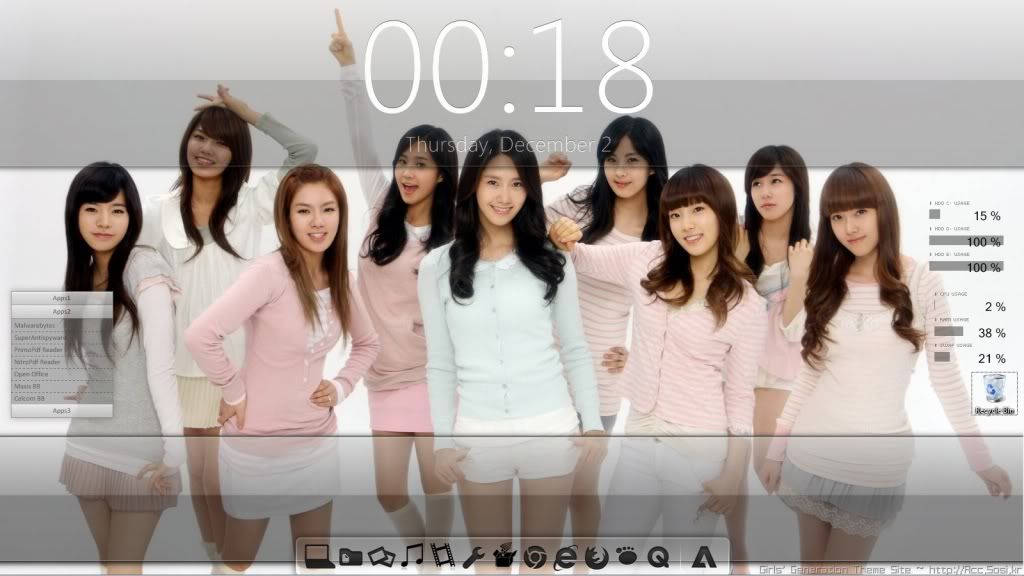 This post has been edited by Jefferson1983: Dec 2 2010, 12:32 AM |
|
|
Dec 3 2010, 05:25 AM
|
|
Senior Member
1,439 posts Joined: Aug 2010
|
QUOTE(Jefferson1983 @ Dec 2 2010, 12:31 AM) this is my first try. looks simple... wah...look very2 nice.... » Click to show Spoiler - click again to hide... « especially ur wallie... mind sharing ur wallie please.... This post has been edited by wanfaris: Dec 3 2010, 05:26 AM |
|
|
Dec 3 2010, 08:20 AM
|
|
Junior Member
398 posts Joined: Jan 2009 From: klang
|
QUOTE(wanfaris @ Dec 3 2010, 05:25 AM) wah...look very2 nice.... it really takes time to find a matching skin with the wallpaper somemore is a white & bright background. especially ur wallie... mind sharing ur wallie please.... just search "snsd" at wallbase.net , i got it from there.. |
|
|
Dec 3 2010, 10:32 AM
|
|
Senior Member
3,657 posts Joined: Aug 2009
|
QUOTE(Jefferson1983 @ Dec 3 2010, 08:20 AM) it really takes time to find a matching skin with the wallpaper somemore is a white & bright background. Token icon package?just search "snsd" at wallbase.net , i got it from there.. |
|
|
Dec 3 2010, 11:50 AM
|
|
Junior Member
398 posts Joined: Jan 2009 From: klang
|
QUOTE(Xiia0Ban @ Dec 3 2010, 10:32 AM) Token icon package? http://brsev.deviantart.com/art/Token-128429570 |
|
|
Dec 3 2010, 12:52 PM
|

Senior Member
2,004 posts Joined: Mar 2009
|
any of you guys know how to make bevel effect on rainmeter ?
|
|
|
Dec 3 2010, 01:37 PM
|
|
Senior Member
3,657 posts Joined: Aug 2009
|
QUOTE(Jefferson1983 @ Dec 3 2010, 11:50 AM) Quite lazy to change2 my icon pack 1st.Currently using Mac icon package. |
|
|
Dec 3 2010, 09:15 PM
|
|
Junior Member
398 posts Joined: Jan 2009 From: klang
|
QUOTE(Xiia0Ban @ Dec 3 2010, 01:37 PM) Quite lazy to change2 my icon pack 1st. as i know there a lot types of mac icons.. Currently using Mac icon package. mind to share yours. |
|
|
Dec 3 2010, 10:01 PM
|
|
Senior Member
3,657 posts Joined: Aug 2009
|
QUOTE(Jefferson1983 @ Dec 3 2010, 09:15 PM) as i know there a lot types of mac icons.. http://www.winmatrix.com/forums/index.php?...r-iconpackager/mind to share yours. |
|
|
Dec 5 2010, 12:49 AM
|

Senior Member
1,400 posts Joined: Nov 2007 From: Seksyen 24, Shah Alam
|
just to drop down and share my theme with you guys
» Click to show Spoiler - click again to hide... « from bluevision skin that ive just found out in this forum. so thanks to you guys!! This post has been edited by CheaTeRz: Dec 5 2010, 12:51 AM |
|
|
Dec 5 2010, 01:09 AM
|
|
Senior Member
1,439 posts Joined: Aug 2010
|
QUOTE(CheaTeRz @ Dec 5 2010, 12:49 AM) just to drop down and share my theme with you guys » Click to show Spoiler - click again to hide... « from bluevision skin that ive just found out in this forum. so thanks to you guys!! bro....it nice...but,it could be nice if u share ur desktop at december desktop thread so all forumer can see ur work.... This post has been edited by wanfaris: Dec 5 2010, 01:10 AM |
|
|
Dec 5 2010, 12:09 PM
|
|
Senior Member
3,657 posts Joined: Aug 2009
|
QUOTE(CheaTeRz @ Dec 5 2010, 12:49 AM) just to drop down and share my theme with you guys I tried to use this bluevision skin, but i cant manage to use it to design my desktop well.» Click to show Spoiler - click again to hide... « from bluevision skin that ive just found out in this forum. so thanks to you guys!! So i gave up. |
|
|
Dec 6 2010, 09:16 AM
|
|
Junior Member
246 posts Joined: May 2006
|
QUOTE(CheaTeRz @ Dec 5 2010, 12:49 AM) just to drop down and share my theme with you guys err....i think it is best for you to blanko the ip address...» Click to show Spoiler - click again to hide... « from bluevision skin that ive just found out in this forum. so thanks to you guys!! Nice theme! I got the same theme but i did some minor modification to the overall theme. Check out the December 2010 desktop thread, let me know if its good. This post has been edited by chong82: Dec 6 2010, 09:22 AM |
|
|
Dec 7 2010, 08:43 AM
|
|
Junior Member
398 posts Joined: Jan 2009 From: klang
|
did anyone here managed to work out the cpu temperature on rainmeter skins. on window 7. it has an error "core temp plugin.dll" is missing
|
|
|
Dec 7 2010, 12:25 PM
|
|
Junior Member
246 posts Joined: May 2006
|
if im not mistaken, you need an app call SpeedFan.
|
|
|
Dec 7 2010, 01:48 PM
|
|
Junior Member
398 posts Joined: Jan 2009 From: klang
|
QUOTE(chong82 @ Dec 7 2010, 12:25 PM) if im not mistaken, you need an app call SpeedFan. speedfan not working also. i even change changed it to speedfanplugin.dll at the notepad. after googling, seems that there is an issue with window vista n 7 which do not supported coretempplugin.dll |
|
|
Dec 8 2010, 03:51 PM
|
|
Junior Member
218 posts Joined: Nov 2009
|
QUOTE(Jefferson1983 @ Dec 7 2010, 01:48 PM) speedfan not working also. i even change changed it to speedfanplugin.dll at the notepad. after googling, seems that there is an issue with window vista n 7 which do not supported coretempplugin.dll you might wanna check the latest beta version in order for it to work oh ya, follow the steps on da forum if u are using avira or Eset antivirus good luck mate =) Added on December 8, 2010, 3:57 pm QUOTE(seraph8660 @ Nov 29 2010, 11:59 AM) yeap! But now i'm having "CoreTempPlugin.dll not found!" issue. CoreTempPlugin.dll are the basic plugins that come's with the rainmeter installer. u can check it under "C:\Program files\ rainmeter\ plugins" folder to check it out..some skin also provide this dll plugins in thier skin. if u use the skin which is built under 1.1 or 1.2 version of rainmeter u might wanna check the skin folder to find the plugins that come's with it.. good luck mate This post has been edited by skychilled: Dec 8 2010, 03:57 PM |
|
|
Dec 10 2010, 03:26 AM
|

Junior Member
70 posts Joined: Apr 2009
|
look nice...its consume lots of ram?
|
|
|
Dec 10 2010, 03:30 AM
|
|
Senior Member
1,439 posts Joined: Aug 2010
|
QUOTE(ryanl @ Dec 10 2010, 03:26 AM) look nice...its consume lots of ram? its depend on how much skin use... for me,only one skin doesnt effect anything... |
|
|
Dec 10 2010, 09:56 AM
|
|
Junior Member
40 posts Joined: Sep 2009
|
hi all.. i'm new to rainmeter.. i've just installed rainmeter..
all nice except for RSS.. can somebody help me.. then, i have problem with my rainmeter browser.. when i click it.. error message pop out saying.. unable to locate Rainmeter.ini.. pls help me.. thanks a lot |
|
|
Dec 10 2010, 10:07 AM
|
|
Senior Member
1,439 posts Joined: Aug 2010
|
QUOTE(cloud guy @ Dec 10 2010, 09:56 AM) hi all.. i'm new to rainmeter.. i've just installed rainmeter.. already try reinstaling ur rainmeter??maybe it get something wrong.. all nice except for RSS.. can somebody help me.. then, i have problem with my rainmeter browser.. when i click it.. error message pop out saying.. unable to locate Rainmeter.ini.. pls help me.. thanks a lot btw,for rss,what type of RSS u want to feed?? ok,for example,facebook...u just click RSS at ur notification,copy link n just paste at rainmeter on notepad... This post has been edited by wanfaris: Dec 10 2010, 10:07 AM |
|
|
Dec 10 2010, 10:11 AM
|
|
Junior Member
40 posts Joined: Sep 2009
|
i've try reinstalled for many times.. the result still the same.. the error message still pop out when I click rainmeter browser.
|
|
|
Dec 13 2010, 11:45 AM
|
|
Junior Member
246 posts Joined: May 2006
|
QUOTE(cloud guy @ Dec 10 2010, 10:11 AM) i've try reinstalled for many times.. the result still the same.. the error message still pop out when I click rainmeter browser. meaning when you try to startup the RSS skin? |
|
|
Dec 13 2010, 08:32 PM
|
|
Junior Member
129 posts Joined: Sep 2005 From: --
|
Does rainmeter have a config tool similar to what samurize have?
|
|
|
Dec 14 2010, 10:19 PM
|

Senior Member
1,132 posts Joined: Jan 2010 From: shit island
|
really blur using tis software.. i hav zero idea how to use tis.. many guide read but too many words it's like it never end
|
|
|
Dec 14 2010, 10:28 PM
|
|
Senior Member
1,439 posts Joined: Aug 2010
|
QUOTE(skeleton202 @ Dec 14 2010, 10:19 PM) really blur using tis software.. i hav zero idea how to use tis.. many guide read but too many words it's like it never end ..btw,what are blurring ur mind right now???mind to share.. maybe i can try to helping u... |
|
|
Dec 14 2010, 10:33 PM
|
|
Senior Member
1,132 posts Joined: Jan 2010 From: shit island
|
act tis my 1st time going tis section n the rainmeter thingy really caught my eye.. so juz dnload the software n oso dnload new skin from devianart..
my question is how to apply my new skin? i already put file on skin folder tho.. from : a noob who wan sumthin different in his desktop |
|
|
Dec 14 2010, 10:40 PM
|
|
Senior Member
1,439 posts Joined: Aug 2010
|
QUOTE(skeleton202 @ Dec 14 2010, 10:33 PM) act tis my 1st time going tis section n the rainmeter thingy really caught my eye.. so juz dnload the software n oso dnload new skin from devianart.. ok,already put the new skin to proper folder??my question is how to apply my new skin? i already put file on skin folder tho.. from : a noob who wan sumthin different in his desktop put them at C:\Users\Your Name\Documents\Rainmeter\Skins, then right click at default skin at ur desktop o click at rainmeter icon at systray,then select refresh all. now ur new skin should appear at "configs" list... |
|
|
Dec 14 2010, 10:55 PM
|
|
Senior Member
1,132 posts Joined: Jan 2010 From: shit island
|
QUOTE(wanfaris @ Dec 14 2010, 10:40 PM) ok,already put the new skin to proper folder?? how about change file .ini from .txt ??put them at C:\Users\Your Name\Documents\Rainmeter\Skins, then right click at default skin at ur desktop o click at rainmeter icon at systray,then select refresh all. now ur new skin should appear at "configs" list... |
|
|
Dec 14 2010, 10:59 PM
|
|
Senior Member
1,439 posts Joined: Aug 2010
|
QUOTE(skeleton202 @ Dec 14 2010, 10:55 PM) how about change file .ini from .txt ?? u want to edit skin right??? i found this at rainmeter site... » Click to show Spoiler - click again to hide... « |
|
|
Dec 15 2010, 12:25 AM
|
|
Junior Member
246 posts Joined: May 2006
|
QUOTE(skeleton202 @ Dec 14 2010, 10:55 PM) how about change file .ini from .txt ?? Just need to refresh that particular skin you're editing after saving the .ini file.The changes will take effect immediately. |
|
|
Dec 15 2010, 07:28 AM
|

Junior Member
289 posts Joined: Jan 2003 From: Shah Alam
|
hi,
i have been using rainmeter for a week, but i cant get the media player to work. i tried itunes, winamp, and wmp. all not able to load a song. do i need to edit anything? |
|
|
Dec 15 2010, 08:33 AM
|
|
Junior Member
398 posts Joined: Jan 2009 From: klang
|
QUOTE(dimenxion @ Dec 15 2010, 07:28 AM) hi, just make sure u have the itunes, winamp, wmp plugin file (.dll) in c:program file/rainmeter/plugini have been using rainmeter for a week, but i cant get the media player to work. i tried itunes, winamp, and wmp. all not able to load a song. do i need to edit anything? |
|
|
Dec 15 2010, 09:59 AM
|
|
Senior Member
1,132 posts Joined: Jan 2010 From: shit island
|
thx for the help.. it worked like example given but how about the shortcut icon??
anyway to hide it or juz delete all? |
|
|
Dec 15 2010, 10:04 AM
|

Junior Member
135 posts Joined: Sep 2007
|
You can delete the shortcut icons on your desktop and replace them either with the bar icons provided by your theme or create your own objectdock/rocketdock icons. You can get the icons from deviantart or wincustomize.com site.
|
|
|
Dec 15 2010, 10:29 AM
|
|
Junior Member
246 posts Joined: May 2006
|
QUOTE(dimenxion @ Dec 15 2010, 07:28 AM) hi, Winamp must be running in order for the skin to work.i have been using rainmeter for a week, but i cant get the media player to work. i tried itunes, winamp, and wmp. all not able to load a song. do i need to edit anything? |
|
|
Dec 15 2010, 11:17 AM
|
|
Junior Member
289 posts Joined: Jan 2003 From: Shah Alam
|
QUOTE(Jefferson1983 @ Dec 15 2010, 08:33 AM) just make sure u have the itunes, winamp, wmp plugin file (.dll) in c:program file/rainmeter/plugin i think i got that... hmmmQUOTE(chong82 @ Dec 15 2010, 10:29 AM) Winamp must be running in order for the skin to work. same goes to itunes and wmp rite? i believe i tried that but it doesnt work. |
|
|
Dec 15 2010, 11:29 AM
|
|
Junior Member
246 posts Joined: May 2006
|
QUOTE(dimenxion @ Dec 15 2010, 11:17 AM) i think i got that... hmmm Maybe you try edit the winamp skin, and see if there's any winamp path hardcoded in the .ini file.same goes to itunes and wmp rite? i believe i tried that but it doesnt work. If it is hardcoded, then change to the path of your current winamp.exe. Let me know if it works. This post has been edited by chong82: Dec 15 2010, 11:29 AM |
|
|
Dec 15 2010, 11:34 AM
|
|
Junior Member
289 posts Joined: Jan 2003 From: Shah Alam
|
ok.. thanks.. will try it out
|
|
|
Dec 26 2010, 10:32 PM
|

Junior Member
207 posts Joined: Feb 2008
|
anyone tried to edit the winamp skin into another music player? i wanted one for KuwoMusic player
try messing around but still couldnt get it, anyone can give some help? |
|
|
Jan 1 2011, 05:34 AM
|
|
Newbie
2 posts Joined: Feb 2010
|
after download skins from devianarts how to apply??
still nobb tho~~ |
|
|
Jan 1 2011, 07:24 AM
|
|
Senior Member
1,439 posts Joined: Aug 2010
|
QUOTE(yuri_lover @ Jan 1 2011, 05:34 AM) after download skins from devianarts how to apply?? http://rainmeter.net/RainCMS/?q=SkinTutorialsstill nobb tho~~ |
|
|
Jan 1 2011, 12:04 PM
|

Junior Member
377 posts Joined: Aug 2008 From: K.L
|
QUOTE(xi4n9 @ Dec 26 2010, 10:32 PM) anyone tried to edit the winamp skin into another music player? i wanted one for KuwoMusic player Not too sure what did you mean by trying to messed around the skin but my advice is to change ur music player to winamp or itunes or foobar2k since this 3 are the only player supported by existing library of rainmeter. Although nowadays, most rainmeter skin covered only itunes.try messing around but still couldnt get it, anyone can give some help? To make rainmeter to integrate with ur KuwoMusic player is not as simple as messing with the .ini file because u will have to write a .dll file from c/c++ which act as a communicator between ur player with rainmeter. |
|
|
Jan 14 2011, 03:12 AM
|

Junior Member
66 posts Joined: Nov 2009 From: currently in Malaysia
|
QUOTE(skychilled @ Mar 30 2010, 01:02 PM) this 1 finished few days ago cant tell the name of the wallpaper? or whats the name of the character? also what skins did u use? |
|
|
Jan 15 2011, 03:40 PM
|
|
Newbie
1 posts Joined: Jan 2011
|
mine...
Attached thumbnail(s) 
|
|
|
Jan 15 2011, 05:19 PM
|
|
Senior Member
3,657 posts Joined: Aug 2009
|
QUOTE(AVAsri_182 @ Jan 15 2011, 03:40 PM) mine... For me, you use too much skins and the background wallpaper make it look like messy. |
|
|
Jan 17 2011, 04:35 AM
|
|
Junior Member
66 posts Joined: Nov 2009 From: currently in Malaysia
|
anyway....my noob screenie looks....lol....i know the designs arent original....but its a start... » Click to show Spoiler - click again to hide... «
|
|
|
Jan 17 2011, 07:39 AM
|
|
Senior Member
1,439 posts Joined: Aug 2010
|
QUOTE(LuQEE @ Jan 17 2011, 04:35 AM) anyway....my noob screenie looks....lol....i know the designs arent original....but its a start... worr....nice wallie bro.... » Click to show Spoiler - click again to hide... « hem,use rainmeter + dreamscene at the same time??? no lagging ke bro??its too much waste ur resources.... This post has been edited by wanfaris: Jan 17 2011, 07:41 AM |
|
|
Jan 18 2011, 10:00 AM
|
|
Junior Member
66 posts Joined: Nov 2009 From: currently in Malaysia
|
QUOTE(wanfaris @ Jan 17 2011, 07:39 AM) worr....nice wallie bro.... no la......even lappy also can handle... hem,use rainmeter + dreamscene at the same time??? no lagging ke bro??its too much waste ur resources.... |
|
|
Jan 20 2011, 02:35 AM
|
|
Junior Member
16 posts Joined: Jul 2009
|
I am a newbie to rainmeter. Just saw the desktop customization of some of the awesome desktop. Wish to learn and edit myself also. I have download the rainmeter, but have no idea how to kick start. Need guide and help from all the pro from outside.
How do I get those different gadget using rainmeter? (just by downloading skin) How do I edit the customization of the rainmeter? Basic guide and help are appreciated as i am a new beginner.! |
|
|
Jan 20 2011, 05:40 PM
|
|
Senior Member
890 posts Joined: Oct 2009 From: Najidama Bay
|
QUOTE(ahinigami @ Jan 1 2011, 12:04 PM) Not too sure what did you mean by trying to messed around the skin but my advice is to change ur music player to winamp or itunes or foobar2k since this 3 are the only player supported by existing library of rainmeter. Although nowadays, most rainmeter skin covered only itunes. Hmm. Actually if KuWo music player has something like the foo_vis_shpeck plugin or the old foo_winamp_spam in foobar, it's possible that he can use that to fool Rainmeter into thinking KuWo is WinAmp and then it'll work, but it's not foolproof. Probably not though; not all players are as hackable as foobar. Seriously, foobar2k probably does things better than KuWo if you're going to just listen to music and don't need lyrics or karaoke in there. It's gotta be lighter on the system resources for sure.To make rainmeter to integrate with ur KuwoMusic player is not as simple as messing with the .ini file because u will have to write a .dll file from c/c++ which act as a communicator between ur player with rainmeter. |
|
|
Jan 20 2011, 06:47 PM
|
|
Senior Member
1,439 posts Joined: Aug 2010
|
QUOTE(Hilako @ Jan 20 2011, 02:35 AM) I am a newbie to rainmeter. Just saw the desktop customization of some of the awesome desktop. Wish to learn and edit myself also. I have download the rainmeter, but have no idea how to kick start. Need guide and help from all the pro from outside. Ok,actually i hv wrote at my previous post how to use ur own rainmeter skins,btw..im quote:How do I get those different gadget using rainmeter? (just by downloading skin) How do I edit the customization of the rainmeter? Basic guide and help are appreciated as i am a new beginner.! QUOTE ok,already put the new skin to proper folder?? put them at C:\Users\Your Name\Documents\Rainmeter\Skins, then right click at default skin at ur desktop o click at rainmeter icon at systray,then select refresh all. now ur new skin should appear at "configs" list... to modified default skin need a lot of skill n patience...but,u can try refer my post at january 2011 desktop... if u like my modified skin,i can share u my config... This post has been edited by wanfaris: Jan 20 2011, 06:48 PM |
|
|
Jan 23 2011, 01:50 AM
|

Senior Member
3,435 posts Joined: Oct 2008 From: Kota Bharu
|
Guys, how to change the windows taskbar? Any theme that suits Enigma in Rainmeter?
What can I do after I install Rainmeter with Enigma in it? |
|
|
Jan 23 2011, 02:12 AM
|
|
Senior Member
1,439 posts Joined: Aug 2010
|
QUOTE(FaezFarhan @ Jan 23 2011, 01:50 AM) Guys, how to change the windows taskbar? Any theme that suits Enigma in Rainmeter? just choose what skin u gonna use n then refresh all... What can I do after I install Rainmeter with Enigma in it? |
|
|
Jan 23 2011, 08:19 AM
|
|
Senior Member
3,657 posts Joined: Aug 2009
|
QUOTE(FaezFarhan @ Jan 23 2011, 01:50 AM) Guys, how to change the windows taskbar? Any theme that suits Enigma in Rainmeter? Seriously, you should take a look at deviantART, there are a lot themes that look nicer than Enigma.What can I do after I install Rainmeter with Enigma in it? Even there can give you more inspiration to design. |
|
|
Jan 23 2011, 03:10 PM
|
|
Senior Member
3,435 posts Joined: Oct 2008 From: Kota Bharu
|
QUOTE(Xiia0Ban @ Jan 23 2011, 08:19 AM) Seriously, you should take a look at deviantART, there are a lot themes that look nicer than Enigma. Tried downloading but it's in PNG and notepad format. Where do I put it?Even there can give you more inspiration to design. |
|
|
Jan 23 2011, 07:38 PM
|
|
Senior Member
1,439 posts Joined: Aug 2010
|
QUOTE(FaezFarhan @ Jan 23 2011, 03:10 PM) Tried downloading but it's in PNG and notepad format. Where do I put it?  just type rainmeter skin at devianart...then find this button...it will download ur chosen skin... |
|
|
Jan 23 2011, 07:42 PM
|
|
Senior Member
3,657 posts Joined: Aug 2009
|
Or you can try http://customize.org/ as well.
Added on January 23, 2011, 7:44 pm QUOTE(wanfaris @ Jan 20 2011, 06:47 PM) to modified default skin need a lot of skill n patience...but,u can try refer my post at january 2011 desktop... if u like my modified skin,i can share u my config... You can start learn how to change font, font size and then font colour. This post has been edited by Xiia0Ban: Jan 23 2011, 07:44 PM |
|
|
Jan 25 2011, 11:26 PM
|
|
Senior Member
3,435 posts Joined: Oct 2008 From: Kota Bharu
|
Yeah downloaded it but the content is in notepad and PNG format
Where do I put it? |
|
|
Jan 25 2011, 11:39 PM
|
|
Senior Member
1,439 posts Joined: Aug 2010
|
QUOTE(FaezFarhan @ Jan 25 2011, 11:26 PM) Yeah downloaded it but the content is in notepad and PNG format maybe u can try other skin link or u can post me what link u meaning for... Where do I put it? |
|
|
Feb 3 2011, 12:23 PM
|

Senior Member
3,251 posts Joined: Nov 2006 From: Kuala Rompin, Pahang
|
Just found this thread. Nice to see so many Rainmeter user here...
Been using Rainmeter to replace my Vista Sidebar. Still using it on my Windows 7. Currently using Modified Omnimo Skin... |
|
|
Feb 3 2011, 01:09 PM
|

Junior Member
380 posts Joined: Oct 2004 From: Vekta
|
i spend around 5 hours last nite customizing my desktop
using rainmeter and stardock/let and when i woke up today, no electricity sigh~ pity my neighbours who celebrate CNY |
|
|
Feb 3 2011, 02:38 PM
|
|
Senior Member
3,251 posts Joined: Nov 2006 From: Kuala Rompin, Pahang
|
QUOTE(Scavengers @ Feb 3 2011, 01:09 PM) i spend around 5 hours last nite customizing my desktop Sure all TNB workers also going out celebrating CNY. Mind share what outcome from the 5 hours customizing... using rainmeter and stardock/let and when i woke up today, no electricity sigh~ pity my neighbours who celebrate CNY |
|
|
Feb 4 2011, 10:05 AM
|
|
Junior Member
380 posts Joined: Oct 2004 From: Vekta
|
QUOTE(Deani_77 @ Feb 3 2011, 02:38 PM) Sure all TNB workers also going out celebrating CNY. Mind share what outcome from the 5 hours customizing... heheh actually the 5 hours include some sc2 gaming LOL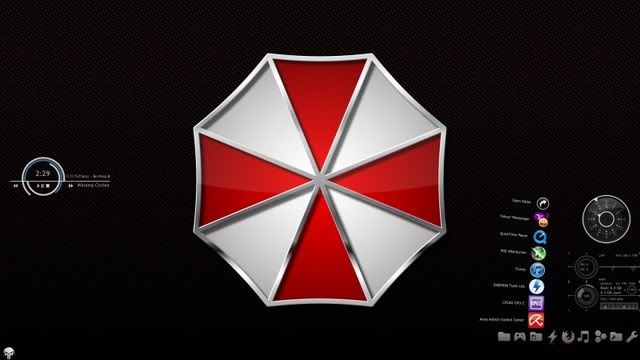 pix umbrella corp; deviantart rainmeter implosion by gordanj; cpu n network winamp cirlces by gerguter; winamp vatch black; watch dock rocket dock/ docklet; icon by token windows orb the punisher orb by XXrazor need to fill more but donno what any recommendation? |
|
|
Feb 5 2011, 09:32 AM
|
|
Senior Member
3,251 posts Joined: Nov 2006 From: Kuala Rompin, Pahang
|
QUOTE(Scavengers @ Feb 4 2011, 10:05 AM) heheh actually the 5 hours include some sc2 gaming LOL Nice... But the picture posted to small, cannot see the details for all the item... Mind give a link for bigger resolution picture...pix umbrella corp; deviantart rainmeter implosion by gordanj; cpu n network winamp cirlces by gerguter; winamp vatch black; watch dock rocket dock/ docklet; icon by token windows orb the punisher orb by XXrazor need to fill more but donno what any recommendation? |
|
|
Feb 6 2011, 12:24 AM
|
|
Junior Member
380 posts Joined: Oct 2004 From: Vekta
|
QUOTE(Deani_77 @ Feb 5 2011, 09:32 AM) Nice... But the picture posted to small, cannot see the details for all the item... Mind give a link for bigger resolution picture... roger that (1920x1080 alert)dock bottom right » Click to show Spoiler - click again to hide... « dock top » Click to show Spoiler - click again to hide... « This post has been edited by Scavengers: Feb 6 2011, 12:28 AM |
| Change to: |  0.2537sec 0.2537sec
 0.99 0.99
 6 queries 6 queries
 GZIP Disabled GZIP Disabled
Time is now: 20th December 2025 - 08:04 PM |
 Quote
Quote