

How to change the icons?
and the dock above, how to remove it o.O
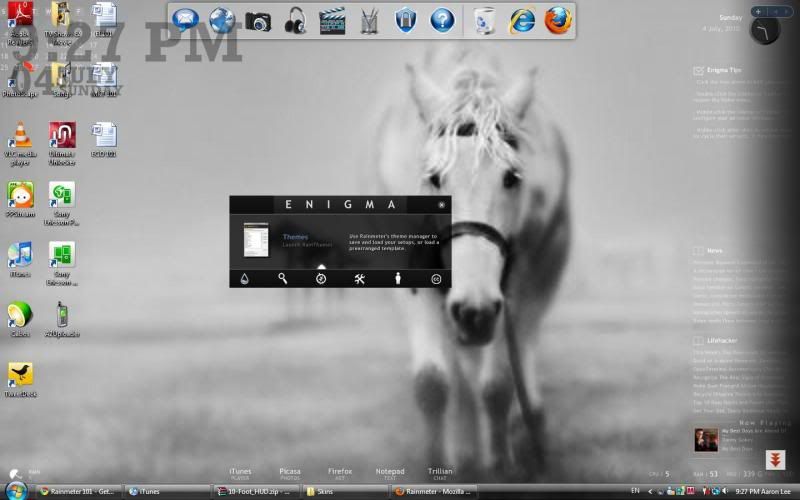
Rainmeter Help Thread, Post ur Rainmeter configs/tips here :)
|
|
 Jul 4 2010, 09:30 PM Jul 4 2010, 09:30 PM
Return to original view | Post
#1
|
 
Senior Member
998 posts Joined: Feb 2009 From: Jesse Pinkman's house 
|
I still don't get it lol
How to change the icons? and the dock above, how to remove it o.O |
|
|
|
|
|
Jul 5 2010, 03:47 PM
Return to original view | Post
#2
|
|
Senior Member
998 posts Joined: Feb 2009 From: Jesse Pinkman's house
|
QUOTE(skychilled @ Jul 4 2010, 11:15 PM) which icon that u wanna change ? likeoh ya, the dock is rocket dock is it ? just right click on it and press quit,or u can hide it by right clickin on it and press auto-hide function , if u want to remove it permanently ,simply uninstall it hope this helps    nope, not rocketdock. It's window's one lol how to change the icons like the pic above? movies, pictures, music, assignments .. all those. I wanna change my icons (PPS, iTunes etc.) to those and the dock seems cool, how to make it lol and how to remove the taskbar like you guys? I hide the taskbar, but when I minimized any windows, I need to show back the taskbar in order to maximize them. //edited, how to change the rocketdock so that it won't follow me when I'm surfing the net? 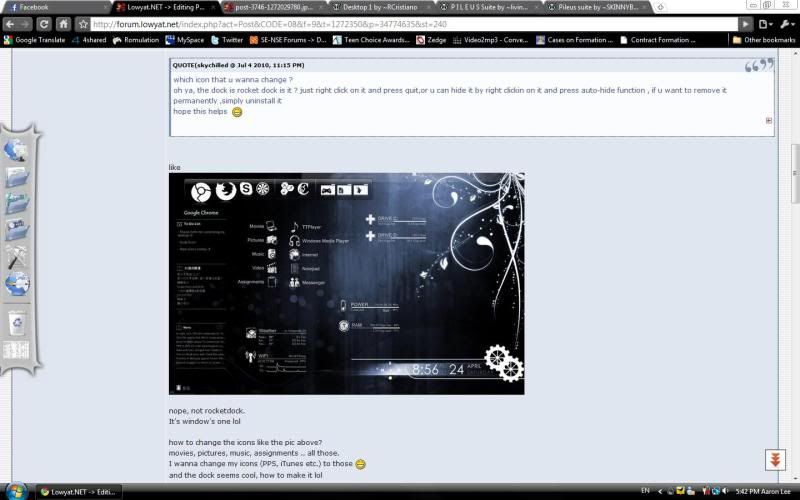 the dock is at the left side when I'm surfing the net. How to set this so that it only appears on desktop? and I've changed until like this. Just need to change the icons and the taskbar. I downloaded the Pileus icons from here and put them in the Skins folder, but I couldn't find them at config. It can't read png. files? 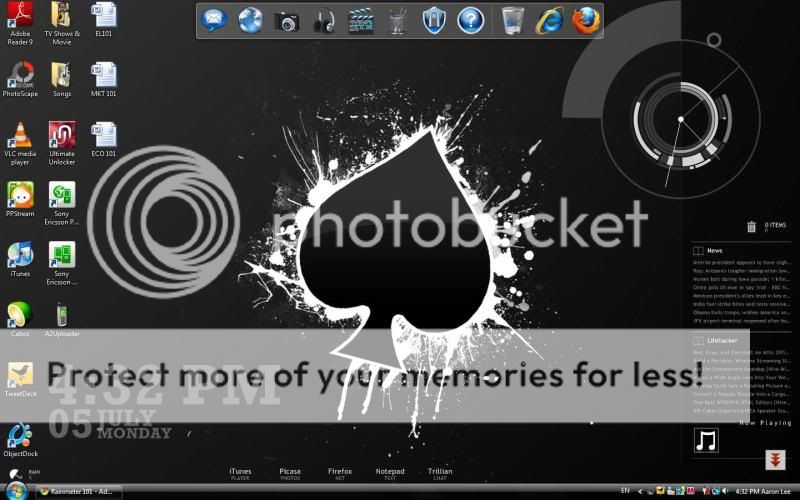 This post has been edited by elm0001: Jul 5 2010, 06:07 PM |
|
|
Jul 5 2010, 08:01 PM
Return to original view | Post
#3
|
|
Senior Member
998 posts Joined: Feb 2009 From: Jesse Pinkman's house
|
so when I've done all those stuffs.
So now I need to right click the rainmeter config > pelius installer > data > skins > pileus > resources > images? It can't go further more when I point at images. This post has been edited by elm0001: Jul 5 2010, 08:50 PM |
|
|
Jul 5 2010, 09:16 PM
Return to original view | Post
#4
|
|
Senior Member
998 posts Joined: Feb 2009 From: Jesse Pinkman's house
|
QUOTE(skychilled @ Jul 5 2010, 09:10 PM) i was waiting for your reply , if i continue in the previous post u will get blur-er! Do i need to change the file name also? ehem ! ok here it is , firstly , head to "Document->rainmeter->Skins->pileus->resource->variables . click pileus variables. scroll down until u find which icon that u wanna change it , now go to "Document->rainmeter->Skins->pileus->resource->Image->icon 3 (the one that u just downloaded) and copy the name of which one that u wanna change . For example , CODE IconApp1=lion <- (change this 1 with the image name , make sure the image name is not the same, otherwise u IconApp2=headphones need to change it ) IconApp3=globe2 (each of the name after the "=" sign is the icons name, change according to ur desire) IconApp4=note IconApp5=couple finally , save and quit the variables, and after that , press refresh all button to see the changes walla ~  Like the original one White Paint Platter (3), so I need to change it to 090320-black-paint-splatter-icon-signs-full-set (which I've downloaded)? |
|
|
Jul 5 2010, 09:36 PM
Return to original view | Post
#5
|
|
Senior Member
998 posts Joined: Feb 2009 From: Jesse Pinkman's house
|
QUOTE(skychilled @ Jul 5 2010, 09:26 PM) well if the name of "EACH" icon is the same with the others, u need to change it , otherwise u just copy paste the name into the variables i'm gonna faint lol do some experimentation and u know what i mean  good luck  oh, means if I press the refresh all, the icons will change automatically? This post has been edited by elm0001: Jul 5 2010, 09:39 PM |
|
|
Jul 5 2010, 09:50 PM
Return to original view | Post
#6
|
|
Senior Member
998 posts Joined: Feb 2009 From: Jesse Pinkman's house
|
CODE ;_____ I C O N S _____________ ;All the white icons were painstakingly inverted by SKINNYBOX - http://skinnybox.deviantart.com/ ;Black Paint Splatter (1), Black Grunge Stamp (2), White Paint Platter (3), White Grunge Stamp (4) ;You'll also have to change the ClockSize down in the Clock section. Icon Set=2 IconSize=50 ;To change the icons on any skin, just browse through the ;Skins\Pileus\Resources\Images folder and find the icon you want. ;Simply copy the name (without the ".png") of the image you want ;into the corresponding variable here, save this file, and refresh your skin.;) IconSystem=cube IconCPU=brain IconRAM=guage IconHDD1=plus IconHDD2=plus IconHDD3=plus IconHDD4=plus IconPWR=battery IconWIFI=wifi IconToDo=check IconIdeas=nuclear IconApp1=131628-whitewashed-star-patterned-icon-social-media-logos-shout-wire-logo2 IconApp2=131563-whitewashed-star-patterned-icon-social-media-logos-designfloat IconApp3=131569-whitewashed-star-patterned-icon-social-media-logos-diglog IconApp4=131647-whitewashed-star-patterned-icon-social-media-logos-twitter-bird3 IconApp5=131643-whitewashed-star-patterned-icon-social-media-logos-technorati-logo2 IconFolder1=131560-whitewashed-star-patterned-icon-social-media-logos-designbump-logo-square IconFolder2=131553-whitewashed-star-patterned-icon-social-media-logos-blinklist-logo IconFolder3=131557-whitewashed-star-patterned-icon-social-media-logos-blogmarks-logo IconFolder4=131559-whitewashed-star-patterned-icon-social-media-logos-delicious IconFolder5=131565-whitewashed-star-patterned-icon-social-media-logos-digg-square IconCrest=lion IconWeather=weather IconWorldWeather=globe3 IconWinAmp=lightning IconRSS1=RSS4 IconRSS2=RSS1 IconRSS3=RSS2 IconActive=dots IconActive2=square IconOver=target CODE ;_____ L A U N C H E R S ________ ;To turn the Launchers' lines on (0) or off (1), change this variable. ShowLauncherLine=0 ;App#Name or Folder#Name is the title that's displayed next to the link icon. ;App#Location or Folder#Location is the pathname to the folder or program you want to link to. ;You'll probably have to change all of them, except notepad and, if you're using Vista, firefox and windows live messenger if you use them. App1Name=iTunes App1Location=C:\Program Files\iTunes\iTunes.exe App2Name=Mozilla Firefox App2Location=C:\Program Files\Mozilla Firefox\firefox.exe App3Name=PhotoScape App3Location=C:\Program Files\PhotoScape\PhotoScape.exe App4Name=TweetDeck App4Location=C:\Program Files\TweetDeck\TweetDeck.exe App5Name=Messenger App5Location=C:\Program Files\Windows Live\Messenger\msnmsgr.exe Folder1Name=Downloads Folder1Location=C:\Users\Lee\Downloads Folder2Name=Bluetooth Pictures Folder2Location=C:\Users\Lee\Documents\Bluetooth Exchange Folder Folder3Name=Music Folder3Location=C:\Users\Lee\Music Folder4Name=Video Folder4Location=C:\Users\Lee\Videos Folder5Name=College Stuffs Folder5Location=C:\Users\Lee\Documents\College Stuffs CrestSize=512 This is the icons that I downloaded D: This post has been edited by elm0001: Jul 5 2010, 09:50 PM |
|
|
|
|
|
Jul 6 2010, 12:24 PM
Return to original view | Post
#7
|
|
Senior Member
998 posts Joined: Feb 2009 From: Jesse Pinkman's house
|
QUOTE(skychilled @ Jul 5 2010, 11:36 PM) thats should work fine . nope, it didn't work does it ?  |
|
|
Jul 6 2010, 09:22 PM
Return to original view | Post
#8
|
|
Senior Member
998 posts Joined: Feb 2009 From: Jesse Pinkman's house
|
omg that's weird then D:
even when I use the original icons (from the downloaded file), the icons didn't change also lol. This post has been edited by elm0001: Jul 6 2010, 09:31 PM |
|
|
Jul 7 2010, 07:14 PM
Return to original view | Post
#9
|
|
Senior Member
998 posts Joined: Feb 2009 From: Jesse Pinkman's house
|
QUOTE(skychilled @ Jul 7 2010, 01:40 AM) try to rename the icon without the "-" dash. rename it with simple one like firsticon1 or something like that slap me please LOLlet me know, cuz i dont have the problem like u got I got it now! You know what  there's reinstaller inside the file there's reinstaller inside the filebut then I didn't install it anyway, thanks skychilled!! You rocks!! but 1 problem, I downloaded the font I want. I did put them in the fonts folder. and then I edited in the variables file. but then the fonts didn't change eh? This post has been edited by elm0001: Jul 7 2010, 09:39 PM |
|
|
Jul 7 2010, 10:05 PM
Return to original view | Post
#10
|
|
Senior Member
998 posts Joined: Feb 2009 From: Jesse Pinkman's house
|
haha sure!
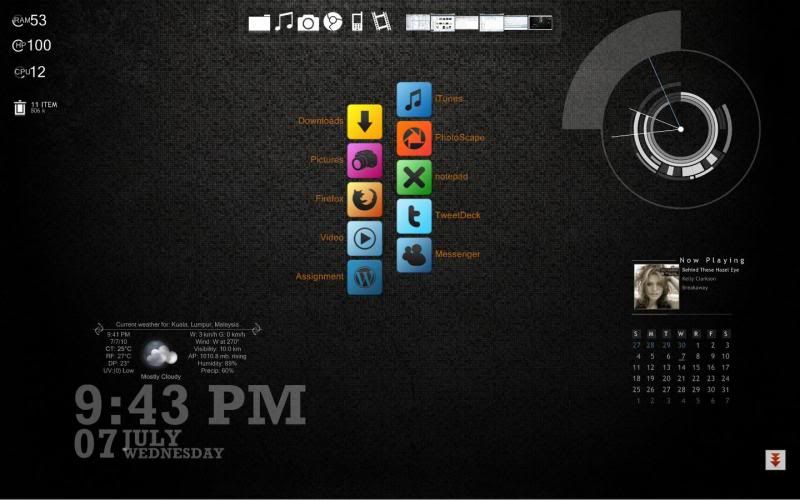 oh, i put it in the control panel > fonts. but i checked in the windows > fonts, the font is there ;O but it didn't change tho. This post has been edited by elm0001: Jul 7 2010, 10:22 PM |
|
|
Jul 8 2010, 03:21 PM
Return to original view | Post
#11
|
|
Senior Member
998 posts Joined: Feb 2009 From: Jesse Pinkman's house
|
QUOTE(skychilled @ Jul 7 2010, 10:31 PM) change the "titlefont" not the "font name" inside the pileus variable located in thanks dude!! document->rainmeter->skins->pileus->resource->variable after that try to refresh all and see the change =) i believe u were looking for these  press the name below to download  Corner Calender good luck mate   |
|
|
Jul 8 2010, 04:30 PM
Return to original view | Post
#12
|
|
Senior Member
998 posts Joined: Feb 2009 From: Jesse Pinkman's house
|
btw, how to make the icons horizontal while it's vertical?
like the screenshot. the icons are in vertical, but i wanna change to horizontal. This post has been edited by elm0001: Jul 8 2010, 04:31 PM |
|
|
Sep 19 2010, 12:21 PM
Return to original view | Post
#13
|
|
Senior Member
998 posts Joined: Feb 2009 From: Jesse Pinkman's house
|
lol, any idea on how to enter the weather code in omnimo?
i just couldn't find the place to locate the code ;o also, how to like when you minimize, then the window will appear on one of the boxes? cuz now after i minimized the window, it went to the taskbar and everytime when i wanna maximize again, i need to press the vista icon on keyboard and the taskbar will appear. (the taskbar won't appear when i put my cursor at the bottom. //edited, problem solved This post has been edited by elm0001: Sep 19 2010, 02:41 PM |
|
|
Sep 27 2010, 04:46 PM
Return to original view | Post
#14
|
|
Senior Member
998 posts Joined: Feb 2009 From: Jesse Pinkman's house
|
QUOTE(iZuDeeN @ Sep 27 2010, 03:23 PM) okay...back to my question... lol, maybe you can ask the person who uploaded that? I want to have the SKIN EXACTLY as showed in this page, how do I get it? including the wallpaper? since it doesnt have the THEME file.. I have to LOAD every single skin? http://browse.deviantart.com/customization...set=24#/d2uojgb  |
|
|
Oct 26 2010, 06:57 PM
Return to original view | Post
#15
|
|
Senior Member
998 posts Joined: Feb 2009 From: Jesse Pinkman's house
|
hey, let's see if you put itunes rainmeter skin on your desktop.
then when you wanna exit your itunes, did itunes ask you to like wait few secs before exit? |
| Change to: |  0.0365sec 0.0365sec
 0.84 0.84
 7 queries 7 queries
 GZIP Disabled GZIP Disabled
Time is now: 23rd December 2025 - 03:48 AM |
 Quote
Quote