

Im starting to like rainlendar.

Guide Beginners Guide to Desktop Modding
|
|
 Oct 16 2009, 12:12 PM Oct 16 2009, 12:12 PM
|
 
Senior Member
2,004 posts Joined: Mar 2009   
|
thanks for all the info.
Im starting to like rainlendar. |
|
|
|
|
|
Oct 18 2009, 09:18 PM
|

Junior Member
16 posts Joined: Sep 2009 From: Johor Bahru
|
hi
|
|
|
Oct 18 2009, 10:03 PM
|

Senior Member
793 posts Joined: Jan 2007 From: Kuala Lumpur
|
QUOTE(fariz @ Oct 16 2009, 09:33 AM) YEA... finally got what i want... just wanna know, is this as good as objectdock? |
|
|
Oct 22 2009, 11:36 AM
|

Junior Member
50 posts Joined: Oct 2009
|
it's usefull for beginner
 |
|
|
Dec 2 2009, 03:26 PM
|

Junior Member
520 posts Joined: Jul 2008
|
Can i know why my Rainmeter couldn't play a song even I'm opening it by Winamp ?
|
|
|
Dec 6 2009, 12:12 AM
|

Senior Member
913 posts Joined: Jan 2007 From: Butterworth, Penang
|
How to I place a photo or slide show on desktop?
I got reasons why I don't want use Win7 desktop gadget. 1. The window doesn't fit with the photo.  2. The size is limited, I want bigger size, waaaaaaay bigger than that. |
|
|
|
|
|
Dec 10 2009, 07:54 PM
|

Senior Member
1,293 posts Joined: Mar 2005 From: Ladang
|
hey guys, i have a simple question
regarding to http://www.youtube.com/watch?v=Iw6ld2stmGo&NR=1&feature=fvwp when the mouse double click an application, there is a big ghost icon floating up, how to make it? |
|
|
Dec 17 2009, 02:46 PM
|

Junior Member
7 posts Joined: Dec 2009
|
thx....rainmeter is awesome
|
|
|
Dec 29 2009, 10:05 PM
|

Junior Member
100 posts Joined: Dec 2008
|
nice
 |
|
|
Feb 10 2010, 10:20 AM
|

Senior Member
1,745 posts Joined: Aug 2007 From: somEwhere out there! 
|
i just got a new lappie on win 7.and wannt make the desktop bit cooler..
any thread regarding win 7? |
|
|
Feb 11 2010, 06:09 PM
|

Senior Member
640 posts Joined: May 2009 From: Whirlpool Island, Johto
|
it's taking me quite some time to read all those tutorials. Once im done with it, i've forgotten wad are the initial steps
 |
|
|
Feb 22 2010, 04:22 PM
|

Senior Member
570 posts Joined: May 2009 
|
i dunno if this the right place to ask this question
i want to put a shorcut at the bar for windows 7 games folder shorcut |
|
|
Feb 22 2010, 09:39 PM
|
 
VIP
16,825 posts Joined: Jan 2003 From: Siberia
|
QUOTE(Hezegroth @ Feb 22 2010, 04:22 PM) i dunno if this the right place to ask this question create a shortcut then pinned iti want to put a shorcut at the bar for windows 7 games folder shorcut  http://www.sevenforums.com/tutorials/27231...eate.html?ltr=G |
|
|
|
|
|
Feb 23 2010, 03:11 PM
|
|
Senior Member
570 posts Joined: May 2009
|
tq very much it help
|
|
|
Mar 8 2010, 08:30 PM
|

Newbie
1 posts Joined: Mar 2010
|
QUOTE(fariz @ Feb 3 2005, 09:09 AM) Beginners Guide to Desktop Modding would this work on a Vista OS?Disclaimer: 1. I'm not responsible if you mess up your registry and your computer decides to no longer work. just so you know, do all of these things at your own hazard. 2. Guides are taken from other guide scattered in the forum and other forums. Introduction: So you went to customize.org and you saw the most badass desktop ever and you want to know how it's done right? now that you realize that posting a comment saying "great screenshot, how did you do this?" doesn't get you anywhere, this tutorial will attempt to reveal to you the basic steps of desktop customization in windows and point you in the right direction as to where to achieve more advanced effects. Enabling WinXP to use 3rd party themes: Universal UXTheme Patcher: The UXTheme Patcher allows you to use any 3rd party msstyle theme on Windows XP/SP1/SP2 by patching the uxtheme.dll (dynamic link library). To simply patch the UXTheme.dll file, run the program, it will determine your operating system, then patch the appropriate file and reboot your PC. To un-patch the UXTheme.dll file, run the program again, and it will un-patch the .dll and then reboot your PC. Download Universal UXTheme Patcher For Windows XP SP3:Download visual style from any of these site: - Neowin.net: Completed Visual Styles - deviantART: Visual Styles - Customize.org: XP VisualStyles After you have downloaded the visual styles; usually in zip format; extract it to c:\windows\resources\themes\ Right click desktop > properties > appearance tab, select the visual style you just installed. Another method is to use WindowBlinds; download here; also 30 days trial. You can get themes for WindowBlinds from WinCustomize Wallpaper: As you may have guessed, your desktop background or "wallpaper" is integral to the overall look of your desktop theme. A good rule of thumb for wallpapers is to always use one that has a solidly colored area so you can place your icons and other desktop elements without interfering with the wallpaper's focal point. This becomes a problem sometimes when you're using a wallpaper that has a lot of three dimensional work and doesn't really leave room for a blank area. This might require you to edit the wallpaper a bit to your liking and may be more trouble than it's worth. some good resources for wallpapers are: - customize.org - deviantart.com - Pixelgirl - Mac OS X wallpapers - MobiusCo - Mandolux - MagnetStudio - Vladstudio - WallpaperStock |
|
|
Mar 19 2010, 05:18 PM
|

Junior Member
430 posts Joined: Sep 2006 From: Gombak,Selangor 
|
I cannot upload image/photo at the photoframe Rainmeter. Somebody pls help me.
|
|
|
Mar 23 2010, 09:58 PM
|

Newbie
2 posts Joined: Mar 2010 From: Kuala Lumpur
|
sweet..thanx for the guide
|
|
|
Mar 24 2010, 09:44 AM
|

Junior Member
290 posts Joined: Feb 2008
|
hey i'm on XP and i wish to make my taskbar completely transparent / fully hidden cz when i check the auto-hide taskbar, i can still c a faint blue line on the bottom of my desktop..
help please |
|
|
Apr 4 2010, 02:56 PM
|

Junior Member
82 posts Joined: Sep 2007
|
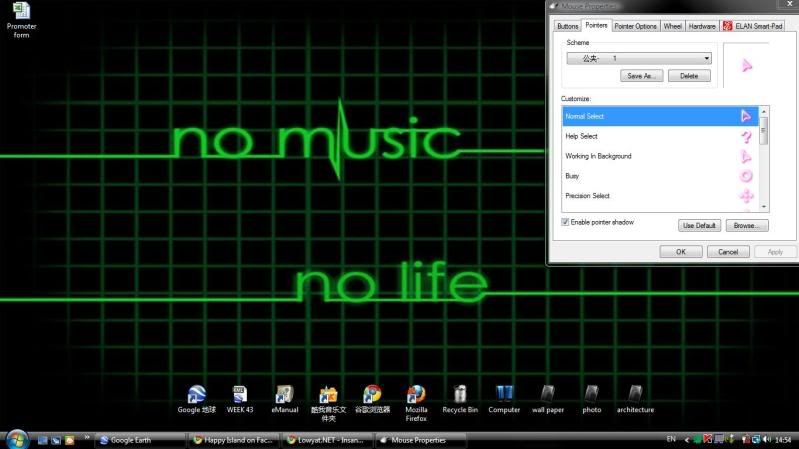
how do i get the mouse cursor and the icons?
 |
|
|
Apr 8 2010, 07:06 AM
|

Junior Member
218 posts Joined: Nov 2009
|
QUOTE(chchyong89 @ Dec 10 2009, 07:54 PM) hey guys, i have a simple question try cursor fx (software from stardock)regarding to http://www.youtube.com/watch?v=Iw6ld2stmGo&NR=1&feature=fvwp when the mouse double click an application, there is a big ghost icon floating up, how to make it? and u can download tons of cursor at wincustomize.com QUOTE(eric1310 @ Apr 4 2010, 02:56 PM) how do i get the mouse cursor and the icons? customize.org or if u have cursor fx go to wincustomize.com good luck mates |
| Change to: |  0.0289sec 0.0289sec
 0.48 0.48
 6 queries 6 queries
 GZIP Disabled GZIP Disabled
Time is now: 19th December 2025 - 11:20 PM |
 Quote
Quote