Outline ·
[ Standard ] ·
Linear+
Cable Management Thread V2, Share your cabling tricks here
|
llthim
|
 Jun 23 2014, 11:11 AM Jun 23 2014, 11:11 AM
|
Getting Started


|
QUOTE(infernoaswen @ Jun 23 2014, 03:00 AM) Starting initially you need to buy the crimper & moding kit (if you dont plan to diy). But once you have the items, you can make your own extenders multiple times I guess. The items to make extender isn't that expensive if you calculate but you will be spending hours making it. Advantage of making own custom cables is you can specify the length yourself based on your casing (at least that is what I did for mine). If you have the kit, you can even design the sleeving based on the pattern you like unlike those ready made extenders that usually comes in 1 color. There is pros & cons so depends on you I guess. Thanks bro  Ok. Thanks for your info. Would need some times to do more research 1st  This post has been edited by llthim: Jun 23 2014, 11:12 AM This post has been edited by llthim: Jun 23 2014, 11:12 AM |
|
|
|
|
|
Clem1982
|
Jun 23 2014, 12:11 PM
|
|
|
QUOTE(Vigilante98 @ Jun 18 2014, 06:57 AM) This is my new cable management with flash : Any advice ? Still need help here  This is so much of an improvement from what it was bro! nice! QUOTE(encikapas @ Jun 20 2014, 03:00 AM) 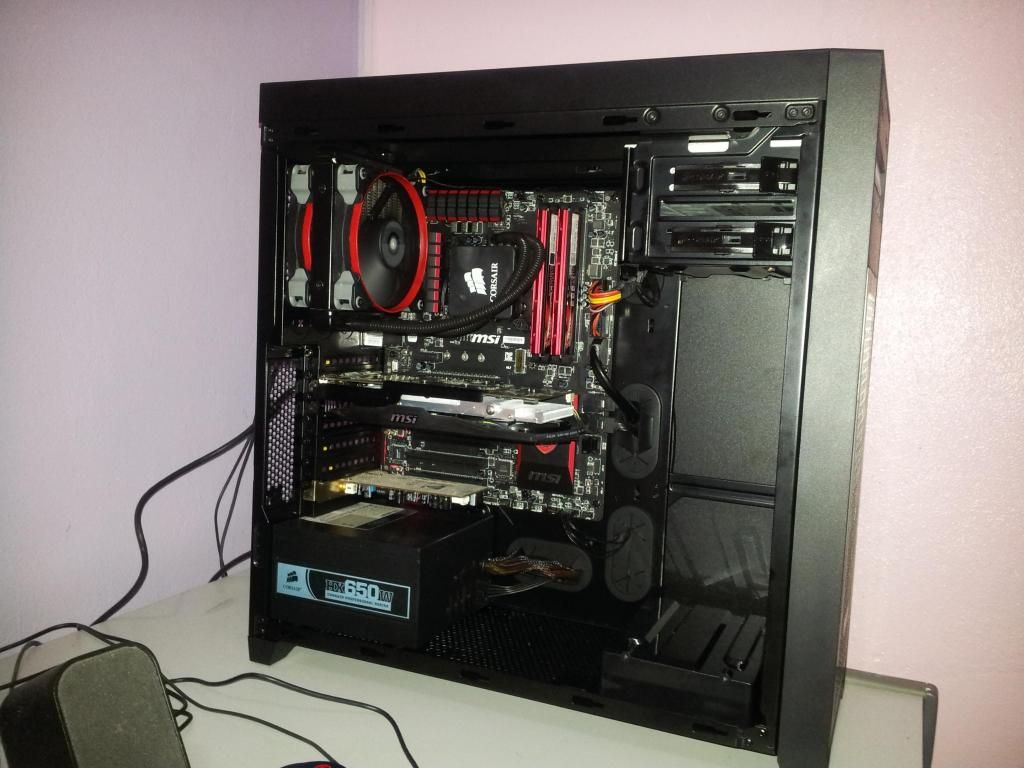 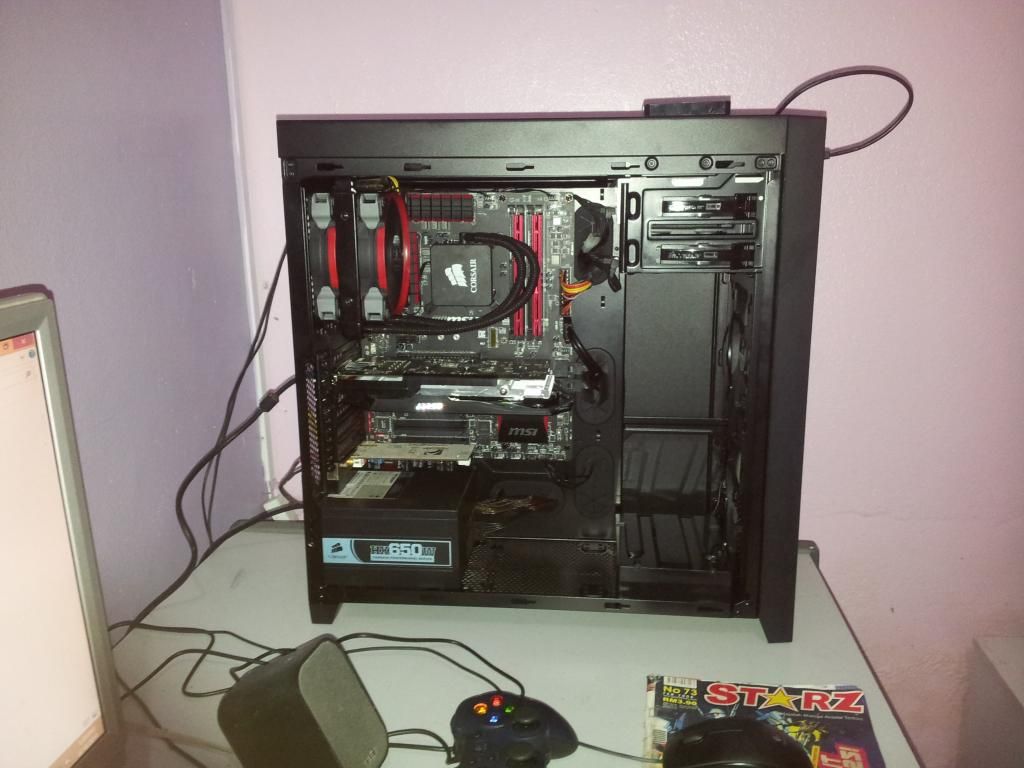 cable management gua yang tak berapa best... loks okay to me  why not so good? |
|
|
|
|
|
JohnDiew0107
|
Jun 23 2014, 12:20 PM
|
|
|
QUOTE(encikapas @ Jun 20 2014, 03:00 AM) cable management gua yang tak berapa best... looks pretty clean work for me.. btw, nice mouse pad |
|
|
|
|
|
Vigilante98
|
Jun 23 2014, 02:32 PM
|
New Member
|
QUOTE(Clem1982 @ Jun 23 2014, 12:11 PM) This is so much of an improvement from what it was bro! nice! loks okay to me why not so good? Alright ! Took me around 1hour or so to do it but I'm satisfied  Thanks for your opinion  |
|
|
|
|
|
cstkl1
|
Jun 23 2014, 05:04 PM
|
Look at all my stars!!

|
ooops
This post has been edited by cstkl1: Jun 23 2014, 05:09 PM
|
|
|
|
|
|
encikapas
|
Jun 24 2014, 08:41 PM
|
Getting Started
|
QUOTE(Clem1982 @ Jun 23 2014, 12:11 PM) This is so much of an improvement from what it was bro! nice! loks okay to me why not so good? hahaha...not so good meh?biase la..rig budak kampung..lel!!  QUOTE(JohnDiew0107 @ Jun 23 2014, 12:20 PM) looks pretty clean work for me.. btw, nice mouse pad tak mampu nak beli mousepad mahal...megazine pun kira ok...  |
|
|
|
|
|
SHOfrE3zE
|
Jul 17 2014, 01:59 PM
|
|
|
how often do u guys clean your interior cpu?
any tips on what to use to clean the interior?
|
|
|
|
|
|
kherel77
|
Jul 17 2014, 02:07 PM
|
|
|
QUOTE(SHOfrE3zE @ Jul 17 2014, 01:59 PM) how often do u guys clean your interior cpu? any tips on what to use to clean the interior? No fixed schedule for me...if look dusty, just clean it. Best method is air blower/compressor. Other is just using paint brush... |
|
|
|
|
|
SHOfrE3zE
|
Jul 17 2014, 04:31 PM
|
|
|
how about the dust accumulated at the bottom of the case? do you use vacuum to suck it off?
|
|
|
|
|
|
afosz
|
Jul 20 2014, 09:01 AM
|
|
|
Just bought a full set CPU from ViewNet and they did the assembly and cable management as well. By ViewNet » Click to show Spoiler - click again to hide... « Minor adjustment by myself » Click to show Spoiler - click again to hide... « I have no idea to make it a lot better than this  This post has been edited by afosz: Jul 20 2014, 09:20 AM This post has been edited by afosz: Jul 20 2014, 09:20 AM |
|
|
|
|
|
Ronin_Amin
|
Oct 1 2014, 06:07 AM
|
|
|
Would like you guys opinion on this. any advice on improvement? the current temperatures from speccy seems high... Attached thumbnail(s)
|
|
|
|
|
|
heerosakura
|
Oct 1 2014, 09:23 AM
|
Getting Started
|
QUOTE(Ronin_Amin @ Oct 1 2014, 06:07 AM) Would like you guys opinion on this. any advice on improvement? the current temperatures from speccy seems high... how much the temp and which part temp high? try tie u cable and put some fan on it |
|
|
|
|
|
Ronin_Amin
|
Oct 1 2014, 10:33 AM
|
|
|
QUOTE(heerosakura @ Oct 1 2014, 09:23 AM) how much the temp and which part temp high? try tie u cable and put some fan on it 50+ celcius for cpu 80+ celcius for gpu when gaming with just chrome with 6 tabs and torrent running, 42 for cpu, 42 for gpu By tying cables do you mean just to bunch them up or tying them to the case? Am planing to buy another side fan Also, how to add more fans if you PSU have run out of molex? |
|
|
|
|
|
heerosakura
|
Oct 1 2014, 11:22 AM
|
Getting Started
|
QUOTE(Ronin_Amin @ Oct 1 2014, 10:33 AM) 50+ celcius for cpu 80+ celcius for gpu when gaming with just chrome with 6 tabs and torrent running, 42 for cpu, 42 for gpu By tying cables do you mean just to bunch them up or tying them to the case? Am planing to buy another side fan Also, how to add more fans if you PSU have run out of molex? CPU should be no problem due it is normal. GPU little high but still can accepted on gaming. well let more space for air pass through especially you GPU you can use Molex to 3 fan adapter 12V 20 cm from bitfenix for extra fan slot |
|
|
|
|
|
Ronin_Amin
|
Oct 1 2014, 11:53 AM
|
|
|
QUOTE you can use Molex to 3 fan adapter 12V 20 cm from bitfenix for extra fan slot smile.gif Yeah i have one of those, but my psu only has 1 more molex though. What next? |
|
|
|
|
|
heerosakura
|
Oct 1 2014, 03:33 PM
|
Getting Started
|
QUOTE(Ronin_Amin @ Oct 1 2014, 11:53 AM) Yeah i have one of those, but my psu only has 1 more molex though. What next? well like this only, i not very pro  if u rich better change casing which all u cable hide at back for better space  |
|
|
|
|
|
torino
|
Oct 6 2014, 11:26 AM
|
|
|
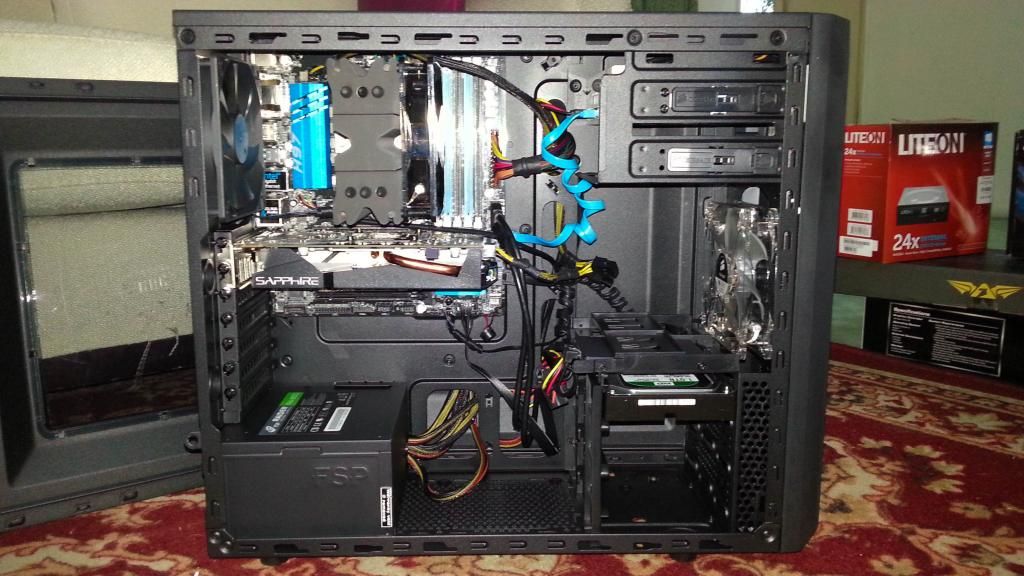
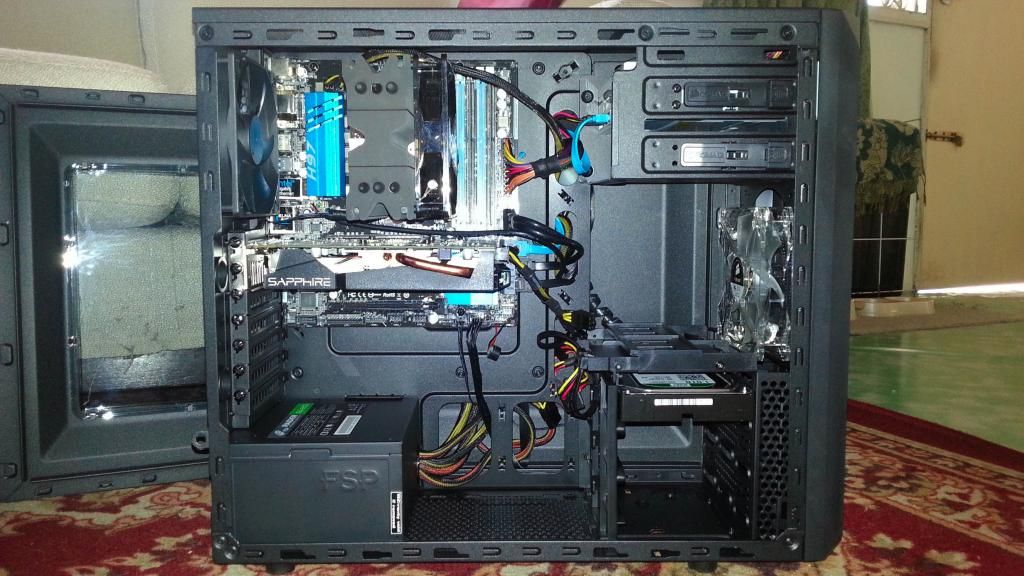
My best trick so far for my family rig with CM Silencio 352 Case. *Internal layout is similar with N200, so you guys can try it out too..  |
|
|
|
|
|
antaras
|
Oct 9 2014, 06:53 PM
|
Getting Started
|
QUOTE(torino @ Oct 6 2014, 11:26 AM) My best trick so far for my family rig with CM Silencio 352 Case. *Internal layout is similar with N200, so you guys can try it out too.. Nice clean cables routing. Good stuff! |
|
|
|
|



 Quote
Quote













 0.0206sec
 0.59
0.59
 6 queries
 GZIP Disabled