Welcome Guest ( Log In | Register )

66 Pages « < 58 59 60 61 62 > » Bottom

Outline · [ Standard ] · Linear+

 Intel P55 H55 H57 LGA 1156 Core I3 I5 I7, OC and Discussion

views
     
JasLyn
post Mar 9 2011, 03:43 PM

Kernel Panic
*****
Senior Member
724 posts

Joined: Jul 2007
From: Land Below The Wind...
When stock ram speed is at 2000mhz with 9-9-9-27-74 1.65v, what is the logical increment or other voltage or anything to do with rams settings when its gone up to 2100mhz due to CPU OC... in which 210x20 resulting 4.20Ghz and ram 210x10 2100mhz....?
ne0cz
post Mar 10 2011, 10:51 PM

Zoom Zoom
*******
Senior Member
5,372 posts

Joined: May 2008
From: Nokia HQ


QUOTE(acelim123 @ Mar 8 2011, 11:05 AM)
hi~

how to i know cpu thermal throttling happen during run LinX?

here some info:http://img135.imageshack.us/i/resultb.png/
is it normal with this temp?

thanks
*
you have very low gflops. at 4.0 you should get about 50+gflops. if your CPU is throttling, just watch CPU-Z see whether the speed drop.
what cooler are you using? 8x is quite bad. The voltage also rather high. You can get that speed at lower voltages.. just put the bclk lower

This post has been edited by ne0cz: Mar 10 2011, 10:57 PM
acelim123
post Mar 11 2011, 07:21 PM

New Member
*
Junior Member
48 posts

Joined: Apr 2007
Im using Mugen 2. Damn... do u think i did something with wrong my cooler setup?? or Themal Paste??

anyway i using EasyTune to OC tongue.gif linited option to tune

so how to lower the voltage?

ne0cz
post Mar 11 2011, 09:15 PM

Zoom Zoom
*******
Senior Member
5,372 posts

Joined: May 2008
From: Nokia HQ


QUOTE(acelim123 @ Mar 11 2011, 07:21 PM)
Im using Mugen 2. Damn... do u think i did something with wrong my cooler setup?? or Themal Paste??

anyway i using EasyTune to OC tongue.gif linited option to tune

so how to lower the voltage?
*
you know use bios or not? sweat.gif
Mugen 2 should be enough to cool it. Maybe not enough contact or bad thermal paste application. Or bad airflow?
JoBigShow
post Mar 11 2011, 10:04 PM

Ω Ξ Ψ Σ Д Ӫ Ж Π ✿
*****
Senior Member
969 posts

Joined: Jul 2009
From: ɹndɯnן ɐןɐnʞ


Greetings all rclxms.gif

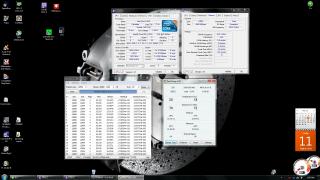
Got myself:
Gigabyte P55-UD3L rev.2.3 (F1 bios)
i3 530
Team Dark Xtreem 1600mhz DDR3 CL9
CoolerMaster 212+ tongue.gif

Spent last night overclocking it to 4Ghz @ 1.26v (LLC ON), 182x22
Rams to 1820mhz (because memory multiplier @ x10, so times this with bclk of 182)

I turned 'on' LLC because when off, the Vcore dips under load which got me felt uneasy with it's stability, with LCC 'on' the Vcore stays a tad constant.

Attached Image

I gotta say, it's pretty easy OC'ing this proc to 4ghz. Right now I'm regularly stress testing the stability with LinX.
Will do 'blend' test with prime95 and memtest to determine whether my rams are stable with 1.68v @ 1820mhz, i manually adjust the timing to default 9-9-9-24 because the bios set it to 10-11-11-28 initially.

The CM 212+ ain't too bad for a sub RM80-90 cooler, performs graciously (50-52c max on LOAD) under LinX's torturous tests. nod.gif

ne0cz
post Mar 13 2011, 06:15 PM

Zoom Zoom
*******
Senior Member
5,372 posts

Joined: May 2008
From: Nokia HQ


QUOTE(JoBigShow @ Mar 11 2011, 10:04 PM)
Greetings all  rclxms.gif

Got myself:
Gigabyte P55-UD3L rev.2.3 (F1 bios)
i3 530
Team Dark Xtreem 1600mhz DDR3 CL9
CoolerMaster 212+ tongue.gif

Spent last night overclocking it to 4Ghz @ 1.26v (LLC ON), 182x22
Rams to 1820mhz (because memory multiplier @ x10, so times this with bclk of 182)

I turned 'on' LLC because when off, the Vcore dips under load which got me felt uneasy with it's stability, with LCC 'on' the Vcore stays a tad constant.

Attached Image

I gotta say, it's pretty easy OC'ing this proc to 4ghz. Right now I'm regularly stress testing the stability with LinX.
Will do 'blend' test with prime95 and memtest to determine whether my rams are stable with 1.68v @ 1820mhz, i manually adjust the timing to default 9-9-9-24 because the bios set it to 10-11-11-28 initially.

The CM 212+ ain't too bad for a sub RM80-90 cooler, performs graciously (50-52c max on LOAD) under LinX's torturous tests.  nod.gif
*
you using a bench or what? So cool? @__@
flexus90
post Mar 13 2011, 08:23 PM

On my way
****
Senior Member
580 posts

Joined: Jun 2009
From: North Pole oF Msia


QUOTE(ne0cz @ Mar 10 2011, 10:51 PM)
you have very low gflops. at 4.0 you should get about 50+gflops. if your CPU is throttling, just watch CPU-Z see whether the speed drop.
what cooler are you using? 8x is quite bad. The voltage also rather high. You can get that speed at lower voltages.. just put the bclk lower
*
What the heck is CPU throttling?
JoBigShow
post Mar 13 2011, 09:45 PM

Ω Ξ Ψ Σ Д Ӫ Ж Π ✿
*****
Senior Member
969 posts

Joined: Jul 2009
From: ɹndɯnן ɐןɐnʞ


QUOTE(ne0cz @ Mar 13 2011, 06:15 PM)
you using a bench or what? So cool? @__@
*
Haven't yet pushed this proc for benchmarking. laugh.gif
Just wanna see how easy the i3 gets to 4ghz like everyone been hyping about - and it's true! nod.gif

There's few things I want your opinion on:

1) QPI link - since I'm not using the IGP, should I even bother about it relatively to OC'ing?
2) If question (1) is true, any advantage to matching QPI link and core speed? (in CPU-z), or should I get it back or closer to it's default value OR higher/lower than the proc core speed?
3) QPI MULTIPLIER - I'm at x44, do I yield more performance lowering the multiplier, hence lowering the QPI link speed it self?

Yeah, this QPI/uncore thingy really gets me confuse, I'm pretty new to this architecture. tongue.gif
I got everything else tweak, but don't know how this QPI thingy relatively could improve performance,. sweat.gif


@acelim123

I'm pretty sure your temps has to do with the Vcore, it's higher than any i5 i've seen. Try to lower it in increments and run LinX until you encounter error. When you have encounter error, bump up one increment and see if you still encounter error, if no error, that's a good place to stay.
About cooler, prolly need re-seating or unit good thermal paste like the Tuniq TX-4.
Have you been into the bios yet? biggrin.gif
Need to setup couple of things there, routine OC'ing stuff like disabling the Intel' power saving features, etc. LLC, not leaving things on 'AUTO' because it can be dangerous to let the bios handles things at it's own terms.

acelim123
post Mar 14 2011, 02:44 AM

New Member
*
Junior Member
48 posts

Joined: Apr 2007
thanks for the advice... i see wat i can do abt bios ^^ i scare this part @@

i prob will reseating the cooler and reapply thermal paste tongue.gif

thanks.


JoBigShow
post Mar 14 2011, 03:39 AM

Ω Ξ Ψ Σ Д Ӫ Ж Π ✿
*****
Senior Member
969 posts

Joined: Jul 2009
From: ɹndɯnן ɐןɐnʞ


QUOTE(acelim123 @ Mar 14 2011, 02:44 AM)
thanks for the advice... i see wat i can do abt bios ^^ i scare this part @@

i prob will reseating the cooler and reapply thermal paste tongue.gif

thanks.
*
the temps of IDLE average around 50c and MAX load around 90c is a bit scary, (from: http://img135.imageshack.us/i/resultb.png/)
at least you need to have IDLE temps of 35c-40c and LOAD temps below 75-80cc.

The bios, just match the value from what you set in the EASY TUNER like Vcore, multiplier, etc. first.
Then ask about the other stuff which are still on 'AUTO'.


ne0cz
post Mar 14 2011, 10:09 AM

Zoom Zoom
*******
Senior Member
5,372 posts

Joined: May 2008
From: Nokia HQ


QUOTE(flexus90 @ Mar 13 2011, 08:23 PM)
What the heck is CPU throttling?
*
CPU throttling is when the CPU drops the multiplier when it overheats or doesn't get enough power. (my MOSFETs overheat so my CPU throttles also)


QUOTE(JoBigShow @ Mar 13 2011, 09:45 PM)
Haven't yet pushed this proc for benchmarking.  laugh.gif
Just wanna see how easy the i3 gets to 4ghz like everyone been hyping about - and it's true!  nod.gif

There's few things I want your opinion on:

1) QPI link - since I'm not using the IGP, should I even bother about it relatively to OC'ing?
2) If question (1) is true, any advantage to matching QPI link and core speed? (in CPU-z), or should I get it back or closer to it's default value OR higher/lower than the proc core speed?
3) QPI MULTIPLIER - I'm at x44, do I yield more performance lowering the multiplier, hence lowering the QPI link speed it self?

Yeah, this QPI/uncore thingy really gets me confuse, I'm pretty new to this architecture.  tongue.gif
I got everything else tweak, but don't know how this QPI thingy relatively could improve performance,.  sweat.gif
@acelim123

I'm pretty sure your temps has to do with the Vcore, it's higher than any i5 i've seen. Try to lower it in increments and run LinX until you encounter error. When you have encounter error, bump up one increment and see if you still encounter error, if no error, that's a good place to stay.
About cooler, prolly need re-seating or unit good thermal paste like the Tuniq TX-4.
Have you been into the bios yet?  biggrin.gif
Need to setup couple of things there, routine OC'ing stuff like disabling the Intel' power saving features, etc. LLC, not leaving things on 'AUTO' because it can be dangerous to let the bios handles things at it's own terms.
*
QPI normally put to x32 enough. No difference felt eventhough my QPI is at the same as my proc (3.6ghz). I got try 3.2ghz QPI. Doesn't seem to affect performance at all.
BTW my x## is gotten from CPU-Z
amy89
post Apr 24 2011, 02:22 PM

Getting Started
**
Junior Member
164 posts

Joined: Oct 2010
From: MKZ/MYY


I'm still new in OC and this is my setup hope you all can help me to get a better OC...

Core i3-530
Gigabyte GA-H55M-S2H Rev1.0 BIOS F7
4GB ram installed but only show 3GB.(don't know why)
Nvidia GT220 1GB.
Just installed windows 7 64bit.
Stock cooler just add pc case fan.


Attached Image
ne0cz
post Apr 28 2011, 06:54 PM

Zoom Zoom
*******
Senior Member
5,372 posts

Joined: May 2008
From: Nokia HQ


QUOTE(amy89 @ Apr 24 2011, 02:22 PM)
I'm still new in OC and this is my setup hope you all can help me to get a better OC...

Core i3-530
Gigabyte GA-H55M-S2H Rev1.0 BIOS F7
4GB ram installed but only show 3GB.(don't know why)
Nvidia GT220 1GB.
Just installed windows 7 64bit.
Stock cooler just add pc case fan.
Attached Image
*
have you run a stability test (e.g. LinX or IBT?) Watch the temps as you are using stock cooler which is VERY inefficient at cooling the CPU, especially after an overclock
Your RAM maybe not seated properly. Check.
amy89
post Apr 28 2011, 10:56 PM

Getting Started
**
Junior Member
164 posts

Joined: Oct 2010
From: MKZ/MYY


QUOTE(ne0cz @ Apr 28 2011, 06:54 PM)
have you run a stability test (e.g. LinX or IBT?) Watch the temps as you are using stock cooler which is VERY inefficient at cooling the CPU, especially after an overclock
Your RAM maybe not seated properly. Check.
*
After overclocked I can play games like crysis2 or Homefront with mid setting.Temp on cpu and gpu when playing crysis2 is about 55-60c.Other games like MOH2010 and Metro 2033 can run smoothly without lag at mid setting without OC.I ever use linx but only can test with maximum stress for 2minute because cpu temp become to high until 75c.Planning to buy a cooler master elite 430 and corsair H50 for better cooling and must also upgrade RAM and GPU just saving some money now. biggrin.gif
ne0cz
post Apr 29 2011, 02:58 PM

Zoom Zoom
*******
Senior Member
5,372 posts

Joined: May 2008
From: Nokia HQ


QUOTE(amy89 @ Apr 28 2011, 10:56 PM)
After overclocked I can play games like crysis2 or Homefront with mid setting.Temp on cpu and gpu when playing crysis2 is about 55-60c.Other games like MOH2010 and Metro 2033 can run smoothly without lag at mid setting without OC.I ever use linx but only can test with maximum stress for 2minute because cpu temp become to high until 75c.Planning to buy a cooler master elite 430 and corsair H50 for better cooling and must also upgrade RAM and GPU just saving some money now. biggrin.gif
*
downclock the proc a bit so that you can do a stress test properly without the temps going off the charts. At least 50 runs.
amy89
post Apr 29 2011, 03:07 PM

Getting Started
**
Junior Member
164 posts

Joined: Oct 2010
From: MKZ/MYY


QUOTE(ne0cz @ Apr 29 2011, 02:58 PM)
downclock the proc a bit so that you can do a stress test properly without the temps going off the charts. At least 50  runs.
*
Running 3.6GHz is much better on the temp side and performance not much different with OC until 4.1GHz.

I'm planning on buying a new cpu cooler but corsair H50 is to expensive and since CM 212 plus is not so expensive I would like to buy it but how is the cooling performance compared to stock cpu?any idea?And is it worth it?
JoBigShow
post Apr 29 2011, 08:00 PM

Ω Ξ Ψ Σ Д Ӫ Ж Π ✿
*****
Senior Member
969 posts

Joined: Jul 2009
From: ɹndɯnן ɐןɐnʞ


QUOTE(amy89 @ Apr 29 2011, 03:07 PM)
Running 3.6GHz is much better on the temp side and performance not much different with OC until 4.1GHz.

I'm planning on buying a new cpu cooler but corsair H50 is to expensive and since CM 212 plus is not so expensive I would like to buy it but how is the cooling performance compared to stock cpu?any idea?And is it worth it?
*
CM 212 plus is the most bang~for~the~bucks cooler out there for the LGA1156, for it's price range from RM85-100 it's the best compared to other coolers at that price.

I OC my Core i3-530 to 4.004ghz @1.28v and load temps reaches to 60c with Linx with CM212+, I was planning to get more expensive cooler but decide not to since this cooler is good enough. (my previous above post has cooler results because the rig was in an A/C'ed room.)

This post has been edited by JoBigShow: Apr 29 2011, 08:01 PM
ne0cz
post Apr 30 2011, 05:03 PM

Zoom Zoom
*******
Senior Member
5,372 posts

Joined: May 2008
From: Nokia HQ


heh. i5 760 at 3.6 doing 70C max on full load LinX problem size 10000. Hyper 212+ FTW

This post has been edited by ne0cz: Apr 30 2011, 05:03 PM
amy89
post May 1 2011, 12:58 AM

Getting Started
**
Junior Member
164 posts

Joined: Oct 2010
From: MKZ/MYY


Wow very good review and rating on CM 212 Plus rclxms.gif .I'm getting a CM 212 Plus from one of the LYN seller that is selling it.Hope to get it on wednesday.Now I'm running 2GB DDR3 1333MHz OC to 1600MHz @1.5V flex.gif
One of my TEAM Elite 2GB is faulty and nowonder only says it has 1GB not 2GB and I ask my dad to help me buy a 2GB ram and he got the wrong RAM.If anybody is interested with my 2GB DDR3 1066 LONG DIMM RAM do PM me because for pricing because I want to get rid of it and Item is still new.

This post has been edited by amy89: May 1 2011, 01:21 AM
Duckies
post May 1 2011, 04:08 AM

Rubber Ducky
*******
Senior Member
9,789 posts

Joined: Jun 2008
From: Rubber Duck Pond


Tried to overclock mine to 4.0Ghz without 3rd party cooler...it seems the temperature is acceptable,but not recommendable.Still haven got my CM Hyper 212+ =( Perhaps i shall lowered it to 3.4-3.6

Btw,do u think over-clocking might increase ur TNB bill?

66 Pages « < 58 59 60 61 62 > » Top
 

Change to:
| Lo-Fi Version
0.0280sec    0.70    6 queries    GZIP Disabled
Time is now: 5th December 2025 - 02:45 AM