

Core i3-530
Gigabyte GA-H55M-S2H Rev1.0 BIOS F7
4GB ram installed but only show 3GB.(don't know why)
Nvidia GT220 1GB.
Just installed windows 7 64bit.
Stock cooler just add pc case fan.

Intel P55 H55 H57 LGA 1156 Core I3 I5 I7, OC and Discussion
|
|
 Apr 24 2011, 02:22 PM Apr 24 2011, 02:22 PM
Return to original view | Post
#1
|
 
Junior Member
164 posts Joined: Oct 2010 From: MKZ/MYY  
|
I'm still new in OC and this is my setup hope you all can help me to get a better OC...
Core i3-530 Gigabyte GA-H55M-S2H Rev1.0 BIOS F7 4GB ram installed but only show 3GB.(don't know why) Nvidia GT220 1GB. Just installed windows 7 64bit. Stock cooler just add pc case fan.
|
|
|
|
|
|
Apr 28 2011, 10:56 PM
Return to original view | Post
#2
|
|
Junior Member
164 posts Joined: Oct 2010 From: MKZ/MYY
|
QUOTE(ne0cz @ Apr 28 2011, 06:54 PM) have you run a stability test (e.g. LinX or IBT?) Watch the temps as you are using stock cooler which is VERY inefficient at cooling the CPU, especially after an overclock After overclocked I can play games like crysis2 or Homefront with mid setting.Temp on cpu and gpu when playing crysis2 is about 55-60c.Other games like MOH2010 and Metro 2033 can run smoothly without lag at mid setting without OC.I ever use linx but only can test with maximum stress for 2minute because cpu temp become to high until 75c.Planning to buy a cooler master elite 430 and corsair H50 for better cooling and must also upgrade RAM and GPU just saving some money now. Your RAM maybe not seated properly. Check.   |
|
|
Apr 29 2011, 03:07 PM
Return to original view | Post
#3
|
|
Junior Member
164 posts Joined: Oct 2010 From: MKZ/MYY
|
QUOTE(ne0cz @ Apr 29 2011, 02:58 PM) downclock the proc a bit so that you can do a stress test properly without the temps going off the charts. At least 50 runs. Running 3.6GHz is much better on the temp side and performance not much different with OC until 4.1GHz.I'm planning on buying a new cpu cooler but corsair H50 is to expensive and since CM 212 plus is not so expensive I would like to buy it but how is the cooling performance compared to stock cpu?any idea?And is it worth it? |
|
|
May 1 2011, 12:58 AM
Return to original view | Post
#4
|
|
Junior Member
164 posts Joined: Oct 2010 From: MKZ/MYY
|
Wow very good review and rating on CM 212 Plus
 .I'm getting a CM 212 Plus from one of the LYN seller that is selling it.Hope to get it on wednesday.Now I'm running 2GB DDR3 1333MHz OC to 1600MHz @1.5V .I'm getting a CM 212 Plus from one of the LYN seller that is selling it.Hope to get it on wednesday.Now I'm running 2GB DDR3 1333MHz OC to 1600MHz @1.5V  One of my TEAM Elite 2GB is faulty and nowonder only says it has 1GB not 2GB and I ask my dad to help me buy a 2GB ram and he got the wrong RAM.If anybody is interested with my 2GB DDR3 1066 LONG DIMM RAM do PM me because for pricing because I want to get rid of it and Item is still new. This post has been edited by amy89: May 1 2011, 01:21 AM |
|
|
May 1 2011, 10:53 AM
Return to original view | Post
#5
|
|
Junior Member
164 posts Joined: Oct 2010 From: MKZ/MYY
|
QUOTE(Duckies @ May 1 2011, 04:08 AM) Tried to overclock mine to 4.0Ghz without 3rd party cooler...it seems the temperature is acceptable,but not recommendable.Still haven got my CM Hyper 212+ =( Perhaps i shall lowered it to 3.4-3.6 I don't think over-clocking will increase your TNB bill...LOL Btw,do u think over-clocking might increase ur TNB bill?  Because when you overclocked you are just increasing a few volt and watt but it depand on your PSU also.If you install and overkill PSU your wattage consumption will go up as high as double than using a normal PSU and it depend on your system need.Some people think by installing high end 1000w+ PSU will be better but it's not if your system can fully utilize it.(example if your PSU is drawing 40w from the wall and when you install a high end PSU it will still be almost the same but during a load it will increase until 200w on the high end psu but the normal psu only load about 130w.(but still it depends if your system need the Higher end psu)To test this you can get a wattage plug tester where you plug in into your wall plug and you plug your psu power cord into the wattage reader to see how much power you a drawing out. Overclocking to 4.0GHz is ok but if you use a stock cooler like my core-i3 shi+ cooler when playing games like MOH2010 or Crysis 2 your CPU will increase in TEMP very fast until 75c or worst case 90c if dont have good ventilation.(Playing at Mid video setup.) Now I only OC until 3.0GHz on My core-i3 530 waiting to get my CM212 Plus then can go back to OC until 4.1GHz and test it's Temp. This post has been edited by amy89: May 1 2011, 11:41 AM |
|
|
May 1 2011, 05:06 PM
Return to original view | Post
#6
|
|
Junior Member
164 posts Joined: Oct 2010 From: MKZ/MYY
|
This is where you are wrong... try and install a high end PSU like a 80gold 1200w PSU on a low end rig and the psu will draw out 2x more power from the wall while a normal PSU will draw less.If you don't believe do search about it or try it your self.It's more to what the system need.There is a video in youtube showing about this.Using a high end psu is only worth it if you are running a high end system and not lower end because you will draw more wattage to the PSU but not the system.
|
|
|
|
|
|
May 4 2011, 06:38 PM
Return to original view | Post
#7
|
|
Junior Member
164 posts Joined: Oct 2010 From: MKZ/MYY
|
My latest test using LINX because now using CM 212 Plus and temp is very good just don't want to test long because don't want to waste time but will do another longer test in the future.

------------------------------------------------------------------------------------------------------------------------------------------------------------------------------------------------------------------------ This is my latest OC on the core i3-530@2.93GHz OC to 4.2GHz.Run LinX problem size at 11530 for 50 minutes without error want to run longer but no time for longer than that. Temp during 100% load is from 72-76c and sudden spike to 79c.CPU cooler fan at max speed CM 212+ single fan. 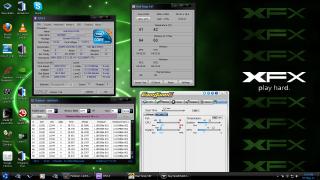
This post has been edited by amy89: May 7 2011, 05:36 AM |
|
|
May 7 2011, 05:32 AM
Return to original view | Post
#8
|
|
Junior Member
164 posts Joined: Oct 2010 From: MKZ/MYY
|
_sorry double post_ This post has been edited by amy89: May 7 2011, 05:35 AM |
|
|
May 7 2011, 09:15 PM
Return to original view | Post
#9
|
|
Junior Member
164 posts Joined: Oct 2010 From: MKZ/MYY
|
QUOTE(Vigilant @ May 7 2011, 08:29 PM) Pretty much good, that's about the same voltage I have for my 4.27GHz. Stable 24/7. But I found out running 3.2-3.8GHz is the best(I'm running 3.04GHz 160x19.Ram OC to 1600MHz).If run higher than 3.8GHz not worth it because like no performance gain and cause the cpu to run hotter.But if want to OC until 4.4GHz also can with air cooled.But this is OC'ing right not satisfied until push the machine until it's limit. Core i3 is a hardcore cpu even for a cheap dual core proc. ---------------------------------------------------------------------------------------------------------------------------------------------------------------------------------------------------------------------------- I found this in a other website maybe in the US.There OC the core i3 530 until 5.0GHz  I don't dare follow this setup because scared burn my proc or mobo and now still no budget if anything happen and they claim this is air cooled not LN.If anybody dare oc this and show it's stability test I sure respect...hehe  

This post has been edited by amy89: May 7 2011, 10:06 PM |
|
|
May 8 2011, 01:25 AM
Return to original view | Post
#10
|
|
Junior Member
164 posts Joined: Oct 2010 From: MKZ/MYY
|
If want to run high GHz is just good to prove the proc can be OC that high but for 24/7 use better just OC 10-25%.Much better in terms of performance,stability,temp and lifespan of proc.
If people in the US OC they cpu they can afford to buy a new mobo and proc if anything bad happen for maybe only $200 maybe only they 1 week pay if in Malaysia cost almost Rm600 and above for proc and mobo almost 1month pay for most people or maybe half month pay(If you earn high income different story.).huhu  |
|
|
May 10 2011, 02:29 AM
Return to original view | Post
#11
|
|
Junior Member
164 posts Joined: Oct 2010 From: MKZ/MYY
|
I OC'ing my cpu one little step at the time to see the maximum it can handle and how good is CM212+ is in cooling it at room temp.This is the latest OC on my proc.
Core i3-530@4.31GHz 1.392v Ran linX problem size 18265 for 50minutes.Temp in my room is kinda high today at 31c normally at night 26-28c.Hot day today.  Proc average temp is around 76c-83c and sudden spike to 85c. 
|
|
|
May 12 2011, 03:53 AM
Return to original view | Post
#12
|
|
Junior Member
164 posts Joined: Oct 2010 From: MKZ/MYY
|
QUOTE(Vigilant @ May 12 2011, 02:12 AM) The best I've ever tried is 4.4GHz @ 1.5 <--- because I just tried ONCE, didn't try to tweak down the voltage and test the stability again. My temp was like 85-90'c prime95 64bit blend with max possible memory. You cpu volt kinda high maybe thats why very hot.It ran fine for 2-3 hours then I stopped it  Probably stable Probably stable I also got setting for 4.4GHz. 4.4GHz QPI Link 6.4GHz x32 22x200 SPD 8.0(1600) CPU Vcore 1.375v QPI/VTT Voltage 1.230v PCH Core 1.180v CPU PLL 1.900v Ran LinX for 5hour no error.I want to run longer but need to use the pc because this is my only one.  Temp 76-82c 100% load and sudden spike to 85c(No A/C) Problem size 19694 OC'ing one step at a time. Aiming for 5.0GHz but maybe only possible with water cooling+balls and don't forget $. Added on May 12, 2011, 4:05 amI see you are using asus Maximus III GENE.How is the performance? How is the core i3 support? I see you hardware really kaw2 one oh. This post has been edited by amy89: May 12 2011, 04:09 AM |
|
|
May 18 2011, 03:34 AM
Return to original view | Post
#13
|
|
Junior Member
164 posts Joined: Oct 2010 From: MKZ/MYY
|
QUOTE(ericlooiz @ May 18 2011, 02:35 AM) Can anyone teach me how to overclock my GPU with MSI Afterburner? » Click to show Spoiler - click again to hide... « Can you post a pic of you msi afterburner with it's stock settings. Added on May 18, 2011, 3:41 am QUOTE(Vigilant @ May 12 2011, 08:26 AM) U can run 4.4GHz@1.375v? That's good. I don't think that's possible with my chip though, 4.4GHz requires a big jump on the Vcore for me, last time I think I did try 4.4 with Vcore below 1.4v, I had system crash though. I read in some forums that Core-i3 safe voltage for air cooled is 1.4v.Water Cooling is 1.6v Nah my hardware not kaw at all. I just can do 225-230 BCLK with this mobo. Now running 225*19@1.37v  But it's Intel so giving it some extra juice it's ok I guess.I just want to know is it true that AMD proc can't withstand high temp because I'm planning to get another pc in the future and AMD price to performance is ok compared to Intel. Sorry mod for asking a question out of the topic. This post has been edited by amy89: May 18 2011, 03:41 AM |
|
|
|
|
|
May 18 2011, 06:23 PM
Return to original view | Post
#14
|
|
Junior Member
164 posts Joined: Oct 2010 From: MKZ/MYY
|
QUOTE(ericlooiz @ May 18 2011, 01:42 PM) With the core clock and shader clock link together pull the core clock MHz slider to 900MHz.The Memory clock set to 1080MHz.The Fan speed you can adjust for better cooling if you are playing game like running it at 60-100%. Auto fan speed if you are just using it normally.Try this setting and see it's stability.Save profile. Click apply overclocking at system startup. Hope this help |
|
|
May 19 2011, 12:37 AM
Return to original view | Post
#15
|
|
Junior Member
164 posts Joined: Oct 2010 From: MKZ/MYY
|
QUOTE(ericlooiz @ May 18 2011, 10:11 PM) Thanks . It's better than before . You rocks man Thanks...This settings is considered almost maximum but you can try to increase 5MHz at a time and test it's stability.If it's not stable or game or system crash just reduce the MHz. Anyway can I go higher or it's the maximum already ? Will it damage my GPU ? Anyway can I go higher or it's the maximum already ? Will it damage my GPU ?About damage maybe by high temp so make sure you watch your GPU temp because if to high system will crash or will have lower performance. Happy overclocking. Maybe now if you want you can OC your CPU  This post has been edited by amy89: May 19 2011, 12:40 AM |
|
|
May 19 2011, 07:21 PM
Return to original view | Post
#16
|
|
Junior Member
164 posts Joined: Oct 2010 From: MKZ/MYY
|
QUOTE(ericlooiz @ May 19 2011, 11:17 AM) LOL green horn here . need sifu teach Put your hardware spec and maybe me and some people in here can teach you to OC your CPU and don't forget to update your mobo bios. |
|
|
May 20 2011, 12:25 AM
Return to original view | Post
#17
|
|
Junior Member
164 posts Joined: Oct 2010 From: MKZ/MYY
|
QUOTE(ericlooiz @ May 19 2011, 11:12 PM) OC CPU will make my CPU hotter right ? It will make your cpu hotter but if you OC just a bit maybe 5-10% temp will not increase much.But If you want to oc much higher you can get a better cpu cooler.I'm using CM212+ and I can OC my core-i3 530 2.93GHz to 4.4GHz and at max load using LinX temp does not go more than 85c.I also can OC till 4.5-4.6GHz but my cpu cooler can't cool it down temp reach 90c+ at full load using LinX.But for now I'm Just using stock settings and my cpu temp at idle is around 25-28c and ambient temp around 29c my case no side panel and when use stock intel cpu cooler temp around 30-35c.If you want to have better cooling and OC performance you can go for water cooling or cpu cooler like the noctua nh-d14 but this is kinda expensive. |
|
|
May 20 2011, 07:56 PM
Return to original view | Post
#18
|
|
Junior Member
164 posts Joined: Oct 2010 From: MKZ/MYY
|
QUOTE(ericlooiz @ May 20 2011, 12:42 PM) I planning to get a CPU cooler too, Hyper 212 . just not sure my casing CM Elite 310 would fit it or not The Heatsink size is 116x51x159mm. So measure from your CPU base to your side panel must be 159mm I now can't use my side panel because heatsink to tall and my case is just a normal AVF... |
|
|
May 21 2011, 01:30 AM
Return to original view | Post
#19
|
|
Junior Member
164 posts Joined: Oct 2010 From: MKZ/MYY
|
QUOTE(ericlooiz @ May 21 2011, 12:05 AM) Diff mobo got diff length right ? Size of mobo got difference but you just must measure the distance from the surface of the proc to the side panel if 16cm and still got a little room than you can install the cpu cooler.This post has been edited by amy89: May 21 2011, 01:31 AM |
|
|
May 21 2011, 05:20 PM
Return to original view | Post
#20
|
|
Junior Member
164 posts Joined: Oct 2010 From: MKZ/MYY
|
QUOTE(ericlooiz @ May 21 2011, 12:02 PM) there's like ... 2-3mm more space when i measure from proc . |
| Change to: |  0.0329sec 0.0329sec
 0.46 0.46
 7 queries 7 queries
 GZIP Disabled GZIP Disabled
Time is now: 3rd December 2025 - 12:04 PM |
 Quote
Quote