

i didnt do nothing wrong.. just died on me
 no worries.. under warranty
 Samsung Samsung OMNIA :: SGH-i900 V2, Official Rom=DZIA5, Leaked ROM=DZIA2
|
|
 Mar 5 2009, 12:29 AM Mar 5 2009, 12:29 AM
|
 
Junior Member
352 posts Joined: Nov 2004 From: Pasir Mas / Machang   
|
poof = in a great gust of billowing smoke (magician style)
i didnt do nothing wrong.. just died on me no worries.. under warranty |
|
|
|
|
|
Mar 5 2009, 12:36 AM
|

Senior Member
805 posts Joined: Feb 2005 
|
It take so long to repair meh ?
|
|
|
Mar 5 2009, 01:36 AM
|

Senior Member
948 posts Joined: Dec 2005
|
QUOTE(fahrur_07 @ Mar 4 2009, 10:40 PM) wow! Actually after WMC2009, microsoft already said old device will not possible to upgrade to WM6.5winmo 6.5?   But i think CUSTOM ROM still able to make it. However, comment for WM6.5 was really no nice. Nothing improve, just a more beautiful outlook, that had already can be replace by SPB or other third party program. even our OMNIA finger Keyboard also does not present in WM6.5. what a waste. That is Microsoft.. Added on March 5, 2009, 1:50 am QUOTE(refugeez86 @ Mar 4 2009, 10:53 PM) @tercupee You can just put it inhows ur qbus rom? satisfied?hehe.. i juz flash shokka rom..seems ok to me.. eh can u teach me how to put M2D themes..yang .zip punye tu.. nak extract kat mane? x fhm sgt hehe..yang biase tu tau la.. \MyStorage\Program\ M2dc\THEME just put the zip file or m2dc file Added on March 5, 2009, 1:51 am QUOTE(karlbum @ Mar 5 2009, 12:29 AM) poof = in a great gust of billowing smoke (magician style) WA! kinda very frightening scenei didnt do nothing wrong.. just died on me no worries.. under warranty This post has been edited by fense: Mar 5 2009, 01:51 AM |
|
|
Mar 5 2009, 08:31 AM
|

Junior Member
380 posts Joined: Jan 2003
|
QUOTE(hellfire8888 @ Mar 4 2009, 11:16 PM) Sample shots after firmware update to DZIA5 That's good to hear..Definitely got improve the camera function.   anyway the camera settings still cannot be save? |
|
|
Mar 5 2009, 08:56 AM
|

Junior Member
192 posts Joined: Dec 2006
|
QUOTE(karlbum @ Mar 4 2009, 11:54 PM) Samsung Mobile Navigator I thought the same way too cos previous version wont overwrite the memory.....SAmsung should have at least precaution or warninng for this...i am so mad I added the warning about IA5 formatting the memory I thought it was optional   By the way, any1 know that whether can restore or find out the files which has been formated?? Any trick...many thanks for that!!! This post has been edited by ckf8829: Mar 5 2009, 08:58 AM |
|
|
Mar 5 2009, 08:58 AM
|
|
Senior Member
948 posts Joined: Dec 2005
|
QUOTE(ckf8829 @ Mar 5 2009, 08:56 AM) I thought the same way too cos previous version wont overwrite the memory.....SAmsung should have at least precaution or warninng for this...i am so mad You sure didn't read this thread before upgrade, right? I had also reminded forumer after my upgrade. This really unexpected. Just because of the movie trailer and also Asphalt 4. i think... Added on March 5, 2009, 9:00 amI realise the Notification error can be solve but put the notificaTION widget to the position that after FM RADIO. Default location. at least now it work normally for me. or any else got solution. This post has been edited by fense: Mar 5 2009, 09:00 AM |
|
|
|
|
|
Mar 5 2009, 10:44 AM
|

Junior Member
527 posts Joined: Aug 2007 From: lost
|
any1 can share wit me mms settings for omnia?
my omnia cant recieve mms does the modaco no data effect this? i only disable digi internet... mms n gprs are both enabled |
|
|
Mar 5 2009, 11:37 AM
|

Senior Member
1,273 posts Joined: Apr 2008 From: cheras,kl
|
you are using digi right?
if maxis, i can help you  |
|
|
Mar 5 2009, 12:01 PM
|
|
Junior Member
527 posts Joined: Aug 2007 From: lost
|
QUOTE(fahrur_07 @ Mar 5 2009, 11:37 AM) you are using digi right? yaya... i 4got to mentionif maxis, i can help you im using digi |
|
|
Mar 5 2009, 12:19 PM
|
|
Senior Member
805 posts Joined: Feb 2005
|
Huh how to use front camera to take picture ?
|
|
|
Mar 5 2009, 12:25 PM
|
|
Senior Member
1,273 posts Joined: Apr 2008 From: cheras,kl
|
i think must use 3rd party software to use front camera to take picture
because by default,the front camera is can only use for video call |
|
|
Mar 5 2009, 12:57 PM
|

Senior Member
1,591 posts Joined: Feb 2007 From: on chair...
|
fahrur_07 im using maxis postpaid here..but got problem wif mms..
i cant request setting from maxis (*100#)..how to activate it? tercupee..thanx huhu..btw any links other than modaco dat i can download the themes? |
|
|
Mar 5 2009, 01:04 PM
|
|
Senior Member
1,273 posts Joined: Apr 2008 From: cheras,kl
|
QUOTE 3G setting hope this can help you Scroll to and select Settings. -Select the Connections tab and press Connections. -Select the Advanced tab and press Select Networks. -Press New in the top section. -Enter Maxis 3G WAP and press OK. -Scroll to Maxis 3G WAP and press Edit. -Press New... and enter Maxis 3G WAP. -In the drop down list Select a modem:, -Scroll to and select Cellular Line (GPRS). -Press Next. -Enter unet. -Press Next and select User name:. -Enter maxis. -Select Password -Enter wap. -Press Finish. -Close the on-screen numeric pad. -Select Proxy Settings. -In the textbox Proxy server:, enter 202.75.133.49. -Press OK twice. -Make sure Maxis 3G WAP is selected. -Press OK 3 times. -Your phone has been configured. MMS settings Scroll to and select Settings. -Select the Connections tab and press Connections. -Select the Advanced tab and press Select Networks. -Press New... in the top section and enter Maxis 3G MMS. -Press OK. -Scroll to Maxis 3G MMS and press Edit. -Press New... and enter Maxis 3G MMS. -In the drop down list Select a modem:, -Scroll to and select Cellular Line (GPRS). -Press Next. -Enter unet. -Press Next. -Select User name: -Enter maxis. -Select Password -Enter wap. -Press Finish. Press OK twice. -Press the Close button. -Press Start and Messaging twice. -Select Menu and press MMS Configuration.... -Select the Servers tab and press New. -In the textbox Server name:, enter Maxis 3G MMS. -In the textbox Gateway:, enter 202.75.133.49. -In the textbox Port number:, enter 80. -In the textbox Server address:, enter http://172.16.74.100:10021/mmsc. -Press OK. Select Maxis 3G MMS. -Press Set As Default. Press OK. -Press the Close button twice. -Your phone has been configured.  |
|
|
|
|
|
Mar 5 2009, 01:11 PM
|

Junior Member
162 posts Joined: Feb 2009
|
any software to improve camera? very blur lar....compare to my N73 3.2 Mega pix
 how ah? |
|
|
Mar 5 2009, 01:12 PM
|
|
Senior Member
1,591 posts Joined: Feb 2007 From: on chair...
|
QUOTE(fahrur_07 @ Mar 5 2009, 01:04 PM) hope this can help you trying now..hope it works..lazy want go to center hehe thanx fahrur.. fahrur_07 it really works..thanx so much..  im gonna copy it for my self use after flashing another rom later.. dahool00..what rom are u sing now? they said IA5 got improvement in camera.. This post has been edited by refugeez86: Mar 5 2009, 01:29 PM |
|
|
Mar 5 2009, 01:44 PM
|
|
Senior Member
1,273 posts Joined: Apr 2008 From: cheras,kl
|
QUOTE(refugeez86 @ Mar 5 2009, 01:12 PM) trying now..hope it works..lazy want go to center hehe no problem bro thanx fahrur.. fahrur_07 it really works..thanx so much.. im gonna copy it for my self use after flashing another rom later.. just my small contribution to this forum |
|
|
Mar 5 2009, 02:06 PM
|
|
Junior Member
527 posts Joined: Aug 2007 From: lost
|
QUOTE(fahrur_07 @ Mar 5 2009, 01:44 PM) no problem bro me ler? no help me? just my small contribution to this forum |
|
|
Mar 5 2009, 02:34 PM
|
|
Senior Member
1,273 posts Joined: Apr 2008 From: cheras,kl
|
i'm not using digi ler
how can i help you  maybe you can get the setting manually from digi website |
|
|
Mar 5 2009, 02:48 PM
|
|
Junior Member
527 posts Joined: Aug 2007 From: lost
|
QUOTE(fahrur_07 @ Mar 5 2009, 02:34 PM) i'm not using digi ler done tat, n i even call themhow can i help you maybe you can get the setting manually from digi website still kenot |
|
|
Mar 5 2009, 04:22 PM
|

Senior Member
506 posts Joined: Aug 2008 From: Sometime Singapore, mostly Jakarta.
|
Can update my data?
I've just upgraded to 16GB external memory.  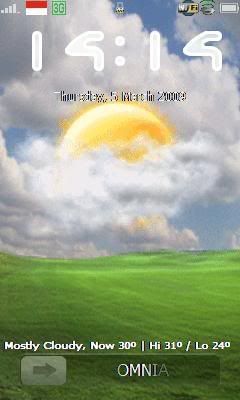 QUOTE(navilink @ Jun 10 2008, 07:44 PM) [OMNIA USERS a.k.a. OMNIANS ]1. lynxs Omnia 16G FMG set 2. seanmilk Omnia 16G Sg set 3. sunn Omnia 16G FMG set 4. Hyde`fK Omnia 8GB FMG set 18 months w/ hard cover/screen proctector (RM2550) 5. antnine Omnia 16GB SG set (looking for samsung original pouch) 6. Omnian 16GB Sg set + external 16GB. FW - PDA: i900DXIA5/DZIA5, PHONE: i900DXIA2 7. rayfoo Omnia 16G FMG set 8. adwong Omnia 16GB Sg set 9. jimmy.soo Omnia 8GB FMG set 18 months /w hard cover/screen (RM2600) 10. oldfox Omnia 16GB SG set 11. hellfire8888 omnia 16gb FMG set 18 month warranty /w hard cover/screen 12. Maks pain 16gb FMG set 13. Revamperz - 8G FMG set 14.avislee 15.ericchan - 8GB + 8GB microSDHC (black +G4 fw) 16.redx's Cousin 17.kev da man 18.RX-78-2 19.redlum - 16GB 20.irenic - + 4GB microSDHC 21.index7 - 8GB 22.chikan 23.sukhoi35mk - black colour 24.keeekeee - 8GB + 8GB microSDHC 25.aero - 16GB 26.cyber_snake 27.dennooze 28.accs_centre - + 2GB microSD 29.coolboy_kl - 16GB 30.shahnakal - 8GB 31. lk_chin - 16GB 32. aero - 16GB 33. Kennexionz Omnia 8GB FMG set /w hard cover/screen/8GB MicroSD (RM3000) 34. chuah_ph - 8GB FMG w/ Screen & Pouch (RM2550) 35. Peeky - 8GB fmg w/ screen & pouch / 4 gig microsd (RM2680) 36. kinseong - 16GB (FMG) w/ Original Samsung Pouch, Original Samsung Screen Protector (RM2850) 37. Wyluxx - 8GB 38. natzakaria - 16GB Sg set w/ Samsung Pouch & Screen Protector 39. piscesguy1314 - 16GB SG set.... 40. tercupee - 8Gb 41. tsh98 - 16GB sg set 42. dario81 - 16Gb FMG set, 4 Gb micro SD card, car charger, screen prot 43. yeeeeko - 16gb SG set 44. Mic-26 - 16gb FMG set 45. hakudoshi - 8GB FMG set, 4GB Micro SD, Screen protector, original Samsung pouch 46. Mrquidz - 16GB SG set 47. shinichi - 16GB FMG set (white) 48. sharpman - 8GB - FMG Set (RM2600) + 4GB MicroSDHC + Original Samsung Pouch (Black) |
|
Topic ClosedOptions
|
| Change to: |  0.0323sec 0.0323sec
 0.75 0.75
 6 queries 6 queries
 GZIP Disabled GZIP Disabled
Time is now: 1st December 2025 - 10:47 PM |
 Quote
Quote