Welcome Guest ( Log In | Register )

Outline · [ Standard ] · Linear+

 Shameless TV FAQs, Minor update 04/02/2010

views
     
TSgundamalpha
post Aug 22 2008, 11:52 AM, updated 14y ago

☆彡TITS☆彡
******
Senior Member
1,450 posts

Joined: Jun 2008
From: KK


I'm doing this FAQ since I realize many people here are still unsure of certain things regarding the single most important thing in our life. If this thread offend anyone my apology in advance unsure.gif

Please feel free to correct me if you see something not right please smile.gif

Types of general TVs currently in the market:
CRT - Full term is Cathode-Ray-Tube. This is the TV that's big and bulky, often cheaper too. The main advantage of CRTs are their flexibility in handling different resolutions. This kind of TV is best viewed in darker environment because it's screen is too reflective of external lightings.

LCD
- Everyone knows, it's Liquid Crystal Display. Its main advantage is it consumes less power and no radiation. Best viewed in very bright environment but long time viewing may cause discomfort to the viewer.

Plasma
- A 1964 technology that not fully utilized for display until recent years. Very wide color gamut, and usually accompanied by reasonable scaling regardless. Not recommended to be viewed in bright environment which can cause an artificial white layer coating. Limited life span and prone to screen burn-ins (leftover marks like the life bar on Street Fighter will stick on the screen after long playing session).

Types of definitions:
Standard Definition (SDTV) - Well, this is the most common TV we used to find in the shops.It display 480i (640 x480 interlaced resolution).

Enhanced Definition (EDTV)
- Display 640 x 480 progressive resolution (480p). Wii owners please note, this is the best you can get out from the console.

High Definition (HDTV) - This is where most people are interested in. Industry standard includes 720p, 1080i and 1080p, all 16:9 screen ratio (PC monitors normally uses 16:10 ratio). Can come in the form of either CRT, LCD or Plasma but since CRTs usually come in 4:3 you'd get black borders both on top and bottom. Note that HDTV comes in 2 kind, HD Ready and Full HD. HD Ready means the TVs native resolution isn't 1920 x 1080 and can display 720p and 1080i through scaling. Full HD TVs native is 1920 x 1080 and everything will be scaled unless displaying 1080i and 1080p. Some, normally older, Full HD TVs upscale 720p/1080i to display it as 1080p, so what you see is really 1080p (anything displayed is the 1080p anyway) but in reality you are not getting 1080p from the source itself.

As you can see, there's no rocket science in differentiating the different definitions of display. Only those marketers and sales persons make a big fuss of how godly and advance HDTVs are which in fact newer, bigger PC monitors are 1200p, even better than those >RM10,000 Full HD TVs except in size.

Defining specs:

Screen size - Although this is very general but your viewing distance plays a very important role here. It is suggested to view from 5 times the height of the TV to get the best PQ and view capture. A 32" is about 5 feet away.

Resolution - This is the TVs native resolution. Can't usually find this on CRT as their flexible to switch other resolution. LCDs either come in 1366 x 768 or 1920 x 1080, while plasmas 800 x 600, 1024 x 768 or 1920 x 1080. Any other resolution you plug to the TV will be scaled and displayed as the native resolution.

Contrast ratio - This is supposed to be a very important spec as contrast ration determines the difference of dark and bright objects. However there's no way to determine what's the real contrast ratio and manufacturers using this to exploit consumers by putting in very attractive numbers. Again, can't usually find this on CRT but they are certainly best even compared to a 3,000,000,000:1 contast TV.

Brightness
- Uses nit as denominator. The higher the number the brighter the screen can display naturally. Some people complain of discomfort watching brighter TVs.

Engine - This is the core translator of input to the screen. Different companies have different engines. Better engine can do better scaling and PQ.

Warranty
- Newer technologies are more prone to failures due to smaller and moving components. So the longer the warranty the better it is (duh). But one thing that hardly mention in the warranty is the dead pixel issues. Some companies offer better coverage for this as low as 20 dead pixels while some requires more to be able to claim warranty. Make sure to ask for this when buying.

So many cables:
Radio frequency (RF) - The first cable created to be mass produced for use on televisions and still commonly used for VCR or free air channels like RTM1. It incorporates mono sound and picture into one cable. Very low quality.

Composite - Usually comes in yellow, white and red, and composite is the yellow one while red and white are for the audio. Improves over RF but since it cramped all the visual details into one cable the quality is low. Main issue here is "dot crawling" or "color bleeding" where colors (especially red) doesn't stay where they are and "crawl" to other places thus blurring the image.

S-Video
- Another step towards better visual quality. This time, black & white and color are separated to get rid of "bleeding". This is the best you can get from viewing Astro unless you hack your Astro receiver (highly advanced skill).

Component - This is not RGB, I repeat, this is NOT RGB. A technology as old as RF, it was first introduced to the general market during the invention of DVDs. All forms of DVDs are optimized into component display (because they are using this method when making the DVD). Color is very accurate and capable of displaying 1080p image. Green color dominates other colors (but not noticeable unless compared with RGB since human eyes are more sensitive to green than red or blue) and thus purist like me doesn't like it as much. Consoles that uses DVD software can get the best out from this output method most of the time.

RGB
- RGB is a term for red, green and blue. This is the purest form of video and all colors are evenly distributed. There are many ways to get RGB. On computer you have 15 pin D-Sub, in Europe they have SCART, in Japan they have RGB cable and even the arcade machines are displaying RGB. This is a rarer display output found on local A/V products (close to none actually). Classic consoles, Dreamcast and before, have their best performance using this output.

DVI/HDMI
- Digital output. Don't think I need to say more on these. Best if supported.

That's all the output method I can think of.. If I miss any please let me know. Now to comment on cables, all analog cables will suffer signal loss and to reduce the loss is through gold plated cables (need not be those expensive ones, I bought my component cables for RM5.50, 3 meters long) and thicker if you need a really long one (more than 5 meters). For digital cables, screw those expensive cables. In digital world, it's either 1 or 0, yes or no. Thousand ringgit monster cables is performing the same as RM5 cable. Don't listen to those ridiculous comments "Oh you need this high performance cable for this and that", especially those selling Sony's HDMI cables. but then again, look for thicker ones if it's long.


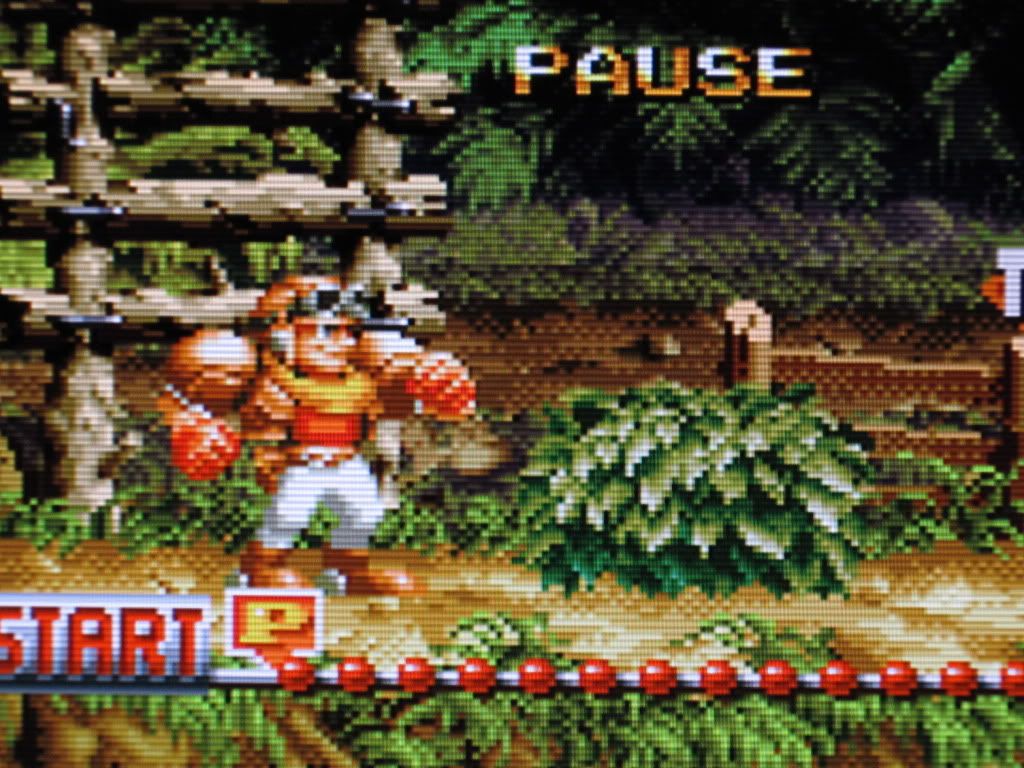
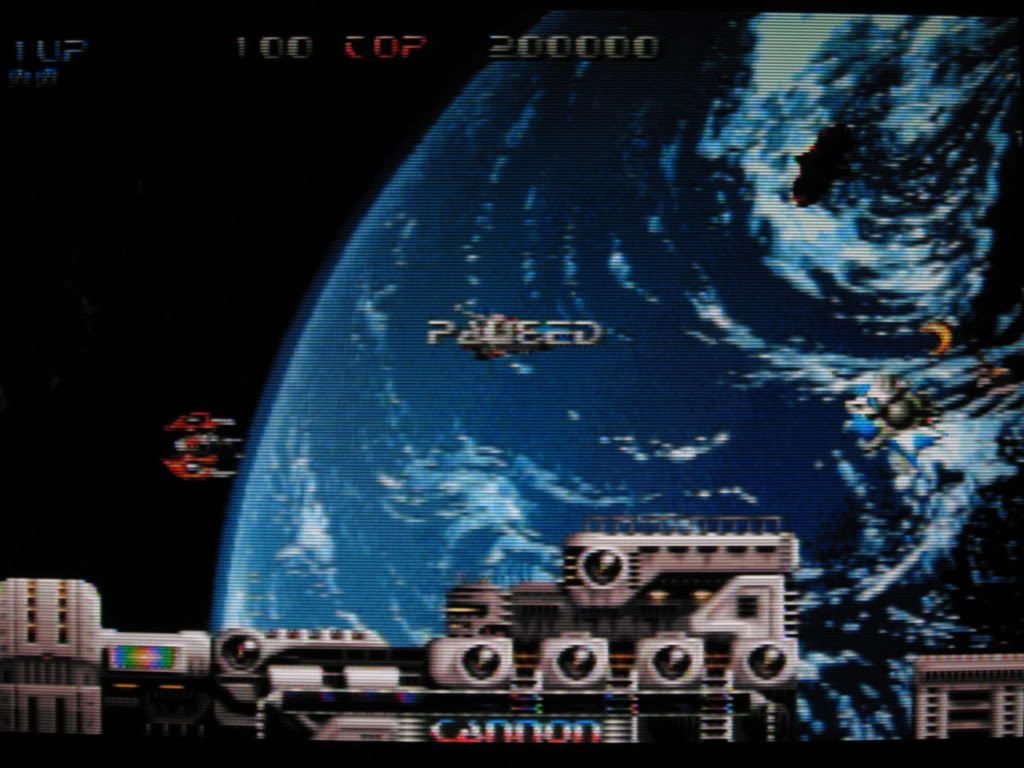
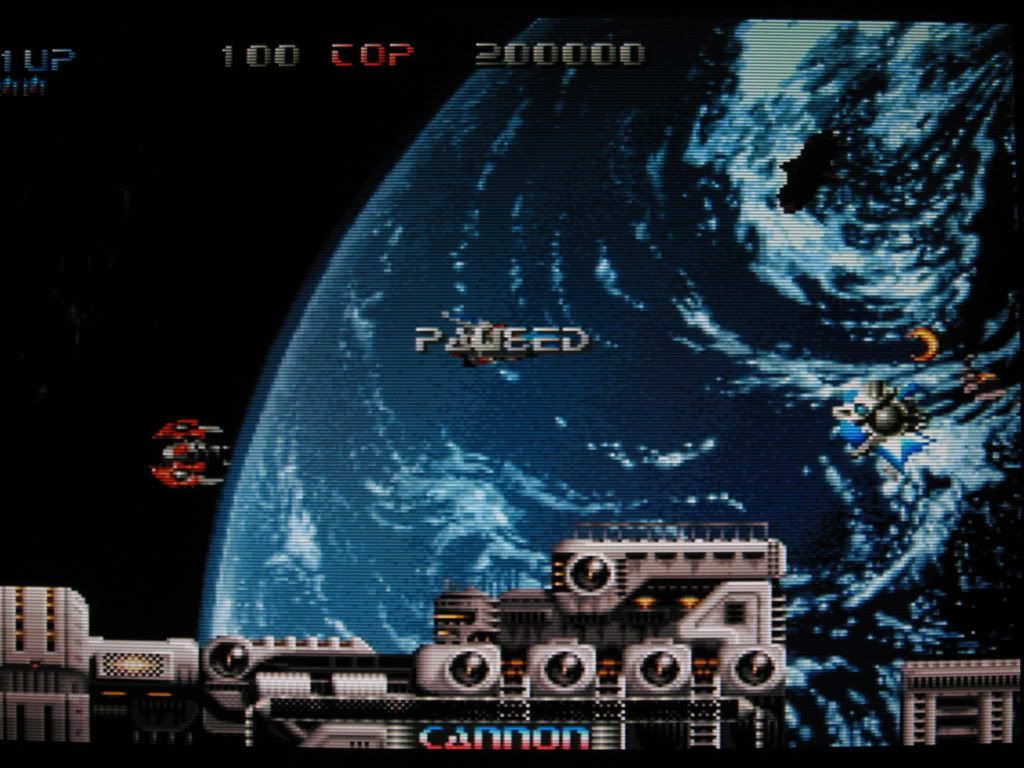
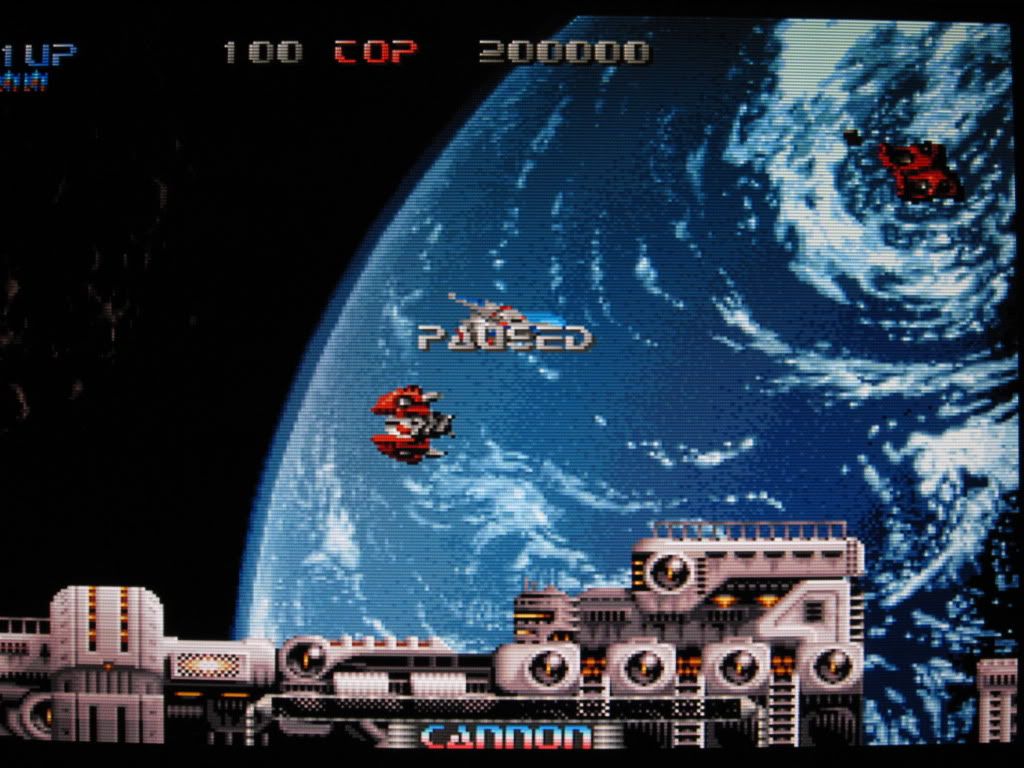
Composite VS S-Video VS RGB comparison
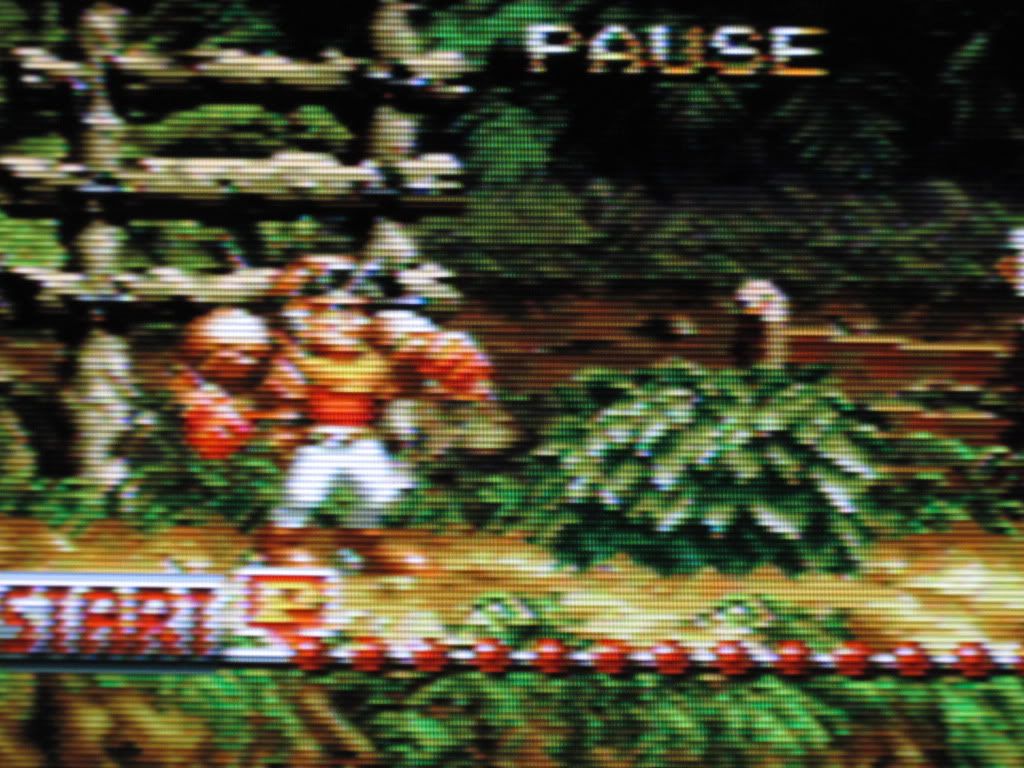
user posted image
user posted image
user posted image

user posted image
user posted image
user posted image

user posted image
user posted image
user posted image

This post has been edited by gundamalpha: Feb 4 2010, 10:07 AM
juniorpop
post Nov 2 2008, 02:47 PM

New Member
*
Junior Member
20 posts

Joined: Mar 2008
Great post. It's been helpful.
nazseha
post Nov 2 2008, 02:56 PM

Ownez with DualShock 3.
*******
Senior Member
2,231 posts

Joined: Oct 2006


dude..itz really a marvelous post...thank you very much.. notworthy.gif notworthy.gif
kkng77
post Nov 5 2008, 04:34 PM

Getting Started
**
Junior Member
66 posts

Joined: Nov 2008
Thanks for the explanation...

btw, I had just bought a 32" LCD, found that the picture quality is not good as my previous flat crt when watching dvd and astro...

as my dvd player doesn't support hdmi, so i had hook up with component cable, but the picture quality still not as nice as my flat crt... is there any setting need to be done?

for astro, is the s-video cable can solve my problem oso?

btw, how come those show room can display so sharp / nice picture on the lcd?
sihumchai
post Nov 5 2008, 04:36 PM

Yate Haugan WOOSH!
Group Icon
VIP
538 posts

Joined: Oct 2005
From: T.T.D.I. Kuala Lumpur


Alamak, I totally forgot to pin this thread. Was deciding how to apply this to the current HDTV FAQ we have. We'll revise on that later.

Gundam, if you're so inclined to help out people in this here thread, be my guest smile.gif

PINNED.
TSgundamalpha
post Nov 5 2008, 04:43 PM

☆彡TITS☆彡
******
Senior Member
1,450 posts

Joined: Jun 2008
From: KK


QUOTE(kkng77 @ Nov 5 2008, 04:34 PM)
Thanks for the explanation...

btw, I had just bought a 32" LCD, found that the picture quality is not good as my previous flat crt when watching dvd and astro...

as my dvd player doesn't support hdmi, so i had hook up with component cable, but the picture quality still not as nice as my flat crt... is there any setting need to be done?

for astro, is the s-video cable can solve my problem oso?

btw, how come those show room can display so sharp / nice  picture on the lcd?
*
Like I mentioned, the biggest advantage of CRT is its ability to switch resolution. Astro running on 224p (if not mistaken, but it will be displayed as 240p anyway), while DVDs either 480i or 480p, so images will be stretched to match the LCD's resolution. If you aren't satisfy with component, expect even worse PQ with S-Video.
kkng77
post Nov 5 2008, 05:15 PM

Getting Started
**
Junior Member
66 posts

Joined: Nov 2008
so there is no setting require after the changing of cable?

how come those showroom can display so nice?
TSgundamalpha
post Nov 5 2008, 05:27 PM

☆彡TITS☆彡
******
Senior Member
1,450 posts

Joined: Jun 2008
From: KK


Lightnings play a big part in the showroom, and also the source of display, plus settings and configurations etc.
carlead
post Nov 17 2008, 02:11 AM

New Member
*
Junior Member
19 posts

Joined: Oct 2008
awesome thread...

kudos to gundam...
geekster129
post Nov 26 2008, 12:55 PM

Janitor
******
Senior Member
1,180 posts

Joined: Jan 2007
From: *awaiting GPS accuracy*


QUOTE(kkng77 @ Nov 5 2008, 04:34 PM)
Thanks for the explanation...

btw, I had just bought a 32" LCD, found that the picture quality is not good as my previous flat crt when watching dvd and astro...

as my dvd player doesn't support hdmi, so i had hook up with component cable, but the picture quality still not as nice as my flat crt... is there any setting need to be done?

for astro, is the s-video cable can solve my problem oso?

btw, how come those show room can display so sharp / nice  picture on the lcd?
*
Yup. I saw those showrooms that displays DVD picture which looks superb on an LCD TV. The secret is that they are using DVD players that can support upscale conversion to 1080i, which explains why it looked great even though the DVD native resolution is only 480i.
Beast-Slayer
post Nov 26 2008, 02:30 PM

Getting Started
**
Junior Member
66 posts

Joined: Nov 2006
From: Bukit Jalil - Newcastle


Great posting!! Help me alot... i believe it will help others too
josenigel
post Nov 26 2008, 11:12 PM

Getting Started
**
Junior Member
227 posts

Joined: May 2007
From: Middle Earth


Wow very informative rclxms.gif

Thank you
eone
post Dec 26 2008, 02:54 PM

Prime
*******
Senior Member
2,678 posts

Joined: Jan 2003
From: PutraCyberjaya


nice, TS, i suggest that it will be more informative if you include some images

This post has been edited by eone: Dec 26 2008, 02:55 PM
TSgundamalpha
post Dec 26 2008, 05:44 PM

☆彡TITS☆彡
******
Senior Member
1,450 posts

Joined: Jun 2008
From: KK


I think so too but I need some motivation to get my ass up sleep.gif
lucifah
post Dec 26 2008, 05:50 PM

St. Fu
Group Icon
Staff
7,948 posts

Joined: Jan 2005
From: Soviet Sarawak


QUOTE(gundamalpha @ Aug 22 2008, 11:52 AM)
I'm doing this FAQ since I realize many people here are still unsure of certain things regarding the single most important thing in our life. If this thread offend anyone my apology in advance  unsure.gif

To be continued..
*
hang lupa pasai refresh rate and ghosting issues
TSgundamalpha
post Dec 26 2008, 05:55 PM

☆彡TITS☆彡
******
Senior Member
1,450 posts

Joined: Jun 2008
From: KK


Honestly my eyes can't see the difference of the refresh rates, so I can't comment on those. Will add more on response time when I get my butt up smile.gif
lucifah
post Dec 26 2008, 10:09 PM

St. Fu
Group Icon
Staff
7,948 posts

Joined: Jan 2005
From: Soviet Sarawak


QUOTE(gundamalpha @ Dec 26 2008, 05:55 PM)
Honestly my eyes can't see the difference of the refresh rates, so I can't comment on those. Will add more on response time when I get my butt up smile.gif
*
ah... my bad my bad. what i wanna say is response time. it directly transaltes to ghosting

different type of lcd panels have different type of response time.
Thalmes
post Dec 29 2008, 05:17 PM

Genie Pig!
******
Senior Member
1,799 posts

Joined: Dec 2008
Due to this post , I got a lot of information about TEEVEES ! And what else , I love HD !
Date Masamune
post Jan 28 2009, 07:03 PM

Casual
***
Junior Member
392 posts

Joined: Jan 2009
From: Senawang, Seremban
i want to ask , im currently using a crt tv , 21inch Sony Trinitron , i dun know how to change the PAL/NTSC option , i think im stuck with PAL becoz only my PAL region PS2 games got color , when playing NTSC , no color , i lost the remote along time ago , imagine playing PS2 without color for 5 years ( only PAL games have , but very few i got ) , i tested it with RE4 , which have 2 option , NTSC and PAL , when i choose NTSC no color , but if play as PAL , have color.........its true story , im not lying.....tension already , now planning to buy new gen console , but if no color no use right.....anyway can teach me how to change the PAL/NTSC setting by manual , or i need to buy a new remote control ( if have can tell me where to buy and what price ) , if can manual pls teach me , i tried just pressing the menu , and choose NTSC , but when playing , still no color , ( tried AUTO also but still the same ) ,

my tv : CRT Sony Trinitron 21inch

my current console : PS2

my problem : NO color in most games , and NTSC is the majority ( like 99%) ,. only PAL got color

my hope : TEACH ME HOW TO CHANGE THE SETTING via manual , suffers for almost 5 years playing PS2 with no color ( imagine that )

thx
xxboxx
post Jan 29 2009, 12:51 AM

The mind is for having ideas, not holding them
*******
Senior Member
5,261 posts

Joined: Oct 2004
From: J@Y B33


QUOTE(Date Masamune @ Jan 28 2009, 07:03 PM)
i want to ask , im currently using a crt tv , 21inch Sony Trinitron , i dun know how to change the PAL/NTSC option , i think im stuck with PAL becoz only my PAL region PS2 games got color , when playing NTSC , no color , i lost the remote along time ago , imagine playing PS2 without color for 5 years ( only PAL games have , but very few i got ) , i tested it with RE4 , which have 2 option , NTSC and PAL , when i choose NTSC no color , but if play as PAL , have color.........its true story , im not lying.....tension already , now planning to buy new gen console , but if no color no use right.....anyway can teach me how to change the PAL/NTSC setting by manual , or i need to buy a new remote control ( if have can tell me where to buy and what price ) , if can manual pls teach me , i tried just pressing the menu , and choose NTSC , but when playing , still no color , ( tried AUTO also but still the same ) ,

my tv : CRT Sony Trinitron 21inch

my current console : PS2

my problem : NO color in most games , and NTSC is the majority ( like 99%) ,. only PAL got color

my hope : TEACH ME HOW TO CHANGE THE SETTING via manual , suffers for almost 5 years playing PS2 with no color ( imagine that )

thx
*

since you change the tv setting to NTSC and AUTO already but still no colour, most probably the fault is at your ps2. maybe you can check it if you got dvd player and set it to NTSC, see got colour or not. and also try your ps2 with NTSC games at other tv and see got colour or not.

Date Masamune
post Jan 29 2009, 10:43 AM

Casual
***
Junior Member
392 posts

Joined: Jan 2009
From: Senawang, Seremban
i tried with 2 ps2 , and a vcd player ( sony) , still no color , i meant when watch normal channel got color no problem , but when change to video mode no color , tried to select auto ( press menu , then go to setting , choose NTSC4.43 , then wait abit till menu dissapeared ) , then still no color , i tried using other method , i meant use 3rd party item , like VGA box i think and some device my fren brought ( instead of selecting video mode , i need to search for the channel using the search laaa ) , baru ada color......but already give that item back....anyway , both of the ps2 i tried at shop before bringing home , at their tv got color , note played PAL only got color , like RE4 PAL , but NTSC no color


p/s is there any setting of NTSC/PAL on ur console ( ps2 , xbo360 , ps3 etc etc)
TSgundamalpha
post Jan 29 2009, 11:12 AM

☆彡TITS☆彡
******
Senior Member
1,450 posts

Joined: Jun 2008
From: KK


I can't really answer your TV question as of now, but I'll check on my 21" Trinitron when I get home later. For PS2, all games running on 50Hz will be switched to PAL and 60Hz display on NTSC mode only (even though the game is PAL region). I can't answer this for PS3 though since I don't have any PAL PS3 game to confirm this. For 360 it depends on the hardware (against PS2 depending of software), meaning a PAL 360 will display in PAL mode whether the games is running on 50Hz or 60Hz.

There's another way to get around the PAL/NTSC color display issue, but it's less common in our country. I'm talking about using RGB (not component), but since this kind of input is almost non existent in this country I'll refrain from going any further.
Date Masamune
post Jan 29 2009, 11:58 AM

Casual
***
Junior Member
392 posts

Joined: Jan 2009
From: Senawang, Seremban
please do that , and show me the result , sakit mata see black and white only , if anyother setting need to be chaged ( other than the NTSC4.43/PAL/AUTO ) please tell me ASAP

p/s ur using ur trinitorn to play ps3?? soo?? ok the quality?
TSgundamalpha
post Jan 29 2009, 12:10 PM

☆彡TITS☆彡
******
Senior Member
1,450 posts

Joined: Jun 2008
From: KK


I haven't been bothered to play PS3 using CRT honestly, can't answer you that. But 360 on a 29" CRT is already a pain due to the small texts and borders. My CRTs are used strictly for DVDs and older games
Date Masamune
post Jan 29 2009, 12:19 PM

Casual
***
Junior Member
392 posts

Joined: Jan 2009
From: Senawang, Seremban
heh , the days of crt is numbered ,.........but i think it is still decent enough to atleast enjoy the games.........dun really have the money to buy a console and HD tv at the same time , anyway if u tried on ur crt tv trinitron , do tell me the result ,

p/s du forget about my prob kay
TSgundamalpha
post Jan 29 2009, 06:13 PM

☆彡TITS☆彡
******
Senior Member
1,450 posts

Joined: Jun 2008
From: KK


Just did a quick serch on my TV, and yes, it's possible to set the color system without a remote. May be you'd want to change the settings manually. There are four choices:
1. B/G
2. I
3. D/K
4. M
xxboxx
post Jan 29 2009, 06:14 PM

The mind is for having ideas, not holding them
*******
Senior Member
5,261 posts

Joined: Oct 2004
From: J@Y B33


QUOTE(Date Masamune @ Jan 29 2009, 10:43 AM)
i tried with 2 ps2 , and a vcd player ( sony) , still no color , i meant when watch normal channel got color no problem , but when change to video mode no color , tried to select auto ( press menu , then go to setting , choose NTSC4.43 , then wait abit till menu dissapeared ) , then still no color , i tried using other method , i meant use 3rd party item , like VGA box i think and some device my fren brought ( instead of selecting video mode , i need to search for the channel using the search laaa ) , baru ada color......but already give that item back....anyway , both of the ps2 i tried at shop before bringing home , at their tv got color , note played PAL only got color , like RE4 PAL , but NTSC no color
p/s is there any setting of NTSC/PAL on ur console ( ps2 , xbo360 , ps3 etc etc)
*

ok, so it's really the tv problem. maybe your tv AV input didn't support NTSC, but that would be really strange.. how about NTSC 3.58?


Date Masamune
post Jan 29 2009, 09:56 PM

Casual
***
Junior Member
392 posts

Joined: Jan 2009
From: Senawang, Seremban
QUOTE(gundamalpha @ Jan 29 2009, 06:13 PM)
Just did a quick serch on my TV, and yes, it's possible to set the color system without a remote. May be you'd want to change the settings manually. There are four choices:
1. B/G
2. I
3. D/K
4. M
*
can explain , i think i dun find the choices , its only , PAL , AUTO and NTSC4.43

QUOTE(xxboxx @ Jan 29 2009, 06:14 PM)
ok, so it's really the tv problem. maybe your tv AV input didn't support NTSC, but that would be really strange.. how about NTSC 3.58?
*
just NTSC4.43 only , no 3.58

neoardi
post Jan 31 2009, 02:52 PM

Membanteras Pembenci
****
Senior Member
645 posts

Joined: Jul 2006
From: The future


QUOTE(Date Masamune @ Jan 28 2009, 07:03 PM)
i want to ask , im currently using a crt tv , 21inch Sony Trinitron , i dun know how to change the PAL/NTSC option , i think im stuck with PAL becoz only my PAL region PS2 games got color , when playing NTSC , no color , i lost the remote along time ago , imagine playing PS2 without color for 5 years ( only PAL games have , but very few i got ) , i tested it with RE4 , which have 2 option , NTSC and PAL , when i choose NTSC no color , but if play as PAL , have color.........its true story , im not lying.....tension already , now planning to buy new gen console , but if no color no use right.....anyway can teach me how to change the PAL/NTSC setting by manual , or i need to buy a new remote control ( if have can tell me where to buy and what price ) , if can manual pls teach me , i tried just pressing the menu , and choose NTSC , but when playing , still no color , ( tried AUTO also but still the same ) ,

my tv : CRT Sony Trinitron 21inch

my current console : PS2

my problem : NO color in most games , and NTSC is the majority ( like 99%) ,. only PAL got color

my hope : TEACH ME HOW TO CHANGE THE SETTING via manual , suffers for almost 5 years playing PS2 with no color ( imagine that )

thx
*
OMG! shocking.gif U playing PS2 for 5 years without colors? doh.gif
I might hv the answer for ur problem... I've been using the N-PAL converter for 12 years now to plug the PS1 and PS2 to my old CRT.
user posted image
Mine is exactly the same as in the picture.. try asking the game shops for it, if u lucky, they might hv it in stock.... icon_rolleyes.gif

This post has been edited by neoardi: Jan 31 2009, 02:53 PM
TSgundamalpha
post Jan 31 2009, 02:56 PM

☆彡TITS☆彡
******
Senior Member
1,450 posts

Joined: Jun 2008
From: KK


I used to use the exact thing too, but only for PS1 blush.gif Oddly enough my modded PAL PS2 can display NTSC games with color without that.

This post has been edited by gundamalpha: Jan 31 2009, 02:56 PM
Date Masamune
post Feb 1 2009, 01:01 AM

Casual
***
Junior Member
392 posts

Joined: Jan 2009
From: Senawang, Seremban
heii i once use tat stuff too borrowed from my fren , have color make me very happy that time ( if only my fren dun come and take it back home with him ) , thus that device can be use for PS3 or 360?? and how much is it


p/s if can be use for ps3 and 360 , u dun know how much it make me Happy , 5 years of No Color.......>T__T i remmeber the suffering , the sakit mata and the respect i get for finishing games from by have color tv buddies T__T

This post has been edited by Date Masamune: Feb 1 2009, 01:03 AM
neoardi
post Feb 1 2009, 11:42 AM

Membanteras Pembenci
****
Senior Member
645 posts

Joined: Jul 2006
From: The future


QUOTE(Date Masamune @ Feb 1 2009, 01:01 AM)
heii i once use tat stuff too borrowed from my fren  , have color make me very happy that time ( if only my fren dun come and take it back home with him ) , thus that device can be use for PS3 or 360?? and how much is it
p/s if can be use for ps3 and 360 , u dun know how much it make me Happy , 5 years of No Color.......>T__T i remmeber the suffering , the sakit mata and the respect i get for finishing games from by have color tv buddies T__T
*
If it works with PS1 & PS2, it will definitely works with PS3, coz it still using the same PS AV composite slot...but not with x360....
the price, not too sure... icon_rolleyes.gif
Date Masamune
post Feb 1 2009, 12:15 PM

Casual
***
Junior Member
392 posts

Joined: Jan 2009
From: Senawang, Seremban
using it not the same like use AV cable right , i meant if using AV ,just press the video button on ur tv , but using the stuff u need to search for the video if im not wrong , hopely it will work for both consoles
Dark NT
post Feb 23 2009, 01:00 PM

Regular
******
Senior Member
1,006 posts

Joined: Jan 2007


got a question here. i own a PS3 and a Aquos LCD TV.

many games that i played (such as fallout 3, silent hill 5, lost planet) - i experience a problem where the characters I see are very dark (from a 1st or 3rd person viewpoint)

this is especially when the character i control is facing the sun (or source of light), and he is looking at another character in front of him. its so dark i barely can recognise who is it.

i tried to adjust brightness and contrast and all other options available but the problem does not go away.

This post has been edited by Dark NT: Feb 23 2009, 01:01 PM
TSgundamalpha
post Feb 23 2009, 03:29 PM

☆彡TITS☆彡
******
Senior Member
1,450 posts

Joined: Jun 2008
From: KK


It's hard to be precise without actually seeing it myself, but my guess is lower your contrast, increase brightness, and set it to softer mode. See how it goes.
Dark NT
post Feb 23 2009, 04:50 PM

Regular
******
Senior Member
1,006 posts

Joined: Jan 2007


i try to capture screenshot for u gundam.. tks!!


---------

ok - easier to explan with screen shots.

game - fallout 3 with first person view.
TV - Sharp lc-37A63m
Dynamic Contrast Ratio 7500:1
Brightness 450 cd/m2


first screen - my back facing the sun, looking at a NPC
setting - 75% contrast (75% of max), default brightness - looks great

second screen - me facing the sun now, looking at the same NPC
setting - 75% contrast, default brightness - can;t see her face

third screen - me facing the sun now, looking at the same NPC
setting - suggested by gundam - minimal contrast, max brightness - bad too

fourth screen - me facing the sun now, looking at the same NPC
setting - 75% contrast, default brightness - a little better, still hardly can recognise her

any idea...?


Added on March 17, 2009, 11:32 amcry.. anyone can help?

This post has been edited by Dark NT: Mar 17 2009, 11:32 AM


Attached thumbnail(s)
Attached Image Attached Image Attached Image Attached Image
S4PH
post Apr 11 2009, 12:45 AM

adam_s4ph
******
Senior Member
1,167 posts

Joined: Jan 2007
From: ..Tsukuba..


its ur HDMI black level try adjusting it.
Dark NT
post Apr 12 2009, 02:58 AM

Regular
******
Senior Member
1,006 posts

Joined: Jan 2007


HDMI black level?
how to adjust... cry...

anyway i sold the game alreay
playing RE5 and no such problem at all
nazseha
post Apr 12 2009, 03:56 AM

Ownez with DualShock 3.
*******
Senior Member
2,231 posts

Joined: Oct 2006


i think tat is the bug/glitch on PS3 compare to PC / 360...
Dark NT
post Apr 15 2009, 09:34 PM

Regular
******
Senior Member
1,006 posts

Joined: Jan 2007


not only this game la, got a few other games also
but i think i sold them already
firekids
post Apr 22 2009, 11:52 AM

Getting Started
**
Junior Member
61 posts

Joined: Mar 2009
haiii i play my xbox3600 with the CRT TV have a black border on top and bottom part the image just show on the center like we watch the widescreen movie only real suffer on that hard 2 see the word inside the screen.
TSgundamalpha
post Apr 22 2009, 12:11 PM

☆彡TITS☆彡
******
Senior Member
1,450 posts

Joined: Jun 2008
From: KK


That's normal, most 360 games are 16:9 only. So far I only have Gears of War that can support 4:3 format.
iTrance
post Apr 22 2009, 06:13 PM

New Member
*
Junior Member
10 posts

Joined: Apr 2009
Thanks
amduser
post May 4 2009, 08:51 PM

Look at all my stars!!
*******
Senior Member
5,542 posts

Joined: Dec 2006


QUOTE(firekids @ Apr 22 2009, 11:52 AM)
haiii i play my xbox3600 with the CRT TV have a black border on top and bottom part the image just show on the center like we watch the widescreen movie only real suffer on that hard 2 see the word inside the screen.
*
we called this as letterbox resize.

some CRT TV can adjust between full screen, normal and wide, try to play around with it.

newer console are best on LCD/wide screen TV because they support 16:9, if you play PS3 or 360 on a 4:3, it will actually scale down to fit your TV screen with 16:9 aspect ratios.
????????
post May 20 2009, 02:33 AM

New Member
*
Newbie
2 posts

Joined: Jan 2009


how do u check the manufacturing date of an lcd tv?... just bought one and i can't seem to find it anywhere on the box or at the back of the lcd tv...
hanz079
post Jun 10 2009, 11:42 AM

Casual
***
Junior Member
315 posts

Joined: Apr 2009
From: Land Below The Wind


maybe someone here can help me,
my samsung LCD tv juz 8months old...
Playing SF4 halfway, the colour change...
Like film negative colour like that...
WTH man... ohmy.gif
For the past month, i've had my ps3 LYOD, my SE fighstick defective and now my TV pulak come period...

This post has been edited by hanz079: Jun 10 2009, 11:43 AM
TSgundamalpha
post Jun 10 2009, 11:48 AM

☆彡TITS☆彡
******
Senior Member
1,450 posts

Joined: Jun 2008
From: KK


QUOTE(hanz079 @ Jun 10 2009, 11:42 AM)
maybe someone here can help me,
my samsung LCD tv juz 8months old...
Playing SF4 halfway, the colour change...
Like film negative colour like that...
WTH man... ohmy.gif
For the past month, i've had my ps3 LYOD, my SE fighstick defective and now my TV pulak come period...
*
Call Samsung service centre.. there's nothing much else you can do. 8 months still under the warranty period nod.gif
hanz079
post Jun 10 2009, 12:07 PM

Casual
***
Junior Member
315 posts

Joined: Apr 2009
From: Land Below The Wind


QUOTE(gundamalpha @ Jun 10 2009, 11:48 AM)
Call Samsung service centre.. there's nothing much else you can do. 8 months still under the warranty period nod.gif
*
Thx bro,
Juz called senQ juz now...
They will handle it...
I tot it might be something about cables or settings or etc...
Ask around here juz in case...
I dowan the senQ ppl come my hse and then realize it's juz small matter...
cool2.gif
sakos
post Jun 18 2009, 10:34 AM

Casual
***
Junior Member
334 posts

Joined: Dec 2006


Sorry to ask, but I not sure where should I ask about this. With budget RM2K what can I get? I went to Ikano yesterday, there is a promotion from Harvey Norman for TV. The cheapest is Panasonic RM16xx and Samsung RM2099. Bot not full HD. So guys any suggestion? Any other brand?
TSgundamalpha
post Jun 18 2009, 10:46 AM

☆彡TITS☆彡
******
Senior Member
1,450 posts

Joined: Jun 2008
From: KK


QUOTE(sakos @ Jun 18 2009, 10:34 AM)
Sorry to ask, but I not sure where should I ask about this. With budget RM2K what can I get? I went to Ikano yesterday, there is a promotion from Harvey Norman for TV. The cheapest is Panasonic RM16xx and Samsung RM2099. Bot not full HD. So guys any suggestion? Any other brand?
*
I don't think you can get any Full HD with your budget.. top up another RM200 or so then it should be possible. I'm sorry I'm not up do date on pricing and models. More into the technical side blush.gif
sakos
post Jun 18 2009, 10:51 AM

Casual
***
Junior Member
334 posts

Joined: Dec 2006


QUOTE(gundamalpha @ Jun 18 2009, 10:46 AM)
I don't think you can get any Full HD with your budget.. top up another RM200 or so then it should be possible. I'm sorry I'm not up do date on pricing and models. More into the technical side blush.gif
*
Yes I dont really mind if not full HD. Just wanted to know shud I go for Panasonic RM1600 or Samsung RM2099. Both 32inch and run HDMI ( i guess ) the full spec now sure hehee

TSgundamalpha
post Jun 18 2009, 11:03 AM

☆彡TITS☆彡
******
Senior Member
1,450 posts

Joined: Jun 2008
From: KK


If you don't mind the brand Haier's 32" Plasma selling for RM1,399.. Very tempted to get one myself mainly because I love the native resolution @ 852 x 480. If you are not looking for one for SD contents then it might not suit you.
sakos
post Jun 18 2009, 11:19 AM

Casual
***
Junior Member
334 posts

Joined: Dec 2006


QUOTE(gundamalpha @ Jun 18 2009, 11:03 AM)
If you don't mind the brand Haier's 32" Plasma selling for RM1,399.. Very tempted to get one myself mainly because I love the native resolution @ 852 x 480. If you are not looking for one for SD contents then it might not suit you.
*
Sorry to ask what is SD contents?

TSgundamalpha
post Jun 18 2009, 11:21 AM

☆彡TITS☆彡
******
Senior Member
1,450 posts

Joined: Jun 2008
From: KK


Standard definition like Astro, VCR, DVD and older generation consoles (Wii included)
sakos
post Jun 18 2009, 11:30 AM

Casual
***
Junior Member
334 posts

Joined: Dec 2006


QUOTE(gundamalpha @ Jun 18 2009, 11:21 AM)
Standard definition like Astro, VCR, DVD and older generation consoles (Wii included)
*
I need it for astro, dvd and PS2 so it doest support izzit? Sorry to many q

TSgundamalpha
post Jun 18 2009, 11:32 AM

☆彡TITS☆彡
******
Senior Member
1,450 posts

Joined: Jun 2008
From: KK


QUOTE(sakos @ Jun 18 2009, 11:30 AM)
I need it for astro, dvd and PS2 so it doest support izzit? Sorry to many q
*
Then the Haier plasma is a good alternative nod.gif I would choose a plasma over LCD any day for SD display
sakos
post Jun 18 2009, 11:37 AM

Casual
***
Junior Member
334 posts

Joined: Dec 2006


QUOTE(gundamalpha @ Jun 18 2009, 11:32 AM)
Then the Haier plasma is a good alternative nod.gif I would choose a plasma over LCD any day for SD display
*
Plasma? Expensive rite

TSgundamalpha
post Jun 18 2009, 11:39 AM

☆彡TITS☆彡
******
Senior Member
1,450 posts

Joined: Jun 2008
From: KK


I already listed above, Haier's 32" plasma for RM1,399
sakos
post Jun 18 2009, 11:45 AM

Casual
***
Junior Member
334 posts

Joined: Dec 2006


QUOTE(gundamalpha @ Jun 18 2009, 11:39 AM)
I already listed above, Haier's 32" plasma for RM1,399
*
Ops sorry I thought its just a normal TV LCD
yellowpika
post Jun 18 2009, 05:26 PM

夢を追いかけている
******
Senior Member
1,631 posts

Joined: Oct 2008
From: Petaling Jaya


QUOTE(sakos @ Jun 18 2009, 11:37 AM)
Plasma? Expensive rite
*
i thought plasma is cheaper than LCD? hmm.gif
amduser
post Jun 21 2009, 11:12 PM

Look at all my stars!!
*******
Senior Member
5,542 posts

Joined: Dec 2006


QUOTE(yellowpika @ Jun 18 2009, 05:26 PM)
i thought plasma is cheaper than LCD? hmm.gif
*
price range around the same, +/- differences only.
sakos
post Jun 22 2009, 11:25 AM

Casual
***
Junior Member
334 posts

Joined: Dec 2006


I bought the Panasonic already yesterday, anyway what is the S type cable for? Is it for better quality output? How much is the cable? Can the cable connect from astro decoder to TV?
TSgundamalpha
post Jun 22 2009, 11:32 AM

☆彡TITS☆彡
******
Senior Member
1,450 posts

Joined: Jun 2008
From: KK


QUOTE(sakos @ Jun 22 2009, 11:25 AM)
I bought the Panasonic already yesterday, anyway what is the S type cable for? Is it for better quality output? How much is the cable? Can the cable connect from astro decoder to TV?
*
I guess the Astro decoder would be the only device you'd need to hook up through S-Video, for anything else there's component/RGB/HDMI/DVI. Many have said otherwise but I find S-Video to have significant improvement over normal composite unsure.gif
sakos
post Jun 22 2009, 11:53 AM

Casual
***
Junior Member
334 posts

Joined: Dec 2006


QUOTE(gundamalpha @ Jun 22 2009, 11:32 AM)
I guess the Astro decoder would be the only device you'd need to hook up through S-Video, for anything else there's component/RGB/HDMI/DVI. Many have said otherwise but I find S-Video to have significant improvement over normal composite unsure.gif
*
The S type comes with 3 separate cable like red, white and yellow or all in one cable

TSgundamalpha
post Jun 22 2009, 11:55 AM

☆彡TITS☆彡
******
Senior Member
1,450 posts

Joined: Jun 2008
From: KK


QUOTE(sakos @ Jun 22 2009, 11:53 AM)
The S type comes with 3 separate cable like red, white and yellow or all in one cable
*
S-Video uses 4 pin DIN as standard, totally different from yellow, white and red (those connection plug are called RCA, composite is yellow, stereo through red & white). S-Video does not carry sound, so you'd still need those red & white for sound
sakos
post Jun 22 2009, 12:51 PM

Casual
***
Junior Member
334 posts

Joined: Dec 2006


QUOTE(gundamalpha @ Jun 22 2009, 11:55 AM)
S-Video uses 4 pin DIN as standard, totally different from yellow, white and red (those connection plug are called RCA, composite is yellow, stereo through red & white). S-Video does not carry sound, so you'd still need those red & white for sound
*
Ohh I see, thanks man!

jingga
post Jun 30 2009, 03:31 AM

Getting Started
**
Junior Member
98 posts

Joined: Jan 2008
From: Semenyih, Selangor


Really informative thread thanx a lot!
chaegyeong
post Aug 9 2009, 07:53 PM

New Member
*
Junior Member
5 posts

Joined: Apr 2009
which is better? full hd or hd ready? led or lcd?

i actually can't see the difference in picture quality between all the tvs on display at the shop. the only difference i can see is when they split the picture halfway on the same screen but i can't compare with pictures on a different tv set
TSgundamalpha
post Aug 10 2009, 03:20 PM

☆彡TITS☆彡
******
Senior Member
1,450 posts

Joined: Jun 2008
From: KK


QUOTE(chaegyeong @ Aug 9 2009, 07:53 PM)
which is better? full hd or hd ready? led or lcd?

i actually can't see the difference in picture quality between all the tvs on display at the shop. the only difference i can see is when they split the picture halfway on the same screen but i can't compare with pictures on a different tv set
*
Honestly what matters to your eyes is most important nod.gif

What's the point of getting an ultra high end TV if you can't spot any difference?
gnsumas
post Aug 11 2009, 06:41 PM

/k/+ps=WIN!
*****
Senior Member
736 posts

Joined: Feb 2007
From: Hell


QUOTE(chaegyeong @ Aug 9 2009, 07:53 PM)
which is better? full hd or hd ready? led or lcd?

i actually can't see the difference in picture quality between all the tvs on display at the shop. the only difference i can see is when they split the picture halfway on the same screen but i can't compare with pictures on a different tv set
*
Well, from a purely technical standpoint, Full HD LED TV would be the best choice here (I guess).

However, if you can't see the difference, then what's the point?

LED TVs do have better power consumption though. Maybe the shops you go to are the type that use Astro to showoff HDTV?
chaegyeong
post Aug 11 2009, 08:25 PM

New Member
*
Junior Member
5 posts

Joined: Apr 2009
I think I will get the Full HD LED then.. thanks.

I think u're right about them using Astro. I'm curious though, can you guys see a difference? Surely the difference is very slight, otherwise there's something seriously wrong with my eyes..


gnsumas
post Aug 11 2009, 09:05 PM

/k/+ps=WIN!
*****
Senior Member
736 posts

Joined: Feb 2007
From: Hell


QUOTE(chaegyeong @ Aug 11 2009, 08:25 PM)
I think I will get the Full HD LED then.. thanks.

I think u're right about them using Astro. I'm curious though, can you guys see a difference? Surely the difference is very slight, otherwise there's something seriously wrong with my eyes..
*
Astro is crap no matter what HDTV you use. Astro should be used on CRT TV for optimal results.

Also, LED is definitely best, but can your wallet handle it?
5zal06
post Aug 14 2009, 07:25 AM

Getting Started
**
Junior Member
195 posts

Joined: Apr 2008
im using lcd tv.i hve 3 lcd tv .
none of it can played ps2

lst time i tried playing ps2 with crt tv

the lcd only display sound and pictures,no colour(2 panasonic tv) but hitachi looks like broken,picture sometimes comes out,sometimes dissapeared
but all of the lcd has 1 similarities,no colours

this is a bit weird,i try to on my ps2 .at the menu(browser,option)
it has colours but when playing the game,black and white only

i put the cable just like in the crt tv
its not the cable problem bcause it can be played in crt tv
but now the crt tv hve broken ,so must use lcd to play


anyone help.i manage to play xbox360 with full colours but ps2,dunoo why
sadly my xbox has 3rod.cnnt play.ps2 the only hope but still has some ribbon prob
gnsumas
post Aug 15 2009, 10:33 AM

/k/+ps=WIN!
*****
Senior Member
736 posts

Joined: Feb 2007
From: Hell


QUOTE(5zal06 @ Aug 14 2009, 07:25 AM)
im using lcd tv.i hve 3 lcd tv .
none of it can played ps2

lst time i tried playing ps2 with crt tv

the lcd only display sound and pictures,no colour(2 panasonic tv) but hitachi looks like broken,picture sometimes comes out,sometimes dissapeared
but all of the lcd has 1 similarities,no colours

this is a bit weird,i try to on my ps2 .at the menu(browser,option)
it has colours but when playing the game,black and white only

i put the cable just like in the crt tv
its not the cable problem bcause it can be played in crt tv
but now the crt tv hve broken ,so must use lcd to play
anyone help.i manage to play xbox360 with full colours but ps2,dunoo why
sadly my xbox has 3rod.cnnt play.ps2 the only hope but still has some ribbon prob
*
Maybe the PS2 is NTSC while your TV PAL?

I know it's unlikely these days, but it is possible with older LCDs.
5zal06
post Aug 15 2009, 10:43 AM

Getting Started
**
Junior Member
195 posts

Joined: Apr 2008
im not sure my ps2 and tv are NTSC OR PAL.
how to check?
TSgundamalpha
post Aug 15 2009, 10:45 AM

☆彡TITS☆彡
******
Senior Member
1,450 posts

Joined: Jun 2008
From: KK


How do you hook it up to your TV anyway? hmm.gif


Added on August 15, 2009, 10:49 amOh and the game + region you are playing? PS2 color system is software based rather than hardware hmm.gif

This post has been edited by gundamalpha: Aug 15 2009, 10:49 AM
5zal06
post Aug 15 2009, 02:26 PM

Getting Started
**
Junior Member
195 posts

Joined: Apr 2008
what u mean by hook?cucuk the cable is it?

the game is fifa08,
the region not sure
bootroop
post Aug 19 2009, 04:17 PM

New Member
*
Junior Member
24 posts

Joined: May 2007
I'm so confused and too lazy to further my LCD research!

Can someone tell me if I were to pay 1,700 for a 32" LCD, will I still face "blurrish motion" and "JPEG-Like" picture, when watching DVD??

Tolong....
amduser
post Sep 3 2009, 04:59 PM

Look at all my stars!!
*******
Senior Member
5,542 posts

Joined: Dec 2006


QUOTE(bootroop @ Aug 19 2009, 04:17 PM)
I'm so confused and too lazy to further my LCD research!

Can someone tell me if I were to pay 1,700 for a 32" LCD, will I still face "blurrish motion" and "JPEG-Like" picture, when watching DVD??

Tolong....
*
i dont understand whaat do you meant by "JPEG-Like" picture.

i would say 90% depend on the source, if pirated DVD then dont complain, it is your DVD that give you the bad quality, if your are going to watch HD-DVD or blu ray then the quality sure very good.

if you use it to watch astro, it will be quite blur since it will be upscaled to fit your LCD TV unless you watch it in 4:3 mode.
gnsumas
post Sep 3 2009, 05:08 PM

/k/+ps=WIN!
*****
Senior Member
736 posts

Joined: Feb 2007
From: Hell


QUOTE(amduser @ Sep 3 2009, 04:59 PM)
i dont understand whaat do you meant by "JPEG-Like" picture.

i would say 90% depend on the source, if pirated DVD then dont complain, it is your DVD that give you the bad quality, if your are going to watch HD-DVD or blu ray then the quality sure very good.

if you use it to watch astro, it will be quite blur since it will be upscaled to fit your LCD TV unless you watch it in 4:3 mode.
*
IINM, Astro native resolution is around 2xxp, so even on SDTV, it is scaled doh.gif
shahreza2000
post Sep 6 2009, 12:37 AM

Getting Started
**
Junior Member
62 posts

Joined: Sep 2004
From: Ampang


QUOTE(gnsumas @ Sep 3 2009, 05:08 PM)
IINM, Astro native resolution is around 2xxp, so even on SDTV, it is scaled  doh.gif
*
yeah...

since bluray introduced to my dad, he's really enjoying the movies... godfather trilogy fan

but on astro on hdtv/sdtv, even dark parts on movies really disappointed, you only hear the sound.... doh.gif
gnsumas
post Sep 6 2009, 10:14 PM

/k/+ps=WIN!
*****
Senior Member
736 posts

Joined: Feb 2007
From: Hell


QUOTE(shahreza2000 @ Sep 6 2009, 12:37 AM)
yeah...

since bluray introduced to my dad, he's really enjoying the movies... godfather trilogy fan

but on astro on hdtv/sdtv, even dark parts on movies really disappointed, you only hear the sound.... doh.gif
*
Godfather Trilogy is awesome.

Astro looks suprisingly decent on SDTV, but HDTV look sakk.

I have never had Astro, though, and will only consider it to be 'an offer you cant refuse' when its in HD. flex.gif
Hawarizmi
post Oct 11 2009, 08:09 PM

Getting Started
**
Junior Member
81 posts

Joined: Aug 2006
From: Taman Melawati


yeah, Astro channel only support SD, sadly. my 25' CRT Trinitron is displayed even better than 37' LCD

AStro should consider to upgrade as majority will change to LCD TV near future.
gnsumas
post Oct 11 2009, 09:07 PM

/k/+ps=WIN!
*****
Senior Member
736 posts

Joined: Feb 2007
From: Hell


QUOTE(Hawarizmi @ Oct 11 2009, 08:09 PM)
yeah, Astro channel only support SD, sadly. my 25' CRT Trinitron is displayed even better than 37' LCD

AStro should consider to upgrade as majority will change to LCD TV near future.
*
Astro is sub-SD.

Astro pic is VCD quality (seriously) sad.gif
jitbeng
post Nov 2 2009, 04:51 PM

Casual
***
Junior Member
302 posts

Joined: Jan 2003
From: Petaling Jaya


Sifu,

Many thanks in advance. Need some advise.

I have a Yamaha RX450 amplifier with component & optical/coaxial input but without HDMI input.

Let say I plan to buy a new Xbox360 with HDMI output & a plasma TV with HDMI input. How to go about using the HDMI cable to get digital video & sound with my Xbox360 & amplifier. Is there a HDMI adapter for my amplifier.

Presently I am using component cables for video & optical cable for sound for my old xbox360 through my amplifier for CRT video & surround sound audio.

Thanks a lot


TSgundamalpha
post Nov 2 2009, 04:53 PM

☆彡TITS☆彡
******
Senior Member
1,450 posts

Joined: Jun 2008
From: KK


I'm no good at amps and HT stuff, just using the official MS adapter for sound through optical and HDMI solely for display, sorry sad.gif
5zal06
post Dec 23 2009, 02:17 AM

Getting Started
**
Junior Member
195 posts

Joined: Apr 2008
QUOTE(gnsumas @ Oct 11 2009, 09:07 PM)
Astro is sub-SD.

Astro pic is VCD quality (seriously) sad.gif
*
astro now got hd.

still not good ar ??

at the commercial looks superb wehh
PhoenixByte
post Dec 23 2009, 03:53 PM

No school like the oldschool
*****
Senior Member
798 posts

Joined: Apr 2005
From: Equine Park, Seri Kembangan
btw, that blu ray tv from sharp any good or not?
khopl
post Dec 25 2009, 07:14 PM

Getting Started
**
Junior Member
130 posts

Joined: Nov 2008
From: Malaysia


Hi guys, I'm an absolute newbie here...however, I'd just got myself a psp3000 and I was wondering if I'll be able to play games with it on the telly. I do not have a LCD...just regular old TV. If I'm not mistaken, the Playstation website states that you can play PSP even on regular TV...but the shop I got my PSP from says it is impossible unless I play it on LCD. Any help would be much appreciated.

Oh another question is...will I be able to play games like...PES/FIFA/Gran Turismo or any other games with a friend over the internet?
TSgundamalpha
post Feb 4 2010, 10:07 AM

☆彡TITS☆彡
******
Senior Member
1,450 posts

Joined: Jun 2008
From: KK


Updated first post with composite/S-Video/RGB comparison
SUSd3m0n
post Feb 6 2010, 02:33 AM

Just A Member
*****
Senior Member
898 posts

Joined: Apr 2009
From: Space


Helpful indeed. Clear out some gray areas.
ZZR-Pilot
post Mar 16 2010, 03:40 PM

Regular
******
Senior Member
1,057 posts

Joined: Jul 2005
QUOTE(jitbeng @ Nov 2 2009, 08:51 PM)
Sifu,

Many thanks in advance. Need some advise.

I have a Yamaha RX450 amplifier with component & optical/coaxial input but without HDMI input.

Let say I plan to buy a new Xbox360 with HDMI output & a plasma TV with HDMI input. How to go about using the HDMI cable to get digital video & sound with my Xbox360 & amplifier. Is there a HDMI adapter for my amplifier.

Presently I am using component cables for video & optical cable for sound for my old xbox360 through my amplifier for CRT video & surround sound audio.

Thanks a lot
*
Here's what some people do.

They route video to HDTV via HDMI.

Then they hack the regular Xbox cable to add a coax output that you can route directly to the digital coax input on your AV receiver.

http://www.warnockinc.com/www/?q=node/18


Alternatively, just buy the HDMI kit. You'll also get a cable that has analog + optical digital audio out.

user posted image

This post has been edited by ZZR-Pilot: Mar 16 2010, 05:06 PM
SImPle PLan
post Apr 2 2010, 12:25 AM

Casual
***
Junior Member
353 posts

Joined: Oct 2006


I have just bought a hdd multimedia player from a shop. Plug everything to the crt, it appears only black and white colour. I have try to change the tv color system which is to either pal, ntsc and auto. All these didnt workout.
Is there any other option to solve this problem?
TSgundamalpha
post Apr 2 2010, 12:52 PM

☆彡TITS☆彡
******
Senior Member
1,450 posts

Joined: Jun 2008
From: KK


How are connecting the HDD MP to the TV? Using what kind of connection?
kirakosmos
post May 21 2010, 11:38 PM

On my way
****
Junior Member
506 posts

Joined: Jul 2009
wta, after i insert enchanted arms games for ps3, my tv has always display a line
TSgundamalpha
post Oct 7 2010, 12:07 PM

☆彡TITS☆彡
******
Senior Member
1,450 posts

Joined: Jun 2008
From: KK


HDCP could be killed in the future http://www.wired.com/threatlevel/2010/09/i...t%20Level%29%29
zlancerz
post Oct 26 2011, 10:43 AM

New Member
*
Junior Member
35 posts

Joined: Oct 2011


Nice one! i never know about the dead pixels thingy happy.gif'
sandisk
post May 13 2012, 03:14 AM

New Member
*
Junior Member
5 posts

Joined: May 2012
Compare plasma TV and LCD, LED which one better?
TSgundamalpha
post May 14 2012, 07:15 PM

☆彡TITS☆彡
******
Senior Member
1,450 posts

Joined: Jun 2008
From: KK


QUOTE(sandisk @ May 13 2012, 03:14 AM)
Compare plasma TV and LCD, LED which one better?
*
Plasma is best viewed in the dark, that's why plasma's always appeared washed out compared to LCDs/LEDs on display. LEDs seem the best at most times, but I tend to have eyesore after watching them in the dark after a while they are known to have low brightness uniformity. So the conclusion is, which one suits you more instead of asking which one you should compromise.
zororo
post Dec 11 2013, 04:06 PM

Casual
***
Junior Member
366 posts

Joined: Mar 2011
any bros here got leo bodnar tester ?
darks0r4
post Sep 25 2019, 04:16 PM

Getting Started
**
Junior Member
124 posts

Joined: Aug 2010
Hi..
This TV is good?
https://www.lowyat.net/2019/194818/xiaomi-a...from-1499-yuan/


Change to:
| Lo-Fi Version
0.0579sec    0.44    6 queries    GZIP Disabled
Time is now: 16th December 2025 - 10:58 PM