I thought it's night effect? it will auto dim down the brighter area.
Cable management thread, Share your cable management here
Cable management thread, Share your cable management here
|
|
 Nov 23 2008, 07:14 PM Nov 23 2008, 07:14 PM
|
 
Senior Member
2,465 posts Joined: Sep 2007 From: Kuala Lumpur Status: Freeride not dead 
|
I thought it's night effect? it will auto dim down the brighter area.
|
|
|
|
|
|
Nov 23 2008, 07:35 PM
|
 
VIP
4,809 posts Joined: Jan 2005  
|
QUOTE(nidzamputra @ Nov 23 2008, 06:54 PM) hahaaa..same problem with me...dont know how to setting to got good picture quality in the dark use a tripod or keep the camera on a still surface. then use the timer, 2 seconds click the button and run away  then go and see your pic should be much better |
|
|
Nov 23 2008, 07:43 PM
|

Senior Member
3,890 posts Joined: Feb 2007 From: Kuala Lumpur > Kuala Ketil > Kuala Muda
|
QUOTE(DaRkSyThE @ Nov 23 2008, 07:35 PM) use a tripod or keep the camera on a still surface. ooo like this ka...i will spend money to buy tripod la..aiyaaa...then use the timer, 2 seconds click the button and run away then go and see your pic should be much better |
|
|
Nov 23 2008, 07:56 PM
|
|
Senior Member
2,465 posts Joined: Sep 2007 From: Kuala Lumpur Status: Freeride not dead
|
QUOTE(nidzamputra @ Nov 23 2008, 07:43 PM) ooo like this ka...i will spend money to buy tripod la..aiyaaa... no. straight get a DSLR.. |
|
|
Nov 23 2008, 08:07 PM
|
|
Senior Member
3,890 posts Joined: Feb 2007 From: Kuala Lumpur > Kuala Ketil > Kuala Muda
|
if use DSLR can take pic in the dark without tripod can?noob here about photography..
 |
|
|
Nov 23 2008, 09:59 PM
|

Senior Member
4,496 posts Joined: Apr 2005 From: KL
|
u could get the effect if know how to setup ur camera.. and provided ur DC got the settings.
1. Turn off flash 2. Use tripod or something else position the camera 3. Increases ISO setting in the camera 4. Use timer, 5 or 10 seconds. btw, make sure the room light is not too bright or dark. |
|
|
|
|
|
Nov 23 2008, 10:18 PM
|

Senior Member
891 posts Joined: Jul 2007 From: Klang 
|
wuish... when this thread become the discussion of DSLR camera...?
 Come back to the topic... Show us some skill on cable management.. wanna curi idea ler...  |
|
|
Nov 24 2008, 12:34 PM
|

Senior Member
2,056 posts Joined: Oct 2007 From: (n_n)
|
QUOTE(seng87 @ Nov 23 2008, 10:18 PM) wuish... when this thread become the discussion of DSLR camera...? We Want To Upload More Quality Picture Ma.. Come back to the topic... Show us some skill on cable management.. wanna curi idea ler... Ya Ya.. Thx For Help.. Might Try It Later |
|
|
Nov 24 2008, 02:06 PM
|
|
Senior Member
3,890 posts Joined: Feb 2007 From: Kuala Lumpur > Kuala Ketil > Kuala Muda
|
ya i agree with you SeaMonster..will show best shot for my lovely PC...before that my pic always blur in the dark...
|
|
|
Nov 24 2008, 08:57 PM
|

Junior Member
95 posts Joined: Apr 2008 From: ipoh+taiping+kampar
|
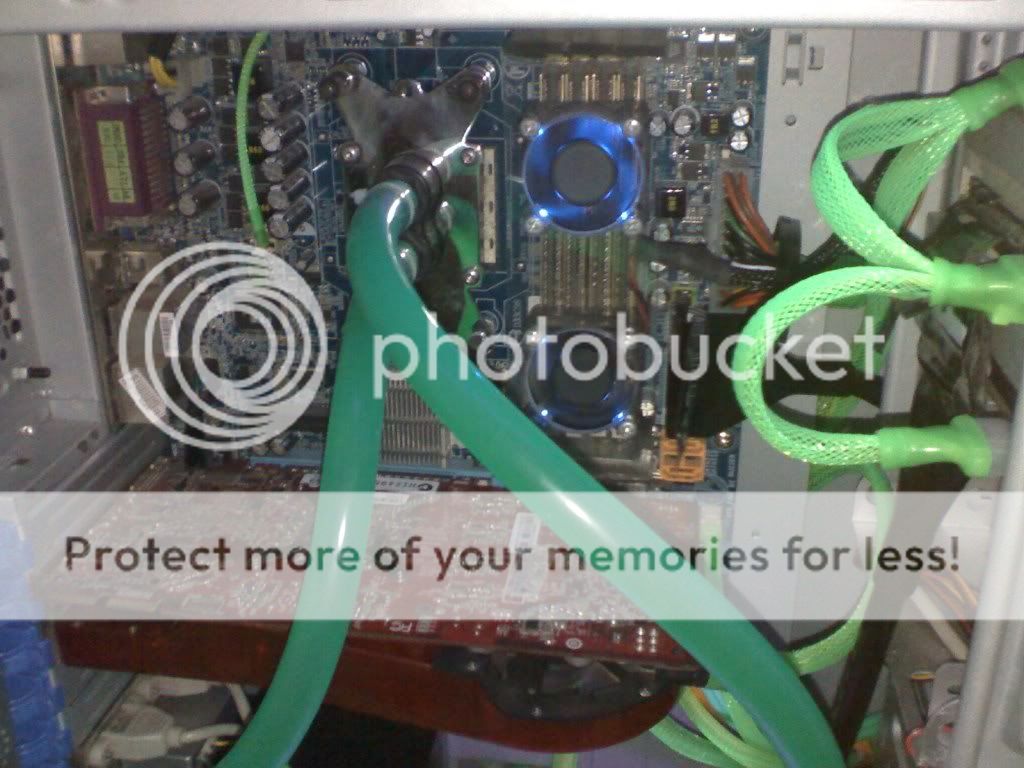
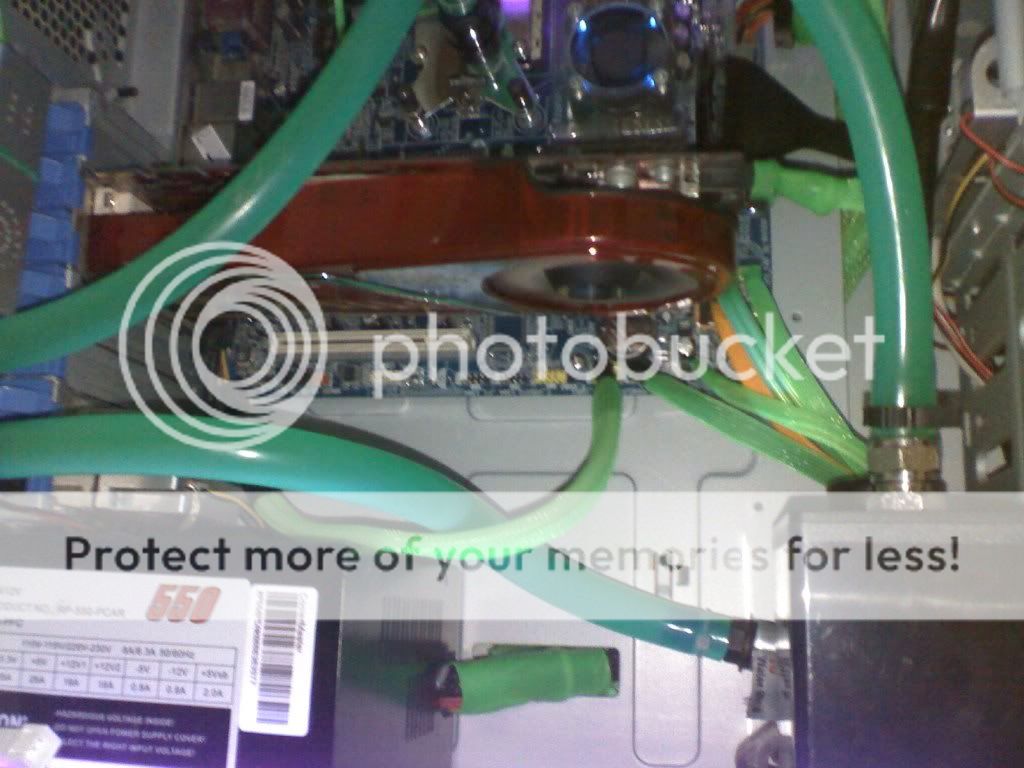
need some ideas here... sorry for da bad pic.. taken using moto v6.. thanks..
before..  after.. 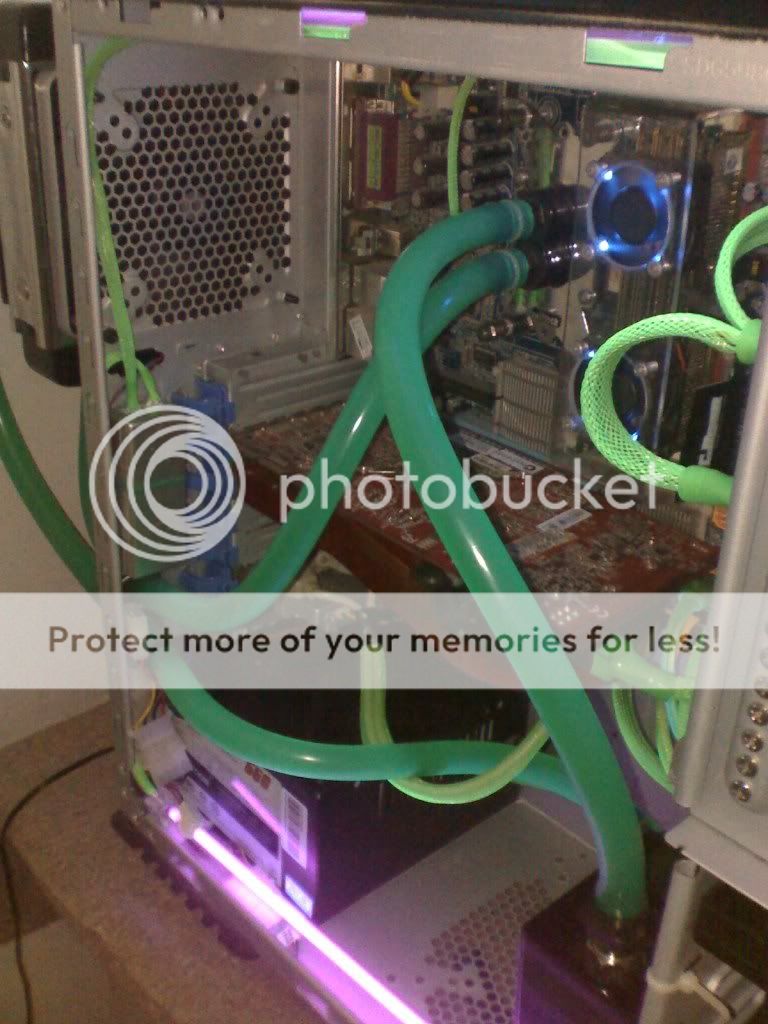 more pic.. » Click to show Spoiler - click again to hide... « » Click to show Spoiler - click again to hide... « feel like missing something..  .. need some comment and ideas.. thanks guys.. .. need some comment and ideas.. thanks guys..  .. .. |
|
|
Nov 24 2008, 09:14 PM
|
|
Senior Member
891 posts Joined: Jul 2007 From: Klang
|
QUOTE(1001010 @ Nov 24 2008, 08:57 PM) need some ideas here... sorry for da bad pic.. taken using moto v6.. thanks.. before.. » Click to show Spoiler - click again to hide... « feel like missing something.. .. need some comment and ideas.. thanks guys.. .. With the 1st pic... It was like... Speechlesss... Ur radiator u always leave it like dat...?  |
|
|
Nov 24 2008, 10:12 PM
|
|
Junior Member
95 posts Joined: Apr 2008 From: ipoh+taiping+kampar
|
QUOTE(seng87 @ Nov 24 2008, 09:14 PM) With the 1st pic... It was like... Speechlesss... Ur radiator u always leave it like dat...? |
|
|
Nov 25 2008, 10:17 PM
|
|
Senior Member
3,890 posts Joined: Feb 2007 From: Kuala Lumpur > Kuala Ketil > Kuala Muda
|
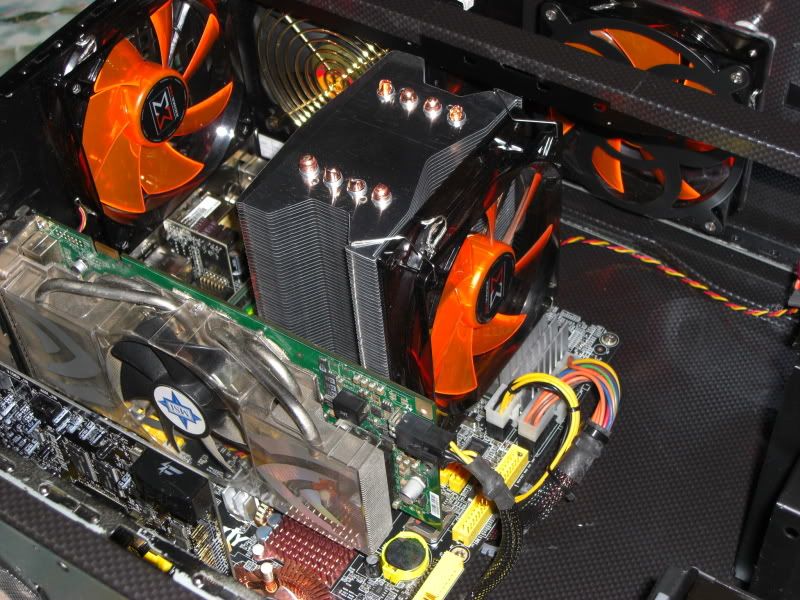
replace some hardware...add CCF
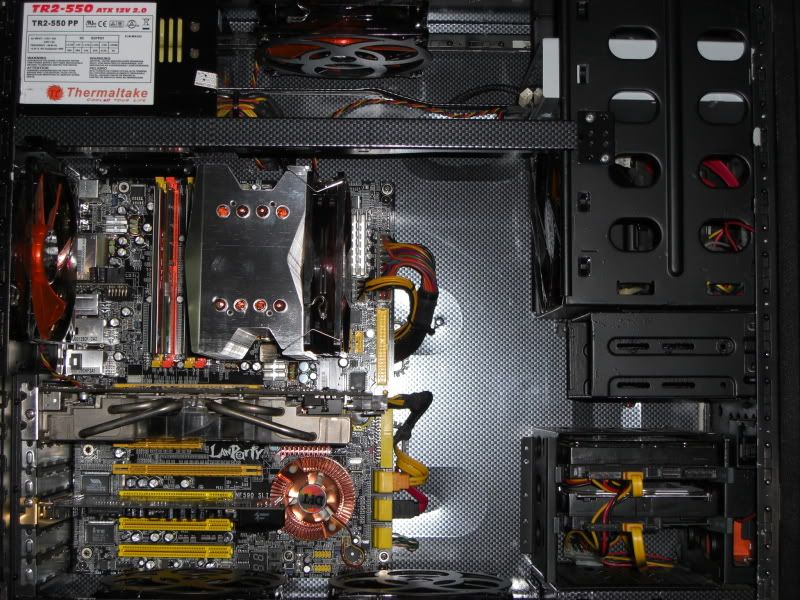  |
|
|
|
|
|
Nov 25 2008, 10:23 PM
|

Senior Member
1,165 posts Joined: Jul 2007 From: Johor
|
what did u change i cant seems to find any hardware changes from ur previous post ?
|
|
|
Nov 25 2008, 10:49 PM
|
|
Senior Member
3,890 posts Joined: Feb 2007 From: Kuala Lumpur > Kuala Ketil > Kuala Muda
|
sunbeam Core Contact Freezer
|
|
|
Nov 25 2008, 11:16 PM
|
|
Senior Member
1,165 posts Joined: Jul 2007 From: Johor
|
QUOTE(nidzamputra @ Nov 17 2008, 08:58 PM) » Click to show Spoiler - click again to hide... « |
|
|
Nov 25 2008, 11:20 PM
|
|
Senior Member
3,890 posts Joined: Feb 2007 From: Kuala Lumpur > Kuala Ketil > Kuala Muda
|
ya ka
 ..im sorry ..im sorry |
|
|
Nov 26 2008, 08:05 AM
|

Junior Member
438 posts Joined: Aug 2008
|
how to improve cable management inside cm690?
i use silverstone ST56F but it was too cramp as some of the cable unused was dwelling around the bottom... *sry i got no pictar rite now... could someone show me the pictar or what so how to manage cable inside cm690.. thanks.. |
|
|
Nov 26 2008, 09:21 AM
|
|
Senior Member
891 posts Joined: Jul 2007 From: Klang
|
QUOTE(nidzamputra @ Nov 25 2008, 11:20 PM) ya ka ehh.. bro nidzam show us ur new psu installed la... since u posted the CCF... now it's time... ..im sorry |
|
|
Nov 26 2008, 09:38 AM
|
|
Senior Member
3,890 posts Joined: Feb 2007 From: Kuala Lumpur > Kuala Ketil > Kuala Muda
|
QUOTE(em0ti0n @ Nov 26 2008, 08:05 AM) how to improve cable management inside cm690? i'm also use silverstone ST56F...i know that to hard to hidden all cable...but you can hide all cable at back mobo tray...i use silverstone ST56F but it was too cramp as some of the cable unused was dwelling around the bottom... *sry i got no pictar rite now... could someone show me the pictar or what so how to manage cable inside cm690.. thanks.. Added on November 26, 2008, 9:40 am QUOTE(seng87 @ Nov 26 2008, 09:21 AM) ehh.. bro nidzam show us ur new psu installed la... since u posted the CCF... now it's time... i forgot to take picture...now my new psu already install...waiting for picture...This post has been edited by nidzamputra: Nov 26 2008, 09:40 AM |
|
Topic ClosedOptions
|
| Change to: |  0.0308sec 0.0308sec
 0.75 0.75
 6 queries 6 queries
 GZIP Disabled GZIP Disabled
Time is now: 22nd December 2025 - 11:09 PM |
 Quote
Quote