This post has been edited by vincentlaw: Feb 1 2008, 02:36 AM
Attached thumbnail(s)
CLOSED
|
|
 Feb 1 2008, 02:36 AM Feb 1 2008, 02:36 AM
Return to original view | Post
#1
|
 
Senior Member
1,507 posts Joined: May 2007  
|
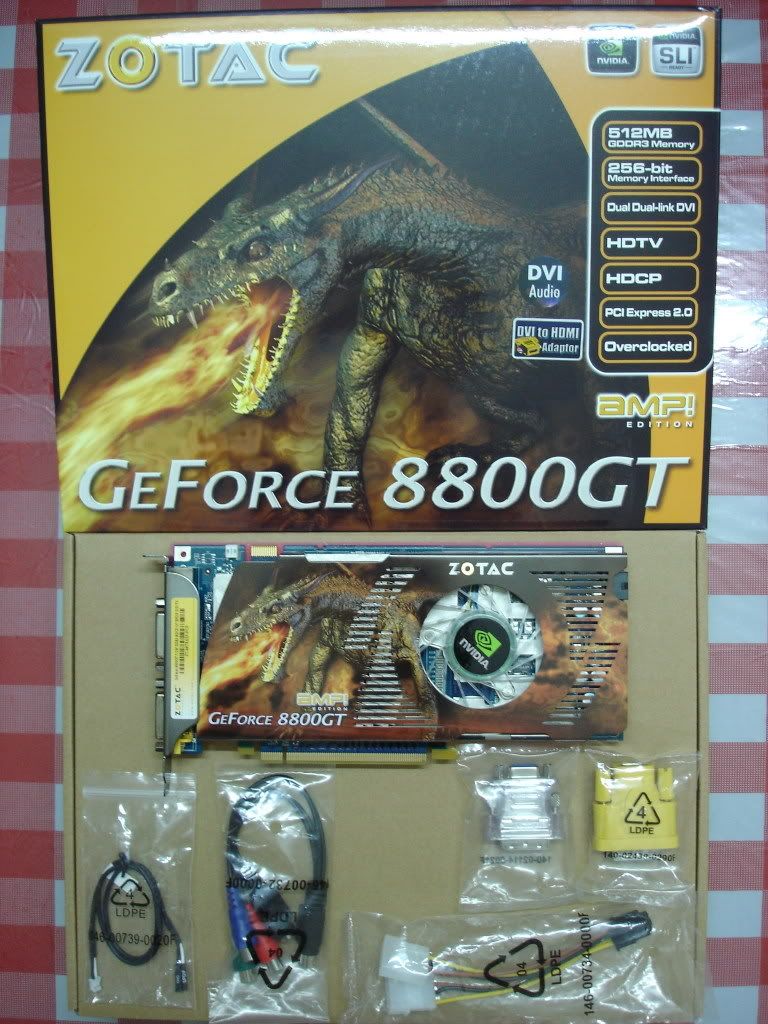
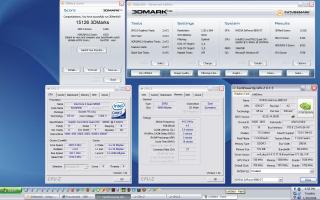
this is my benchies, how is it?.... temp is 63-65'c at load...
This post has been edited by vincentlaw: Feb 1 2008, 02:36 AM Attached thumbnail(s)
|
|
|
|
|
|
Feb 1 2008, 01:08 PM
Return to original view | Post
#2
|
|
Senior Member
1,507 posts Joined: May 2007
|
QUOTE(TheTraffic @ Feb 1 2008, 12:59 PM) It's with casing. In a room without air-con. ooo the big new zalman fan???? The shop i bought my 8800GT from told me about new product of it... LOL... ask me to grab it .. LOL... abit gila la them.... wat casing u using anyway?? with how many fan in and exhaust?The version of Zalman HSF is VF 1050. Heard of it? Added on February 1, 2008, 1:01 pmI wanted to post the pics but i just dunno how....  |
|
|
Feb 1 2008, 03:50 PM
Return to original view | Post
#3
|
|
Senior Member
1,507 posts Joined: May 2007
|
QUOTE(TheTraffic @ Feb 1 2008, 02:04 PM) It's similar to this one actually this fan is already available for VAIKOO 8800GT, its 100% the same fan as VF1000http://www.silentpcreview.com/article769-page1.html Check out the copper one. Mine is similar with that just that mine is red in colour and curve-shaped heat sink. Also, with 4 heatpipes. Added on February 1, 2008, 3:51 pm QUOTE(TheTraffic @ Feb 1 2008, 02:24 PM) Oh.. ic... but i got a prob here. I cant change the fan speed using rivatuner. I set it to 80 and it did save at 80 but when i check the fan speed, it still run at 100%. Any solution for that? running at 100% speed is far better than my ASUS 8800GT TOP edition with glaciator fan which can control fanspeed at all, even with thier own utilities... claimed by asus.... **** asus... this is a stupid move from asus...anyway did u tick the box for apply the setting when start up windows? Added on February 1, 2008, 4:10 pm QUOTE(TheTraffic @ Jan 30 2008, 10:05 PM) I have just bought Colorful 8800GT 512mb w Zalman HSF. mine is- Asus 8800GT TOP 512mb (glaciator fan), 700/1750/2020 default... OCed to 740/1802/2124Room Temperature: Idle: 49-51C Load: 60-62C idle:49-50'c load: 75'c  with fullload for 30mins+ with ATItool with fullload for 30mins+ with ATItooldont think the fan is running at full speed yet.... coz it didnt make much noise. I cant adjust the fan speed at all... damn.. stupid asus using dunno wat sensor and control which other software cant adjust it... no change with speedfan, rivatuner and others..... this is wat the **** asus have to say http://support.asus.com/faq/faq.aspx?no=82...SLanguage=en-us is there any1 come to a solution to control fan speed or at least detect fan speed for this ASUS 8800GT TOP 700/1750/2020 512mb(glaciator fan) ??? This post has been edited by vincentlaw: Feb 1 2008, 05:21 PM |
|
|
Feb 1 2008, 06:24 PM
Return to original view | Post
#4
|
|
Senior Member
1,507 posts Joined: May 2007
|
QUOTE(TheTraffic @ Feb 1 2008, 05:39 PM) Is it ok if it runs at 100% at all times? Wouldnt the fan spoil? ermmm it will shorten the lifespan i guess......... if u can adjust with rivatuner... try to make fan profile for ur card..... u can set the speed of fan acording to the tempreture.. let say 45'c will run 50% , 50'c = 70%, 55'c = 90'c or so..........Added on February 1, 2008, 5:39 pmoh ya.. one more thing.. can i install Dx10 into WinXP (32-bit) system? Will it cause any crashes? 100% fan speed will make anoying sound which some user cant tolerate... also depend on which type of fan and how loud the sound i heard long time ago that winxp can install dx10 with some special software but im not sure about it.. anyway im using vista to play all dx10 games Added on February 1, 2008, 6:29 pm QUOTE(S4PH @ Feb 1 2008, 06:20 PM) have u guys checked out guru3d.com got new 88gt from ECS great cooler bro that is similar with arctic cooling accelero S1 turbo module........... RM100 + 2x fan rm45 = Rm145 for the fan value.... i think they got the license to use artic coolerhere is arctic accelero s1 details http://www.arctic-cooling.com/vga2.php?idx=138 anyway how much is it in malaysia? This post has been edited by vincentlaw: Feb 1 2008, 06:34 PM |
|
|
Feb 1 2008, 10:38 PM
Return to original view | Post
#5
|
|
Senior Member
1,507 posts Joined: May 2007
|
QUOTE(craxors @ Feb 1 2008, 09:21 PM) a question... wont shorten the GC lifespan... but fan lifespan i think yes.... just my common sense...is it OK if we set the fan speed (using rivatuner) to 100% all the times....will it shorten the GC lifespan..  btw....the sound....not to loud actually..  |
|
|
Feb 2 2008, 03:44 AM
Return to original view | Post
#6
|
|
Senior Member
1,507 posts Joined: May 2007
|
QUOTE(ReeNz @ Feb 2 2008, 03:26 AM) faster fan = cooler GC = longer lifespan at the same time... pay off with fan lifespan..   .... its better than GC lifespan....anyway it shudnt be naturally die b4 u cant tolerate its performance in future.... ..... means u will most probably replace it b4 it shud die naturally... .... its better than GC lifespan....anyway it shudnt be naturally die b4 u cant tolerate its performance in future.... ..... means u will most probably replace it b4 it shud die naturally... |
|
|
|
|
|
Feb 2 2008, 09:48 AM
Return to original view | Post
#7
|
|
Senior Member
1,507 posts Joined: May 2007
|
QUOTE(craxors @ Feb 2 2008, 09:41 AM) so is it ok if i wan to set the fan to 80% or 100% for 24/7...?? my room a bit hot la... lol talking about lifespan, i think u wont realize it is shorten by how mucch also la and its not stated how long shud it live also i think... anyway u are recomended to set ur fan abit higher depending on ur tolerance of noise... u can always make fan profile for it as i mention earlier so ur card will automatically adjust the speed acording to the temperature... for example: after the fan died (dear GOD..please dont ), i'll change it to aftermarket cooler lor..   i think the GC is more valuable than the fan...  50'c = 60% speed 55'c = 70% speed and so on.... this both site will help u out, http://www.guru3d.com/article/article/449/ http://www.vaguesoft.com/users/dwood/blog/...ials/rivatuner/ This post has been edited by vincentlaw: Feb 2 2008, 09:50 AM |
|
|
Feb 2 2008, 11:17 AM
Return to original view | Post
#8
|
|
Senior Member
1,507 posts Joined: May 2007
|
QUOTE(craxors @ Feb 2 2008, 10:00 AM) actually...i already done that... open case still the best as some of the forumer did that too. just for the best air ventilation... plus...open up side casing n blow a 16" table fan to it.. idle = 53 on 60% fan... if i wan to change to new casing (cm690 maybe..) and dont wan to open the side, what do u think the temp will be... so there will be no free air..and no table fan... sometimes thinking not to have casing at all... ..... hmmm CM690 is a good case but if u seeking a bigger side fan or lighter casing, then CM690 is not for u..... CM690 is damn heavy as the casing itself already 9.7kg...... with power supply about 2.5kg for a good 1... and all hardware inside... mostly will be more than 15kg already... haha so heavy.... |
|
|
Feb 2 2008, 12:21 PM
Return to original view | Post
#9
|
|
Senior Member
1,507 posts Joined: May 2007
|
» Click to show Spoiler - click again to hide... « which is urs? This post has been edited by vincentlaw: Feb 2 2008, 12:21 PM |
|
|
Feb 2 2008, 03:49 PM
Return to original view | Post
#10
|
|
Senior Member
1,507 posts Joined: May 2007
|
QUOTE(ben_panced @ Feb 2 2008, 12:25 PM) mine is the 2nd one in the picture.. ohhh.... nice... that is the latest cooler for gigabyte 8800GT?? how about the zalman VF1000?? they got it with 8800GT?the one with zalman vf-830alcu hsf...  more powerful hsf than vf-700alcu |
|
|
Feb 2 2008, 03:50 PM
Return to original view | Post
#11
|
|
Senior Member
1,507 posts Joined: May 2007
|
QUOTE(sannielyk @ Feb 2 2008, 01:08 PM) Hello everybody ! wow nice.... ur amp edition is wat clock??? 700mhz ? I'm using 8800GT too , here is my card : » Click to show Spoiler - click again to hide... « Added on February 2, 2008, 3:53 pm@S4PH use spoiler when u wanna quote picture pls... Added on February 2, 2008, 3:54 pm@ben_panced is it worth to overvolt it?? how much performance increase from ur stock? This post has been edited by vincentlaw: Feb 2 2008, 03:54 PM |
|
|
Feb 2 2008, 04:15 PM
Return to original view | Post
#12
|
|
Senior Member
1,507 posts Joined: May 2007
|
@TheTraffic
click addreply at near bottom right side.. a new page will appear... click on browse and locate ur picture... then click "add this attachment" beside it then it shud load and u will see ur pic is listed.. then submit |
|
|
Feb 2 2008, 04:23 PM
Return to original view | Post
#13
|
|
Senior Member
1,507 posts Joined: May 2007
|
QUOTE(ben_panced @ Feb 2 2008, 04:17 PM) yup, tho the performance dont increase much, it's the satisfaction of overclocking is that matters, overvolting too much also will spoil eventhou the temp is good.... like CPU... so be aware of it too..  besides, if the gpu is operating in a safe temperaure range, u dont have to worry about it..  btw, my 8800gt load temp is about 70c.. and remember i overvolted my gpu core to 1.2v from 1.1v and i oced my 8800gt to 756/1890/1944 so the conclusion is, gigabyte's new 8800gt with zalman vf-830alcu rocks and worth every penny,  lucky i didnt buy 8800gt from other manufacturers others also good wat....exampl zotac,asus.... also depend on diff taste i shud say hmmm stable in 3dmark and atitool doesnt really 100% confirm stable in game also... last time i tried with ATItool and 3dcard for my 7800GS EE... stable but go in some game, the artifact show.... This post has been edited by vincentlaw: Feb 2 2008, 04:26 PM |
|
|
|
|
|
Feb 2 2008, 04:36 PM
Return to original view | Post
#14
|
|
Senior Member
1,507 posts Joined: May 2007
|
QUOTE(ben_panced @ Feb 2 2008, 04:28 PM) no lar overvolting a little wont hurt ur gpu unless u overvolt like mad.. hey when u do benchies with 3dmark.. when u get ur result... can u click close 1st... then press back option to get the score back... so we can see the score for SM2 SM3 and CPU at the most rightside of 3dmark window..... instead of just overall score... like the pic i attached... anyway that is mine with 745/1838/2136 without increasing voltagebut it's the temperature that can kill ur cpu or gpu.. so before ocing or overvolting, make sure u have adeaquate cooling first Added on February 2, 2008, 4:37 pm QUOTE(TheTraffic @ Feb 2 2008, 04:33 PM) Here's my new GC... Colorful GF8800GT w Zalman HSF.... nice card, i guess i will have good temp since that is similar with zalman VF1000 that i mention earlier... SHOW US UR BENCHIES!!!! Glad to join you guys....!   May need some advices in future thou...  how much is it? how much is it?This post has been edited by vincentlaw: Feb 2 2008, 04:40 PM Attached thumbnail(s) 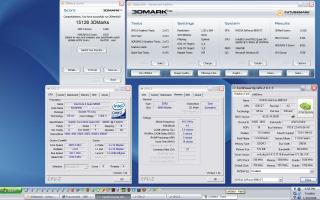
|
|
|
Feb 2 2008, 04:53 PM
Return to original view | Post
#15
|
|
Senior Member
1,507 posts Joined: May 2007
|
QUOTE(ben_panced @ Feb 2 2008, 04:48 PM) vincentlaw, good clocks u got there mate, oh is it.. mine stock at 700/1750/2020 btw eventho my 8800gt uses samsung gddr3 chips.. i just cant clock it to 2000mhz, guess samsung is not better compared to qimonda afterall.. btw, ur asus 8800gt top vcore is not stock.. that's why the shader can be clocked past 1800mhz mark..  normal 8800gt shader maxed only at around 1700mhz |
|
|
Feb 2 2008, 06:38 PM
Return to original view | Post
#16
|
|
Senior Member
1,507 posts Joined: May 2007
|
QUOTE(TheTraffic @ Feb 2 2008, 05:46 PM) May i know where can i get the activation code so that i can unlock other features in 3DMark06? u have to find out urself for this.... actually ur not allowed to talk bout this here.. ... anyway u dont have to unlock it (just for standard bench where every1 using same 3dmark setting)... just finish bench.. click close for the overall score(dont close 3dmark yet)....then after u close u will see ur most right sided of 3dmark will list down the SM2 SM3 and CPU score instead of N/A.... then click back option at the most right of ur 3dmark to get back ur overall score and take screeny... this is bcoz we are interested in SM2/SM3 score instead of overall coz 3dmark06 is CPU dependant too(CPU score).... so SM2/SM3 is basically ur GPU score. if u get better CPU, then ur overall score will be higher... correct me if im wrong..... This post has been edited by vincentlaw: Feb 2 2008, 06:39 PM |
|
|
Feb 2 2008, 07:08 PM
Return to original view | Post
#17
|
|
Senior Member
1,507 posts Joined: May 2007
|
QUOTE(TheTraffic @ Feb 2 2008, 07:00 PM) oh...ic.. will try that out later.... then maybe ur fan speed is fixed already lor...... try send a technical inquiry to official gigabyte lor... i ask my asus too about my card... But i still cant solve the RT issue. Can detect everything just that cant set it to other fan speed. anyone experiencing this too? is there any gigabyte utility that can adjust fan speed of ur GC??? try if got... This post has been edited by vincentlaw: Feb 2 2008, 07:09 PM |
|
|
Feb 3 2008, 12:45 AM
Return to original view | Post
#18
|
|
Senior Member
1,507 posts Joined: May 2007
|
QUOTE(rsangel @ Feb 2 2008, 11:26 PM) Well... OC for better performance and benchi, but i don't think you really need to OC for gaming to improve few fps, don't flame me O ... OC GC + CPU = improve quite alot..... especially u play games like crysis..... but some other game like CoD is enuf without OC.. at least for me.. i can max every single thg including AA and 1440 x 900 res... no la wont flame u la... we just discussing ma....... dont worry.. .hehe |
|
|
Feb 3 2008, 04:10 AM
Return to original view | Post
#19
|
|
Senior Member
1,507 posts Joined: May 2007
|
QUOTE(rsangel @ Feb 3 2008, 03:13 AM) lol... well i also play crysis on 1440X900, i can max out everything too ... but i still feel jerky lag feeling, although the fps is around 30++ but can't really satisfied me... LOL its up to people actually.... just make sure temp is good enuf and no extreme voltmod shud be no problem.... afew frames in game is actually quite alot already... if u can make it near GTS or equal GTS performance then why not?? GTS also afew FPS better than GTZotact 700/2000/1750, 3.2ghz 2GB well, some of my friends which using 19 inche playing on 1440x900 which using other 88GT oc up to 720~740/1950/18XX, 3.4ghz also with 30++ fps =_=" that's why i feel there's really no need for us to oc and take the risk which might burn our card 24/7 using it ... haha This post has been edited by vincentlaw: Feb 3 2008, 04:36 AM |
|
|
Feb 3 2008, 04:08 PM
Return to original view | Post
#20
|
|
Senior Member
1,507 posts Joined: May 2007
|
QUOTE(ben_panced @ Feb 3 2008, 11:00 AM) does ur zotac 8800gt comes with original hsf?? i tot 8800GT dont have 2d/3d mode 1? they will just running full speed all the time at 3dmode.... am i wrong?btw does ur gc clockspeed goes down in 2d mode?? Added on February 3, 2008, 4:12 pm QUOTE(TheTraffic @ Feb 3 2008, 04:08 PM) I found out something weird about my GC... compare ur SM2/SM3 and CPU score........ and look for significant diff.....The first time i tested 3DMark06 it was 9700+ Now.. i tested it again.... to my surprise.. it has dropped to 9100+ How could this happen? Pls advice.... bro try to attach the pic using forum attachment.. not doc type.... most of the people dont download coz wanna prevent from virus atk or wateva.. u can always open "paint" and paste ur screenshot there.. then save as .jpg... then use "addreply" at near bottom right of forum... then browse ur file + attach it.. then submit... This post has been edited by vincentlaw: Feb 3 2008, 04:14 PM |
|
Topic ClosedOptions
|
| Change to: |  0.3565sec 0.3565sec
 0.30 0.30
 7 queries 7 queries
 GZIP Disabled GZIP Disabled
Time is now: 6th December 2025 - 01:22 PM |
 Quote
Quote