Welcome Guest ( Log In | Register )

Outline · [ Standard ] · Linear+

 Official TM UniFi High Speed Broadband Thread V43, READ 1ST PAGE FOR RELEVANT WIFI INFO!

views
     
BenYeeHua
post Aug 26 2025, 10:09 PM

Regular
******
Senior Member
1,873 posts

Joined: Nov 2010


QUOTE(go626201 @ Aug 26 2025, 10:06 PM)
Today not DNS or slow issue,just straight die connection(100% packet lost) for affected users. mad.gif
Something broken between TM and specific Upstreams.
*
Ya, testing, but.
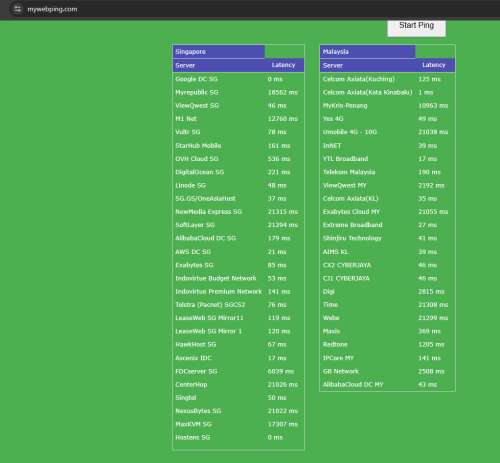
lol, SG 18s(18000ms, yes) ping is blocking me to test US server. rclxms.gif
BenYeeHua
post Aug 26 2025, 10:14 PM

Regular
******
Senior Member
1,873 posts

Joined: Nov 2010


QUOTE(go626201 @ Aug 26 2025, 10:13 PM)
TM to some network start having connectivity recovery now. But still not stable.
*
You means 100% becoming 99% packet loss? laugh.gif

CODE
ping usmi-ed.metercdn.net

Pinging usmi-ed.metercdn.net [162.252.175.13] with 32 bytes of data:
Request timed out.
Request timed out.
Reply from 162.252.175.13: bytes=32 time=1045ms TTL=54
Reply from 162.252.175.13: bytes=32 time=1083ms TTL=54

Ping statistics for 162.252.175.13:
   Packets: Sent = 4, Received = 2, Lost = 2 (50% loss),
Approximate round trip times in milli-seconds:
   Minimum = 1045ms, Maximum = 1083ms, Average = 1064ms


user posted image
BenYeeHua
post Aug 26 2025, 10:17 PM

Regular
******
Senior Member
1,873 posts

Joined: Nov 2010


QUOTE(blackbox14 @ Aug 26 2025, 10:14 PM)
Is this why Google SMS TAC is so difficult to receive now?

I noticed that Google straight up says they don't support sending messages to my provider. Didn't know MCMC ordered to block all SMS TAC...
*
Unsure, I never faced Google SMS TAC, as they just push to any of my Android phone...
But I can confirm, Shopee, Taobao/Aliyun, WeChat can only reaching via phone call TAC, with regular Malaysian phone number, lol. laugh.gif

----
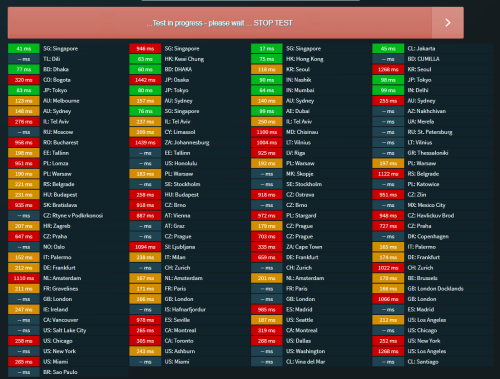
For the internet, 21s to SG and MY. devil.gif

user posted image
BenYeeHua
post Aug 26 2025, 10:20 PM

Regular
******
Senior Member
1,873 posts

Joined: Nov 2010


QUOTE(go626201 @ Aug 26 2025, 10:19 PM)
this site not getting update anymore...haha
so some server result not accurate now.

Only my smokeping is accurate from my end.  tongue.gif
*
Roger, and sadly I don't found tools for testing cloudflare over UDP, are there any third party speedtest website that host at Cloud Flare?
Just like rethink DNS. tongue.gif

This post has been edited by BenYeeHua: Aug 26 2025, 10:21 PM
BenYeeHua
post Aug 26 2025, 10:31 PM

Regular
******
Senior Member
1,873 posts

Joined: Nov 2010


Just saying, if you wanna speed test for DNS, it is best time with worst connection now. rclxms.gif
https://dnsspeedtest.online/

But, please be aware that, it is over HTTPS, which having different IP address over TLS for some.
Like CloudFlare, it is test over 2606:4700::6810:f9f9

This post has been edited by BenYeeHua: Aug 26 2025, 10:32 PM
BenYeeHua
post Aug 26 2025, 10:58 PM

Regular
******
Senior Member
1,873 posts

Joined: Nov 2010


QUOTE(go626201 @ Aug 26 2025, 10:52 PM)
Hi i just do a research about that.

https://h3.speed.cloudflare.com/

Please try with this link. It should be using with http3/quic.
*
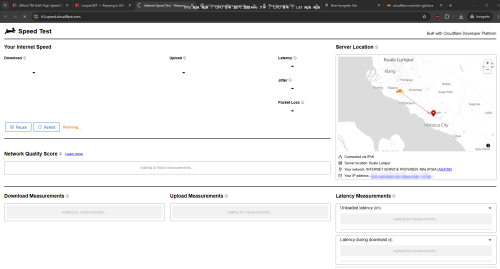
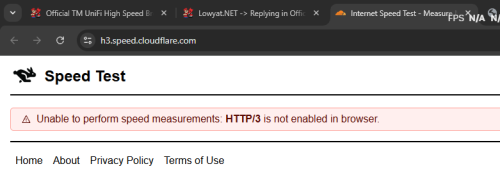
Thanks, confirmed H/3.
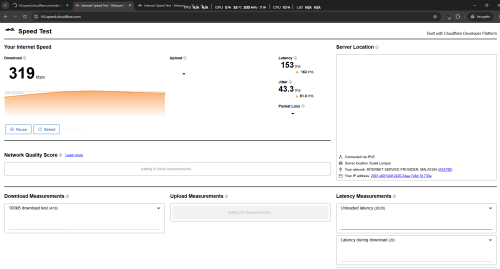
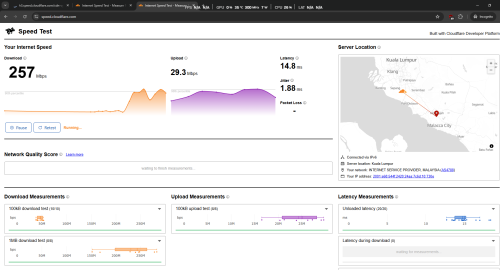
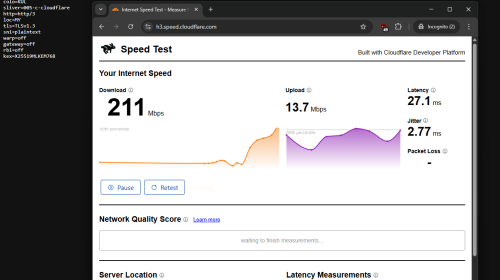
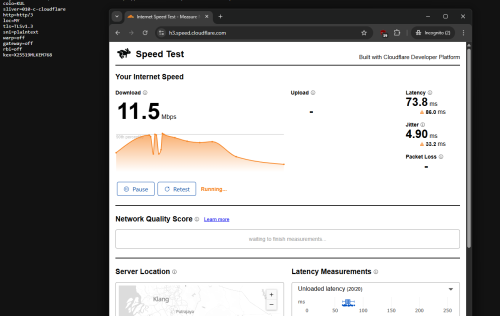
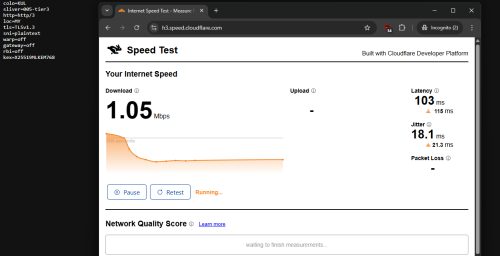
Much better, no packet loss, no slow start, but observed the hang issues, as high as 9s, even timeout. tongue.gif

colo=KUL
sliver=none
http=http/3
https://h3.speed.cloudflare.com/cdn-cgi/trace


So it is just like old Aliyun, the server keep hanging with newer http. laugh.gif

user posted image
user posted image
---
After 30s timeout, it fallback to h2.

colo=KUL
sliver=none
http=http/2

This post has been edited by BenYeeHua: Aug 26 2025, 10:59 PM
BenYeeHua
post Aug 26 2025, 11:04 PM

Regular
******
Senior Member
1,873 posts

Joined: Nov 2010


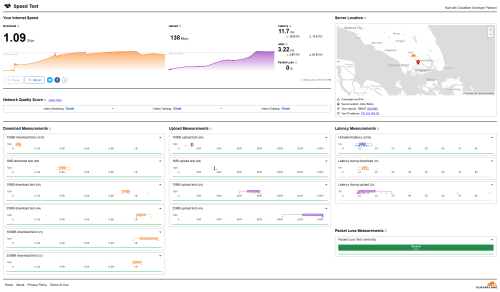
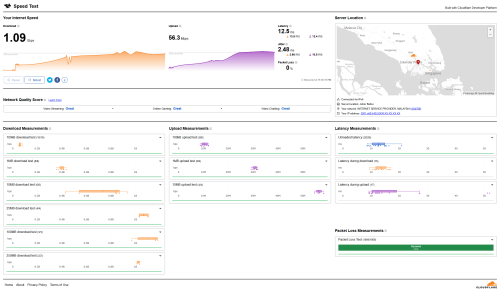
This is why your guys reporting lagging over website, but speedtest nothing.
ISP just hate UDP. laugh.gif

user posted image
user posted image

QUOTE(tng55 @ Aug 26 2025, 11:01 PM)
cry.gif  cry.gif  cry.gif  i scared too i am 500mbps i still public ip address i don't want private ip address
i know too much demand RM90 500Mbps overload tm suddenly set Private IP you area  bangwall.gif  bangwall.gif  bangwall.gif
i waiting offering 2GBPS i will stay Public IP Address very imported for me
*
Ya, like me, keep getting those DDoS/burst force usage IPv4, yuck. puke.gif
BenYeeHua
post Aug 26 2025, 11:06 PM

Regular
******
Senior Member
1,873 posts

Joined: Nov 2010


QUOTE(tng55 @ Aug 26 2025, 11:05 PM)
yah  cry.gif  i checked i still public ip
very scared i know last time told you 500Mbps to much demand RM90 overload TM suddenly set Private IP
i waiting offering 2GBPS i will stay Public IP Address very imported for me
*
Easy, buy old CCTV that no server relay, and required public IP. devil.gif
BenYeeHua
post Aug 26 2025, 11:22 PM

Regular
******
Senior Member
1,873 posts

Joined: Nov 2010


QUOTE(blackbox14 @ Aug 26 2025, 11:09 PM)
My speedtest with h3 cloudflare is stuck, lol.

Can I just close this thing?
*
Seem like cloudflare issues, when it is sliver 005-c-cloudflare or 001, it works.

colo=KUL
sliver=005-c-cloudflare
http=http/3
» Click to show Spoiler - click again to hide... «


When sliver none or 010 or 001-tier3 or 005-tier3, it break.

colo=KUL
sliver=none
http=http/3
» Click to show Spoiler - click again to hide... «


---
But yes, for Firefox, network.http.http3.enable.

This seem more unlikely http3 issues, but certain silver server having issues, disable h3 might not helping, it need to be fix by CloudFlare. sweat.gif

QUOTE(go626201 @ Aug 26 2025, 11:19 PM)
I think the main reason for your guys having that http3 speed test slow issue is due to the bad routing from your end to Cloudflare.
I just DNS target to CF-JHB.And all speed well.

HTTP3-QUIC Ver

IPv4
user posted image

IPv6

user posted image
*
As above, certain sliver got issues, when I connect to JHB, I also got the similar hang issues. hmm.gif


This post has been edited by BenYeeHua: Aug 26 2025, 11:25 PM
BenYeeHua
post Aug 26 2025, 11:31 PM

Regular
******
Senior Member
1,873 posts

Joined: Nov 2010


QUOTE(go626201 @ Aug 26 2025, 11:28 PM)
Do you mind to share how you choose the CF DC?

My visit to h3-cf speedtest (Manually Directed to JHB)
fl=242f33
h=h3.speed.cloudflare.com
ip=2001:e68:XXX
ts=1756221948.076
visit_scheme=https
uag=Mozilla/5.0 (Windows NT 10.0; Win64; x64) AppleWebKit/537.36 (KHTML, like Gecko) Chrome/139.0.0.0 Safari/537.36
colo=JHB
sliver=none
http=http/3
loc=MY
tls=TLSv1.3
sni=plaintext
warp=off
gateway=off
rbi=off
kex=X25519MLKEM768
*
You means the slliver thing?
Reopen browser, lol.

I just open incognito windows then open the h3 link, then reload again to kick it into h3, and perform testing.

https://h3.speed.cloudflare.com/cdn-cgi/trace
BenYeeHua
post Aug 26 2025, 11:55 PM

Regular
******
Senior Member
1,873 posts

Joined: Nov 2010


QUOTE(go626201 @ Aug 26 2025, 11:32 PM)
No,i mean how you choose to connect KUL or JHB or SIN CF DC.
Keep reopening browser for dns renew?
*
1.1.1.1 app, Zerotrust = KUL, wireguard = SG, MASQUW = JHB.

QUOTE(go626201 @ Aug 26 2025, 11:48 PM)
H3 mean HTTP3/QUIC (UDP protocol) is the latest http protocol for browser.
Which should be the fastest experience for browsing web if the connection is okay.

Under best condition,it will load the page with the fastest speed and load other files like js/css or something else needed at the same time.
*
Yes, but the sliver thing proof that, the routing inside CloudFlare is having issues. hmm.gif

And when it is none, sometimes it is working fine with 80ms 50Mbps. sweat.gif

QUOTE(go626201 @ Aug 26 2025, 11:49 PM)
From what i observe,most thing should be able to access now. Maybe try to reboot router and device?
*
Ya, more likely his IPv6 is broken, sometimes certain area will get v6 burst while v4 still running. laugh.gif
BenYeeHua
post Aug 27 2025, 12:00 AM

Regular
******
Senior Member
1,873 posts

Joined: Nov 2010


QUOTE(hsbb @ Aug 26 2025, 11:55 PM)
user posted image
* For the 1st two in lists, I never see any 172.x.x.x IP but only 100.73.x.x everytime.

user posted image
* After a few days testing used Skyworth GN630V, the good thing I can say is my laptop get full speed of my unifi 800/200 within ±5 meter distance from router. Compared to dlink DPN-FX3060V & fiberhome HG6145F3 within same distance only get 600Mbps+.

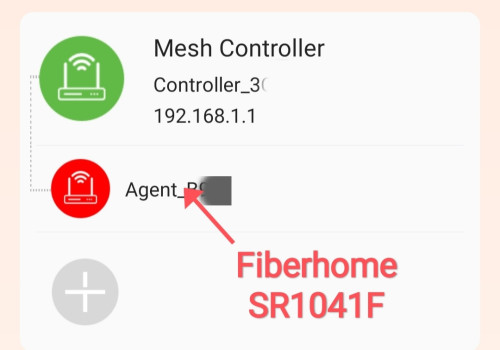
* Using fiberhome SR1041F as a mesh client also have stable connection (GN630V not stable/always disconnect if set as client) & I still get 800/200 using LAN.

* Btw it'll be my spare router or use as ONU. I prefer dlink DPN-FX3060V as my main router.
*
GN630V is not that bad as host/single, just WPA3 is broken sometimes.(30 days uptime until my parent reboot it because CCTV hang, lol.)
and yes, client got strange high latency when I using it to convert lan to WiFi(big WiFi adapter la, lol)

Secondly, there is no disconnect/connect button, making hard to get new IP.

This post has been edited by BenYeeHua: Aug 27 2025, 12:01 AM
BenYeeHua
post Aug 27 2025, 12:04 AM

Regular
******
Senior Member
1,873 posts

Joined: Nov 2010


Look like the sliver thing back to normal as most user sleep, retest next night then. wink.gif
BenYeeHua
post Aug 27 2025, 12:16 AM

Regular
******
Senior Member
1,873 posts

Joined: Nov 2010


QUOTE(go626201 @ Aug 27 2025, 12:06 AM)
Oh okay understood.  thumbsup.gif
*
Ya, those IP address special for WARP only, so you know la. brows.gif
Few years ago can get HKG and MRS etc, which also solved strange Asia network issues, sadly no such bug anymore, lol. laugh.gif
(Like Huawei can't backup at all Asia, but fine with MRS etc.)
BenYeeHua
post Aug 27 2025, 12:19 AM

Regular
******
Senior Member
1,873 posts

Joined: Nov 2010


QUOTE(Boy96 @ Aug 27 2025, 12:16 AM)
Yup now can already starting 5 mins ago

Previously not just unifi, even my digi mobile data cant load Netflix
*
Maybe Netflix think your IP address jumping strange, can be shared account, so temporary ban.
BenYeeHua
post Aug 27 2025, 12:23 AM

Regular
******
Senior Member
1,873 posts

Joined: Nov 2010


QUOTE(hsbb @ Aug 27 2025, 12:21 AM)
» Click to show Spoiler - click again to hide... «

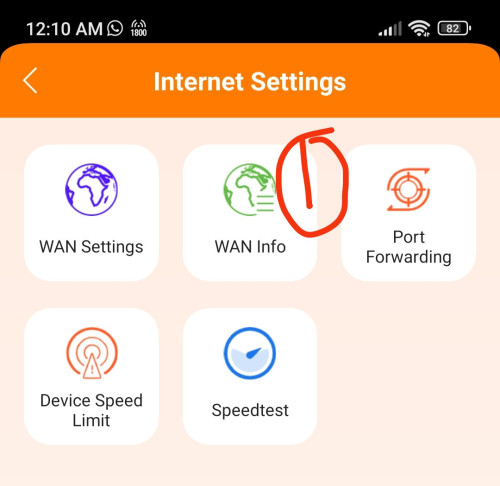
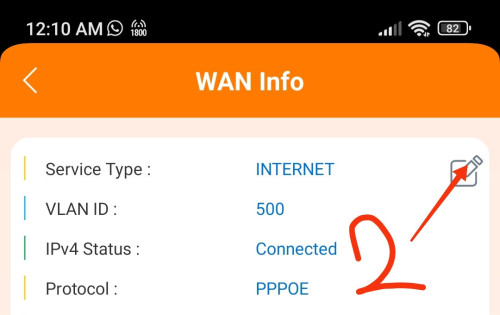
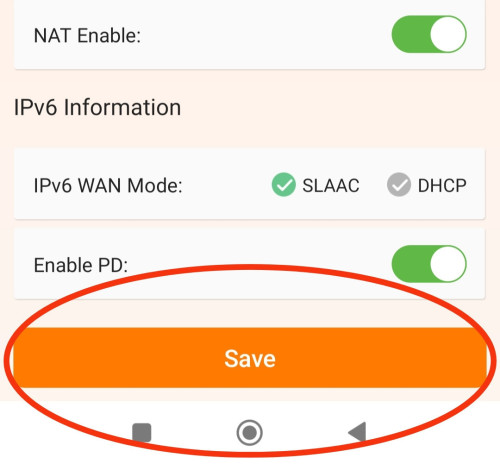
* The disconnect/connect button u talk about. Either public or cgnat ip, u'll get new one once u click save 😏😏
*
lol, I found the WiFi reboot by saving WiFi, never think about WAN. laugh.gif
BenYeeHua
post Aug 27 2025, 12:41 AM

Regular
******
Senior Member
1,873 posts

Joined: Nov 2010


QUOTE(go626201 @ Aug 27 2025, 12:33 AM)
I dont usually use WARP,since the VPN speed is much slower,so no point for me to use WARP.
Direct connect can hit full speed,and since i can change to the fastest CF DC while the time if i needed, so i just change the anycast ip with a CF-Speedtest tool result.  brows.gif

Even i am outside,i just connect to my SG VPN or connect back to home for secure connection if i need to connect Wi-Fi on outside.

And WARP does not hide IP if the site you visit is hosted/speedup with CF-CDN.
*
Yup, and VPN burn battery faster, still, it depend on how easy you can change the IP address result la.
Feel lazy, so just go with WARP, lol. laugh.gif

This post has been edited by BenYeeHua: Aug 27 2025, 12:41 AM
BenYeeHua
post Aug 27 2025, 01:32 AM

Regular
******
Senior Member
1,873 posts

Joined: Nov 2010


QUOTE(go626201 @ Aug 27 2025, 12:48 AM)
I only change when i feel the cf browsing speed slow, so either just turn off the ip change or run cf-speedtest again and replace the ip. (just a few mins time to run)
Normally i dont really care the cf speed,since only around 20% of time in a year will having slow CF speed issue with TM.
*
yes, mostly it is other website got issues(even midnight slow), just use simple warp solved it. tongue.gif
Just CloudFlare going to KUL these few weeks, so the issues shown up, but as it is CloudFlare loadbalance side, should be easy fix than TM side, lol. laugh.gif
BenYeeHua
post Aug 27 2025, 11:31 AM

Regular
******
Senior Member
1,873 posts

Joined: Nov 2010


QUOTE(hsbb @ Aug 27 2025, 01:40 AM)
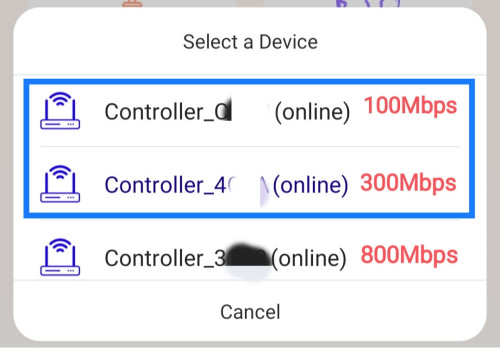
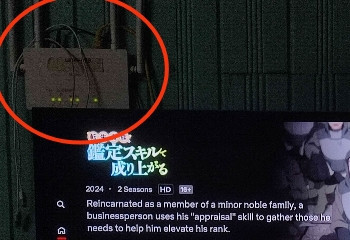
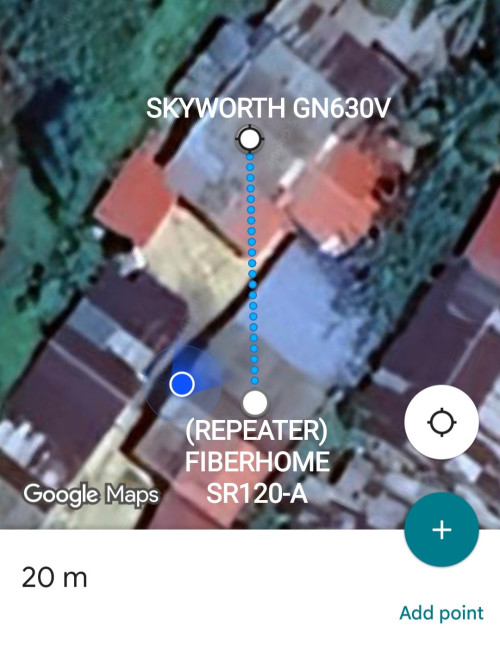
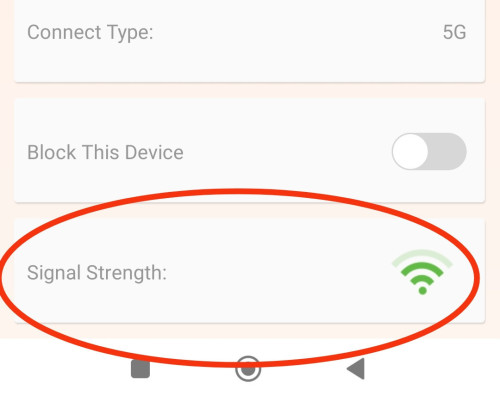
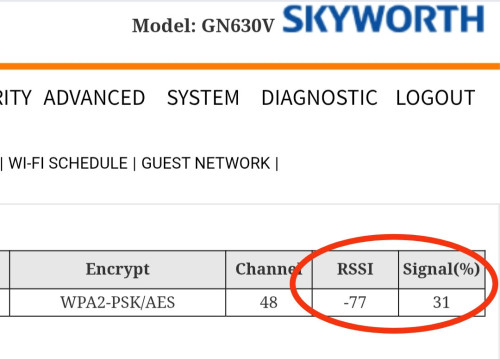
Hey BenYeeHua, other thing about GN630V wifi strength. Fiberhome SR120-A as repeater to 100Mbps GN630V.

» Click to show Spoiler - click again to hide... «

*
Ya, the problem is always the receive side.
My PC need to buy a 2m extension + 8dbi(should be fake, just 3/5dbi) antenna, then can reach the same speed as my mate 20 or poco F5 at same location. laugh.gif

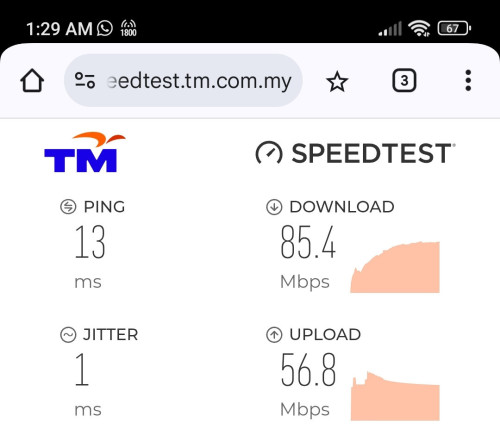
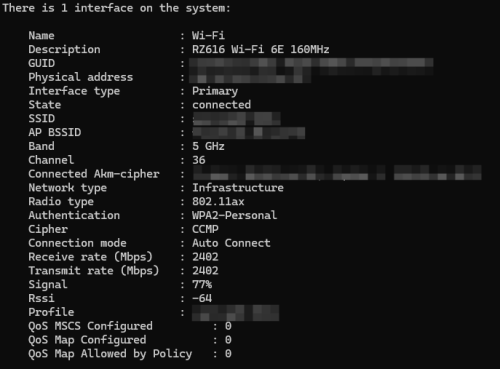
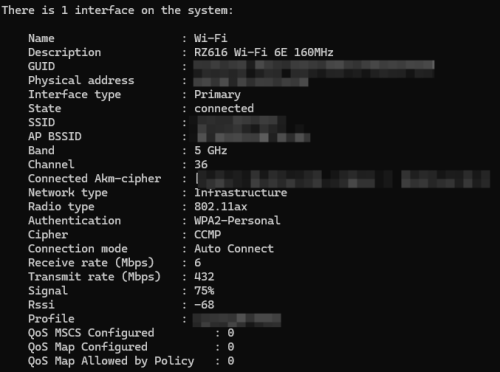
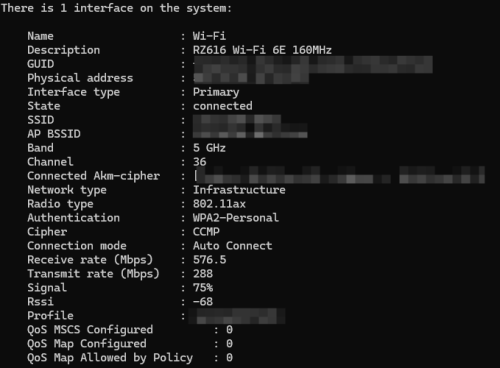
Should be the MTK RZ616/MT7922 louzy la, like now it is cheating showing me 2402Mbps, because it is >75% signal, it only show the real speed when it drop to 75%... doh.gif
There is also 1 driver version, which it broken the IPv6, I only found out after I reboot the router. doh.gif
user posted image


----
Anyways, fixing the WiFi as bottleneck is important, else your latency will sky high to 100ms.
Just like that night, my fiber also sky high to 100ms, I wonder did 100ms is the answer to every bottleneck. laugh.gif

And yes, if your PC's CPU running games, when you speed test over just nicely 200Mbps WiFi speed, it will drop to <100Mbps, then rise to 50ms latency. tongue.gif
By rising the PCI-E MSI-X to 4 threads and high priority, it some kind of improve bit more la. icon_rolleyes.gif


BenYeeHua
post Aug 28 2025, 10:20 AM

Regular
******
Senior Member
1,873 posts

Joined: Nov 2010


QUOTE(kwss @ Aug 27 2025, 02:17 PM)
If the NIC only have one hardware queue, the number of threads won't really improve things that much. The reason is only 1 CPU core will receive hardware interrupt. There's a reason why Mellanox NIC cost so much.

Try different Coalesce setting? Most consumer hardware need this setting to not wreck your CPU.
*
Well, MTK one don't have such configuration, lol.

Just having quick check on NDIS version, this MTK even using 6.70 while the Realtek LAN driver is using latest 6.89, which is released for 24H2, lol.
So I guess MTK don't really put his mind on optimizing the performance of this chipset then, and my best choice is pull a cable if upgraded to 500M, or Intel BE200 etc. laugh.gif

For the WiFi >75%, just ignore the receive speed as it is power saving now. tongue.gif
» Click to show Spoiler - click again to hide... «


So as you can see, when it is 76%, you will get fake speed, so I don't think MTK really like to doing good thing on this WiFi Chipset... sweat.gif

QUOTE(coolguy_0925 @ Aug 27 2025, 09:20 PM)
Good that it is auto

I am 500M and still public ip as of now (someone's favourite 175.xxx.xxx.xxx)

Since you came from private to public, did you feel any improvement? (since someone kept preaching public ip is batter and low ping)

grin.gif
*
What, me? laugh.gif

There is a lot of 175.x.x.x, some already get corrupted by those DDoS/burst force kids, so had to jump ship liao. doh.gif
Else, my family keep blame me why take 30 mins to reconnect the internet, I had such bad luck keep kicking/sharing the CGNAT IP with those script kiddie. sweat.gif

There is some early period of CGNAT issues, like during opening lowyat, it will reset connection as out of port etc, guess they solved it by reducing the sharing of same IP address, or because it is IPv6 generation.

This post has been edited by BenYeeHua: Aug 28 2025, 10:26 AM

3 Pages < 1 2 3 >Top
 

Change to:
| Lo-Fi Version
0.0227sec    0.34    7 queries    GZIP Disabled
Time is now: 6th December 2025 - 03:06 AM