

 Sep 23 2023, 10:52 AM


Currently changed over to Bridged mode and running OPNSense as my main router again.
So you got the router in default with how the installer installed it.
1) Go to setup tab > PON WAN > find Connection_0 on the interface (Namely PPPoE connection)
2) Go to Action - Edit, change protocol from PPPoE to Bridged, other settings you can either keep at default or change, such as QoS etc.
3) Connect LAN 1 to whichever router as WAN and set it up as PPPoE
4) Done, all your traffic is now through your own router rather than TM's D-Link
Note: Leave all the physical assignments and settings as is and don't change it to any mode. Just change from Connection type
All the firewall/port forwarding rules should be ignored on TM's own router and your own router should be taking care of all the forwarding.


 Quote
Quote


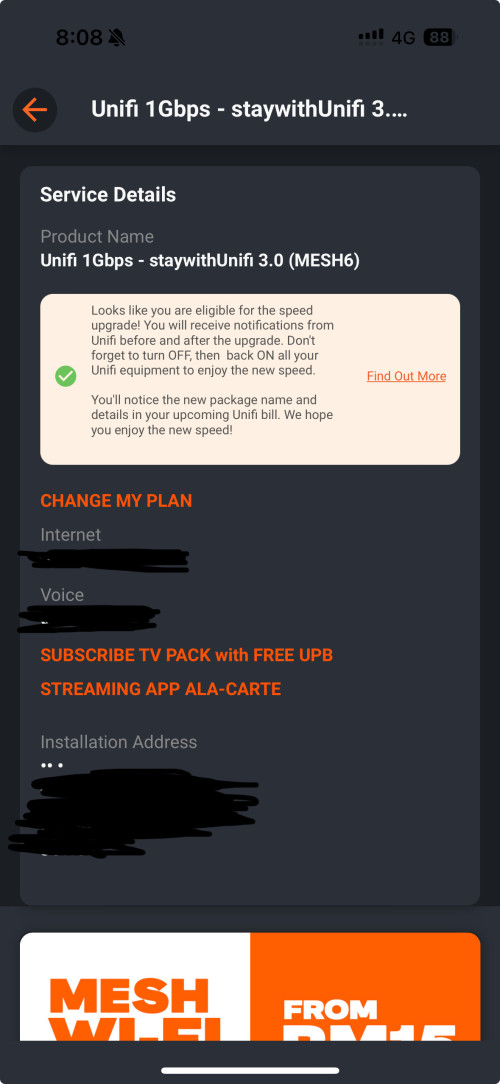

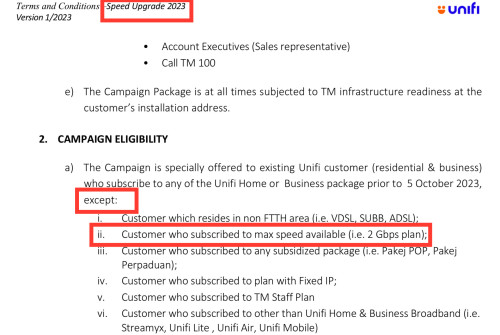

 , what wasted opportunities


 0.3807sec
 0.91
0.91
 7 queries
 GZIP Disabled