Outline ·
[ Standard ] ·
Linear+
Unifi Official TM UniFi High Speed Broadband Thread V41, READ 1ST PAGE FOR RELEVANT WIFI INFO
|
mikey8811
|
 Nov 17 2023, 06:56 PM Nov 17 2023, 06:56 PM
|
Getting Started


|
QUOTE(Oltromen Ripot @ Nov 17 2023, 06:45 PM) • wifi protocol 802.11b? • QoS rate limit set too low? wifi protocol is AC - at least that is what my Mac says. QoS is not enabled - do I enable it and what settings should I put? |
|
|
|
|
|
mikey8811
|
Nov 17 2023, 09:21 PM
|
Getting Started
|
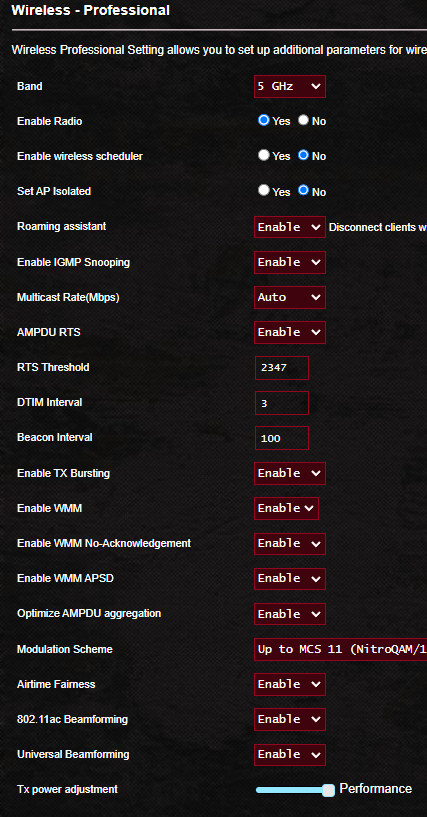
QUOTE(mikey8811 @ Nov 17 2023, 06:56 PM) wifi protocol is AC - at least that is what my Mac says. QoS is not enabled - do I enable it and what settings should I put? An update: I stood next to the router with my iPhone 13 and did a speedtest, could only get download speed of 137 Mbps. So I guess something is wrong with the Wi Fi transmission. Any more ideas on how to troubleshoot what the issue is with my settings? |
|
|
|
|
|
mikey8811
|
Nov 17 2023, 10:09 PM
|
Getting Started
|
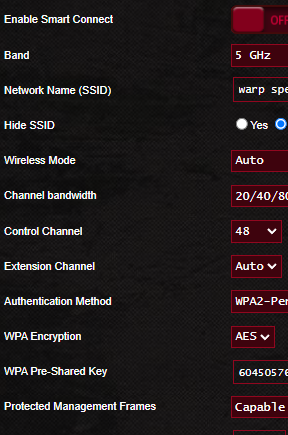
QUOTE(BenYeeHua @ Nov 17 2023, 09:25 PM) Yes, check the wifi speed on ur phone, and is it 80 MHz or not. Then change ur 5GHz channel la. My setting is 20/40/80 MHz - do I change that to 80 MHz? How do I tell which frequency I am using? |
|
|
|
|
|
mikey8811
|
Nov 17 2023, 11:34 PM
|
Getting Started
|
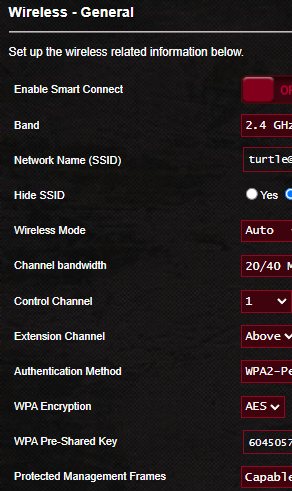
QUOTE(laytiong @ Nov 17 2023, 09:32 PM) Thanks so much for that - very helpful. It was the channel for the 5GHz band. I changed it to the same as yours and am now getting low to mid 300 Mbps download speeds and close to 100 Mbps upload speed for local servers. In one instance, probably a fluke I got a download speed of 481 Mbps. Foreign servers in the 50 Mbps download speed range. I tried several channels using the InSSIDer app but ended back with yours as that was still the best one for my environment. Not near the 500 Mbps but OK. My Mac says the Tx rate is 780 Mbps. I have seen it as high as 877 Mbps so I guess that is probably the best I can do for now. iPhone speed also improved commensurately but not as much as the Mac. Thanks again This post has been edited by mikey8811: Nov 17 2023, 11:41 PM |
|
|
|
|
|
mikey8811
|
Nov 18 2023, 01:43 AM
|
Getting Started
|
QUOTE(olivur @ Nov 18 2023, 12:11 AM) or since you're on your mac, open up wireless diagnotics app, ignore the main window, and open "scan" from window menu 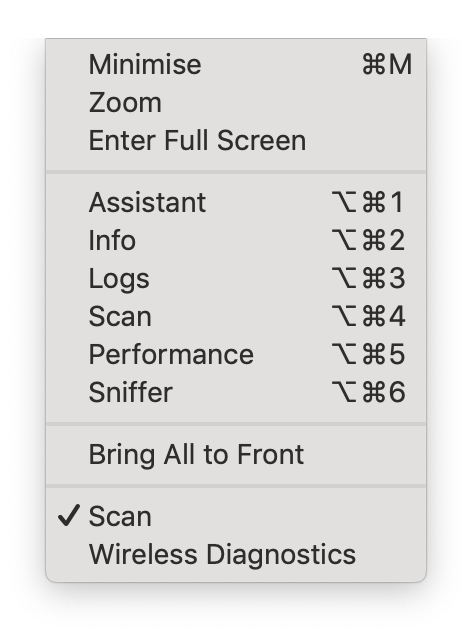 and you'll see the least debauched channels for your home 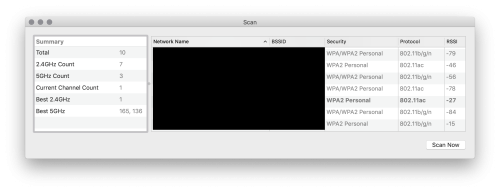 that is, if you've not already done this Thanks. I had forgotten about this. I used it when I used an older Airport Extreme. I just ran it. Strangely, it suggested 165 and 128 as the best 5GHz channels. I had previously used 165 and got the poor test results. I can't select 128 as it isn't in the dropdown box I think I must have set up the ASUS router using this as well. My RSSI is -55 - that is the best I can do, a long way from your -27. Thanks again |
|
|
|
|
|
mikey8811
|
Nov 18 2023, 01:46 AM
|
Getting Started
|
QUOTE(maxiscool @ Nov 18 2023, 01:07 AM) Did you get public IP address with this? Hi What is the public IP address you guys are referring to and what are the advantages? Is it the WAN IP? |
|
|
|
|
|
mikey8811
|
Nov 19 2023, 04:07 PM
|
Getting Started
|
QUOTE(phoenixxx @ Nov 19 2023, 03:54 PM) Some further update: TM suddenly called and said the DLink router is available. Proceeded to replace both my Fiberhome with DLink AX3000. The model is X3060Z (black colour with 5 antennas). So far, managed to set up everything properly. The only downside is one of the ports is reserved for IPTV and despite all my tinkering it couldn't be "released" as a normal Ethernet port. Hence, got a TP Link T3U AC1300 USB card, so far tested can get 500Mbps on the link after driver update. Seems everything is working so far. One main router, one Bridge mode with wired LAN. The DLink is definitely much easier to set up and works almost out of the box. Hope it continues to be smooth and steady. EDIT: linking another forumer's post that helped me set up the DLink. He has the same model as I do. https://forum.lowyat.net/topic/5407927So you got the SWU 3.0 package, they set up for you with Fibrehome routers and then you requested DLink router. They then replaced your 2 Fibrehome MESH routers with the DLink ones? |
|
|
|
|
|
mikey8811
|
Nov 19 2023, 04:14 PM
|
Getting Started
|
QUOTE(phoenixxx @ Nov 19 2023, 04:10 PM) Yes, but like some other forumers mentioned, by default you can't choose. I think in my case, there were 2 things that worked in my favor: 1. The salesperson promised me the Dlink 2. There was an exact model (but with some red stripes) in the Unifi Centre itself, with the price tag of FREE if you sign up 100Mbps and above. They were very reluctant to entertain me, and I pretty much gave up already. Didn't really pursue it after a few calls and follow up. Then suddenly, they called so I just agreed to it. I am on SWU 3.0 500Mbps. I had also requested the DLink routers. Do they perform better than the Fibrehome ones? |
|
|
|
|
|
mikey8811
|
Nov 21 2023, 05:23 PM
|
Getting Started
|
QUOTE(firdausbhari @ Nov 21 2023, 05:02 PM) My account details changed to SWU 3.0 But what does M6 means? I got the same too. It also says I am eligible for a speed upgrade. Does that mean we will get one? |
|
|
|
|
|
mikey8811
|
Nov 28 2023, 03:27 PM
|
Getting Started
|
QUOTE(OlgaC4 @ Nov 28 2023, 01:19 PM) i switch to maxis today. RM129 for 300mbps sick of their super far route So TM did really counter offer you RM 110 for 500 Mbps with 6 months free and MESH routers? If so, I am going to lodge a complaint because it is discriminatory - they should be offering the same to everyone. |
|
|
|
|
|
mikey8811
|
Nov 28 2023, 10:37 PM
|
Getting Started
|
QUOTE(BenYeeHua @ Nov 28 2023, 03:29 PM) That's SWU 4.0, urs should be 3.0 I called the Unifi Centre at KLCC to ask about it. The guy who had attended to me said he didn't know anything about SWU 4.0 and that they were still on 3.0 |
|
|
|
|



 Quote
Quote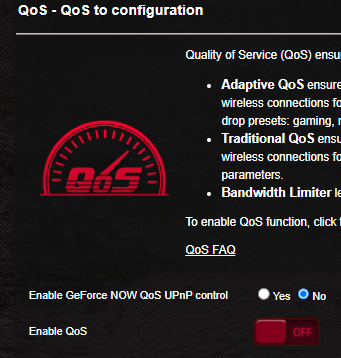

 0.2248sec
 0.29
0.29
 7 queries
 GZIP Disabled