Welcome Guest ( Log In | Register )

Outline · [ Standard ] · Linear+

 Apple Smart Home Journey, Apple Homekit and etc

views
     
TSepicure
post Jan 8 2024, 09:59 AM

Getting Started
**
Junior Member
229 posts

Joined: Sep 2009
QUOTE(red-queen @ Jan 7 2024, 09:03 PM)
Dear TS,

Would you recommend to run neo/zemismart hubs with tuyago switches only? Rather than have aqara and tuyago switches. Thanks
*
Hi there

Yes, i would recommend that. I actually only found out that Tuya had homekit hubs after i bought my aqara devices. If i were to start from scratch again, i would go the tuya route, as they are cheaper, work reliably and constructed well (for the tuyago switches that is). The hubs are cheaper to replace if they malfunction.

The only one device that i would still stick with aqara is the D100 Door lock. I really like this device, but since its a wifi/bluetooth only device (my one is an earlier version that doesnt have applekeys), its pretty much standalone working together with my xiaomi smart plug as a BLE hub.


For aqara, since i already have them prior to my tuya devices purchases, i decided to expand their capabilites by adding the S1E panel. What they do and how they function, doesnt make them far better than the tuya counterparts, although they are more well known.

Hope that helps
red-queen
post Jan 8 2024, 06:59 PM

Regular
******
Senior Member
1,310 posts

Joined: Jan 2003


QUOTE(epicure @ Jan 8 2024, 09:59 AM)
Hi there

Yes, i would recommend that. I actually only found out that Tuya had homekit hubs after i bought my aqara devices. If i were to start from scratch again, i would go the tuya route, as they are cheaper, work reliably and constructed well (for the tuyago switches that is). The hubs are cheaper to replace if they malfunction.

The only one device that i would still stick with aqara is the D100 Door lock. I really like this device, but since its a wifi/bluetooth only device (my one is an earlier version that doesnt have applekeys), its pretty much standalone working together with my xiaomi smart plug as a BLE hub.
For aqara, since i already have them prior to my tuya devices purchases, i decided to expand their capabilites by adding the S1E panel. What they do and how they function, doesnt make them far better than the tuya counterparts, although they are more well known.

Hope that helps
*
thank you sir! i'm so glad that i stumbled upon your post. i've been trying to figure out how to make tuya work with apple homekit and with the zemismart hub we get native integration with tuya products.
TSepicure
post Jan 9 2024, 07:47 AM

Getting Started
**
Junior Member
229 posts

Joined: Sep 2009
QUOTE(red-queen @ Jan 8 2024, 06:59 PM)
thank you sir! i'm so glad that i stumbled upon your post. i've been trying to figure out how to make tuya work with apple homekit and with the zemismart hub we get native integration with tuya products.
*
If you stay with Tuya, and dont want to go for anything that is homebridge related, you can still build a smart home using just tuya zigbee products.

1. Door Lock
2. Curtains
3. Smart wall sockets
4. Smart plugs
5. Smart switches
6. Smart bulbs
7. Door sensors
8. Water leak sensors
9. Smoke sensors

For CCTV, you can use homekit compatible cameras, but i havent looked into it, as i really enjoy Imou/Dahua products, and i have them integrated to homekit via homebridge.

The above is already enough for a smart home.
1. But aircon control is mostly in the manufacturers app. My one is daikin, and is not able to be integrated via homekit. So, i still have to use the daikin app to control remotely.

2. Fans, i really really like the Xiaomi Mijia Air circulator, so strong and powerful, so unless you go the homebridge route, you have to control it in the manufacturer’s app


red-queen
post Jan 9 2024, 10:18 AM

Regular
******
Senior Member
1,310 posts

Joined: Jan 2003


QUOTE(epicure @ Jan 9 2024, 07:47 AM)
If you stay with Tuya, and dont want to go for anything that is homebridge related, you can still build a smart home using just tuya zigbee products.

1. Door Lock
2. Curtains
3. Smart wall sockets
4. Smart plugs
5. Smart switches
6. Smart bulbs
7. Door sensors
8. Water leak sensors
9. Smoke sensors

For CCTV, you can use homekit compatible cameras, but i havent looked into it, as i really enjoy Imou/Dahua products, and i have them integrated to homekit via homebridge.

The above is already enough for a smart home.
1. But aircon control is mostly in the manufacturers app. My one is daikin, and is not able to be integrated via homekit. So, i still have to use the daikin app to control remotely.

2. Fans, i really really like the Xiaomi Mijia Air circulator, so strong and powerful, so unless you go the homebridge route, you have to control it in the manufacturer’s app
*
im looking at tplink vigi cctv solutions. their AI and events are pretty solid. will get a unit from my supplier to test it out. my only concern is the integration with tuya or homekit.

for dahua does it have integration to tuya or homekit? at least can set automations like if cctv backyard detects movement from 7pm to 7am, turn on backyard tuya smart light or smart switces.
red-queen
post Jan 9 2024, 11:43 AM

Regular
******
Senior Member
1,310 posts

Joined: Jan 2003


QUOTE(epicure @ Jan 9 2024, 07:47 AM)
If you stay with Tuya, and dont want to go for anything that is homebridge related, you can still build a smart home using just tuya zigbee products.

1. Door Lock
2. Curtains
3. Smart wall sockets
4. Smart plugs
5. Smart switches
6. Smart bulbs
7. Door sensors
8. Water leak sensors
9. Smoke sensors

For CCTV, you can use homekit compatible cameras, but i havent looked into it, as i really enjoy Imou/Dahua products, and i have them integrated to homekit via homebridge.

The above is already enough for a smart home.
1. But aircon control is mostly in the manufacturers app. My one is daikin, and is not able to be integrated via homekit. So, i still have to use the daikin app to control remotely.

2. Fans, i really really like the Xiaomi Mijia Air circulator, so strong and powerful, so unless you go the homebridge route, you have to control it in the manufacturer’s app
*
do you happen to know if zemismart hub can work for sonoffi products as well? or strictly tuya only?
TSepicure
post Jan 10 2024, 01:46 PM

Getting Started
**
Junior Member
229 posts

Joined: Sep 2009
QUOTE(red-queen @ Jan 9 2024, 10:18 AM)
im looking at tplink vigi cctv solutions. their AI and events are pretty solid. will get a unit from my supplier to test it out. my only concern is the integration with tuya or homekit.

for dahua does it have integration to tuya or homekit? at least can set automations like if cctv backyard detects movement from 7pm to 7am, turn on backyard tuya smart light or smart switces.
*
Dahua has no integration with homekit, only google and alexa. But via homebridge you can link all dahua/imou cameras

But, i never bothered with movement for cameras, as there are so many things that can trigger motion, like leaves, cat, dog, clouds etc etc

You can look into some cameras that have built in spot light, so when there is movement detected, then the spot light will turn on. Imou has this. There’s also a setting that can turn on siren when movement detected. But i normally just use the light so as to not bug the neighbours
TSepicure
post Jan 10 2024, 01:48 PM

Getting Started
**
Junior Member
229 posts

Joined: Sep 2009
QUOTE(red-queen @ Jan 9 2024, 11:43 AM)
do you happen to know if zemismart hub can work for sonoffi products as well? or strictly tuya only?
*
For now, it wont work generally. I have read on reddit that some people have managed to get some sonoff sensors working on tuya hubs. But its really a trial and error process. Generally i dont prefer sonoff products for sensors, they seem to be hit and miss, for the zigbee ones. The sensor could be very nearby, but still will go offline. I use Sonoff/Ewelink for mostly smart plugs and in-line switches like the MiniR2.
TSepicure
post Jan 10 2024, 01:57 PM

Getting Started
**
Junior Member
229 posts

Joined: Sep 2009
Recent additions:-

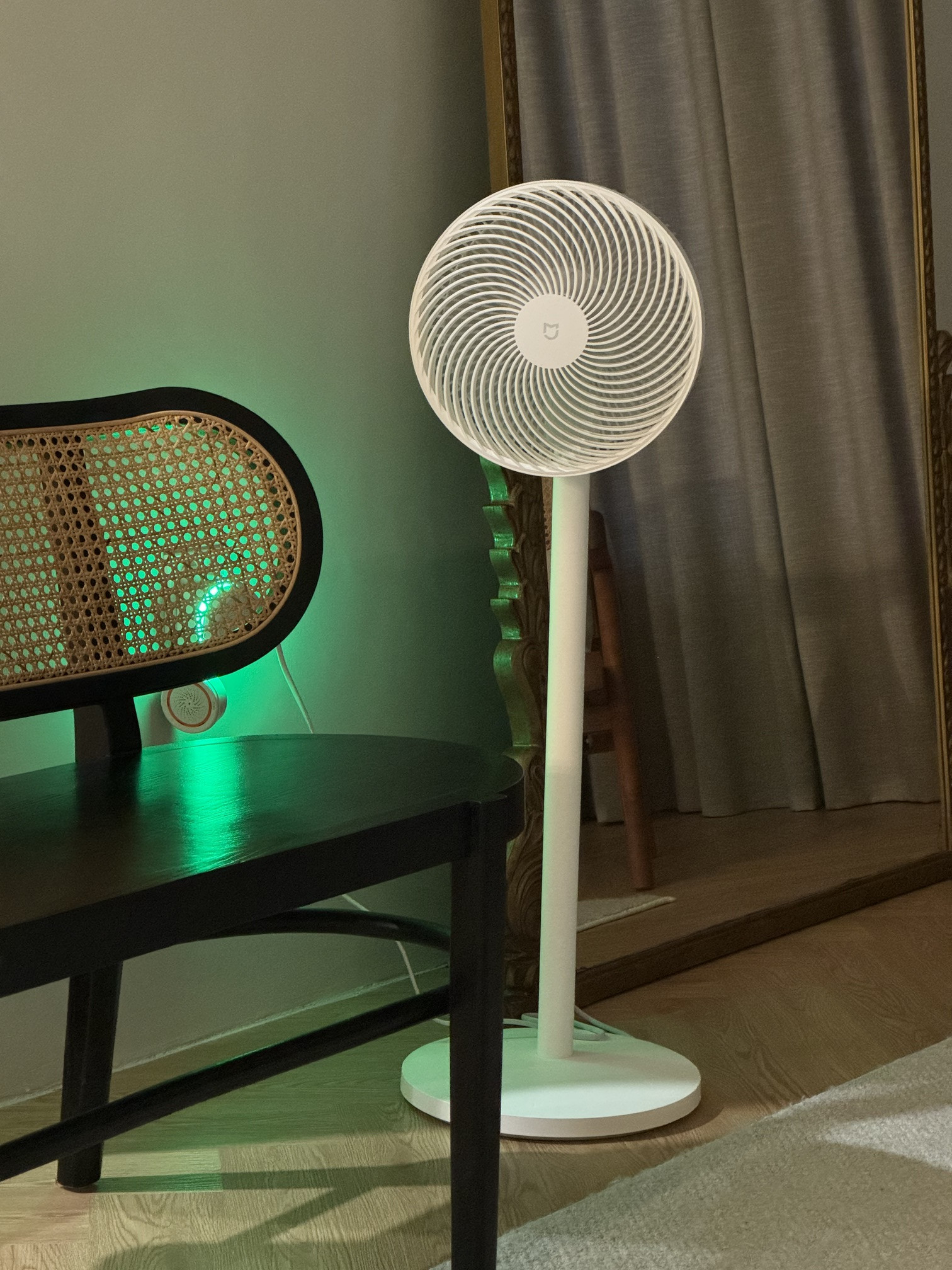
1. Fans - Xiaomi Mijia Smart Standing Air Circulation Fan
Manufacturer App: Mi Home
Homekit: Brought into Homekit via Homebridge MIOT plugin
Remark:
Very happy with this purchase. I will not buy another traditional fan again. The jet like movement of air, can travel very far, and its very powerful. I can sit 5 meters away, and the wind is very strong on my face. Recommend this fan , two thumbs up. I liked it so much i bought 2 of them. Probably will buy another one too.
user posted image

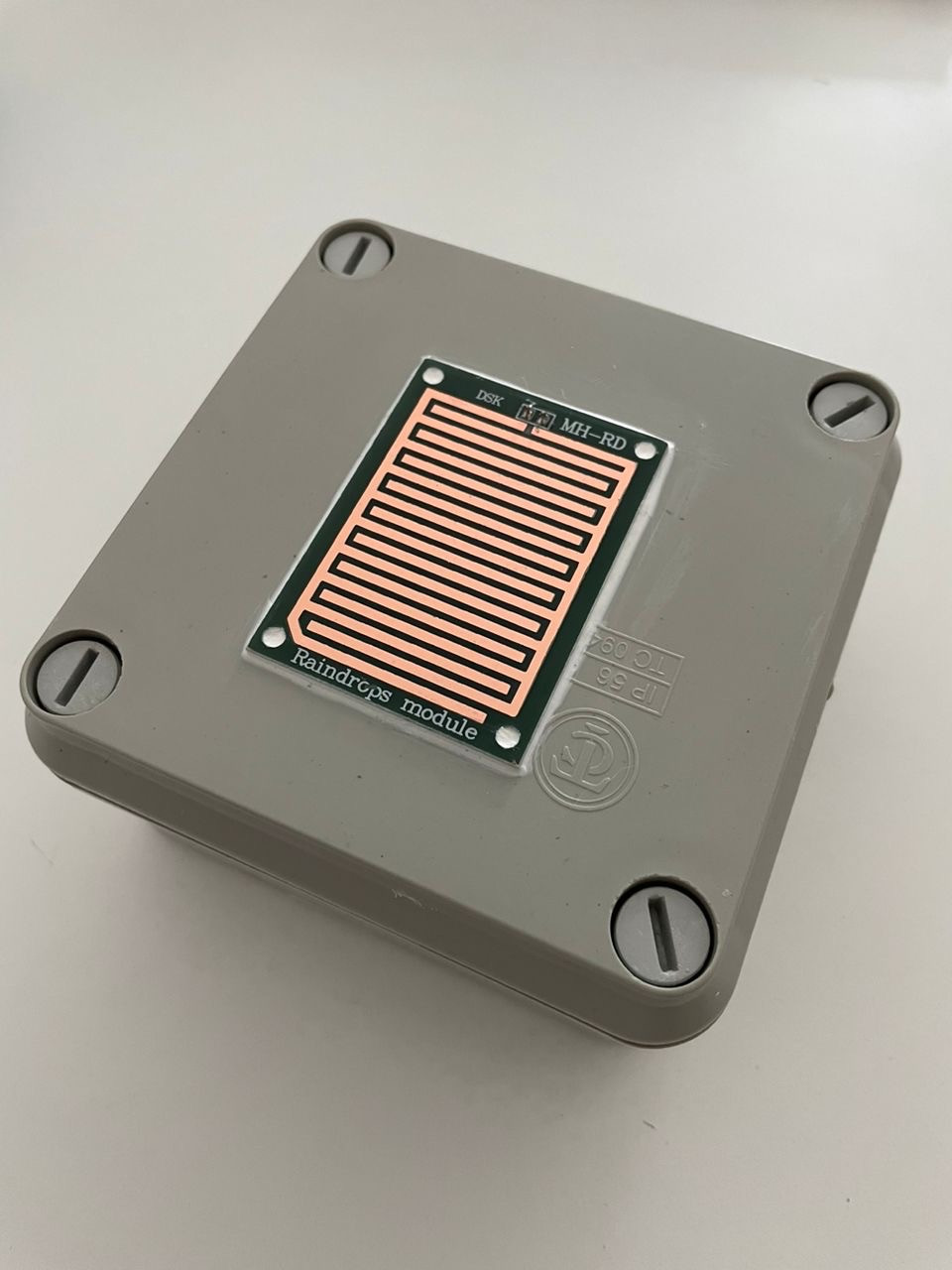
2. DIY Rain sensor using Tuya Zigbee door and window sensor
Manufacturer App: Tuya
Homekit: Brought into Homekit via Neo Zigbee Hub
Remark:
Initially wanted to use a flood sensor to get this rain sensor working. Problem is, homekit sends a very intrusive notification with sound, even when your phone is muted or in Sleep focus, and that is a no go. So hit up HA forum and reddit, and made this sensor. Works very well. I link it to google home mini, and whenever theres rain, the google home mini will annouce, its raining!
user posted image

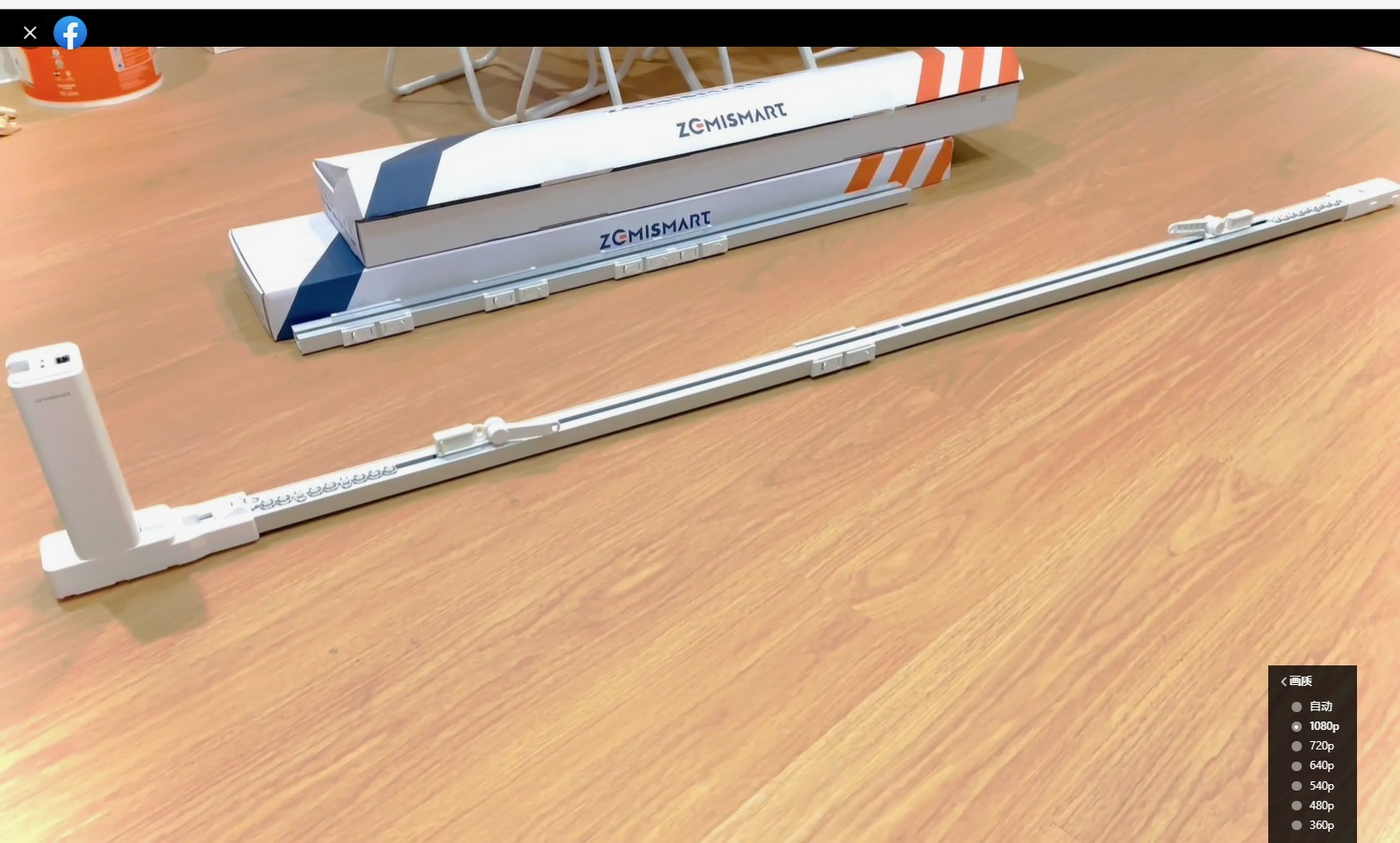
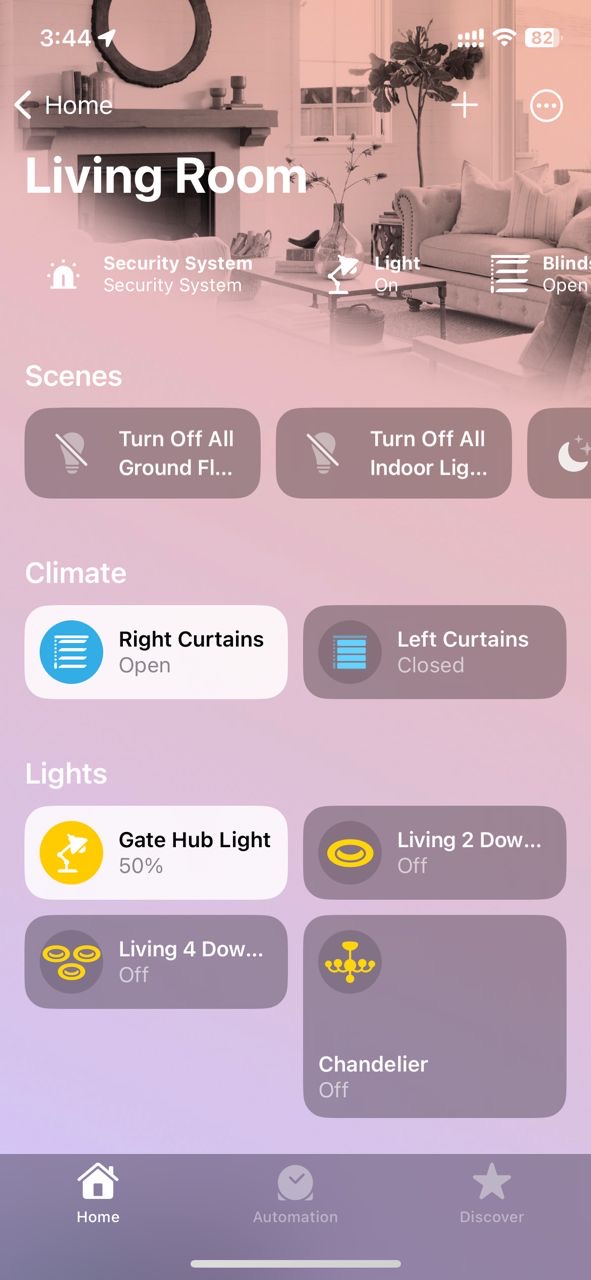
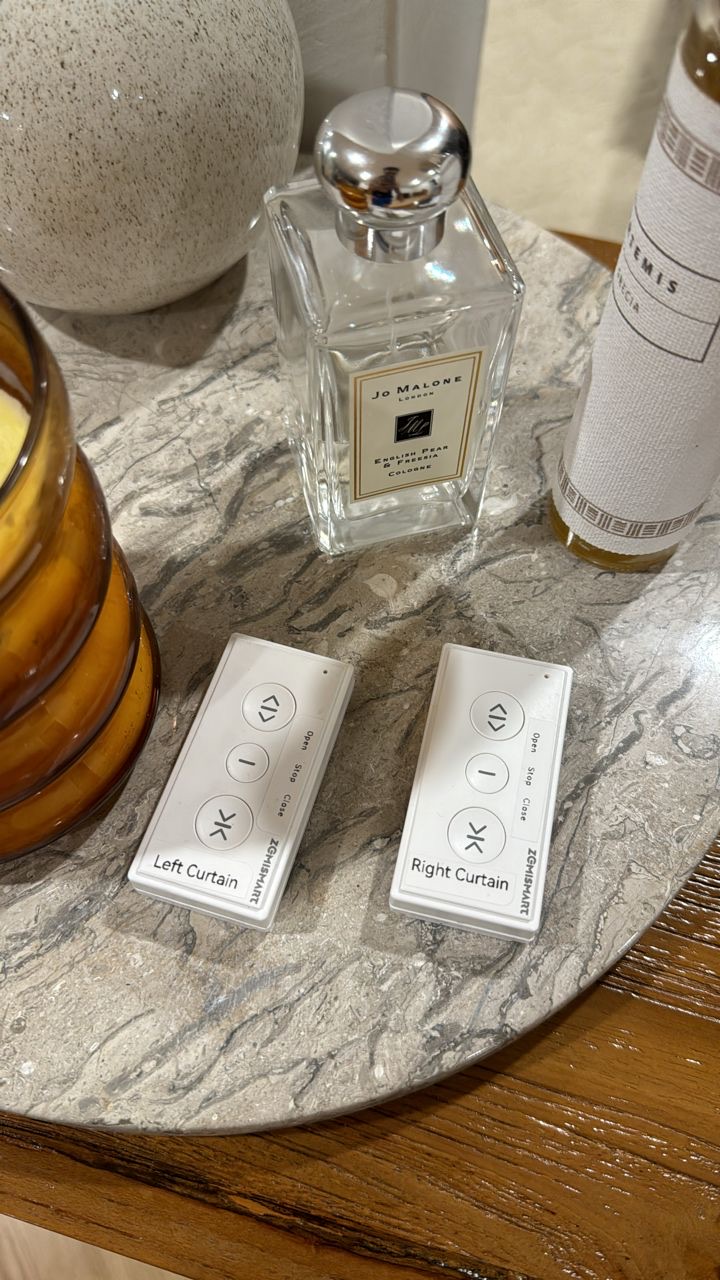
3. Zemismart Smart Matter over thread curtains
Manufacturer App: Tuya
Homekit: Brought into Homekit via Matter
Remark:
These curtains work well, via the remote. In Homekit, it always goes offline and i’m not sure why. So after that happened alot, i then got a Zemismart M1 matter hub to link them up with. But also same issue. I think i dont have enough thread devices in the house. Once i get more thread devices, they form a network. So, still work in progress.
user posted image
user posted image
user posted image


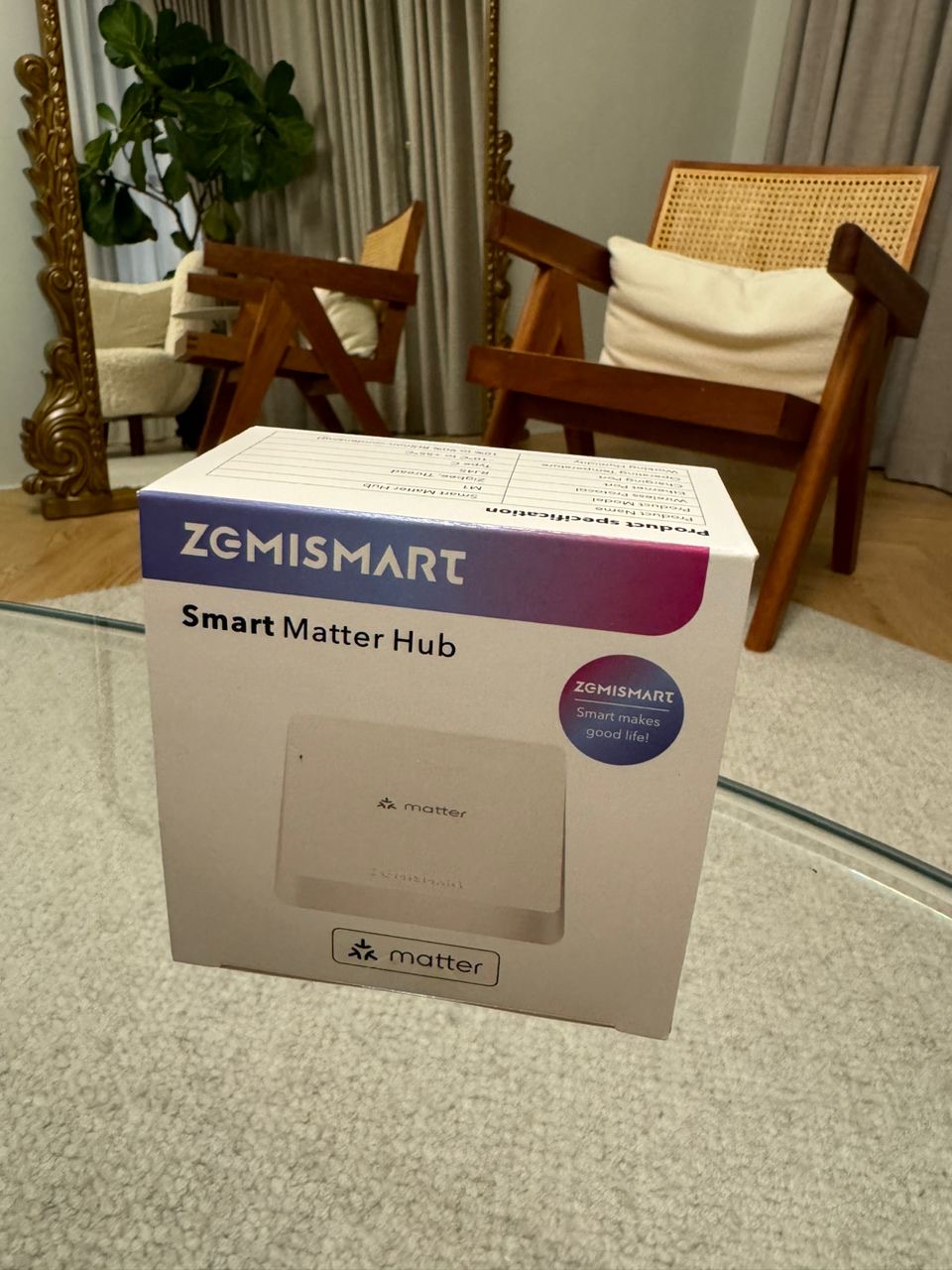
4. Zemismart M1 Hub
Manufacturer App: Tuya
Homekit: Brought into Homekit via Matter
Remark:
Basically got this hub as a means to control the zemismart matter over thread curtains in case it goes no response in homekit. However, it seems like they also go offline in tuya app. I like i mentioned in item 3 above, i think i need more thread devices to form the network. This hub also works as a tuya zigbee hub. I have a few sensors hooked up to it, and they all show up in homekit. Like all tuya homekit hubs, they require ethernet connection.
user posted image

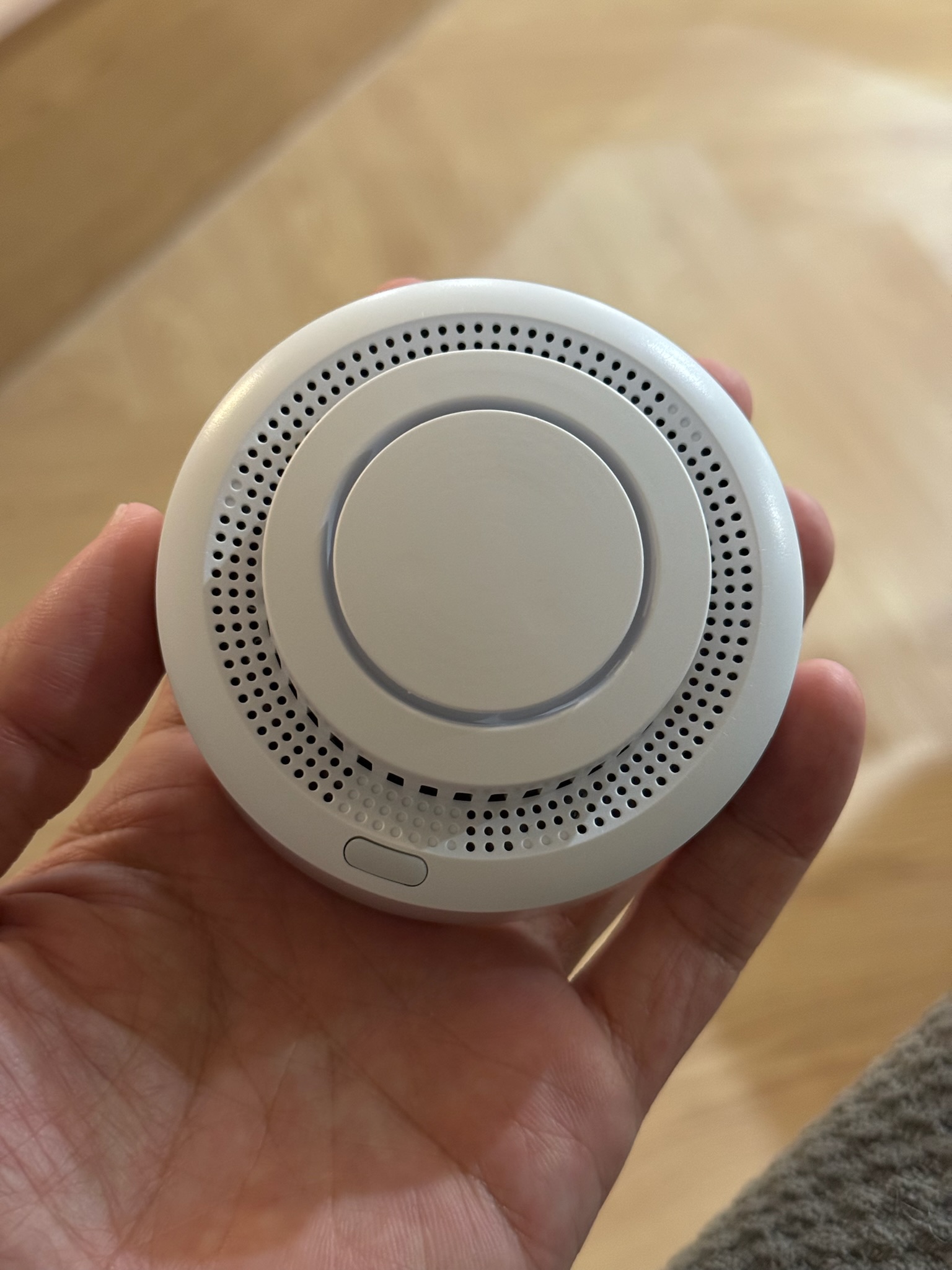
4. Tuya Zigbee Smoke Detector
Manufacturer App: Tuya
Homekit: Brought into Homekit via Tuya Zigbee Hub
Remark:
Always wanted to have a smart smoke detector at home, and found one for a good price at Aliexpress. It runs off replaceable batteries. I didnt test it out yet, but it hooked up and is seen in homekit as a smoke detector.
user posted image

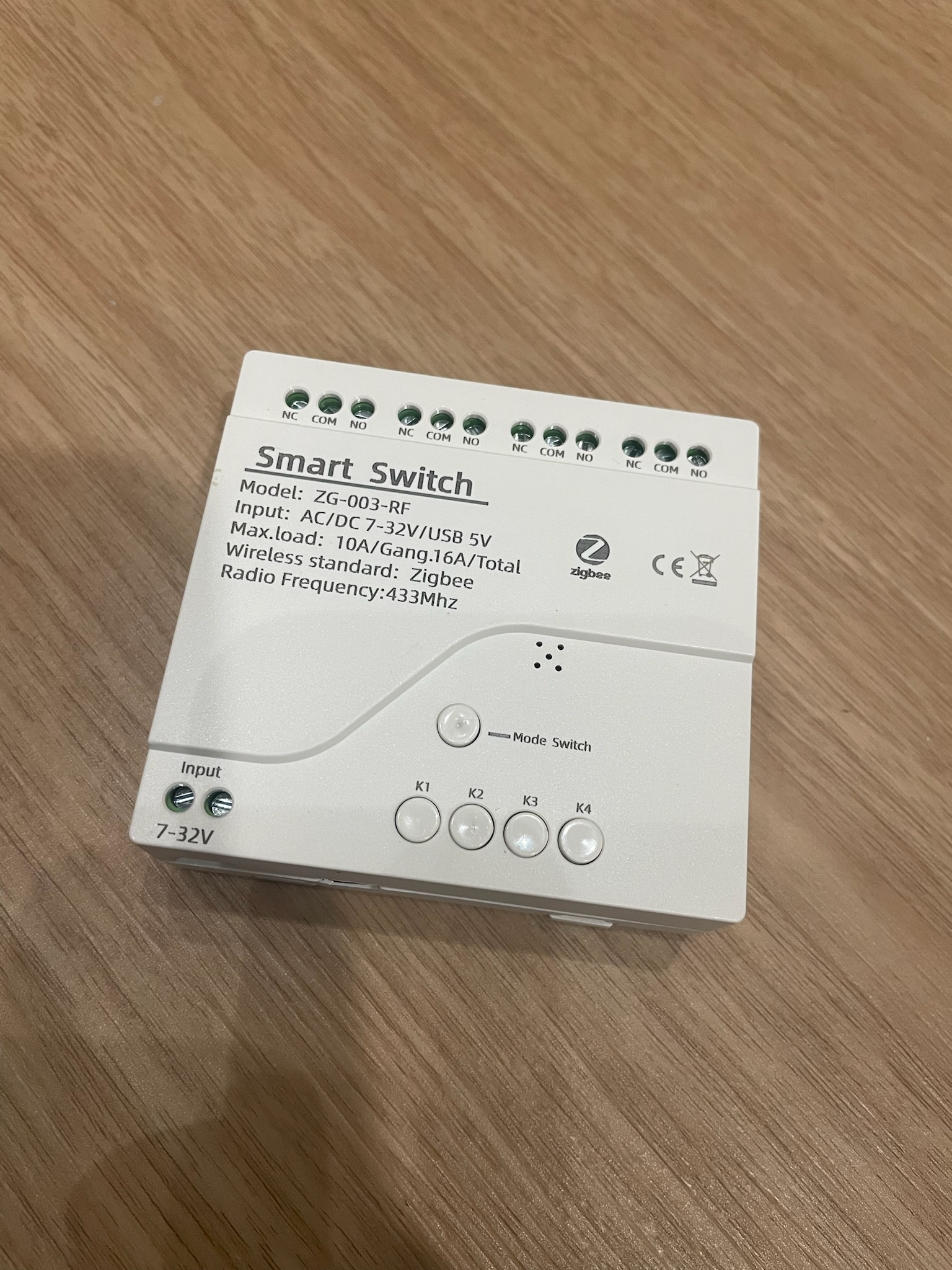
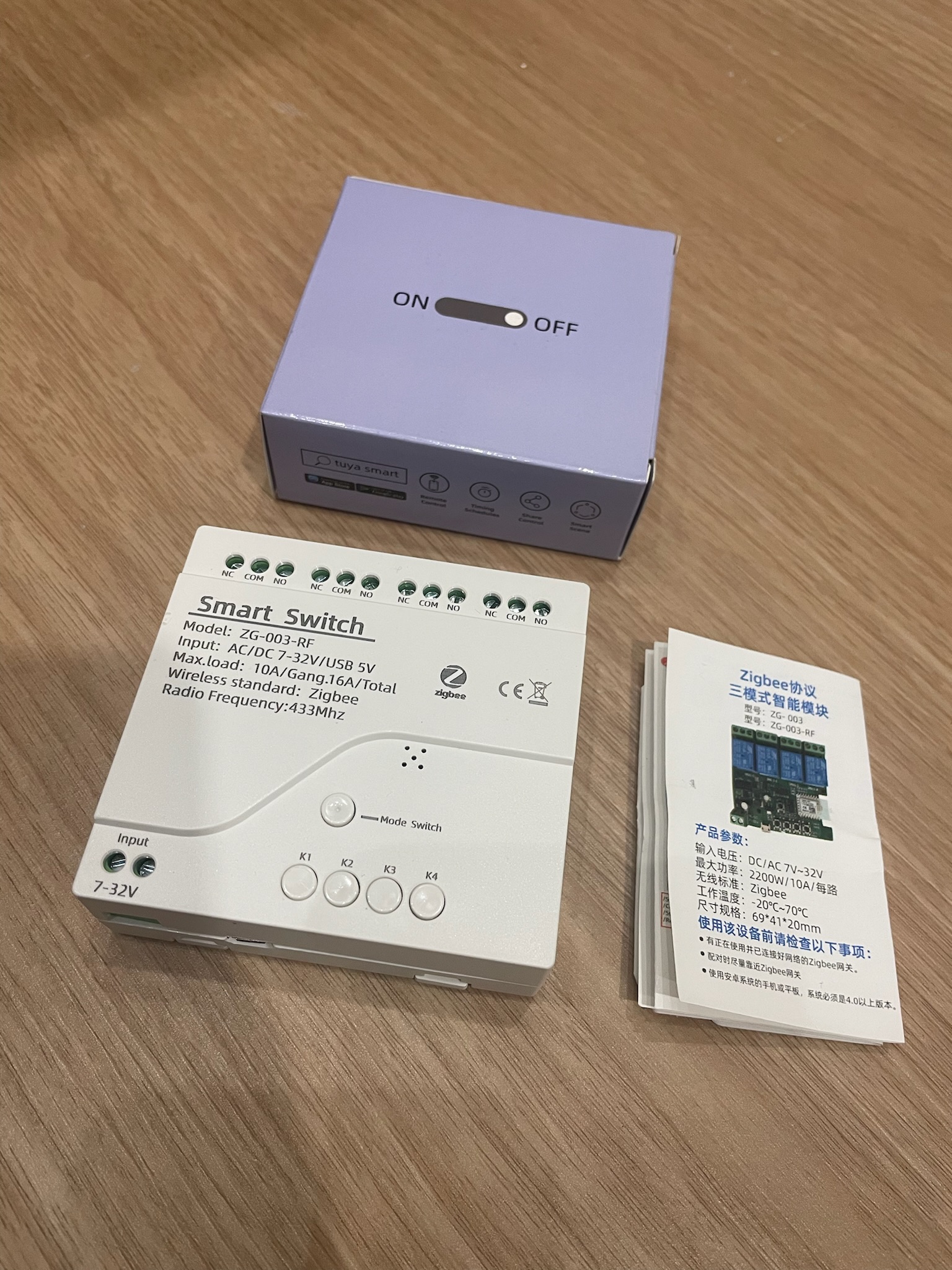
5. Tuya Zigbee 4 channel switch
Manufacturer App: Tuya
Homekit: Brought into Homekit via Tuya Zigbee Hub
Remark:
My Ewelink 2ch switch crapped out on me. I guess it overheated inside the autogate panel. So i bought this, and i prefer it, as zigbee response is much faster. I used 2 channels out of 4, so that leaves me with 2 spare channels to be used as dumb switches. They can be configured into inching status as well, perfect for gate usage.
user posted image
user posted image


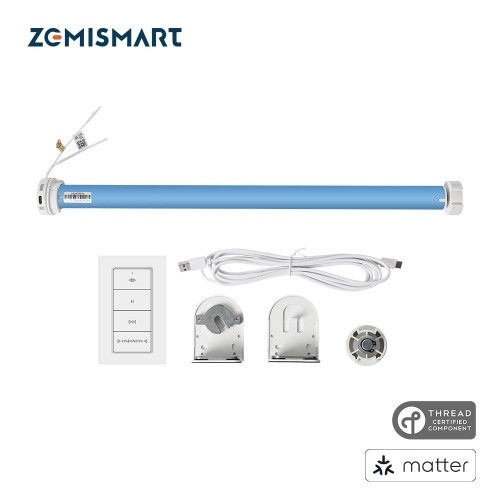
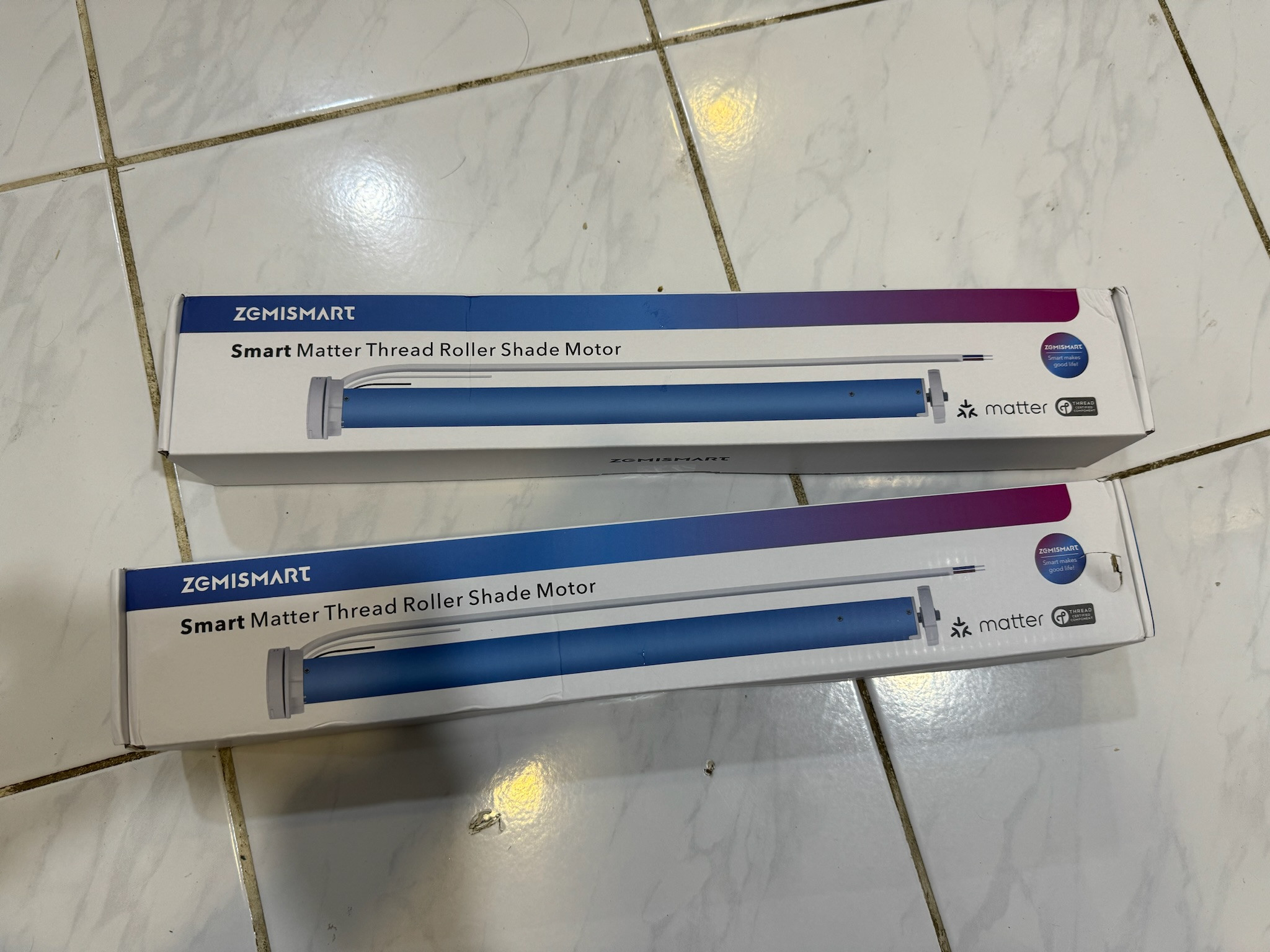
6. Zemismart Matter over thread blind motors
Manufacturer App: Tuya
Homekit: Brought into Homekit via Matter
Remark:
Just got this yesterday in the mail. Havent installed this yet, as i need to add 2 powerpoints to the blinds. Next project..
user posted image

This post has been edited by epicure: Jan 10 2024, 03:28 PM

xkaizoku
post Jan 13 2024, 05:45 PM

Getting Started
**
Junior Member
220 posts

Joined: Sep 2021
QUOTE(epicure @ Jan 5 2024, 09:55 AM)

Hi there hmm
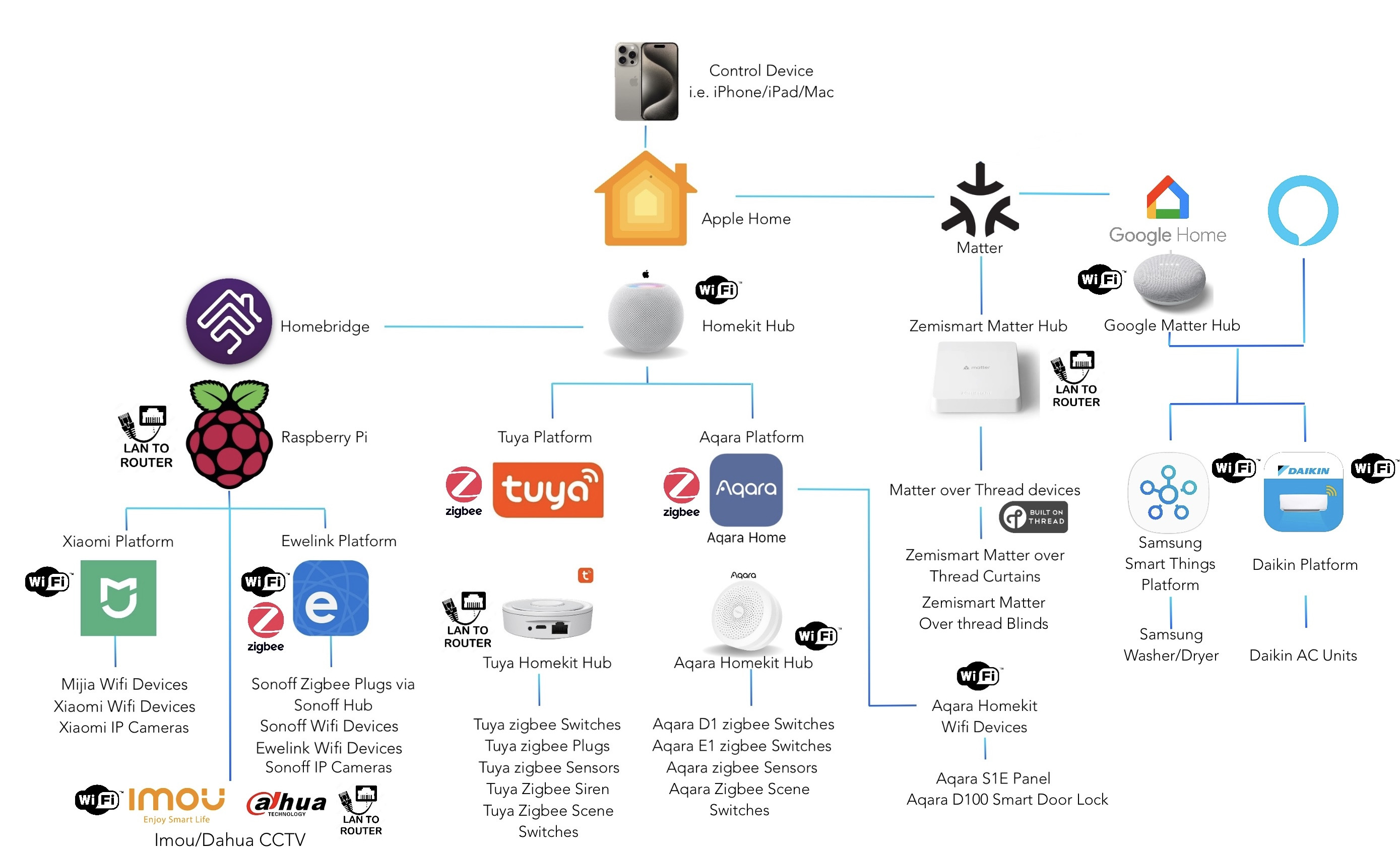
I made a diagram for you, but its not fully comprehensive, but should be easy enough to understand

Below is my setup. I use my iPhone/iPad/mac to control the smart home system via Apple Home app. I can also use Google Home or Alexa to control it, but it depends on which platform offers interplatform compatibility. Since i dont have a Google matter over thread border router, i cant control my curtains via google home. But essentially, brands like Tuya allow you to control your devices in Google/Alexa (mostly but not all).

But all in all, i can control the devices in
1. Apple Home app (my preferred choice)
2. Manufacturer app - Tuya app, Aqara App, Mi Home app, Ewelink App, etc
3. Google Home app - Some devices
4. Alexa App - some devices

user posted image
*
thanks! very detailed picture

From what I see, the HomeBridge (Pi Hub) is drawn to the homekit hub. So I cannot direct skip the homekit hub? Like Homebridge link to Apple Homekit app in iPhone directly.

This post has been edited by xkaizoku: Jan 13 2024, 05:46 PM
TSepicure
post Jan 15 2024, 03:02 PM

Getting Started
**
Junior Member
229 posts

Joined: Sep 2009
QUOTE(xkaizoku @ Jan 13 2024, 05:45 PM)
thanks! very detailed picture

From what I see, the HomeBridge (Pi Hub) is drawn to the homekit hub. So I cannot direct skip the homekit hub? Like Homebridge link to Apple Homekit app in iPhone directly.
*
No you need a homekit hub.. so cheapest way is homepod mini. All homekit hubs can also act as border routers
xkaizoku
post Jan 15 2024, 07:19 PM

Getting Started
**
Junior Member
220 posts

Joined: Sep 2021
QUOTE(epicure @ Jan 15 2024, 03:02 PM)
No you need a homekit hub.. so cheapest way is homepod mini. All homekit hubs can also act as border routers
*
awww man, homepod is not released yet in Malaysia. Cheapest is the Apple TV 4K with ethernet port at RM799/899.

Thanks for clarifying. So I would need the ewelink receiver, Pi4 & Apple Hub. Not really worth it anymore if I need an Apple hub as well. Cost easily exceeds RM1K.

Learnt a lot from your thread. Keep updating it!
TSepicure
post Jan 16 2024, 08:53 AM

Getting Started
**
Junior Member
229 posts

Joined: Sep 2009
QUOTE(xkaizoku @ Jan 15 2024, 07:19 PM)
awww man, homepod is not released yet in Malaysia. Cheapest is the Apple TV 4K with ethernet port at RM799/899.

Thanks for clarifying. So I would need the ewelink receiver, Pi4 & Apple Hub. Not really worth it anymore if I need an Apple hub as well. Cost easily exceeds RM1K.

Learnt a lot from your thread. Keep updating it!
*
I got my homepod mini from Shopee it's much cheaper.

Also, to control the gate u just need a zigbee switch, like the one in my post above with a tuya homekit hub. Then you don't need to buy a pi5.

xkaizoku
post Jan 16 2024, 05:48 PM

Getting Started
**
Junior Member
220 posts

Joined: Sep 2021
QUOTE(epicure @ Jan 16 2024, 08:53 AM)
I got my homepod mini from Shopee it's much cheaper.

Also, to control the gate u just need a zigbee switch, like the one in my post above with a tuya homekit hub. Then you don't need to buy a pi5.
*
Which shopee do you buy it from? It is not sold on Shopee Malaysia, maybe in the future since Apple is bringing it into MY soon.

So what you are saying is the ewelink receiver can be paired with the tuya/zigbee hub which is compatible with HomeKit?
or the zigbee switch (instead of ewelink) pair with tuya/zigbee hub? and lastly pair the tuya/zigbee hub to the Homepod/Apple TV?

The zigbee switch is like a switch socket right? Not installed on the autogate board.

I also plan to connect my tapo cameras to Apple Home. But tapo will not link with tuya hub right? Like I would still need a Pi for homebridge?

This post has been edited by xkaizoku: Jan 16 2024, 06:03 PM
silrave
post Mar 25 2024, 11:21 PM

Look at all my stars!!
*******
Senior Member
5,893 posts

Joined: Jun 2006


Hi si fu, I have a question and would like to conduct a survey. If I were to acquire a Smart S1E panel that supports Zigbee and use it with an Aqara hub, would I be able to integrate Tuya smart switches with Zigbee and connect them to the Smart S1E panel? Alternatively, would I need to acquire another hub to use with Tuya smart switches and manage them through the Tuya app?


TSepicure
post Mar 27 2024, 02:12 PM

Getting Started
**
Junior Member
229 posts

Joined: Sep 2009
QUOTE(silrave @ Mar 25 2024, 11:21 PM)
Hi si fu, I have a question and would like to conduct a survey. If I were to acquire a Smart S1E panel that supports Zigbee and use it with an Aqara hub, would I be able to integrate Tuya smart switches with Zigbee and connect them to the Smart S1E panel? Alternatively, would I need to acquire another hub to use with Tuya smart switches and manage them through the Tuya app?
*
Hey there, im not sure about the other Aqara panels. the one i have is the S1E, which is wifi, not zigbee. For the S1E, you can utilize 6 buttons that are programmed in homekit, so if you have tuya zigbee devices like i have, they can be controlled by these 6 buttons. Nothing more than 6 though. its a limitation.
red-queen
post Aug 12 2024, 11:09 AM

Regular
******
Senior Member
1,310 posts

Joined: Jan 2003


QUOTE(epicure @ Jan 9 2024, 07:47 AM)
If you stay with Tuya, and dont want to go for anything that is homebridge related, you can still build a smart home using just tuya zigbee products.

1. Door Lock
2. Curtains
3. Smart wall sockets
4. Smart plugs
5. Smart switches
6. Smart bulbs
7. Door sensors
8. Water leak sensors
9. Smoke sensors

For CCTV, you can use homekit compatible cameras, but i havent looked into it, as i really enjoy Imou/Dahua products, and i have them integrated to homekit via homebridge.

The above is already enough for a smart home.
1. But aircon control is mostly in the manufacturers app. My one is daikin, and is not able to be integrated via homekit. So, i still have to use the daikin app to control remotely.

2. Fans, i really really like the Xiaomi Mijia Air circulator, so strong and powerful, so unless you go the homebridge route, you have to control it in the manufacturer’s app
*
can you recommend a good Tuya smart lock? i'm looking at the Aqara A100 Zigbee smart lock. trying to find a Tuya equivalent.

thanks!
OldSchoolJoke
post Sep 9 2024, 12:46 AM

Getting Started
**
Junior Member
284 posts

Joined: Mar 2010
hi all, sorry is this is asked before.

let say i get tuya/zigbee switches and Aqara stuffs
does the Aqara items works with tuya/zigbee hub or i need Aqara hub as well?
TSepicure
post Sep 9 2024, 10:09 AM

Getting Started
**
Junior Member
229 posts

Joined: Sep 2009
QUOTE(OldSchoolJoke @ Sep 9 2024, 12:46 AM)
hi all, sorry is this is asked before.

let say i get tuya/zigbee switches and Aqara stuffs
does the Aqara items works with tuya/zigbee hub or i need Aqara hub as well?
*
For tuya zigbee devices, you need a tuya hub
for aqara zigbee devices, you need an aqara hub.

However if you are adventurous then you can try to use Home Assistant , and use a zigbee dongle that can pair with all brands. I havent tried that because i just dont have enough time to tinker. haha.


TSepicure
post Sep 9 2024, 10:10 AM

Getting Started
**
Junior Member
229 posts

Joined: Sep 2009
QUOTE(red-queen @ Aug 12 2024, 11:09 AM)
can you recommend a good Tuya smart lock? i'm looking at the Aqara A100 Zigbee smart lock. trying to find a Tuya equivalent.

thanks!
*
Sorry bro, i havent bought one myself, So i cant recomment. But i am trying to look for one to install at my parents place. A tuya zigbee lock
TSepicure
post Sep 9 2024, 10:11 AM

Getting Started
**
Junior Member
229 posts

Joined: Sep 2009
Hey there everyone

Been a while since i posted. I just installed the Zemismart Matter over Thread Roller Shade Rechargeable Motor. Installation was pretty straightforward. I took off my old blinds. Took off the bit that had the pull chain and then slotted the motor in. Re-used the old brackets and remounted the blinds onto my wall.
I got the Zemismart blinds with a 6 button remote, and pairing was pretty easy. I only had to press the button on the motor once, to pair to the remote. Other settings were done via the remote, even pairing with Homekit via the matter QR.

The motor has 3 speed settings. And since my blinds are pretty wide, the speed at its highest was just ok at best. But manageable.
All in all, i’m pretty happy with the Zemismart blinds.

Note: I only paired them to Homekit, via my Homepod mini as the thread border router. I find that if i pair them to the Zemismart M1 Hub, which i also have, any time i reboot the internet or M1, the thread devices will be offline in the M1, and i have to re-pair them again. Doenst happen when they are paired directly into Homekit.

user posted image

3 Pages < 1 2 3 >Top
 

Change to:
| Lo-Fi Version
0.0220sec    0.63    5 queries    GZIP Disabled
Time is now: 4th December 2025 - 05:30 PM