

 Jan 7 2024, 09:03 PM


QUOTE(epicure @ Apr 3 2023, 10:50 AM)
Power-points - Dohome Homekit power plugs, Ewelink Power plugs and Tuya Power Plugs
Manufacturer App: Do Home, Ewelink and Tuya
Remark: These are basically used to remotely reset the hub if it is not responding. I chose wifi for most of these plugs, because if the hub is not responding, the corrresponding zigbee plug would also not respond. However i also do have some zigbee smart plugs from tuya incoming, to extend my tuya zigbee mesh range.
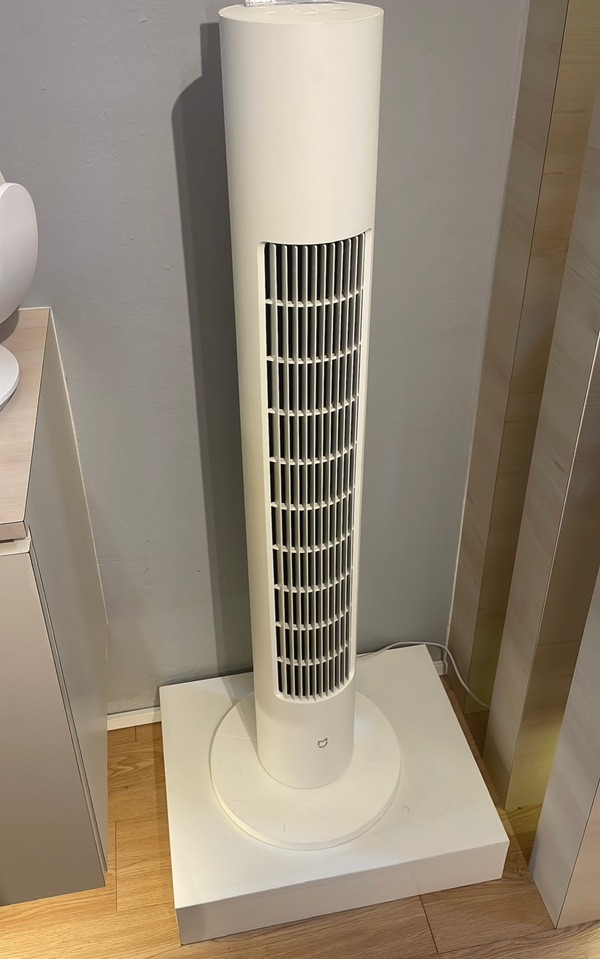
Exhaust fans and fans - Normal ceiling exhaust fans and Xiaomi Bladeless Tower Fan
Manufacturer App: Mi Home for the tower fan, and Aqara/Tuya to control the exhaust fans
Homekit: Xiaomi Bladeless Fan brought into Homekit via Homebridge MIOT plugin
Remark:
I use a Tuya Temperature sensor to automate the exhaust fans and fans. Once the temperature in the house is above 28 degrees, all exhaust fans would turn on, to remove the heat in the ceiling/roof.
Air-conditioners - Daikin
All the airconditioners in my house are Daikin Brand, wifi enabled. Unfortunately, they are not homekit compatible and no homebridge plugin is available for them, because they are protected by a subscription paywall. However, they are Google Home compatible, and i can control them there. I dont automate these aircons based on temperature, cos i dont really need to pre-cool the room/house. If anything, i just remotely turn them on before i enter the room.
Main Door Lock - Aqara D100
Manufacturer App: Mi Home (funnily not supported by the Aqara app)
Homekit - compatible natively
Remark:
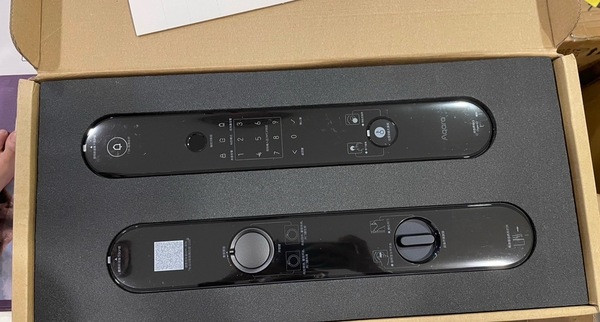
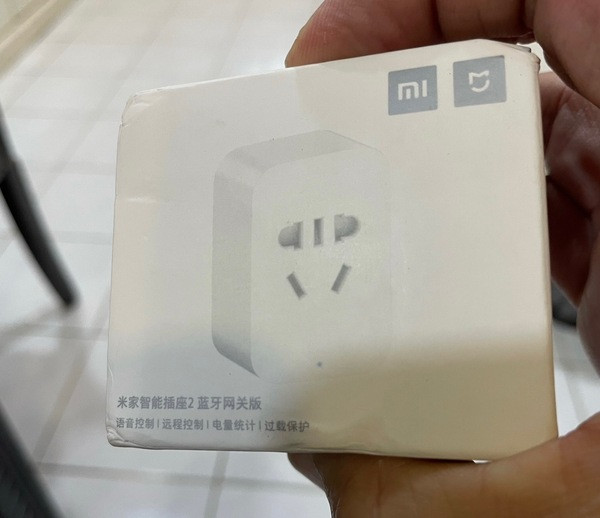
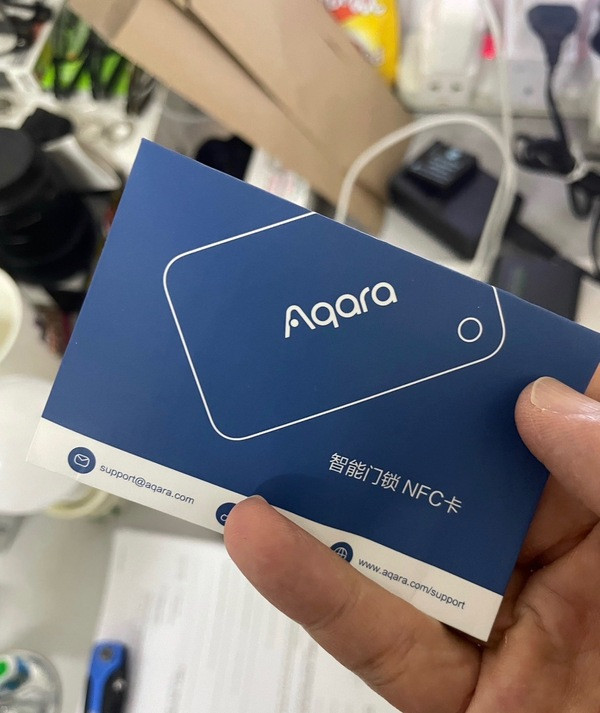
I wanted a Door Lock that had no moving parts, and this was perfect for me. To enter, use thumbprint, NFC card, password, app or manual key. Battery lasts around 8 months of usage before needing a recharge. Uses USB C to recharge. I automated the door unlock with the lights, so anytime i open the door, the lights at the entrance would turn on. Solidly built, and responds well. I use a Xiaomi smart plug, which acts as a bluetooth hub, to connect this D100, so i can receive notifications on who has entered the house, based on the fingerprint.
TV - Sony Bravia GoogleTV/Homekit TV
Manufacturer App: Google Home/Apple Home
Homekit - Natively supported
Remark:
This TV is a Google TV (latest version of android TV) and supports Homekit. I automate the TV, once it turns on, the LED lighting behind the TV turns on, and the relevant downlights are turned off.
Home Security - Alarm System, CCTV, Doorbell
Remark:
I use a normal alarm system, with contact sensors and vibration sensors throughout the house. Also have photo-beams installed. Unfortunately not able to link to homekit or google (and dont plan to, as i spoke to them), but they have their own app, so i can remotely arm and disarm the alarm system. Maybe down the line, i will replace the control panel which can link to homekit or google home, since all the wired sensors are plug an play between other brands.
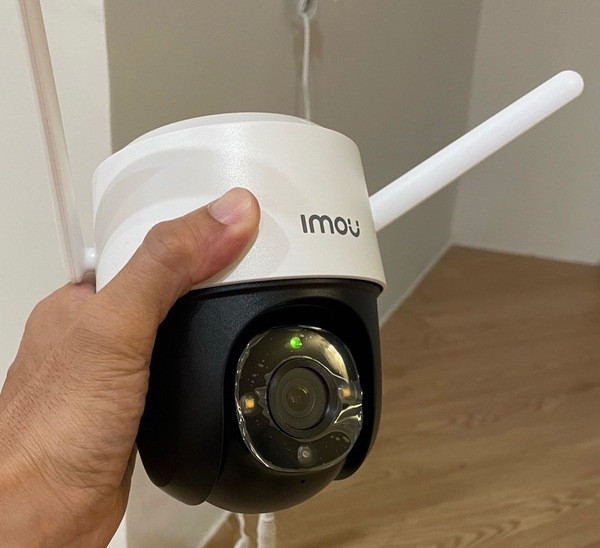
The CCTVs that i use are a mix between wired cameras and IP cameras. All are brought into Homekit via Homebridge FFMPEG plugin. Brand for my CCTV is Imou. Works well, response time is fast, and price is affordable.
Doorbell that i use is a battery operated Tuya smart doorbell. Im not too happy with this doorbell, as it’s slow to respond, maybe due to it not being wired. Ill probably change it out with the Aqara G4 which was just released, IF it is weatherproof to malaysian rain and sun.
Other Devices
I also have Google Nest Minis around the house. Using Homebridge, I can setup dummy switches that link to google home automations. So, when a door is open, the Nest Minis will announce to us that that door has been opened, or has been open for XX minutes. I also use the google home mini to setup time based reminders, such as feeding the dog, or talking to the kids via broadcast (which i use the Homepod Mini’s intercom feature for too).
Final Thoughts
Although my smart home journey has not ended, I’m mostly pretty happy with the sytem that has been built. There are hiccups along the way, like the reliabilty of Apple Homekit itself, which is resolved part by part via their software updates.
Things that i like:-
The FFMPEG plugin for doorbell allows me to link my doorbell to homekit, so when it is pressed, there will be a snapshot send to my phone. It also rings the Homepod with a doorbell ding dong sound. Currently my Tuya doorbell is google home supported, so all the Nest minis will also announce to the house that someone pressed the doorbell. Pretty nifty. My old dumb doorbell did not have video, and was very low in volume, could not hear it if i was upstairs.
PIR motion sensors are neat, they just make you feel like you have a smart home. The feeling wears off after a while, but it is rather convenient.
Sunset/Sunrise and time based automations are very useful. When Im away from home, traveling, or going home late, the lights would turn on. This doesnt leave my house in darkness.
Temperature automations are very useful, as the exhaust fans expel heat from the ceiling and roof, which is where most of the heat is trapped. I love this automation. I have it that once the temperature goes below a set temperature, the exhaust fans shut off.
Devices that i don’t like that i will probably replace:
Tuya Smart Doorbell - too slow, volume low
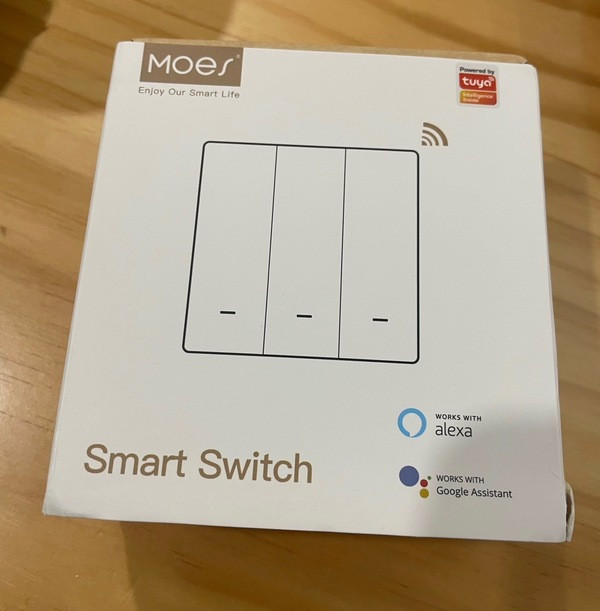
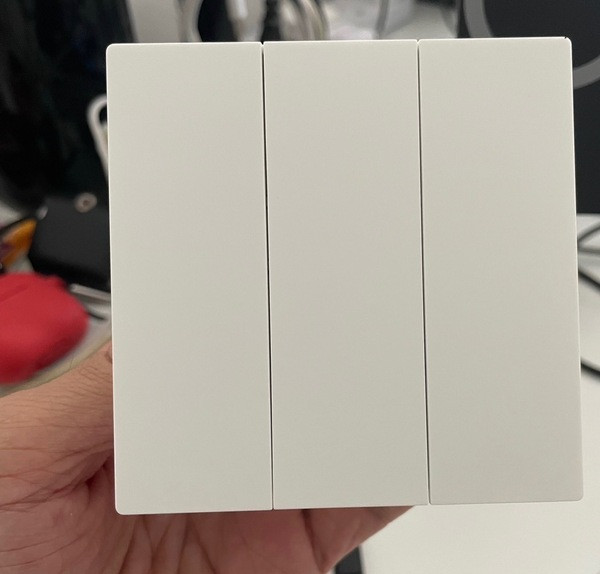
MOES light switches - very hollow when pressed, and quality is pretty cheap
Do Home smart plugs - not very reliable, because they are WiFi Based. They drop out constantly and are not able to be controlled. The Ewelink and Tuya WiFi smart plugs are more reliable.

Dear TS,Manufacturer App: Do Home, Ewelink and Tuya
Remark: These are basically used to remotely reset the hub if it is not responding. I chose wifi for most of these plugs, because if the hub is not responding, the corrresponding zigbee plug would also not respond. However i also do have some zigbee smart plugs from tuya incoming, to extend my tuya zigbee mesh range.
Exhaust fans and fans - Normal ceiling exhaust fans and Xiaomi Bladeless Tower Fan
Manufacturer App: Mi Home for the tower fan, and Aqara/Tuya to control the exhaust fans
Homekit: Xiaomi Bladeless Fan brought into Homekit via Homebridge MIOT plugin
Remark:
I use a Tuya Temperature sensor to automate the exhaust fans and fans. Once the temperature in the house is above 28 degrees, all exhaust fans would turn on, to remove the heat in the ceiling/roof.
Air-conditioners - Daikin
All the airconditioners in my house are Daikin Brand, wifi enabled. Unfortunately, they are not homekit compatible and no homebridge plugin is available for them, because they are protected by a subscription paywall. However, they are Google Home compatible, and i can control them there. I dont automate these aircons based on temperature, cos i dont really need to pre-cool the room/house. If anything, i just remotely turn them on before i enter the room.
Main Door Lock - Aqara D100
Manufacturer App: Mi Home (funnily not supported by the Aqara app)
Homekit - compatible natively
Remark:
I wanted a Door Lock that had no moving parts, and this was perfect for me. To enter, use thumbprint, NFC card, password, app or manual key. Battery lasts around 8 months of usage before needing a recharge. Uses USB C to recharge. I automated the door unlock with the lights, so anytime i open the door, the lights at the entrance would turn on. Solidly built, and responds well. I use a Xiaomi smart plug, which acts as a bluetooth hub, to connect this D100, so i can receive notifications on who has entered the house, based on the fingerprint.
TV - Sony Bravia GoogleTV/Homekit TV
Manufacturer App: Google Home/Apple Home
Homekit - Natively supported
Remark:
This TV is a Google TV (latest version of android TV) and supports Homekit. I automate the TV, once it turns on, the LED lighting behind the TV turns on, and the relevant downlights are turned off.
Home Security - Alarm System, CCTV, Doorbell
Remark:
I use a normal alarm system, with contact sensors and vibration sensors throughout the house. Also have photo-beams installed. Unfortunately not able to link to homekit or google (and dont plan to, as i spoke to them), but they have their own app, so i can remotely arm and disarm the alarm system. Maybe down the line, i will replace the control panel which can link to homekit or google home, since all the wired sensors are plug an play between other brands.
The CCTVs that i use are a mix between wired cameras and IP cameras. All are brought into Homekit via Homebridge FFMPEG plugin. Brand for my CCTV is Imou. Works well, response time is fast, and price is affordable.
Doorbell that i use is a battery operated Tuya smart doorbell. Im not too happy with this doorbell, as it’s slow to respond, maybe due to it not being wired. Ill probably change it out with the Aqara G4 which was just released, IF it is weatherproof to malaysian rain and sun.
Other Devices
I also have Google Nest Minis around the house. Using Homebridge, I can setup dummy switches that link to google home automations. So, when a door is open, the Nest Minis will announce to us that that door has been opened, or has been open for XX minutes. I also use the google home mini to setup time based reminders, such as feeding the dog, or talking to the kids via broadcast (which i use the Homepod Mini’s intercom feature for too).
Final Thoughts
Although my smart home journey has not ended, I’m mostly pretty happy with the sytem that has been built. There are hiccups along the way, like the reliabilty of Apple Homekit itself, which is resolved part by part via their software updates.
Things that i like:-
The FFMPEG plugin for doorbell allows me to link my doorbell to homekit, so when it is pressed, there will be a snapshot send to my phone. It also rings the Homepod with a doorbell ding dong sound. Currently my Tuya doorbell is google home supported, so all the Nest minis will also announce to the house that someone pressed the doorbell. Pretty nifty. My old dumb doorbell did not have video, and was very low in volume, could not hear it if i was upstairs.
PIR motion sensors are neat, they just make you feel like you have a smart home. The feeling wears off after a while, but it is rather convenient.
Sunset/Sunrise and time based automations are very useful. When Im away from home, traveling, or going home late, the lights would turn on. This doesnt leave my house in darkness.
Temperature automations are very useful, as the exhaust fans expel heat from the ceiling and roof, which is where most of the heat is trapped. I love this automation. I have it that once the temperature goes below a set temperature, the exhaust fans shut off.
Devices that i don’t like that i will probably replace:
Tuya Smart Doorbell - too slow, volume low
MOES light switches - very hollow when pressed, and quality is pretty cheap
Do Home smart plugs - not very reliable, because they are WiFi Based. They drop out constantly and are not able to be controlled. The Ewelink and Tuya WiFi smart plugs are more reliable.
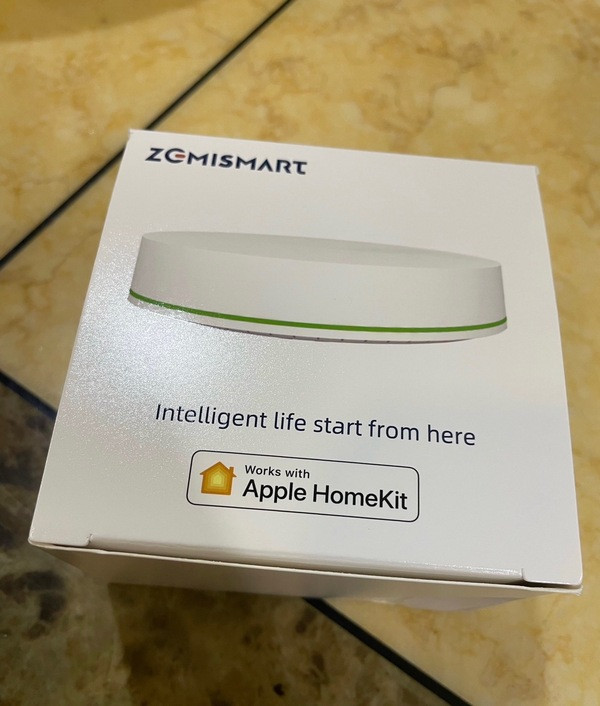
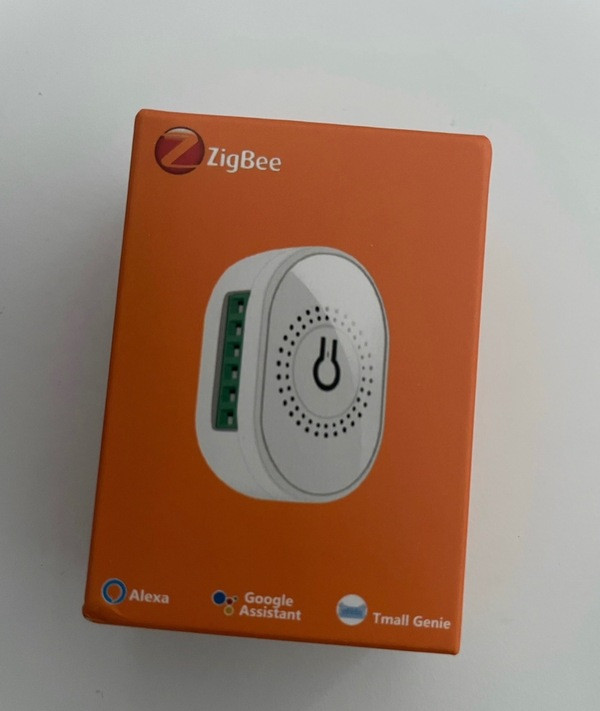
Would you recommend to run neo/zemismart hubs with tuyago switches only? Rather than have aqara and tuyago switches. Thanks
 Quote
Quote

 0.0191sec
 0.25
0.25
 6 queries
 GZIP Disabled