Welcome Guest ( Log In | Register )

46 Pages « < 33 34 35 36 37 > » Bottom

Outline · [ Standard ] · Linear+

 PlayStation 5 Community Official Thread | V3, PLAY has no limits

views
     
Kahlamx
post Mar 31 2021, 08:20 PM

Casual
***
Junior Member
370 posts

Joined: Dec 2015
QUOTE(tohff7 @ Mar 31 2021, 08:16 PM)
PS4 Pro with 1 Original DS4 controller can sell how much now? haha

I also have another original DS4 but it's faulty (cannot charge? but connect via wired can still play)
*
carousell ranging around 1.3-1.5k depending on condition. Man...the used market has really gone up for ps. Can't believe it.

This post has been edited by Kahlamx: Mar 31 2021, 08:21 PM
Kahlamx
post Apr 1 2021, 02:07 PM

Casual
***
Junior Member
370 posts

Joined: Dec 2015
QUOTE(chinti @ Apr 1 2021, 01:19 PM)
GDEx delivered! wooooohooooo now need to wait until 6pm finish kerja baru can go home buka box
*
Congrats man how much gdex vs dhl price diff?

Gdex quite good right πŸ˜†

Kahlamx
post Apr 1 2021, 02:10 PM

Casual
***
Junior Member
370 posts

Joined: Dec 2015
QUOTE(chinti @ Apr 1 2021, 02:08 PM)
GDEx RM100, DHL RM400  doh.gif
*
Good la happy for you. Can save so much with equivalent service

Kahlamx
post Apr 1 2021, 03:05 PM

Casual
***
Junior Member
370 posts

Joined: Dec 2015
QUOTE(siden87 @ Apr 1 2021, 01:24 PM)
user posted image
user posted image
user posted image

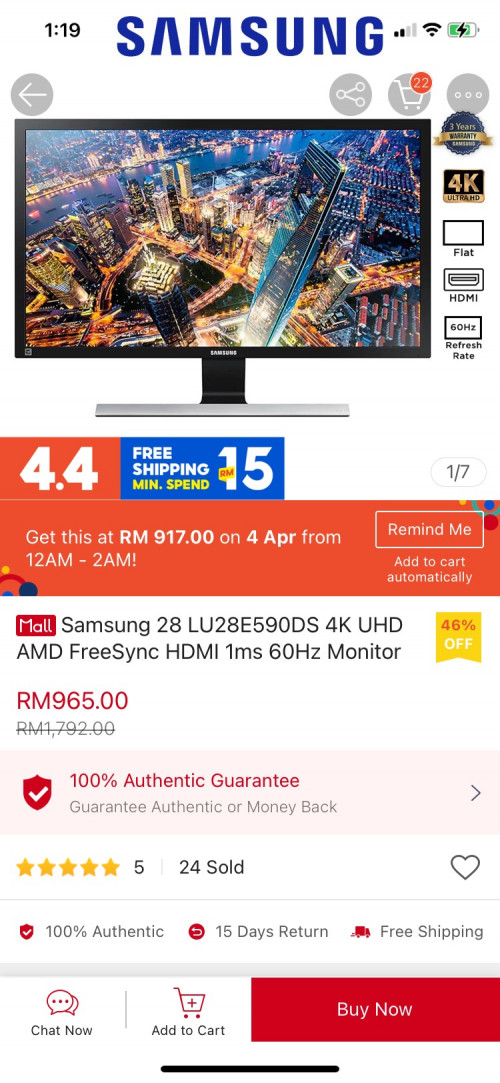
I’m planning to buy a 4k monitor for my ps5. Between these 3, which one is better? I only plan to get max of 28” monitor since I’m using dual monitor setup, and any bigger and it might not fit my desk.
*
Get a proper 4k hdr tv during 4.4. X75h might not be the best but if you scout around might be able to get around 2.2 to 2.4k

to me proper color expression is more important aside from top notch resolution with super high fps (120hz). I just started to play with my x90h settings. At first i followed HDTV test configuration for game mode and I actually didnt like it much. Then i did a bit of research and found out local dimming is quite important also. Alter adjusted my local dimming and some other picture settings, GOT looks like a damn movie.

too bad ps5 doesnt support dobly vision unlike the series x.

This post has been edited by Kahlamx: Apr 1 2021, 03:11 PM
Kahlamx
post Apr 1 2021, 03:59 PM

Casual
***
Junior Member
370 posts

Joined: Dec 2015


pretty sure you guys know better than me. But this is quite useful for new tv owners. Even after i adjusted that, I still need to find the best combo between contrast enhancer + local dimming.
Kahlamx
post Apr 2 2021, 10:53 AM

Casual
***
Junior Member
370 posts

Joined: Dec 2015
QUOTE(alpayedo @ Apr 2 2021, 10:26 AM)
i have tried and his tips are not applicable with my tv lg b9, as this tv known to poor hdr brightness. So i changed back as what the hdr setup suggests
*
I did not follow it entirely either. This is just a good benchmark to start off.

I set my black to lowest and white to highest nits possible (meaning sun disappears on both conditions). Then I set my RGB range to full. I am not sure if this is a good method though.

Then I calibrated GOT via Sony tv picture settings. But that same settings would not apply to AC Valhalla. AC Valhalla looks too bright to the point like there is a white tint over. I had to tune down the maximum nits on the valhalla menu settings from default 1000 to around 800.

This post has been edited by Kahlamx: Apr 2 2021, 10:57 AM
Kahlamx
post Apr 2 2021, 10:46 PM

Casual
***
Junior Member
370 posts

Joined: Dec 2015
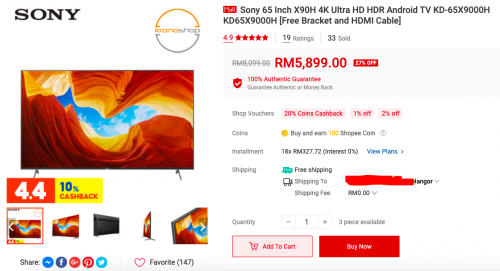
incase anyone interested the 65 x90h is rm5.3k after 10% shopee coins rebate. I think it's a not a bad deal.

» Click to show Spoiler - click again to hide... «


This post has been edited by Kahlamx: Apr 2 2021, 10:50 PM
Kahlamx
post Apr 2 2021, 11:06 PM

Casual
***
Junior Member
370 posts

Joined: Dec 2015
QUOTE(SSJBen @ Apr 2 2021, 10:57 PM)
Because you tak faham what HGIG is doing. It does not matter if your B9 has low HDR brightness, the point is to have the system tone map a game (which supports HGIG) so that it fit in your TV's brightness range.
People don't understand that most games don't use the PS5's internal HGIG tone mapping. AC Valhalla is one example that doesn't follow the system's calibrated HDR that the user set.

Ghost of Tsushima does follow the PS5's internal settings. That's why you cannot just have a one size fits all setting for all games.
*
Yeah but to be honest no matter how I adjust it still does not look as good as CX OLED. The deep black is really mesmerizing tongue.gif

Kinda regret that I didn't get OLED instead. Was offered RM7099 for 55 the other day.

Burn in to me is my least of concern.


Kahlamx
post Apr 3 2021, 12:08 AM

Casual
***
Junior Member
370 posts

Joined: Dec 2015
my ac valhalla tv settings for x90h. Maybe any sifu here can enlighten me with better settings.

Brightness - max
contrast - max
gamma - 0
black level - 60
black adjust - off
advanced contrast enhancer - medium
local dimming - high
xtended DR - high
color - 60
sharpness - 50
hdr mode all auto

luminance 800 cd/m2
exposure - (-0.5) is this a bit too much cause i feel like lighting is overexposed? At least now night time doesn't look like day time. But if I do this day time would lose a bit of colors and texture details...sigh kinda weird.

Kahlamx
post Apr 3 2021, 02:21 PM

Casual
***
Junior Member
370 posts

Joined: Dec 2015
QUOTE(Convael @ Apr 3 2021, 01:00 PM)
Exactly what SSJBen said , I was going to post yesterday but forgot to submit my post until this morning .
The problem lies with the HGIG standard within the gaming industry .
These settings only apply to games that comply to HGIG standards.

The Assassin's Creed series , for example , use their very own settings for HDR .

They have been using Rting's display to calibrate their settings for Odyssey and Origins .
From my observation , it is pretty accurate and they should be applauded for providing options to the players .

The other notable mention includes God of War .

AC : V , on the other hand suffered from alleviated exposure . One example on these are the face features of the secret ancient orders are revealed when it was just supposed to just show their silhouette .
Turning down the exposure will fix this but will also crush the black details slightly .

Cyberpunk2077 also offer the same settings but completely screwing up the midtone and black foundation .Β 
To make matters more complicated , some of modern days TV have built in , undefeatable dynamic tone mapping , which will overwrite your default tone-mapping curves regardless of settings .
Therefore , until HGIG has become widely available , supported and embraced by game developers , the setting are not going to be helpful in every situation .
P/S : 800 for your X90H is correct. Contrast enhancer should be off , black level & color should be 50 by default .
I would change local dimming to medium for X90 because it has limited zones , high makes local dimming zonal transition too distractive .
For Gamma 0 is the correct number for HDR , equivalent to 2.2 of other brands . For SDR , -2 for dim room , 0 for typical environment with ambient lightings .
*
Thanks for your great input. I really appreciate it. Yeah SSJBen made me do some reading about HGIG vs DTM. tongue.gif

To make matters more complicated , some of modern days TV have built in , undefeatable dynamic tone mapping , which will overwrite your default tone-mapping curves regardless of settings . There is no option or any sort of settings to switch DTM on or off or HGIG for my X90H unlike the LG CX right?

P/S : 800 for your X90H is correct. Contrast enhancer should be off , black level & color should be 50 by default .
I would change local dimming to medium for X90 because it has limited zones , high makes local dimming zonal transition too distractive .
For Gamma 0 is the correct number for HDR , equivalent to 2.2 of other brands . For SDR , -2 for dim room , 0 for typical environment with ambient lightings .


Okay I will setup using your numbers tonight. tongue.gif
"for the local dimming zonal transition issue" is there any source I can refer to? I want to know my 32 zones limitation.

This post has been edited by Kahlamx: Apr 3 2021, 02:24 PM
Kahlamx
post Apr 3 2021, 02:27 PM

Casual
***
Junior Member
370 posts

Joined: Dec 2015
QUOTE(Lynixx @ Apr 3 2021, 01:46 PM)
i'm a simple person, set game mode on tv...enjoy  tongue.gif
*
Bro even with game mode on you need to setup the calibration properly. It makes a difference.
Kahlamx
post Apr 3 2021, 03:50 PM

Casual
***
Junior Member
370 posts

Joined: Dec 2015


From 4:40 onwards its very on point.

This video is for LG CX. But for X90H valhalla mid tone is actually even worse if not calibrated. Its like DTM just throw in excessive brightness/exposure.

Kahlamx
post Apr 4 2021, 12:27 PM

Casual
***
Junior Member
370 posts

Joined: Dec 2015
my updated ac valhalla tv settings for x90h. Sorry I OCD for a long post.

Brightness - max
contrast - max
gamma - 0
black level - 50
black adjust - off
advanced contrast enhancer - off
local dimming - high changed to medium.
xtended DR - high
color - 55 (changed to 55 instead of 50 it helps mid tone a bit I think)
sharpness - 50
hdr mode all auto

luminance 800 cd/m2
exposure - 0 or -0.2

Since DR "dynamic range" can only be calculated by highest peak luminance divided by lowest luminance. So the best way to simulate this situation/scene is go to Ravensthorpe settlement and have Eivor stands between the waterfall and the settlement's dome and stare at the Sun (can use the meditate button to change to night/day vice versa). Now you can have both peak and low at the same time(the back structure of the dome will be darken due to shadow) for your TV.

The ONLY parameter here that determines best optimal image for my case is local dimming.
1. with local dimming low - everything just become dimmer, grains on trees, roof details all become blur. Overall whole brightness also lost by quite a bit. By naked eye I would say around 15-20%. Cloud around Sun becomes just pure bright. Cant see outer rim. No separation of cloud gradient. In terms of nominal luminance value I am not too sure cause no software.

2. with local dimming medium - the difference between LOW and MEDIUM is day and night. Medium you can see the balance of color, brightness, exposure, and most importantly details and shadows. The cloud will have gradient/shadows, you can see just slightly of the outer rim of the sun and thats how it's supposed to be.

3. with local dimming high - NO DIFF from medium from naked eye. But when you turn fast using analog stick, you will notice a slight blur on details.

4. Turn HDR off completely or HLG - Everything just so washed out. Cannot use. Haha.

Anyways, thanks to Convael SSJBen. I really learned a lot. Now I finally understand why you kept saying IPS can't achieve 0.05 at darkest. Because it's a specified range. If cant even fulfill that range. IPS HDR is shit.

This post has been edited by Kahlamx: Apr 4 2021, 12:27 PM
Kahlamx
post Apr 5 2021, 05:33 PM

Casual
***
Junior Member
370 posts

Joined: Dec 2015
How many hours of gaming you guys spend per week? Especially those with family, work and etc.

Just want to gauge if I am spending too much or too little time. tongue.gif

This post has been edited by Kahlamx: Apr 5 2021, 05:33 PM
Kahlamx
post Apr 5 2021, 06:39 PM

Casual
***
Junior Member
370 posts

Joined: Dec 2015
QUOTE(toytoy @ Apr 5 2021, 06:33 PM)
No such thing as spending too much time πŸ˜†.
I can only squeeze 2 hours per day. After wife and kids sleep only my time. πŸ˜“
*
Wow. I salute you. Can get enough sleep? Looking at your gamertag we might be in the same boat.
Kahlamx
post Apr 12 2021, 02:41 PM

Casual
***
Junior Member
370 posts

Joined: Dec 2015
QUOTE(dman @ Apr 12 2021, 02:36 PM)
Can anyone share the best TV for PS5 or any recommendation for cheap nice best TV? tongue.gif
*
LG CX, Samsung Q95T. Budget then go for Sony X90H.

This post has been edited by Kahlamx: Apr 12 2021, 02:46 PM
Kahlamx
post Apr 12 2021, 03:11 PM

Casual
***
Junior Member
370 posts

Joined: Dec 2015
QUOTE(greyshadow @ Apr 12 2021, 03:08 PM)
LG C1 in kambing soon, if got time & budget wait for it
else can grab the excellent CX now

"cheapest" best bang for bucks is the Sony X90H now
*
I am using X90H now and kinda regret did not go straight for CX even though its double the price for 55".

TV is something that we would use for at least 4-5 years or more.

My friend is using CX OLED and GOW looks fantastic.
Kahlamx
post Apr 12 2021, 04:49 PM

Casual
***
Junior Member
370 posts

Joined: Dec 2015
QUOTE(TheSecRet @ Apr 12 2021, 04:25 PM)
Haha x90h also budget meh

65 inch min cost rm5.8 to 6.3k.

Is not that cheap ya hahaha
*
QUOTE(greyshadow @ Apr 12 2021, 04:44 PM)
depends on the size you need

55" is more than enough for most of us, and it cost RM3k+ only

3k+ for 120hz dolby vision full array panel with VRR, mana cari lagi?
*
Exactly and I was comparing 55 across the 3 brands.

Plus HDMI 2.1.

This post has been edited by Kahlamx: Apr 12 2021, 04:54 PM
Kahlamx
post Apr 13 2021, 08:27 AM

Casual
***
Junior Member
370 posts

Joined: Dec 2015
QUOTE(SSJBen @ Apr 12 2021, 11:49 PM)
I always tell people that your eyes and ears deteriorate faster than anything else in your body. You best enjoy them while you can, because once you reach a point where your eyes and ears are no longer what they were, it doesn't matter if you have an OLED and a well equipped audio setup.
*
Facts. Well said.
Kahlamx
post Apr 13 2021, 02:29 PM

Casual
***
Junior Member
370 posts

Joined: Dec 2015
QUOTE(LegendLee @ Apr 13 2021, 02:21 PM)
Was deciding between 55” or 65”.
Decided to go with 55” as that’s enough for my living room.
About Rm 7.4k
*
7.4 is 2+3 or standard 2 years warranty? Installation?

Cheapest I found is between RM7K to RM7.1K

This post has been edited by Kahlamx: Apr 13 2021, 02:32 PM

46 Pages « < 33 34 35 36 37 > » Top
 

Change to:
| Lo-Fi Version
0.2583sec    0.72    7 queries    GZIP Disabled
Time is now: 16th December 2025 - 01:29 PM