

 Sep 1 2008, 02:40 PM


QUOTE(AskDS @ Sep 1 2008, 02:26 PM)
Hi to all bro using new 875,
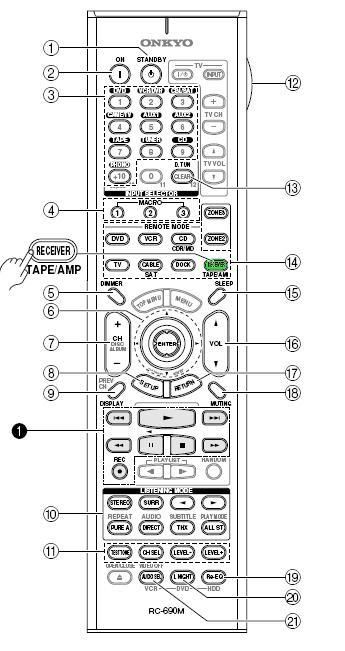
What is the default calibration level of your AVR, meaning the value display when you select the Level Calibration option.
I set up my speaker manually initially without changing any of the leve value and I was happy with it. Later I used the Audessey thingy to do the calibration and now the sound level are much lower compared to before the auto setup. Audessey has adjust the front L/R by -7.5 db and the center by -12.5db. I have to crank up the volume to hear the audio out. I want to start all over again but forgot to jolt down the default value.
Any help is very much appreciated.

The default value are all 0dBWhat is the default calibration level of your AVR, meaning the value display when you select the Level Calibration option.
I set up my speaker manually initially without changing any of the leve value and I was happy with it. Later I used the Audessey thingy to do the calibration and now the sound level are much lower compared to before the auto setup. Audessey has adjust the front L/R by -7.5 db and the center by -12.5db. I have to crank up the volume to hear the audio out. I want to start all over again but forgot to jolt down the default value.
Any help is very much appreciated.
When you make audessey, make sure the room is super silence! And try to place the mic on a tripod or anything alike
Added on September 1, 2008, 3:18 pm
QUOTE(AstroCreep @ Sep 1 2008, 03:00 AM)
Frustration from my SR875 connectivity today....
MediaCentre PC
Option 1: HDMI to LCD, Composite Video + Digital Audio to SR875. Resolution problem through SR 875.
Option 2: HDMI to SR875, D-Sub (normal PC video cable) + Stereo Audio cable to LCD. Onboard RealtekHD chipset (PC mobo) does not allow concurrent Digital and Analog.
Currently using Option 1 without Video into SR875..... :grumble: :grumble:
Any suggestion?
2nd DVD player
Cap ayam DVD player to LCD ->> Component Video + RCA Audio.
Cap ayam DVD player to SR875 ->> S-Video + Optical.
Problem: SR875 cannot see/receive picture, but ok for Audio.
Why ah?
Astro
Previously Composite Video to LCD, and S-Video to SR 875. Much better PQ through SR875 upscaling, but bad PQ on LCD (obviously). Do you think getting a good Composite video will help? How do you all connect yours?
:stars: :stars: :stars: :stars: :stars:
Mediacentre PC < need a backside photo snap of this(of the PC)MediaCentre PC
Option 1: HDMI to LCD, Composite Video + Digital Audio to SR875. Resolution problem through SR 875.
Option 2: HDMI to SR875, D-Sub (normal PC video cable) + Stereo Audio cable to LCD. Onboard RealtekHD chipset (PC mobo) does not allow concurrent Digital and Analog.
Currently using Option 1 without Video into SR875..... :grumble: :grumble:
Any suggestion?
2nd DVD player
Cap ayam DVD player to LCD ->> Component Video + RCA Audio.
Cap ayam DVD player to SR875 ->> S-Video + Optical.
Problem: SR875 cannot see/receive picture, but ok for Audio.
Why ah?
Astro
Previously Composite Video to LCD, and S-Video to SR 875. Much better PQ through SR875 upscaling, but bad PQ on LCD (obviously). Do you think getting a good Composite video will help? How do you all connect yours?
:stars: :stars: :stars: :stars: :stars:
2nd DVD - make sure in input/output source setting... clear all settings assign for DVD to --- (HDMI input "---", Component also "---" for DVD) and keep the optical setting(since you got the audio)
And from the photo u place the S video cable to the wrong port
Astro - no comment
 < got ketupat already
This post has been edited by maxovista: Sep 1 2008, 04:32 PM
 Quote
Quote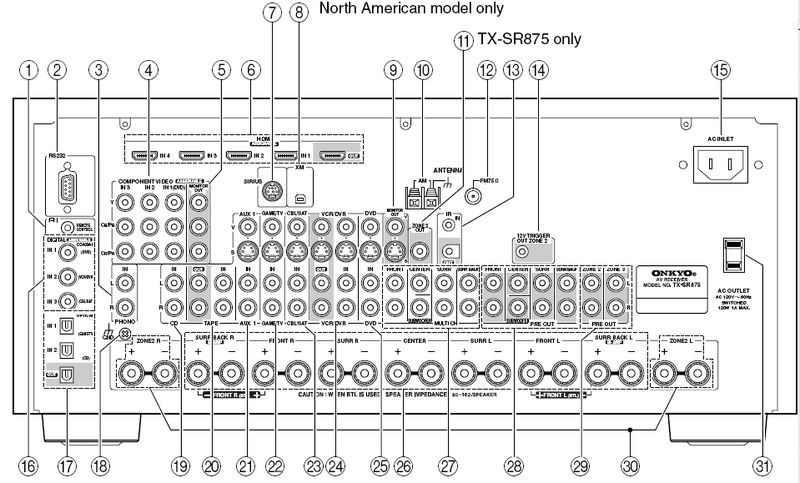
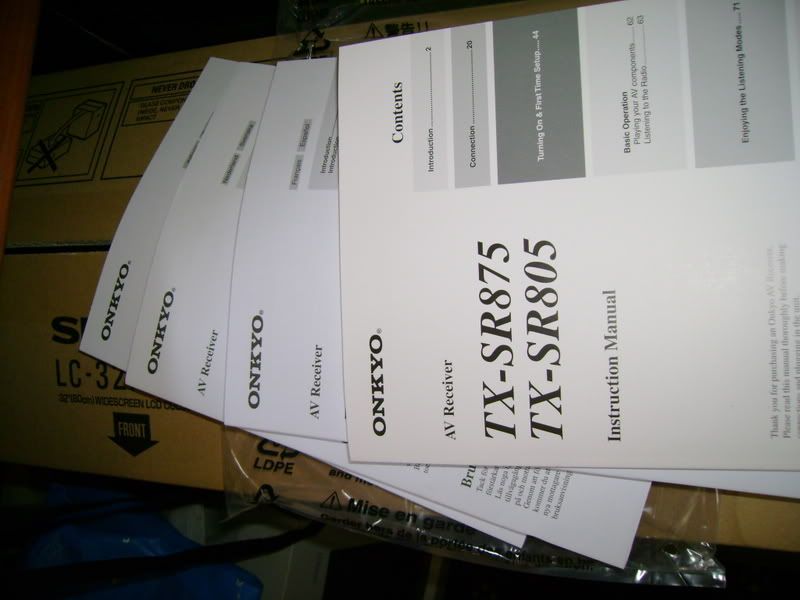
 Told my buddy about the price being offered here and he called his supplier immediately. Yeah, those are the 220v model. Price is higher for 110-240v and 220-240v. Mine is the later. According to this supplier, the 220v model is for export to
 Now gotta start saving up for HD projector and player liao.




 0.0475sec
 0.50
0.50
 7 queries
 GZIP Disabled