QUOTE(palgo47 @ Feb 14 2023, 09:35 PM)
Some word of advice for those having issues updating firmware, Here’s how i got mine updated after many attempts:
-factory reset
-connect to home wifi
-Login to atlas acc
-Download the patch from A store
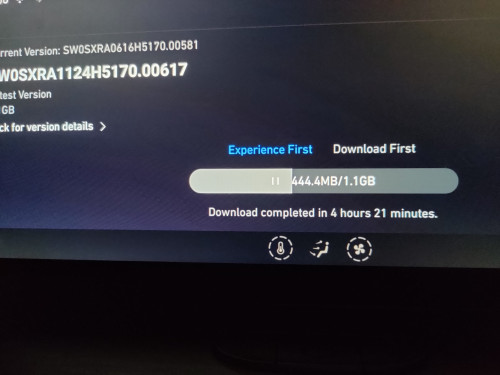
-download the firmware, choose download first (will eventually fail to update lolz)
-turn off your car and don’t worry firmware will auto download again in the background overnight
-next day when you start the car it will show update downloaded
-start your car and start the update process now
- 15mins later successfully updated
Hope this helps!
p.s. after updating can immediate plug in the usb to run the script by xeon 👍
Taking tips from you, I finally got it to work. Thanks.
These are my steps.
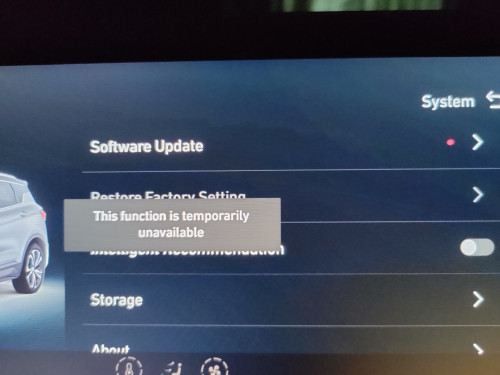
- MUST go into factory reset. If cannot, find a way first. You don't solve this, you can't proceed. No reset then nothing in A Store to download.
- Once reset to factory setting, connect to internet, a patch will appear in A Store.
- Download that patch, click open and nothing happens.
- Leave A Store, and go to firmware update
- Now the update will be fast and complete download in 20 minutes
- Let it run and upgrade
- Plug in xeon's script and follow instructions
- All done...
Now need to learn what I have installed.. Lol... Thank you very one for your kind help on this journey


 Dec 24 2021, 02:16 PM


 Quote
Quote



 0.2817sec
 0.45
0.45
 7 queries
 GZIP Disabled