

So far satisfy the speed at least the speed is consistent.
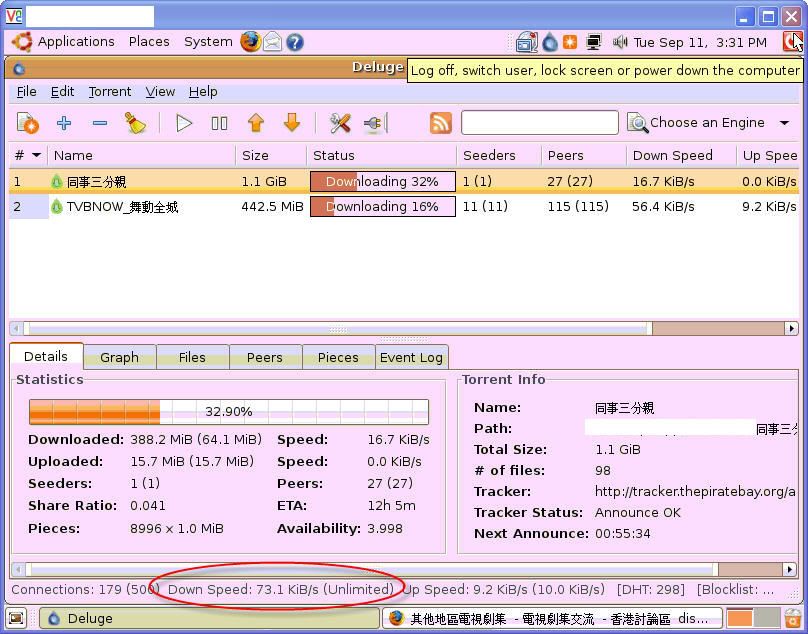
I have downloaded 3.2G stuff in 24 hours and average speed is 40kbps.
today, i am downloading HK drama from HK forum, the speed go up to 73kbps
Deluge, for Linux and Windows!
|
|
 Sep 11 2007, 03:44 PM Sep 11 2007, 03:44 PM
Return to original view | Post
#1
|
 
Senior Member
2,581 posts Joined: Jan 2003 
|
i have installed the latest version of Deluge.
So far satisfy the speed at least the speed is consistent. I have downloaded 3.2G stuff in 24 hours and average speed is 40kbps. today, i am downloading HK drama from HK forum, the speed go up to 73kbps |
|
|
|
|
|
Sep 11 2007, 04:04 PM
Return to original view | Post
#2
|
|
Senior Member
2,581 posts Joined: Jan 2003
|
updates: now i got 105kbps !!!!
I never got this kind of speed in my windows system. Deluge + Ubuntu Rocks!!!!!! 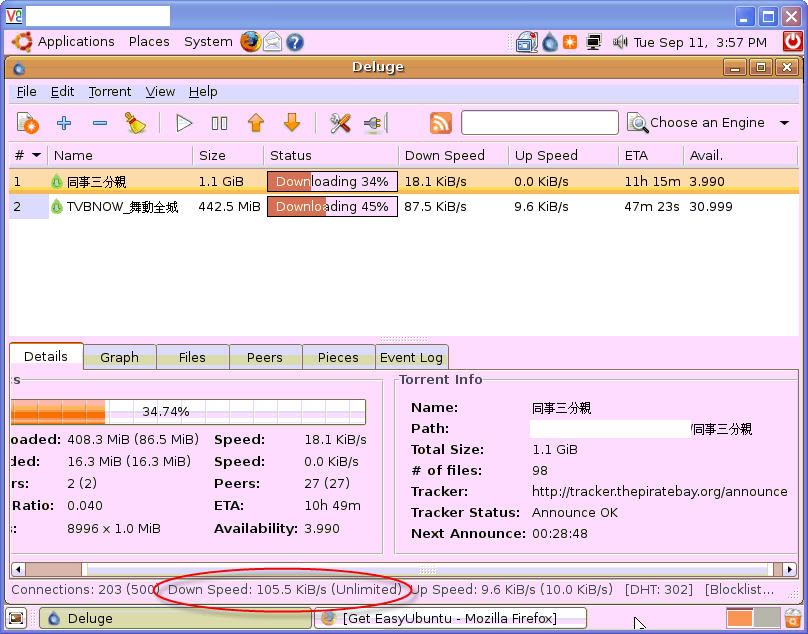 |
|
|
Sep 11 2007, 04:14 PM
Return to original view | Post
#3
|
|
Senior Member
2,581 posts Joined: Jan 2003
|
QUOTE(praveenmarkandu @ Sep 11 2007, 04:08 PM) nice ya... because i installed the ubuntu on my very old pc (P3 800) and no monitor, mouse and keyboard  i see you are also vnc -ing into your system i see you are also vnc -ing into your system |
|
|
Sep 12 2007, 03:52 PM
Return to original view | Post
#4
|
|
Senior Member
2,581 posts Joined: Jan 2003
|
QUOTE(slash @ Sep 12 2007, 03:42 PM) Is there a guide to all this? Install Vmware, then ubuntu, then deluge? i am not using VMWare.Here is the guide and replied your PM: 1. download the ubuntu installation disk image from ubuntu website (in ISO format) 2. burn the image to a CD (bootable) 3. boot your PC from Ubuntu CD 4. once you are in the ubuntu screen, double click install. then the installation started and wait until finish. 5. once you have installed ubuntu, you need to download deluge-torrent from http://download.deluge-torrent.org/index.p....5.5-1_i386.deb 6. once downloaded completed, double the "deluge-torrent_0.5.5-1_i386.deb" 7. Done |
|
|
Sep 12 2007, 04:32 PM
Return to original view | Post
#5
|
|
Senior Member
2,581 posts Joined: Jan 2003
|
QUOTE(everest @ Sep 12 2007, 04:07 PM) I get this error during startup. try to reset your BIOS to default.PXE-E61: Media test failure, check cable PXE-M0F: Exiting PXE Rom Disk boot failure, insert system disk and press Enter see here: http://ubuntuforums.org/showthread.php?t=446962 Added on September 12, 2007, 4:33 pm QUOTE(slash @ Sep 12 2007, 04:19 PM) Ok. What if I want to use VMware? Which ubuntu to download? http://ftp.science.nus.edu.sg/linux/ubuntu...esktop-i386.isono different you are using VMWare or direct install in PC This post has been edited by philipcs: Sep 12 2007, 04:50 PM |
|
Topic ClosedOptions
|
| Change to: |  0.0351sec 0.0351sec
 0.99 0.99
 7 queries 7 queries
 GZIP Disabled GZIP Disabled
Time is now: 14th December 2025 - 04:26 PM |
 Quote
Quote