Welcome Guest ( Log In | Register )

6 Pages « < 3 4 5 6 >Bottom

Outline · [ Standard ] · Linear+

Home Networking Ditch ONU, use GPON SFP on Business Grade Router, 2.5G ONU for Unifi & Maxis, NO NEED VLAN

views
     
yenchenje
post Jan 26 2024, 12:59 AM

Enthusiast
*****
Junior Member
932 posts

Joined: Dec 2019
QUOTE(Anime4000 @ Jan 25 2024, 12:49 AM)
I think PPPoE will remain indefinitely as many router are PPP Acceleration...

even Intel E810 NIC has PPPoE Acceleration build-in into NIC via DDP
so, you can use Linux and Windows Server to handle PPPoE Clients at 100Gbps

implementation PPPoE like Native L2 are up to firmware, even NAT is being accelerated

many Mikrotik already PPPoE accelerated, not to mention is quite cheap thus Malaysia, Indonesia and around us use Mikrotik as Router quite a lot, full feature including can host PPPoE Server at low cost!

issue rise when PPPoE at >2Gbps via software, for OPN/pfSense need strong single core performance to handle pppd.

Also, PPPoE is easy to disconnect overdue/unpaid customer by sending Termination Request.
If via DHCP, I not sure how to terminate connection physically like PPPoE. Maybe OLT disable ONT LAN1? but this doesn't apply to PON Stick as it remain connected...
*
Makes sense with that, I do wonder how does Bell (Canada ISP) provide internet tho, since iirc they provide symmetrical 8Gbps speed? If they’re using PPPoE as well then I guess it’ll stick around tongue.gif

Also booked the relocation service for my fams new place tomorrow, saw a black TM Fibre box right behind my house, the two adjacent poles have grey TM boxes, wonder if I’ll get the black box or grey box allocation for fiber hmm.gif
yenchenje
post Jan 28 2024, 10:49 AM

Enthusiast
*****
Junior Member
932 posts

Joined: Dec 2019
QUOTE(Anime4000 @ Jan 27 2024, 10:35 AM)
Ask them what OLT on both box, mine:
Black = Fiberhome
White/Gray = Nokia
*
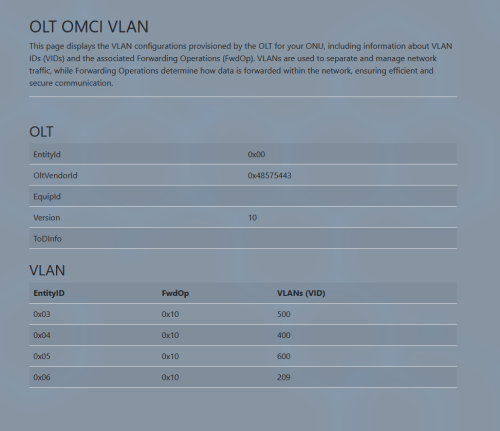
Didn't ask unfortunately but looks like I'm on Huawei OLT (Austin Area in JB) now and I can no longer get over 1000Mbps at all no matter what server I peer to
user posted image
user posted image
And I get a lot less Fwd EntityID compared to when I was on Alcatel Lucent OLT cry.gif

This post has been edited by yenchenje: Jan 28 2024, 10:51 AM
yenchenje
post Jan 28 2024, 06:21 PM

Enthusiast
*****
Junior Member
932 posts

Joined: Dec 2019
QUOTE(Anime4000 @ Jan 28 2024, 03:37 PM)
Aww, that unfortunate, Nokia OLT is become rare, only lucky guys can have it, I saw many upgrade to Ultra plan had to change DP, thus another OLT sad.gif
*
Hopefully I can get a DP swap when the 2Gbps upgrade happens and I get put back on ALCL or a generic OLT brows.gif
yenchenje
post Jan 28 2024, 09:29 PM

Enthusiast
*****
Junior Member
932 posts

Joined: Dec 2019
QUOTE(Anime4000 @ Jan 28 2024, 09:11 PM)
You better ask them, if not they just follow the system
*
Just ask CS or like actual technicians? sweat.gif
yenchenje
post Feb 20 2024, 07:38 AM

Enthusiast
*****
Junior Member
932 posts

Joined: Dec 2019
QUOTE(houhou87@ @ Feb 20 2024, 01:26 AM)
@anime4000 hi, I have buy tplink xdr5480 router recently.

I currently I am using 30mbps maxis fibre WiFi right now and will upgrade to 500mbps in future soon. I buy this xdr5480 after doing research in bilibili that recommend to buy this router for WiFi 6 and  I know in future after upgrading to 500mbps the router provide by Maxis is not that good.
The main problem is I cannot access to the WiFi after I install it, any help for me ? When I read the user guide for help it said that use auto getting ip address to acces WiFi but I cannot access it.

user posted image

So do it need fill in the pppoe to assess it ?

user posted image

user posted image

Thank a lot if you can reply 😭
*
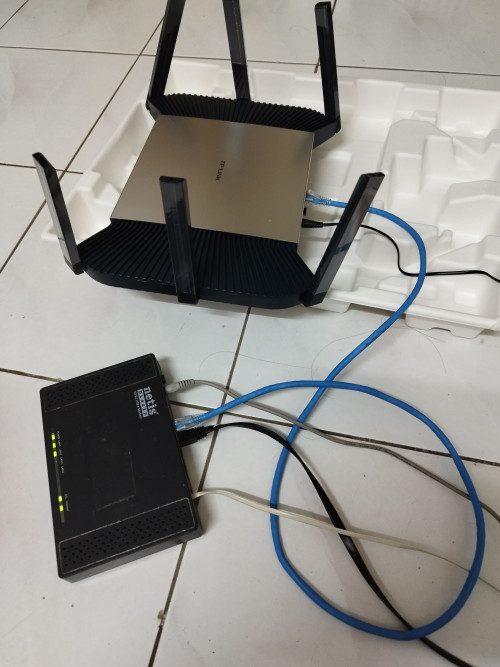
Use first option (PPPoE dialup), and what is that Netis unit thats connected to the XDR5480?

I dont see your ONU unit anywhere, you need ONU for internet to work in Malaysia.
yenchenje
post Feb 20 2024, 01:05 PM

Enthusiast
*****
Junior Member
932 posts

Joined: Dec 2019
QUOTE(PRSXFENG @ Feb 20 2024, 09:27 AM)
Looks like your Netis DL4422 is a 2 in one modem + router for ADSL/VDSL
But only info out there shows a different white colour looking one that also has wifi built in

NOT Fiber

So, the netis is already handling the router side of things

im not sure how to set it up but probably not using pppoe for your setup
or, need vlan settings

i would say continue using netis until you upgrade to 500
*
This.

That modem is literally as old as some forum members here. I doubt that there’s much tutorial on how to set it to pass dial up into the XDR5480..

Continue to use that, wait for your fiber install. Even if you manage to use your Netis as a bridge, your experience won’t get any better. If you’re looking for more function without the “better” internet browsing experience, then maybe you can give it a try to poke around within the Netis
yenchenje
post Mar 14 2024, 01:48 PM

Enthusiast
*****
Junior Member
932 posts

Joined: Dec 2019
@Anime4000 , did TM inform you on whether they're tweaking something in the backend recently? Noticed that my recent upload in speedtest is exceeding 500Mbps on 1Gbps consistently..

Normally won't exceed 540 but now I'm getting 750 and something nearing 800 UL hmm.gif
yenchenje
post Mar 16 2024, 12:54 PM

Enthusiast
*****
Junior Member
932 posts

Joined: Dec 2019
QUOTE(Anime4000 @ Mar 15 2024, 12:04 AM)
Maybe, there is on-going maintenance, PON is there, but PPPoE is not, in few Klang and Shah Alam effected
*
Interesting, wonder if they are doing smth in my area cuz my speeds is kinda janky. DL never goes over 850Mbps and UL is consistently staying at >500Mbps, reaching up to 800Mbps hmm.gif
yenchenje
post Mar 17 2024, 01:44 AM

Enthusiast
*****
Junior Member
932 posts

Joined: Dec 2019
QUOTE(Anime4000 @ Mar 16 2024, 11:48 PM)
could be OLT? for me, from Fiberhome to Nokia, my ping reduced from 7ms to 5ms, connection feel smooth, upload also consistent.

different between Nokia and other OLT that Nokia has DSCP bits enabled, it arrange traffic in order manner, priority premium customer first.

as OLT changed, PPPoE server also changed, as VRRP mac address now different
*
Still Huawei reported in my ONU stick

There's 2 more fibre DP box behind the house but I doubt I can get the technician to swap to either of them doh.gif
yenchenje
post Apr 1 2024, 12:03 PM

Enthusiast
*****
Junior Member
932 posts

Joined: Dec 2019
QUOTE(Anime4000 @ Mar 31 2024, 09:10 PM)
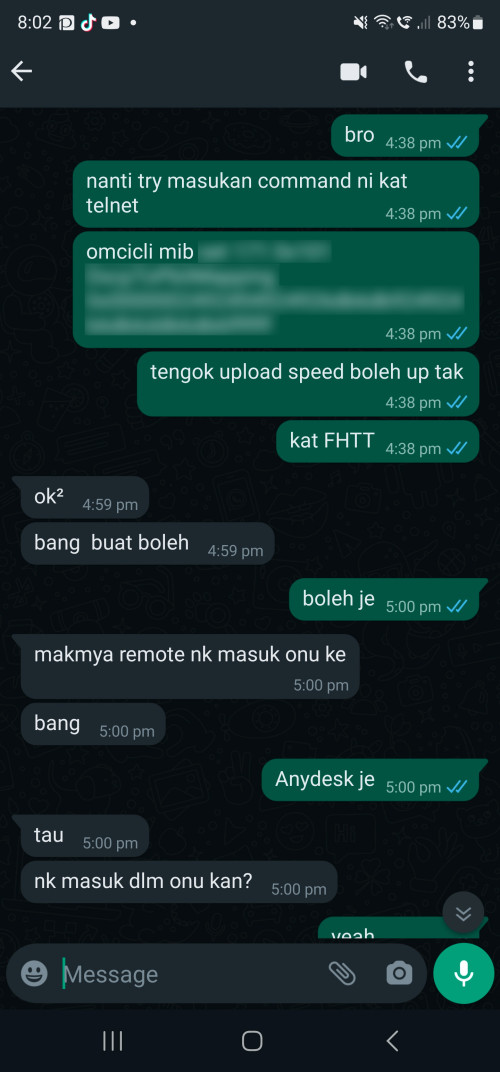
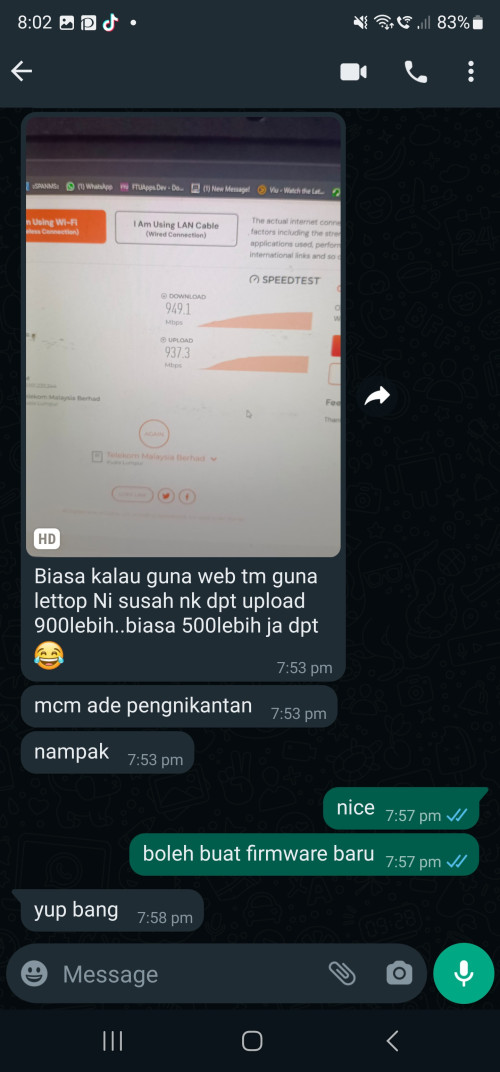
I and TM guy trying to solve FHTT upload issue that hard to get 900Mbps or more

user posted image
user posted image

Trying copy from Nokia to FHTT, it show have some improvement on upload schedule.

Waiting from him to check TM CP side showing any alarm or anything
*
Closer to getting over 1Gbps on UL on non ALCL OLT? whistling.gif
yenchenje
post Apr 1 2024, 05:23 PM

Enthusiast
*****
Junior Member
932 posts

Joined: Dec 2019
QUOTE(Anime4000 @ Apr 1 2024, 05:09 PM)
Yes!, that's what I trying to do,

Far ZTE OLT can give better speed, now testing FHTT and HWTC
*
But this only applies if technician modify OLT on their side right? I’ll be crying waiting for my HW OLT to be modified then :’)
yenchenje
post Apr 1 2024, 08:37 PM

Enthusiast
*****
Junior Member
932 posts

Joined: Dec 2019
QUOTE(jiaen0509 @ Apr 1 2024, 06:34 PM)
Dear Sifus,

I am currently with Unifi 800mbps and in next few days will upgrade to 1gbps with equipment replacement.

My current settings is ASUS AX82U as main and ASUS TUF-AX5400 as wireless aimesh at kitchen.

I can get 800mbps in front of main router while 300-500mbps on mesh. Which I am satisfied.

I understand that 1gbps will replace the ONU to ONR (I think correct name haha?) and I don’t really trust the Unifi ONR. Wonder how I can use back my Asus router + Mesh?

I tried to search the thread but cannot find any relevant sharing from others forumer. Now sure sifu here can share a bit? So I can alert when technicians or installer here this/next weeks
*
Set bridge mode on ONR and pass through PPPoE to your Asus.

Don’t forget you’ll be limited to max of 940mbps due to TCP overhead of 1G port
yenchenje
post Apr 1 2024, 09:04 PM

Enthusiast
*****
Junior Member
932 posts

Joined: Dec 2019
QUOTE(jiaen0509 @ Apr 1 2024, 08:49 PM)
My existing Asus router need to configure anything? Or just remains since PPPoE doesn’t change.

The TCP overhead is due to the ONR or my router?
*
Should be the same if your PPPoE password has never reset.

TCP overhead means just limitation of 1G port, ~60mbps is reserved for miscellaneous data over the port

https://www.reddit.com/r/HomeNetworking/s/uyQDPqYTRE
yenchenje
post Apr 2 2024, 04:01 PM

Enthusiast
*****
Junior Member
932 posts

Joined: Dec 2019
QUOTE(jiaen0509 @ Apr 2 2024, 12:36 PM)
Possible to not use the TM replaced ONR and I continue use the current ZTE modem + my asus router? Since the maximum is 940mbps hahaha not sure does it work or not for 1gbps.
*
You can go back to ZTE without issues, AFAIK ZTE ONU only supports GBe GPON instead of 2.5G GPON like the D-Link (Might be incorrect)

Maximum with whatever GBe port is only 940Mbps in ideal conditions. You want to get over 1G speed? Go find a router with 2.5G LAN and use GPON ONU Stick.

You get two separate 1G connection from 2G Unifi Ultra? You only get 940+940 aggregated.
yenchenje
post Apr 3 2024, 09:01 AM

Enthusiast
*****
Junior Member
932 posts

Joined: Dec 2019
QUOTE(Anime4000 @ Apr 2 2024, 04:43 PM)
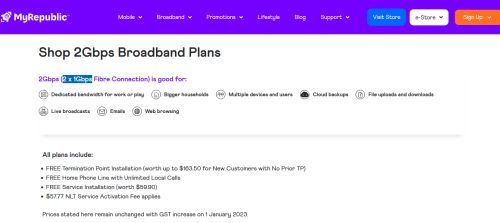
That's expected, many 2Gbps plan come with 1+1, that already standard procedure world-wide 🤣:
user posted image
*
It’s cheaper to deploy 1+1 instead of full 2 I guess, but the hardcore users are already willing to pay the extra, why don’t they just give proper equipment still baffles me
yenchenje
post Apr 5 2024, 07:47 AM

Enthusiast
*****
Junior Member
932 posts

Joined: Dec 2019
QUOTE(Anime4000 @ Apr 3 2024, 11:12 AM)
first, actually GPON not suitable pair with 2.5GbE due to Asymmetrical and Upload bottleneck.

not all GPON OLT have proper traffic shaping for 2.5GbE

as speed issue, that's I was trying to fix, to control flow without need large RAM to buffer.

second, 2.5GbE still premium, market share still little, don't know if customer has 2.5GbE capable PC, let alone explaining to client that he/she need new router from the existing one, speaking from experience 😅

then VoIP issue, so far no 2.5GbE ONT with POTS

to make 2Gbps cheaper, ISP keep using same OLT and simple ONT

this what I got, as always I try improve speed performance, applying DSCP seem has good effect
*
But I feel like if a customer is willing to pay that much for a premium tier service, they should be at least willing to spare some budget for a 2.5G ONU, and with like Huawei/ZTE equipment pricing, don’t see why they can’t do it :/

Yes customer doesn’t have 2.5G port to take advantage of it but that’s the least that they could do from their side Infeel like

QUOTE(jiaen0509 @ Apr 4 2024, 05:51 PM)
I did some study over the thread. Mean I need to invest in a GPON ONU STICK and SPF+ Router or a media converter in order to over 940mbps am I understand correctly?
*
Correct, or find a router with SFP+ that also supports 2500Base-X to make an AIO.

But unless you’re chasing the last few 60-90Mbps really closely, it’s up to you to decide whether it’s worth to make the investment
yenchenje
post Apr 30 2024, 02:53 PM

Enthusiast
*****
Junior Member
932 posts

Joined: Dec 2019
QUOTE(Turnip @ Apr 30 2024, 12:50 PM)
Hello Anime,
i got the device already and setup my Unifi 2Gbps. (im the guy who bought the device recently from you through the Carous App in Sepang)

I manage to not use any additional switch for VLAN(before i use the TP-Link smart switch). I direct add vlan ID : 500 to the 2.5Gbps ONU/Fiber converter device on manual bridge mode and it works while dialing PPoE from my old Xiaomi AX6000.

Nice no more additional switches.  👍🏻

It's just that,
i am not able to break the 1Gbps barrier. Highest on Speedtest.net is 940Mbps Up n Down through cat8 cable. The Lan port on the AX6000(router) is gigabit.

Wonder why that is. SFP PON already on 2.5Gbps from the light indicator on the 2.5Gbps ONU/Fiber converter.
*
If your router only supports gigabit, the converter will automatically negotiate gigabit, not 2.5G, your end to end both has to support 2.5, if one doesn’t, it will fallback to the next lower tier after skipping 2.5
yenchenje
post Apr 30 2024, 05:28 PM

Enthusiast
*****
Junior Member
932 posts

Joined: Dec 2019
QUOTE(Turnip @ Apr 30 2024, 03:18 PM)
ISP 2Gbps > 2.5 Gbps ONU/Fibre Converter > 2.5Gbps WAN port (Xiaomi AX6000) > 1Gbps LAN port

end result is best through Cat8 cable is 940Mbps Down and Up.

Is this normal for the 1Gbps speed to not 'achieve' 1Gbps?
*
Yes, as mentioned above, TCP/IP overhead, 60mbps~ is always reserved for extra metadata for the connection
yenchenje
post Apr 30 2024, 05:59 PM

Enthusiast
*****
Junior Member
932 posts

Joined: Dec 2019
QUOTE(Turnip @ Apr 30 2024, 05:40 PM)
i see,
guess it's time to upgrade to those 2.5Gbps/10Gbps ports.

A good reason/excuse for me to go for those new Wifi 7 routers.  ✅
*
If you’re not an enterprise user, consider getting the BE800 and make an AIO with that using the SFP+ ONU

If you’re upgrading, might as well just cut out more things to reduce the point of failure

QUOTE(k58pk @ Apr 30 2024, 05:43 PM)
CAT7/CAT8 cables are a scam. A good CAT6e cable is more than enough
*
You meant *cough* Cat6A, and tell that to the residential Cat6A and above connoisseur in this forum laugh.gif
yenchenje
post Apr 30 2024, 09:25 PM

Enthusiast
*****
Junior Member
932 posts

Joined: Dec 2019
QUOTE(Turnip @ Apr 30 2024, 08:21 PM)
i was thinking to go the AIO route yes. I'm liking that idea with using fiber SFP port with the TP BE800.

But from my conversation with Anime, he said need to use Beta firmware,

- As in not stable yet?

Anyway has anyone tested the Xiaomi BE 10000, everything seemed to be 10Gbps for that Router. Cheaper as well.

Just not fond with the Chinese UI as it is not my native language (been using my Xiaomi AX6000 currently)
*
There’s other routers from TP-Link or ASUS that supports it as well, Deco etc

Best to skip Chinese Xiaomi router as their WiFi 7 doesn’t have 6GHz and only WiFi 7 2.4/5

Or just spend a bit more and go Buffalo WXR-5950AX12 and use converter, not AIO but considering it has OpenWRT support it should be still okay ish to setup

6 Pages « < 3 4 5 6 >Top
 

Change to:
| Lo-Fi Version
0.0612sec    0.57    7 queries    GZIP Disabled
Time is now: 12th December 2025 - 12:00 PM