Welcome Guest ( Log In | Register )

3 Pages  1 2 3 >Bottom

Outline · [ Standard ] · Linear+

Review Beelink GT1 Mini-② Android TV Box, S905X3 | 4GB DDR4 | 64GB eMMC

views
     
TSvoncrane
post Nov 14 2019, 01:40 AM, updated 6y ago

Noir et fier!
*******
Senior Member
7,118 posts

Joined: Oct 2011
From: Wakanda


Attached Image

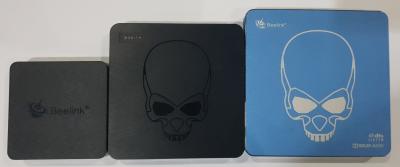
Hi all... This is yet another humble real world review of the recently released (Around July 2019) Beelink GT1 Mini②. The picture above doesn't lie about its tiny dimensions. The GT1 Mini series are one of the tiniest "TV Boxes" out there. Definitely smaller than the Mecool M8S Pro L box and i already felt that was small enough. The GT1 Mini ② completely replaces the previous Beelink GT1 Mini. The major difference being the SoC bump from S905X2 to S905X3.

In comparison to the S905X2, S905X3 presents the Cortex-A55 cores, which delivers increased performance over the Cortex-A53. Subsequently, where memory is concerned, benchmarks runs indicate around 20 to 30% performance improvement for tasks at the same frequency. The Amlogic S905X3 also has some optional features like the “Neural Network Accelerator” and a Cortex-M4 core for always-on processing.

S905X3 integrates a powerful CPU/GPU subsystem and as such, is regarded as an advanced application processor, designed for hybrid OTT/IP Set Top Box (STB) and high-end media box applications. The main system CPU is a quad-core ARM Cortex-A55 CPU with unified L3 cache to improve system performance.
In addition, the Cortex-A55 Cores includes the NEON SIMD co-processor to improve software media processing capability. The graphics subsystem consists of two graphics engines and a flexible video/graphics output pipeline. The ARM G31 MP2 GPU handles all OpenGL ES 3.2 Vulkan 1.0 and OpenCL 2.0 graphics programs, while the 2.5D graphics processor handles additional scaling, alpha, rotation, and colour space conversion operations. Together, the CPU and GPU handle all operating systems, networking, user-interface and gaming related tasks.

The video output pipeline includes Dolby Vision (optional), HDR10+, HDR10, HLG and PRIME HDR processing, BT.709/BT.2020/BT.2100 processing, motion adaptive edge enhancing de-interlacing, flexible programmable scalar, and many picture enhancements filters before passing the enhanced image to the video output ports. The Amlogic Video Engine (AVE-10) also includes a dedicated hardware video decoder and encoder, thereby off-loading the Cortex-A55 Cores from all video CODEC processing. The AVE-10 is capable of decoding 4Kx2K resolution video at 60fps with complete Trusted Video Path (TVP) for secure applications and supports full formats including MVC, MPEG-1/2/4, VC-1/WMV, AVS, AVS+, AVS2 RealVideo, MJPEG streams, H.264, H265-10, VP9 and also JPEG pictures with no size limitation. The independent encoder is able to encode in JPEG or H.265/H.264 up to 1080p at 60fps.

This new VPU also support 3D, Dynamic HDR (w/EMP), CEC and HDCP2.2, ALLM (Auto Low Latency Mode) support, stereo audio DAC, a CVBS output, multiple TDM, PCM, I2S and SPDIF digital audio input/output interfaces, and 8 channel far-field PDM digital microphone (DMIC) inputs. It also has built-in Voice Activity Detection (VAD) module for ultra-low power operations during system standby.
S905X3 also integrates a set of functional blocks for digital TV broadcasting streams. The built-in two demuxers can process the TV streams from the serial and parallel transport stream input interface, which can connect to an external tuner/ demodulator. The processor has the rich advanced network and peripheral interfaces, including a 10/100/1000M Ethernet MAC with RGMII, 10/100M Ethernet PHY, a set of multi-PHY for USB2, USB3 and PCIe, and multiple SDIO/SD card controllers, UART, I2C, high-speed SP I and PWMs. The standard development environment utilizing GNU/GCC Android toolchain is also supported.

Attached Image

Now that we’ve gotten the advanced “gibberish” out of the way. Let's move on to its real world performance.

Specifications
» Click to show Spoiler - click again to hide... «


Box Contents
» Click to show Spoiler - click again to hide... «


Side by side image comparison of the GT1 Mini2, GT-King & GT-King Pro.
» Click to show Spoiler - click again to hide... «
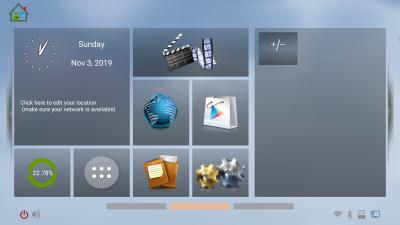
Software Screenshots
» Click to show Spoiler - click again to hide... «
Speeedtest
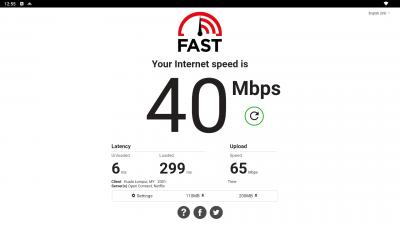
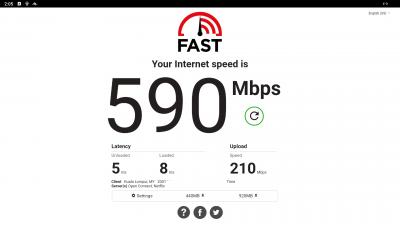
Surprisingly the Speedtest by Ookla app appears truly incompatible with this device. See images.. So had to use the FAST Speed Test app by Netflix instead. Device is able to maximize my Broadband plan.
» Click to show Spoiler - click again to hide... «
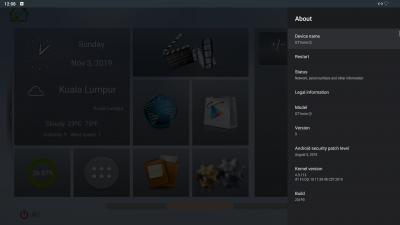
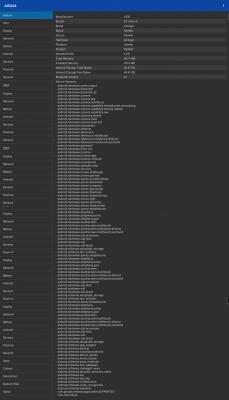
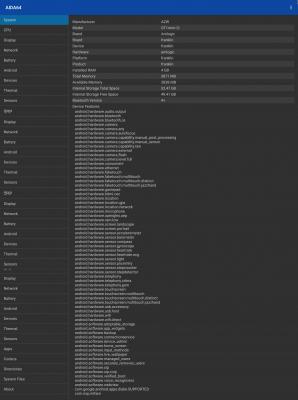
AIDA64
» Click to show Spoiler - click again to hide... «

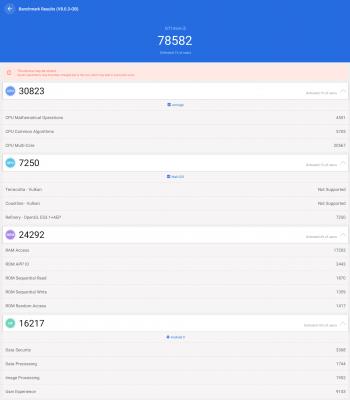
Antutu V8
» Click to show Spoiler - click again to hide... «
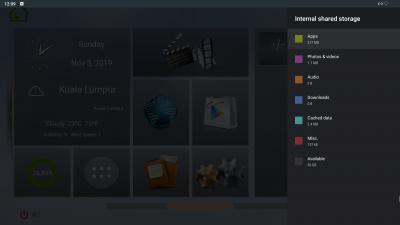
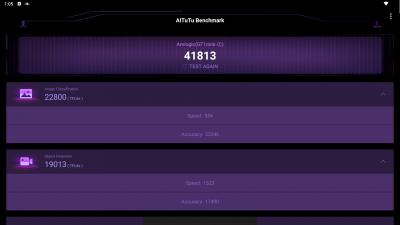
AITUTU Benchmark (Beta)
» Click to show Spoiler - click again to hide... «
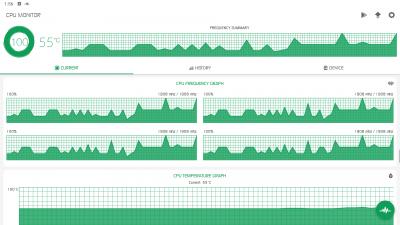
CPU Monitor
» Click to show Spoiler - click again to hide... «

PassMark Performance Test
» Click to show Spoiler - click again to hide... «
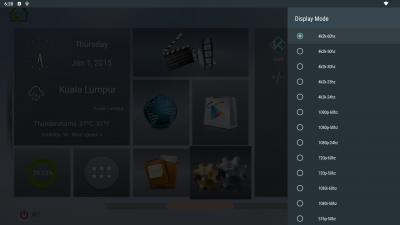
PCMark for Android Benchmark
» Click to show Spoiler - click again to hide... «

3DMark - The Gamer's Benchmark
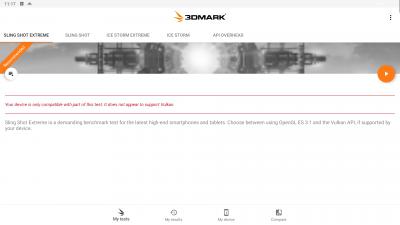
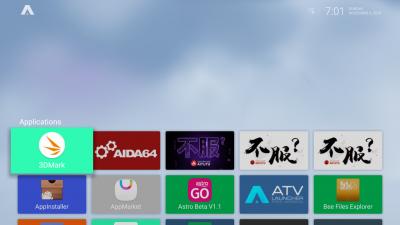
For this test, unlike the more beasty GT-King & GT-King Pro...The benchmarking app reports that the GT1 Mini-2 does not appear to support Vulkan and as such isn't fully compatible. Nevertheless, rather than running the less intense "Ice Storm Extreme" test, I ran the Sling Shot Extreme test anyways. Partly to maintain testing across devices and to see what it'd actually score in the end, compared to the others. At the end, the best OpenGL ES 3.1 score was 339. In comparison, the Beelink GT-King Pro scored 1,179. sweat.gif ...This doesn't mean it's a slouch.. Nope, far from it.. Scores like this further reinforce my decision to not simply go by benchmarks scores alone when it comes to purchasing electronic devices. I'd rather see how the device handles my usual scenarios and as a media device? This handles beautifully.
» Click to show Spoiler - click again to hide... «
Media Playback Performance
Disclaimer: My system is only able to accurately process/handle audio up to Dolby TrueHD & DTS-HD MA..Both being 5.1. I'm unable to personally test for Dolby ATMOS and DTS:X yet. Not that it matters, as the GT1 Mini-2 does not support ATMOS & DTS:X either. I'll update the review once I can confirm otherwise and or from a reputable and independent source. Media players of choice remains Kodi & VLC. Though I leaned towards Kodi more due to familiarity, customization and ease of use. The following are the results of the tests.

Video
Type: HDR HEVC 10-bit 25fps
Astra DVB Sample.ts (Played smooth and okay)

Type: Dolby Vision
LG Demo DolbyVision Comparison.mkv (Played smooth and okay..No DV output)
LG Demo DolbyVision Trailer.mkv (Played smooth and okay..No DV output)

Type: VP9
Eye of the Storm 4K Ultra HD.mkv (Played smooth and okay)
The Redwoods.mkv (Played smooth and okay)
The World in HDR.mkv (Played smooth and okay)

Type: Jellyfish (HEVC + UHD + 10bit)
jellyfish-60-mbps-hd-hevc-10bit.mkv (Played smooth and okay)
jellyfish-250-mbps-4k-uhd-hevc-10bit.mkv (Played smooth and okay)
jellyfish-300-mbps-4k-uhd-hevc-10bit.mkv (Played smooth and okay)
jellyfish-400-mbps-4k-uhd-hevc-10bit.mkv (Plays but with some hiccup at the start..Also while playing, there are slight jerks.)

Type: 5K Resolution
Snow Monkeys in Japan 5K Retina 60p (Ultra HD).mkv (Played smooth and okay)

Type: 8K Resolution
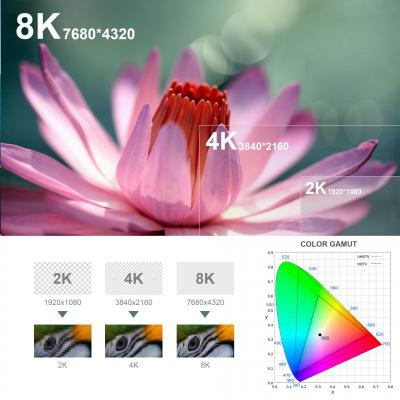
PATAGONIA 8K.mkv (Played smooth and okay...Yeah, my jaw dropped here too.. rclxms.gif )

Attached Image

YouTube
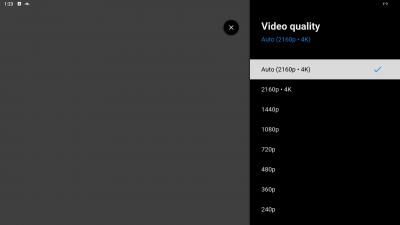
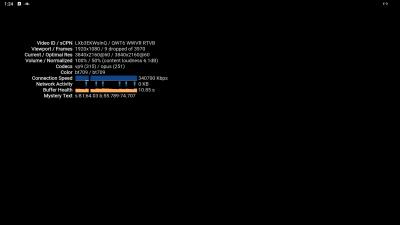
Plays smoothly and perfectly for up to 4K/UHD@60fps resolution. Playing 8K videos played okay, but were still limited to 4k@60FPS
» Click to show Spoiler - click again to hide... «

HD Audio Passthrough
Dolby Digital (also known as Dolby AC-3) No issues on either Kodi/VLC.
Dolby Digital Plus (also known as Enhanced AC-3) No issues on both Kodi & VLC.
Dolby TrueHD (PCM on Kodi) Core Dolby is processed and passed on both VLC.
DTS-HD MA No issues using VLC...Kodi on the other hand could only pass-through core DTS or (weirdly) Dolby audio for another file.
Dolby ATMOS **Confirmed on ATMOS capable AVR..Else on non-ATMOS AVR, core Dolby is processed and passed on.
DTS:X **Core DTS is processed and passed on.

Pros
*Don't let the size fool you. This is a quick device to zip around menus, launch and exit apps, etc. Performed a cold boot on a fully loaded device (to best simulate real world usage) and it takes about 28 seconds from plugged in/pushing the power button on the remote.
*The Power button on the included remote can put to sleep/wake up/power on and shutdown as long as the power plug is left plugged in. Even while shutdown, as long as the device remains plugged in, one could simply press the remote's power button to power up.
*Bluetooth works okay.
*Voice Assistant using the bundled remote works. If you face any issues, try pressing and holding down the mic button, wait a second or 2 then speak. Your command should be captured.
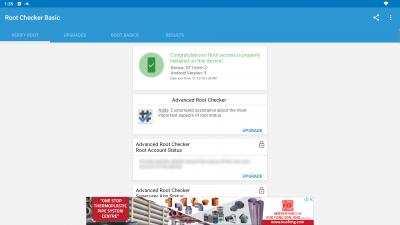
*Device is rooted and so AdAway works. Great for most pesky ads. Also good for those who still have a PS3 controller around. Sixaxis support.
*Latest YouTube for Android TV 2.07.02 works. Plays 4K@60FPS videos smoothly. It's remote friendly and so I advise installing this over the mobile variant from the Play Store.
*Elementum works with the default options in Kodi. I expect Quasar and the rest to work as intended too.
*Packs an Ethernet Gigabit port, Wifi ac MiMO 2.4/5GHz, 4GB LPDDR4 RAM and 64GB eMMC ROM.
*The bundled remote is basic, but better than most .. As it supports both Voice input and air mouse mode. Buttons feel good to click, with a rubbery texture on top. Best to get a third party air mouse though with keyboard for easier data entry.
*The remote’s power key can be set as either “Sleep Now”, “Shutdown”, or “Restart”. Best to set as “Sleep Now” as this puts the device to sleep. press the power button on the remote to Sleep/Wake up the device.
*Press & Hold the power button to bring up the Power off menu. Shows Power off, Restart and Screenshot.
*The typical ehem apps work without issues.
*Custom ATV OS ROM now available..[ROM] POISON TV GT1_MINI2 by User Minixfreak.

Cons
*Bluetooth 4.0 vs the latest 5.0
*There's no "fake WiFi status" to trick certain apps into believing they are connected to a WiFi network, even though they are connected to an Ethernet connection.
*Basically, there's only one available USB port (3.0). As one usually has the dongle to their favorite or stock remote in one of the ports. So I strongly recommend getting a USB hub with several ports. Ideally, leave the remote dongle in the 2.0 USB port and the other in the 3.0L spot.
*The front indicator light doesn't turn off. So if the display's off. One has to trust that the device is indeed still asleep and not awake. I would appreciate at least 2 different colors. One to indicate it's awake and the other to indicate sleep mode. Luckily, It's a really small device with a tiny LED up front. So the light does not distract much (think router/modem lights flashing non-stop..we don't have that here) if placed directly up front (below the TV) and a non-issue if hidden/tucked away behind the TV or in the cabinetry.

Expected/Norm
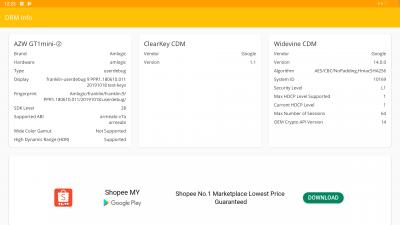
*Widevine CDM Security Level 1
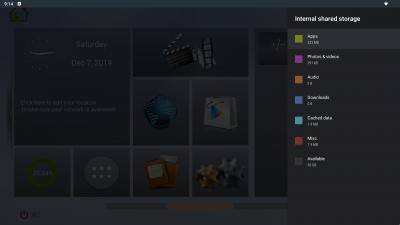
*Out of the 64GB, there's 56GB+ of total internal space available upon first boot.
*No Netflix FHD+, at least not through the easy install from Play Store and login method. Had to side-load. Similarly with the GT-King, there is a pre-loaded app market/source bundled with the FW, one can find compatible apps to click-install. Saves some hassle to go fetch from other sources. Unfortunately and for some reason, this market has been blank for quite awhile now.
*Rooted device by default and there’s NO option to hide/disable it by default..Tested just for kicks and nope the latest stable/default As*** Go app refuses to run on it (There's a workaround though). Still no "Off Root" switch, so have to keep using the working alternatives for now.

Conclusion
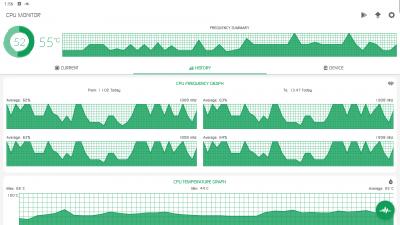
For a <RM400 device.. it's plenty good and able to handle most of our daily requirements. It also appears to be a fan-less design, and is able to dissipate heat well. Left it powered on for a couple hours each day and for a few days to do the tests. The device does remain warm to touch throughout the time it was in sleep mode. Thanks for making it this far and also thanks to Beelink for producing a small yet quite nifty device.

Beelink Info
Official Beelink Website...GT1 Mini-(2) Product Page
Official store on Gearbest.
Service Email
Beelink Youtube Page
Beelink Facebook Page
Beelink Instagram

Purchase Links
Official Aliexpress Product Page.
Gearbest Product Page

After Review Updates
*Custom ATV OS ROM now available.. See post #26 for update.
*Official FW update from Beelink. V201P0 upgraded to V202P0. Kindly see post #15 for some images.
*Latest stock fw is now V203P0.
Changelogs;
1. Solve the problem that some software cannot recognize the model ? of GT1mini-?, which causes an error or an abnormality. Change the model in the software to GT1mini-2.
2. Solve the problem of automatically turning on after turning off the Bluetooth speaker.


*EmuELEC emulation support now available..

This post has been edited by voncrane: Mar 18 2020, 09:14 AM
blurjoey
post Nov 14 2019, 11:57 AM

Sumo Hammy!
*******
Senior Member
6,040 posts

Joined: Jan 2003
From: Cheras, Kuala Lumpur


Nice review as always
ancnw
post Nov 14 2019, 12:02 PM

Getting Started
**
Junior Member
78 posts

Joined: Jul 2006
thanks for the review.
TSvoncrane
post Nov 14 2019, 02:11 PM

Noir et fier!
*******
Senior Member
7,118 posts

Joined: Oct 2011
From: Wakanda


QUOTE(blurjoey @ Nov 14 2019, 11:57 AM)
Nice review as always
*
Thanks fam...I see you've been busy too... I can't seem to be able to get rid of the image stuck at the bottom.. I've edited a couple times and it's still there. Not present in the edit text box.. Throwing in the towel. Luckily it's a relatable image.. sweat.gif

QUOTE(ancnw @ Nov 14 2019, 12:02 PM)
thanks for the review.
*
Sure... You are welcome. Hope it helps. biggrin.gif
blurjoey
post Nov 14 2019, 02:21 PM

Sumo Hammy!
*******
Senior Member
6,040 posts

Joined: Jan 2003
From: Cheras, Kuala Lumpur


QUOTE(voncrane @ Nov 14 2019, 02:11 PM)
Thanks fam...I see you've been busy too... I can't seem to be able to get rid of the image stuck at the bottom.. I've edited a couple times and it's still there. Not present in the edit text box.. Throwing in the towel. Luckily it's a relatable image..  sweat.gif
Sure... You are welcome. Hope it helps.  biggrin.gif
*
Edit and search (ctrl+f) for the picture filename with Screenshot_20191103_190148.png. That's the picture file not inserted.

I usually have this issue also when too many pictures are involved sweat.gif sweat.gif sweat.gif

Been busy with my reviews also. Kinda backlog or having writer's block laugh.gif laugh.gif laugh.gif

This post has been edited by blurjoey: Nov 14 2019, 02:24 PM
AVFAN
post Nov 15 2019, 07:14 AM

20k VIP Club
*********
All Stars
24,453 posts

Joined: Nov 2010
QUOTE(voncrane @ Nov 14 2019, 01:40 AM)
HD Audio Passthrough
Dolby Digital (also known as Dolby AC-3) No issues on either Kodi/VLC.
Dolby Digital Plus (also known as Enhanced AC-3) No issues on both Kodi & VLC.
Dolby TrueHD (PCM on Kodi) Core Dolby is processed and passed on both VLC.
DTS-HD MA No issues using VLC...Kodi on the other hand could only pass-through core DTS or (weirdly) Dolby audio for another file.
Dolby ATMOS **Core Dolby is processed and passed on.
DTS:X **Core DTS is processed and passed on.

*Rooted device by default and there’s NO option to hide/disable it by default..Tested just for kicks and nope the latest stable/default As*** Go app refuses to run on it (There's a workaround though). Still no "Off Root" switch, so have to keep using the working alternatives for now.

*
as usual, i look for the above. biggrin.gif

again, disappointing that ddtruehd and dtshdma does not work well on this box.
just to check a bit more:
for VLC, other than ticking "audio passthrough", any other setting activated from default? does yr AVR show "DDTrueHD" or "multichannel"?
for Kodi, under audio passthrough section, does DTShdma and DDtrueHD select boxes show up or they are missing?

and no root switch means no astrogo, no unifi playtv... unless manual unrooting.

there must be like a doxen s905x3 devices in the market now.
waiting for my tanix tx3 s905x3 to arrive next week... see what this <rm200 box can and cannot do.
likely very similar to other S905x3 but i m hoping it retains the tx3mini/max features of root switch and kodi HD audio passthru.

This post has been edited by AVFAN: Nov 15 2019, 08:02 AM
puchongite
post Nov 15 2019, 08:44 AM

20k VIP Club
*********
All Stars
33,602 posts

Joined: May 2008

Both the purchase links are saying it supports netflix HD and you are saying it does not, at least not from the Google play store. Any chance to find out do they mean side load the apk or something ?
TSvoncrane
post Nov 28 2019, 02:16 AM

Noir et fier!
*******
Senior Member
7,118 posts

Joined: Oct 2011
From: Wakanda


QUOTE(blurjoey @ Nov 14 2019, 02:21 PM)
Edit and search (ctrl+f) for the picture filename with Screenshot_20191103_190148.png. That's the picture file not inserted.

I usually have this issue also when too many pictures are involved sweat.gif  sweat.gif  sweat.gif

Been busy with my reviews also. Kinda backlog or having writer's block laugh.gif  laugh.gif  laugh.gif
*
Thanks..I'll look into it again... I've been out of the country all these while.. Will be back soon and resume upkeep, reviews.. etc..

QUOTE(AVFAN @ Nov 15 2019, 07:14 AM)
as usual, i look for the above. biggrin.gif

again, disappointing that ddtruehd and dtshdma does not work well on this box.
just to check a bit more:
for VLC, other than ticking "audio passthrough", any other setting activated from default? does yr AVR show "DDTrueHD" or "multichannel"?
for Kodi, under audio passthrough section, does DTShdma and DDtrueHD select boxes show up or they are missing?

and no root switch means no astrogo, no unifi playtv... unless manual unrooting.

there must be like a doxen s905x3 devices in the market now.
waiting for my tanix tx3 s905x3 to arrive next week... see what this <rm200 box can and cannot do.
likely very similar to other S905x3 but i m hoping it retains the tx3mini/max features of root switch and kodi HD audio passthru.
*
Hey... Excuse the delay.. Still in hiatus mode.. Broke SocMed silence to update a few things and respond to PMs... My AVR is capable of displaying PCM/DD/DD+/Dolby TrueHD/DTS/DTS-HD MA... Whenever it detects either. Similarly for the HT (but this can be unreliable sometime), but I prefer using the AVR for tests instead as it has HDMI-IN ports and thus can process better than the HDMI-ARC feature of the HT. With the Minix Neo U1 (now disposed), I'm able to get the desired outcomes displayed on the AVR with the same files. Even still, I don't only use one file for each sound format.. I have at least 3 files per sound format.. All gotten from reputable sources that indeed verify that the audio contained matches what I'm testing for. So, If the AVR consistently displays something is absent/present across all "similar" files. I believe it as truth.

Yup, under Kodi Passthrough settings, those indeed show up. Perhaps when back I'll fire up the device again and upload a screenshot.. I did try different toggling to see if any changes.. But my results remained as reviewed. Yep, there isn't a root off/on toggle switch. So one has to manually unroot or seek modded apks with root checking disabled.

QUOTE(puchongite @ Nov 15 2019, 08:44 AM)
Both the purchase links are saying it supports netflix HD and you are saying it does not, at least not from the Google play store. Any chance to find out do they mean side load the apk or something ?
*
Well, if you call 480p/540p max as HD.. AFAIK, 720P marks the beginning of HD..While, 1080p/i is considered FHD. I can officially tell you that this device is NOT netflix certified and as such, expect it to behave (Netflix-wise) as any other non-certified device.. Also yes, you'll have to sideload Netflix. Which shouldn't be an issue for most. smile.gif
AVFAN
post Nov 28 2019, 09:27 AM

20k VIP Club
*********
All Stars
24,453 posts

Joined: Nov 2010
QUOTE(voncrane @ Nov 28 2019, 02:16 AM)
Yup, under Kodi Passthrough settings, those indeed show up. Perhaps when back I'll fire up the device again and upload a screenshot.. I did try different toggling to see if any changes.. But my results remained as reviewed. Yep, there isn't a root off/on toggle switch. So one has to manually unroot or seek modded apks with root checking disabled.
*
if "dtshdma", "ddtruehd" selection show up in kodi passthru, they should work... seen that many times.

it is only when they dun show up, u get only dd, dd+, dts.

maybe this bit is broken...?
newbieockids
post Nov 28 2019, 10:19 AM

Regular
******
Senior Member
1,405 posts

Joined: Jun 2005


there should be Android TV version available soon with since it come out with both version with the first edition of mini.. im using gt1 mini-a which is Android TV version.. hopefully it get Google Stadia support as well when it available in Malaysia..
Marilynlai513
post Dec 1 2019, 11:26 PM

Getting Started
**
Junior Member
99 posts

Joined: Jul 2015
post 933 netflix fix

What are the odds of ya trying the above on this box to check the outcome? Thanks
puchongite
post Dec 2 2019, 08:48 AM

20k VIP Club
*********
All Stars
33,602 posts

Joined: May 2008
QUOTE(Marilynlai513 @ Dec 1 2019, 11:26 PM)
post 933 netflix fix

What are the odds of ya trying the above on this box to check the outcome? Thanks
*
Post #933,

不起作用.

English: Useless, no effects.

This post has been edited by puchongite: Dec 2 2019, 08:48 AM
Marilynlai513
post Dec 2 2019, 02:10 PM

Getting Started
**
Junior Member
99 posts

Joined: Jul 2015
QUOTE(puchongite @ Dec 2 2019, 08:48 AM)
Post #933,

不起作用.

English: Useless, no effects.
*
Sorry I meant post 931 method, BTW your box on std firmware or have u flashed to other?

This post has been edited by Marilynlai513: Dec 2 2019, 02:11 PM
puchongite
post Dec 4 2019, 09:52 AM

20k VIP Club
*********
All Stars
33,602 posts

Joined: May 2008
QUOTE(Marilynlai513 @ Dec 2 2019, 02:10 PM)
Sorry I meant post 931 method, BTW your box on std firmware or have u flashed to other?
*
Is there any instance where this method has been proven to work ? wink.gif
TSvoncrane
post Dec 7 2019, 10:19 PM

Noir et fier!
*******
Senior Member
7,118 posts

Joined: Oct 2011
From: Wakanda


QUOTE(AVFAN @ Nov 28 2019, 09:27 AM)
if "dtshdma", "ddtruehd" selection show up in kodi passthru, they should work...  seen that many times.

it is only when they dun show up, u get only dd, dd+, dts.

maybe this bit is broken...?
*
I'm guessing it's more of a Kodi compatibility thingy... I've just returned and flashed the FW update. Naturally this wipes the previous fw. I connected the device to a regular 1080p TV and sure enough passthrough settings are absent in the settings area. This is not the same when connected to the AVR and or a more advanced TV (as per initial review).. Both sporting varying passthrough support capabilities.. I'll run the audio tests again and report back.

QUOTE(newbieockids @ Nov 28 2019, 10:19 AM)
there should be Android TV version available soon with since it come out with both version with the first edition of mini.. im using gt1 mini-a which is Android TV version.. hopefully it get Google Stadia support as well when it available in Malaysia..
*
Yup.. There's one out already.. [ROM] POISON TV GT1_MINI2.. Chef says an update that'll be even better will be released soon. I'll wait on that before flashing to test. In the meantime, there's been an official FW update from Beelink for the GT1 Mini-② box. V201P0 upgraded to V202P0.
Attached Image
Attached Image
Attached Image

QUOTE(Marilynlai513 @ Dec 1 2019, 11:26 PM)
post 933 netflix fix

What are the odds of ya trying the above on this box to check the outcome? Thanks
*
Very low given others reported outcome... sweat.gif

QUOTE(puchongite @ Dec 4 2019, 09:52 AM)
Is there any instance where this method has been proven to work ? wink.gif
*
Member Hideiyoshi reported trying it and it worked..
"Recently got myself a km9 pro classic and did the steps above. Managed to get netflix in HD."

Others mentioned it didn't. So I'm not overly motivated to try it out either.. TBH, testing for Netflix in FHD+ on uncertified boxes tire me.. I've always advocated for using the inbuilt smart TV app or a certified device instead. It'll always be a cat and mouse game.
Marilynlai513
post Dec 8 2019, 12:31 AM

Getting Started
**
Junior Member
99 posts

Joined: Jul 2015
Anyway I don't think netflix dual apk will work on non Google Certified even if its with L1.... Just thought of getting it tested since you have the box.
AVFAN
post Dec 8 2019, 11:00 AM

20k VIP Club
*********
All Stars
24,453 posts

Joined: Nov 2010
QUOTE(voncrane @ Dec 7 2019, 10:19 PM)
I'm guessing it's more of a Kodi compatibility thingy... I've just returned and flashed the FW update. Naturally this wipes the previous fw. I connected the device to a regular 1080p TV and sure enough passthrough settings are absent in the settings area. This is not the same when connected to the AVR and or a more advanced TV (as per initial review).. Both sporting varying passthrough support capabilities.. I'll run the audio tests again and report back.
think so too.
from the reviews of several boxes using s905x3, i gather the audio results are rather mixed, not unlike what u found.
my own experience with tx3 s905x3, also similar... kodi give dd/dd+/dts only.
vlc can give "multichannel" or 5.1 but is not dd/dd+ or dts5.1.

the thing is with a lower spec box like tx3mini s905w, kodi can do dtshdma/ddtruehd.
likely the kodi work done on older chipsets are more mature.
not sure but i read somewhere kodi hd audio capabilities stopped at s912, s905w; s905x2, s905x3, s922x... not there yet.
TSvoncrane
post Dec 10 2019, 02:14 AM

Noir et fier!
*******
Senior Member
7,118 posts

Joined: Oct 2011
From: Wakanda


QUOTE(Marilynlai513 @ Dec 8 2019, 12:31 AM)
Anyway I don't think netflix dual apk will work on non Google Certified even if its with L1.... Just thought of getting it tested since you have the box.
*
I understand... Alright, buddy... I'll give it a whirl yeah and report back...If it works? Great!... Else, meh.

QUOTE(AVFAN @ Dec 8 2019, 11:00 AM)
think so too.
from the reviews of several boxes using s905x3, i gather the audio results are rather mixed, not unlike what u found.
my own experience with tx3 s905x3, also similar... kodi give dd/dd+/dts only.
vlc can give "multichannel" or 5.1 but is not dd/dd+ or dts5.1.

the thing is with a lower spec box like tx3mini s905w, kodi can do dtshdma/ddtruehd.
likely the kodi work done on older chipsets are more mature.
not sure but i read somewhere kodi hd audio capabilities stopped at s912, s905w; s905x2, s905x3, s922x... not there yet.
*
This...I see.. It's too early & I didn't want to blanket these new SoCs as possibly being Kodi unfriendly where HD audio is concerned.. Which is quite a shame really.. Cuz visually & performance-wise, these new SoCs are quite beastly. I remember even the Minix Neo U1 with S905 could pass-through up to Dolby TrueHD. Can't seem to recall if it was capable of DTS-HD MA too. I really enjoyed that box and was sad to let it go...I'm trying to get my hands on any of the latest Minix Android boxes. Minix devs, as we know, are quite capable with ensuring their devices are Kodi compatible.
puchongite
post Dec 10 2019, 12:43 PM

20k VIP Club
*********
All Stars
33,602 posts

Joined: May 2008
QUOTE(Marilynlai513 @ Dec 8 2019, 12:31 AM)
Anyway I don't think netflix dual apk will work on non Google Certified even if its with L1.... Just thought of getting it tested since you have the box.
*
Wonder how do you distinguish Google certified vs Widevine L1.

Widevine L1 is can be verified using DRMinfo. How does one know a device is google certified ?

sweat.gif
TSvoncrane
post Dec 10 2019, 04:20 PM

Noir et fier!
*******
Senior Member
7,118 posts

Joined: Oct 2011
From: Wakanda


QUOTE(puchongite @ Dec 10 2019, 12:43 PM)
Wonder how do you distinguish Google certified vs Widevine L1.

Widevine L1 is can be verified using DRMinfo. How does one know a device is google certified ?

sweat.gif
*
For starters... It should be running a proper ATV OS with native Google Cast support + Google Assistant integration features baked in. Additionally, such certified devices will have official support for all apps in the ATV store and access to future Android OS updates.

3 Pages  1 2 3 >Top
 

Change to:
| Lo-Fi Version
0.0276sec    1.01    6 queries    GZIP Disabled
Time is now: 2nd December 2025 - 08:08 PM