Welcome Guest ( Log In | Register )

18 Pages « < 11 12 13 14 15 > » Bottom

Outline · [ Standard ] · Linear+

Virus/Malware Virus /Rootkits Thread, Work In Progress

views
     
ally19
post Apr 4 2013, 07:34 PM

New Member
*
Junior Member
25 posts

Joined: Feb 2008
QUOTE(chrisling @ Apr 4 2013, 10:47 AM)
A result log from MBAM posted over here would be much helpful and at least can let us go through which entries or value did not get cleared.

Malware that infects Windows has different execution method and Mac is running in a totally different environment. So do not worry the Mac will get infected, instead, if you send your Windows PC to any shop, people will just ask you to format it.  sweat.gif  That would be last resort for you if the malware could not be got rid.
*
My dad has already sent it to the shop. He always goes there whenever the pc/printer has problems.
Anyways I've posted both mbam report.

MBAM log (pc)
» Click to show Spoiler - click again to hide... «


MBAM log (pendrive)
» Click to show Spoiler - click again to hide... «


chrisling
post Apr 4 2013, 09:52 PM

Helper Trainee+
******
Senior Member
1,684 posts

Joined: Nov 2006
From: KL


QUOTE(ally19 @ Apr 4 2013, 07:34 PM)
My dad has already sent it to the shop. He always goes there whenever the pc/printer has problems.
Anyways I've posted both mbam report.

MBAM log (pc)
» Click to show Spoiler - click again to hide... «


MBAM log (pendrive)
» Click to show Spoiler - click again to hide... «

*
It shouldn't be "Quick Scan" though when you want to clean the culprit. Next time use Full System Scan instead. Scanning on the pen drive is needed when you had inserted the pen drive at another PC, and it should be scanned after the PC is cleaned. It's useless to scan the pen drive while the PC is still infected.

Anyway, good luck to you as you have already sent the PC to the shop smile.gif

ally19
post Apr 4 2013, 11:20 PM

New Member
*
Junior Member
25 posts

Joined: Feb 2008
QUOTE(chrisling @ Apr 4 2013, 09:52 PM)
It shouldn't be "Quick Scan" though when you want to clean the culprit. Next time use Full System Scan instead. Scanning on the pen drive is needed when you had inserted the pen drive at another PC, and it should be scanned after the PC is cleaned. It's useless to scan the pen drive while the PC is still infected.

Anyway, good luck to you as you have already sent the PC to the shop smile.gif
*
Ah, I see. I googled on how to clean and found one that had a step by step instructions (with picture guide). It said to select "Quick Scan".
Anyways will keep this in mind in case it happens again (hopefully NOT!). Thanks.

BlueWind
post Apr 6 2013, 02:05 PM

Sianzation
*******
Senior Member
2,901 posts

Joined: Jan 2007


Full scan option is there for the paranoids. In most cases quick scan is more than enough.
davidliew21
post Apr 8 2013, 12:54 AM

New Member
*
Junior Member
36 posts

Joined: Apr 2007


Hi, I wish i had post my problem on the right thread
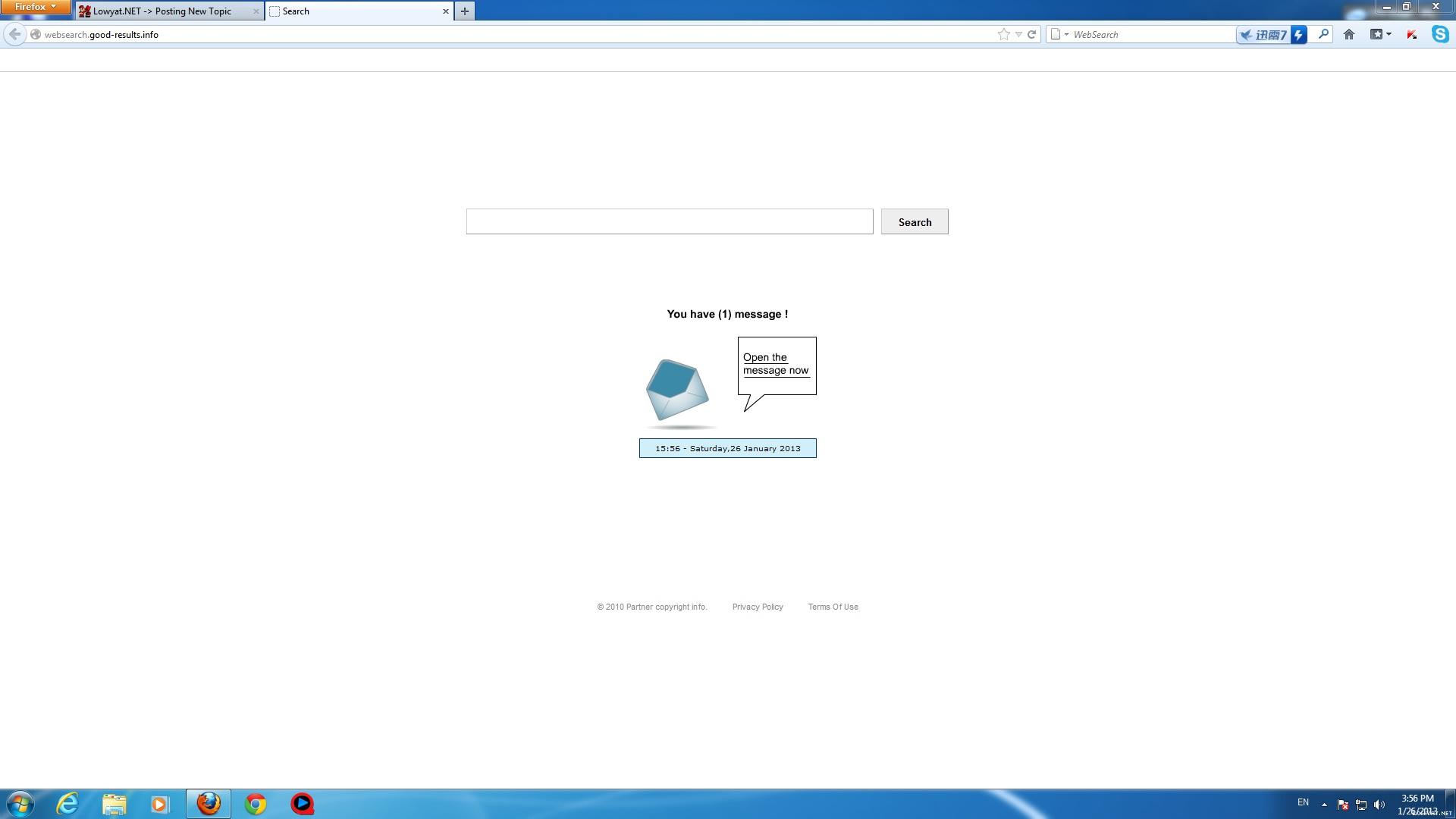
yesterday I discovered my browser homepage had been change to www.qv06.com.
I search thru google and found that that is a hijacker.the solution provided such as spyhunter require payment.
I wonder is there any way to remove it manually.
thanks for the very appreciate help.
sI Taufu
post Apr 8 2013, 02:42 AM

getting higher and higher
******
Senior Member
1,597 posts

Joined: Aug 2010
From: Taufu Kingdom


QUOTE(davidliew21 @ Apr 8 2013, 12:54 AM)
Hi, I wish i had post my problem on the right thread
yesterday I discovered my browser homepage had been change to www.qv06.com.
I search thru google and found that that is a hijacker.the solution provided such as spyhunter require payment.
I wonder is there any way to remove it manually.
thanks for the very appreciate help.
*
a bit tedious and risky but if you want to:

Before try the following method make sure you quit Google Chrome and Internet Explorer 1st.

1 - First search for "regedit" via RUN or START SEARCH
2 - From regedit, find with the keyword "qv06.com" then CHANGE the keyword to "google.com.my"
3 -go to <C: \ Users \ xxxxx \ AppData \ LocalLow \ Microsoft \ Internet Explorer \ Services>. Once you reach there, DELETE THOSE FILES which
come from address "qv06"

unless it got registry with other key string, i think it can tapao your case oledi.
davidliew21
post Apr 8 2013, 06:09 PM

New Member
*
Junior Member
36 posts

Joined: Apr 2007


QUOTE(sI Taufu @ Apr 8 2013, 02:42 AM)
a bit tedious and risky but if you want to:

Before try the following method make sure you quit Google Chrome and Internet Explorer 1st.

1 - First search for "regedit" via RUN or START SEARCH
2 - From regedit, find with the keyword "qv06.com" then CHANGE the keyword to "google.com.my"
3 -go to <C: \ Users \ xxxxx \ AppData \ LocalLow \ Microsoft \ Internet Explorer \ Services>. Once you reach there, DELETE THOSE FILES which
come from address "qv06"

unless it got registry with other key string, i think it can tapao your case oledi.
*
Firstly thanks alot for the advice. sadly I cant local the file in the after i followed all the instructions with the regedit.
Is there any solution to fix it?
thank you
davidliew21
post Apr 8 2013, 06:10 PM

New Member
*
Junior Member
36 posts

Joined: Apr 2007


QUOTE(davidliew21 @ Apr 8 2013, 06:09 PM)
Firstly thanks alot for the advice. sadly I cant local the file in the after i followed all the instructions with the regedit.
Is there any solution to fix it?
thank you
*
basically i use chrome and firefox browser only. and currently it affects both of it
sI Taufu
post Apr 8 2013, 06:30 PM

getting higher and higher
******
Senior Member
1,597 posts

Joined: Aug 2010
From: Taufu Kingdom


QUOTE(davidliew21 @ Apr 8 2013, 06:10 PM)
basically i use chrome and firefox browser only. and currently it affects both of it
*
your internet browser still showing hijacked homepage after those instructions?
davidliew21
post Apr 9 2013, 12:03 AM

New Member
*
Junior Member
36 posts

Joined: Apr 2007


QUOTE(sI Taufu @ Apr 8 2013, 06:30 PM)
your internet browser still showing hijacked homepage after those instructions?
*
no, I cant even found the qv06.com keyword in the regedit
Step 3 also cant found the file in the internet explorer folder. cry.gif
sI Taufu
post Apr 9 2013, 12:43 AM

getting higher and higher
******
Senior Member
1,597 posts

Joined: Aug 2010
From: Taufu Kingdom


QUOTE(davidliew21 @ Apr 9 2013, 12:03 AM)
no, I cant even found the qv06.com keyword in the regedit
Step 3 also cant found the file in the internet explorer folder. cry.gif
*
qvo6.com doh.gif doh.gif doh.gif doh.gif doh.gif
keyword wrong edi, no wonder cannot dig it out doh.gif
davidliew21
post Apr 10 2013, 10:47 PM

New Member
*
Junior Member
36 posts

Joined: Apr 2007


is there any other solution can be share by others?
BlueWind
post Apr 11 2013, 06:04 PM

Sianzation
*******
Senior Member
2,901 posts

Joined: Jan 2007


davidliew,

Run these tools. Hope this helps.

-AdwCleaner-

Please download AdwCleaner by Xplode onto your desktop.
  • Close all open programs and internet browsers.
  • Double click on AdwCleaner.exe to run the tool.
  • Click on Delete.
  • Confirm each time with Ok.
  • Your computer will be rebooted automatically. A text file will open after the restart. Close it.
===================================================

Please download Junkware Removal Tool to your desktop.
  • Shutdown your antivirus to avoid any conflicts.
  • Right-mouse click JRT.exe and select Run as administrator
  • The tool will open and start scanning your system.
  • Please be patient as this can take a while to complete.
  • On completion, a log (JRT.txt) is saved to your desktop and will automatically open. Close it.

davidliew21
post Apr 12 2013, 10:12 PM

New Member
*
Junior Member
36 posts

Joined: Apr 2007


QUOTE(BlueWind @ Apr 11 2013, 06:04 PM)
davidliew,

Run these tools. Hope this helps.

-AdwCleaner-

Please download AdwCleaner  by Xplode onto your desktop.

  • Close all open programs and internet browsers.
  • Double click on AdwCleaner.exe to run the tool.
  • Click on Delete.
  • Confirm each time with Ok.
  • Your computer will be rebooted automatically. A text file will open after the restart. Close it.
===================================================

Please download Junkware Removal Tool to your desktop.

  • Shutdown your antivirus to avoid any conflicts.
  • Right-mouse click JRT.exe and select Run as administrator
  • The tool will open and start scanning your system.
  • Please be patient as this can take a while to complete.
  • On completion, a log (JRT.txt) is saved to your desktop and will automatically open. Close it.

*
thank you so much Bluewind, it fixed the problem..thank u so much.. icon_rolleyes.gif rclxm9.gif
thank you to sI Taufu as well for the advise and solution
sI Taufu
post Apr 18 2013, 01:11 PM

getting higher and higher
******
Senior Member
1,597 posts

Joined: Aug 2010
From: Taufu Kingdom


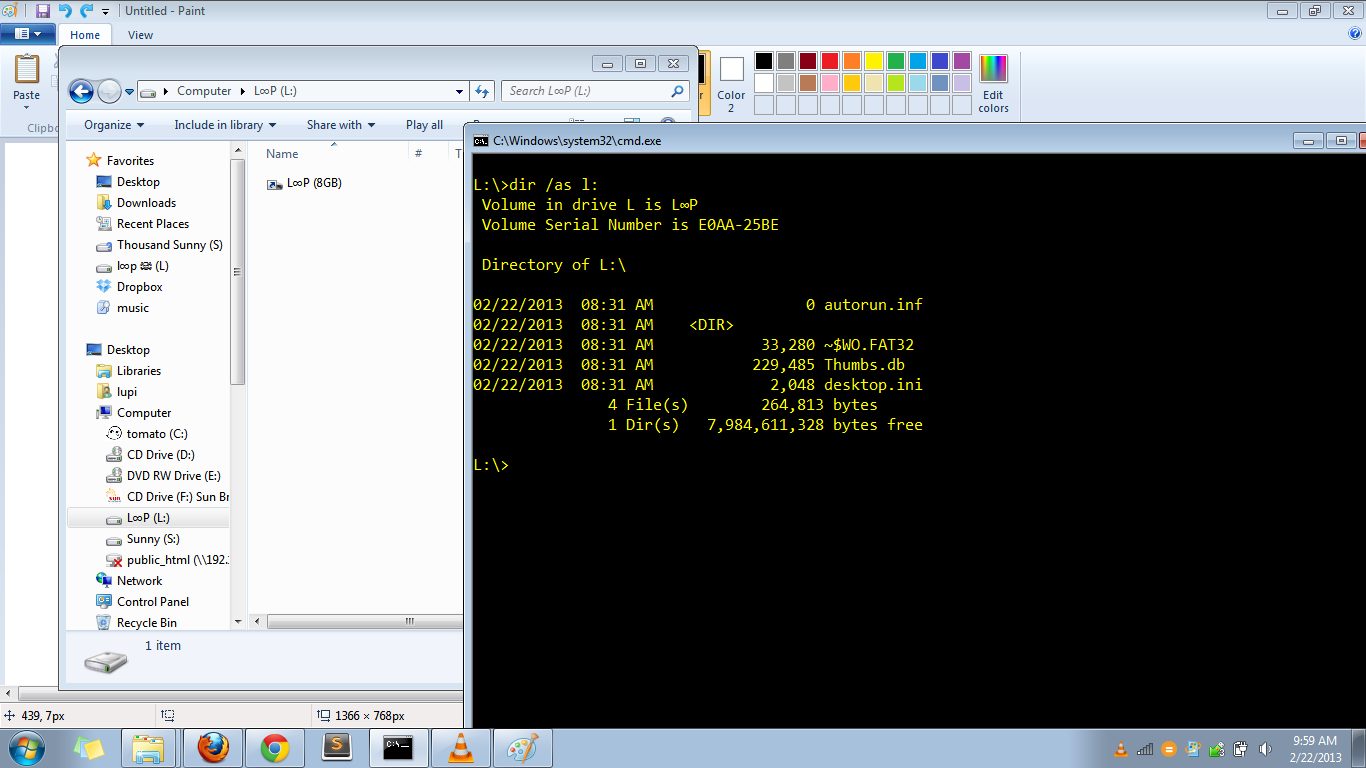
If your pendrive suddenly got strange shortcut like this and nothing else:
user posted image

Here is the complete solution which i found from this website:
http://blog.piratelufi.com/2013/02/usb-fla...ingle-shortcut/

This post has been edited by sI Taufu: May 1 2013, 04:00 PM
syawal286
post Apr 20 2013, 05:16 PM

Getting Started
**
Junior Member
104 posts

Joined: Sep 2010
From: Seberang Jaya


QUOTE(BlueWind @ Apr 11 2013, 06:04 PM)
davidliew,

Run these tools. Hope this helps.

-AdwCleaner-

Please download AdwCleaner  by Xplode onto your desktop.


  • Close all open programs and internet browsers.

  • Double click on AdwCleaner.exe to run the tool.

  • Click on Delete.

  • Confirm each time with Ok.

  • Your computer will be rebooted automatically. A text file will open after the restart. Close it.

===================================================

Please download Junkware Removal Tool to your desktop.


  • Shutdown your antivirus to avoid any conflicts.

  • Right-mouse click JRT.exe and select Run as administrator

  • The tool will open and start scanning your system.

  • Please be patient as this can take a while to complete.

  • On completion, a log (JRT.txt) is saved to your desktop and will automatically open. Close it.


*
thank you so much.. it worked on my brother laptop..

can this method remove search conduit and globososo? these 2 thing were on my laptop for years.. tried mny things.. still cant remove it..

This post has been edited by syawal286: Apr 20 2013, 11:00 PM
BlueWind
post Apr 21 2013, 01:31 PM

Sianzation
*******
Senior Member
2,901 posts

Joined: Jan 2007


Including JRT and AdwCleaner?
syawal286
post Apr 23 2013, 12:24 AM

Getting Started
**
Junior Member
104 posts

Joined: Sep 2010
From: Seberang Jaya


yes.. tried the adw n jrt severaltimes..
still cant remove that search conduit thing..
tried doing full scan of my laptop with avast n also KIS..
tried malwarebyte n some other thing that involved editing something in my firefox..
it still there..

sI Taufu
post Apr 23 2013, 06:32 PM

getting higher and higher
******
Senior Member
1,597 posts

Joined: Aug 2010
From: Taufu Kingdom


QUOTE(syawal286 @ Apr 23 2013, 12:24 AM)
yes.. tried the adw n jrt severaltimes..
still cant remove that search conduit thing..
tried doing full scan of my laptop with avast n also KIS..
tried malwarebyte n some other thing that involved editing something in my firefox..
it still there..
*
for firefox, try the reset add-on:
https://addons.mozilla.org/en-US/firefox/addon/searchreset/

If still cant help, then try the VERY-TEDIOUS manual delete:
» Click to show Spoiler - click again to hide... «

dikae
post Aug 10 2013, 11:39 AM

an apple a day
Group Icon
Staff
9,231 posts

Joined: Aug 2010


I will rather go for full scan than quick, rather wait than stress..

18 Pages « < 11 12 13 14 15 > » Top
 

Change to:
| Lo-Fi Version
0.0330sec    0.61    6 queries    GZIP Disabled
Time is now: 19th December 2025 - 01:29 AM