Outline ·
[ Standard ] ·
Linear+
Virus/Malware Virus /Rootkits Thread, Work In Progress
|
wxqnyjs
|
 Oct 27 2010, 02:25 PM Oct 27 2010, 02:25 PM
|
New Member


|
QUOTE(samirah2009 @ Sep 18 2010, 01:03 AM) there are so many virus effecting my computer. where are actually there coming from? Really makes people in trouble! PC may get infected when open attachment, browse untrusted site, using portable storage media like pendrive and etc. U might need to install antivirus and constantly update the antivirus database. Perform full scan periodically as well and always scan pendrive before using it. Another important thing is do not click or open any untrusted attachment and link. Do remember prevent is better than cure. Good luck fren~ |
|
|
|
|
|
andyang
|
Oct 30 2010, 01:58 AM
|
Getting Started
|
Helo there.
i dono if my pc got virus. I using Window 7.
just spotted a so call virus name xviewer.exe
keep on heard the sound of opening IE in my desktop. But cannot see any IE opening.
Went into Start Task Manager. saw a new of the list name xviewer.exe and discription is xviewer Microsoft then continue with some chinese works.
try scan using avira and Eset as well. cannot detected this.
Please help!!!!!!!!!!!!!!!!!!!!!!!!
|
|
|
|
|
|
wxqnyjs
|
Oct 30 2010, 02:46 PM
|
New Member
|
QUOTE(andyang @ Oct 30 2010, 01:58 AM) Helo there. i dono if my pc got virus. I using Window 7. just spotted a so call virus name xviewer.exe keep on heard the sound of opening IE in my desktop. But cannot see any IE opening. Went into Start Task Manager. saw a new of the list name xviewer.exe and discription is xviewer Microsoft then continue with some chinese works. try scan using avira and Eset as well. cannot detected this. Please help!!!!!!!!!!!!!!!!!!!!!!!! Ya it is worms.  Try search keyword "xviewer.exe" in internet for solutions. Common way is to delete the xviewer.exe file using command prompt or delete it in safe mode. This post has been edited by wxqnyjs: Oct 30 2010, 02:47 PM |
|
|
|
|
|
MTE
|
Nov 10 2010, 01:00 PM
|
New Member
|
hello...
i need some help how to remove Mars1.exe.Cant delete from my directory. Currently my pc monitored by Microworld - eScan AV.
|
|
|
|
|
|
BlueWind
|
Nov 10 2010, 08:41 PM
|
|
|
Malwarebytes' Anti-MalwareDownload Malwarebytes' Anti-Malware here and save to your desktop. - Double-click mbam-setup.exe and follow the prompts to install the program. (Note to Vista users, please right-click and select Run as Administrator.)
- At the end, be sure a checkmark is placed next to:
- Update Malwarebytes' Anti-Malware
- Launch Malwarebytes' Anti-Malware
- Then click Finish.
- If an update is found, it will download and install the latest version.
- Once the program has loaded, select Perform quick scan, then click Scan.
- When the scan is complete, click OK, then Show Results to view the results.
- Be sure that everything is checked, and click Remove Selected.
- When completed, a log will open in Notepad. Please copy and paste the log back into your next reply
Note:- The log can also be found here:
C:\Documents and Settings\Username\Application Data\Malwarebytes\Malwarebytes' Anti-Malware\Logs\mbam-log-date (time).txt - Or via the Logs tab when Malwarebytes' Anti-Malware is started.
Note: If MBAM encounters a file that is difficult to remove, you will be presented with 1 of 2 prompts.
Click OK to either and let MBAM proceed with the disinfection process.
If asked to restart the computer, please do so. Failure to reboot will prevent MBAM from removing all the malware.
|
|
|
|
|
|
applefreak
|
Nov 17 2010, 03:06 PM
|
Getting Started
|
Hi guys,
I need your help. After I uninstall my antivirus (for online game purpose) I can't access any antivirus websites eg. Avg. Normal website like facebook still can be access.
After the next day, I can't even access google. Now my laptop only can be used to play game.
Can you guys help me to clarify the problem ?
Thanks alot !
|
|
|
|
|
|
takiya_genji
|
Nov 23 2010, 08:46 PM
|
Getting Started
|
tq 4 infomation..
|
|
|
|
|
|
k59
|
Nov 25 2010, 05:02 PM
|
Getting Started
|
E:\rasipamse\idumigodine.exe
this file can't be open after scanning with free avira .
is it a threat for my thumbdrive.
icon for t thumbdrive also not as usual.
try to find the file but cant find.
pls help?
This post has been edited by k59: Nov 29 2010, 11:54 AM
|
|
|
|
|
|
rockyjohn
|
Nov 25 2010, 10:34 PM
|
New Member
|
I think the this is nice inforation for me. But I think you should do use only antivirus software because they are give good facility and destroy your computer virus. I think this is best idea for destroy to virus. If you want save your PC you should use antivirus software.
|
|
|
|
|
|
fenzodahl512
|
Nov 27 2010, 12:05 AM
|
|
|
QUOTE(k59 @ Nov 25 2010, 05:02 PM) E:\rasipamse\idumigodine.exe this file can't be open after scanning with free avira . is it a thread for my thumbdrive. icon for t thumbdrive also not as usual. try to find the file but cant find. pls help? Go to Windows XP computer and then remove the rasipamse folder via IceSword |
|
|
|
|
|
raul88
|
Jan 29 2011, 06:06 PM
|
|
|
thanks to all that help me solves this... 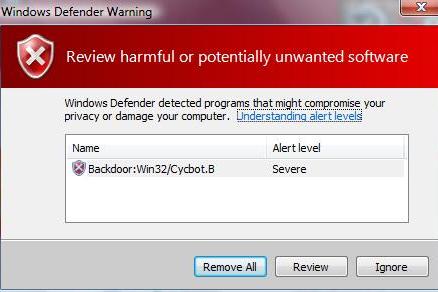 link to thread link to thread |
|
|
|
|
|
cool_kenjing
|
Feb 24 2011, 10:43 AM
|
New Member
|
a bit help here.....
can anyone teach me how to remove win32/heur virus?
|
|
|
|
|
|
SUSngkhanmein
|
Mar 23 2011, 05:32 PM
|
|
|
how to del my autorun.Vinf?
|
|
|
|
|
|
fiqir
|
May 11 2011, 11:06 PM
|
|
|
QUOTE(ngkhanmein @ Mar 23 2011, 05:32 PM) how to del my autorun.Vinf? use avira version 10. |
|
|
|
|
|
H4XF4XTOR
|
May 26 2011, 03:32 PM
|
|
|
some people forgot about something when removing virus.. -disabling system restore. that's why the virus can reincarnate -safe mode . why it's called "SAFE" -recovery disk. most AV provide their own recovery disk.just need to burn it prevent>cure = Malwarebyte+MSE or AVIRA or AVG or KARSP etc and please.. format as last option.. yes... unless you've infected with virut.yeah just format your pc correct me if im wrong. thanks  |
|
|
|
|
|
BlueWind
|
May 27 2011, 06:19 PM
|
|
|
I beg to differ on your first point. I don't generally advise people to disable system restore simply because for the fear of reinfection. The risk is getting reinfected is there, yes, but what happens if you fail to boot up your computer as a result of performing deletion process? Not every security suite in the world can 100% sure what it should be doing. There is always a chance that an AV WILL remove a legit file whether it's a false alarm or malware replaces itself in drivers/services.
Probably for others, in a worse case scenario would be just reformat. Now here's what you have to think, there are other people who least to hope to reformat their computer and that would be the very last resort like you said.
I agree prevention is better than cure, but I can't help but to say most of the time people get infected because of their surfing habit. Can't blame them entirely either as people have different interests to each of their own.
|
|
|
|
|
|
kechic
|
Sep 4 2011, 08:30 PM
|
Getting Started
|
QUOTE(H4XF4XTOR @ May 26 2011, 03:32 PM) some people forgot about something when removing virus.. -disabling system restore. that's why the virus can reincarnate -safe mode . why it's called "SAFE" -recovery disk. most AV provide their own recovery disk.just need to burn it prevent>cure = Malwarebyte+MSE or AVIRA or AVG or KARSP etc and please.. format as last option.. yes... unless you've infected with virut.yeah just format your pc correct me if im wrong. thanks i'll do the same |
|
|
|
|
|
yybb
|
Sep 18 2011, 04:21 PM
|
New Member
|
I would like to ask, if the folders in my computer are set to READ-ONLY, and i cannot unset it, is it caused by virus or malware/worm ?
how can i restore the attributes of all the folders to default other than the way proposed at Microsoft website which is to use cmd and -r each folder.
FYI
i am running on Win7 Ultimate tgt w. nod32 version4.x
|
|
|
|
|
|
diadokmai
|
Oct 5 2011, 11:19 AM
|
|
|
my fav removal - ComboFix used it when im working at my previous company introduced by my friend there which work as Computer Technician i can say he is very expert!! thank you my friend!!  http://www.combofix.org/ http://www.combofix.org/u need extra effort to remove it manually coz combofix will lets u know which and where the infection occurred This post has been edited by diadokmai: Oct 5 2011, 11:20 AM |
|
|
|
|
|
shinjite
|
Oct 6 2011, 09:58 AM
|
|
|
Only use Combofix IF you have no more options to go too
|
|
|
|
|



 Quote
Quote










 0.0381sec
 1.02
1.02
 6 queries
 GZIP Disabled