Welcome Guest ( Log In | Register )

Bump Topic Topic Closed RSS Feed
21 Pages « < 4 5 6 7 8 > » Bottom

Outline · [ Standard ] · Linear+

Unifi Official TM UniFi High Speed Broadband Thread V37, READ 1ST PAGE FOR TURBO SPEED INFO!

views
     
soonwai
post Mar 26 2019, 07:48 PM


********
All Stars
11,458 posts

Joined: Oct 2007
From: KL


QUOTE(MinusGear @ Mar 26 2019, 06:48 PM)
OK enough. I'm not asking ur advice how I want to handle my download. I'm asking how to resolve this mind boggling issue. TM went and lock me into a contract with no way to upgrade or downgrade. Like I said countless time Im willing to pay rm129 since I have little issue with Unifi for a long time. But I'm mind blown that I'm stuck with 60gb quota cause TM said "Nope" EVEN though I'm willing to have lower speed but with unlimited. I wasn't even aware that my area cannot receive 100mbps, otherwise I willing to stuck with rm179.00 (30mbps unlimited) previous contract. That just smell BS to me.

Im more than THRILL to jump to Times but I'm seeking advice on alternate plan supposedly u can get if u go to TMpoint centre. This is what online TM support advice me.

PS: if any of u don't have legit advice aside from lecturing me on data download, please don't reply cause I'm seriously pissed right now.
*
So weird. TM sure jump at the chance to take more money from you. Last time when I at 5 or 10 or 30, I could always upgrade. Even extra RM10 a month, TM jumped at the chance to give me the upgrade. Makes no business sense for them not to. How many times have you asked? With TM, you gotta check a few times.
soonwai
post Mar 28 2019, 07:14 PM


********
All Stars
11,458 posts

Joined: Oct 2007
From: KL


QUOTE(MGM @ Mar 28 2019, 05:31 PM)
When I came home, my power box already tripped, but I switched on my Unifi setup all booted up. except the AUTH light off. What does that mean?
*
Which BTU? Your AUTH is normally on? One or 2 models, the AUTH light is off during normal operation.

Unifi phone line working?
soonwai
post Mar 28 2019, 09:27 PM


********
All Stars
11,458 posts

Joined: Oct 2007
From: KL


QUOTE(MGM @ Mar 28 2019, 07:53 PM)
Huawei HG8240w, only TEL1, VOIP & LINK steady on, AUTH off. Not aware of AUTH is normally on or off.
My situation is status 3 according to the guide:
" A connection is set up between the GPON terminal and it's upper layer device"
*
I can confirm that the silver HG8240W AUTH light is off during normal operation. My neighbour has one which I borrowed for a few weeks last year. Keeping the variables to a minimum by removing the router from equation, can you try calling out with a telephone connected to the BTU?

If that works, maybe its LAN1 port rosak or the router's WAN port rosak.

This post has been edited by soonwai: Mar 28 2019, 09:29 PM
soonwai
post Mar 28 2019, 09:53 PM


********
All Stars
11,458 posts

Joined: Oct 2007
From: KL


QUOTE(MGM @ Mar 28 2019, 09:42 PM)
Yes can call out with a telephone connected to the BTU. Changing different LAN cables on different ports doesnt seems to help.
So u think it is either LAN1 port rosak or the router's WAN port rosak. Luckily both are still under warranty since Sept2018 turbo-upgrade.
*
If phone is OK, then the BTU is still working at least partially. How about your HyppTV? You using that? Is that working?

You can try connecting a laptop or PC straight to BTU LAN1, see the LAN1 port blink or not. The blinking is the laptop/PC's DHCP trying to acquire an address. It won't work but we just want to see if the BTU LAN1 is receiving anything. Likewise you can do the same to the router's WAN port.

No spare router?

This post has been edited by soonwai: Mar 28 2019, 10:05 PM
soonwai
post Mar 29 2019, 12:34 AM


********
All Stars
11,458 posts

Joined: Oct 2007
From: KL


MGM
I gotta feeling it could be the router's WAN port that's dead. You said the router is also under warranty right? I guess wait for TM to replace it. In the meantime, maybe borrow a spare unit from someone.
soonwai
post Mar 29 2019, 09:05 PM


********
All Stars
11,458 posts

Joined: Oct 2007
From: KL


QUOTE(5p3ak @ Mar 29 2019, 06:14 PM)
my place finally got unifi, last time on streamyx. Just curious, for the phone to work the huawei optical network terminal must be turned on right?

Also what is the pw of the dlink router they provide? default blank pw doesn't work  icon_question.gif
*
Check the label at the bottom of the router. It's in really small print.
soonwai
post Mar 30 2019, 01:28 PM


********
All Stars
11,458 posts

Joined: Oct 2007
From: KL


QUOTE(Par@dox @ Mar 30 2019, 12:02 PM)
Need some advice. My house already has concealed Cat 5e cables built into the walls. Recently, my Unifi connection was turbo-ed to 500mbps from 100mbps. The installer came today and changed both my modem and router.

From the modem, it is connected via concealed Cat 5e cable to the router which is in another room. According to the installer, my cable cannot support 500mbps, only 100mbps, so the router can only "route" up to 100mbps. I find it a bit difficult to believe because I thought Cat 5e is rated much higher than 100mbps.

The installer says that the modem is already functioning at 500mbps (he said he tested which I did not verify).

What do you think I should do now? Get another router or just downgrade to 100mbps? I am not about to change my concealed cables because it's just too troublesome to change all the cables in the house.

Router provided is D-Link DIR-842.

Thanks.
*
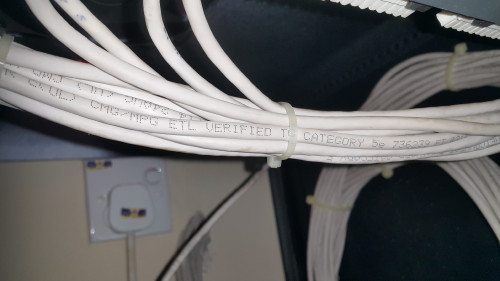
More installer bullshit. Cat5e no problem with 1000Mbps provided it’s of average quality and with proper termination. It’ll even go up to 10000Mbps.

How come yours from 100 to 500 and not 800?

This post has been edited by soonwai: Mar 30 2019, 01:30 PM
soonwai
post Mar 30 2019, 02:07 PM


********
All Stars
11,458 posts

Joined: Oct 2007
From: KL


QUOTE(YoungMan @ Mar 30 2019, 01:41 PM)
Maybe should get him to test the cable first. Not all people uses good 5E cable.
*
Yes, of course, I suggested that in my post.

Doesn't even have to be good. Average can already.
soonwai
post Mar 30 2019, 03:43 PM


********
All Stars
11,458 posts

Joined: Oct 2007
From: KL


QUOTE(lukemanz @ Mar 30 2019, 01:59 PM)
You need to try connect modem < concealed cat5e > laptop/pc with gigabit ethernet.
If in windows detect 1Gbps, then concealed cat5e is in perfect condition
...
*
Generally, that's true but not necessarily. I have a cable which links at 1Gbps but can only transfer max 350Mbps.

Before I checked it, I thought it was a bad quality cable. After I checked it turned to be a really good quality cable and was I amazed by its performance.

https://forum.lowyat.net/index.php?showtopi...post&p=90282795
soonwai
post Mar 30 2019, 08:46 PM


********
All Stars
11,458 posts

Joined: Oct 2007
From: KL


QUOTE(Par@dox @ Mar 30 2019, 04:17 PM)
Thanks. When I check the network connection on my desktop PC, it is showing as 100mbps. This is the connection from my router to my PC.

user posted image
According to the installer, the modem is already operating at 500mbps. Unfortunately, I don't have a laptop that I can plug directly to the modem to verify whether that is true. If the modem is indeed already operating at 500mbps, then I suppose the problem is either the router or my cables.  sweat.gif

Unfortunately, I don't know much about the connector arrangement. The concealed cables in my house was done by a network specialist, so hopefully it was done properly.
*
Tell us know more about the PC then we can determine if it supports 1Gbps. And the cable too if you like to know about that.
DIR-842 - 1Gbps
Cable - Unknown
PC - Unknown
soonwai
post Mar 31 2019, 06:36 PM


********
All Stars
11,458 posts

Joined: Oct 2007
From: KL


QUOTE(suadrif @ Mar 31 2019, 04:56 PM)
anyone stay in Putrajaya?
myself subscribed Jumbo 30Mbps since 2017 but till now still not yet get the TURBO upgrade.
*
What do you see in "Turbo Status"?

QUOTE(Par@dox @ Mar 30 2019, 10:20 PM)
This is the cable I am using.

user posted image

Quality should be ok I think coz the concealed cable was done by my bro-in-law who happens to be a network cabling contractor.

As for my PC, it's relatively new. AMD Ryzen 5 2600 running 16GB memory with B450 Tomahawk motherboard.
*
Everything looks good for 1Gbps. But something is wrong somewhere. Check the ports, check the termination, check the patch panels, check the keystones, etc... The worst thing is if the cable you're using is broken somewhere behind the wall. But cables don't usually break on their own so probably not. Hopefully.

If you have a Mikrotik router (most models) or can borrow one, you can use it to check if there's a problem with the concealed cable. Not extremely precise but it can tell you if there's a short or a break in the cable and roughly at what distance.

This post has been edited by soonwai: Mar 31 2019, 06:42 PM
soonwai
post Mar 31 2019, 06:38 PM


********
All Stars
11,458 posts

Joined: Oct 2007
From: KL


*forgot to multi-quote again.

This post has been edited by soonwai: Mar 31 2019, 06:39 PM
soonwai
post Apr 1 2019, 05:03 PM


********
All Stars
11,458 posts

Joined: Oct 2007
From: KL


QUOTE(suadrif @ Apr 1 2019, 03:25 PM)
Only show sorry.....
*
That's sad so no Turbo Upgrade for you?
soonwai
post Apr 2 2019, 12:04 AM


********
All Stars
11,458 posts

Joined: Oct 2007
From: KL


QUOTE(Sky.Live @ Apr 1 2019, 11:02 PM)
Hi, do you realise that Unifi equipment takes up too many power sockets? BTU + Phone + router is already 3 slots.. Is there any tips on decluttering these power adapters?
*
Remove the phone. I got fed up of the batteries and/or looking for the lost phone. Now back to a good old wired analog telephone. That's a 33% reduction in PSU clutter. Can't do much about the BTU and router. Definitely do not want an all-in-one unit supplied by TM. Maybe a Mikrotik + GPON SFP module if TM ever lets us lowly home consumers use that. This will remove the BTU.

This post has been edited by soonwai: Apr 2 2019, 12:04 AM
soonwai
post Apr 2 2019, 02:08 PM


********
All Stars
11,458 posts

Joined: Oct 2007
From: KL


QUOTE(pokchik @ Apr 2 2019, 02:01 PM)
what GPON is available in the market,
and would there be a significant difference compared to made in china TM GPON?
*
Here's a non-TM BTU in use.
user posted image
https://forum.lowyat.net/index.php?showtopi...post&p=89611453
Courtesy of rizvanrp
soonwai
post Apr 2 2019, 06:20 PM


********
All Stars
11,458 posts

Joined: Oct 2007
From: KL


QUOTE(kingkong22 @ Apr 2 2019, 06:06 PM)
Anyone found that your "turbo" package has been downgrade to 100Mbps and you cannot find any package faster than 100mbps in TM website.
It's ridiculous that TM has cheat people that your speed has been upgraded only for couple of month.
*
Seriously? You panic me. I went to website to check straight away. Still "unifi 800Mbps (Turbo Upgrade 2018)" Did they suddenly change yours?
soonwai
post Apr 2 2019, 11:44 PM


********
All Stars
11,458 posts

Joined: Oct 2007
From: KL


QUOTE(JohnLai @ Apr 2 2019, 11:36 PM)
Is cloudflare 1.1.1.1 and 1.0.0.1 ping-able on Unifi now?

I can ping 8.8.8.8 and 8.8.4.4 just fine....except cloudflare ipv4 dns...

Cloudflare ipv6 dns ping-able normally.
*
OK here. From 1.32.x.x

CODE
mbpr:~ $ ping -c 10 1.1.1.1
PING 1.1.1.1 (1.1.1.1): 56 data bytes
64 bytes from 1.1.1.1: icmp_seq=0 ttl=60 time=4.530 ms
64 bytes from 1.1.1.1: icmp_seq=1 ttl=60 time=4.647 ms
64 bytes from 1.1.1.1: icmp_seq=2 ttl=60 time=4.584 ms
64 bytes from 1.1.1.1: icmp_seq=3 ttl=60 time=4.667 ms
64 bytes from 1.1.1.1: icmp_seq=4 ttl=60 time=4.648 ms
64 bytes from 1.1.1.1: icmp_seq=5 ttl=60 time=4.142 ms
64 bytes from 1.1.1.1: icmp_seq=6 ttl=60 time=4.432 ms
64 bytes from 1.1.1.1: icmp_seq=7 ttl=60 time=4.754 ms
64 bytes from 1.1.1.1: icmp_seq=8 ttl=60 time=4.628 ms
64 bytes from 1.1.1.1: icmp_seq=9 ttl=60 time=4.761 ms

--- 1.1.1.1 ping statistics ---
10 packets transmitted, 10 packets received, 0.0% packet loss
round-trip min/avg/max/stddev = 4.142/4.579/4.761/0.173 ms
mbpr:~ $ ping -c 10 1.0.0.1
PING 1.0.0.1 (1.0.0.1): 56 data bytes
64 bytes from 1.0.0.1: icmp_seq=0 ttl=60 time=4.714 ms
64 bytes from 1.0.0.1: icmp_seq=1 ttl=60 time=5.578 ms
64 bytes from 1.0.0.1: icmp_seq=2 ttl=60 time=5.550 ms
64 bytes from 1.0.0.1: icmp_seq=3 ttl=60 time=5.307 ms
64 bytes from 1.0.0.1: icmp_seq=4 ttl=60 time=5.582 ms
64 bytes from 1.0.0.1: icmp_seq=5 ttl=60 time=5.582 ms
64 bytes from 1.0.0.1: icmp_seq=6 ttl=60 time=5.403 ms
64 bytes from 1.0.0.1: icmp_seq=7 ttl=60 time=5.487 ms
64 bytes from 1.0.0.1: icmp_seq=8 ttl=60 time=5.562 ms
64 bytes from 1.0.0.1: icmp_seq=9 ttl=60 time=5.343 ms

--- 1.0.0.1 ping statistics ---
10 packets transmitted, 10 packets received, 0.0% packet loss
round-trip min/avg/max/stddev = 4.714/5.411/5.582/0.252 ms


This post has been edited by soonwai: Apr 2 2019, 11:45 PM
soonwai
post Apr 3 2019, 12:01 AM


********
All Stars
11,458 posts

Joined: Oct 2007
From: KL


QUOTE(JohnLai @ Apr 2 2019, 11:52 PM)
Strange, I was on IP address 60.50.x.x and 60.49.x.x so far and I can't ping 1.1.1.1 and 1.0.0.1 at all.
*
I changed to 60.54.x.x and ping to 1.1.1.1 also OK.
soonwai
post Apr 3 2019, 12:12 AM


********
All Stars
11,458 posts

Joined: Oct 2007
From: KL


QUOTE(JohnLai @ Apr 3 2019, 12:04 AM)
Eh? After latest reboot, the routing table become :

Previous routings:
...
Latest routing:
...
With this routing, I can ping 1.1.1.1 again. Weird..... confused.gif
*
Definitely routing problem. What is that WAN interface? Where did that come from?

I've seen something like this before in my Aztech FG7008, it routes 1.0.0.0/8 to the bridge. The router is using it for a captive portal. Used to be ok when the internet didn't used 1.0.0.0/8.

Anyway 3 routes is typical for a simple router setup. 1 for LAN, 1 for pppoe and 1 for everything else.

This post has been edited by soonwai: Apr 3 2019, 12:15 AM
soonwai
post Apr 3 2019, 12:48 AM


********
All Stars
11,458 posts

Joined: Oct 2007
From: KL


QUOTE(JohnLai @ Apr 3 2019, 12:17 AM)
I have no idea.  confused.gif

I was browsing websites so syiok until my sister suddenly came over and ask why others can online while she can't. Turned out her smartphone is configured to use cloudflare dns. Can't ping successfully through pc and router internal pinging tool.

I rebooted the router (yes, my new A6 router, sure boot-up fast) several times with different public IPv4 address while checking the routing (4 routes) until I posted here.
Then on the latest reboot, the routing tables become 3 routes and cloudflare is pingable again.
I wonder what TM did? hmm.gif
*
Very odd. TM can't affect the routes that your router creates. Other than the route for the PPP interface.

21 Pages « < 4 5 6 7 8 > » Top
Topic ClosedOptions
 

Change to:
| Lo-Fi Version
0.1924sec    0.43    7 queries    GZIP Disabled
Time is now: 13th December 2025 - 07:29 AM