Attached thumbnail(s)
Unifi Official TM UniFi High Speed Broadband Thread V34, READ 1ST PAGE FOR TURBO SPEED INFO!
|
|
 Sep 17 2018, 11:59 AM Sep 17 2018, 11:59 AM
Return to original view | Post
#181
|
 
Senior Member
1,221 posts Joined: Sep 2014 From: Malaysia  
|
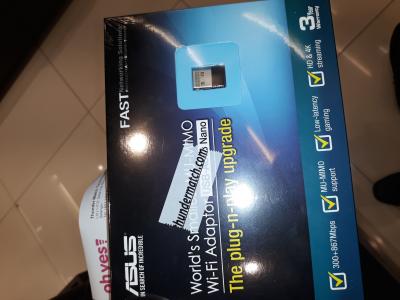
And so I bought... ac53
Attached thumbnail(s)
|
|
|
|
|
|
Sep 17 2018, 12:32 PM
Return to original view | Post
#182
|
|
Senior Member
1,221 posts Joined: Sep 2014 From: Malaysia
|
QUOTE(Doraku @ Sep 17 2018, 12:08 PM) Ok now dont complain is you didnt get 500++mbps on 802.11ac It's supposed to get 400+ Mbps through dir824 with ac53? My tabs3 only get about 230mbps  |
|
|
Sep 17 2018, 12:39 PM
Return to original view | Post
#183
|
|
Senior Member
1,221 posts Joined: Sep 2014 From: Malaysia
|
QUOTE(JohnLai @ Sep 17 2018, 12:30 PM) Seriously? Yet to test, still at setia city mall, why? This one not good? So, what is the best speed you can get from it when connected to your DIR 842? |
|
|
Sep 17 2018, 12:50 PM
Return to original view | Post
#184
|
|
Senior Member
1,221 posts Joined: Sep 2014 From: Malaysia
|
QUOTE(JohnLai @ Sep 17 2018, 12:44 PM) Oi...I already told ya....USB-AC53 can only reach 300Mbps effective max. How about DWA182?Since the NANO antenna is quite small........you shouldn't really expect that 300Mbps effective if there is no clear line of sight from the adapter to the router..... |
|
|
Sep 17 2018, 12:51 PM
Return to original view | Post
#185
|
|
Senior Member
1,221 posts Joined: Sep 2014 From: Malaysia
|
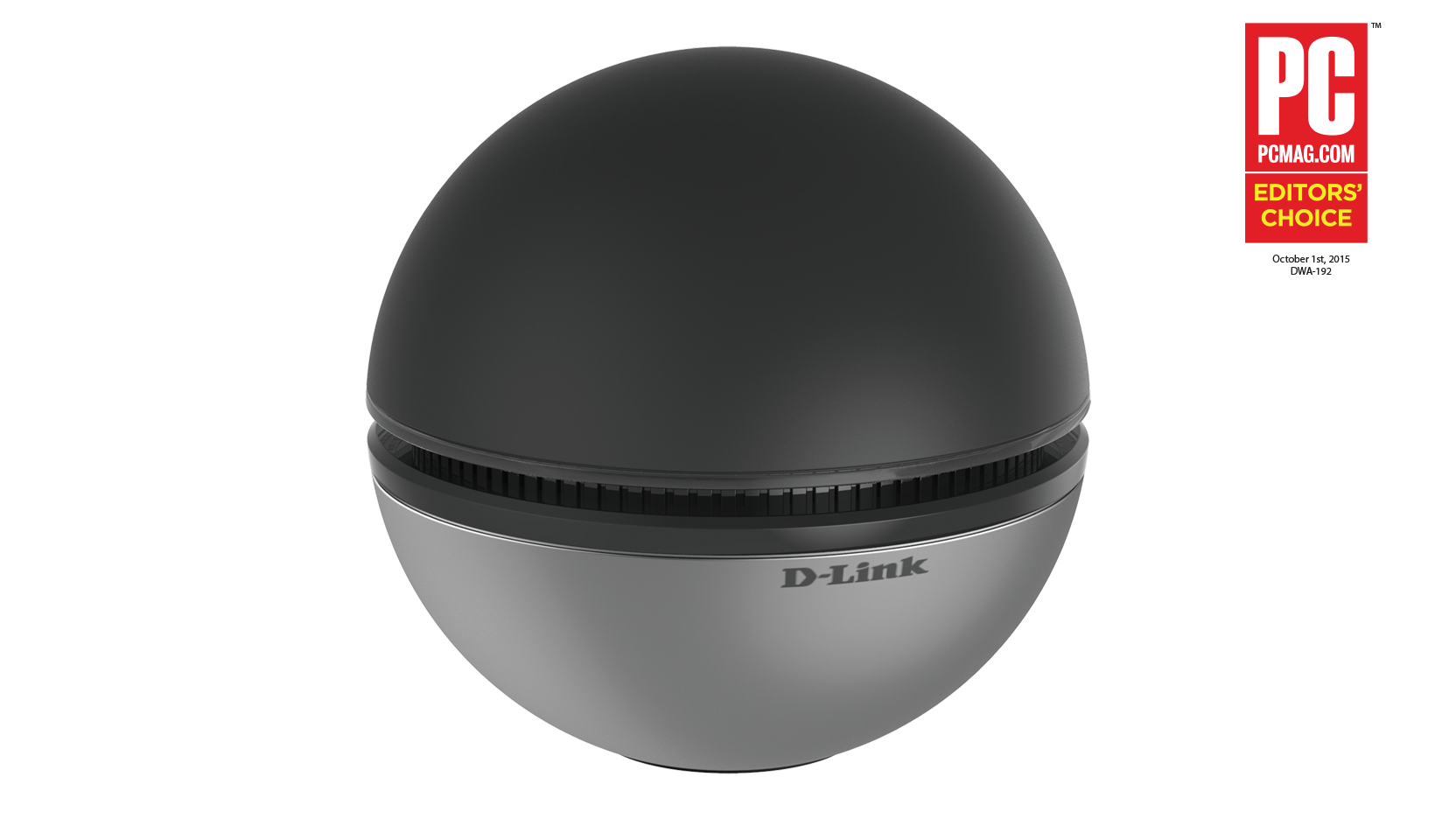
QUOTE(Doraku @ Sep 17 2018, 12:46 PM) I thought he say, he going to buy that dlink bola ping pong wifi adapter?(DWA192) Thudermatch don't have much selection here. » Click to show Spoiler - click again to hide... « |
|
|
Sep 17 2018, 12:52 PM
Return to original view | Post
#186
|
|
Senior Member
1,221 posts Joined: Sep 2014 From: Malaysia
|
QUOTE(Doraku @ Sep 17 2018, 12:46 PM) I thought he say, he going to buy that dlink bola ping pong wifi adapter?(DWA192) Thudermatch @ setia city mall don't have, have 182» Click to show Spoiler - click again to hide... « I got two choice between 182 and 192, since it's not available at the moment, and my DWA131 n300 is struggling to achieve 70+Mbps some of the time, DWA182 is not too bad I think , no? This post has been edited by StuartLee2015: Sep 17 2018, 01:24 PM |
|
|
|
|
|
Sep 17 2018, 12:56 PM
Return to original view | Post
#187
|
|
Senior Member
1,221 posts Joined: Sep 2014 From: Malaysia
|
Should I get the dwa182? I can go buy another one since my sis laptop is not AC caapable and reach max speed of 40+
This post has been edited by StuartLee2015: Sep 17 2018, 12:58 PM |
|
|
Sep 17 2018, 01:12 PM
Return to original view | Post
#188
|
|
Senior Member
1,221 posts Joined: Sep 2014 From: Malaysia
|
So I bought dwa182 for now . Even Harvey Norman don't have ac56, and rm20 more expensive for ac53.
|
|
|
Sep 17 2018, 01:21 PM
Return to original view | Post
#189
|
|
Senior Member
1,221 posts Joined: Sep 2014 From: Malaysia
|
From here as recommended I bought AC53 and DWA182.
Gonna change router to DIR878 next month, when I get next month pay. Attached thumbnail(s) 
|
|
|
Sep 17 2018, 02:12 PM
Return to original view | Post
#190
|
|
Senior Member
1,221 posts Joined: Sep 2014 From: Malaysia
|
QUOTE(soonwai @ Sep 17 2018, 02:04 PM) Why not go Low Yat Plaza? Plenty of options there. Or just browse Shopee or Lazada. The only time I go Harvey Norman is when I want 12 months 0% instalments or cheap Office 365. I know, I can always get better one someday, but I seriously cannot stand the 2.4Ghz, even with dir842, this morning only get 0.12mbps* default settings too, not sure why even though signal strength is maxed |
|
|
Sep 17 2018, 02:13 PM
Return to original view | Post
#191
|
|
Senior Member
1,221 posts Joined: Sep 2014 From: Malaysia
|
QUOTE(Apeiron @ Sep 17 2018, 02:01 PM) TM set DIR-842, after update to Latest Retail FW, can it update back to Ori Tm FW Ver3.01? What problem you encountered and why update back to TM version? |
|
|
Sep 17 2018, 03:34 PM
Return to original view | IPv6 | Post
#192
|
|
Senior Member
1,221 posts Joined: Sep 2014 From: Malaysia
|
QUOTE(Apeiron @ Sep 17 2018, 02:19 PM) no problem at all, DIR-842 works well for me so far, just curious can i update between the 2 FW if i want to. just fear it will be like TP-Link Archer C1200, after update to retail FW, can not go back to TM FW. I see... so the non TM firmware, any difference or improvement? |
|
|
Sep 17 2018, 03:36 PM
Return to original view | IPv6 | Post
#193
|
|
Senior Member
1,221 posts Joined: Sep 2014 From: Malaysia
|
QUOTE(Doraku @ Sep 17 2018, 02:23 PM) You can just buy good quality cat5e cable and get full speed Yea, for now i use USB first, after i got some time, i get the Prolink 40m ?, to route from the router ( picture i shown you all ) all the way to my room. |
|
|
|
|
|
Sep 17 2018, 04:54 PM
Return to original view | IPv6 | Post
#194
|
|
Senior Member
1,221 posts Joined: Sep 2014 From: Malaysia
|
QUOTE(chocobo7779 @ Sep 17 2018, 03:49 PM) Don't be so judgmental towards him Yea... I looked around on Harvery Norman, got one from Singapore, a brand called Mazer ( If i recall correctly ) have 1 to 10M of Cat6. But i not sure if its' good, so i hold off for now. Then another is called Easy Link, it shows Cat6 but i doubt it's quality like you all would, conclusion AC53 and DWA182 Anyway, note that lower quality cables tend to degrade signal quicker over distances compared to high quality ones  In addition, longer copper cables (especially those lower quality, copper-clad ones) may mean lower signal quality over such distances, and thus result in a slower link StuartLee2015 's slow network issue is particularly a good example here as he actually called TM's technician to fix his issue, only to find out that the issue comes from his CAT5e cable I will be getting a short one Cat6 to connect Modem to Router, or Cat5e? Brand is Prolink at Shopee. Then the next month will be getting DIR878 if the DIR842 is not up to standards. |
|
|
Sep 17 2018, 04:57 PM
Return to original view | IPv6 | Post
#195
|
|
Senior Member
1,221 posts Joined: Sep 2014 From: Malaysia
|
QUOTE(Doraku @ Sep 17 2018, 04:30 PM) 40Meter too long lol,even my 30 meter cable still have alot of extra length on my farthest room, but i can tell your distance based on only one photo lol No lol, if Cat6 i can get 500Mbps , i wouldn't mind now, i figured how to route but not the nicest. Update : DWA182 on AC gets me 282.45 Mpbs and 106.96 Mbps, seems pretty good ? |
|
|
Sep 17 2018, 05:53 PM
Return to original view | IPv6 | Post
#196
|
|
Senior Member
1,221 posts Joined: Sep 2014 From: Malaysia
|
QUOTE(soonwai @ Sep 17 2018, 05:38 PM) 2.4Ghz is quite unpredictable. Below are Speedtests at 2.4 & 5Ghz at a restaurant in Midvalley. UniFibiz 100Mbps. yea, that's why i am baffled and i ask around .   But yours is a house right? You shouldn't be affected by interference that much cause you only have 2 immediate neighbours to contend with. Oh yes, should i set 40 , or 80Mhz for 5Ghz? |
|
|
Sep 17 2018, 07:09 PM
Return to original view | Post
#197
|
|
Senior Member
1,221 posts Joined: Sep 2014 From: Malaysia
|
QUOTE(Doraku @ Sep 17 2018, 06:04 PM) BTW your pc usb port USB 3.0 Or USB 2.0? Bro, Z370F have 6 x USB 3.0 port(s) (4 at back panel, blue, 2 at mid-board)Casing is Maker 5 , 1x USB3.0 Type C and 1x USB3.0 Type A, and 2x USB2.0 |
|
|
Sep 17 2018, 07:57 PM
Return to original view | Post
#198
|
|
Senior Member
1,221 posts Joined: Sep 2014 From: Malaysia
|
QUOTE(zher4883 @ Sep 17 2018, 02:32 PM) 290-320Mbps in very close distance 3-4m away and 250-280Mbps 10m away with a wall in between. I get above 220 in my room. Seems blazing fast already |
|
|
Sep 17 2018, 08:37 PM
Return to original view | Post
#199
|
|
Senior Member
1,221 posts Joined: Sep 2014 From: Malaysia
|
QUOTE(wilson1stop @ Sep 17 2018, 08:00 PM) LOL, so now you happy with it? Yes, Its better than wireless N unstable speed ranging from 0.12 Mbps to 70+ , and some of the time cannot achieve 70+ even when very near to routerThis post has been edited by StuartLee2015: Sep 17 2018, 08:38 PM |
|
|
Sep 17 2018, 10:53 PM
Return to original view | IPv6 | Post
#200
|
|
Senior Member
1,221 posts Joined: Sep 2014 From: Malaysia
|
QUOTE(diversity @ Sep 17 2018, 09:34 PM) I have two packages with Unifi For the 500Mbps, it's the same for me, need to use 5Ghz to get about 220 mbps. LAN for sure can get higher. ( corrected )1) 100mbps lite RM129 2) 500mbps turbo upgrade RM179 Both using the newest routers given by TM (D link DIR-842 & TP Link Archer C1200 respectively). However for both when using the normal 2.4ghz wifi can only get max 50Mbps (even when I'm standing infront of modem&router) with TM speed test & speedtest.net. In order to get the max speed, have to use the 5ghz only. Normal? This post has been edited by StuartLee2015: Sep 17 2018, 11:35 PM |
|
Topic ClosedOptions
|
| Change to: |  0.2337sec 0.2337sec
 0.52 0.52
 7 queries 7 queries
 GZIP Disabled GZIP Disabled
Time is now: 6th December 2025 - 08:54 PM |
 Quote
Quote