

 Jan 18 2021, 06:00 PM


QUOTE(joshhd @ Jan 18 2021, 05:21 PM)
What is the model of your home theatre system/soundbar? Maybe you wanna look into settings that able to Auto Level Volume/Normalise Volume?
Make sure the volume level on your Astro box has adjusted to maximum.
For daily use, you can adjust the volume using your TV remote control or home theatre system/soundbar, but not through the Astro box.
Maybe you can consider change the Digital Audio setting on your Ultra Box, into "Stereo (PCM)"?
Make sure the volume level on your Astro box has adjusted to maximum.
For daily use, you can adjust the volume using your TV remote control or home theatre system/soundbar, but not through the Astro box.
Maybe you can consider change the Digital Audio setting on your Ultra Box, into "Stereo (PCM)"?
Thx, is on my TV TCL 50C716 with Dolby Atmos / Dolby AC4, Dolby TrueHD (DTS-HD).
Every time changing channels,when sound is louder..... my sound icon (Dolby Audio) appear on left top corner.
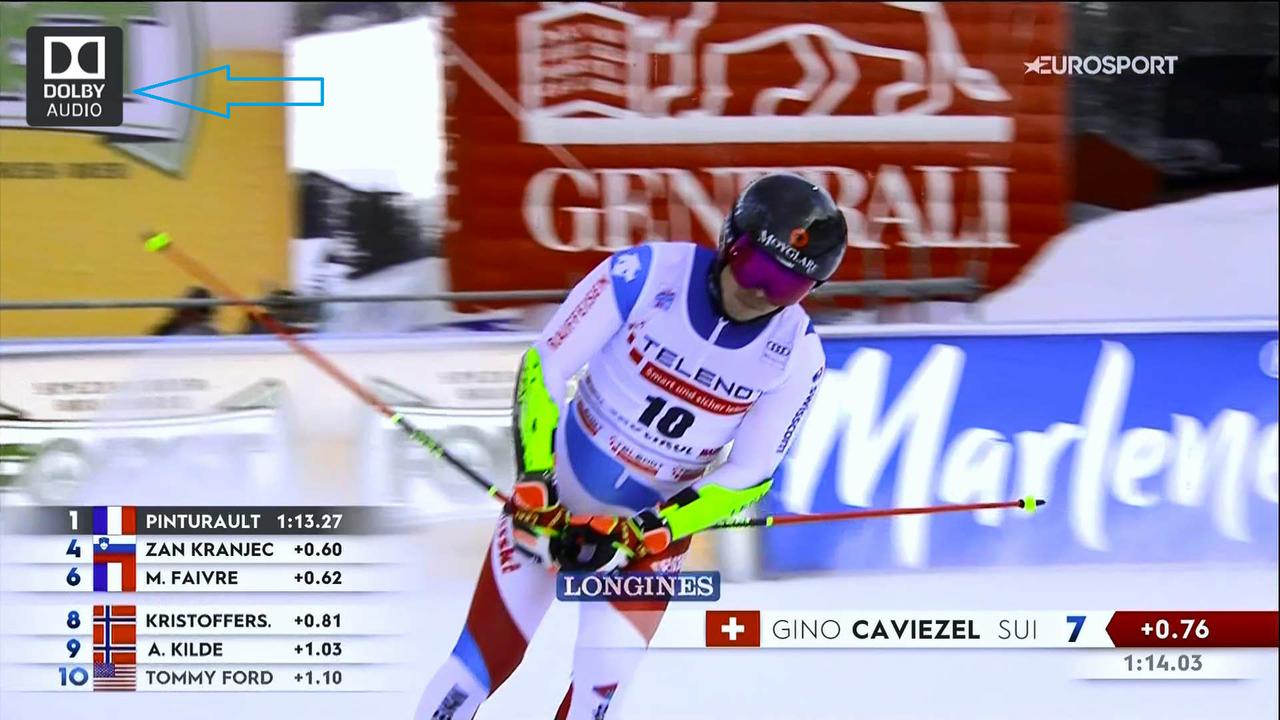
In Ultra-Box setting I set (HDMI Audio) Dolby Atmos - Dolby Digital Plus.
Will try Dolby Audio - Dolby Digital, Stereo (PCM) and Auto.
In S/PDIF Audio if I change from Dolby Audio - Dolby Digital to Stereo (PCM) sound is even much lower.
Thx again..
Edit:
For now on set to Auto....will see how....
Stereo (PCM) in any combination give me lower sound.
This post has been edited by stasio: Jan 18 2021, 10:48 PM
 Quote
Quote





 0.0499sec
 0.42
0.42
 7 queries
 GZIP Disabled