Outline ·
[ Standard ] ·
Linear+
tenda ac18, who got firmware
|
cliv
|
 Sep 28 2018, 08:31 AM Sep 28 2018, 08:31 AM
|
Getting Started


|
QUOTE(pisces1529 @ Sep 27 2018, 11:19 PM) I put on laptop cooler currently, ~72C drop to 59-61C 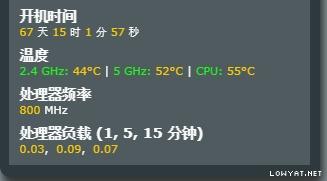 this is mine at daytime. during night time, it should be 52C, if aircond, then 49C, i mean the CPU temperature. This post has been edited by cliv: Sep 28 2018, 08:32 AM |
|
|
|
|
|
adliazaddin
|
Sep 28 2018, 10:37 AM
|
|
|
QUOTE(SilentVampire @ Sep 28 2018, 07:43 AM) Your router does not support the speed. You need high-end router for that, and it is highly unlikely your speed could go up that high. i tot ac18 can  |
|
|
|
|
|
SilentVampire
|
Sep 28 2018, 11:07 AM
|
|
|
QUOTE(adliazaddin @ Sep 28 2018, 10:37 AM) Click the link on my signature and read green text, and see list of compatible routers for your turbo speed. |
|
|
|
|
|
adliazaddin
|
Sep 28 2018, 12:45 PM
|
|
|
QUOTE(SilentVampire @ Sep 28 2018, 07:43 AM) Your router does not support the speed. You need high-end router for that, and it is highly unlikely your speed could go up that high. Ac 18 is in the list |
|
|
|
|
|
SilentVampire
|
Sep 28 2018, 01:11 PM
|
|
|
QUOTE(adliazaddin @ Sep 28 2018, 12:45 PM) It is, but only can reach 800Mbps in optimal conditions. It is very hard for a phone to ever go up any higher than a few hundred Mbps. That is just the way it is. This post has been edited by SilentVampire: Sep 28 2018, 01:11 PM |
|
|
|
|
|
adliazaddin
|
Sep 28 2018, 03:43 PM
|
|
|
|
|
|
|
|
|
muhammadnajmi96
|
Sep 28 2018, 04:26 PM
|
Getting Started
|
Simple bro, you want higher performance, you need to pay more
|
|
|
|
|
|
neuromancerx
|
Sep 29 2018, 12:25 AM
|
|
|
QUOTE(adliazaddin @ Sep 28 2018, 03:43 PM) why are you angry? even in enterprise grade gear, you probably will not achieve that speed unless under 'optimal' environment.. regarding S9+ hit the 1Gbps speed, i think it was on the 4G Speed instead of wifi. |
|
|
|
|
|
Boy96
|
Sep 29 2018, 12:31 AM
|
|
|
Oh nooo too late 
|
|
|
|
|
|
shamsay
|
Sep 29 2018, 11:03 AM
|
|
|
QUOTE(Boy96 @ Sep 29 2018, 12:31 AM) Oh nooo too late
Wait for ookas promotion la |
|
|
|
|
|
stasio
|
Sep 29 2018, 11:09 AM
|
|
|
QUOTE(shamsay @ Sep 29 2018, 11:03 AM) Wait for ookas promotion la All router prices is going up.....info from seller.  |
|
|
|
|
|
ex999
|
Sep 29 2018, 03:46 PM
|
New Member
|
I'm going to try merlin , i just what make sure below step is correct or not?
1.Into CFE Mode flash RT-AC68U_378.56_beta2-X5.7-20151017
2.Back to CFE Mode click "Restore default NVRAM values" -> reboot
3.Update RT-AC68U_380.70_0-X7.9 in merlin firmware upgrade
4.in merlin webshell input commands to make USB work
nvram set model=RT-AC68U
nvram set HW_ver=170
nvram commit
5.setup router username, password ,wifi ... done
|
|
|
|
|
|
shamsay
|
Sep 29 2018, 04:54 PM
|
|
|
QUOTE(ex999 @ Sep 29 2018, 03:46 PM) I'm going to try merlin , i just what make sure below step is correct or not? 1.Into CFE Mode flash RT-AC68U_378.56_beta2-X5.7-20151017 2.Back to CFE Mode click "Restore default NVRAM values" -> reboot 3.Update RT-AC68U_380.70_0-X7.9 in merlin firmware upgrade 4.in merlin webshell input commands to make USB work nvram set model=RT-AC68U nvram set HW_ver=170 nvram commit 5.setup router username, password ,wifi ... done Correct bossku |
|
|
|
|
|
adliazaddin
|
Sep 29 2018, 08:05 PM
|
|
|
QUOTE(neuromancerx @ Sep 29 2018, 12:25 AM) why are you angry? even in enterprise grade gear, you probably will not achieve that speed unless under 'optimal' environment.. regarding S9+ hit the 1Gbps speed, i think it was on the 4G Speed instead of wifi. well s9+ is the only device at my home that suppork ac and yet still perform like n lelelel |
|
|
|
|
|
chong83
|
Sep 29 2018, 08:16 PM
|
Getting Started
|
QUOTE(cliv @ Sep 27 2018, 05:19 PM) are you using merlin 384.6? Because of this Merlin, I brick 2 units, and i still back with KS X7.9 at the moment. i am use RT-AC68U_380.70_0-X7.9-koolshare.trx this firmware is very stable, i am use Private Tracker upload almost 1 day 1TB, no speed limit, no connection limit almost 5 days, no auto reboot and disconnect i just put a 12cm fan on top of router, temp is 57-62c 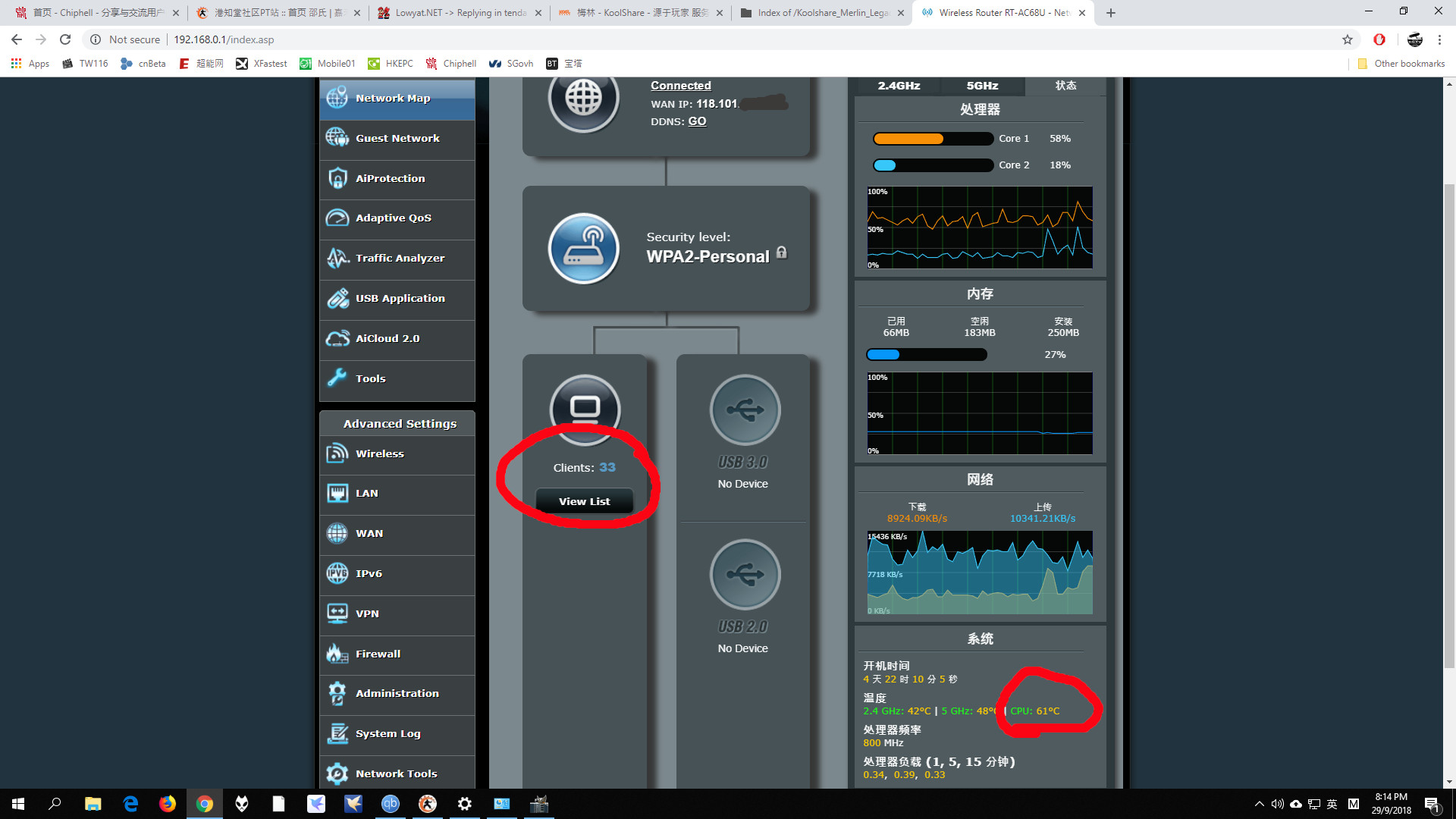 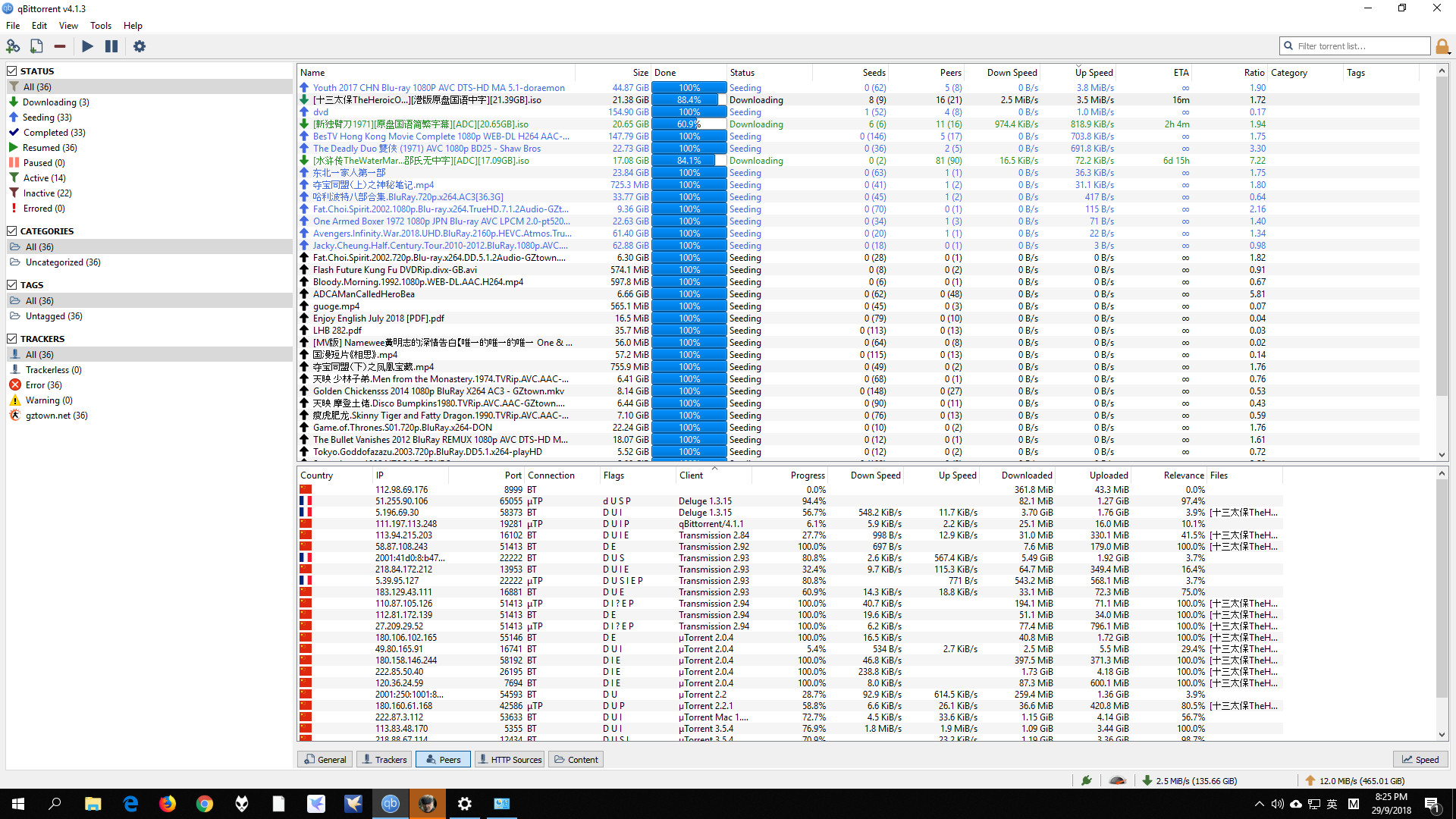 This post has been edited by chong83: Sep 29 2018, 08:57 PM This post has been edited by chong83: Sep 29 2018, 08:57 PM |
|
|
|
|
|
chong83
|
Sep 29 2018, 08:19 PM
|
Getting Started
|
QUOTE(ex999 @ Sep 29 2018, 03:46 PM) I'm going to try merlin , i just what make sure below step is correct or not? 1.Into CFE Mode flash RT-AC68U_378.56_beta2-X5.7-20151017 2.Back to CFE Mode click "Restore default NVRAM values" -> reboot 3.Update RT-AC68U_380.70_0-X7.9 in merlin firmware upgrade 4.in merlin webshell input commands to make USB work nvram set model=RT-AC68U nvram set HW_ver=170 nvram commit 5.setup router username, password ,wifi ... done after flash merlin please do'n press the reset button when power on, your ac18 will brick |
|
|
|
|
|
RokXIII
|
Sep 29 2018, 09:31 PM
|
|
|
QUOTE(chong83 @ Sep 29 2018, 08:16 PM) i am use RT-AC68U_380.70_0-X7.9-koolshare.trx this firmware is very stable, i am use Private Tracker upload almost 1 day 1TB, no speed limit, no connection limit almost 5 days, no auto reboot and disconnect i just put a 12cm fan on top of router, temp is 57-62c » Click to show Spoiler - click again to hide... « ur fan is to blow cold air in? or suck hot air out? |
|
|
|
|
|
chong83
|
Sep 29 2018, 10:42 PM
|
Getting Started
|
QUOTE(RokXIII @ Sep 29 2018, 09:31 PM) ur fan is to blow cold air in? or suck hot air out? ya blow in |
|
|
|
|
|
pisces1529
|
Sep 29 2018, 10:46 PM
|
|
|
QUOTE(chong83 @ Sep 29 2018, 08:16 PM) i am use RT-AC68U_380.70_0-X7.9-koolshare.trx this firmware is very stable, i am use Private Tracker upload almost 1 day 1TB, no speed limit, no connection limit almost 5 days, no auto reboot and disconnect i just put a 12cm fan on top of router, temp is 57-62c Wow.. you really fully utilize this router. So good seed for other people also. 😄 |
|
|
|
|
|
prokiller1199
|
Sep 30 2018, 10:30 AM
|
|
|
QUOTE(chong83 @ Sep 29 2018, 08:16 PM) i am use RT-AC68U_380.70_0-X7.9-koolshare.trx this firmware is very stable, i am use Private Tracker upload almost 1 day 1TB, no speed limit, no connection limit almost 5 days, no auto reboot and disconnect i just put a 12cm fan on top of router, temp is 57-62c where can find those torrents? i would like to seed too. |
|
|
|
|



 Quote
Quote


 0.0285sec
 0.41
0.41
 6 queries
 GZIP Disabled