

 Jan 3 2018, 05:04 PM, updated 7y ago


((( Xiaomi - Mi A1 V1 thread )))

Android at its best
This is the purest form of Android.
Experience it on Xiaomi's powerful Mi A1.
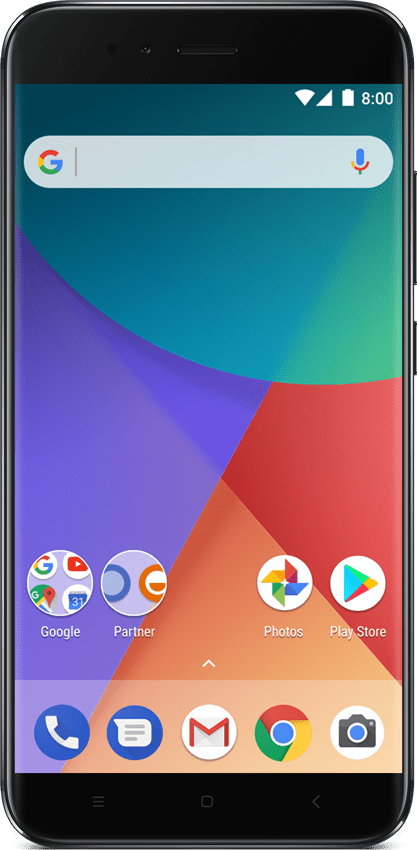
Created by Xiaomi, Powered by Google
Introducing the powerful Mi A1. The picture perfect dual camera with 2x optical zoom helps you capture stunning shots — and with unlimited storage on Google Photos, you’ll never have to worry about losing them.
Mi A1
Dual camera with 2x optical zoom
Full Metal Unibody, 5.5” Display
Snapdragon 625, 4GB RAM + 64GB ROM
Free unlimited storage on Google Photos*
This is Android, pure and simple
Android One guarantees you get the best version of Android, right out of the box. So you get the phone you want, just the way you want.

Everything You Want
You get a streamlined, secure phone featuring your favourite Google services like Youtube, the Google Assistant, Maps, and more..
Nothing You Don't
Android One puts you in control. With no unnecessary apps, you get an intuitive experience that’s easy to navigate and a cinch to customize.
Built with the best of Google
Whether it’s your own personal assistant, free unlimited high quality photo storage, or video calling on Google Duo, Android One includes the best of Google — right out of the box.
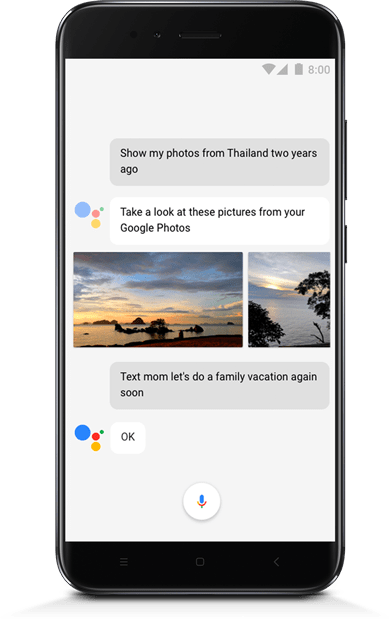
Google Assistant, always ready to help
Android One phones are optimized for the Google Assistant where the Google Assistant is available. You can ask it to hail a ride, text a friend, even order your dinner - Google Assistant is ready to help wherever you are.
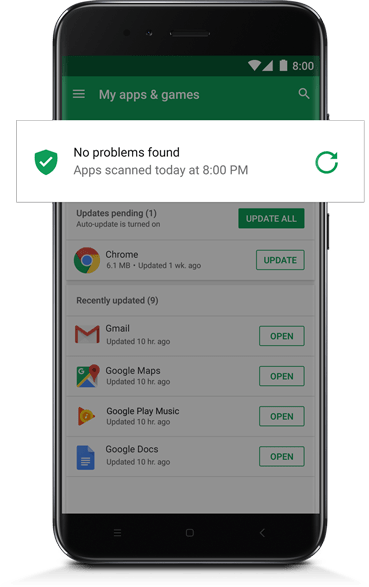
Your phone, fortified
Android One phones are among the most secure since they all get regular security software updates and come with Google Play Protect built in. Play Protect automatically helps to keep your information secure and ensure that your phone is clean, fast, and performing at its best.
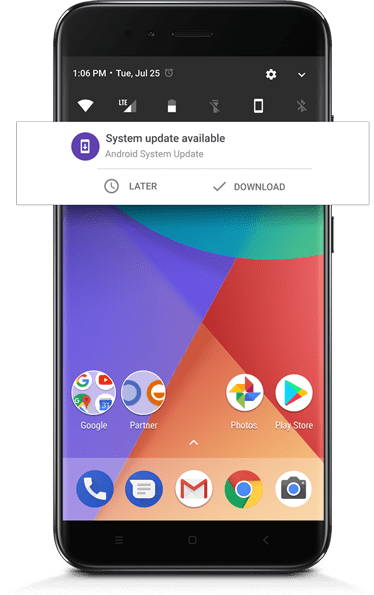
Stays fresh over time
With Android One, your phone will receive at least two years of OS upgrades to the latest version of Android. That means access to the latest innovations and a phone that always runs as smoothly as the day you bought it.
WHERE TO GET MI A1 CASING/TEMPERED GLASS/SCREEN PROTECTOR?
Casing
#1 Suggested Site For Mi A1 Casing
#2 Suggested Site For Mi A1 Casing
#3 Suggested Site For Mi A1 Casing
#4 Suggested Site For Mi A1 Casing
#5 Suggested Site For Mi A1 Casing
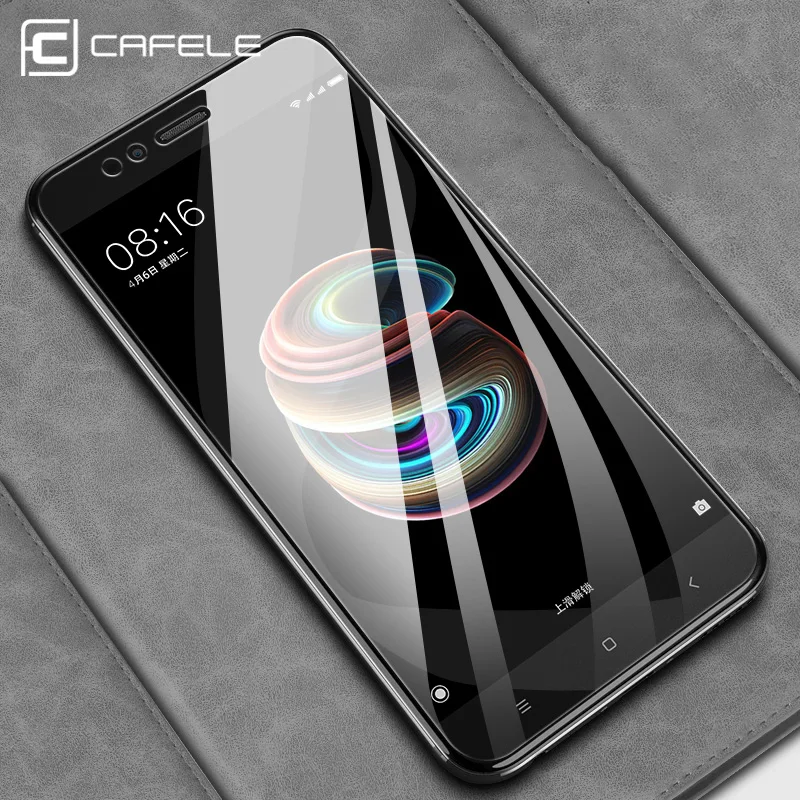
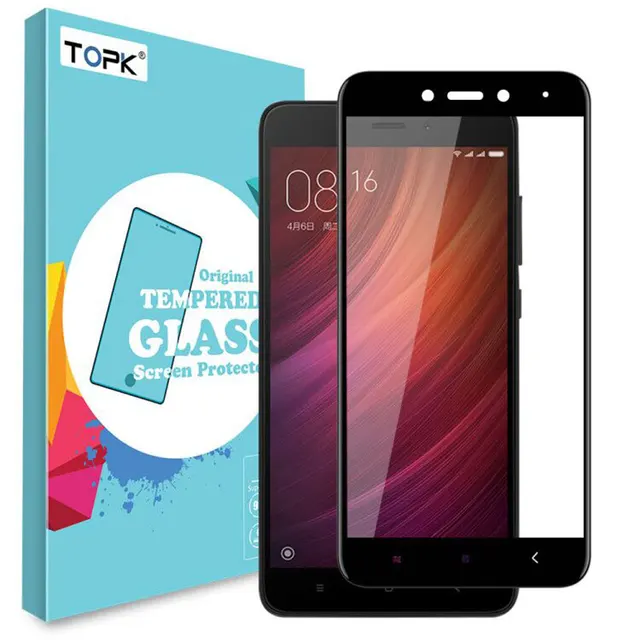
Tempered Glass
#1 Suggested Site For Mi A1 Tempered Glass/Screen Protector
#2 Suggested Site For Mi A1 Tempered Glass/Screen Protector
#3 Suggested Site For Mi A1 Tempered Glass/Screen Protector
#4 Suggested Site For Mi A1 Tempered Glass/Screen Protector

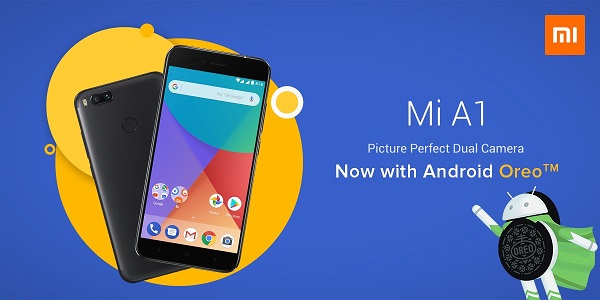
OREO goes official.

QUOTE
Since early December, Xiaomi's been seeking individuals to participate in a beta of Android Oreo for the Mi A1. News broke later in the month that Oreo for the phone introduced fast-charging, but there was still no timeframe as to when it'd be available for all. However, as a treat for ringing in the new year, Xiaomi's announced that Oreo is officially rolling out to all Mi A1 units.
Xiaomi will push Oreo to the Mi A1 in batches, so if you don't have an OTA update quite yet, it should arrive on your handset within a couple days.
In addition to the previously mentioned fast charging, Oreo for the Mi A1 adds picture-in-picture, notification dots, Google's Autofill API, improved battery/performance, and everything else that we've come to love with Android's latest.
Xiaomi will push Oreo to the Mi A1 in batches, so if you don't have an OTA update quite yet, it should arrive on your handset within a couple days.
In addition to the previously mentioned fast charging, Oreo for the Mi A1 adds picture-in-picture, notification dots, Google's Autofill API, improved battery/performance, and everything else that we've come to love with Android's latest.
All new feature of Oreo for Mi A1
Xiaomi Mi A1: Android Oreo vs Android Nougat
We pit the Xiaomi Mi A1 running Android Oreo against another Mi A1 running Android Nougat to find out what difference the update makes.
The Xiaomi Mi A1 (review) that launched under the Android One program has started receiving the update to the latest Android 8.0 Oreo. The phone is the first Xiaomi phone to run on stock Android and the Chinese upstart has collaborated with Google to optimise the experience. The phone is slated to receive timely updates to the next two versions of Android and also the monthly security patches.
That makes the Xiaomi Mi A1 one of the best offerings in the mid-range segment. For Rs 15,000, Xiaomi offered a near lag-free experience and a smooth performance overall courtesy the Qualcomm Snapdragon 625 chipset, which is optimised to draw less power without compromising on the performance.
With the new Oreo update, the Mi A1 now sports the latest Android features like picture-in-picture, notifications management and more. But some questions still remained. Did the overall performance go down after the update? Are all the previous features still there? We take a look at the Mi A1 before and after the update and draw comparisons.
What’s New?
It will be hard to notice a significant change in the interface once you upgrade, but look closer and you will start noticing new additions here and there. The first thing that caught my eye was the new notification dots on top of app icons. Any app that has a new notification will display a dot over the icon. Long pressing the icon will show the notification in detail. Also, the quick setting tiles in the notification panel is different. I found it to be more user-friendly as the gear icon for Settings is now below the Settings tiles, making it easier for my fingers to access. The notification panel itself has a lighter shade.
Speaking of notifications, Android Oreo has made it easier to view them on the panel. You can now create different channels for notifications by tapping on a notification on the drawer and choose the priority and visibility of each type of notification. You can also snooze notifications for later.
It’s also easier to bring up the app drawer on the Mi A1 post the update. While earlier you had to flick the app drawer from below, now you can swipe up from anywhere on the home screen to go to the app drawer.
In addition, Android Oreo can initiate Autofill on any app, provided there is support for it. It works similar to how Chrome’s autofill functions and automatically populated fields that require your email ID, phone number, name and more. The Autofill settings is in the “Languages and Input” in settings.
The Settings app itself has gone through a makeover. Some features are now tucked inside broader options like Display, Sound, Security & Location, etc. Earlier, the Settings app was more sprawled out with most features residing on the top menu of the settings app. Additionally, Android Oreo brings more in-depth storage control, which automatically breaks down your phone storage into various categories like Games, Movie & TV apps and more. Each category gives individual options to clear cache and remove junk files.
There battery menu in the Settings app has also been overhauled. It now displays more information about battery usage and options to enable battery saver and adaptive brightness on top.
Perhaps the most exciting feature of Android Oreo is the Picture-in-Picture mode. It builds upon the split-screen feature of Android Nougat, and allows apps to show a floating window over other apps. It is especially useful when watching a video or on a video call. So far, Google Maps and VLC players are one of the few apps that has enabled support for PIP in India.
There are also subtle design changes in the Mi A1 Oreo update. Music notifications can now draw colours from the album artwork to make them more dynamic. There are new emojis that are more distinct and recognisable than the emojis from Kitkat era.
Other additions include Night Light that enables the blue-light filter on the screen, an option to invert the colours, smart text selection, and Google Play Protect. There is an all new Files app that is quite feature-rich and gives option of keeping the storage under control apart from using it as a file explorer.
Does the update hamper performance?
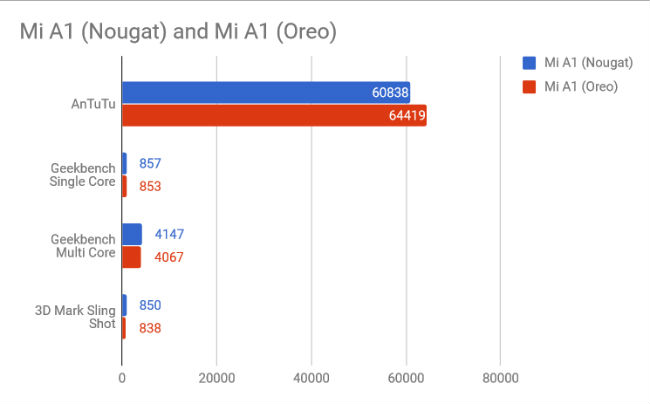
We ran our suite of benchmarks to check whether there has been any drop in synthetic performance. And from what we have seen, the Mi A1 on Android Oreo has improved on raw performance, but it has broken a few things in the process.
The Mi A1 on Android Oreo posted a higher benchmark score on AnTuTu, but scored lower on Geek Bench’s CPU performance test and 3D Mark’s graphics-intensive benchmark tests. The difference is not that much, but it shows the Mi A1 running Android Oreo is using the same processing and graphics power to deliver lower results. This indicates that the Oreo build for the Mi A1 is straining the hardware of the phone a lot more than Android Nougat.
In terms of real world usage, the Mi A1 on Android Oreo also stutters occasionally, while navigating the home screen. There is also a tiny lag when opening the app drawer or pulling down the notification pane. Having said that, app loading times seems to have lessened and apps open a lot faster on Android Oreo than on Android Nougat. Although, some users have reported the gameplay on the Mi A1 is not as smooth after the upgrade.
The phone also boots a hair faster on Android Oreo than on Android Nougat. The Mi A1 on Android Oreo booted in 30.24 seconds, while the same on Android Nougat took 30.48 seconds to boot.
Has the camera improved?
The Mi A1 was the first Xiaomi phone in India to bring dual cameras at the back. It uses a telephoto and wide-angle lens combination to deliver 2X optical zoom and portrait mode. The camera app is custom designed by Xiaomi and is not the stock camera app that ships with the Pixel phones.
When we had tested the phone for our review back when it launched, we had found the camera to be good but not the best in its price range. There are slight loss in details when on auto-focus which increases with deteriorating light conditions, while the stereo mode worked best under ample light.
On the Android Oreo build, the Mi A1 did give better results, indicating that Xiaomi has further tuned the camera app for the better. The colours are more vibrant and saturated and there are more details than before. However, the previous problems do persist. The phone continues to lose details when light conditions deteriorate, but Xiaomi has tried to mask it with more colour vibrance. You can see the colours are more vibrant and saturated on the image taken by the Mi A1 on Android Oreo while on the Mi A1 on Android Nougat, the image was more washed out and blurry.
While zooming, the Mi A1 on Android Nougat showed a steep loss in detail under indoor light but the Mi A1 on Android Oreo seems to have improved on the detail reproduction. Notice the details on the painting on the image taken by the Mi A1 on Oreo are finer and more prominent than its counterpart.
The ‘stereo mode’, which is Xiaomi’s term for the portrait mode is somewhat inconsistent on the Mi A1 running Android Oreo. Some shots had the edges blurred out with more precision while on some, the results were messier. On the other hand, the ‘stereo mode’ on the Mi A1 running Android Nougat isn’t perfect, but it is more consistent. This indicates there is some work to be done on the camera app which Xiaomi will hopefully push out in a future update.
Is there a change in battery life?
The Mi A1 has a 3,080mAh battery which has been tested to last for over a day of medium usage. On PCMark’s battery test, the phone lasted 11 hours which is commendable.
However, the same might not be true for the phone on Android Oreo. We recorded video at 4K for 10 minutes to check how the drop in battery percentage on both versions. The Mi A1 on Android Nougat had a 4 percent drop while recording in 4K for 10 minutes while the phone on Android Oreo had a 6 percent drop while doing the same. This indicates the power consumption is higher on Android Oreo than on Android Nougat. We will also test the phone on PC Mark’s Work 2.0 Battery and update the story later.
Xiaomi also announced the update to Android Oreo will bring fast charging to the Mi A1. However, during our testing, we found no change in charging time whatsoever. A 15 minute charge on the Mi A1 on Android Nougat increased the battery percentage by 12 percent. On Android Oreo, the result was the same.
Are there any issues or bugs with the update?
We have also scoured smartphone forums like XDA-developers to see what issues users are facing after the update. From there we discovered that Xiaomi has disabled the gesture on the fingerprint scanner that would bring down the notification panel on Android Nougat. The option to turn it on is no longer there in the Settings app. However, users who upgraded to the latest version with the feature turned on are still enjoying it.
Some users are also reporting the camera app is showing a black screen for about five seconds before being functional. Moreover, some users reported Google Frameworks crashing after the update. Users are also facing “app not responding” issue with reports of Facebook and Twitter crashing after some time.
Should you update?
The update to Android Oreo brings a whole lot of new features and some under-the-hood optimisations. Xiaomi has worked on improving the camera but in the process has broken the consistency of results. Older features like the Fingerprint Scanner gesture has been disabled and some users have reported a variety of bugs. However, the new additions to the features of the Mi A1 far outweigh the issues users are facing after upgrading. In that sense, updating to the latest Android is always advisable. But, if you are a heavy user of the Mi A1 and cannot tolerate stutters and lags and random force closes, we advise you to stick to the older version till Xiaomi pushes out some bug fixes to the Android Oreo build.
What's New In Oreo 8.1 for Mi A1!
Hello, Mi fans
Finally Android Oreo 8.1 Stable is rolling out for Mi A1. Say hello to the new flavor of the oreo. 8.1. It is an incremental update that builds out some of the new features found in the first version of Oreo 8.0, but there’s plenty of UI changes, Let’s see what are those in this thread!
User interface changes
Dock changes
Now the home screen apps dock become transparent previously it was with the semi-transparent white shade.
System UI changes
Now your quick settings pull-down menu and app drawer automatically change color based on your home screen background. Whenever you use a darker wallpaper, the quick settings and app drawer will change the background color to black to match. but for all other colors, the menu will display a white background instead.
A semi-transparent quick settings menu
The quick settings menu is also semitransparent now, which allow users to see what beneath this settings menu, it will be semi-transparent for the dark wallpaper and same color shade from the wallpaper for Light UI.
Under the Hood changes
Battery Level Indicator for Bluetooth devices
In your Quick Settings, after connecting to a battery-powered Bluetooth device, a battery icon will appear to the right of the Bluetooth icon representing the battery life of the accessory. By selecting the text below, you'll see a list of connected devices along with the battery percentage of each.
Search option in settings
There is the new search box at the top the settings list, it will help you with the search for the settings using its keyword.
Recently opened apps
Under the Apps & notifications settings, there will be a list of recently used apps with the time it was previously it was opened by you. It's helpful when you need to change any settings of the recently used apps
Revamped power menu
Old styled power menu will no longer take your entire screen and the new ew power menu will be displayed on the right side of your device it is so convenient to select the option and it is with the minimalistic design without a lot of functions for quicker action.
Reset option
Under the system tab, there is an option called Reset options it consists of all reset options under one place like network settings, app preferences, factory data reset.
New easter egg
There is actual Oreo cookie is there in this version whereas in the previous there was a round yellow color circle, By Long-pressing the Oreo after tapping repeatedly on it will still get you the octopus that you can drag and fling all around your screen.
More
Speed labels for open Wifi networks
Using this feature you can preview which open Wifi network is faster without wasting the time by connecting to the weakest network rather than a fastest network, it will indicate between slow to very fast based on the below speed level
Slow=0-1 Mbps
OK=1 Mbps-5 Mbps
Fast=5 Mbps-20 Mbps
Very fast=20 Mbps+
And even you can provide the rating to the Google or any other service provider.
Notification sound
Even if you get more than one message notification in a single second from any of your social networking apps, An an app can now only make a notification alert sound once per the second but still, all notifications will be displayed without any changes in queuing up
Thank you for reading
This post has been edited by jovigrunge: Dec 13 2018, 11:00 AM
 Quote
Quote













 0.0865sec
 0.43
0.43
 7 queries
 GZIP Disabled