Welcome Guest ( Log In | Register )

Outline · [ Standard ] · Linear+

 TP-LINK Malaysia Official Thread, Technical Enquiries and Support

views
     
PRSXFENG
post Feb 12 2024, 06:02 PM

Look at all my stars!!
*******
Senior Member
2,607 posts

Joined: Nov 2020


QUOTE(Alert_RaZO @ Feb 12 2024, 01:28 PM)
I just bought Deco x50
Upon setting up, after putting the wifi name, it turns red. Tested no internet.

What went wrong?
*
What did you select for mode
Please use PPPoE mode and remove old router and connect deco directly to modem

See this video
https://youtu.be/TOFEVnjbBDc
PRSXFENG
post Mar 7 2024, 09:21 PM

Look at all my stars!!
*******
Senior Member
2,607 posts

Joined: Nov 2020


QUOTE(ahbenchai @ Mar 7 2024, 04:23 PM)
can i use the all in one router to act as ONT for my tp-link AX72
*
assuming you are using TIME
just contact them and say you want to use your own router
they will configure it and then you can use your own router like with the standalone ont
PRSXFENG
post Mar 8 2024, 11:26 PM

Look at all my stars!!
*******
Senior Member
2,607 posts

Joined: Nov 2020


QUOTE(nles @ Mar 8 2024, 09:01 PM)
Nice, BE85 also supported ya. Any asus router works?
*
I don't think any Asus routers have SFP ports
PRSXFENG
post Mar 15 2024, 08:04 AM

Look at all my stars!!
*******
Senior Member
2,607 posts

Joined: Nov 2020


QUOTE(cawan @ Mar 13 2024, 04:35 PM)
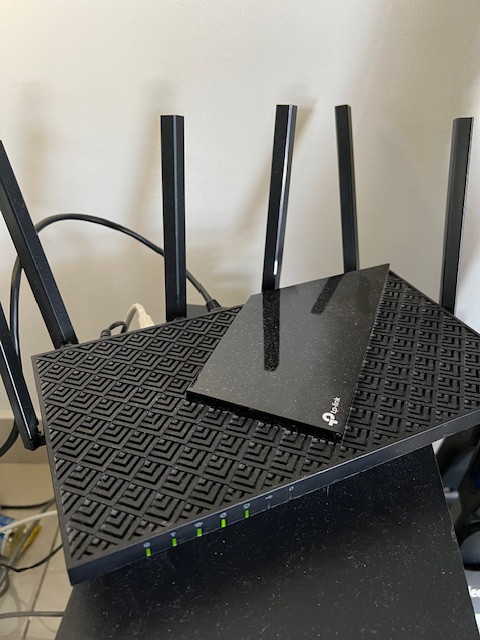
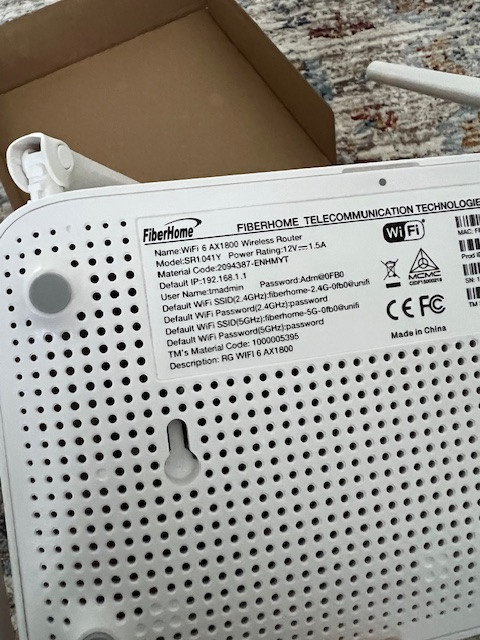
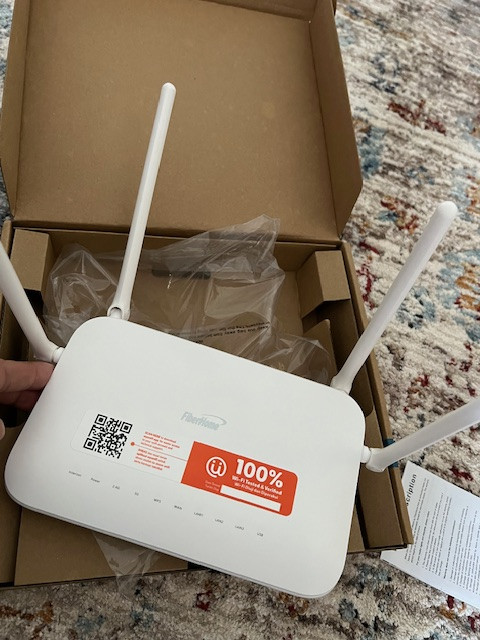
hi everyone, need help here on wifi - extender. current using tplink AX73 .
upgrading unifi package and come with this Fiberhome SR1041Y

primary still using this AX73.
how could i add this Fiberhome act as wifi extender? this possible?
it is true mesh/extender only work with same brand?
user posted image

user posted image

user posted image
*
Yes, usually mesh systems are brand specific

There is an open standard, wifi alliance easymesh
but no clue if the fiberhome supports it while the tplink absolutely does not support it

you could connect a cable and use as Wired Access Point, if there is an option like that on the fiberhome
wireless repeater is not recommended as it heavily decreases speeds
PRSXFENG
post Mar 19 2024, 08:54 AM

Look at all my stars!!
*******
Senior Member
2,607 posts

Joined: Nov 2020


QUOTE(moumoumou @ Mar 18 2024, 11:19 PM)
Hello, I've got a question regarding my home networking.

I stay in a double-storey house and wifi connection in certain areas can be quite bad. Currently I am using 1 router and 1 modem at the same point.

However, my electrician has routed cat6 cables within the walls from the modem/router point to other areas of the house so that my TV and PC can have wired connection. Even though my PC has good wired connection, the room in which the PC is in has quite a bad wifi connection. I am wondering if there is a device which I can plug into at the PC point to act as another Wifi point?
*
Yes, it is called an Access Point
but nowdays most people have moved onto mesh systems
but if you just need a bit of wifi coverage an AP will do

or you could just use any old router you have laying around if they have that option ( do not use in router mode)

PRSXFENG
post Apr 6 2024, 09:45 PM

Look at all my stars!!
*******
Senior Member
2,607 posts

Joined: Nov 2020


QUOTE(archangel1989 @ Apr 5 2024, 03:58 PM)
Hi...may i ask something..which TP Link 4G LTE router that can support Yes 4G sim card?
*
You need the high up bands like 38 and 48
most cheap generic routers do not support those
PRSXFENG
post Apr 8 2024, 05:21 PM

Look at all my stars!!
*******
Senior Member
2,607 posts

Joined: Nov 2020


QUOTE(archangel1989 @ Apr 8 2024, 12:43 AM)
alright...thank you...i will try to find other brand router
*
they do have some that supports those bands
https://www.tp-link.com/my/home-networking/...mr500/#overview

but some of the cheaper models dont
PRSXFENG
post Apr 11 2024, 02:01 PM

Look at all my stars!!
*******
Senior Member
2,607 posts

Joined: Nov 2020


QUOTE(KronenZerg @ Apr 11 2024, 10:19 AM)
Hello,
I am using Unifi 300MB and original router: Fibrehome.

My 2nd floor room has poor or zero coveage so i want to solve this issue.
One shope suggest MESH Deco while other suggest Archer model. So i am a bit confused
if Archer model, which is better .. AX72, AX73 or AXE75 thgh last one is most expensive all 3 models.

If i buy online, can i set up myself if i have the Unifi details?

Thanks.
*
For Archer, it is a replacement router that will hopefully have better range/strength

AX73 is a good choice

Deco mesh is for larger homes, if your home is large then you place a unit on each floor
Ideally, the 2nd unit should be connected back to main unit via cable or on the more expensive models they have a dedicated wireless radio
Otherwise connecting wirelessly works but speeds get reduced a lot

For the setup, simply ask TM for the PPPoE Username and Password and input them into the router while selecting the Malaysia TM Unifi profile
PRSXFENG
post Apr 17 2024, 04:00 PM

Look at all my stars!!
*******
Senior Member
2,607 posts

Joined: Nov 2020


QUOTE(KronenZerg @ Apr 16 2024, 10:45 PM)
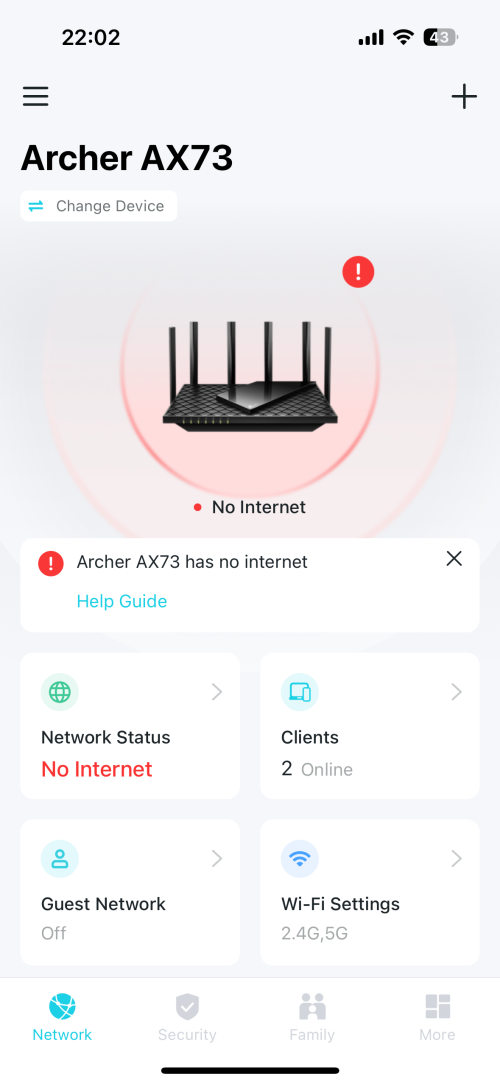
Hello .. i bought tplink archer Ax73 online. I tried setting up tether and laptop via cable. Both is showing no internet but when i plugged back the unifi one, it is working fine.
I set up using auto-detect as what the instructions showed.

Which steps am i missing? Appreciate everyone feedback ..
Thanks.

user posted image
*
I don't think auto will work
please try following this

https://www.youtube.com/watch?v=Mb50X3PcPUU
PRSXFENG
post Apr 17 2024, 11:28 PM

Look at all my stars!!
*******
Senior Member
2,607 posts

Joined: Nov 2020


QUOTE(KronenZerg @ Apr 17 2024, 09:29 PM)
Thks .. i am able to surf now with internet. Now signal is better upstairs but still poor, sometimes no internet, previously was dead zone.
Can i use extender or Deco Mesh, which is more expensive since it comes in pair.

Advice is much appreciated as i am noob here.
*
For the Archer series, you have to use their "OneMesh" nodes like
https://www.tp-link.com/my/home-networking/...xtender/re605x/

However, it seems like in newer firmware updates they have also added support for the WiFi alliance standard "EasyMesh"

So do try to find repeaters that support one of those 2

Deco... Means basically replacing this AX73 and having one of the Deco nodes act as the router and the other to extend coverage, hence why it comes in a set of 2
PRSXFENG
post Jun 11 2024, 09:18 PM

Look at all my stars!!
*******
Senior Member
2,607 posts

Joined: Nov 2020


QUOTE(loonsave @ Jun 11 2024, 12:00 PM)
Hi, I am using 3 units of Deco M5, and would like to replace the main node with X50 and relocated the existing M5 to another floor. Any cons if I mixed the model?
*
I think software features will be reduced to the lowest that all of them support, I remember some posts here about connecting a less featured model resulted in some stuff disappearing from the deco app
PRSXFENG
post Jun 19 2024, 07:28 AM

Look at all my stars!!
*******
Senior Member
2,607 posts

Joined: Nov 2020


QUOTE(Omochao @ Jun 19 2024, 05:56 AM)
Asus is based on Asuswrt-merlin and is standardised to work across most of its hardware unless specified .
*
Hi there just want to correct this

AsusWRT is the software that runs on Asus Routers, it is loosely based on Tomato firmware from long long ago but Asus has made many changes to it over the years

AsusWRT-Merlin is a custom modified version of it by RMerlin that adds features, fixes bugs, etc

AiMesh is Asus's branding for their mesh system, and they basically allow you to mesh any Asus AiMesh Compatible router together
PRSXFENG
post Jun 26 2024, 10:28 AM

Look at all my stars!!
*******
Senior Member
2,607 posts

Joined: Nov 2020


QUOTE(podrunner @ Jun 26 2024, 01:01 AM)
Hi, would anyone know why my Sony Bravia TV (Android 10) will not connect to my Deco (BE65) mesh network.  It connects just fine to either the 2.4 or 5 from the unifi router. Message on TV reads “Wi-Fi network didn’t accept connection”. 
The Sony HTA7000 connects to the deco without a hitch.

Also, is there any possibility that the deco app will list tv as “phone” in the joined device list. I noticed a couple of “phones” which I proceeded to block.  I don’t know if the TV has been “blocked” by mistake.  Spent a good amount of the day changing WiFi passwords, and then all those of the devices.  A real pain.

Hope someone here can advise.  Thank you.
*
i mean. the simple answer would be to unblock and see if it connects up
or, go to tv settings, note down the MAC Address, and see if you accidentally blocked it
PRSXFENG
post Jul 25 2024, 09:17 AM

Look at all my stars!!
*******
Senior Member
2,607 posts

Joined: Nov 2020


QUOTE(oec88 @ Jul 24 2024, 11:15 PM)
Help Needed:
- Whenever I disconnect LAN cable from ASUS RT-AC1300UHP Router to the 1st Deco M4, 1st Deco M4 becomes no internet
- Is there possibility to setup 1st Deco M4 to obtain wireless connection from ASUS RT-AC1300UHP Router without a LAN cable? That would help with cable management
- If 1st Deco M4 is able to connect wirelessly to ASUS RT-AC1300UHP Router, then I can move the 1st Deco M4 unit to one room at down stair, while 2nd Deco M4 unit placing at rear end living room which gives stronger signal and bandwidth to ground floor

Thank you!
*
1. Of course, it is setup to connect via cable and if you disconnect said cable it stops being connected.
2. maybe? I havent used a deco before but it will come with *serious* speed penalty if it is even an option

suggestion: avoid double nat by commiting to one system
use the Asus OR Deco ONLY, do not mix both brands into your setup

Unfortunately it seems like your Asus is too old for AiMesh, so getting another Deco as the main unit, replacing the Asus, and have the other 2 Decos connect wirelessly back to the main deco might be the best option

But again, wirelessly connecting it will always result in a penalty in speed because it has to both use the wifi to communicate back and also talk to your devices

So

Alcatel -> Deco 1 -> Deco 2 and 3
PRSXFENG
post Aug 17 2024, 08:40 PM

Look at all my stars!!
*******
Senior Member
2,607 posts

Joined: Nov 2020


QUOTE(smallarcana @ Aug 17 2024, 05:34 PM)
Hi, looking for advice on my router configuration. Using EX23v (provided by Maxis), and AX5400 is connected to it using a LAN cable.

My issue is, the connection for AX5400 is horrible. After using it for half an hour or so, it will lose connectivity to the internet. The only way to reset the connection is to change the LAN port it was plugged into. I'm not sure what causes this issue and it has veen happening for months. Appreciate any advice I can get as I cannot use the AX5400 to its full capabilities.
*
drop the maxis provided router and connected your own router (of which btw, AX5400 is NOT the model, that's just the speed rating) directly to the TM/Maxis provided Huawei/FiberHome/ZTE/Nokia/Alcatel-Lucent modem
connect it from the original LAN port of the modem, which should be LAN2 or LAN1, do not change it, to the WAN port of your tplink

login to Maxis router and go to setup and make note of the PPPoE Username and password, use inspect element to retrieve password, or, it is usually just your username with a 1 added to the back

Eg: your username is A12345@home.maxis.com.my, then your password is most likely A123451

now, go to your TP-Link's
Advanced -> Network -> Internet

select PPPoE
enter username and password here
optionally, you may change dns as well

then, go to IPTV/VLAN under the same Network section
tick to enable it, then select the Malaysia-Maxis1 profile
if that doesn't work, try Maxis2

(tplink webgui simulator doesn't update the ui to show me the changes so im not sure which one)

I myself prefer to use custom
if your original router was on LAN2, use Internet VLAN 621, VOIP VLAN 822
if you were on LAN1, use Internet VLAN 11, VOIP VLAN 14

then, under LAN section
if you do not intend to use the VOIP of the Maxis, just set all LAN ports to Internet and put your Maxis router into the box
if you wish to reuse the VOIP on the maxis router, set one of the ports, eg, LAN4, to VOIP, then connect a cable from it to the WAN port of your maxis router
login to maxis router and disable internet interface, and disable its wifi too

PRSXFENG
post Sep 24 2024, 03:39 PM

Look at all my stars!!
*******
Senior Member
2,607 posts

Joined: Nov 2020


QUOTE(wigneswr @ Sep 24 2024, 01:07 PM)
Hi, I'm trying to setup my BE550 to use with Astro Fibre. There is no preset for Astro Fibre in the menu. Can someone help on how to manually setup?
*
try manual VLAN 630
PRSXFENG
post Dec 17 2024, 06:11 PM

Look at all my stars!!
*******
Senior Member
2,607 posts

Joined: Nov 2020


QUOTE(b0rhui @ Dec 17 2024, 12:59 PM)
Hi all, I got a TP Link AX72 unit from SG, and I would like to flash it to MY firmware prior to setting up with UniFi. Can I confirm that Tink Malaysia uses US firmware?

https://www.tp-link.com/my/support/download...-ax72/#Firmware

Is there special setup I’ll need to do in order for it to work with UniFi?
*
Probably don't even need to cross flash firmware as long as

"Special ISP requirement" box is available and also PPPoE

If there's no present then just select Custom VLAN and enter 500
PRSXFENG
post Dec 30 2024, 06:08 PM

Look at all my stars!!
*******
Senior Member
2,607 posts

Joined: Nov 2020


QUOTE(vineshl @ Dec 30 2024, 07:30 AM)
Good morning, everyone! I’m looking for some expert advice or suggestions from anyone who has set up a 3-storey house and figured out the best deco or setup for optimizing performance.

I understand that factors like wall materials and layout play a role, but I’d like to hear about the most effective setups that have worked for others.

Here’s my current setup with Unifi 500 Mbps:
• Ground Floor: Router connected to a TP-Link M9 Plus mesh – Speed: 500 Mbps
• 2nd Floor (Middle Hall): TP-Link M5 mesh – Speed: 100–150 Mbps
• 3rd Floor (Master Bedroom): TP-Link M5 mesh – Speed: 10–30 Mbps (sometimes even lower)

Has anyone researched or implemented a more efficient setup? I’d love to hear your insights. Thanks in advance!
*
Well, using a cable to connect them all would be the best if possible

the M9 is great as the main node as it's tri band

however, the M5 isnt so the 3rd one is probably going from m9 -> m5 (1) -> m5 (2)
because the m5 isn't tri band, there's quite the speed penalty of connecting back up wirelessly


Also consider removing the ISP provided router and connect the M9 directly to modem


Change to:
| Lo-Fi Version
0.1120sec    0.39    7 queries    GZIP Disabled
Time is now: 1st December 2025 - 08:44 PM