The problem is not like normal gallery. Like whatsapp image. U open than apears alot of pic just swipe up or down to choose the pic u want. By google photos . Need to swipe each one
Errr... there is two ways...
Method One : WhatsApp to insert GooPho.
Method two : GooPho to search and share to WhatsApp...
Use Method Two is easier to me...
If you use Mtd One, after tap Gallery in WA, there is three dots at top-right corner to use whatever 3rd party gallery you prefer to insert the pix...
This post has been edited by azhar75: Dec 12 2016, 06:32 PM
do lenovo have an app that transfer all the data from X phone to Lenovo?
No, unfortunately...
But half of the works should be done by Google Backup.... If we have used Google Backup in current phone, then, when first boot P2 and sign-in to Google Account, it will prompt to whether set the phone as "New Device" or clone from current phone....
Else,
This post has been edited by azhar75: Dec 12 2016, 07:03 PM
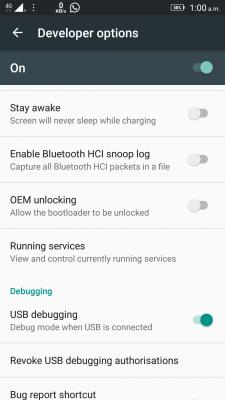
Locked bootloader cannot perform one-click root... Have to unlocked bootloader first which is easy but need to wait 14 days for LeMoto to reply.
Why need to unlock the bootloader in order to root. Correct me if I am wrong, I thought root is just the administrative privilege right.. Unlocking bootloader normally for flashing custom rom?..
Why need to unlock the bootloader in order to root. Correct me if I am wrong, I thought root is just the administrative privilege right.. Unlocking bootloader normally for flashing custom rom?..
Let us know if u managed to successfully operate AdAway app in P2 without unblocking the bootloader.
Tips: 1) Do not run "fastboot oem unlock". 2) Do not run "fastboot flash recovery recovery.img". 3) Instead, just run "fastboot boot recovery.img" and flash the SuperSU zip from there.
Next question, which/where to get this "recovery.img" for P2...?
This post has been edited by azhar75: Dec 13 2016, 07:19 AM


 Dec 12 2016, 06:24 PM


 Quote
Quote










 0.0192sec
 0.65
0.65
 6 queries
 GZIP Disabled