

QUOTE(TheXxBestxX @ Dec 11 2007, 01:36 AM)
what about now ??? is it COOL right??

cool until freeze!:thumbs: » Click to show Spoiler - click again to hide... «
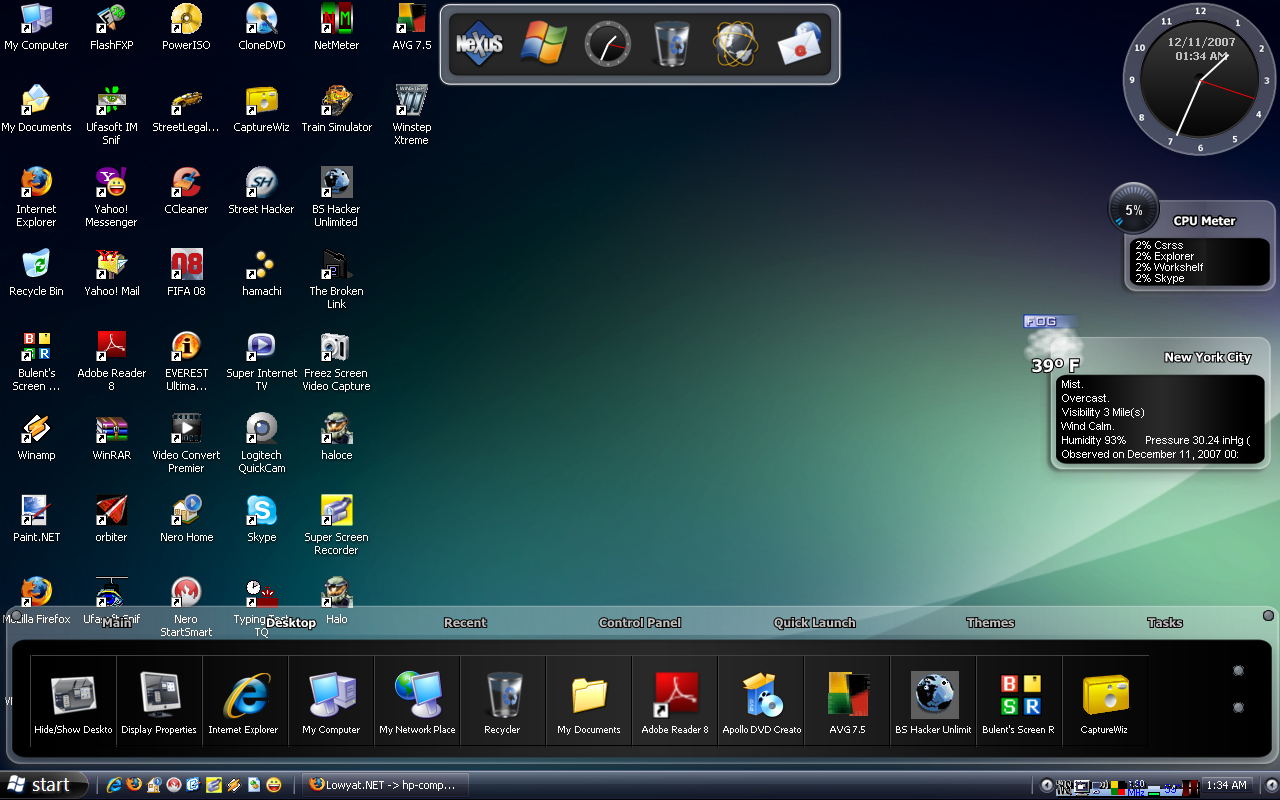
but i dun like the upper n' lower box.
hp-compaq Presario V3000 series AMD & intel V2, Owners, Comments, Drivers, Support n Etc
|
|
 Dec 11 2007, 01:39 AM Dec 11 2007, 01:39 AM
|
 
Senior Member
4,166 posts Joined: Jan 2003 From: Cheras, KL  
|
QUOTE(TheXxBestxX @ Dec 11 2007, 01:36 AM) what about now ??? is it COOL right?? cool until freeze!:thumbs: » Click to show Spoiler - click again to hide... « but i dun like the upper n' lower box. |
|
|
|
|
|
Dec 11 2007, 01:46 AM
|

Senior Member
1,253 posts Joined: Jan 2007 From: Columbus, Ohio
|
QUOTE(BOTAK_WAI @ Dec 11 2007, 01:39 AM) cool until freeze!:thumbs: lower box can be minimized...but i dun like the upper n' lower box. |
|
|
Dec 11 2007, 02:17 AM
|
|
Junior Member
257 posts Joined: Jan 2006
|
Hello everyone...
just bought this lappy yesterday... come with clean hdd.. i installed my own original windows xp bad thing is i cant install the audio drive ... everything is fine except the audio drive is there any special steps ? thanks After applying all the files.. bad new is i don have the YELLOW QUESTION MARK in my device manager after i saw the error in detecting something something ! any idea? help me guys ! -------------------------------------------------------------------------------- Added on December 11, 2007, 2:01 am+ some additional information.. there are only 2 YELLOW QUESTION MARKS.. both also PCI and dono what driver to allocate for them even i put automaticall still it detects nothing... thanks |
|
|
Dec 11 2007, 04:18 AM
|
|
Senior Member
1,253 posts Joined: Jan 2007 From: Columbus, Ohio
|
QUOTE(ohzmygod @ Dec 11 2007, 02:17 AM) Hello everyone... yup..definately have some special step to install the audio driver. here is the step:just bought this lappy yesterday... come with clean hdd.. i installed my own original windows xp bad thing is i cant install the audio drive ... everything is fine except the audio drive is there any special steps ? thanks After applying all the files.. bad new is i don have the YELLOW QUESTION MARK in my device manager after i saw the error in detecting something something ! any idea? help me guys ! -------------------------------------------------------------------------------- Added on December 11, 2007, 2:01 am+ some additional information.. there are only 2 YELLOW QUESTION MARKS.. both also PCI and dono what driver to allocate for them even i put automaticall still it detects nothing... thanks 1. Download all three audio drivers file from here. 2. Install UAA 1.00B first. 3. Install Conexant HD Audio Driver ver 3.38.0.50 A, then install Conexant HD Audio Driver ver 3.30.0.00 A, after the installation it will prompt that the media is not found. Don't bother about it and click OK. 4. Go to Device Manager, you will see a question mark on the audio item, right click it and select "Update driver..." 5. Select "Use install from a list or specific location (advanced)". 6. Select "Don't search I will choose the driver to install." 7. Click "Have Disk", and go to C:\swsetup\SP34386, click on wis30B5a.inf and it will install the Audio Driver successfully. BTW guys, here is the complete download for V3k series driver for window XP: [AMD] : http://www.sendspace.com/file/6ban8d [Intel] : http://www.sendspace.com/file/nl8i7o Added on December 11, 2007, 5:44 amguys, check out this, i found on the net  Before, your only solution to have a decent battery life for your laptop was to buy an extra one. Now, there's a lighter, more efficient, and cheaper alternative: Battery Doubler! Because it doesn't use standard techniques (dim screen light, etc.), but finds out what is not being used and turns it off, such as, for example, the USB ports, you can achieve double the activity without sacrificing comfort. After using your battery a lot without paying attention to discharge and recharge it fully every time, its performance becomes very low. With Battery Doubler, simply run the recalibration wizard and it does the entire job for you - automatically! From the configuration window to the battery status indicator features, Battery Doubler excels in ease-of-use. The interface fully respects Microsoft's guidelines and is very intuitive. Because you don't always want to read a 300-pages manual before using a software, you will understand how to use Battery Doubler in no time. downloaded it and i gonna try it first. This post has been edited by TheXxBestxX: Dec 11 2007, 05:44 AM |
|
|
Dec 11 2007, 08:56 AM
|

Senior Member
1,739 posts Joined: Jun 2005
|
QUOTE(TheXxBestxX @ Dec 11 2007, 12:58 AM) yeah...but not everyone like XP. some people follow the trend...and some people love open source. i tried to install vista ultimate.. it hang whole the time..  |
|
|
Dec 11 2007, 09:40 AM
|

Senior Member
1,177 posts Joined: Jan 2003 From: Penang , Butterworth
|
Why my HP Compaq Presario V3614AU always hang ... hang until my mouse also canot move... i using winxp.
can help me slove this problem ? thankyou |
|
|
|
|
|
Dec 11 2007, 09:58 AM
|

Junior Member
44 posts Joined: Nov 2006
|
hello. i'm using presario v3119au. lately, i realize that my laptop make this weeird sound, like clicking sound. and then i realize that my volume bar is decreasing. every time i increase the volume bar, a couple of minutes later this laptop make that clicking sound again and the volume bar is decreasing. does anyone know how to solve this prob?
 |
|
|
Dec 11 2007, 09:59 AM
|
|
Senior Member
1,253 posts Joined: Jan 2007 From: Columbus, Ohio
|
QUOTE(kayint @ Dec 11 2007, 09:40 AM) Why my HP Compaq Presario V3614AU always hang ... hang until my mouse also canot move... i using winxp. V3614AU expert reporting...LOLcan help me slove this problem ? thankyou what u mean hang?? when the problem occurred?? how much ram u got?? is there any background program that eat ram and cpu like virus scanning is running?? Added on December 11, 2007, 9:59 am QUOTE(bewokkomodo @ Dec 11 2007, 09:58 AM) hello. i'm using presario v3119au. lately, i realize that my laptop make this weeird sound, like clicking sound. and then i realize that my volume bar is decreasing. every time i increase the volume bar, a couple of minutes later this laptop make that clicking sound again and the volume bar is decreasing. does anyone know how to solve this prob? from where the clicking sound from?? the speaker??This post has been edited by TheXxBestxX: Dec 11 2007, 09:59 AM |
|
|
Dec 11 2007, 10:08 AM
|
|
Junior Member
44 posts Joined: Nov 2006
|
from where the clicking sound from?? the speaker?? [/quote] yes. the speaker. it only recently that i have this problem. b4 dis, my laptop is working just fine |
|
|
Dec 11 2007, 10:11 AM
|
|
Senior Member
1,253 posts Joined: Jan 2007 From: Columbus, Ohio
|
[quote=bewokkomodo,Dec 11 2007, 10:08 AM]
from where the clicking sound from?? the speaker?? [/quote] yes. the speaker. it only recently that i have this problem. b4 dis, my laptop is working just fine [/quote] when the clicking sound appear, the volume bar still steady or just the speaker slowing down?? |
|
|
Dec 11 2007, 10:14 AM
|

Junior Member
399 posts Joined: Jan 2003 From: []-between life n death-[]
|
hi guys..one question here..
i got a compaq wit nvidia 6150.. is it possible to upgrade teh shared grafix to DEDICATED..? i mean teh same grafix card for expensive model one.. and what teh price for teh upgrade..?  This post has been edited by []-mojo-sirap-[]: Dec 11 2007, 10:15 AM |
|
|
Dec 11 2007, 10:17 AM
|
|
Senior Member
1,253 posts Joined: Jan 2007 From: Columbus, Ohio
|
QUOTE([]-mojo-sirap-[] @ Dec 11 2007, 10:14 AM) hi guys..one question here.. sorry. u can't. because the motherboard does not have slot for dedicated graphic card.i got a compaq wit nvidia 6150.. is it possible to upgrade teh shared grafix to DEDICATED..? i mean teh same grafix card for expensive model one.. and what teh price for teh upgrade..? |
|
|
Dec 11 2007, 10:21 AM
|
|
Junior Member
44 posts Joined: Nov 2006
|
[quote=TheXxBestxX,Dec 11 2007, 10:11 AM]
yes. the speaker. it only recently that i have this problem. b4 dis, my laptop is working just fine [/quote] when the clicking sound appear, the volume bar still steady or just the speaker slowing down?? [/quote] no. the volume bar is decreasing and the sound slowing down. ok2. for example, let's say dat my volume bar is at the highest point (100%). when the clicking sound appear, the volume bar will decrease to 70%. then the sound appear again and the bar decrease to 50% and so on. the clicking sound will appear several times. even when the volume bar decrease to 0%, the clicking sound still appear. i realize this problem will occur each time i turn on the laptop. after a while, the sound is gone. but maybe in the first 20 minutes after i turn on my laptop, i will hear the clicking sound several times. and the volume bar is decreasing |
|
|
|
|
|
Dec 11 2007, 10:30 AM
|
|
Senior Member
1,253 posts Joined: Jan 2007 From: Columbus, Ohio
|
[quote=bewokkomodo,Dec 11 2007, 10:21 AM]
when the clicking sound appear, the volume bar still steady or just the speaker slowing down?? [/quote] no. the volume bar is decreasing and the sound slowing down. ok2. for example, let's say dat my volume bar is at the highest point (100%). when the clicking sound appear, the volume bar will decrease to 70%. then the sound appear again and the bar decrease to 50% and so on. the clicking sound will appear several times. even when the volume bar decrease to 0%, the clicking sound still appear. i realize this problem will occur each time i turn on the laptop. after a while, the sound is gone. but maybe in the first 20 minutes after i turn on my laptop, i will hear the clicking sound several times. and the volume bar is decreasing [/quote] suspecting of hardware problem. better u ask HP online technician directly. i don't know this problem because never got this before. so sorry can't help. |
|
|
Dec 11 2007, 10:39 AM
|
|
Junior Member
44 posts Joined: Nov 2006
|
[quote=TheXxBestxX,Dec 11 2007, 10:30 AM]
no. the volume bar is decreasing and the sound slowing down. ok2. for example, let's say dat my volume bar is at the highest point (100%). when the clicking sound appear, the volume bar will decrease to 70%. then the sound appear again and the bar decrease to 50% and so on. the clicking sound will appear several times. even when the volume bar decrease to 0%, the clicking sound still appear. i realize this problem will occur each time i turn on the laptop. after a while, the sound is gone. but maybe in the first 20 minutes after i turn on my laptop, i will hear the clicking sound several times. and the volume bar is decreasing [/quote] suspecting of hardware problem. better u ask HP online technician directly. i don't know this problem because never got this before. so sorry can't help. [/quote] hehe. it's ok. nway, thank you so much for the info. hey at least i got quick replies from expert here. good thread. well done |
|
|
Dec 11 2007, 11:18 AM
|

Senior Member
836 posts Joined: Oct 2005 From: Jedi Temple, Coruscant 
|
[quote=TheXxBestxX,Dec 11 2007, 04:18 AM]
yup..definately have some special step to install the audio driver. here is the step: 1. Download all three audio drivers file from here. 2. Install UAA 1.00B first. 3. Install Conexant HD Audio Driver ver 3.38.0.50 A, then install Conexant HD Audio Driver ver 3.30.0.00 A, after the installation it will prompt that the media is not found. Don't bother about it and click OK. 4. Go to Device Manager, you will see a question mark on the audio item, right click it and select "Update driver..." 5. Select "Use install from a list or specific location (advanced)". 6. Select "Don't search I will choose the driver to install." 7. Click "Have Disk", and go to C:\swsetup\SP34386, click on wis30B5a.inf and it will install the Audio Driver successfully. BTW guys, here is the complete download for V3k series driver for window XP: [AMD] : http://www.sendspace.com/file/6ban8d [Intel] : http://www.sendspace.com/file/nl8i7o Added on December 11, 2007, 5:44 amguys, check out this, i found on the net Before, your only solution to have a decent battery life for your laptop was to buy an extra one. Now, there's a lighter, more efficient, and cheaper alternative: Battery Doubler! Because it doesn't use standard techniques (dim screen light, etc.), but finds out what is not being used and turns it off, such as, for example, the USB ports, you can achieve double the activity without sacrificing comfort. After using your battery a lot without paying attention to discharge and recharge it fully every time, its performance becomes very low. With Battery Doubler, simply run the recalibration wizard and it does the entire job for you - automatically! From the configuration window to the battery status indicator features, Battery Doubler excels in ease-of-use. The interface fully respects Microsoft's guidelines and is very intuitive. Because you don't always want to read a 300-pages manual before using a software, you will understand how to use Battery Doubler in no time. downloaded it and i gonna try it first. [/quote] Dude, the link to all the drivers is it useful for my V3415AU? or only for V3614?? by the way, i kinda like that batery doubler software, u use already? after trying give some feed back here k...and mind to share the sw?? [quote=kayint,Dec 11 2007, 09:40 AM] Why my HP Compaq Presario V3614AU always hang ... hang until my mouse also canot move... i using winxp. can help me slove this problem ? thankyou [/quote] troubleshoot first, if u just say hang, the problem scope will be very wide, maybe a hardware problem, software problem or even malware or viruses...cant tell if u just say the word hang... [quote=bewokkomodo,Dec 11 2007, 10:39 AM] suspecting of hardware problem. better u ask HP online technician directly. i don't know this problem because never got this before. so sorry can't help. [/quote] hehe. it's ok. nway, thank you so much for the info. hey at least i got quick replies from expert here. good thread. well done [/quote] my best guess is hard ware problem...it must be ur volume button fault and it activates itself without people touching it...this lappy use something like touch sensor to replace button...so it's not weird u have this over sensitive problem...call up HP... |
|
|
Dec 11 2007, 11:57 AM
|
|
Junior Member
257 posts Joined: Jan 2006
|
QUOTE(TheXxBestxX @ Dec 11 2007, 04:18 AM) yup..definately have some special step to install the audio driver. here is the step: I've seen tis solution somewhere.. bad ting is.. the audio yellow marking on the audio in device manager...1. Download all three audio drivers file from here. 2. Install UAA 1.00B first. 3. Install Conexant HD Audio Driver ver 3.38.0.50 A, then install Conexant HD Audio Driver ver 3.30.0.00 A, after the installation it will prompt that the media is not found. Don't bother about it and click OK. 4. Go to Device Manager, you will see a question mark on the audio item, right click it and select "Update driver..." 5. Select "Use install from a list or specific location (advanced)". 6. Select "Don't search I will choose the driver to install." 7. Click "Have Disk", and go to C:\swsetup\SP34386, click on wis30B5a.inf and it will install the Audio Driver successfully. BTW guys, here is the complete download for V3k series driver for window XP: [AMD] : http://www.sendspace.com/file/6ban8d [Intel] : http://www.sendspace.com/file/nl8i7o Added on December 11, 2007, 5:44 amguys, check out this, i found on the net Before, your only solution to have a decent battery life for your laptop was to buy an extra one. Now, there's a lighter, more efficient, and cheaper alternative: Battery Doubler! Because it doesn't use standard techniques (dim screen light, etc.), but finds out what is not being used and turns it off, such as, for example, the USB ports, you can achieve double the activity without sacrificing comfort. After using your battery a lot without paying attention to discharge and recharge it fully every time, its performance becomes very low. With Battery Doubler, simply run the recalibration wizard and it does the entire job for you - automatically! From the configuration window to the battery status indicator features, Battery Doubler excels in ease-of-use. The interface fully respects Microsoft's guidelines and is very intuitive. Because you don't always want to read a 300-pages manual before using a software, you will understand how to use Battery Doubler in no time. downloaded it and i gonna try it first. and i am using intel chipset, do i need to install thE AMD component ? according to u .. need to download 3 driver but infact only 2 are for intel.. thanks for ur quick reply. |
|
|
Dec 11 2007, 03:43 PM
|
|
Senior Member
1,177 posts Joined: Jan 2003 From: Penang , Butterworth
|
QUOTE(TheXxBestxX @ Dec 11 2007, 09:59 AM) V3614AU expert reporting...LOL Hang mean need to restart my notebook only can use.what u mean hang?? when the problem occurred?? how much ram u got?? is there any background program that eat ram and cpu like virus scanning is running?? Added on December 11, 2007, 9:59 am from where the clicking sound from?? the speaker?? After i use around 2 hour , then will slow down then Hang . My RAM is 2GB. No backgroud program running , and i jz format my notebook and using winxp. I think no Virus ... How? Expert ....  thankyou. |
|
|
Dec 11 2007, 07:43 PM
|
|
Senior Member
1,253 posts Joined: Jan 2007 From: Columbus, Ohio
|
[quote=jediknight7sam,Dec 11 2007, 11:18 AM]
Dude, the link to all the drivers is it useful for my V3415AU? or only for V3614?? by the way, i kinda like that batery doubler software, u use already? after trying give some feed back here k...and mind to share the sw?? troubleshoot first, if u just say hang, the problem scope will be very wide, maybe a hardware problem, software problem or even malware or viruses...cant tell if u just say the word hang... hehe. it's ok. nway, thank you so much for the info. hey at least i got quick replies from expert here. good thread. well done [/quote] my best guess is hard ware problem...it must be ur volume button fault and it activates itself without people touching it...this lappy use something like touch sensor to replace button...so it's not weird u have this over sensitive problem...call up HP... [/quote] [quote=ohzmygod,Dec 11 2007, 11:57 AM] I've seen tis solution somewhere.. bad ting is.. the audio yellow marking on the audio in device manager... and i am using intel chipset, do i need to install thE AMD component ? according to u .. need to download 3 driver but infact only 2 are for intel.. thanks for ur quick reply. [/quote] try it first bro. it for V3k. i think it support your notebook too.. [quote=kayint,Dec 11 2007, 03:43 PM] Hang mean need to restart my notebook only can use. After i use around 2 hour , then will slow down then Hang . My RAM is 2GB. No backgroud program running , and i jz format my notebook and using winxp. I think no Virus ... How? Expert .... thankyou. [/quote] maybe your laptop is overheat. using NHC software, how much is your temp before the notebook started to hang?? |
|
|
Dec 11 2007, 11:54 PM
|

Senior Member
6,660 posts Joined: Jan 2003 From: Palace of sexology
|
amd cpu start up with window vista is it very slow?
|
|
Topic ClosedOptions
|
| Change to: |  0.0194sec 0.0194sec
 1.20 1.20
 6 queries 6 queries
 GZIP Disabled GZIP Disabled
Time is now: 18th December 2025 - 02:09 AM |
 Quote
Quote