Welcome Guest ( Log In | Register )

7 Pages  1 2 3 > » Bottom

Outline · [ Standard ] · Linear+

 Smart Home, Let's discuss

views
     
epicure
post Oct 12 2022, 01:48 PM

Getting Started
**
Junior Member
229 posts

Joined: Sep 2009
QUOTE(Oltromen Ripot @ Sep 6 2022, 05:42 PM)
LOL...
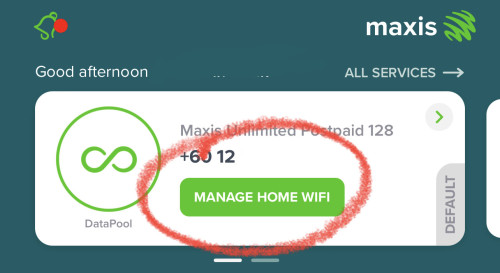
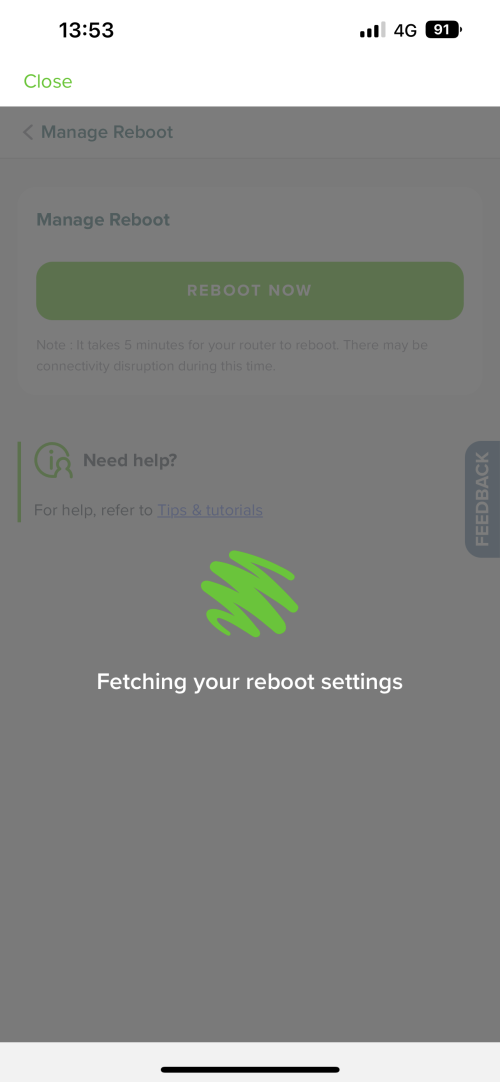
Maxis router can reset through MyMaxis.
M9 mesh can reset through Deco app.
but if the internet is out, none can reset.

Probably then will need to have wifi plug connected to B618 on 4G network. While the rest of devices remain on fibre.

What a messy High-Availability (HA) of a Home Automation (HA) for a Holiday Accomodation (HA).
*
How do you reset the Maxis router from MyMaxis App? Sorry bro, just learnt about this now. I didnt know you could do that in the app. can share?
epicure
post Oct 12 2022, 02:04 PM

Getting Started
**
Junior Member
229 posts

Joined: Sep 2009
QUOTE(Oltromen Ripot @ Oct 12 2022, 01:57 PM)
i cannot show you exactly, for obvious reason šŸ˜…

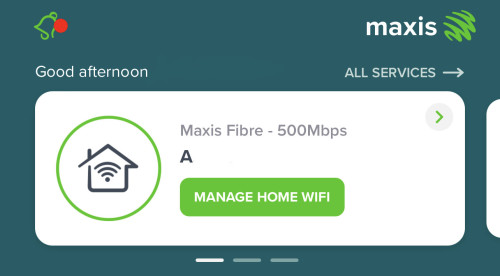
AND, recently I disabled TR-069 inside the router, so Maxis (and MyMaxis app) can no longer access the router from remote. The "Manage Home Wifi" is not useful to me any longer.

As replacement, I had the BTU and router on a smart socket gang, the smart socket is on the other hand connected to wireless Huawei B618 on Digi network, to make sure I can still control on/off of the fibre set.

user posted image

user posted image
*
Oh thats weird. My Maxis Wifi6 router is configured stock, never touched it since they installed it. But when i clicked on manage home wifi it just says ā€œWe are not able to test your Wifi at the moment, Click contact us for assistance (mma).ā€ Im guessing remote access is not available to me ?

Thats good that you have an LTE connected router, that you can reboot the Maxis one. I cant.. cos if i turn off the smart switch which is connected to a router, theres no way to turn it back on. However, i’ve read on reddit that there are some smart plugs that can turn on after being turned off.

I think it can also be done on HA, but i’m on homebridge and Homekit.. HA is abit too complicated for me.
epicure
post Oct 14 2022, 02:20 PM

Getting Started
**
Junior Member
229 posts

Joined: Sep 2009
Thanks for the reply bro. I managed to call Maxis, they will give me a troubleshooting when i am home tonight. If they cant fix it they will send a technician to check the router settings.

By the way, I have a Maxis Huawei Wifi 6 router, the model is OptiXstar LG8245X6-10. Is there a way to remotely reboot this router? I checked in the configurations but doesnt seem to be a simple reboot/restart option. There is a restart option under maintenance, but doesnt seem like its that straightforward, cos it seems to be a scheduled restart setting. Anyone know how?

QUOTE(Oltromen Ripot @ Oct 12 2022, 03:40 PM)
Button also available through your fibre line.

I had that "contact for assistance" when (i) router not reachable (not powered, LOS, etc), and (ii) after I disable TR-069.

Additionally, it could be (iii) TR-069 in Maxis's record mismatches what is actually inside your router. I did try to flip it on again after testing when it is disabled, and MyMaxis app can regain access the router again.
My router and mesh is Huawei LG8245X6-10.

user posted image
*
epicure
post Oct 15 2022, 04:50 PM

Getting Started
**
Junior Member
229 posts

Joined: Sep 2009
Hey Bro,

Thanks for the reply. I’d really love to be able to tinker again.. but life with kids.. really got no time to play around with gadgets anymore. Thats why i prefer homebridge. Home assistant is a rabbit hole that really goes deep.

Even in my homebridge setup, i’ve steered away from Zigbee2MQTT and node red. No time to research, understand and trial and error. The house gotta be always functioning.. Else later home minister complain.. haha

But so far for my house i’ve gone offical Homekit (Aqara/Zemismart+Tuya+Dohome) + Homebridge (Xiaomi/ewelink/dummy switches/network presence/delay switches/contact left open/ffmpeg for cameras). Managed to get 60% done so far. Still thinking of how to get a smart plug that can power back on without tinkering with ESP/TASMOTA/Portisch.


QUOTE(alucard89 @ Oct 12 2022, 03:59 PM)
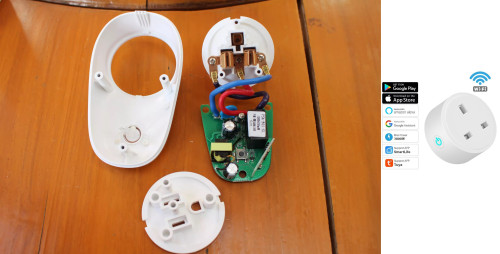
It's doable with esphome or tasmota firmware.
Setup a rule that turns relay back on after relay off after a few minutes
I'm using one to automate charging based on the power consumption.
Get switch like sonoff s26 cause it’s easier to open up this one compared to compact design

user posted image

Technically you can still open those up but you’ll need to heat it up and slowly pry open the case with knife

Then pair up with your homebridge and good to go
*
epicure
post Oct 17 2022, 01:59 PM

Getting Started
**
Junior Member
229 posts

Joined: Sep 2009
Hi Bro

Thats an interesting plug thats pre-flashed. But.. since i dont have time to install HA (and learn it) into my Raspberry Pi via docker, would it work with homebridge? As in is there a plugin in homebridge that supports it ? Cos.. i try to avoid HA, Z2MQTT or anything at the moment.. haha

QUOTE(alucard89 @ Oct 15 2022, 05:32 PM)
Ah yes, the family matters and wife approval
You could always just grab athom plugs that’s preflashed with tasmota. Just need to enable that setting later

MYR 61.80  30ļ¼… Off | ATHOM preflashed TASMOTA Smart Plug Works With Home Assitant Electric Consumption Monitoring 16A UK Standard
https://a.aliexpress.com/_mLEgJVi
*
epicure
post Oct 18 2022, 11:00 AM

Getting Started
**
Junior Member
229 posts

Joined: Sep 2009
I’ll definitely look into that bro.

Now my setup is using a homebridge plugin - wake on lan to wake up my imac, so that i can remotely login to my imac, then enter the web config of my router to reboot it. It’s abit tedious but i certainly know that i have successfully rebooted the router.


QUOTE(alucard89 @ Oct 17 2022, 02:15 PM)
There’s a homebridge plugin, you can try it out

https://www.npmjs.com/package/homebridge-tasmota
*
epicure
post Oct 27 2022, 01:52 PM

Getting Started
**
Junior Member
229 posts

Joined: Sep 2009
QUOTE(Oltromen Ripot @ Oct 26 2022, 01:14 PM)
@anyone,

with reference picture.

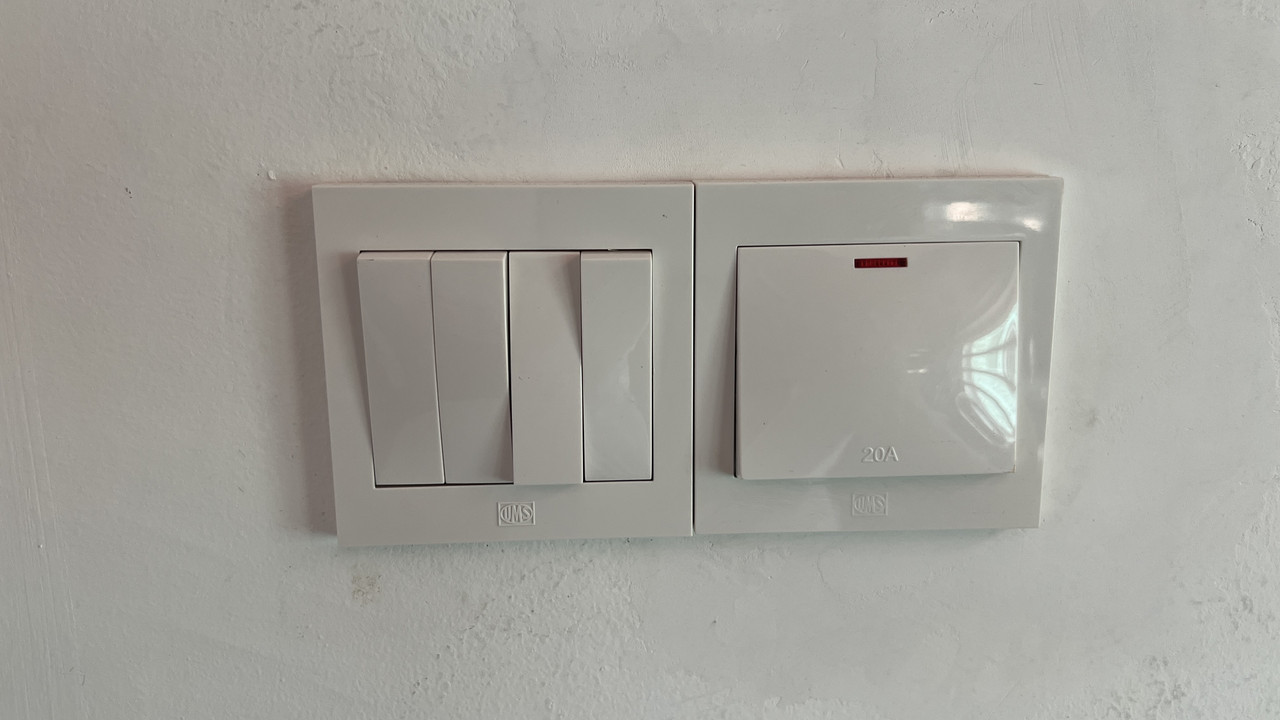
i have a lot of these switch pairs inside my home.
which i have already ascertained that each multi-gang switches and each 20A switches are connected to different circuit breakers. so in the reference picture alone, there are 2 breakers involved.
all the multi-gang switches does not have their own neutral. only 20A switches do.
(all 20A switches have their own not-shared exclusive breaker, for avoidance of doubt.)

question:
is it possible for me to buy multi-gang tuya wifi SMART switches WITH its neutral line connected to the 20A's neutral line instead?
user posted image
*
You can loop the neutral from the 20A double pole to use with your multigang neutral switch. However, there’s some safety concerns with that. Assuming that neutral cabling is not looped, meaning each and every circuit is connected directly from the respective DB to the fitting (in this case the 20A double pole), then whenever you want to carry out maintenance on your multigang switch or change the multigang switch to another switch, then you need to turn off your 6A lighting MCB and also the 20A MCB (for the double pole) before you carry out maintenance. Because if you just turn off the 6A MCB, the neutral from the 20A double pole that was looped over is still live, and may electrocute you.

I think, you can consider to install the non-neutral multigang switches that use the zigbee 3.0 protocol, and they are cheaper when you go with brands under the TUYA OEM umbrella. They can be wired up without neutral, do not require capacitor (so far no issue with mine) and just required a zigbee hub to pair to.

Brands such as Aqara are pricier. Wifi only switches may clog up your 2.4Ghz network. And brands like sonoff, require neutral.

Edit: if you want a one to one replacement for the 4 gang switch, you may still require neutral (some 4-gang switches are sold online, but only wifi, no zigbee). Because zigbee switches are only 3-gang, No 4-gang zigbee switches as of yet. I have a 4-gang switch that i am still thinking of how to settle. I dont want to settle for a 4-gang wifi switch and have to deal with capacitors, rather have zigbee.

This post has been edited by epicure: Oct 27 2022, 01:59 PM

epicure
post Oct 27 2022, 02:01 PM

Getting Started
**
Junior Member
229 posts

Joined: Sep 2009
QUOTE(Oltromen Ripot @ Oct 27 2022, 01:58 PM)
i am still looking for 4-gang zigbee wall switches.
1/2/3 are common. 4 are mostly wifi.
if possible i want a rocker-type switch which will be intuitive enough, but most on the market for 4-gang are wifi +glass touch.
*
Exactly, i dont want the touch switches and i dont want anything thats not zigbee. There arent any zigbee 4 gangs out there yet. If i understand, you want the rocker style switches that are toggles right? It doesnt rock up and down like a conventional switch.

Yeah, still looking, waiting for TUYA or Aqara to make some of those.
epicure
post Oct 27 2022, 04:25 PM

Getting Started
**
Junior Member
229 posts

Joined: Sep 2009
QUOTE(alucard89 @ Oct 27 2022, 04:07 PM)
Here

Use consolidate service to ship
I think you can request for custom plates also (some extra charges there probably)
*
Oh thats good, ill check it out, its under TUYA’s OEM right? So long as its zigbee 3.0 and follows TUYA’s OEM standards, then i would be able to pair it with my zemismart hub
epicure
post Oct 27 2022, 04:26 PM

Getting Started
**
Junior Member
229 posts

Joined: Sep 2009
QUOTE(Oltromen Ripot @ Oct 27 2022, 03:55 PM)
just the ones that appear like the usual press top to switch off, press bottom to switch on.
but all so far only maxed at 3 gangs.

when i replaced 16A 3-pin socket with a touch glass smart one, my wife already like "eh, how to switch on?", so you can imagine the confusion if i replace light sockets with flat top glass touch ones. i am also guessing that the backlight to denote off/on state is not really visible under normal room lighting.
*
Yup, i know your pain. Home minister’s approval must be sought.

So far, i find aqara and moes switches are alright. Aqara better in quality, less hollow when you depress it.
epicure
post Oct 28 2022, 09:38 AM

Getting Started
**
Junior Member
229 posts

Joined: Sep 2009
Hey there,

Can you DM me how it looks like and the details?

QUOTE(alucard89 @ Oct 27 2022, 04:40 PM)
Should be able to pair with any tuya zigbee hub
If you’re interested, i have 2 extra units to let go
*
epicure
post Oct 28 2022, 10:38 AM

Getting Started
**
Junior Member
229 posts

Joined: Sep 2009
QUOTE(alucard89 @ Oct 27 2022, 04:07 PM)
Here

Use consolidate service to ship
I think you can request for custom plates also (some extra charges there probably)
*
user posted image

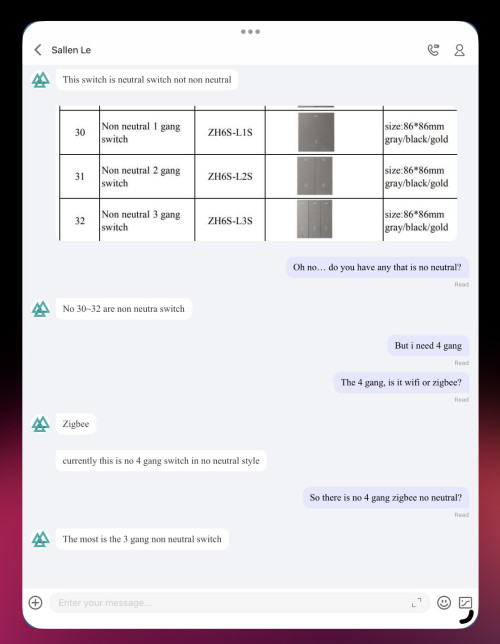
I’ve contacted the supplier.. unfortunately.. 4-gang zigbee switch requires neutral… i would need to loop the neutral from the nearest light fitting in that circuit.. but unfortunately no time to access ceiling to loop and draw the cable to the switch … seems like gotta put this on hold for a while..
epicure
post Nov 29 2022, 11:26 AM

Getting Started
**
Junior Member
229 posts

Joined: Sep 2009
QUOTE(Oltromen Ripot @ Nov 28 2022, 08:53 AM)
UPDATE:

I reinstalled the switches exhibiting flickering.

For now, it appears that it was due to bent switches.

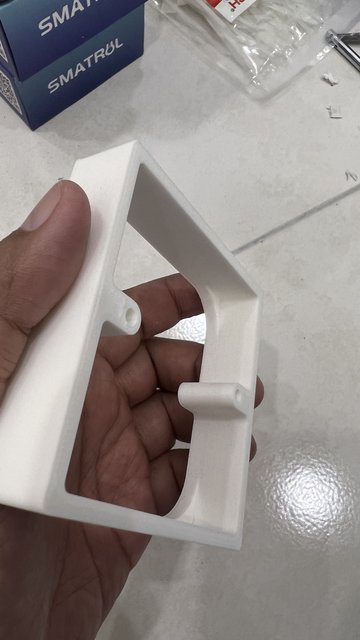
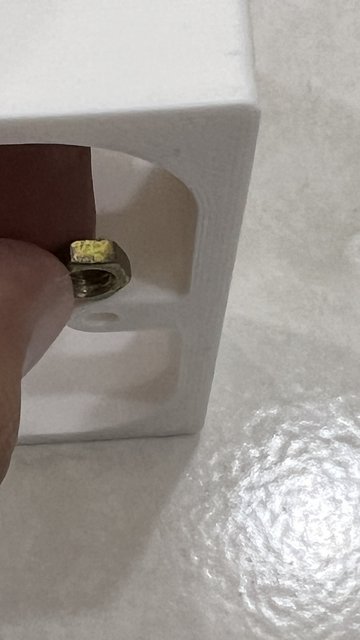
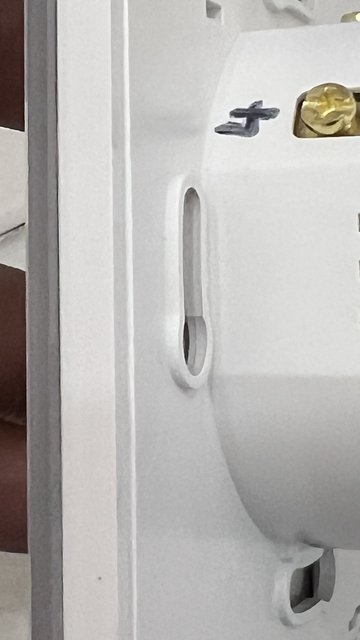
Why is it bent? Because each of seitches had protrusions on the screw holes, such that if I installed as-is with the spacer bracket, it will leave a gap between the wall/spacer and the switch's frame. So I had to saw off a bit of the spacer's screw holes, but I had sawed off too much of the spacer's screw hole in earlier installations. To re-fill back the space left vacant from sawing off too much of the spacer, I used nuts.

Now the switches are flush with the spacers without any gap between wall, spacer, and switch; and no more flickering since the switches are no longer bent from tightening too much over empty, sawed off screw holes.

user posted image

user posted image

user posted image

EARLIER:

Attached video.

Anyone knows why this flickering is happening?

4-gang switch.
I tried to switch LEDx4 and LEDx2 between L1 and L2, but whoever sits on L1 will flicker.

If LEDx2 sits on L1, both LEDx2 flickers when any on L2,L3,L4 is switched ON.

If LEDx4 sits on L1, only 1 of LEDx4 flickers when any on L2,L3,L4 is switched ON.

[attachmentid=11318076]
*
Good job bro. Glad it works. I’m still on the fence on the 4 gang, so im just leaving it as a dumb switch for now. upgrading my other switches to either Tuya MOES (first floor) or Aqara (ground floor). they all work great in homekit. now looking at buying an google home display, cos it can link to my Tuya video doorbell. smart home is a deep deep rabbit hole. haha

epicure
post Nov 30 2022, 10:38 AM

Getting Started
**
Junior Member
229 posts

Joined: Sep 2009
QUOTE(lucaswjk @ Nov 29 2022, 09:38 PM)
friendly advice, stick to single brand/solutions.
it will make ur life easier
*
yup. unfortunately i started with aqara first, and they can be pricey. So i segratated first floor with ground floor. aqara (nicer finish) for the ground floor. Tuya for first floor. Zemismart only came out with their homekit hub after i bought aqara, else i would have gone full tuya.

But working alright now. Aqara + Tuya + Homebridge (Sonoff, ewelink OEMS, xiaomi). working in harmony until a reset is required at the router or homepod.


epicure
post Feb 14 2023, 03:17 PM

Getting Started
**
Junior Member
229 posts

Joined: Sep 2009
QUOTE(alucard89 @ Feb 13 2023, 05:53 PM)
Anyone tried this method using diodes to emulate neutral for zigbee switches?
Do they still act as zigbee repeaters?


*
This is very interesting. i like how he shrink wrapped everything to insulate, and added the resister to act like fuse.
epicure
post Feb 20 2023, 09:33 AM

Getting Started
**
Junior Member
229 posts

Joined: Sep 2009
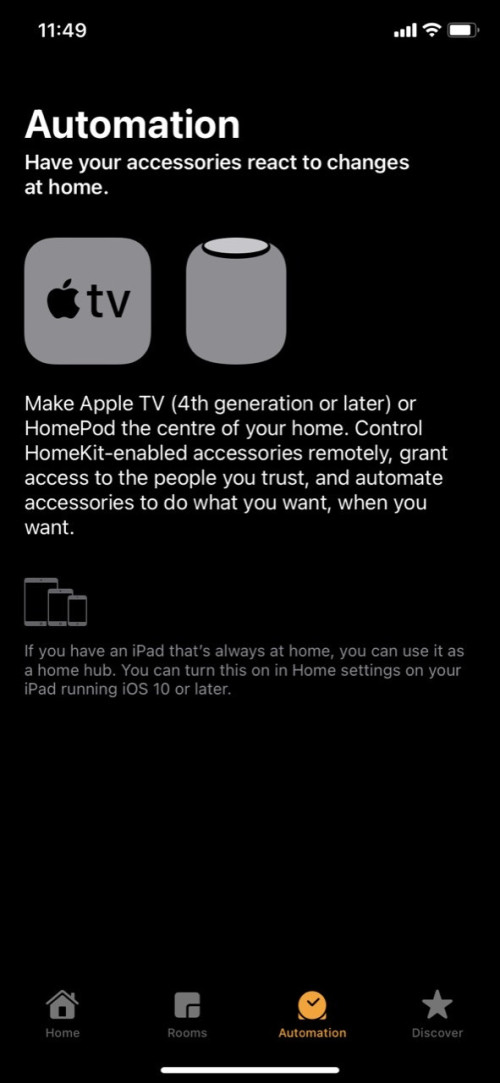
I think the homekit’s new architecture requires a hub for automation. Homekit hubs used to be used solely for remote control of your homekit accessories when you are away from the house. When you are home, and you turn off the hub (homepod or apple TV), your iphone actually can control the devices directly. However, the new architecture that was pulled in ios16.2 which is returning in ios16.4 will move all control to the homekit hubs, probably in preperation for matter.

QUOTE(alucard89 @ Feb 19 2023, 11:54 AM)
Speaking of homekit, trying it now
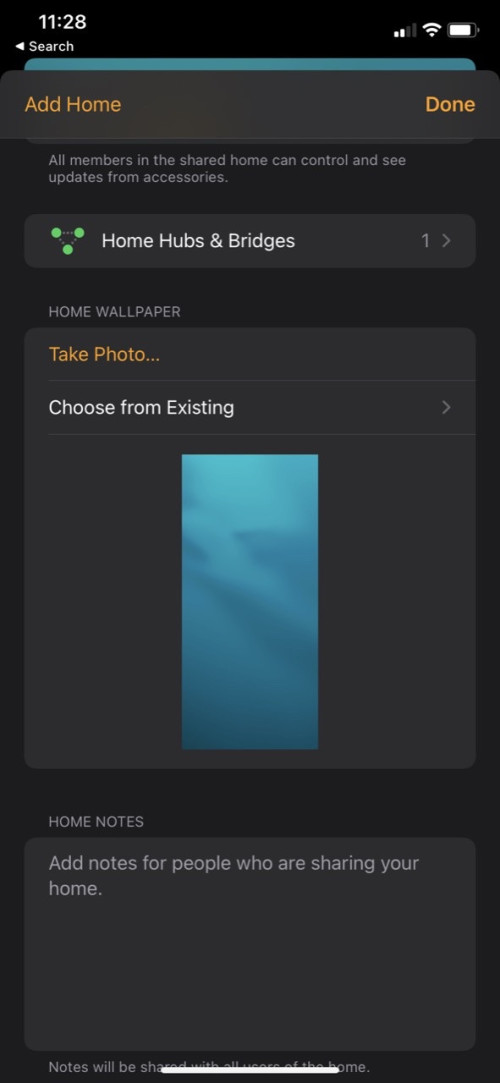
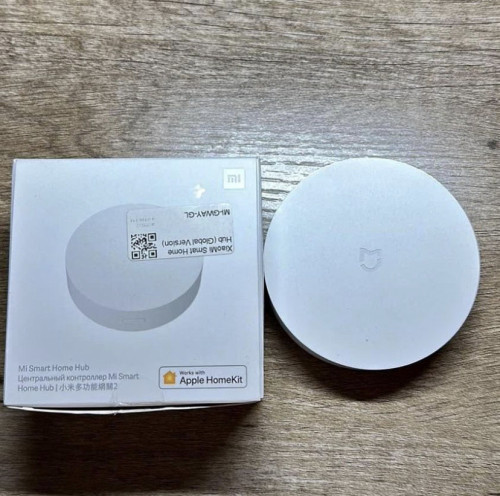
I have this xiaomi gateway already paired, but in automation tab still require hub?

user posted image
user posted image
user posted image
*
epicure
post Feb 20 2023, 09:35 AM

Getting Started
**
Junior Member
229 posts

Joined: Sep 2009
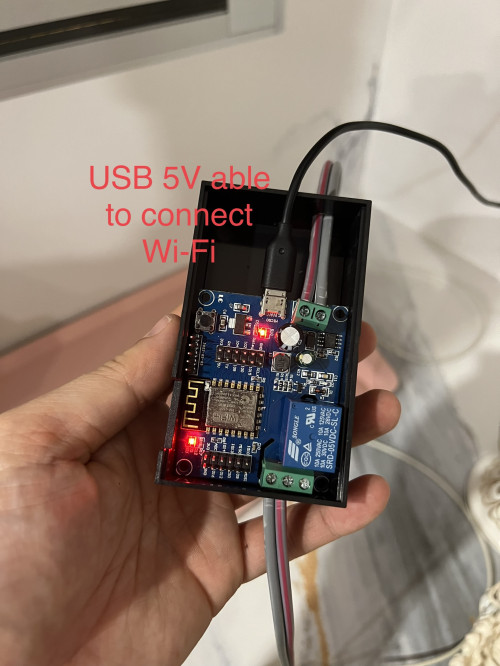
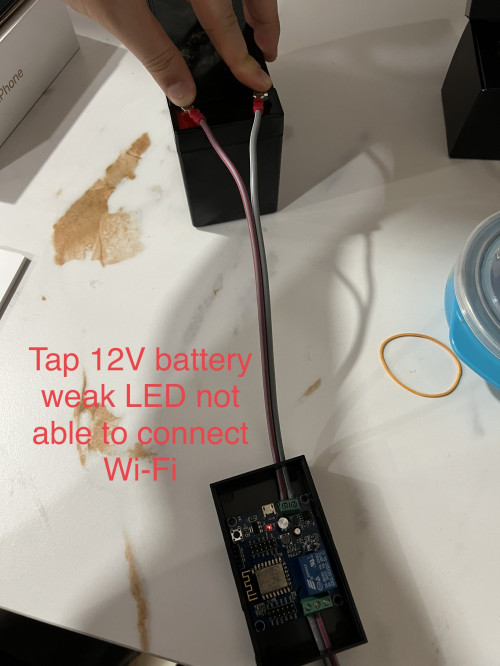
My ewelink 2 channel autogate switch works with the same logic as yours. I can hook it up via micro usb to a normal power adapter (5V1A) or to a 12V battery via the terminals (which i am using). I think you should look for your seller to get some feedback/trouble shooting . Hope your board is not defective.

QUOTE(celciuz @ Feb 18 2023, 05:59 PM)
Still struggling to have my auto gate connected šŸ˜… so I bought this Wi-Fi relay which support HomeKit. All good when I use USB 5V. Then I tapped the 12V battery and it doesn’t work sigh.

Need help 🄲
user posted image
user posted image
*
epicure
post Feb 20 2023, 03:00 PM

Getting Started
**
Junior Member
229 posts

Joined: Sep 2009
If youre on ios 15, i think you can just use the xiaomi hub and the apple home app.

You just wont be able to control the devices remotely after you leave the house. Thats essentially how homekit functions. With an appletv/homepod, u can control the devices remotely. Not too sure about automations, which you asked in your post. Cos ive always had a hub (homepod), so cant test that out for you.

But, if your ipad is also on ios 15, maybe you can use it as a homehub (which in ios 16 has been removed from list of home hubs) and remotely control your devices. Your ipad just needs to be at home, powered up and connected to the internet.

QUOTE(alucard89 @ Feb 20 2023, 10:51 AM)
So basically I still need to use apple products as homekit hub? Xiaomi homekit hub is not sufficient
Still on 15+ ios on iphone/ipad
*
epicure
post Feb 20 2023, 03:03 PM

Getting Started
**
Junior Member
229 posts

Joined: Sep 2009
No prob whatsoever. Using this method on my Aqara S1E switch. Not optimal of course, i would like to have a dedicated neutral coming down from the light fitting but i cant be stuffed to open up the ceiling to draw a new cable down. Like Oltromen Ripot said, connect the neutral to the side that returns to mains. That way, when you turn off the double pole, your switch will still function and not cut off. But you have to make a note in your DB, so that any time there is a re-wiring or maintenance, the electrician knows that there has been a ā€œloopingā€ that has been carried out on your circuit.

QUOTE(tomastan4134 @ Feb 20 2023, 12:12 PM)
want to ask.Ā   anyone here installed wall switches with neutral line from nearby 20A aircond swtich . (wifi or zigbee)Ā  Ā  having issues with air cond pc board problem.Ā   ??Ā   im pacing air cond pc board problem for 2 of my air cond.Ā   not sure is the smart switch causing this problem or is it the aircond old age d.Ā   (air cond is inverter type)

another note isĀ  sometimes i on my store room flourosent light (using starter type)Ā  my LED downlightĀ  wihich is connected to smart switch with neutralĀ  will flikker when the starter try to light the flourosent light.Ā  Ā 

not sure this flikker thingĀ  will affect the pc board or not
*
This post has been edited by epicure: Feb 20 2023, 03:04 PM
epicure
post Feb 24 2023, 11:11 AM

Getting Started
**
Junior Member
229 posts

Joined: Sep 2009
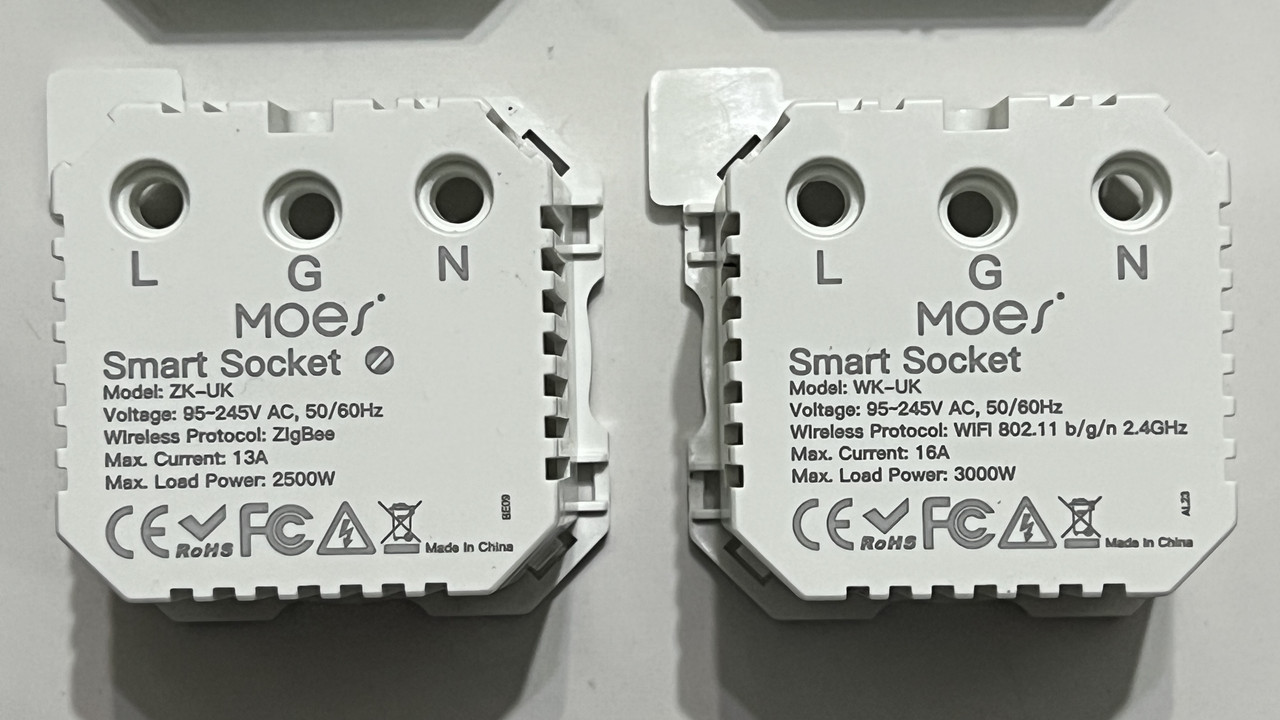
Wow, very unlucky indeed. I am actually considering to purchase some of these zigbee wall sockets to increase my zigbee mesh. BUt not looking at MOES products at the moment. Eyeing the Smatrul universal zigbee wall outlet at the moment, quite cheap at RM5X.XX. Once i do buy it, hope it doesnt fry like yours. Fingers crossed.

QUOTE(Oltromen Ripot @ Feb 21 2023, 10:41 PM)
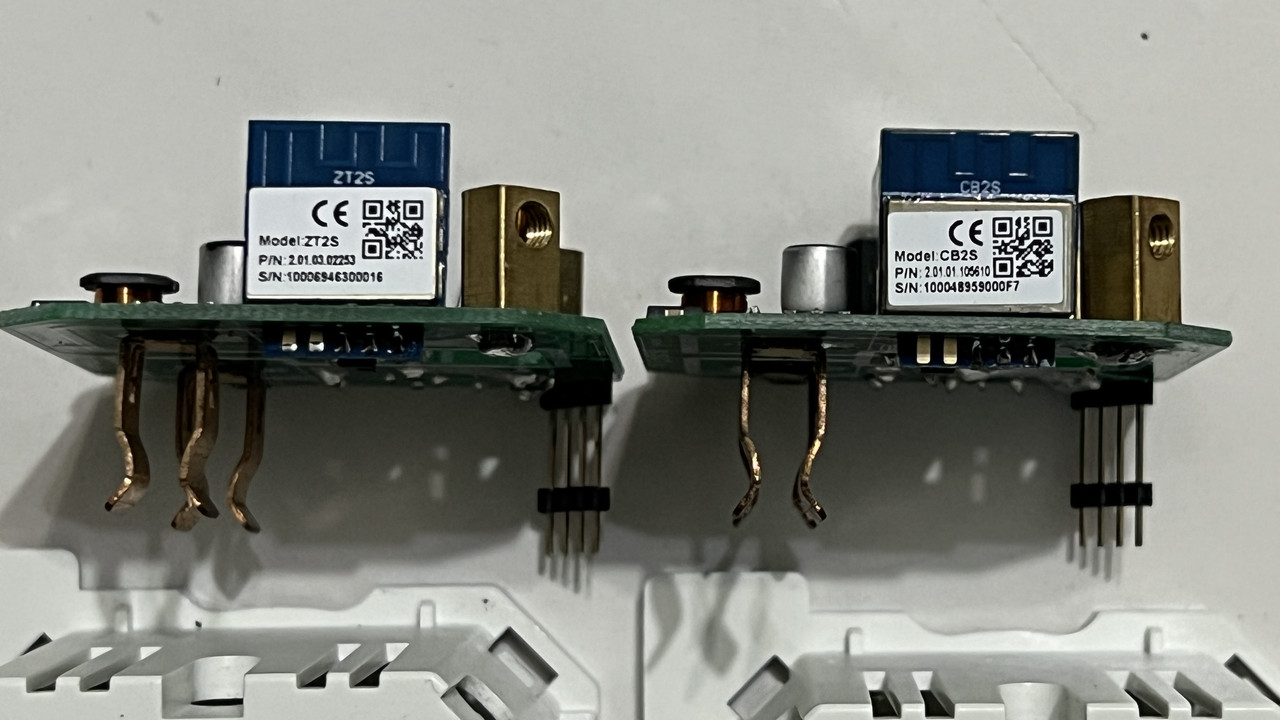
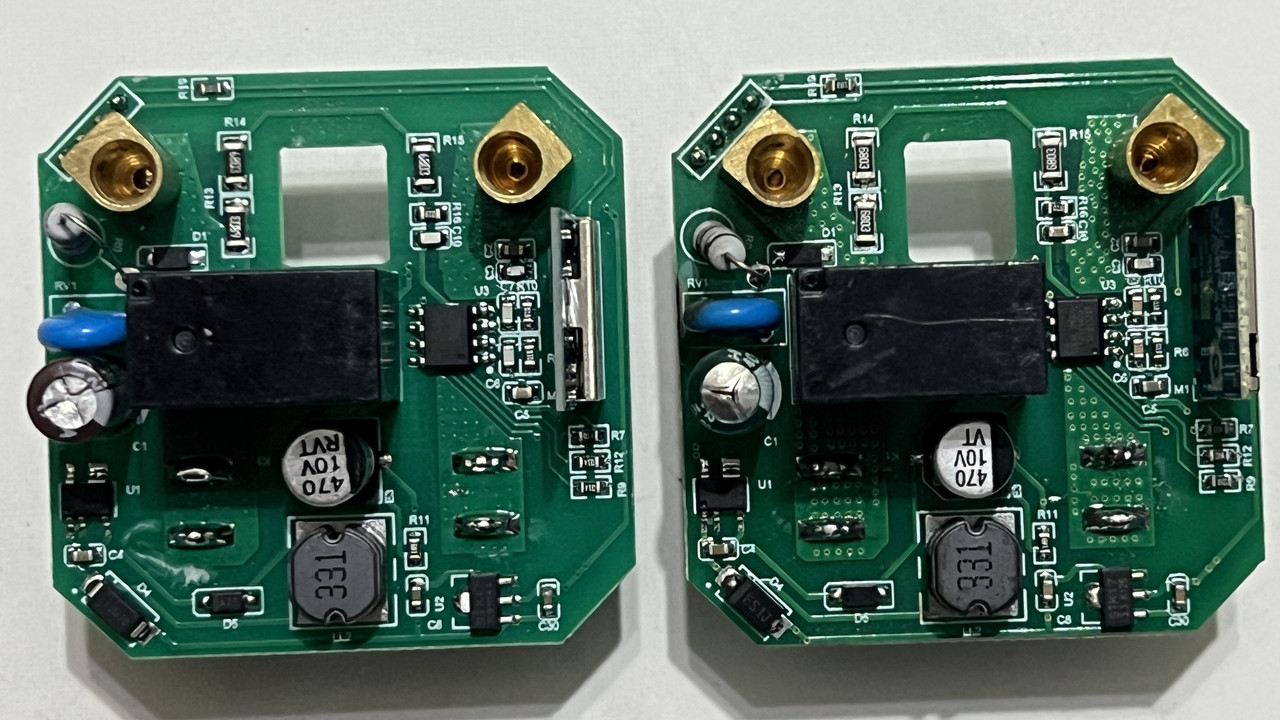
i think it is possible to transplant what are possibly the Wifi board and the Zigbee board, but, i don't have confidence with my own (un)soldering skill.
Not sure if it is possible for me to take this to an electrical repair shop and have them do it for me.

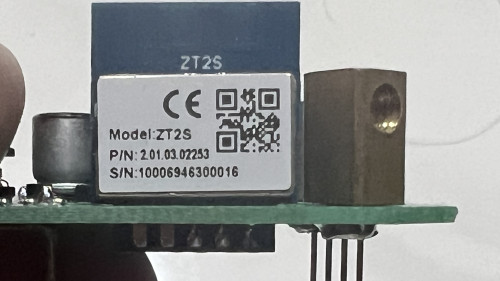
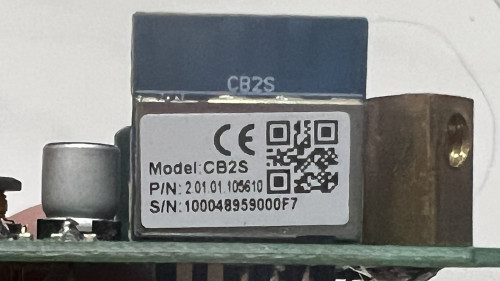
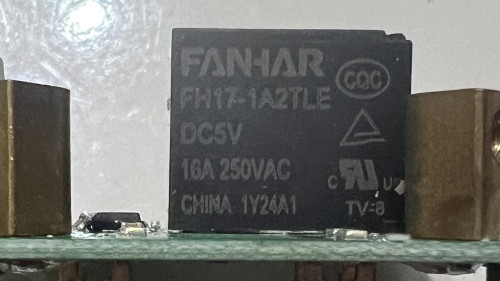
And seems like both Zigbee and Wifi socket using that brown cubic thing rated for 250V 16A, so maybe the Zigbee socket really is rated for 16A like its Wifi sibling, and that 13A on casing is actually a misprint.

user posted image

user posted image

user posted image

user posted image

user posted image

user posted image

user posted image

user posted image
*

7 Pages  1 2 3 > » Top
 

Change to:
| Lo-Fi Version
0.3882sec    0.50    7 queries    GZIP Disabled
Time is now: 16th December 2025 - 04:40 AM