Welcome Guest ( Log In | Register )

14 Pages « < 8 9 10 11 12 > » Bottom

Outline · [ Standard ] · Linear+

Unifi dlink DIR-850L unifi firmware, firmware that support unifi

views
     
SilentVampire
post Dec 10 2017, 10:52 PM

Networking Enthusiast
*******
Senior Member
5,714 posts

Joined: Mar 2007


QUOTE(hayenadeblue @ Dec 10 2017, 10:19 PM)
Yes, I realized that before purchased the C2. I don't have plan to use the wifi (I already disable the wifi, plus, I'm quite happy with all the features and speed of its web interface). The router is connected to a 24 switch and other access points will take care the wifi. Why I'm doing this? Because my modem and router is located inside a room where the main communications line (phone and tm fibre) comes in and 16 CAT6 will cater the whole house LAN, wifi and even phone line. I don't want to have the modem, router beside my TV. BTW, thanks.

Thanks too about the advice on the switch. I bought TP-LINK, the desktop/rack version, as it is the only model available here in my place. It comes with bracket for me to mount to my 19" network rack.

So sorry OP, I kind of distracted the purpose of this thread. Let us continue to discuss about the DIR-850L? Anyone managed to get IPv6 with the latest firmware? I couldn't. With the TP-LINK, I can (refer to the attached image)[attachmentid=9419578]
*
Good job bro. I understand now what your setup is and I admire your network knowledge rclxms.gif
Alice.Abernathy
post Dec 11 2017, 03:57 PM

New Member
*
Newbie
1 posts

Joined: Dec 2017
QUOTE(rocketaz @ Nov 29 2017, 06:04 PM)
Anyone upgraded the firmware to SG 2.10 version? will it works for unifi?
http://global.dlink-intl.com/starhub/dir-8...#step2-download

Can custom set google DNS on TM unifi 2.09 firmware ?
*
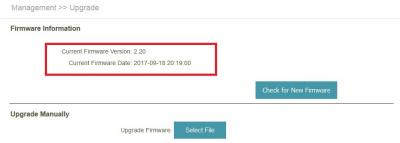
Tested & upgraded with AU 2.20 version. Works fine ! rclxms.gif rclxms.gif rclxms.gif

The catch is ... manual insert of VLAN, IPTV, DNS, need to be done...! brows.gif brows.gif brows.gif

This post has been edited by Alice.Abernathy: Dec 11 2017, 04:09 PM


Attached thumbnail(s)
Attached Image
zzzz52
post Dec 27 2017, 08:11 PM

Weeeeeeeeee
******
Senior Member
1,177 posts

Joined: Apr 2005
From: Sg petani Kedah

Hi Guys, anyone using the guest wifi feature on the dlink router? I connect to the guest wifi, but still can access to my LAN that is on the wired connection. I can connect to the share folder on computer on my LAN.

THis makes the guest wifi feature unusable. Anyone having the same problem?
ikengkai
post Feb 13 2018, 02:58 PM

Getting Started
**
Junior Member
263 posts

Joined: Oct 2007
with 2.09 DIR-850L router, i cannot set the reconnect mode to "on demand". Once I did that, the router restart and it will set to "Manual" instead. Is that because TM custom firmware disable the on demand function?

Jjuggler
post Mar 5 2018, 11:06 AM

Narcissistic Genius
******
Senior Member
1,341 posts

Joined: Dec 2016
my personal review on the dlink dir850l.

you can read to my review here

cc: SilentVampire bro
birain
post Mar 5 2018, 11:20 AM

良い一日を
******
Senior Member
1,448 posts

Joined: Apr 2007
QUOTE(Jjuggler @ Mar 5 2018, 11:06 AM)
my personal review on the dlink dir850l.

you can read to my review here

cc: SilentVampire bro
*
it have auto logout feature, you exit your browser and you need to login back. icon_idea.gif
Alex9182
post Mar 5 2018, 11:31 AM

On my way
****
Senior Member
669 posts

Joined: Sep 2015
QUOTE(Jjuggler @ Mar 5 2018, 11:06 AM)
my personal review on the dlink dir850l.

you can read to my review here

cc: SilentVampire bro
*
Good job bro. thumbup.gif thumbup.gif

I should have ask for D-Link DIR-850L instead of Tp-Link Archer C1200 during installation. much regret now. bangwall.gif

This post has been edited by Alex9182: Mar 5 2018, 11:34 AM
SilentVampire
post Mar 5 2018, 11:36 AM

Networking Enthusiast
*******
Senior Member
5,714 posts

Joined: Mar 2007


QUOTE(Jjuggler @ Mar 5 2018, 11:06 AM)
my personal review on the dlink dir850l.

you can read to my review here

cc: SilentVampire bro
*
Thanks bro. Great writeup. It is definitely much better than the TP-Link C1200, but compared to other mid range routers out here, it is not as good. Am awaiting your review on the C3150 v2 bro. It will be an absolute pleasure to use and review that bro.
Jjuggler
post Mar 5 2018, 11:49 AM

Narcissistic Genius
******
Senior Member
1,341 posts

Joined: Dec 2016
QUOTE(birain @ Mar 5 2018, 11:20 AM)
it have auto logout feature, you exit your browser and you need to login back. icon_idea.gif
*
as for novice user, they wont know. but for us, we know it has the feature. we have more novice users out there bro. haha.

QUOTE(Alex9182 @ Mar 5 2018, 11:31 AM)
Good job bro.    thumbup.gif  thumbup.gif

I should have ask for D-Link DIR-850L instead of Tp-Link Archer C1200 during installation. much regret now. bangwall.gif
*
everyone have their own thoughts bro. Infact, i test this router after reading too many negative reviews in the forum. decided to test out by myself.

QUOTE(SilentVampire @ Mar 5 2018, 11:36 AM)
Thanks bro. Great writeup. It is definitely much better than the TP-Link C1200, but compared to other mid range routers out here, it is not as good. Am awaiting your review on the C3150 v2 bro. It will be an absolute pleasure to use and review that bro.
*
Sure bro. I am going to un-box the c3150 soon and will provide a detailed review about the router. haha. I agree with the highlighted statement there.

This post has been edited by Jjuggler: Mar 5 2018, 11:56 AM
birain
post Mar 17 2018, 02:48 PM

良い一日を
******
Senior Member
1,448 posts

Joined: Apr 2007
finally able to screenshot this after 30 days of using it without changing ip. still using the stock firmware that come with it. thumbup.gif
» Click to show Spoiler - click again to hide... «

ikengkai
post Mar 18 2018, 04:51 PM

Getting Started
**
Junior Member
263 posts

Joined: Oct 2007
QUOTE(birain @ Mar 17 2018, 02:48 PM)
finally able to screenshot this after 30 days of using it without changing ip. still using the stock firmware that come with it. thumbup.gif
» Click to show Spoiler - click again to hide... «

*
Latest firmware will show v2.09TM right? your firmware is 2.08??
birain
post Mar 19 2018, 12:58 PM

良い一日を
******
Senior Member
1,448 posts

Joined: Apr 2007
QUOTE(ikengkai @ Mar 18 2018, 04:51 PM)
Latest firmware will show v2.09TM right? your firmware is 2.08??
*
yup, still using the old firmware.... thumbsup.gif
ikengkai
post Mar 24 2018, 12:05 AM

Getting Started
**
Junior Member
263 posts

Joined: Oct 2007
QUOTE(birain @ Mar 19 2018, 12:58 PM)
yup, still using the old firmware.... thumbsup.gif
*
Found the connection for this modem really not good. Experience intermittently can't surfing for 30-60s, then back able to online again.
Thinking to trial change other modem to see the problem persist.
birain
post Mar 24 2018, 06:36 AM

良い一日を
******
Senior Member
1,448 posts

Joined: Apr 2007
QUOTE(ikengkai @ Mar 24 2018, 12:05 AM)
Found the connection for this modem really not good. Experience intermittently can't surfing for 30-60s, then back able to online again.
Thinking to trial change other modem to see the problem persist.
*
have you check the channel, maybe you neighbor using the same channel, clashing with yours.... icon_idea.gif
cloud-sama
post Mar 25 2018, 11:01 AM

Getting Started
**
Junior Member
50 posts

Joined: Jun 2012
If I were to hard reset the router, would I have to reconfigure it in order to be compatible with unifi?

My router can't connect to the internet and I cant access the router via 192.168.0.1 anymore
SilentVampire
post Mar 25 2018, 11:08 AM

Networking Enthusiast
*******
Senior Member
5,714 posts

Joined: Mar 2007


QUOTE(cloud-sama @ Mar 25 2018, 11:01 AM)
If I were to hard reset the router, would I have to reconfigure it in order to be compatible with unifi?

My router can't connect to the internet and I cant access the router via 192.168.0.1 anymore
*
Yes, you will need to know your PPPoE username and password.
cloud-sama
post Mar 25 2018, 11:47 AM

Getting Started
**
Junior Member
50 posts

Joined: Jun 2012
QUOTE(SilentVampire @ Mar 25 2018, 11:08 AM)
Yes, you will need to know your PPPoE username and password.
*
Hahaha I forgot to save those username and p/w, looks like have to wait for the technician to come
enduser
post Mar 25 2018, 12:03 PM

Regular
******
Senior Member
1,280 posts

Joined: Jan 2003
QUOTE(cloud-sama @ Mar 25 2018, 11:47 AM)
Hahaha I forgot to save those username and p/w, looks like have to wait for the technician to come
*
1. for default dir850 router password, u can check at the bottom of ur router.

2. for PPPoE username and password u can try call 100 / live chat n asked for the password
cloud-sama
post Mar 25 2018, 02:42 PM

Getting Started
**
Junior Member
50 posts

Joined: Jun 2012
QUOTE(enduser @ Mar 25 2018, 12:03 PM)
1. for default dir850 router password, u can check at the bottom of ur router.

2. for PPPoE username and password u can try call 100 / live chat n asked for the password
*
Thanks for the reply, I already call them for the PPPoE things and able reconfigure the router myself, All is working fine now rclxms.gif
lowyard
post Mar 27 2018, 12:41 AM

Nexus 4, 4 Nexers.
*******
Senior Member
2,056 posts

Joined: Apr 2008


my dlink homeplug cant be utilized for hypptv. for internet ok, really good. but for hypptv, nope. i dont know whos at fault here, dlink router or dlink homeplug or the hypptv stb itself. argh..

i'm thinking of downgrading the dlink router (dir 850l) to lower firmware to see if it will make a difference. what do you guys think?

14 Pages « < 8 9 10 11 12 > » Top
 

Change to:
| Lo-Fi Version
0.0250sec    0.35    6 queries    GZIP Disabled
Time is now: 5th December 2025 - 06:30 PM