

why u all DFI mobo so expensive but this mobo just support ddr2 677 only......
no support ddr2 800 wor..
AMDŽ Socket-AM2 Overclocking thread, discuss our setup/overclocking issues
AMDŽ Socket-AM2 Overclocking thread, discuss our setup/overclocking issues
|
|
 Sep 5 2006, 09:03 AM Sep 5 2006, 09:03 AM
Return to original view | Post
#21
|
 
Junior Member
430 posts Joined: Jan 2003 From: K.l Cheras  
|
why u all DFI mobo so expensive but this mobo just support ddr2 677 only......
no support ddr2 800 wor.. |
|
|
|
|
|
Sep 13 2006, 08:24 AM
Return to original view | Post
#22
|
|
Junior Member
430 posts Joined: Jan 2003 From: K.l Cheras
|
anyone use biostar tf550 and use DDR2 -800?
i saw tf550 just let use to max ram voltage is 2.1V only...so how to do more overclock for ram |
|
|
Sep 18 2006, 08:27 PM
Return to original view | Post
#23
|
|
Junior Member
430 posts Joined: Jan 2003 From: K.l Cheras
|
soulfly! u oc to 2.8k also using amd original HSF?
|
|
|
Sep 20 2006, 01:15 AM
Return to original view | Post
#24
|
|
Junior Member
430 posts Joined: Jan 2003 From: K.l Cheras
|
i just bought my AM2 new ring pc..
AM2 3600+ with AMD original hsf Biostar TF550 Coloful 7600GS 500/1500 256mb ddr3 1.1ns 512mb ddr2 667 <---temperary use only... i just start my pc , normal use , but use Biostar provide the software FanConditioner software to check found out temperature 32C....havent do any overclock ... but when i use Core Temp Beta 0.9 version check Core 1 = 48-49C Core 2 = 41C why like this der..got anyproblem? izzit got any problem? This post has been edited by lucklyghost: Sep 20 2006, 01:52 AM |
|
|
Sep 20 2006, 08:12 AM
Return to original view | Post
#25
|
|
Junior Member
430 posts Joined: Jan 2003 From: K.l Cheras
|
then if i overclock , want to check temp , is follow which 1?
Coretemp or Biostar mobo software = FanConditioner software? follow which 1? |
|
|
Sep 20 2006, 09:40 AM
Return to original view | Post
#26
|
|
Junior Member
430 posts Joined: Jan 2003 From: K.l Cheras
|
QUOTE(allenultra @ Sep 20 2006, 08:27 AM) Just stick with the core temp. so if i play oc and with Full loading ...Or u can try update to latest bios which corected temperature sensor issue. Its normal to have temperature around 46c for each core when at full load. 33c is seem too good to me. For my case, idle with stock heatsink would give me 39/40  i scare my temp = 58c ... coz now normal use temp already = 48c.....wtf... |
|
|
|
|
|
Sep 20 2006, 11:29 AM
Return to original view | Post
#27
|
|
Junior Member
430 posts Joined: Jan 2003 From: K.l Cheras
|
QUOTE(allenultra @ Sep 20 2006, 10:05 AM) as long u din raise your vcore too much while overclocking, ur temperature will be around 50c or below 50c. then wat ram u r using?That's why performance heatsink comes in especially when overclocking. I'm also using x2 3600+ and tf550 like u. idle 39/40c, full load 46/47c, Othos priming can reach almost 50c. Btw, I'm only running at 2.2ghz 1.2vcore. p/s : Please accept that stock heatsink isn't that great, u can't expect miracle from it.  Coretemp should give u exact value, don't cheat yourself with the lower temperature from those monitoring software unless you feel better with it. Coretemp should give u exact value, don't cheat yourself with the lower temperature from those monitoring software unless you feel better with it.do u have flash ur bios to the latest version? coz the latest version is fix the bugs of temp |
|
|
Sep 20 2006, 07:51 PM
Return to original view | Post
#28
|
|
Junior Member
430 posts Joined: Jan 2003 From: K.l Cheras
|
my pc is am2 3600+ ,biostar tf550 and corsair 512mb ddr2 667x 2
can my ram 667 oc to 800? but my ram is value ram only. and my processor easy hit how many ? 2.5G ? |
|
|
Sep 20 2006, 11:16 PM
Return to original view | Post
#29
|
|
Junior Member
430 posts Joined: Jan 2003 From: K.l Cheras
|
any expert can give me some tips to how to do my first overclock ?
whether want to try multiple first or increase FSB first? and wat is HT frequency? |
|
|
Sep 22 2006, 01:36 AM
Return to original view | Post
#30
|
|
Junior Member
430 posts Joined: Jan 2003 From: K.l Cheras
|
why Biostar TF550 can not lock PCI frequency ?
coz i planing to buy a Networkcard, so if i oc but can not lock pci , i scare the card will burn and i saw a setting in Bios there, but i duno wat is for.... Bios -->Advanced Chipset Features---> Cpu feuture -->k8 NPT CIE support ----> 1. Software SMI 2. Hardware CIE this setting is for wat? and if we do overclock , do we want to enable AMD k8 cool & quiet at bios there? This post has been edited by lucklyghost: Sep 22 2006, 01:36 AM |
|
|
Sep 22 2006, 09:10 PM
Return to original view | Post
#31
|
|
Junior Member
430 posts Joined: Jan 2003 From: K.l Cheras
|
can help me c c my result ..
still can go ? but run superpi run 1M ...= 38sec..so slow.. This post has been edited by lucklyghost: Sep 22 2006, 10:17 PM Attached thumbnail(s) 
|
|
|
Sep 23 2006, 03:13 AM
Return to original view | Post
#32
|
|
Junior Member
430 posts Joined: Jan 2003 From: K.l Cheras
|
QUOTE(soulfly @ Sep 23 2006, 12:38 AM) you have too many things running in the background, plus slow RAM.... which explains 38secs in Pi 1M. got any suggestion to improve my pc?i oc to 250 just 1.2v izzit good? |
|
|
Sep 23 2006, 09:46 AM
Return to original view | Post
#33
|
|
Junior Member
430 posts Joined: Jan 2003 From: K.l Cheras
|
got ppl teach me
if add more cant start pc , try to set time mode = 533/400 and TRfc at DIMM0 To DIMM2/3 = 127.5 izzit rite? |
|
|
|
|
|
Sep 23 2006, 10:35 PM
Return to original view | Post
#34
|
|
Junior Member
430 posts Joined: Jan 2003 From: K.l Cheras
|
QUOTE(soulfly @ Sep 23 2006, 11:23 AM) Try experiment with Trfc values... if 127.5ns cannot use, try lower one. Use the BIOS built-in memtest to test. Biostar TF550 really cant lock PCI and PCI-E la..coz i just flash the bios to latest version...mati lol.. and i have problem of my oc .. i show the result is i set automatic overclock V12 .... he auto help me oc to 250, but i manually set CPU vid = 1.2v Memory =1.9v chip =1.5v Hyper Transport Voltage = 1.2v cpu frequency = 250 NPT Fid control = x10 /auto = also can not.. K8<->SB HT speed = 4x =coz 250/1000 = 4 ..so i set 4x but can not boot up leh... but when i put automatic oc ..will oc help me oc below the result Attached thumbnail(s) 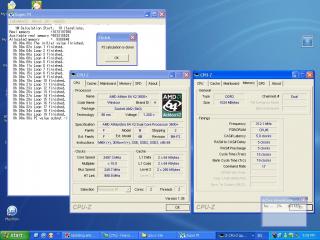
|
|
|
Sep 24 2006, 02:07 AM
Return to original view | Post
#35
|
|
Junior Member
430 posts Joined: Jan 2003 From: K.l Cheras
|
QUOTE(soulfly @ Sep 24 2006, 12:01 AM) Who says cannot? Come on la.... I have used TF550 before. I say can lock, can lah. Probably you did not disable spread spectrum thingy. PCI-ESpread Spectrum {Disabled] mean i locked the PCI-E frequency ?p/s: the automatic overclock option is lame... don't use it. then can teach me how to set it .. i m using automatic oc can hit 250 just use 1.2v only wor.. but when i set manually .. can not wor.. how to set it? if i want to run 250 first.. CPU vid : Memory: Chip voltage: Hyper Transport Voltage: NPT Fid Control : K8 <->SB HT Speed : |
|
|
Sep 24 2006, 02:08 AM
Return to original view | Post
#36
|
|
Junior Member
430 posts Joined: Jan 2003 From: K.l Cheras
|
QUOTE(Cyclone87 @ Sep 24 2006, 12:12 AM) Can la. I post up this issue before. Always get stuck at 273Mhz. Any timing also dont help. i flashed this version : N5taa914Then i flash bios703 as recommended by Soulfly. Now running at 345htt day and night. And comfirm it lock now as reported by my Clockgen.  Go download bios 703 or higher. From some taiwan biostar web. Biostar 6100 Am2 is crappy because it dont have adjustable memory setting for Cas Latency. That make really give us headache as it gonna fix CL at 3.0 even at DDR667.  izzit good? the latest 1 |
|
|
Sep 24 2006, 02:19 AM
Return to original view | Post
#37
|
|
Junior Member
430 posts Joined: Jan 2003 From: K.l Cheras
|
QUOTE(mruzian @ Sep 24 2006, 02:17 AM) in ur bios options no ! teach me how to oc to 250...juz set it to disable laa how to set it? if i want to run 250 first.. CPU vid : Memory: Chip voltage: Hyper Transport Voltage: NPT Fid Control : K8 <->SB HT Speed : |
|
|
Sep 24 2006, 09:46 PM
Return to original view | Post
#38
|
|
Junior Member
430 posts Joined: Jan 2003 From: K.l Cheras
|
the first picture is i set bios auto to help me overclock it ....
below is the result.. 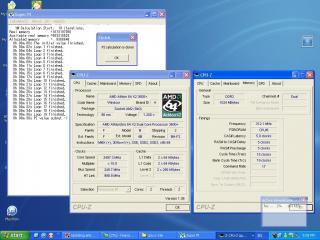
this 1 is use 1.2v can oc to 250 wor...so geng... then i hear soulfly them say set manually. ..... then i duno why if i oc to 250...1.2v manually cant boot up....must increase to 1.4v only can boot up... below is my manually oc result.. 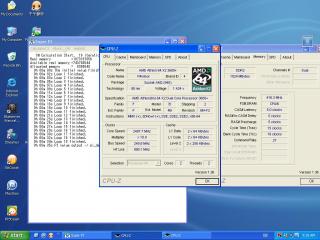
got any suggestion? |
|
|
Sep 25 2006, 09:14 AM
Return to original view | Post
#39
|
|
Junior Member
430 posts Joined: Jan 2003 From: K.l Cheras
|
QUOTE(Cyrus2k @ Sep 24 2006, 10:50 PM) Did you ever read the post that I replied you? why i need so much voltage only can boot up pc der... Even if you set automatic OC, the bios already bump up the Vcore; it was just that cpu-z display it wrongly.. You could keep on increase the cpu clock or prime it for at least 8 hours for stability check... how to use less voltage to hit 250 ? do more burnin ? and ram i already oc to 400 ......= ddr800....but need 2.1voltage...but tf550 limit is set untill 2.1v only.....my voltage izzit too high? |
|
|
Sep 26 2006, 01:04 AM
Return to original view | Post
#40
|
|
Junior Member
430 posts Joined: Jan 2003 From: K.l Cheras
|
QUOTE(allenultra @ Sep 25 2006, 10:36 AM) luckyghost, go to bios set vcore to 1.2v, push ur HTT up gradually from 220 and prime it min 8 hours(use Orthos) for stability. 1.3v can not la..Max out what u can do at stock vcore. High clockspeed need higher voltage is normal. Some can do near 2.4ghz with 1.2vcore...anything more than 2.4ghz, u need to pump a lot. So 2.5ghz at 1.4v? normal. Go try urself instead of putting auto voltage. Go try 1.3v, 1.35v now i oc untill 2.5 Ghz.....but need 1.425v .....just can stable.. i try to use 1.4 or less , when boot at desktop then will suddenly restart pc... and now my memory runing DDR800 already..... but is 5-5-5-15-19-(1) 413Mhz.. anyone know when only need to pump chipset and Hyper Transport voltage? coz i duno what is this 2 thing... |
|
Topic ClosedOptions
|
| Change to: |  0.0477sec 0.0477sec
 0.29 0.29
 7 queries 7 queries
 GZIP Disabled GZIP Disabled
Time is now: 3rd December 2025 - 10:00 PM |
 Quote
Quote