QUOTE(BlueButtBaboon @ Sep 16 2014, 11:24 AM)
Is it normal that alienware has a short beep on start up?

I guess that pretty normal for all PCs? 
Alienware Mothership V11, Intruder alert!
|
|
 Sep 16 2014, 08:45 PM Sep 16 2014, 08:45 PM
Return to original view | Post
#41
|
 
Junior Member
167 posts Joined: Jun 2007 From: Cheras  
|
QUOTE(BlueButtBaboon @ Sep 16 2014, 11:24 AM) Is it normal that alienware has a short beep on start up? I guess that pretty normal for all PCs? |
|
|
|
|
|
Sep 16 2014, 08:56 PM
Return to original view | Post
#42
|
|
Junior Member
167 posts Joined: Jun 2007 From: Cheras
|
QUOTE(e_mc_square @ Sep 16 2014, 08:48 PM) What model you have? based on his previous posts, I do believe he meant the desktop one since he got the X51 I used to own M11x, Alienware 17, currently using M15x, non of them have short beep on start up.  |
|
|
Sep 16 2014, 09:10 PM
Return to original view | Post
#43
|
|
Junior Member
167 posts Joined: Jun 2007 From: Cheras
|
QUOTE(e_mc_square @ Sep 16 2014, 08:58 PM) Oppss... then I think is normal.. haha Beep~ Haha...  as far as I know, that single beep each time a PC starts up is a sign for everything is checked and cleared. |
|
|
Sep 17 2014, 08:36 AM
Return to original view | Post
#44
|
|
Junior Member
167 posts Joined: Jun 2007 From: Cheras
|
QUOTE(BlueButtBaboon @ Sep 17 2014, 08:30 AM) Haha okok feel so silly ask this question. Lol using desktop after a decade(blur blur) as long as it's a single short beep, should be no problem  |
|
|
Sep 17 2014, 04:23 PM
Return to original view | Post
#45
|
|
Junior Member
167 posts Joined: Jun 2007 From: Cheras
|
QUOTE(inesen @ Sep 17 2014, 04:20 PM) Yup yup got beep sound follows by loud fan noise everytime I pushed the power button on x51 to turn it on. only for a very short while though. after that you can barely hear the sound it's making I dont think it even went to diagnose the system yet.  |
|
|
Sep 18 2014, 08:53 AM
Return to original view | Post
#46
|
|
Junior Member
167 posts Joined: Jun 2007 From: Cheras
|
I'm currently browsing through the internut for some ideas on watercooling solution for the X51
given the case design, there are hardly any factory sealed system that can fit. I've seen there are some modders who sacrificed the lighting panel in order to drill holes & make way for radiator. there are even who opted for externally mounted reservoir & radiator |
|
|
|
|
|
Sep 18 2014, 11:45 AM
Return to original view | Post
#47
|
|
Junior Member
167 posts Joined: Jun 2007 From: Cheras
|
QUOTE(horns @ Sep 18 2014, 10:26 AM) given its compact form factor, it's better to put the radiator outside of the system. I'd prefer to keep it inside, to maintain the clean look.aurora also cannot fit larger cooler without mods. I've seen a build which the builder replace the radiator with slim rectangular one as opposed to the normal square shape. should fit nicely on the rear vents of the case but the question is: where to get one? QUOTE(myway1985 @ Sep 18 2014, 11:36 AM) nitrogen cooling system? hehe too extreme bro hahaha. plus, not practicalQUOTE(BlueButtBaboon @ Sep 18 2014, 11:39 AM) planing to stuff it inside a mini fridge LOL LOL fridge is cold & wet, so not really good with sensitive electronicsdry ice, maybe?  |
|
|
Sep 18 2014, 12:03 PM
Return to original view | Post
#48
|
|
Junior Member
167 posts Joined: Jun 2007 From: Cheras
|
QUOTE(e_mc_square @ Sep 18 2014, 11:55 AM) One of the reason that dry ice, nitrogen cooler, bla bla bla is not popular in computer cooling is because the cooling module will make the surrounding air be too cold and create cold steam. yeah. damn rightCold steam is very dangerous for electronic device coz it will cause short circuit when it become water. Unless the cooling module can be sealed completely. I mean like the only cold component in the cooling module is the heatsink that attracted on the cpu/gpu. The cooling compound (dry ice, liquid nitrogen and others) is completely isolated and didn't expose to the air. Then will be fine. too much hassle to get it done right for a practical system, that's why I only considered the watercooling solution QUOTE(myway1985 @ Sep 18 2014, 11:57 AM) We pay Mc square to kipas our rig. haha hahaha. can also |
|
|
Sep 18 2014, 12:37 PM
Return to original view | Post
#49
|
|
Junior Member
167 posts Joined: Jun 2007 From: Cheras
|
QUOTE(myway1985 @ Sep 18 2014, 12:18 PM) rihuhs post ur rezel commander unit pic. manaada I only have Delta Plus & Zeta Plus C1 QUOTE(BlueButtBaboon @ Sep 18 2014, 12:30 PM) ya wor. monday tues kipas ur rig, wed thurs kipas rihuhs rig,fri sat kipas mine. sunday cuti for him lor weekend OT lor. pay double |
|
|
Sep 18 2014, 03:33 PM
Return to original view | Post
#50
|
|
Junior Member
167 posts Joined: Jun 2007 From: Cheras
|
QUOTE(horns @ Sep 18 2014, 03:09 PM) oh. it must be really packed inside. it's gonna be or maybe I just invest on a low-profile high performance cooler with heatpipes to replace the stock Intel ones |
|
|
Sep 18 2014, 05:21 PM
Return to original view | Post
#51
|
|
Junior Member
167 posts Joined: Jun 2007 From: Cheras
|
QUOTE(horns @ Sep 18 2014, 04:56 PM) hm.. that depends on the air flow inside the system for a performance air cooler to work well. I would consider this a challenge for me, and might be having fun researching about it as well this is why i don't opt for compact desktops. with my limited skills (well if i have any lol), it's better to have plenty of space to work with. i will definitely put a larger and hopefully thicker rad in future. (a 360-rad aio is on its way)  I choose the X51 mainly on its compact size, so seems like I need to get myself around with it, and work with whatever I can & financially possible |
|
|
Sep 21 2014, 04:00 PM
Return to original view | Post
#52
|
|
Junior Member
167 posts Joined: Jun 2007 From: Cheras
|
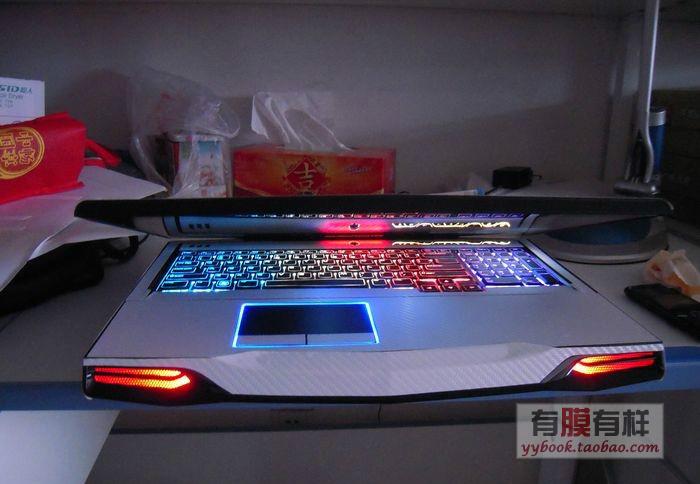
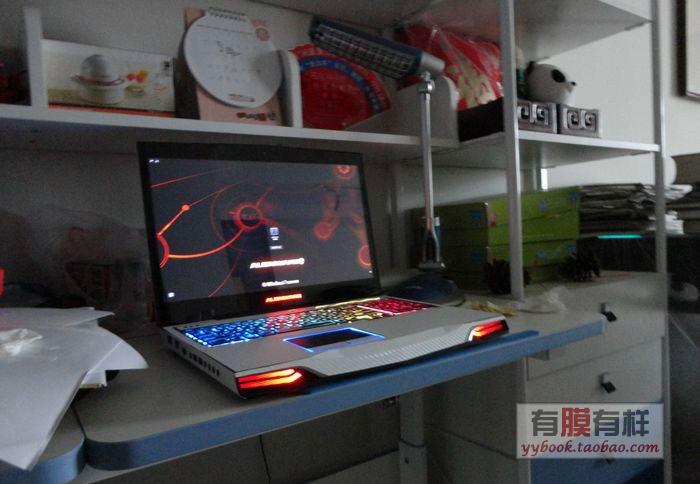
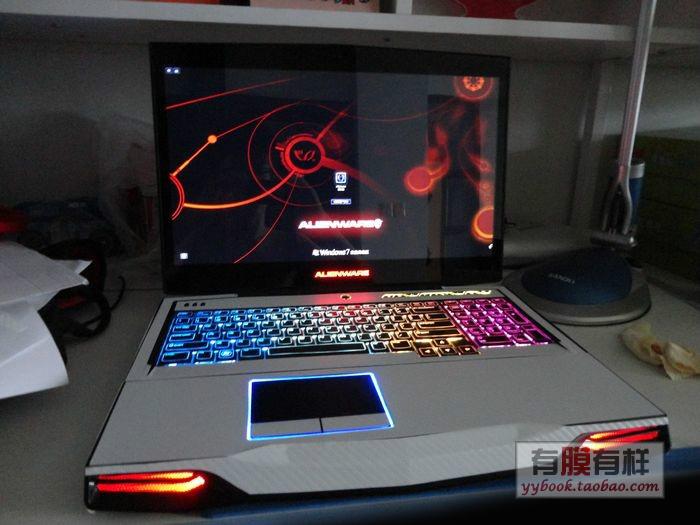
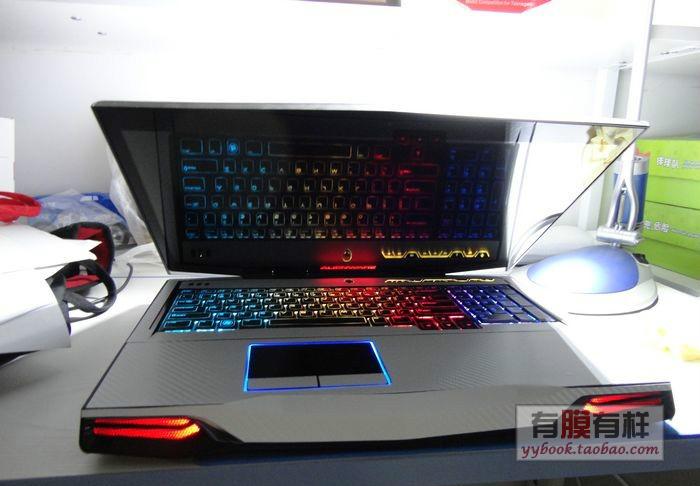
QUOTE(Jayi @ Sep 21 2014, 03:10 PM) Found this skin while browsing taobao looking for alien accessories. Looking awesome huh? not really a skin, but looks like carbon-fibre look sticker sheet. and yes, that cf sticker does come in colours other than black » Click to show Spoiler - click again to hide... « |
|
|
Sep 23 2014, 03:21 PM
Return to original view | Post
#53
|
|
Junior Member
167 posts Joined: Jun 2007 From: Cheras
|
QUOTE(horns @ Sep 23 2014, 12:04 PM) plastidip is just a layer of rubber-like coating that protects the surface. it's fun to play with lol! and a lot more forgiving compared to regular spray paint |
|
|
|
|
|
Sep 23 2014, 08:22 PM
Return to original view | Post
#54
|
|
Junior Member
167 posts Joined: Jun 2007 From: Cheras
|
QUOTE(horns @ Sep 23 2014, 08:17 PM) yes haven't seen any custom rigs/laptops using plastidip but I have seen various automotive applications if it's not reversible i will not play with it hehelove how it peels off without damaging the original surface |
|
|
Oct 3 2014, 10:26 AM
Return to original view | Post
#55
|
|
Junior Member
167 posts Joined: Jun 2007 From: Cheras
|
QUOTE(myway1985 @ Oct 3 2014, 10:00 AM) 38kg tower. siao liao. never think a pc tower can weight 38kg... WTF 38kg should I sell or keep? my game Intel oso can play de  |
|
|
Oct 3 2014, 10:36 AM
Return to original view | Post
#56
|
|
Junior Member
167 posts Joined: Jun 2007 From: Cheras
|
QUOTE(horns @ Oct 3 2014, 10:29 AM) yes, it's that heavy 38kg is usually the weight of a medium-sized bookshelf  die lor wanna haul that monster if you happen to live on the 5th floor and the lift is out of service |
|
|
Jan 10 2015, 08:02 AM
Return to original view | Post
#57
|
|
Junior Member
167 posts Joined: Jun 2007 From: Cheras
|
question time:
My current X51 is running on Radeon R9 270 that withdraws power from 2x 6-pin PCIe power socket, which both of the 6-pin connectors comes from a molex connector on the motherboard. if let say I'm gonna upgrade my graphics card to a one that uses single 8-pin PCIe port, would it be sufficient if I replaced the current molex connector to a one that has 8-pin PCIe connector, given that both my current and soon-to-be graphics card has similar power ratings? |
|
|
Jan 10 2015, 12:22 PM
Return to original view | Post
#58
|
|
Junior Member
167 posts Joined: Jun 2007 From: Cheras
|
QUOTE(myway1985 @ Jan 10 2015, 09:26 AM) from wat i heard.. x51 very hard to upgrade.... y dun search online.... I don't think it's that hard, but just limited to both space and power rating since the supplied PSU (in this case power brick) is rated at 330W only mine is running Core i5 & Radeon R9 270 while the higher end model runs i7 and GTX 760Ti, both with 330W PSU so what I can see is I still have some room for upgrade, it's just a matter of choices and availability. that's the point where I suddenly thinking of swapping the power connectors QUOTE(horns @ Jan 10 2015, 12:00 PM) i think it's better to follow the current settings and find compatible gpu's, or maybe consult dell about this. well I'm not in a hurry. just wondering of some solutions/alternatives that I have lol and yeah, I was thinking of writing to Dell on this matter as well still need to do some research |
|
|
Jan 10 2015, 06:59 PM
Return to original view | Post
#59
|
|
Junior Member
167 posts Joined: Jun 2007 From: Cheras
|
QUOTE(horns @ Jan 10 2015, 12:37 PM) i think there will be more options for you soon, like 960 variants. this is why i think it's fine to just stick to the same connectors. of course if you can modify it that's even better lol! QUOTE(myway1985 @ Jan 10 2015, 12:50 PM) Change to r9 290x... He he... hahaha that's my point, looking for solutions for the already limited options I currently have lolactually the other day I came across some articles on GeForce GTX 970 mini, which have the said 8-pin connector instead of the 6+6 pin like most of the mid-end graphics card |
|
|
Apr 9 2015, 02:01 PM
Return to original view | Post
#60
|
|
Junior Member
167 posts Joined: Jun 2007 From: Cheras
|
QUOTE(horns @ Apr 9 2015, 10:44 AM) the only upgrade that you can feel the difference is using ssd as boot, software, and game drives. noting this for future reference for sata ssd, currently samsung 850 pro should be one of the best. get 512gb or larger for single drives, or make a raid0 with 2x or more smaller drives (like much cheaper liteon s900 256gb). sandisk extreme pro should be ok also. cl9, cl10, cl11 are memory timings. 1600mhz is memory clock speed. you can go for smaller timing, higher clocks if you want to, but i don't think you can feel the differences between normal and performance ram. you can check out brands like g.skill and crucial also. as for the ram size, if possible go for full 32gb, then use the excess for system optimizations (ram-based caching for ssd/hdd, ramdisk, etc.). try it out then compare it to the same system without such optimizations. the pagefile can be set to small ones (like 200mb min to 1gb max) to save space. (it's likely that this system file will never be used but just make sure it's there. until now i still have some systems running 0 pagefile without issues)  |
|
Topic ClosedOptions
|
| Change to: |  0.0574sec 0.0574sec
 0.73 0.73
 7 queries 7 queries
 GZIP Disabled GZIP Disabled
Time is now: 11th December 2025 - 01:58 AM |
 Quote
Quote