1. Strictly no discussions on warez, pirated apps 2. Do NOT ask for links to such apps or links to get free apps which needs to be paid for 3. Do NOT post links or references to such sites that promotes downloads of pirated, cracked, warez apps 4. Please keep the thread CLEAN from such illegal stuffs 5. Any members demands / pirated apps (or of similar nature) will be outright ignored and will attract warning and suspensions from the mods. 6. Posts / assistance given in this thread are on a voluntary basis by the members and please respect that. 7. Readers are advised to try out any suggestions at their own risk. 8. Learn to use "Search Topic" at bottom of each page before asking 9. Read the first post if you have a question before asking here, if you really cannot find the answer, you may ask here 10. READ UP BASICS BEFORE YOU START ASKING HERE!! BASIC QUESTIONS WILL NOT BE ENTERTAINED
however, if, after reading Page 1, the first post till post 10 , or simply lurking, has helped you solve your problem, it will be appreciated if you can post a "Thank you" -Thanks to XeactorZ for permission
Capacity: 16GB Internal + microSD card support up to 64 GB
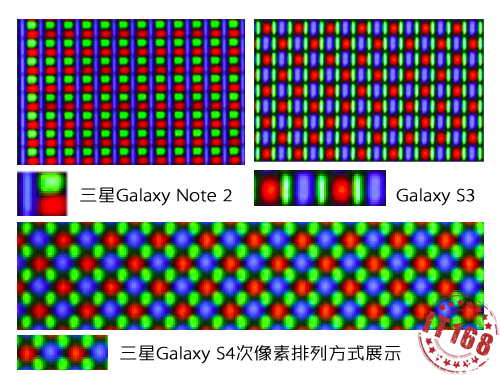
Display: 5” ~441ppi SAMOLED™ FULL HD
Rear Camera: 13MP lens powered by Sony
Front Camera: 2 MP
Video:Full HD capture w 30 FPS
Network: LTE support for 9505 | HSPA+ for 9500
Connectivity: Wi-Fi 802.11 a/b/g/n/ac, dual-band, Wi-Fi Direct, dlna, MHL, Wi-Fi hotspot, Bluetooth 4.0 with A2DP, NFC
Sensors: Accelerometer, gyro, proximity, compass
USB: microUSB v2.0 (MHL), USB On-the-go , USB Host
GPS: aGPS and GLONASS
Battery:removable Li-Ion 2600 mAh battery
Battery Duration: Up to 17 h (3G,Talk time) /Up to 370 h (3G)
Dimensions: 136.6 x 69.8 x 7.9 mm
Weight: 129g
Colors Availability: Black, White, Blue, Pink
S Health, Smart pause, Smart Stay , Optical reader, Smart scroll, Air gestures, Dropbox (50 GB storage), Active noise cancellation with dedicated mic
The Post info -reconstruction-
Samsung official Videos
TV Advertisments
» Click to show Spoiler - click again to hide... «
1.
2.
3.
4.
How to register your e-warranty
Assist from our member, FallenOut for helping u to reg. your phone Req. -imei -phone number -name -IC
how to recognize your phone is AP or SME set
» Click to show Spoiler - click again to hide... «
Give them IMEI no, they can check SME unit or not
I bought my 2nd hand Note2 this way.
1) Get IMEI no from seller 2) Call CS to confirm SME set 3) Once confirm, during COD double check the IMEI is correct
for new phones, i assume can do similar things but never tried
-Thanks to Brotan
Happy User and enjoy your S4
======Warning Post====== *Warning..DMH6 update will chance the SELinux status..!! Those who don't want to have enforcing status better not do an update*
+and some post have been mentioned
if you downgrade the firmwares, the Knox Flag will triggered ANYTIME and your warranty will voila
» Click to show Spoiler - click again to hide... «
1.Photography: Instagram, Plixir, Line Camera , Adobe Photoshop express
2.Games: Zenonia Series., NFS series, Temple Run Series, and etc
3.Social... u guys know it
4.Tweak-a-lot [Some of them need roots ] Kernel Controller, PIMP MY ROM[Custom Rom NEEDED!!], No-Frills CPU Controller, LAGFIX premium,DSLR premium by CF, Greenify [req.Xposed Framework]
5.Themes and Widgets: Beautiful Widgets, Apex , S4 apex stuff ] , Next , Nova ,UCCW and ETC
6.Music:Kuwo (chinese apps) ,Spotify , SoundHound and etc
7.Texting: Swiftkey 3 pro, GoogleIME and Sougou (for chinese users)
-thanks to wkkm007 2. S4 have 2 models variants , so need u guys read it
» Click to show Spoiler - click again to hide... «
The Exynos octacore is actually 2 quadcore processors : four high-performance ARM Cortex-A15 cores running at 1.60GHz, four low-power ARM Cortex-A7 cores with 1.20 GHz clock-speed as well as PowerVR SGX 544 graphics adapter. However, the Exynos 5410, though having eight cores but the phone will use only four at a time.
The technology used is called big.LITTLE and Samsung has taken a licence for it from ARM. In actual use, Galaxy S IV will use A7 cores while handling light work. For example, if you are making a call, the phone is likely to be powered by A7 cores. But if you are playing a demanding 3D game, it will switch off A7 cores and use A15 cores. At no point of time, the phone will use all eight cores simultaneously.
Samsung claims that this technology provides users best balance of performance as well as battery life. An important detail to note is that A15 cores are very powerful and even if only four of them are used in Exynos 5410, it is enough to make the device one of the most powerful smartphones in the market.
I am only looking forward to the Snapdragon model mainly due to LTE being enabled on it
-Thanks to uncle benny888 for explain
3.Battrey Endurance
» Click to show Spoiler - click again to hide... «
» Click to show Spoiler - click again to hide... «
Iphones seem to be more efficient processor wise when surfing. Thats why if iphone and like a flagship samsung device go head to head battery test both pure surfing, they actually last similarly. Because iphone dont eat that much juice while samsung eats a lot. But if a mix of uses then iphone would lose. Also I do get iphone heating up when I play extensive gaming. Surfing yea not so much. Its processor.
I dont think its much to worry about.
I recommend 1. Underclocking (I dont) 2. Undervolting (I do) 3. Both (youll see epic battery savings too)
» Click to show Spoiler - click again to hide... «
Battery Frequently Asked Questions (FAQs) First of all, it should be noted that most myths about mobile phone battery care originated from the days where nickel-cadmium (NiCad) based batteries were common years ago but the overwhelming majority of smartphone batteries used nowadays are lithium ion based smart batteries which doesn’t require these treatments. I’ve seen these questions asked again and again multiple times over multiple threads and I’ve decided to compile some information all over the internet to answer these questions.
Q: I heard that you need to do an initial charge of 8 hours before first use of the battery, is this true? A: There is no need to charge a Lithium ion battery to 100% or charge for long hours (priming), this doesn't work for li-ion chemistry, before using your device. It will not affect battery life in anyway. In fact, you can start using most modern smartphone batteries immediately right out of the box and it won’t cause any problems to the long term life of your battery.
Q: I heard that it’s good for the battery if you often charge it to 100% and use it until it’s almost out of power before recharging again to combat battery memory effects. In other words, I heard it’s good to do full discharges of the battery before recharging. Is this true? A: Batteries have a finite limited number of charge cycles and similar to a mechanical device that wears out faster with heavy use, so also does the depth of discharge (DoD) determine the cycle count. The shorter the discharge (low DoD), the longer the battery will last. If at all possible, avoid full discharges and charge the battery more often between uses. Partial discharge on Li-ion is fine; there is no memory and the battery does not need periodic full discharge cycles to prolong life, other than to calibrate the fuel gauge on a smart battery once in a while between a few months. In other words, do not discharge lithium-ion too deeply. Instead, charge it frequently. Lithium-ion does not have memory problems like nickel-cadmium batteries. No deep discharges are needed for conditioning. Running a Lithium battery low all the time actually does harm it more than topping it off whenever possible. Using only 20% or 30% of the battery capacity before recharging will extend cycle life considerably. As a general rule, 5 to 10 shallow discharge cycles are equal to one full discharge cycle
Q: Somebody told me to not leave the phone connected to a charger for a long time to avoid overcharging and damaging the battery. Would that be correct? A: In most cases of modern lithium ion batteries, this is not a problem as these smart batteries are designed to cut the current when they reach a certain charge level and will use a bit of their own power before they start charging again and since lithium ion batteries have no memory effects, this is not a problem. There is no danger of the battery being overcharged. People seem to misunderstand about this point because a lack of knowledge and also advices with other batteries for example with laptops where people are usually advised to take the lithium batteries out if it’s not going to be used for a long time. People don’t realise in that case that the risk is actually the heat coming from operation of the computer instead of overcharging.
Q: How should I store my battery if I’m not going to be using it for a while? eg. storing phone away or spare battery. A: The worst way to store a battery is to store it fully charged in places with high temperatures. The best common way to store your smartphone battery is to store it away with power levels of between 40%-60% and in places where it’s likely to stay at a comfortable temperature.
You can now input your details in the self service form !!!
Please input your LYN username, SME/AP, Model, Capacity and Color, and any optional information you wish, and hit "Submit" on the form. -Credits to Mr Joytest
» Click to show Spoiler - click again to hide... «
1.2 , refer V5.. :V 3.Cavino
» Click to show Spoiler - click again to hide... «
I will be targeting for Note 4 by then so apa S5 also ok. My wife now waiting for my S4 liao coz S2 although still "new" to her newbie learning, its getting a bit too small on the screen size.
Still very satisfied with S4, a bit small when looking at news pages but overall sharp. Combined with satisfyingly super smooth glass.t nano screen and my Slim Armor View case, it somehow still wow me when I look at it and use it.
Anyway, yesterday night, when taking photo with auto night mode on (activated), the processing time on every take is abt 2-3 second (can see the word "processing" with progress bar). Have to wait for completion of the progress before snapping another photo.
Today testing again on morning (now), it seems almost instantaneous (no processing word, just snap and can snap another one almost straightaway.
Does night mode slow down processing time after every photo click? Also since update to the latest OTA update (when it was release...somewhere last week or so kuah), camera sometime will stop running. Have to reboot system.
» Click to show Spoiler - click again to hide... «
Recovery Mode
» Click to show Spoiler - click again to hide... «
VOLUME UP + HOME BUTTON + POWER BUTTON
ODIN mode aka bootloader mode
» Click to show Spoiler - click again to hide... «
Volume Down + Home button + Power Button
Hard Restart
» Click to show Spoiler - click again to hide... «
Volume Down + Home button + Power Button > 10 secs later restart
Frequently Asked Question [FAQ]
» Click to show Spoiler - click again to hide... «
1.Q:How to enable the sidebar? A:okay, hold the return button for 10 sec, it'll popped 2.Q:Is needed always open NFC A:Definately no, coz NFC will 'consume' ur battery w .5% per hrs 3:Q:Is Needed to Update the official stuff A:yes, u needed 4:Q:how to swap intSD to extSD A:u needed to root and after that swap ur any 'apps' to ur extSD aka micro SD cards! DIY 5.Q:how to enable Developer mode? A:go settings>about device > tap the build number approx 7x times > done 6.Volume soft like 'hell' and make you mad... A:Volume too soft for you, well try this at your phone! - Credits to XeactorsZ from S3 Thread
» Click to show Spoiler - click again to hide... «
1. go to /system/etc 2. open up default_gain.conf 3. notice the term "output volume" or "speaker volume", if applied the patch will be 63, so this is the value you are gonna change 4. how do you find what you wanna edit? well, see the term "modifier"? thats like the which part of the audio output to configure for your device, then there is this "SupportedDevice }" line, below it will determine what output hardware it will be going to use to sing, in there, find the line {"Speaker Volume", 63} and adjust values 5. You can also boost/reduce ringtone loudness by going to the modifier "Ringtone" and change the "speaker volume" 6.save it and reboot
6.Galaxy S4 WiFi Keeps On Dropping? A:
» Click to show Spoiler - click again to hide... «
Turn Off WiFi Power Saving Mode
Launch Phone Dialer. Dial *#0011# Choose Menu, then WiFi. Set WiFi Power Save Mode to Off. Keep WiFi On Always
Go to Settings. Choose Connections, then tap Wi-Fi. Tap the Menu key. Set Keep Wi-Fi On During Sleep to On.
7.Galaxy S4 Lags A:
» Click to show Spoiler - click again to hide... «
Settings => More => Applications Manager => All => tap apps one by one => Disable
8.Galaxy S4 Home Button Lag !!! ATTENTION! A:
» Click to show Spoiler - click again to hide... «
The best thing to do to make the phone as responsive as it should be when the Home button is pressed is to unbind it from S Voice feature.
Double-press the Home button to launch S Voice. Press the Menu key and choose Settings. Uncheck ‘Open via the home key’. Now press the Home button and you will be brought immediately to the Home screen.
9.Apps that can safety to FREEZE at your S4 A:
» Click to show Spoiler - click again to hide... «
Please use some caution when deleting apps, just because they are 'safe' to remove doesn't mean you won't need them. For example: DO NOT delete GoogleContactsSycAdapter.apk if you need to sync your Google contacts. I have deleted everything on this list from my system apps as they are things I don't use.
I actually NEVER REMOVE system apps completely. I MOVE them to a folder on my external SD. That way if I ever want anything back I can simply copy it back again. I would suggest you do the same.
AccuweatherPhone2013.apk Airmotiontryactually.apk Alarmwidget.apk AllShareCastPlayer.apk AllshareControlShare.apk AllshareFileShare.apk AllshareFileShareClient.apk and futher more, hit ->Source
10.What LTE Catergories that can used on our Country A.
QUOTE(fruitie @ Sep 10 2013, 07:03 PM)
1800MHz and 2600MHz for now.
-reconstruction-
Useful Code aka. Secret codes (type in Phone)
» Click to show Spoiler - click again to hide... «
*#06# – IMEI number
*#0*# – Enter the service menu on newer phones like Galaxy S III
*#*#4636#*#* – Phone information, usage statistics and battery
*#*#34971539#*#* – Detailed camera information
*#*#273282*255*663282*#*#* – Immediate backup of all media files
*#*#197328640#*#* – Enable test mode for service
*#*#232339#*#* – Wireless LAN tests
*#*#0842#*#* – Backlight/vibration test
*#*#2664#*#* – Test the touchscreen
*#*#1111#*#* – FTA software version (1234 in the same code will give PDA and firmware version)
*#12580*369# – Software and hardware info
*#9090# – Diagnostic configuration
*#872564# – USB logging control
*#9900# – System dump mode
*#301279# – HSDPA/HSUPA Control Menu
*#7465625# – View phone lock status
*#*#7780#*#* – Reset the /data partition to factory state
*2767*3855# – Format device to factory state (will delete everything on phone)
- Credits to XeactorZ from S3 thread
Issue
» Click to show Spoiler - click again to hide... «
1.Q:Battery FAST Leakage? A1:Turn off all bunch of smart stay, views, eye, and motion... (try to turn off Data and wifi) A2:download betterbatterystat at play store to check ur battery usage 2:Network Issue? Network 3:LTE not detected at phone NOT FOR OCTA-CORE USER! THIS, u wanna go Maxis for replace the LTE micro sim [charge 20 bucks for Maxis users] and Celcom IS F.O.C
Tricks
» Click to show Spoiler - click again to hide... «
» Click to show Spoiler - click again to hide... «
1,Q:Does root valid warranty? A:Yes, if u gonna send to SC and so far no heard any news on Samsung SC reject rooted devices to do so please flash back everything before u go for 'ICU' for Sammy SC
2, Q:after root have any changes at the phone? A:Yes,Kernel, CSC,Baseband,Firmware,Rest of da' Roms and Recovery [After rooted] and except the hardwares..!
3, Q:what is root?[IMPORTANT TO READ] A:cut the crap and i talk shortly Root is u get the permission on the phone that u can access to your device LIKE A BOSS and it's NEVER change your phone in other way , they 'OPENS THE DOOR' to magic. NOTHING IS CHANGED!
4.Q:Root will bricked my phone? A:No, the root will increase the binary counter and your Knox Flag will increased by 0x1
5. About AOSP, [Android Open Source Project], differences and Touchwiz UI by Samsung and etc
» Click to show Spoiler - click again to hide... «
Very very briefly, you have 2 classes of ROMs for Android devices in general. One is based on stock ROMs for the device (TouchWiz in the case of Samsung), the other is based on Google's AOSP (Android Open Source Project).
TW (short for TouchWiz) based custom ROMs usually retain and ENHANCE the available stock apps, and give you some extra features like being able to control CPU speed, screen color values, switch DPI etc. They are also known as "cooked" ROMs, and the authors are called "chefs".
You usually get all the Samsung stuff available, unless it's a "slimmed" ROM where the chef has cut out what they feel is unnecessary.
AOSP ROMs, since they are from the freely available Google sources, can be recompiled by developers and features added, optimized or subtracted depending on the philosophy of the dev team. These are "compiled" ROMs and the developers are called developers, not chefs.
AOSP ROMS do not contain the Samsung specific features of TouchWiz like S-View or whatever "S-something" app bundled by Samsung, but since this is Android, there are either replacements or close equivalents of the same apps on the Play Store.
Note that even if you use AOSP, you DO NOT lose the S-pen function, only the S-applications that use it. Any other drawing app can still use the S-Pen.
It's all a personal preference and getting used to a specific ROM type's features. See post 9, the sifus there all use a wide variety of ROMs, and the "flashoholics" change ROMs as often as they, um, make their beds I suppose.
Choice is the key word of Android.
One thing to note, is the S-Note app. It is a fantastic piece of software from Samsung, but unfortunately it only works on the Note family. This is a form of lock in. To avoid this, I recommend HandyNote Pro or others here may recommend other S-pen note taking apps.
About Knox counter Originally Posted by Jeffery Butler FYI...Samsung told me that Knox warranty becomes 0x1(void) when the device with secured bootloader attempts to have non-secured bootloader. MH1 is the very first binary with secured bootloader. If MH1 is attempted to be downgraded to lower version(i.e. MGD) which has non-secured bootloader, then Knox warranty becomes void forever, and this means that the device can be used only for non-Knox device(no container can be created). Source
» Click to show Spoiler - click again to hide... «
Bad news everyone! I've been hearing more from people in places associated with Samsung, and it is becoming more likely that this KNOX status is indeed an eFuse. I might talk to some Samsung guys myself this weekend, if there's anything interesting about that, I'll let you know.
Worse than that, I've also been hearing that service center instructions are indeed that devices with this status tripped will not receive any warranty repairs. (Of course, the action they take may still depend on the service center). Their excuse is that the hardware is damaged by the owner. Seems Samsung is catching up in scumbaggery to HTC, who years ago attributed my HTC Diamond's screen damage (digitizer detached) to the installation of HSPL
To anyone in the know it is obvious that this doesn't really fly, and the eFuse blowing (is this the hardware damage?) is intentionally done by the bootloader when unsigned software is loaded. One could even argue against the legality of that under EU regulations.
Anyway, of course there's that EU regulation (1999/44/CE) that is generally interpreted so that rooting/flashing may not break hardware warranty. As I've said again and again, this may be true, and you may be legally entitled to free repairs but this doesn't necessarily mean they'll actually repair your device.
Warranty needs to be provided by the seller, not by the manufacturer. The shop will usually depend on the manufacturer's warranty, though that's really none of your business or concern - your deal is with the seller. The shop will send you (or your device) to a service center, which may not be OEM operated or owned (but licensed instead) and are furthermore under no obligation whatsoever to repair your device if they don't want to. And if their instructions say to not repair in case X, then they will not, as the OEM will not reimburse them for the parts.
The shop will just tell you that the OEM says your breakage isn't covered by the warranty, and that will be that. You will have to slap said shop around a bit with EU regulations, and possibly take them to court before they will repair/replace your device. Even if you take them to court, and if you win (I've not seen or heard from such a case winning yet), you'd just be hurting the shop, it has no effect on the OEM, and you've probably spent a lot more time and money than you would've just buying a new device.
Only the OEM wins in this scenario, which is pretty sad, really.
Of course, I am not a lawyer, so take all this with a grain of salt From Chainfire's G+
N HOW TO CHECK YOUR KNOX Flags
» Click to show Spoiler - click again to hide... «
- power off your phone. - press three button combo (vol down + home + power button) - once in download mode....press vol up.. - once in Odin mode...see if there a Knox Warranty Void 0x1..or not.? - if got...meant your phone have Knox new bootloader already. - if don't have the 0x0...meant your phone is on older non-Knox bootloader.
Phone Reseller and Reliable in LYN 1.Satu Gadget Dot Com 2.1 Miss call [Jalan Ipoh, KL] 3.DirectD 4.X132755 5.SunnyChai99
BackPad chiller for any phone
» Click to show Spoiler - click again to hide... «
ACC. reviews by user**
» Click to show Spoiler - click again to hide... «
1.
» Click to show Spoiler - click again to hide... «
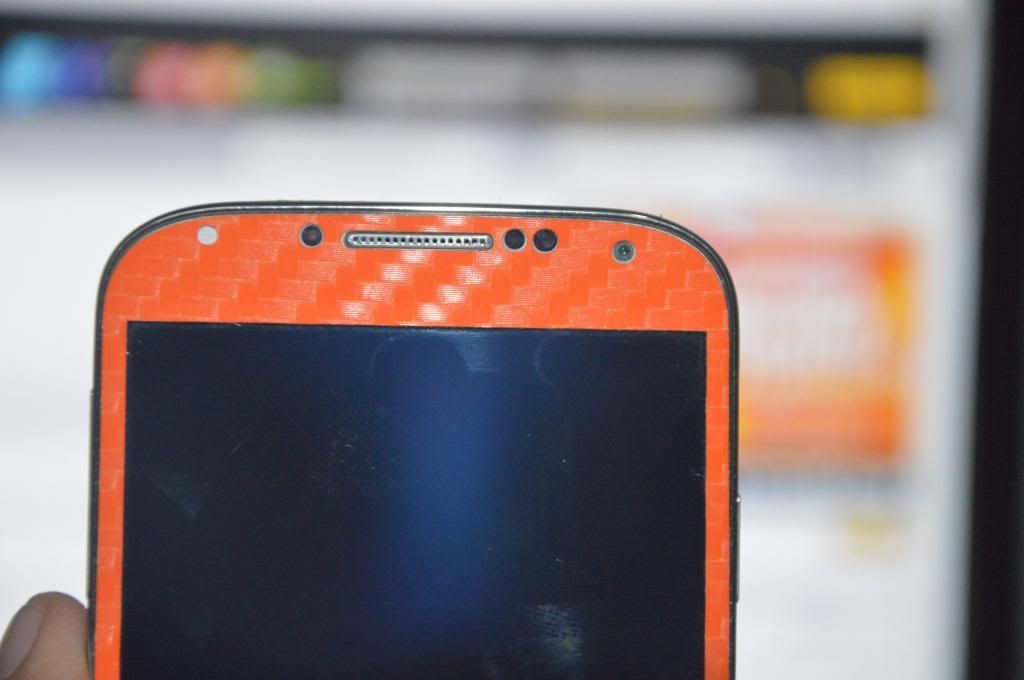
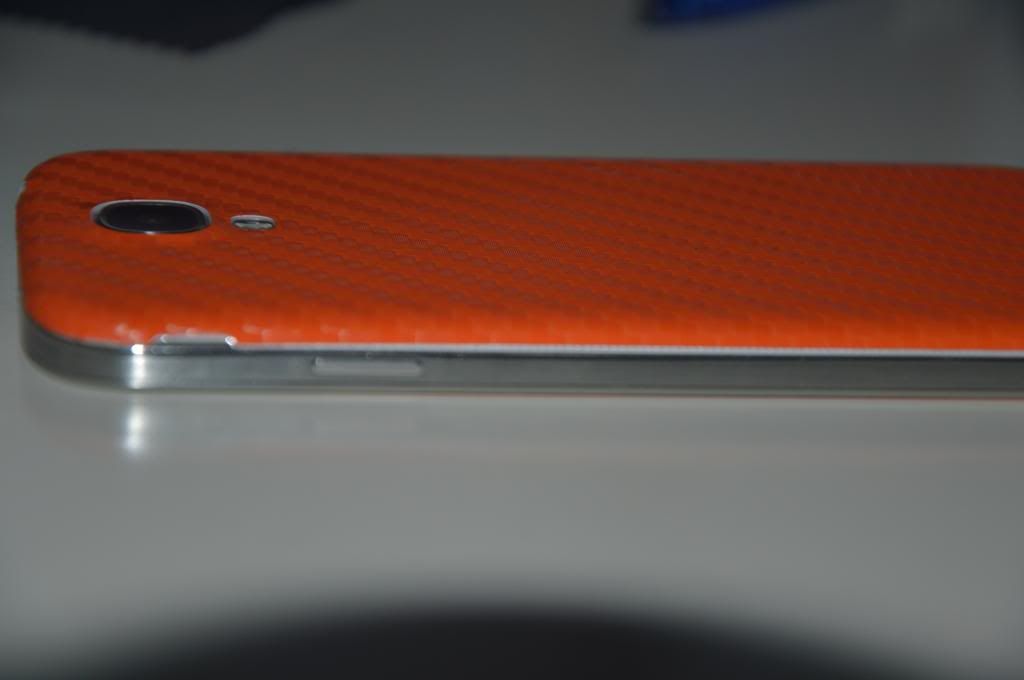
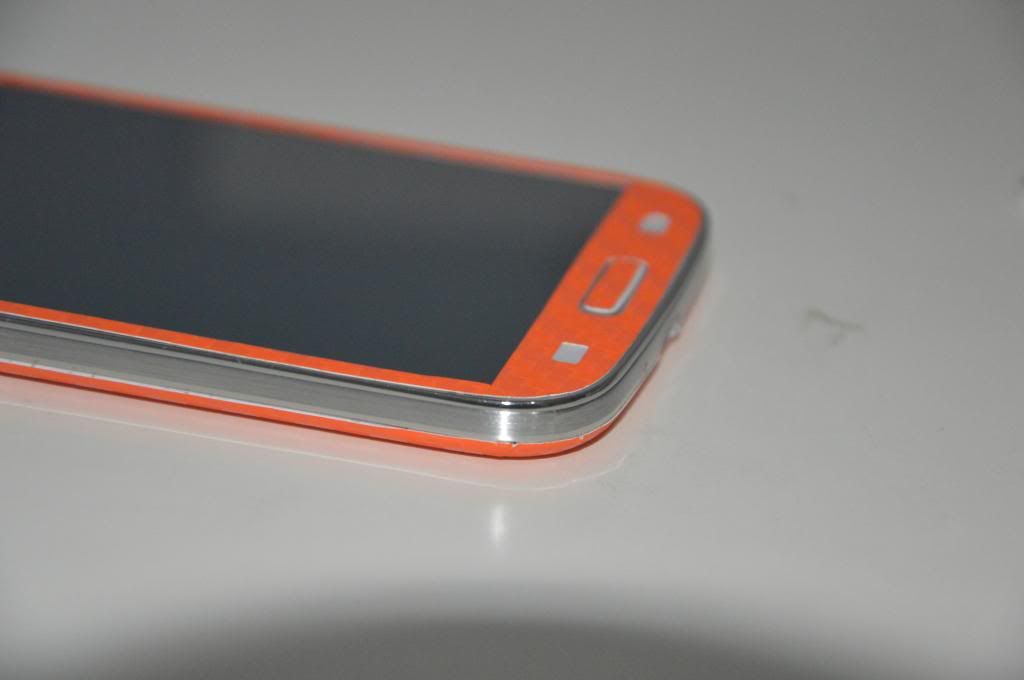
Weehoo !! Just received my Slickwraps orange carbon fiber for my SGS4 !!!!
So without a further ado, lets get started with the little review
first of all, quality, its fking nice except you really have to be precise and accurate when you're applying it. once you're getting out of patience, say goodbye to your sticker lol
nah, just kidding, Slickwraps is genius, if you fked your sticker, you can always apply small amount of heat on the sticker to make it turn back to its original state, applause for them
from this angle, you could really see my mistake (blame me, i was a lil bit excited back then )
luckily i could apply the front sticker correctly
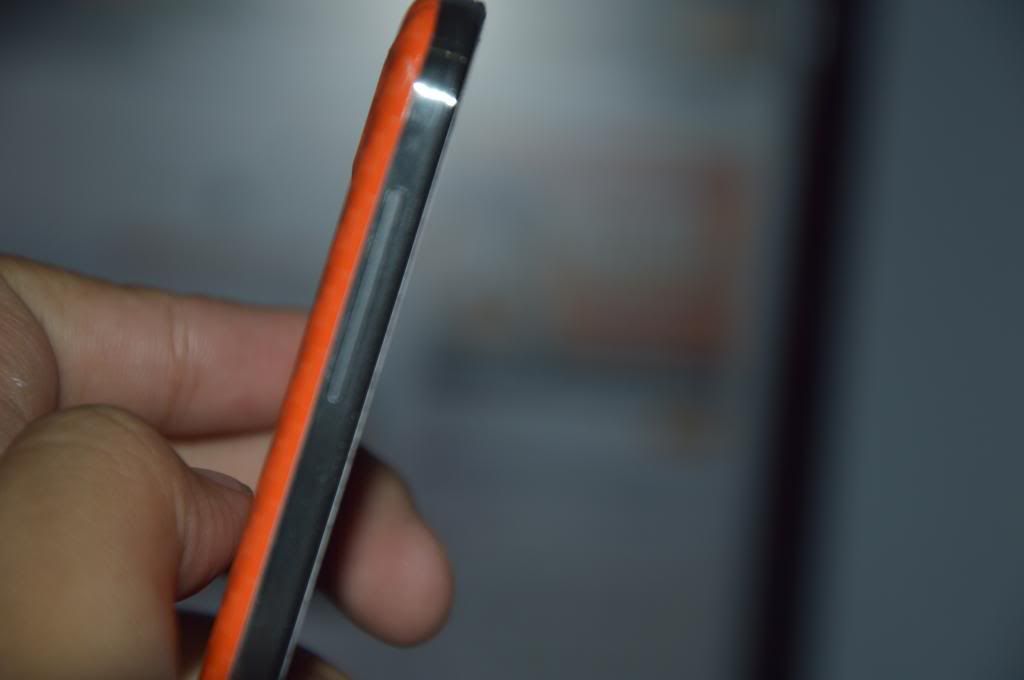
another side angle view
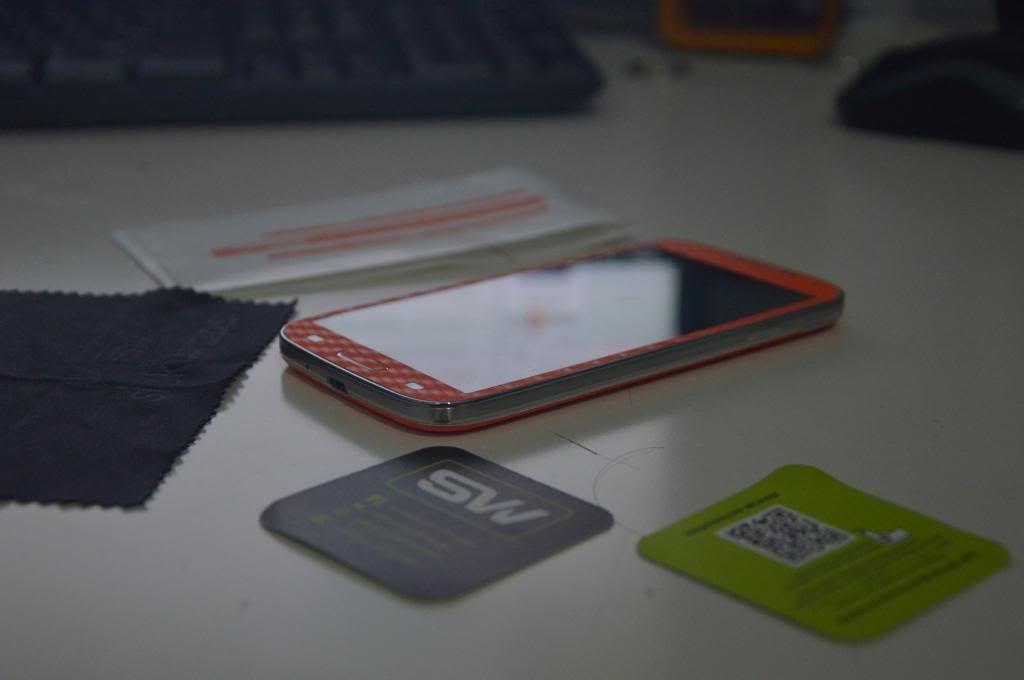
here are the items that will be given when you ordered one :- 1) full body wrap 2) Clear HD screen protector 3) microfiber cleaning cloth 4) a pair of cards/instruction to remove bubbles 5) a code for your next purchase ( discounts will be given if you submit the codes
in conclusion, its really worth the money since i bought it during school holiday sale which cost me rm50 only. it will protect my phone nicely since i usually put my phone in my bag, and since im a student, i rarely go outwith its thin and light profile, it will not make your phone looks bulkier but makes your phone looks just nice and beautiful
A WARNING THOUGH, I WILL NOT RECOMMEND TO YOU GUYS WHO ARE A LITTLE BIT CLUMSY WITH THEIR PHONES LIKE ACCIDENTALLY SLIPPED THEIR PHONE AWAY FROM THEIR HANDS, BECAUSE ITS A WRAP, NOT A CASE. IT WILL NOT PROTECT YOUR PHONE AS GOOD AS A CASE. SO, I RECOMMEND YOU GUYS TO GET A CLEAR CASE OR A POUCH TO PROTECT YOUR PHONE. AGAIN, ITS A WRAP/STICKER, NOT A CASE. P/S :- TLDR ?, build quality is nice, Slickwraps said it can last for years if you handle it with care, good for people who like to go out with his or her phone naked
* i dont apply side wraps cuz i really like the plastic painted bumper ** time taken to apply may vary, it depends on your patience and skills
-By ahodil
Alerted Case -refer Version 5-
This post has been edited by mudkipryan94: Oct 5 2013, 11:19 AM
» Click to show Spoiler - click again to hide... «
So, as we had the Octa-Core (GT-I9500) variant of the Galaxy S4, we decided to do some benchmarks. We are just BLOWN away from the results we got. The Galaxy S4 crushed every other device, even the HTC One and the Sony XPERIA Z. We used Antutu and Quadrant as our benchmark tools. The device received a score of 27417 on Antutu and 12726 on Quadrant.
Our full review of the Galaxy S4 will come at the end of April, so stay tuned for that!
COMPARISON MODEL! ***
» Click to show Spoiler - click again to hide... «
Edit some Specifications on 1st post n added LG G2 vs S4 at Comparison
24/9
Added about SELinux
Important for flasholics to read
24/9
Added ColorOS at Custom Rom
oppo N1 ported rom
26/9
added about Knox counter n Knox white paper at ROM sections
Noticed to read
10/5
added our kawan, ahodil's Slickwrap SP
Accesories Reviews
15/10
added some stuffs at root, rom and kernels sections
FOR those wanna have stock features
15/10
added some youtube video at root
for info's
19/10
EDITED some words on 1st post
remarked as IMPORTANT
25/10
added how to check your knox counter flag at custom rom sections-by waveweaver
steps to check
V.5
» Click to show Spoiler - click again to hide... «
10/9-added the LTE catergory at FAQ sections === new months entry.. 8/31-Majority added and edit on at roms,guides and mods and residential section 30/8-new section, Alerted Case at accessories section! =================================> TS a bit fever... 15/8-added some FAQ stuffs 14/8- added the Sammy Repair Pro at Residence 7/8 -added on the clocking on Exynos aka 3G at guides and mods 4/08 -Majors edits and added on youtube video at some post 1~7/8
V.4
» Click to show Spoiler - click again to hide... «
25/7- added S4 parts and the hardware how-to 23/7-added DG LTE pack on telco plan section! 19/7- added UserU at residents and some edit at post 9/07-added ARHD n edited from XDA's Google S4 edtion at Custom Rom, LTE sections 29/06- added Samsung Leaked GOOGLE S4 Edition at Custom roms , LTE section 28/06 - added x132755 and sunnychai99 at phone reliable seller, and added Volume soft and Secret Codes at FAQ section
V.3
» Click to show Spoiler - click again to hide... «
24/06- added the recognized units and edit some stuff at post 1 23/06- added Network issue, edit at guides sections 22/06 - added foxhound rom and Wanamlite at Custom ROM, LTE section 19/06 - added kernel wake at issue! 18/06 - added WinnieKepala review 09/06 - minor 'patching' , which is issue,basics and FAQ and thanks let me think the ideas
This post has been edited by mudkipryan94: Oct 25 2013, 11:02 PM
» Click to show Spoiler - click again to hide... «
-Compared to its predecessor, Adreno 305
-FlexRender is designed to help the Adreno GPU boost speed and save power by dynamically switching between drawing pixels in direct or deferred rendering mode
-Available only in select processors
Snapdragon 600 processors include the following part numbers: 8064T and 8064M
» Click to show Spoiler - click again to hide... «
In Android 4.3, Android begins supporting Security-Enhanced Linux (SELinux), a tool for applying access control policies. SELinux enhances Android security, and contributions to it have been made by a number of companies and organizations; all Android code and contributors are publicly available for review on this same site source.android.com. With SELinux, Android can better control access to application data and system logs, reduce the effects of malicious software, and protect users from potential flaws in mobile code.
In this release, Android includes SELinux in permissive mode and a corresponding security policy that works by default across the Android Open Source Project. In permissive mode, no actions are prevented. Instead, all potential violations are logged by the kernel to dmesg. This allows Android and Android device manufacturers to gather information about errors so they may refine their software and SELinux policies before enforcing them.
Background Used properly, SELinux greatly limits the potential damage of compromised machines and accounts. When you adopt SELinux, you instill a structure by which software runs at only the minimum privilege level. This mitigates the effects of attacks and reduces the likelihood of errant processes overwriting or even transmitting data.
SELinux provides a mandatory access control (MAC) umbrella over traditional discretionary access control (DAC) environments. For instance, software must typically run as the root user account to write to raw block devices. In a traditional DAC-based Linux environment, if the root user becomes compromised that user can write to every raw block device. However, SELinux can be used to label these devices so the user role assigned the root privilege can write to only those specified in the associated policy. In this way, root cannot overwrite data and system settings outside of the specific raw block device.
See the Use Cases section for more examples of threats and ways to address them with SELinux.
» Click to show Spoiler - click again to hide... «
The project’s official description reads “SELinux is a security enhancement to Linux which allows users and administrators more control over access control.”
SELinux is a set of Open sourced and peer reviewed changes to the core Android Software stack to help prevent apps from performing malicious activities. This is done by establishing a set of policies that act as mandatory access controls (MAC). Depending on the policy, it can do things such as prevent apps from running or accessing specific data, to preventing root access altogether.
SELinux has wide-scale adoption throughout the linux landscape, with Fedora, Red Hat and others incorporating policies to better the system security. The default policies are usually written per distribution, by their maintainers – we have begun this process for CyanogenMod.
We will be working on this policy creation in parallel to Google’s own policies for Android, which we believe will be released with the Android 4.3 source; effectively getting us ahead of the eventual 4.3 source release. As this process is open source, policy creation and suggestions will be handled via our gerrit instance....
» Click to show Spoiler - click again to hide... «
SELINUX can take one of these three values: >enforcing - SELinux security policy is enforced. >permissive - SELinux prints warnings instead of enforcing. >disabled - No SELinux policy is loaded.
FAQS? 1.Q:If my SELINUX status is on Enforcing or Permissive, is still have the chance to root and flash it? A:In other word..it doesn't matter your phone on permissive or enforcing status.
All I know while in permissive status..I can still mix and match the roms..kernel and modem. Maybe..just maybe when it's on enforcing mode you can't even change that after you flash custom roms or kernel. hmm.gif
And no...usb jig or TriangleAway won't effect that warranty flag.<-from waveweaver
This post has been edited by mudkipryan94: Sep 24 2013, 10:09 PM
» Click to show Spoiler - click again to hide... «
SIRIM is Malaysia certification of wireless products. You will never ever see such a Sirim sticker on imported products unless the importer stick onto it. Custom will normally not open unless is suspicious. If the delivery docs declared as phone high chance it will be holdup at custom. Than you need to apply Sirim permit at nearest Sirim center. You need pay only RM100 for it n with it you can bring in up to 3 phones same model You need to fill up 3 forms at Sirim n provide following: - courier or arrival notice - purchase detail ( email will do) of phone - printout from web specs of phone
You can normally get the permit within an hour Than show this permit to custom to clear out phone There is no other duty/taxes on mobile phones import into Malaysia
From GURU Benny888 from Nexus 5 post
okay... start to post....!
This post has been edited by mudkipryan94: Nov 3 2013, 10:47 AM


 Sep 15 2013, 11:04 PM, updated 13y ago


 Samsung GALAXY S4 OFFICIAL THREAD Ver.6


 Quote
Quote
 [Some of them need roots
  ]
]


 )
)





 0.1339sec
 0.13
0.13
 6 queries
 GZIP Disabled