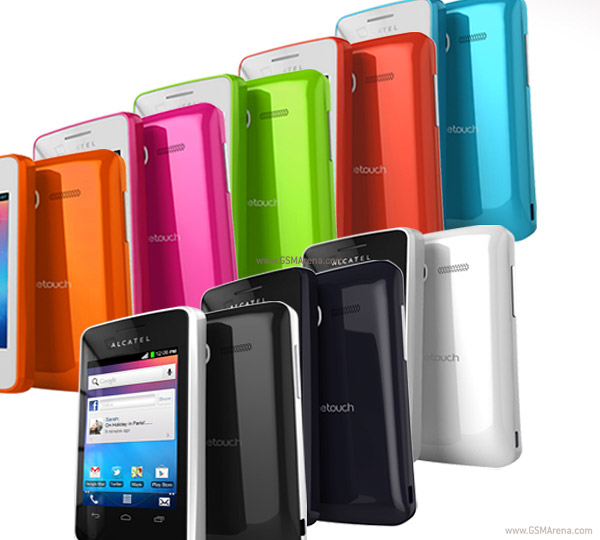
ALCATEL ONE TOUCH Glory 2S
 SPECIFICATIONUNLOCKING
» Click to show Spoiler - click again to hide... «
Since almost all the Alcatel One Touch Glory 2S bought here from Digi store or locked by Digi, call
Do ready your phone IMEI and the Digi Prepaid Number for the unlocking process.
*For double confirm so it wont ask for the unlock code again, install root app delete, go to SysApp tab, find & uninstall EM SIM ME LOCK. Titanium Backup can be used also
ROOTING & INSTALL CWMRoot Method A - Easy (Thanks to hddesire & mR.hyDE) » Click to show Spoiler - click again to hide... «
1. Follow the instruction provided below or click
HERE:
» Click to show Spoiler - click again to hide... «
1. Follow the post below -
Root Method C - Hard ( I don't recommend for newbie)» Click to show Spoiler - click again to hide... «
Requirements:
1.
MTK DROID ROOT & TOOLS + SP FLASH TOOL2.
UNIVERSAL ADB DRIVER3.
ONE TOUCH UPGRADE S4.
MTK VCOM DRIVER1. Before starting, do download and make sure to install all required drivers and software to avoid any error. Always recheck the log created at ( C:\ProgramData\SP_FT_Logs ) incase run into an error
2. Follow this link by rua1 & cyberangel22k from XDA for guideline (Credits goes to them) -
LINK &
LINK 22. In step 4 from the guide, type the cache value u got from the scatter file u made before to the LENGTH input box
3. In step 6, disconnect the phone then take out the battery. After that connect the usb cable again BEFORE pressing READBACK
4. In step 8, edit the following value in the new generated scatter in step 7 which located in the newly created folder:-
__NODL_SECCNFG --> __NODL_SECCFG
MOBILE_INFO --> __NODL_MOBILE_INFO
CACHE --> __NODL_CACHE
CUSTPACK2 --> CUSTPACK
» Click to show Spoiler - click again to hide... «
Download -
ONE TOUCH UPGRADE SAfter installation, run the utility then choose Alcatel One Touch 4010. Follow the instruction and your bricked phone should be fixed and restored to factory condition.
» Click to show Spoiler - click again to hide... «
1. PrincZe - Bluish Black
2. wwl86 - Pure White
3. wicktoria - Bluish Black
4. engine_expert - Bluish Black
5. shinningteen - Bluish Black
6. dineshmike - Pure White
7. BOTT - Pure White
8. nse890514 - Pure White
9. mR.hyDE
10. akustuk
11. portal00
12. dinie74
13. syahmie_dbf1430 - Bluish Black
14. cekodok11
15. kysl
16. hddesire
17. azha1234
18. 21th century apes - Pure White
19. Ronald_loulan
20. 11768
21. Hamizi
22. jackz08
23. lch36
24. faux_pas
25. tonton
26. css9028
24. joe ieyl
25. ntuser88
26. LeaRi
27. monoikhwan
28. kingmafia
29. alexanderclz
30. Skudeng
31. IvanWong1989
32. wmr91
33. jambubatu1000
34. justyn
35. Faeez Ezuan
36. aku46 - Pure White
37. juanhomies - Bluish Black
38. muhamad_asyraf
39. cheewee830
40. Sub4Crew
41. girlgeneration
42. mastering89
43. wiera
44. heata
45. toofat - Pure White
46. raphealo
47. rioven
48. blur88 - Pure White
49. ComradeZ
50. raz4forex
51. **will add more in the future**
Let me know if I'm missing something or if u want me to add u to the user list. Cheers~ Mine is much simpler on doing root...


 Jul 7 2013, 02:53 PM


 Quote
Quote


 0.0321sec
 0.45
0.45
 6 queries
 GZIP Disabled