Outline ·
[ Standard ] ·
Linear+
Home Networking ASUS Malaysia Networking User & Technical Support, Managed by ASUS Malaysia Representative
|
SzeMeng76
|
 Dec 28 2018, 12:07 AM Dec 28 2018, 12:07 AM
|

|
my ASUS USB-AC68 suddenly cannot detect 5ghz wifi?
What should I do now? Previously can.
Check my other device (phone), 5ghz wifi detected no problem.
|
|
|
|
|
|
SzeMeng76
|
Jan 4 2019, 10:13 PM
|
|
|
How to enable NAT Acceleration on ac86u?
Cannot find the setting.
|
|
|
|
|
|
SzeMeng76
|
Jan 9 2019, 08:16 PM
|
|
|
ASUSmy
for my AC86u, I factory reset after upgrade latest firmware. The picture above no Tx/Rx rate for my phone Oppo F9, I remembered previously got. But only that device, others look normal. May I know what is the problem could be, for not showing the Tx/Rx rate like other device?
|
|
|
|
|
|
SzeMeng76
|
Jan 12 2019, 11:14 AM
|
|
|
QUOTE(drpukal @ Jan 12 2019, 11:06 AM) got my Asus RT86u for RM686 from Shopee during 12.12 sale with discount This is confirmed imported version from China. Not covered 3 years ASUS Malaysia warranty. You direct bought from Tmall China will be much more cheaper like I do. Hehe |
|
|
|
|
|
SzeMeng76
|
Jan 17 2019, 06:02 PM
|
|
|
QUOTE(devkamal @ Jan 17 2019, 05:49 PM) Hi i bought asus blue cave recently from Amazon. I have trouble setting up internet. I set in pppoe mode but internet is not connecting , it works with my tp link router. Also my router keeps factory resetting everytime i reboot. Go setting LAN - IPTV - choose ur internet profile accordingly. |
|
|
|
|
|
SzeMeng76
|
Jan 17 2019, 06:10 PM
|
|
|
QUOTE(devkamal @ Jan 17 2019, 06:08 PM) I do that and it factory resets. Erm I'm not understand your answer. Means you press that and your router factory reset? Can show your screenshot of router setting?  This post has been edited by SzeMeng76: Jan 17 2019, 06:11 PM
 |
|
|
|
|
|
SzeMeng76
|
Jan 17 2019, 06:13 PM
|
|
|
QUOTE(devkamal @ Jan 17 2019, 06:11 PM) When i choose the isp profile for stb, it resets to factory settings, means i need to start over. 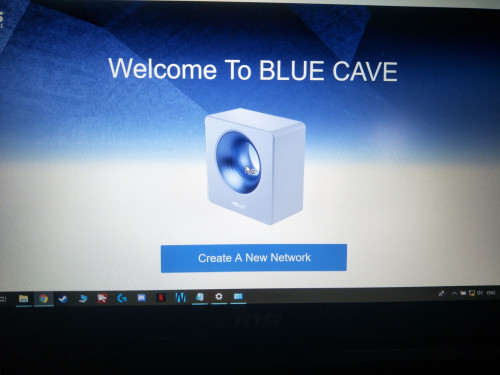 I start back from here. Huh then this is so strange. U try to setup again and press the ISP profile again. If issue still exist, you may need to get help from ASUSmy. Without tagging the ISP profile, your internet wont be connected. This post has been edited by SzeMeng76: Jan 17 2019, 06:14 PM |
|
|
|
|
|
SzeMeng76
|
Jan 18 2019, 07:42 PM
|
|
|
my ac86u RAM usage always 50-60% is it normal ya?
Connected around 8-9 devices.
|
|
|
|
|
|
SzeMeng76
|
Mar 30 2019, 09:23 AM
|
|
|
QUOTE(kktong83 @ Mar 30 2019, 09:07 AM) My Asus 86u just died, there is no light and no response. But this unit I bought in China 3months ago , does Asus malaysia able to provide warranty? No. You need to send back to China. Have 3 years China warranty. Asus Malaysia only covered Malaysia unit. |
|
|
|
|
|
SzeMeng76
|
Apr 19 2019, 04:19 PM
|
|
|
QUOTE(blacktubi @ Apr 19 2019, 11:53 AM) This used to be a bug on a really old firmware. Make sure you are running the latest firmware. https://www.asus.com/my/Networking/RT-AC86U/HelpDesk_BIOS/Thanks for pointing, just had upgrade latest firmware. I remembered I did check yesterday, did not notice any latest firmware available though.  |
|
|
|
|
|
SzeMeng76
|
Apr 20 2019, 01:08 PM
|
|
|
After upgrade to latest firmware, it quite frequent to came out statement below:-
Apr 20 10:02:40 kernel: jffs2: warning: (721) jffs2_sum_write_data: Not enough space for summary, padsize = -1808
May I know any problem? Before that don't have.
|
|
|
|
|
|
SzeMeng76
|
Aug 8 2019, 07:39 PM
|
|
|
QUOTE(97fangkhai97 @ Aug 8 2019, 07:20 PM) I cant log in to my router as i forgotten the userid and password... how do i reset? Factory reset/hard reset your ASUS router. https://support.myrepublic.com.sg/hc/en-us/...my-ASUS-router- |
|
|
|
|
|
SzeMeng76
|
Aug 24 2019, 11:12 PM
|
|
|
ASUSmy
Just updated to latest firmware 3.0.0.4.384.81039 for my AC86U, and also did factory reset after update.
But after that my wifi keep disconnect/switching channel.
and my system log as below:-
Aug 24 23:10:12 wlceventd: WLCEVENTD wlceventd_proc_event(386): eth6: Deauth_ind A0:9D:C1:D3:59:BE, status: 0, reason: Class 3 frame received from nonassociated station (7)
above status keep repeated.
What is the problem and any solution? No such problem before this update.
|
|
|
|
|
|
SzeMeng76
|
Aug 29 2019, 10:16 AM
|
|
|
QUOTE(blacktubi @ Aug 25 2019, 12:40 AM) Seems like the router is having compatibility issue with your device A0:9D:C1:D3:59:BE. Probably something manufacturer by China Dragon Technology Limited. Try disconnecting this device to see if issue persist. I suggest going back to 3.0.0.4.384.45717. May I know how to roll back firmware? Just manually download it and upload it on firmware upgrade section? and factory reset it again after that? any other setting I need to do? |
|
|
|
|
|
SzeMeng76
|
Sep 28 2019, 05:46 PM
|
|
|
QUOTE(nasilemaksedap @ Sep 28 2019, 05:03 PM) Oh yeah for those planing getting the ac86u I just found out can get cooling fan for it just search on shopee  Ya used it since day 1  |
|
|
|
|
|
SzeMeng76
|
Jan 24 2020, 02:38 PM
|
|
|
QUOTE(xinjiechew @ Jan 24 2020, 01:15 PM) Hi, anyone know can asus malaysia service centre able to fix my taobao bought ac86u? today woke uo my router is off and when i turned on only lan 4 light very dim...i tried press reset button and no luck...other than sending back to china was wondering anyone can repair it locally? Thanks and Happy Chinese New Year No other way, just send back to China. ASUS Malaysia wont entertain any unit bought outside Malaysia. If your unit still have warranty in China just send back to them with some courier fees. |
|
|
|
|
|
SzeMeng76
|
Apr 22 2020, 10:50 PM
|
|
|
my 2.4GHz wifi keep disconnecting after few minute.
recently my adapter have prob only can detect 2.4ghz wifi.. for pc.
but 5 ghz no problem on my other device.
just 2.4ghz wifi keep disconnecting after few minute. what causes this?
|
|
|
|
|
|
SzeMeng76
|
Jul 14 2020, 11:20 AM
|
|
|
Hi ASUSmy,
I replaced my faulty USB-AC68 WLAN adapter, i no longer can login router.asus.com. just keep giving me blank page. but other device like phone / laptop (use lan cable) can login. whats the problem ya?
Function well, just cannot login router setting page.
|
|
|
|
|
|
SzeMeng76
|
Jul 14 2020, 03:05 PM
|
|
|
QUOTE(ASUSmy @ Jul 14 2020, 02:18 PM) Hi SzeMeng76, Are you replacing the faulty USB-AC68 with the same model adapter? If yes, try reinstalling the driver. Try use other browser to log in to the router GUI. Try typing the gateway IP address instead of using the router.asus.com. Thank you Yes same model. I had done all, means uninstall and reinstalling driver. try also gateway ip instead, it keep stuck on http://router.asus.com/login.cgi or http://*GATEWAY IP ADDRESS*/login.cgi blank page. |
|
|
|
|
|
SzeMeng76
|
Jul 14 2020, 05:43 PM
|
|
|
QUOTE(ASUSmy @ Jul 14 2020, 04:19 PM) Hi SzeMeng76, Can you help check the LAN setting is set to Automatic. And please check the WiFi adapter properties whether there is DNS setting is Automatic also. Try clearing the cookies on the browser too. Thank you Yes, had done all setting above (my setting it's same above all the time). Still same outcome, blank page. |
|
|
|
|



 Quote
Quote

 0.0367sec
 0.37
0.37
 7 queries
 GZIP Disabled