

QUOTE(fruitie @ Sep 20 2012, 11:12 PM)
No, I'm just wondering what the hell is the 4G here? LTE not 4G right?

MF820 software display LTE as 4G 
Equipment ready, waiting Maxis

Maxis Maxis 3G/HS 3G Thread V6 (Not WBB), Don't Envy at Our Super Fast Speed! :D
|
|
 Sep 20 2012, 11:37 PM Sep 20 2012, 11:37 PM
|
 
Elite
8,417 posts Joined: Jul 2008  
|
QUOTE(fruitie @ Sep 20 2012, 11:12 PM) No, I'm just wondering what the hell is the 4G here? LTE not 4G right? MF820 software display LTE as 4G Equipment ready, waiting Maxis |
|
|
|
|
|
Sep 20 2012, 11:46 PM
|

Elite
6,931 posts Joined: Apr 2011 From: Bolehland for sure ^_^ 
|
QUOTE(ic-klass @ Sep 20 2012, 11:35 PM) E372 with maxis sim. ok, here is what u can do- go here download -> Download Huawei E372 Driver - remove / uninstall your maxis dialer - restart your computer - right click @ Huawei E372 Driver file u download just now - select run as admin - select yes after - plug in your E372 directly into your usb port after 30 sec/1 min - wait for the auto driver pop up to installing your huawei E372 driver alone ( around 6~8 drivers will pop up ) - go to open network and sharing centre - set new connection or network - connect to internet - choose dial up - set the *99# dial number - connection name -> MDMA - click connect - click skip - run MDMA - APN: u can set unet/maxisbb/bbnet - connection type: set 3G only - click connect Enjoy , this way u just run MDMA and connect without the maxis dialer totally in your computer  Added on September 20, 2012, 11:46 pm QUOTE(blacktubi @ Sep 20 2012, 11:37 PM) MF820 software display LTE as 4G but the sim card not yet ready Equipment ready, waiting Maxis  This post has been edited by chuahcs79: Sep 20 2012, 11:49 PM |
|
|
Sep 20 2012, 11:54 PM
|
|
Elite
8,417 posts Joined: Jul 2008
|
QUOTE(chuahcs79 @ Sep 20 2012, 11:46 PM) » Click to show Spoiler - click again to hide... « Added on September 20, 2012, 11:46 pm but the sim card not yet ready  Found out something interesting routerboard.com/5VUSB |
|
|
Sep 20 2012, 11:55 PM
|
 
Senior Member
5,650 posts Joined: Mar 2012
|
why do u need the 5v injector?
|
|
|
Sep 20 2012, 11:56 PM
|

Senior Member
959 posts Joined: Apr 2007
|
QUOTE(chuahcs79 @ Sep 20 2012, 11:46 PM) ok, here is what u can do Thank you..thank you...- go here download -> Download Huawei E372 Driver - remove / uninstall your maxis dialer - restart your computer - right click @ Huawei E372 Driver file u download just now - select run as admin - select yes after - plug in your E372 directly into your usb port after 30 sec/1 min - wait for the auto driver pop up to installing your huawei E372 driver alone ( around 6~8 drivers will pop up ) - go to open network and sharing centre - set new connection or network - connect to internet - choose dial up - set the *99# dial number - connection name -> MDMA - click connect - click skip - run MDMA - APN: u can set unet/maxisbb/bbnet - connection type: set 3G only - click connect Enjoy , this way u just run MDMA and connect without the maxis dialer totally in your computer Added on September 20, 2012, 11:46 pm but the sim card not yet ready So i can totally get rid of maxis dialer..at last. Btw, what is "APN: unet/maxisbb/bbnet"? Any diff in perfomance issue or is it tailored to ur subscribed package? Sorry, I am such a noob.. |
|
|
Sep 20 2012, 11:57 PM
|
 
Staff
72,852 posts Joined: Sep 2005 From: KUL 
|
QUOTE(ic-klass @ Sep 20 2012, 11:56 PM) Thank you..thank you... To me unet works the best, nothing else comes close for me. So i can totally get rid of maxis dialer..at last. Btw, what is "APN: unet/maxisbb/bbnet"? Any diff in perfomance issue or is it tailored to ur subscribed package? Sorry, I am such a noob..  Anyway, this plan is meant to use with unet. |
|
|
|
|
|
Sep 21 2012, 12:00 AM
|
|
Elite
6,931 posts Joined: Apr 2011 From: Bolehland for sure ^_^
|
QUOTE(blacktubi @ Sep 20 2012, 11:54 PM) Opps, missed this one LOL, sim card also holding factor on QoS speed Found out something interesting routerboard.com/5VUSB what's that 5V USB cable for ?  |
|
|
Sep 21 2012, 12:00 AM
|
|
Elite
8,417 posts Joined: Jul 2008
|
QUOTE(fireballs @ Sep 20 2012, 11:55 PM) why do u need the 5v injector? Provide a stale power to ensure optimum speed |
|
|
Sep 21 2012, 12:01 AM
|
|
Senior Member
959 posts Joined: Apr 2007
|
QUOTE(fruitie @ Sep 20 2012, 11:57 PM) To me unet works the best, nothing else comes close for me. By "plan" u means the UNKIMITED DATA PLAN is it?Anyway, this plan is meant to use with unet. |
|
|
Sep 21 2012, 12:02 AM
|
|
Elite
6,931 posts Joined: Apr 2011 From: Bolehland for sure ^_^
|
QUOTE(blacktubi @ Sep 21 2012, 12:00 AM) Provide a stale power to ensure optimum speed i understand now,the external one more is power power plug to plug in to supply extra power than 5V usb alone,.. brilliant item confirm amazing and work well for those DIRECT PLUG USB user  |
|
|
Sep 21 2012, 12:03 AM
|
|
Staff
72,852 posts Joined: Sep 2005 From: KUL
|
QUOTE(ic-klass @ Sep 21 2012, 12:01 AM) By "plan" u means the UNKIMITED DATA PLAN is it? Yes. |
|
|
Sep 21 2012, 12:03 AM
|
|
Senior Member
5,650 posts Joined: Mar 2012
|
u can always use a Y usb cable (those for hard disk ones)
thin side plug to a usb charger thick side go to your router |
|
|
Sep 21 2012, 12:03 AM
|
|
Elite
8,417 posts Joined: Jul 2008
|
QUOTE(chuahcs79 @ Sep 21 2012, 12:00 AM) LOL, sim card also holding factor on QoS speed There's another hole for a 5V transformer to provide optimum power to ensure connection quality.what's that 5V USB cable for ? |
|
|
|
|
|
Sep 21 2012, 12:04 AM
|
|
Elite
6,931 posts Joined: Apr 2011 From: Bolehland for sure ^_^
|
QUOTE(ic-klass @ Sep 21 2012, 12:01 AM) By "plan" u means the UNKIMITED DATA PLAN is it? meaning thatunet = originally for maxis 3G mobile internet maxisbb = originally for maxis broadband postpaid plan bbnet = originally for maxis prepaid broadband but now is kind of flexible that u can choose which one fit you well |
|
|
Sep 21 2012, 12:50 AM
|
|
Senior Member
959 posts Joined: Apr 2007
|
Any diff between maxis 3g mobile internet and maxis broadband postpaid?
|
|
|
Sep 21 2012, 01:08 AM
|
|
Elite
6,931 posts Joined: Apr 2011 From: Bolehland for sure ^_^
|
QUOTE(ic-klass @ Sep 21 2012, 12:50 AM) Any diff between maxis 3g mobile internet and maxis broadband postpaid? they are on different platform.and now is quite flexible to set any APN,... u can even set lowyat as APN too  |
|
|
Sep 21 2012, 03:09 AM
|

Senior Member
8,025 posts Joined: Feb 2005 From: Planet Boleland
|
QUOTE(blacktubi @ Sep 20 2012, 11:37 PM) MF820 software display LTE as 4G If you backtrack my postings, My MF691 and UMG1831 while using the T-Mobile dialer shows 4G as HSPA+ and while on MF680, this "3" Dailer shows Turbo 3G+ as HSPA+ , So if you guys see 4G on a non Maxis dialer, it literally means that u are connected to a HSPA+ network and not the real LTE/4G. Equipment ready, waiting Maxis If you see 4G/LTE on a Maxis Dashboard, then it really is LTE, meanwhile true Legacy users, LTE is just a stone throw away..........  |
|
|
Sep 21 2012, 03:31 AM
|
|
Elite
6,931 posts Joined: Apr 2011 From: Bolehland for sure ^_^
|
Torrent speed this hour ,
|
|
|
Sep 21 2012, 03:40 AM
|
|
Senior Member
8,025 posts Joined: Feb 2005 From: Planet Boleland
|
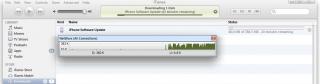
updating iOs6 at this hour still slow, Apple Server still congested kawkaw as i upgrade from iOs4 > iOs6 one shot
|
|
|
Sep 21 2012, 03:42 AM
|
|
Elite
6,931 posts Joined: Apr 2011 From: Bolehland for sure ^_^
|
QUOTE(digilife @ Sep 21 2012, 03:40 AM) updating iOs6 at this hour still slow, Apple Server still congested kawkaw as i upgrade from iOs4 > iOs6 one shot almost everyone rushing upgrade for it,.. confirm congested kaw kaw,.. that is consider super slow @ this hour
  |
|
Topic ClosedOptions
|
| Change to: |  0.0165sec 0.0165sec
 0.43 0.43
 6 queries 6 queries
 GZIP Disabled GZIP Disabled
Time is now: 15th December 2025 - 12:43 PM |
 Quote
Quote