Welcome Guest ( Log In | Register )

Outline · [ Standard ] · Linear+

Maxis Connect to Maxis using Custom Router!, Guidelines

views
     
yongtjunkit
post Sep 24 2016, 09:50 PM

Look at all my stars!!
*******
Senior Member
2,517 posts

Joined: Mar 2016
QUOTE(peri peri @ Sep 22 2016, 10:44 AM)
Hi Maxis

i need help. i just requested maxis to change my old thompson router to this  technicolor TG784n v3 maxis router and new BTU set as well from ZTE to this Huawei type since 2 months ago.

but the connection is very unstable. it will drop alot. and i have no idea why.

If compare to the ZTE + Thompson, i seldom facing such drop connection issue.

Its really annoying. streaming jammed half way, surf net suddenly hang, play games sometime lagging, and p2p always not stable.

What is you advise?

should i replace the router to custom type like others here or actually Maxis have better solution?

im not hardcore user but its quite annoying.

pls help, thx

btw, mine is maxis home fiber 10mbps package
*
I think it's their router issue as I'm having issue with the technicolour router on my ios devices where my ios devices fails to update apps and once I've changed to a 3rd party router then problem solved
yongtjunkit
post Jun 24 2019, 08:31 AM

Look at all my stars!!
*******
Senior Member
2,517 posts

Joined: Mar 2016
Hi, Does anyone here know how to disable VLAN tag on the BTU(Huawei EchoLife HG8240)?
yongtjunkit
post Jun 24 2019, 08:34 AM

Look at all my stars!!
*******
Senior Member
2,517 posts

Joined: Mar 2016
QUOTE(JayLeong @ Jun 18 2019, 03:57 PM)
Maxis + Astro IPTV connection problem

TM modem + Thompson Router + AC1200G+(AP mode)
Astro Multicast function will be disrupted when I connect my Asus router to the Thompson LAN port

TM model + AC1200G+(router mode)
Astro multicast no connection at all.
[attachmentid=10266370]
Call up Astro, they said cannot use 3rd party router.
Asus replied also said not support Astro.

How lo?? bought this new router now cannot use..
*
missing VLAN port 4, VID = 823


yongtjunkit
post Jun 24 2019, 08:35 AM

Look at all my stars!!
*******
Senior Member
2,517 posts

Joined: Mar 2016
QUOTE(JayLeong @ Jun 18 2019, 03:57 PM)
Maxis + Astro IPTV connection problem

TM modem + Thompson Router + AC1200G+(AP mode)
Astro Multicast function will be disrupted when I connect my Asus router to the Thompson LAN port

TM model + AC1200G+(router mode)
Astro multicast no connection at all.
[attachmentid=10266370]
Call up Astro, they said cannot use 3rd party router.
Asus replied also said not support Astro.

How lo?? bought this new router now cannot use..
*
missing VLAN port 4, VID = 823


yongtjunkit
post Jul 31 2019, 10:30 PM

Look at all my stars!!
*******
Senior Member
2,517 posts

Joined: Mar 2016
QUOTE(Aspick @ Jul 31 2019, 05:31 PM)
Where to find the vlan id in Asus router settings?
I can only see the vlan setting in the Aminia settings as shown in picture.

TM modem model Huawei Echolife HG8240H.

user posted image
*
LAN>IPTV > select profile

Maxis fibre - tm unifi backbone ( vlan 6xx)

Maxis fibre special - maxis fibre infra ( vlan 1x)

For your case it’s the maxis fibre profile

This post has been edited by yongtjunkit: Jul 31 2019, 10:31 PM
yongtjunkit
post Aug 1 2019, 11:16 AM

Look at all my stars!!
*******
Senior Member
2,517 posts

Joined: Mar 2016
QUOTE(Aspick @ Aug 1 2019, 08:32 AM)
Yes I'm aware how to set the iptv to maxis fibre mode. alfredhow78 was asking me what vlan id in my lan port 3 which i can't find anywhere in my asus router settings. Oh well.... i guess it's 621 for tm unifi backbone.

My problem now is how to get the voip working without needing the 4g sim to be inside the aminia router.
*
The profile comes with the voip Vlan tagging already, according to ASUS guide, you’ll need to plug in the aminia router to lan port 3 of ASUS router

Not using voip and maxis one prime, not really sure if this ASUS guide still apply

https://m.youtube.com/watch?v=iBRbk1FSFj0

VoIP Vlan id is 821

This post has been edited by yongtjunkit: Aug 1 2019, 11:18 AM
yongtjunkit
post Mar 8 2020, 10:56 AM

Look at all my stars!!
*******
Senior Member
2,517 posts

Joined: Mar 2016
QUOTE(joechoy @ Mar 7 2020, 06:07 PM)
I switched to an ASUS router and everything runs smoothly except I can't get Ástro On Demand. I went thru this thread and tried what one of the poster said by untagging IPTV Vlan and true enough on demand works! but now the normal astro don't work.......

I called support and the lady on the other line insist that you can only use their router. Which I find ridiculous. Any router with powerful functions could do what that shitty technicolor does 10X more. It all boils down to settings which I find it rather unusual that Maxis is unwilling to share. bear in mind I build router and vpn servers for fun, so I know what I'm talking about
*
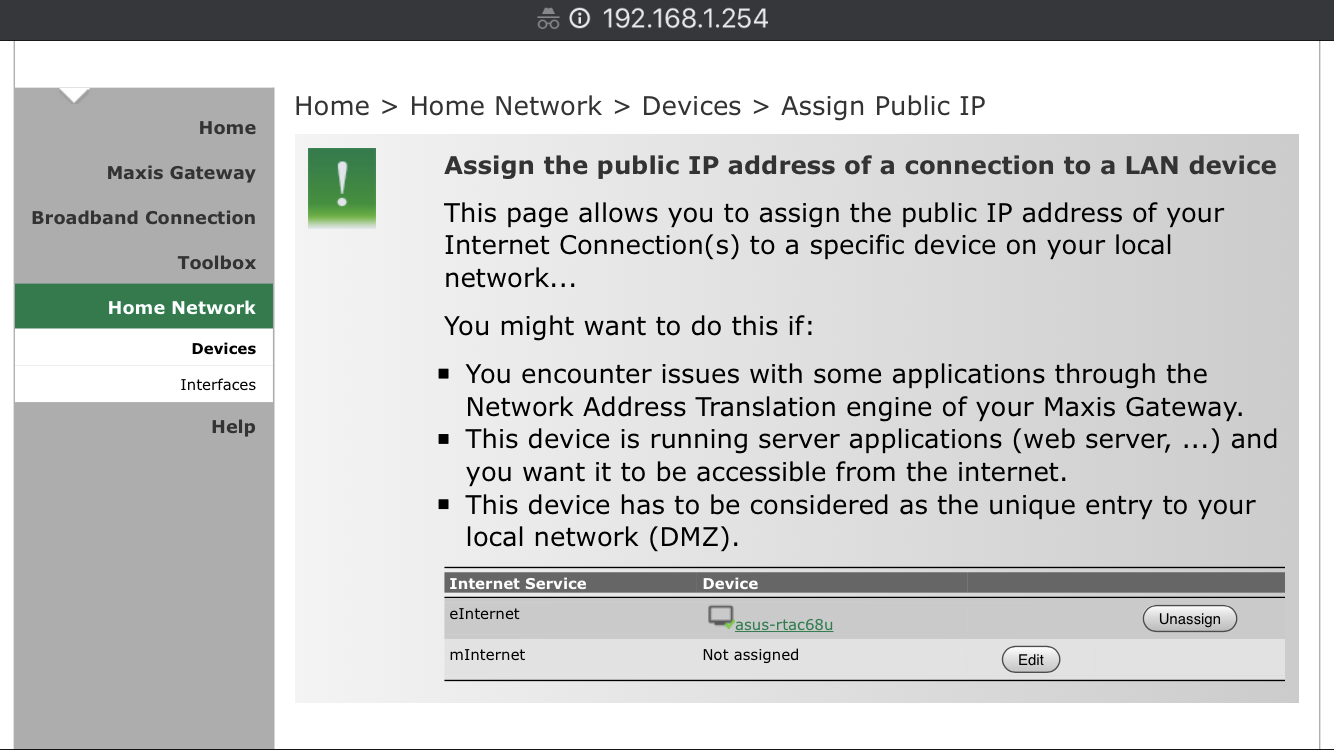
Have the same issue as well, the way it works is the IPTV feed has its own Vlan and the VOD uses the internet Vlan and all of them merge itself together on the maxis router, there’s no option to do that on the ASUS router unfortunately, I’m stuck like you as well.... had to cascade router and the maxis router is playing well with it( not transparent at all even after assigning public IP to the ASUS router )

If you can merge 2 VLANs together, please share it with me as well, I would like to do it too(it’s something like bridge on the maxis router)- saw references to it in the settings configuration file of the technicolor router

https://forum.lowyat.net/topic/4915328

With these settings on the Technicolor TG784n v3, it still doesn't behave transparently, things like port forwarding, DDNS doesn't work(on the Asus router) bangwall.gif bangwall.gif
user posted image


This post has been edited by yongtjunkit: Mar 8 2020, 03:41 PM
yongtjunkit
post Jul 15 2020, 09:28 AM

Look at all my stars!!
*******
Senior Member
2,517 posts

Joined: Mar 2016
QUOTE(HG8240HMaxis @ Jul 15 2020, 02:29 AM)
I bought an HG8240H from shopee and want to replace my old HG8240w.
First I don't know what I should be configuring in the new modem. @trix says to go here for the configuration https://forum.lowyat.net/index.php?showtopi...&#entry91845910 but it doesn't lead me to any instructions.
Next I think I have to change the modem mac address?? like this guy said https://forum.lowyat.net/topic/4826324

I afraid I change and then suddenly no internet because I didnt properly configure the brand new HG8240H modem correctly. At least want internet to work with this modem before I ask to change the mac address.
*
Just Changed out my modem, actually I don’t really notice any benefits so far but all I need is to get the authentication password to connect only, you’ll need to access the existing modem to do so and I believe that the password varies by area

using maxis ffth infra btw

This post has been edited by yongtjunkit: Jul 15 2020, 09:30 AM
yongtjunkit
post Jul 15 2020, 02:00 PM

Look at all my stars!!
*******
Senior Member
2,517 posts

Joined: Mar 2016
QUOTE(HG8240HMaxis @ Jul 15 2020, 12:20 PM)
So that means I don't have to change the Mac address right?
I just have to somehow get the authentication from old modem and then put it in the new modem?

Do you have instructions (for putting the authentication in the new modem)? if not thank you at least for letting me know about the mac address issue
*
For my case I just key in the authentication password, I heard that it varies by area though

For most area, maxis service is served via TM unifi infra which maybe different from mine

This post has been edited by yongtjunkit: Jul 15 2020, 05:56 PM
yongtjunkit
post Jul 16 2020, 01:57 PM

Look at all my stars!!
*******
Senior Member
2,517 posts

Joined: Mar 2016
QUOTE(HG8240HMaxis @ Jul 16 2020, 07:42 AM)
I just tried I don't think it's working sad.gif
What's the authentication I'm suppose to be finding? The ONT authentication? TR069 parameters?
*
ONT authentication, mine is from old Huawei modem to new Huawei modem and using maxis FFTH infra not TM infra

Didn’t bother with TR069, I believe that’s for maxis/TM to remote into the modem

Maybe here would help
https://forum.lowyat.net/topic/4925452

This post has been edited by yongtjunkit: Jul 16 2020, 02:09 PM
yongtjunkit
post Apr 11 2021, 07:04 AM

Look at all my stars!!
*******
Senior Member
2,517 posts

Joined: Mar 2016
QUOTE(terencetnm @ Apr 10 2021, 06:22 PM)
Hi all,

I have a problem currently with my Asus Routers which can be solved after searching the web and calling for helps and CS.

Basically i bought an Asus router RT AX55, after configuring the settings, setting up the PPoE changing the IPTV, i m still unable to access the internet while the maxis router which they provided can.

Reason for changing router, the maxis router the provided was years ago when i subscripted to maxis. The wifi coverage unable to cover my entire house hence the changing of router. Moreover, im a noob when it comes it IT. Tried my best calling CS to upgrade router but they told me to wait more then a month.

Any input is welcome.

Thanks in Advance.
*
Select maxis fiber or maxis fiber special(for maxis infra) under lan> IPTV

Make sure that your pppoe username and password is correct

You may be better served by posting in this thread instead( asusMY official thread): https://forum.lowyat.net/topic/2651405

This post has been edited by yongtjunkit: Apr 11 2021, 07:05 AM


Change to:
| Lo-Fi Version
0.0504sec    0.57    7 queries    GZIP Disabled
Time is now: 21st December 2025 - 12:11 AM