Welcome Guest ( Log In | Register )

Bump Topic Topic Closed RSS Feed
4 Pages  1 2 3 > » Bottom

Outline · [ Standard ] · Linear+

Photography The Official Nikon Discussion Thread Ver.16

views
     
Andy214
post Jun 13 2012, 10:59 AM

Look at all my stars!!
*******
Senior Member
3,308 posts

Joined: Nov 2004


QUOTE(gerald7 @ Jun 13 2012, 10:27 AM)
I also got sepang... but different time... no Japanese hot chicks!

» Click to show Spoiler - click again to hide... «

*
Nice, but did you pump a lot of clarify? Or?

The building looks like got burned. It looks one of the the instagram effects tough.

This post has been edited by Andy214: Jun 13 2012, 11:00 AM
Andy214
post Jun 13 2012, 12:13 PM

Look at all my stars!!
*******
Senior Member
3,308 posts

Joined: Nov 2004


QUOTE(gerald7 @ Jun 13 2012, 12:08 PM)
hahaha no.. its done in Ps. higher than normal contrast look. Testing testing. recently learn can use the CURVE tool hahaha. Im such a newbie at PS
*
Oh, normally in LR, if you pump too much clarify will get those effects, but it makes the photo more, erm, "dramatic" tongue.gif
Andy214
post Jun 14 2012, 09:37 AM

Look at all my stars!!
*******
Senior Member
3,308 posts

Joined: Nov 2004


QUOTE(tctham @ Jun 14 2012, 08:31 AM)
use the focus points in your vf to help you align if necessary smile.gif eventually you'll get the hang of it smile.gif
*
Focus points?
Should be grid isn't it?

But to get 100% straight is not easy, also depends your shooting angle; And if you're shooting events, it's even harder to get straight (not to mention even 100%).
Andy214
post Jun 14 2012, 02:22 PM

Look at all my stars!!
*******
Senior Member
3,308 posts

Joined: Nov 2004


QUOTE(gnome @ Jun 14 2012, 02:13 PM)
» Click to show Spoiler - click again to hide... «


sos kacang : http://nikonrumors.com/2012/06/14/first-le...ikon-d600-font/
*
Comes with motor. At least this clear ups many people's worry.
Andy214
post Jun 20 2012, 12:08 PM

Look at all my stars!!
*******
Senior Member
3,308 posts

Joined: Nov 2004


QUOTE(celciuz @ Jun 20 2012, 11:00 AM)
Probably my fav car on display during Super GT biggrin.gif

» Click to show Spoiler - click again to hide... «

*
Oh! I like this too! The sound also very nice~
Andy214
post Jun 22 2012, 12:56 AM

Look at all my stars!!
*******
Senior Member
3,308 posts

Joined: Nov 2004


QUOTE(Calvin Seak @ Jun 21 2012, 08:53 PM)
Hahaha you sure pokai or bulky you dont like haha! biggrin.gif

That 1 really suit him lol
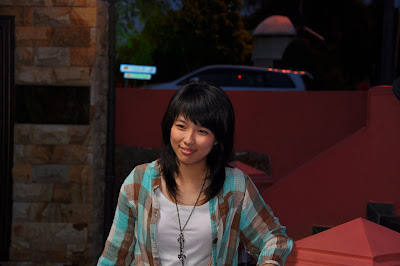
Here's my 2nd pic from the shoot.. Can someonte tell me is to dark now?

» Click to show Spoiler - click again to hide... «


Added on June 21, 2012, 8:57 pmActually I think I know what I should do.

Look at the histogram particularly on the skin tones..

Hahaha! Ill be editing later again.. Now im going out for futsal! >.<
*
Skin tone is weird, WB? Or something else?

Did you apply noise reduction? Seems the face have some watercolor effect, usually caused by noise reduction, or is it the makeup?
Or possibly loosing clarity? Can try pump in some clarify as see.

This post has been edited by Andy214: Jun 22 2012, 12:56 AM
Andy214
post Jun 22 2012, 09:44 AM

Look at all my stars!!
*******
Senior Member
3,308 posts

Joined: Nov 2004


QUOTE(Calvin Seak @ Jun 22 2012, 06:19 AM)
Great observation!

Yea I did lose the clairty at the face thought of softening the skin..
Some NR was applied.. Was shot at 1000 ISO.
I'm not to sure about the makeup, I'm not experience in that field..
*
I'm also not experience with makeup; The real person face is it look like this?
Can try pump up the clarity and see whether can improve the watercolor painting look and also set the NR to none first.

Skin tones could be due to WB or due to in shaded area, seems got green tint or something. Try play around with WB, or try adjust specific color.


This post has been edited by Andy214: Jun 22 2012, 09:46 AM
Andy214
post Jun 22 2012, 04:04 PM

Look at all my stars!!
*******
Senior Member
3,308 posts

Joined: Nov 2004


QUOTE(celciuz @ Jun 22 2012, 10:24 AM)
I laughed until tears came out when I saw my first ever portrait shooting pics... was looking at my blog... thinking to revive it LOL. Then saw my first portrait pic really :S....
*
As we gain/improve, we look back our old photos will be quite funny, especially how we can be satisfied with it or think it's good last time tongue.gif
Ok, well, maybe not true for everyone tongue.gif
Andy214
post Jun 22 2012, 04:37 PM

Look at all my stars!!
*******
Senior Member
3,308 posts

Joined: Nov 2004


QUOTE(celciuz @ Jun 22 2012, 04:19 PM)
I'll share the photos I had in that post...

» Click to show Spoiler - click again to hide... «


I'm glad to say I'm better than when I started!
*
Niceee~
It's good to see improvements and also review back our old work once in a while right? tongue.gif

Andy214
post Jun 23 2012, 11:16 AM

Look at all my stars!!
*******
Senior Member
3,308 posts

Joined: Nov 2004


Need some opinion. Which of the below is better and why?
I always have hard time to decide...

» Click to show Spoiler - click again to hide... «


This post has been edited by Andy214: Jun 23 2012, 11:16 AM
Andy214
post Jun 23 2012, 12:08 PM

Look at all my stars!!
*******
Senior Member
3,308 posts

Joined: Nov 2004


QUOTE(tctham @ Jun 23 2012, 12:01 PM)
i'd vote for the top one.. dunno why but feel the car more stand out compared to the bottom one
*
Thanks~

I kind of prefer the top one as well, for the same reason, but the bottom one, in overall, gives more, erm... the mood? And the lights looks nicer as well (also from someone else comment the reason why she prefer the bottom one). As for the top one, the details more clear (e.g. the word "Beyond First Class").

How to decide which is better when both also you like? hmm.gif
Need to learn more PP skills...

This post has been edited by Andy214: Jun 23 2012, 12:11 PM
Andy214
post Jun 23 2012, 12:29 PM

Look at all my stars!!
*******
Senior Member
3,308 posts

Joined: Nov 2004


QUOTE(tctham @ Jun 23 2012, 12:16 PM)
it's not like one is better than the other actually.. it's which feel you want to portray.. the top one would make the front car more stand out.. so it helps on the composition wise.. it made the front car the main subject..

meanwhile, the bottom one have a general good overall.. maybe because it was too good at overall, that i don't know where to focus my eyes on.. especially when i look at the white car (which is suppose to be the main subject if i follow the composition rule) i will feel i wanna look at the back also.. cuz back also quite interesting..

the top picture just makes me want to look at the white car
*
Thanks~ Nice pointer there, which I totally miss out.

When I ask my non-photography friends, seems most of them prefer the bottom ones.
If for me, your point is very good there, which I want to potray, to bring attention to the car.
Just that, if it's for someone else, what if they prefer the bottom one, should we show the bottom one or top one? tongue.gif
Andy214
post Jun 25 2012, 02:27 AM

Look at all my stars!!
*******
Senior Member
3,308 posts

Joined: Nov 2004


QUOTE(amduser @ Jun 25 2012, 12:01 AM)
available light icon_rolleyes.gif
*
LOL, not always you have enough available light bro sweat.gif


Andy214
post Jun 25 2012, 09:19 AM

Look at all my stars!!
*******
Senior Member
3,308 posts

Joined: Nov 2004


QUOTE(amduser @ Jun 25 2012, 09:07 AM)
Finally a picture from CY without girls and cars laugh.gif
*
He got post other amazing and nice landscape shots before.
Andy214
post Jun 25 2012, 07:20 PM

Look at all my stars!!
*******
Senior Member
3,308 posts

Joined: Nov 2004


QUOTE(Agito666 @ Jun 25 2012, 07:06 PM)
post fb still kena people ask mah... but then this time ask lawyer friend he said no need worry also  tongue.gif

here is the image... in LRT, kinda rare to see 5 people sleep together like a combo  tongue.gif
shot by n8 phone
» Click to show Spoiler - click again to hide... «

*
Just sharing what I heard on ladio and to becareful that's all. If unlucky somehow the photo share until the person's friend, you never know what the person will do (especially if the photo got something that is not nice lah). Probably just ask you remove, but if unlucky, you may face more issue.

For normal photo, there should be no problem, but something that's not so good then have to be more careful, just in case, as you never know how the person will feel and what she will want to do.


Andy214
post Jun 25 2012, 11:12 PM

Look at all my stars!!
*******
Senior Member
3,308 posts

Joined: Nov 2004


QUOTE(hidden830726 @ Jun 25 2012, 07:57 PM)
ok, im into street photography these days, so this is what i learned

Malaysia = ex commonwealth country, and therefore like Singapore, we used British law as our basis.

To sum it up,

We can take any picture in public places, and post them, use for exhibition / art purposes, and even sell the prints as art but cant use the pics for commercial use.

So if you put on facebook, its fine. But try refrain from putting offending or misleading caption. If someone contacted you to remove it with proof that they are the person in the picture, or valid reason, you may as well remove it. But nothing worry as you took the pic in public places.

Anyway, i deem LRT as public places due to the fact that its a public transport.


Added on June 25, 2012, 8:00 pm

Well, if they wearing black cloth, we should respect their culture by not taking their pic. Unless ahem, they got really beautiful eyes, i will take the risk


Added on June 25, 2012, 8:01 pm

that day a person give me a middle finger and "lou ***" look.

I dont bother  tongue.gif
*
Yes, but we must always becareful to avoid anything happen; If you happen to snap some gangster, what happen? Of course, that is one of the bad scenario and most people would avoid it.

Not sure any of you listen to the ladio; There is an awareness ad, in the ad, 2 guys were having conversation about a girl, which one of the guy took with his handphone, and send it to his friend. Then the ad end with something like knowing your rights (for the girl and what she can do; I can't really remember the exact words).

I'm just sharing what I heard on the ladio, what is the new law or what are they talking about knowing your rights and privacy, I have no idea and seems can't find this information. Perhaps someone who got contact or know anything can share.

Finally, it's just a precaution and I'm just sharing what I heard.

Andy214
post Jun 27 2012, 11:03 AM

Look at all my stars!!
*******
Senior Member
3,308 posts

Joined: Nov 2004


QUOTE(f5calvin @ Jun 27 2012, 10:47 AM)
100% crop

» Click to show Spoiler - click again to hide... «

*
Are you trying to show 1st photo very sharp, 2nd photo soft?

Did you apply sharpening on 1st photo? Seems like got hard sharpening.
For 2nd photo, the softness can be due to she lean a little backwards and did you apply any sharpening?

For newer models (e.g. D7K, D5100), by default, the preset has low sharpening value for JPG. It's been discussed before, for older models users, the default preset applies +7 sharpening if not wrong, while the newer models preset default to +3 (I think, forgot).

As far RAW file, you will have to apply your own sharpening as by default, it doesn't apply those presets into the RAW file, unless you load the RAW file into ViewNX or CaptureNX, as it will load the Camera Presets.
Andy214
post Jun 27 2012, 11:49 AM

Look at all my stars!!
*******
Senior Member
3,308 posts

Joined: Nov 2004


QUOTE(f5calvin @ Jun 27 2012, 11:07 AM)
yeah they hv the same sensor..AF isn't a problem..
both photos are in jpeg, not edited..no sharpening or softening done..
yeah, the sharpening for d5100 is low..so now i made it higher like other models. haven't tried a portrait since i sharpen it..
n also i din try to shoot in RAW either..will try one day.
*
JPEG have default sharpening. Is both having the similar sharpening in the preset?

Just now didn't check EXIF, so I thought both from same camera, now that mmhodnor posted the EXIF, I have some additional thoughts:

1. As above, do check the sharpening on the D700 body.
2. Is it using the same lens or does your body have back/front focus issue? How you can test is, try using a tripod and shoot in liveview; Is it tack sharp now? Or still same?

Andy214
post Jun 27 2012, 12:24 PM

Look at all my stars!!
*******
Senior Member
3,308 posts

Joined: Nov 2004


QUOTE(f5calvin @ Jun 27 2012, 12:10 PM)
D700 has higher sharpenin value..i think it's 6 or 7.. I dun think there's any front or back focus issue cz i tried shooting a measuring tape..
*
Is it accurate?
If you have time, try this.
Put the camera on tripod or something steady, zoom to 70mm @ f/2.8, place an object as close as possible to the closest focusing distance (e.g. a logo on a cup).
Shoot through viewfinder and again using LiveView and compare both results. Is both result similar or the LiveView is tack sharp?

Oh yes, I forgot. There's also Noise Reduction.
DX body vs FX Body, the noise level and detail will be different. On D700, the ISO800 is better than D5100/D7000. Moreover, the sample for the D700 is using 70-200mm.

This post has been edited by Andy214: Jun 27 2012, 12:24 PM
Andy214
post Jun 27 2012, 02:18 PM

Look at all my stars!!
*******
Senior Member
3,308 posts

Joined: Nov 2004


QUOTE(f5calvin @ Jun 27 2012, 12:54 PM)
i'll check it out..btw, i dun have that lens with me right now..

i did this jz now.:
» Click to show Spoiler - click again to hide... «


is this backfocusing/front focusing? i suppose there's a lil backfocusing.. i focused on the black dot.. it's an image of a tree trunk.. captured from upwards
kit lens, cropped.
*
Handheld? If handheld with shallow DOF, it's not easy to get accurate result.
What I did test before is using tripod or put the body on table or that is doesn't move.
I tested shooting and compare both Viewfinder shot and ViewFinder, the result is consistent no matter how many times I tried, and it's done with good lighting, so I'm using lowest ISO.
The difference is very minimal, the service personnel were not able to tell the difference, but because of too small difference, they won't adjust it and advice to use the in camera adjustment (which unfortunately not available for D5100)

Well, that's when you get very close to your subject and the DOF is shallow. The minor back/front focusing will be noticeable. If you shoot from further distance, then it's less of a problem because the more area will be in focus.

4 Pages  1 2 3 > » Top
Topic ClosedOptions
 

Change to:
| Lo-Fi Version
0.0654sec    0.50    7 queries    GZIP Disabled
Time is now: 14th December 2025 - 12:26 AM